
Table of Contents
Some links on The Justifiable are affiliate links, meaning we may earn a small commission at no extra cost to you. Read full disclaimer.
Finding the best ecommerce platform for small business can feel like navigating a maze—so many options, each promising simplicity, scalability, and success. But which one actually delivers for your unique goals, budget, and experience level?
In this guide, I’ll help you compare today’s top ecommerce platforms side by side, so you can make a confident, informed decision without second-guessing your choice later. Ready to discover which platform truly fits your small business needs?
1. Shopify: The Most Popular All-In-One Solution

Shopify is often the first platform that comes to mind when someone searches for the best ecommerce platform for small business.
It’s built for entrepreneurs who want an intuitive, reliable, and fast way to start selling online—without needing to understand code or hire a developer.
Ease of Use for Beginners and Non-Tech Users
Shopify’s biggest strength lies in how easy it is to use. Once you log in, you’re greeted by a clean dashboard with simple tabs like Products, Orders, Customers, and Analytics. Adding a product, for example, takes just a few clicks:
- Go to Products → Add Product
- Enter your title, description, and price
- Upload photos, then click Save
That’s it—your item is ready to sell. I’ve seen first-time users launch stores within hours because Shopify handles the heavy lifting: hosting, security, and even automatic backups. You don’t need to worry about SSL certificates or database setup; everything is bundled in.
It’s also beginner-friendly when it comes to design. The drag-and-drop builder works visually—you can move sections like Featured Products or Testimonials without any HTML knowledge.
Customization Options and App Integrations
While Shopify is easy for beginners, it’s also flexible enough for growing brands. You can choose from hundreds of themes in the Shopify Theme Store—both free and paid.
Each theme can be customized through the Online Store → Themes → Customize panel.
The real power, though, is in its app ecosystem. Shopify has over 8,000 apps in its marketplace, covering everything from SEO and inventory management to loyalty programs.
Here are a few practical examples I often recommend:
- Klaviyo for automated email marketing and personalized campaigns.
- Yotpo for product reviews and social proof.
- DSers for dropshipping integration with AliExpress.
This means you can build exactly the kind of store your business needs, one integration at a time.
Pricing Plans and Hidden Costs to Consider
Shopify pricing starts at $29/month for the Basic plan, but I always advise looking beyond that. The real cost includes apps, transaction fees, and sometimes themes.
A quick breakdown:
- Basic Shopify: $29/month + 2.9% + $0.30 per transaction
- Shopify: $79/month + 2.6% + $0.30 per transaction
- Advanced Shopify: $299/month + 2.4% + $0.30 per transaction
If you use Shopify Payments (their built-in processor), you’ll avoid extra fees. Otherwise, they charge an additional 2% for external gateways like PayPal or Stripe.
So, while Shopify offers incredible convenience, it’s smart to calculate the total cost of ownership—especially as your sales volume grows.
Pros and Cons for Small Business Owners
Pros:
- Extremely beginner-friendly interface
- Reliable hosting and 24/7 support
- Scalable for both small and large stores
- Massive app marketplace
Cons:
- Costs can add up quickly with apps and fees
- Limited flexibility outside Shopify’s ecosystem
- Less control over technical customization
In short, Shopify is ideal if you want speed, support, and simplicity. If you prefer open customization or already have a WordPress setup, you might find WooCommerce a better fit.
2. WooCommerce: Best for WordPress Users

WooCommerce is essentially a free plugin that turns your WordPress website into a full-fledged online store. It’s the go-to choice if you already use WordPress or want more control over your ecommerce setup.
How WooCommerce Integrates with WordPress
WooCommerce integrates seamlessly into your WordPress dashboard. Once installed via Plugins → Add New → WooCommerce, it adds new tabs like Products, Orders, and Reports.
Unlike Shopify, which is hosted for you, WooCommerce is self-hosted—meaning you’ll choose your own hosting provider (like WPengine or Hostinger) and manage updates yourself.
This setup gives you full ownership of your website. You can modify files, use custom themes, or even tweak PHP code. For developers and power users, that freedom is invaluable.
Setup Process and Required Hosting Providers
Setting up WooCommerce is straightforward:
- Install WordPress.
- Choose a compatible host (I usually suggest Inmotion Hosting or Hostinger for speed and support).
- Install WooCommerce from the plugins library.
- Follow the setup wizard to configure currency, payments, and shipping.
That’s it—you’re ready to add products. The flexibility here is great: you can add features using free or premium plugins rather than being tied to one pricing tier.
Cost Analysis: Plugins, Themes, and Maintenance
While WooCommerce itself is free, you’ll incur costs for:
- Hosting: Around $5–$15/month.
- Themes: Premium ones can cost $50–$100 once.
- Plugins: Optional add-ons (like SEO tools, cart recovery, etc.) can add $10–$50/month.
The biggest advantage is scalability. You pay only for what you need, unlike Shopify’s fixed tiers. But it also means managing updates, backups, and plugin conflicts yourself—so some technical comfort helps.
Strengths and Limitations for Small Businesses
Strengths:
- 100% ownership and control
- Highly customizable through plugins and themes
- Scales affordably as your business grows
- Large global community for support
Limitations:
- Requires separate hosting and maintenance
- Can become complex with many plugins
- No direct customer support (only documentation and forums)
WooCommerce shines for those who already love WordPress or want to tinker with their site’s design and performance. But if you’d rather focus on selling without handling updates or servers, Wix or Shopify may be simpler.
3. Wix eCommerce: Flexible Drag-and-Drop Store Builder
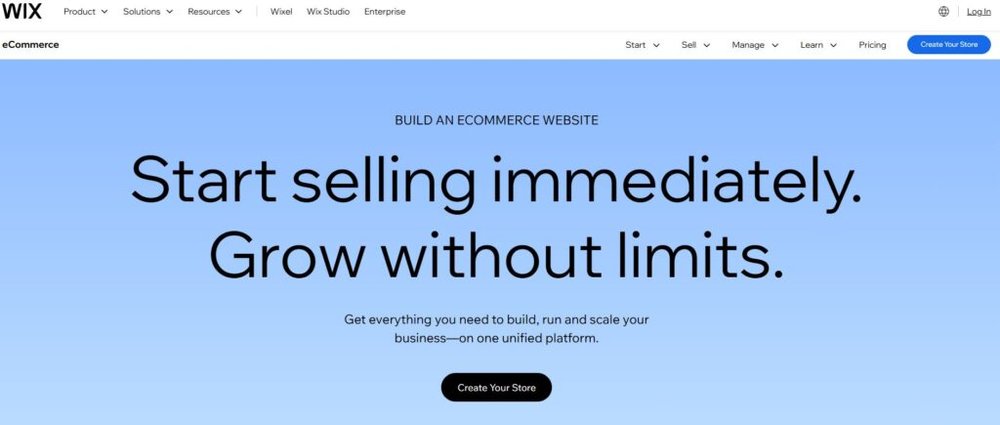
Wix eCommerce is perfect for small business owners who value design freedom and simplicity. It lets you build visually stunning stores with zero code, using intuitive drag-and-drop tools.
Design Freedom and Templates for Online Stores
Wix gives you more than 800 customizable templates, including 100+ specifically for online stores. You can start from a design like Fashion Boutique or Electronics Store, then customize every section directly on the page.
Want to add a product carousel or testimonials? Just drag it into place. I often tell small business owners: if you can edit a PowerPoint slide, you can use Wix.
You can also tweak fonts, colors, and layout without touching a single line of code. And for design perfectionists, Wix’s Velo feature allows light coding customization for deeper control.
Built-In Marketing Tools and Analytics
Wix packs a surprising number of built-in marketing tools for small business users. Inside Marketing & SEO → Get Found on Google, you’ll find guided SEO checklists that walk you through title tags and meta descriptions.
It also integrates email campaigns via Wix Ascend—a native marketing suite that handles newsletters, forms, and automation in one place. Analytics tools help you track sales, abandoned carts, and traffic sources directly from the dashboard.
This means you don’t have to connect multiple external tools; Wix is a full ecosystem for building, marketing, and tracking your store.
Payment Gateways and Transaction Fees
Wix supports major payment gateways like Stripe, PayPal, and Wix Payments (its in-house processor). Transaction fees depend on your payment provider—Wix doesn’t charge its own additional fees.
This makes pricing straightforward: you pay only your plan fee (starting at $27/month for Business Basic) plus standard payment processing rates.
Wix Payments also supports Apple Pay and recurring payments—handy if you sell subscriptions or memberships.
When Wix Is (and Isn’t) the Right Choice
Wix is ideal when:
- You want complete design freedom without coding.
- You’re a creative entrepreneur (artist, coach, boutique owner).
- You prefer an all-in-one builder with hosting, SEO, and marketing.
Wix isn’t ideal when:
- You plan to scale into thousands of products or complex logistics.
- You need advanced app integrations or multi-store management.
For small business owners focused on branding and simplicity, Wix delivers beautifully. But if your goal is rapid scaling or deep customization
4. BigCommerce: Best for Growth and Scalability
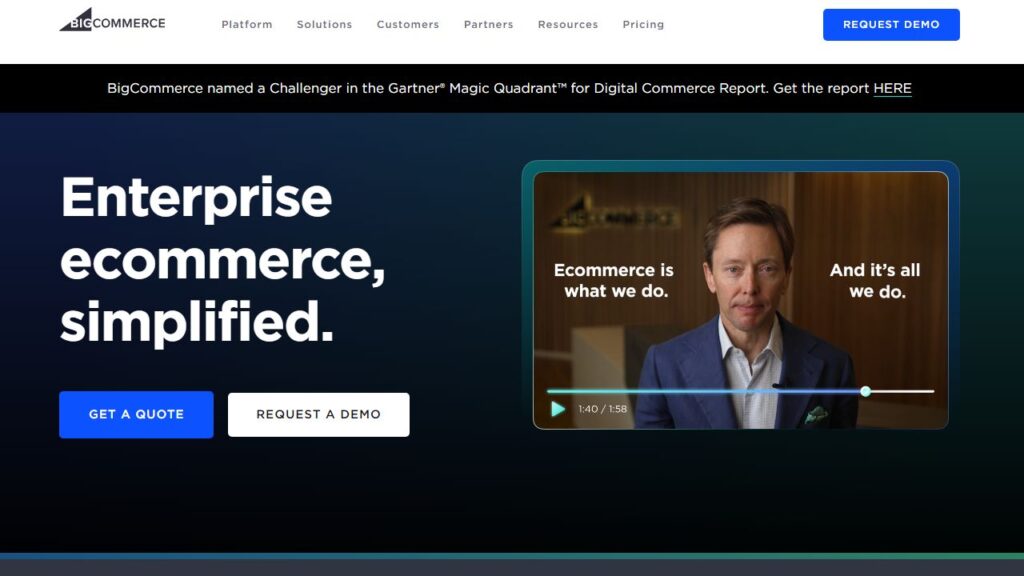
BigCommerce often appeals to business owners ready to grow beyond the basics. It’s not just another store builder—it’s built for scaling.
If Shopify feels a bit restrictive or WooCommerce too hands-on, BigCommerce offers a balanced middle ground.
Key Features That Support Expansion
BigCommerce is known for its enterprise-grade power even at the small business level. You can handle hundreds or thousands of products without worrying about site performance.
It’s designed to scale without forcing you to upgrade to a completely new platform later.
Some standout features include:
- Multi-channel selling: Sell on Amazon, eBay, and social media directly from your dashboard.
- Advanced product filtering: Customers can filter products by size, color, or price automatically.
- Built-in analytics: Real-time dashboards show product performance, abandoned carts, and conversion metrics.
One feature I personally find useful is how easily BigCommerce integrates with POS (Point of Sale) systems like Square or Clover. That means your in-store and online inventory always stay in sync.
SEO Tools and Built-In Marketing Options
BigCommerce gives you advanced SEO control right out of the box. You can edit meta titles, descriptions, and URLs for every page under Storefront → SEO Settings.
It also auto-generates clean URLs (like example.com/red-running-shoes)—a small but powerful advantage for ranking.
Its marketing suite includes built-in email reminders for abandoned carts and customer segmentation tools to target repeat buyers. Plus, it connects natively with Google Ads and Meta (Facebook) for smarter ad campaigns without extra apps.
From what I’ve seen, BigCommerce tends to perform slightly better than Shopify in SEO flexibility. For example, it allows full access to your robot.txt and structured data, giving you more long-term ranking control.
Pricing Tiers and Value for Small Businesses
BigCommerce’s pricing starts at $39/month for the Standard plan. The key difference from Shopify is that there are no additional transaction fees—you keep what you earn.
Plans include:
- Standard: $39/month — great for startups with under $50K in annual sales.
- Plus: $105/month — adds customer segmentation and abandoned cart recovery.
- Pro: $399/month — for growing brands, with advanced search filters and API access.
If your store surpasses $200K in yearly sales, BigCommerce automatically suggests upgrading to a higher plan, which can surprise some users. Still, the pricing reflects real scalability value.
Pros and Cons Compared to Shopify and WooCommerce
Pros:
- Built-in scalability with no transaction fees
- More native SEO and analytics tools
- Excellent multi-channel selling integration
- Enterprise-grade performance even for smaller stores
Cons:
- Learning curve slightly steeper than Shopify
- Limited theme flexibility compared to WooCommerce
- Higher cost as sales volume increases
In my experience, BigCommerce is ideal for business owners planning rapid growth. If you want to scale without rebuilding your site later, it’s one of the smartest long-term choices.
5. Squarespace: Best for Creative and Design-Focused Brands
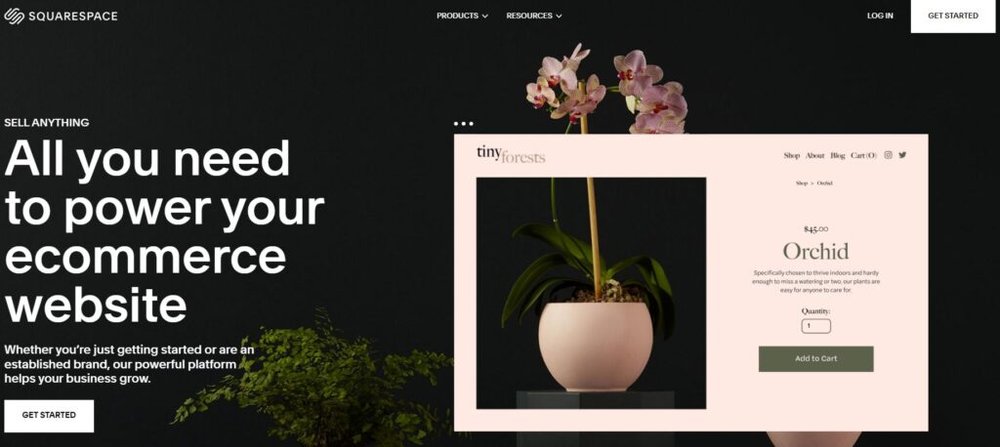
Squarespace is the go-to ecommerce platform for small businesses that care deeply about visual storytelling.
It’s sleek, stylish, and built for brands that want their online store to feel like an experience—not just a sales page.
Standout Templates and Visual Customization
Squarespace’s templates are known for their polish. If you’re in fashion, art, photography, or lifestyle products, these designs make your brand look instantly professional.
You can edit layouts visually using Design → Site Styles, where you can adjust fonts, colors, and spacing with real-time previews. For product pages, you can easily add image galleries, videos, or even lookbooks—something Shopify requires an app for.
I often tell design-focused founders: Squarespace helps you launch with a premium aesthetic that would otherwise cost thousands in custom design work.
eCommerce Tools and Limitations for Retailers
Squarespace supports most core ecommerce functions—product listings, inventory tracking, digital downloads, and basic analytics. But it’s best for small to medium stores rather than large catalogs.
Here’s what you get out of the box:
- Abandoned cart recovery
- Discount codes and gift cards
- Automatic tax and shipping calculations
- Built-in analytics for sales and traffic
One limitation is that it doesn’t support multi-vendor marketplaces or advanced inventory systems. For small creative shops, though, it’s a fair tradeoff for simplicity and design control.
Integrations with Payment and Shipping Solutions
Squarespace accepts payments through Stripe, PayPal, and Apple Pay—all handled within its Commerce → Payments section. Setup takes just a few minutes, and there are no extra Squarespace transaction fees on the Commerce plans.
Shipping is streamlined, too. You can connect with USPS, UPS, and FedEx for real-time rates. It’s not as comprehensive as BigCommerce or Shopify, but it covers most small business needs.
Ideal Business Types for Squarespace Stores
Squarespace is perfect for creative entrepreneurs—think designers, photographers, artists, or boutique retailers. If your brand relies on aesthetics and storytelling, Squarespace helps you stand out.
However, if you expect rapid product expansion or require deep integrations (like inventory management or ERP systems), Shopify or BigCommerce may serve you better.
In my opinion, Squarespace is best viewed as a design-first ecommerce solution—beautiful, reliable, and simple.
6. Hostinger Website Builder: Budget-Friendly for Starters
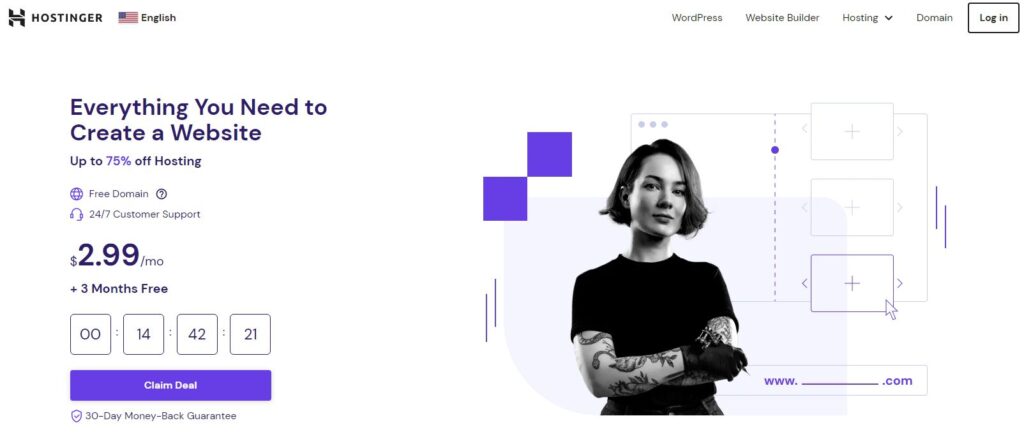
Hostinger’s Website Builder is one of the best ecommerce platforms for small business owners who want affordability without sacrificing essential features.
It’s fast, light, and surprisingly capable for its low price point.
What Makes Hostinger Affordable and Simple
Hostinger’s main advantage is its all-in-one pricing. You get hosting, SSL security, email, and the website builder starting around $2.99/month—far below most competitors.
The setup process is almost effortless:
- Sign up for a hosting plan.
- Choose Website Builder in your dashboard.
- Pick a template and edit it visually using the drag-and-drop editor.
I’ve helped clients set up full online stores on Hostinger in under an hour. It’s especially good for beginners who don’t want to juggle separate hosting and builder tools.
Customization and eCommerce Features
Despite being budget-friendly, Hostinger’s builder includes solid ecommerce tools. You can manage inventory, set tax zones, and accept payments through Stripe, PayPal, and local gateways.
It also integrates marketing features like AI product descriptions and SEO recommendations—small but useful touches for busy entrepreneurs.
The Store Manager interface is clean and simple. You can access it through Website Builder → Store → Products to add listings, edit prices, and track stock levels.
Hosting Performance and Reliability
Hostinger’s performance is impressive for its price. It uses cloud-based infrastructure and LiteSpeed caching, meaning your site loads quickly even during traffic spikes. Uptime averages above 99.9%, based on most independent speed tests.
From my experience, Hostinger’s speed advantage helps SEO rankings and improves conversion rates—especially for stores serving global audiences.
Who Should Choose Hostinger for eCommerce
Hostinger is best for small business owners who:
- Want a simple, affordable all-in-one platform.
- Don’t need heavy integrations or custom coding.
- Value fast setup and solid hosting reliability.
It’s not ideal for massive product catalogs or advanced marketing automation, but for solopreneurs, local businesses, and startups, it’s a practical and cost-effective starting point.
I’d recommend Hostinger if you’re launching your first online store and want an affordable way to learn ecommerce before scaling to a platform like Shopify or BigCommerce later.
7. Ecwid by Lightspeed: Best for Selling on Existing Websites
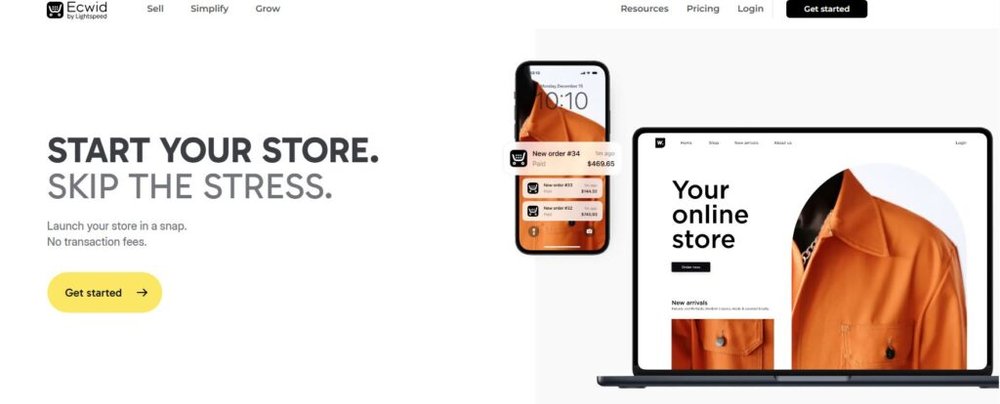
Ecwid by Lightspeed is one of the smartest tools if you already have a website and simply want to add ecommerce features—without rebuilding everything from scratch.
It’s flexible, lightweight, and integrates smoothly with platforms like WordPress, Wix, and even social media channels.
How Ecwid Works with WordPress, Wix, and More
Ecwid works like a plugin that embeds a fully functional online store into your existing website.
For example, in WordPress, you can install it directly from the plugin directory by searching Ecwid Ecommerce Shopping Cart, then connecting your Ecwid account.
Once activated, your store appears seamlessly within your site design—no extra coding needed.
In Wix, it integrates through Add Apps → Ecwid Online Store, syncing your product catalog instantly. You can also use it on custom-coded websites via a small HTML snippet.
The beauty of Ecwid is that it’s platform-agnostic—meaning you’re not locked into one ecosystem. If you ever switch from WordPress to another platform, you can take your entire store with you.
Multi-Channel Selling Across Social Platforms
Ecwid really shines in multi-channel sales. You can sell across Facebook, Instagram, TikTok, and even Amazon—all from one dashboard.
Inside your Ecwid admin panel, go to Sales Channels → Facebook or Instagram to connect your business accounts. This syncs your product catalog automatically, so when you update a price or add a new item, it updates across every channel.
It’s incredibly useful for small businesses aiming to boost visibility without juggling multiple tools. I’ve seen local retailers use Ecwid to turn their Instagram feed into a shoppable catalog within a weekend.
Pricing Plans and Transaction Policy
Ecwid offers a free plan that lets you sell up to 5 products—ideal for testing the waters. Paid plans scale based on your catalog size and features:
- Venture: $19/month for up to 100 products
- Business: $39/month for advanced marketing and store management
- Unlimited: $99/month for unlimited products and priority support
One major perk: Ecwid doesn’t charge additional transaction fees. You only pay your payment processor’s standard rate (like Stripe or PayPal).
This pricing model keeps costs predictable, especially for small business owners who prefer flat-rate simplicity.
Ideal Use Cases for Small Business Owners
Ecwid is best for small businesses that already have a website or blog and don’t want to start over. It’s also great for service-based businesses branching into product sales.
For example, a yoga instructor using WordPress can easily sell branded merchandise or digital class passes through Ecwid without migrating to Shopify or BigCommerce.
I’d personally recommend Ecwid to anyone who values flexibility—it’s like adding ecommerce superpowers to whatever site you already love.
8. Shift4Shop: Best Free Option with Professional Tools
Shift4Shop (previously 3dcart) often flies under the radar, but it’s one of the most powerful free ecommerce platforms for small businesses—especially those based in the U.S.
It combines professional-grade tools with zero subscription fees, making it an attractive choice for cost-conscious entrepreneurs.
What You Get with Shift4Shop’s Free Plan
Here’s the kicker: Shift4Shop’s “End-to-End” plan is completely free if you use the company’s in-house payment processor, Shift4 Payments.
That plan includes:
- Unlimited products and categories
- Free SSL certificate
- Built-in marketing tools and SEO features
- Advanced inventory management
You can create discount campaigns, customer groups, and even wholesale pricing without paying extra. The setup process is similar to Shopify—just go to Store Settings → General to customize branding, then Products → Add New to start building your catalog.
It’s one of the most robust free offerings in the ecommerce space today.
Built-In SEO, CRM, and Inventory Tools
Shift4Shop has surprisingly advanced built-in features. The SEO tools allow you to customize meta tags, set up clean URLs, and generate Google-friendly sitemaps directly within your dashboard.
The integrated CRM (Customer Relationship Management) feature helps track customer activity, order history, and contact details—all from Modules → CRM → Customers.
Inventory management is equally strong. You can track stock levels in real time, set reorder alerts, and manage suppliers, making it particularly effective for businesses managing physical inventory.
I’ve found these tools reduce the need for third-party apps, saving both time and money.
Pros and Cons of the Platform’s Feature Set
Pros:
- Completely free when using Shift4 Payments
- Enterprise-grade tools for inventory and marketing
- Excellent SEO and CRM capabilities
- No caps on products or bandwidth
Cons:
- Available only to U.S.-based merchants
- Slightly outdated interface
- Learning curve for beginners compared to Wix or Shopify
If you’re based in the U.S. and want a robust, zero-cost platform, Shift4Shop is a clear winner. It’s not as sleek as Shopify but offers significantly more built-in functionality without ongoing costs.
When Shift4Shop Makes Financial Sense
Shift4Shop makes the most sense for businesses ready to sell seriously but unwilling to pay monthly platform fees. It’s particularly ideal for:
- U.S. businesses comfortable with Shift4 Payments
- Small to medium sellers managing physical products
- Store owners who prefer full-feature access without third-party add-ons
If you can handle a modest learning curve, the savings are substantial. I’ve seen first-time entrepreneurs use Shift4Shop to test new products without any upfront cost—a smart, low-risk start.
Key Factors to Consider When Choosing an Ecommerce Platform
Before picking the best ecommerce platform for small business, it’s worth stepping back to evaluate what truly matters long-term.
Features and pricing matter, but sustainability and support often make or break success.
Scalability and Growth Potential
As your store grows, so will your needs. I advise choosing a platform that scales easily without requiring a total rebuild.
Shopify and BigCommerce are strong in this area, offering higher tiers and advanced APIs.
If you’re just starting out, platforms like Wix or Hostinger are fine, but they may limit you later when handling complex catalogs or international sales.
The key is to think 12–24 months ahead—what will your business need, not just what it needs today?
Total Cost of Ownership Beyond Monthly Fees
Always look beyond the monthly plan. Factor in costs for:
- Payment processing fees (typically 2.9% + $0.30)
- Premium apps or plugins
- Custom domains and SSL certificates
- Marketing tools or email automation
For example, Shopify’s base price might look low, but apps and transaction fees can easily double your costs.
WooCommerce, while free, often involves hosting and plugin expenses. A quick spreadsheet comparing total annual costs helps make this clear.
Integration with Marketing and Analytics Tools
Marketing integration determines how easily you can attract customers. I suggest checking compatibility with tools like Google Analytics, Meta Ads, Omnisend, or Mailerlite.
Platforms like BigCommerce and Shopify offer the most seamless integrations, while Hostinger and Wix provide lighter, built-in marketing features.
The right choice depends on how much automation you need.
Quality of Support and Learning Resources
Support matters more than most people think. When something breaks at midnight, having 24/7 chat support can save you hours—or your launch.
Shopify and BigCommerce offer excellent real-time support. WooCommerce and Ecwid rely more on documentation and community forums. If you’re a solo entrepreneur, responsive help is worth paying for.
Final Comparison: Which Platform Fits Your Business Best?
Choosing the best ecommerce platform for small business depends on your priorities—simplicity, scalability, or creative freedom.
Each platform fits a different type of entrepreneur, and understanding where you fit is key.
Matching Your Business Goals to the Right Platform
- For quick launch and ease: Shopify or Wix
- For flexibility and control: WooCommerce or Ecwid
- For growth and scaling: BigCommerce
- For design-driven brands: Squarespace
- For budget-first sellers: Hostinger or Shift4Shop
I suggest writing down your top three must-haves—whether it’s “no transaction fees,” “SEO control,” or “fast setup”—and matching them against these platforms.
Best Platform for Beginners vs. Advanced Users
Beginners tend to prefer:
- Shopify (guided setup, no tech stress)
- Wix (intuitive design control)
- Hostinger (budget-friendly simplicity)
Advanced users lean toward:
- WooCommerce (customization power)
- BigCommerce (scalability and analytics)
- Ecwid (multi-channel flexibility)
Long-Term Value and Future-Proofing Your Store
Your platform choice should grow with you. Consider factors like data portability, third-party app support, and long-term pricing stability. I’ve seen too many small businesses outgrow “starter” platforms and face painful migrations later.
If I had to give one rule of thumb: choose the platform that supports where you want to be, not just where you are.
Expert Tip: How to Test a Platform Before You Commit
Here’s what I personally recommend before deciding:
- Use the free trial—Shopify, BigCommerce, and Wix all offer them.
- Add five sample products and test the checkout experience.
- Preview on mobile and desktop to see performance differences.
- Check analytics and marketing features after setup.
You’ll instantly feel which platform “fits” your workflow. That gut feeling—combined with the features and pricing that match your needs—is usually the best guide.
Pro Tip: Every ecommerce platform has its quirks, but the right one should feel like it’s helping you grow, not holding you back. Test, tweak, and evolve your store with confidence—because your business deserves tools that scale as fast as your ambition.

I’m Juxhin, the voice behind The Justifiable.
I’ve spent 6+ years building blogs, managing affiliate campaigns, and testing the messy world of online business. Here, I cut the fluff and share the strategies that actually move the needle — so you can build income that’s sustainable, not speculative.
Related posts:
 Wix Ecommerce Review 2025: Is It Worth Your Money?
 Best Online Store Platforms to Launch Your Brand Today
 Best Ecommerce Website Builder for Small Business Growth
 Best Platform to Sell Online for Fast Growth and Low Fees
 Lightspeed Ecommerce vs Others: Which Helps You Earn Faster?
 Top Ecommerce Platforms That Make Selling Simple