
Table of Contents
Some links on The Justifiable are affiliate links, meaning we may earn a small commission at no extra cost to you. Read full disclaimer.
The best online store platforms can make or break your brand’s digital success. If you’ve ever wondered which platform can help you build a stunning, profitable store without needing a tech degree, you’re not alone.
With so many options—each promising flexibility, scalability, and growth—it can be tricky to know where to start. Which platform truly fits your business goals and budget?
Let’s explore the best online store platforms that make launching your brand today both simple and strategic.
1. Shopify: The All-in-One Ecommerce Powerhouse
Shopify is one of the best online store platforms for entrepreneurs who want to launch quickly, scale easily, and manage everything from one clean dashboard.
I believe it’s ideal if you’re not overly technical but still want professional control over your brand’s look and operations.
User-Friendly Store Setup and Design Tools
Shopify makes setting up your store surprisingly simple. The platform walks you through each step—from adding your first product to choosing a theme—so you’re never lost.
Here’s what I love:
- Drag-and-drop editor: You can easily move product blocks, banners, or text sections without touching code.
- Free and paid themes: Shopify’s Theme Store has over 100 mobile-optimized templates. If you want a luxury feel, you can tweak a premium one directly in the “Online Store → Themes → Customize” panel.
- Real-time preview: Changes appear instantly, making it perfect for fine-tuning your store’s vibe before launch.
I suggest starting with the Dawn theme—it’s modern, fast, and flexible enough for most brands.
Built-In Marketing and Sales Integrations
Shopify packs marketing tools right into your dashboard. You can connect your social media accounts, run email campaigns, and track conversions without leaving the platform.
Some key features include:
- Abandoned cart recovery: Automatically emails shoppers who didn’t complete checkout.
- Discount codes and gift cards: Found under “Marketing → Discounts”—great for running limited-time promotions.
- Shopify Email: Lets you design branded newsletters directly inside your dashboard.
From what I’ve seen, these built-in tools save a lot of money early on because you don’t need third-party apps to start marketing effectively.
Flexible Payment Gateways and Checkout Options
Shopify supports more than 100 payment gateways, but its own Shopify Payments system is the simplest. It accepts credit cards, Apple Pay, and Google Pay directly—no third-party setup needed.
Benefits include:
- Lower transaction fees compared to external gateways.
- Faster payouts and easier dispute management.
- Seamless checkout flow that increases conversions.
If you sell globally, Shopify automatically adjusts currency and tax settings per region. That’s a quiet superpower for international sellers.
App Ecosystem and Customization Capabilities
The Shopify App Store is huge—over 8,000 apps that extend what your store can do. I recommend starting with essentials like Klaviyo (email automation), Yotpo (product reviews), and Judge.me (user feedback).
For advanced users, Shopify Liquid, the templating language, lets developers create custom experiences—everything from interactive landing pages to dynamic product carousels.
Pricing Plans and Scalability for Growing Brands
Shopify’s plans start at around $39/month, scaling up to enterprise-grade Shopify Plus. As your business grows, you’ll appreciate:
- Unlimited products and bandwidth on all plans.
- Advanced reports and shipping discounts on mid-tier plans.
- Dedicated support and automation on Shopify Plus.
In my experience, Shopify scales effortlessly—from a solo startup to a million-dollar store—without you needing to switch platforms midway.
2. WooCommerce: Best for WordPress Users
WooCommerce is perfect if your website already runs on WordPress and you want to turn it into a fully functional online store.
I like it because it gives you total creative control while keeping costs flexible.
Seamless Integration With WordPress Websites
WooCommerce plugs directly into WordPress as a free plugin. Once installed, you can access it through your WordPress Dashboard → Plugins → Add New → WooCommerce.
What stands out is how naturally it fits WordPress’ structure—you can manage blog content, products, and SEO all in one place. It feels more like enhancing your website than building a new one.
Full Control Over Store Customization and Plugins
Since WooCommerce is open-source, you can modify everything—from layout to checkout flow. Thousands of plugins extend its features, such as Elementor Pro for design or WooCommerce Subscriptions for recurring payments.
The trade-off is that you’ll need to handle hosting, backups, and security yourself. I recommend using a managed WordPress host like SiteGround or WP Engine to simplify that.
Ideal for Content-Driven Brands and Bloggers
If content is central to your brand, WooCommerce is unbeatable. You can blend storytelling with selling seamlessly—like publishing a blog about skincare while linking directly to your product pages.
Many creators and influencers prefer WooCommerce because it integrates easily with SEO plugins such as Rank Math helping their content and products rank together.
Affordable and Open-Source Flexibility
WooCommerce itself is free, which is a huge win. You’ll just pay for:
- Hosting (usually $10–30/month).
- Domain name and SSL certificate.
- Optional premium themes or plugins.
This flexibility makes WooCommerce ideal for brands that want control over costs as they grow.
Key Extensions for Payments, Shipping, and SEO
To go live smoothly, I suggest these must-have extensions:
- Stripe for WooCommerce: Simplifies credit card and digital wallet payments.
- ShipStation: Syncs orders and automates label printing.
- Yoast SEO: Optimizes meta titles and product descriptions for Google ranking.
With the right combination, WooCommerce can rival Shopify in functionality—just with more setup freedom and tech involvement.
3. BigCommerce: Best for Fast-Growing Businesses
BigCommerce is a powerhouse built for brands that expect to scale quickly. I recommend it if your store will have a large catalog or you need enterprise-grade features from day one.
Built-In Features That Reduce App Dependence
Unlike other platforms that rely heavily on apps, BigCommerce includes advanced tools out of the box. That means fewer add-ons, lower costs, and smoother site performance.
Examples include:
- Native SEO tools: You can edit URLs, metadata, and schema markup directly.
- Multi-currency support: Handles conversions automatically.
- Built-in shipping quotes: Integrates with FedEx, USPS, and UPS without apps.
In practice, this saves hundreds per month for high-volume stores.
Scalable Infrastructure for Large Product Catalogs
BigCommerce handles thousands of SKUs (stock keeping units) without slowing down. Its servers are optimized for heavy data loads, so even stores with 100,000+ products stay fast.
I’ve seen brands move from Shopify to BigCommerce once they hit inventory or integration limits. If you plan to scale to enterprise size, it’s wise to start here.
Multi-Channel Selling Across Major Platforms
BigCommerce lets you sell directly on Amazon, eBay, TikTok, and Facebook—right from your admin dashboard. The synchronization keeps prices and inventory consistent everywhere.
A simple UI path: Channel Manager → Add Channel → Choose Platform → Connect Account.
This multi-channel approach boosts visibility and reduces manual work—essential for growing brands.
Robust Analytics and Reporting Tools
The built-in analytics are a highlight. You can track everything from customer cohorts to conversion funnels without external apps.
Data-driven insights include:
- Customer purchase frequency and lifetime value.
- Product performance by revenue or units sold.
- Abandoned cart and recovery metrics.
The “Customer Insights” dashboard is particularly helpful for spotting repeat purchase trends.
Enterprise-Level Performance Without Complexity
BigCommerce combines enterprise stability with ease of use. You don’t need deep coding skills to manage it, and the visual interface feels straightforward despite the advanced functionality underneath.
Pricing starts around $39/month and scales based on revenue, but given what’s included, the total cost is often lower than other platforms plus multiple apps.
If your goal is to grow fast without worrying about hitting platform limits, BigCommerce gives you that headroom.
4. Wix Ecommerce: Simplest Platform for Beginners
Wix Ecommerce is one of the best online store platforms for beginners who want to start selling quickly without touching a line of code.
I often recommend it to small business owners or creatives who prefer visual tools over technical setups.
Intuitive Drag-and-Drop Store Builder
Wix makes store building feel like playing with digital building blocks. Its drag-and-drop editor lets you arrange text, images, and products directly on the page—no coding or plugins needed.
Example path: Once you’re in the Wix Dashboard → Edit Site, you can simply click on Add → Store → Product Gallery to drop a product section anywhere you like.
I like that you can visually design the exact layout you want—move your logo, resize your banner, or rearrange your product grid instantly. It’s what makes Wix so approachable for first-time users who might find platforms like Shopify or WooCommerce intimidating.
Attractive, Mobile-Responsive Templates
Wix offers over 500 ecommerce templates designed for different niches—from fashion and jewelry to fitness and electronics. All templates are automatically mobile-responsive, meaning your store adjusts to any screen size without you needing to tweak settings.
If you want to see how your site looks on mobile, you can preview it using “Switch to Mobile View” in the editor’s top bar.
Templates like Fashion Designer Boutique or Organic Shop are popular choices because they’re clean, image-driven, and optimized for conversions right out of the box.
Built-In SEO and Marketing Tools for Visibility
Wix’s built-in SEO Wiz walks you through setting up your store’s meta titles, descriptions, and URL structure. I like how it gives personalized recommendations—for instance, it might suggest “Add your store name to the homepage title for better brand visibility.”
Wix also integrates with Google Ads and Facebook Ads from the Marketing Integrations tab. That makes it easier to run campaigns without juggling multiple logins.
Tip: Turn on the Wix Analytics dashboard to track where your visitors come from and what products they click on most.
Affordable Pricing With Evolving Features
Wix’s ecommerce plans start around $17–$35 per month, making it a low-cost entry point for small sellers. You get hosting, SSL certificates, and payment integrations all included.
Higher-tier plans unlock tools like abandoned cart recovery, multiple currencies, and subscriptions. From what I’ve seen, Wix has been steadily adding new features over time, closing the gap with more advanced ecommerce platforms.
It’s not perfect, but for someone just starting out, it offers a smooth, low-risk way to learn how ecommerce works.
Limitations Compared to Advanced Ecommerce Platforms
Wix isn’t built for complex operations or large catalogs. Once you start managing hundreds of SKUs or need advanced automation, it can feel restrictive.
Some key limitations:
- Limited backend control (no full code access like WooCommerce or Magento).
- Slower load times for large product catalogs.
- Fewer integrations with external inventory or CRM systems.
I suggest using Wix if you plan to sell under 100 products and prioritize simplicity. If you grow beyond that, migrating to Shopify or BigCommerce might make more sense.
5. Squarespace: Best for Creative and Visual Brands
Squarespace is a favorite among designers, photographers, and artists who want their store to look as good as their products.
I believe it’s the perfect middle ground between style and functionality for small, design-led businesses.
Stunning Templates for Product Presentation
Squarespace’s templates are visually striking—minimalist, elegant, and carefully crafted for aesthetic balance.
Example path: When you go to Design → Template, you can browse categories like Online Store, Portfolio, or Fashion & Beauty.
Each template automatically handles typography, spacing, and product layout. You just replace demo content with your own, and it already looks polished.
If your brand relies on visuals—like handmade jewelry or photography prints—Squarespace can make your products shine without heavy customization.
Built-In Tools for Photography, Video, and Branding
Squarespace integrates media management directly into the editor. You can upload high-resolution images, embed video backgrounds, and use the Style Editor to control fonts, color palettes, and button styles.
A unique advantage is its Adobe Creative Cloud integration, which lets you import design assets straight from your Adobe account.
You can even add branded video banners on your homepage—a simple way to turn browsing into a cinematic experience.
Easy Integration With Print-On-Demand Services
Squarespace connects directly with print-on-demand platforms like Printful and SPOD, which means you can sell merchandise (like t-shirts or mugs) without keeping inventory.
To connect, go to Commerce → Products → Connect to Printful and follow the quick setup steps.
This makes it an excellent option for artists or content creators who want to monetize designs with minimal overhead.
Streamlined Checkout for Small Inventories
Squarespace simplifies the checkout experience with Apple Pay, PayPal, and Stripe integrations—all available natively. You can set taxes, shipping zones, and discounts right in the Commerce Settings.
Its checkout process is intentionally minimalist—fewer clicks, cleaner design, and no distracting upsells. That’s ideal for stores with a smaller inventory and high-priced, visually driven products.
Limited App Market and Ecommerce Extensions
The trade-off is flexibility. Squarespace’s Extensions Marketplace is relatively small, offering only a few dozen integrations. While it covers essentials like shipping and accounting, it lacks the depth of Shopify’s App Store.
If you need deep automation or advanced customer segmentation, you may outgrow it. But for creative brands focused on presentation and storytelling, Squarespace nails the essentials beautifully.
6. Magento (Adobe Commerce): Best for Large Enterprises
Magento—now known as Adobe Commerce—is a powerhouse built for serious ecommerce operations. It’s open-source, endlessly customizable, and capable of handling massive inventories and global traffic.
I advise choosing Magento only if you have a technical team or developer on board.
Open-Source Flexibility for Full Customization
Magento’s greatest strength is flexibility. Because it’s open-source, you can modify every part of your store—from the frontend layout to backend logic.
Developers can create custom modules, integrate third-party APIs, and automate workflows unique to your business.
Example: If you want custom shipping logic that changes based on warehouse location, you can code that directly into your Magento store—something most SaaS platforms can’t do.
It’s why brands like Nike and Coca-Cola use Magento for their global ecommerce presence.
Advanced Inventory and Order Management
Magento handles complex inventory structures exceptionally well. You can manage multiple warehouses, track stock levels in real-time, and set automated reorder rules.
From the admin panel, navigate to Catalog → Products to adjust stock levels or assign items to specific warehouses.
It also supports bundled, configurable, and grouped products—useful if you sell items with multiple variations (like size, color, or material).
Built for Complex, High-Volume Ecommerce
Magento’s architecture is designed for scale. It can support tens of thousands of products, handle high-traffic spikes, and integrate deeply with enterprise systems like ERP (Enterprise Resource Planning) and CRM (Customer Relationship Management).
In my experience, it’s the go-to for brands expecting international expansion or omnichannel selling across multiple domains.
Security and Performance Optimization
Security is robust. Magento supports advanced permissions, SSL encryption, and regular patches to guard against vulnerabilities.
For performance, caching systems like Varnish and Redis dramatically improve speed—even for stores with heavy media files.
I recommend pairing Magento with cloud hosting from Adobe or services like Nexcess or Cloudways for reliable uptime.
Requires Technical Knowledge and Hosting Setup
Here’s the catch: Magento isn’t plug-and-play. You’ll need to handle installation, hosting, and maintenance yourself (unless you opt for the cloud-based Adobe Commerce version).
If you’re not comfortable managing a server, hiring a Magento-certified developer is almost mandatory.
Despite the steeper learning curve, it pays off in flexibility and power. For large, high-volume ecommerce operations, Magento gives you the control no other platform can match.
7. Square Online: Best for Local and Retail Businesses
Square Online is one of the best online store platforms for local businesses that already use Square for in-person sales.
I often suggest it to shop owners, cafes, salons, and small restaurants because it blends online and offline operations seamlessly without needing extra tech knowledge.
Seamless Integration With Square POS Systems
If you’re already using a Square point-of-sale (POS) terminal in your physical store, Square Online connects automatically with it. That means your in-store and online inventory sync in real time—no double entry, no headaches.
Example path: In your Square Dashboard → Online → Settings → Sync, you can toggle on “Sync with POS” so that product counts update every time a sale happens, whether in-person or online.
This integration is what makes Square Online so attractive for retail owners—it ensures customers can’t buy items online that are already sold out in-store.
I’ve seen small shops thrive with this setup because it keeps everything simple: one dashboard, one payment system, one inventory.
Ideal for Small Retailers Expanding Online
For many local stores, the thought of launching an ecommerce site feels intimidating. Square Online removes that barrier. You can import your products directly from your POS inventory and publish a ready-to-sell website within minutes.
Square even helps with design automatically by pulling your business name, logo, and product photos from your POS. This shortcut alone saves hours of setup.
It’s a perfect bridge for businesses that want to test online sales without fully diving into ecommerce infrastructure like Shopify or WooCommerce.
Simple Setup and Transparent Pricing
Square Online offers a truly transparent pricing model. There’s even a free plan where you only pay standard transaction fees (around 2.9% + 30¢ per sale).
Paid plans, starting near $29/month, unlock custom domains, advanced analytics, and abandoned cart emails.
Here’s the best part: hosting, security (SSL), and payment processing are all built-in. You don’t need to worry about separate subscriptions or technical setups.
Pro tip: When you’re ready to expand, you can upgrade directly in your Square Dashboard—no migration needed.
Limited Customization but Reliable Functionality
Square Online isn’t about deep customization. You won’t find advanced design flexibility like in Wix or Shopify. Instead, it focuses on stability, clarity, and reliability.
Limitations include:
- Fewer design templates and layout options.
- Limited app marketplace for external tools.
- No full control over checkout customization.
That said, for most small retailers, reliability matters more than creative freedom. The website builder gives you enough to look professional without getting lost in settings.
Perfect for Restaurants, Salons, and Service Providers
What makes Square Online stand out is how well it adapts to service-based businesses. Restaurants can enable online ordering and pickup/delivery directly through the platform. Salons and spas can connect Square Appointments for scheduling.
Example path: Go to Online → Fulfillment → Setup → Enable Pickup & Delivery. You’ll instantly create an order-ready menu synced with your POS.
I’ve seen local restaurants boost revenue by 25% simply by offering easy pickup orders through Square Online. It’s not flashy—but it works efficiently for businesses that rely on speed and simplicity.
8. Shift4Shop (Formerly 3dcart): Best for Tech-Savvy Sellers
Shift4Shop is one of the best online store platforms if you have a bit of technical confidence and want advanced control without the usual monthly fees.
I often describe it as the “hidden gem” of ecommerce—feature-rich, secure, and ideal for those who enjoy tweaking and fine-tuning their store’s setup.
Feature-Rich Without Monthly Fees (With Shift4 Payments)
One of the standout perks of Shift4Shop is its free plan—yes, truly free, but only if you use Shift4 Payments as your payment processor. This plan includes everything: hosting, SSL certificates, unlimited products, and advanced features that other platforms lock behind paywalls.
You can connect Shift4 Payments by going to Store Settings → Payments → Add Processor → Shift4. Once it’s active, the entire ecommerce toolkit opens up at no extra cost.
What makes this model so appealing is that you get enterprise-level tools—like abandoned cart recovery, built-in SEO, and email marketing—without a recurring subscription. That’s a big financial relief for sellers just starting or those scaling cautiously.
However, note that this perk is available mainly to U.S.-based businesses. For international users, standard paid plans still apply.
Customizable Templates and Advanced SEO Tools
Shift4Shop provides over 100 free and paid templates, all mobile-responsive and built with clean code. Unlike Wix or Squarespace, you can access and modify the HTML and CSS directly, which is perfect if you want to personalize every pixel.
In your Online Store → Themes & Styles section, you can edit templates in real time, previewing design tweaks instantly.
From an SEO perspective, Shift4Shop gives you deep control over technical elements—custom URLs, meta tags, schema markup, and even 301 redirects.
I appreciate how granular it gets. You can define canonical tags, control robot.txt entries, and generate sitemaps automatically.
That level of SEO access isn’t typical in beginner-friendly builders, which makes this platform a strong contender for tech-savvy marketers or developers.
Complex Setup Process for Beginners
The flip side of all that flexibility is complexity. Shift4Shop has a steeper learning curve than plug-and-play platforms like Shopify or Wix.
You’ll encounter a denser dashboard with sections like Modules, Store Settings, and Custom Scripts. While powerful, these options can overwhelm first-time users.
I recommend starting with Shift4Shop’s Onboarding Wizard, which guides you step-by-step through setup, product uploads, and domain connection. It helps flatten the learning curve a bit.
If you’re comfortable navigating a slightly more technical interface, the payoff is huge—more control, more capability, and fewer limitations.
Powerful Built-In Features for Experienced Users
This is where Shift4Shop shines brightest. It comes pre-loaded with features that often require paid apps elsewhere.
Some standouts include:
- Customer Groups: Segment shoppers into VIP, wholesale, or retail tiers with unique pricing.
- Built-In Blog Platform: Create SEO-friendly posts to boost visibility without third-party plugins.
- Product Bundles and Custom Fields: Useful for offering kits or personalized products.
- Advanced Reporting Tools: Analyze customer behavior, product performance, and order trends in real time.
In my experience, if you like experimenting with ecommerce strategies—dynamic pricing, A/B testing, or advanced analytics—Shift4Shop gives you the sandbox you need.
Reliable Security and Performance Standards
Shift4Shop doesn’t compromise on security or speed. It includes PCI-compliant hosting, SSL encryption, and daily data backups at no extra cost.
It’s also optimized for performance, using a content delivery network (CDN) that ensures your site loads fast for global visitors. For ecommerce, that’s critical—faster load times can boost conversions by up to 20%.
To me, Shift4Shop feels like a professional-grade solution disguised as a small business tool. It’s not the easiest to master, but once you do, it’s incredibly rewarding for serious sellers.
Choosing the Right Platform for Your Brand
Now that we’ve explored the best online store platforms, it’s time to zoom out. The truth is, the “best” platform isn’t universal—it depends entirely on your goals, budget, and comfort level with technology.
I suggest treating this as a matching process rather than a race to the most popular choice.
Match Platform Features to Your Business Goals
Start by identifying what matters most to your brand right now. Are you prioritizing design flexibility, scalability, or ease of use?
- If you value simplicity, Wix or Square Online might be perfect.
- If you crave customization, WooCommerce or Magento give you full control.
- If you need all-in-one convenience, Shopify or BigCommerce are unbeatable.
I’ve worked with brands that grew from a single product on Shopify to thousands on BigCommerce. The platform that fits you today might not be your forever home—and that’s okay.
Consider Long-Term Scalability and Costs
It’s easy to focus on monthly pricing, but think long-term. Will transaction fees, app subscriptions, or hosting costs balloon as you grow?
For example, Shopify’s base plan looks affordable, but third-party app costs can add up fast. On the other hand, BigCommerce includes more features upfront, saving money as your catalog expands.
I suggest making a quick comparison chart of:
- Monthly plan costs
- Transaction fees
- Included features vs. paid add-ons
That visual clarity often makes the right choice obvious.
Evaluate Customization vs. Simplicity
There’s always a trade-off between flexibility and convenience.
If you want deep customization—like editing checkout logic or backend workflows—open-source platforms such as WooCommerce or Magento are ideal. But if you’d rather skip the technical upkeep and focus on sales, Shopify or Squarespace will keep your workflow light and streamlined.
I believe it’s smarter to start simple and upgrade as your needs evolve than to overwhelm yourself too early.
Understand Payment and Transaction Fees
Every platform handles payments differently, and those small fees can quietly eat into your profit margins.
- Shopify Payments removes extra transaction fees if used exclusively.
- WooCommerce gives freedom to choose processors like Stripe or PayPal with standard rates.
- Square Online uses its own integrated system with transparent per-transaction pricing.
Before committing, always read the fine print on processing fees, refunds, and payout schedules. It’s a small detail that makes a big financial difference.
Expert Tip: Start With a Free Trial to Test Fit
Every major platform—Shopify, BigCommerce, Squarespace, and even Shift4Shop—offers a free trial. Take advantage of it.
Spend a weekend exploring how intuitive the dashboard feels, how easy it is to update products, and how checkout flows look from a customer’s perspective.
I’ve seen entrepreneurs make smarter long-term choices just by investing a few hours in hands-on testing. Real experience beats feature lists every time.

I’m Juxhin, the voice behind The Justifiable.
I’ve spent 6+ years building blogs, managing affiliate campaigns, and testing the messy world of online business. Here, I cut the fluff and share the strategies that actually move the needle — so you can build income that’s sustainable, not speculative.
Related posts:
 Best Ecommerce Platform for Small Business: Full Comparison Guide
 Advantages of a Dropshipping Company: Genuine Business Knowledge
 Connective Ecommerce Explained: Build Without Inventory
 Best Platform to Sell Online for Fast Growth and Low Fees
 Lightspeed Ecommerce vs Others: Which Helps You Earn Faster?
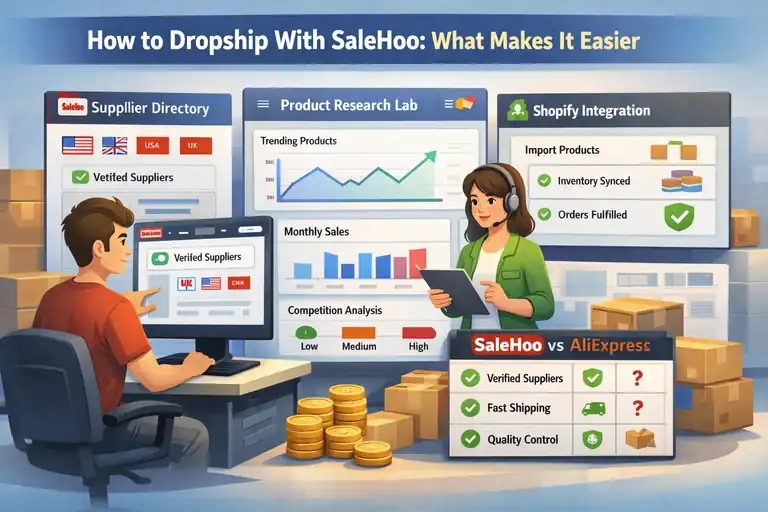 How to Dropship With SaleHoo: What Makes It Easier