
Table of Contents
Some links on The Justifiable are affiliate links, meaning we may earn a small commission at no extra cost to you. Read full disclaimer.
If you’ve ever dreamed of earning an income by sharing your thoughts, skills, or passions online, you’ve probably wondered where the best place to start a blog and make money really is.
I’ve been there myself—scrolling through endless platform comparisons, confused by hosting options, and unsure which one could actually turn a blog into a profitable business.
The truth is, not all blogging platforms are created equal, and choosing the right one early on can make a huge difference in how fast (and how much) you earn.
In this guide, we’ll break down exactly where to start, how each option helps you grow, and which platform best fits your goals and budget.
Understanding What Makes a Blogging Platform Profitable
Before choosing the best place to start a blog and make money, it helps to understand what actually makes a blogging platform profitable.
Some platforms give you more control, customization, and earning flexibility — others make setup easier but limit your long-term potential.
How Platform Flexibility Affects Monetization Options
Flexibility determines how much freedom you have to earn from your content. A flexible platform lets you integrate multiple revenue streams — like ads, affiliate links, digital products, or memberships — without restrictions.
- Full flexibility: Platforms like WordPress.org give you control over every aspect of your site — design, monetization tools, and even custom scripts. You can add ad networks like Google AdSense, run affiliate programs, or sell courses using tools like WooCommerce.
- Limited flexibility: Hosted platforms (like Wix or Squarespace) are great for ease of use but often come with limits on which ad networks or plugins you can use.
- No flexibility: Platforms such as Medium or Substack are fantastic for writing but restrict monetization to their built-in programs, so you can’t add your own ad networks or affiliate links freely.
In short, flexibility is what determines how far you can scale your blog’s income later.
The Importance of Ownership and Control Over Your Content
Owning your content means no one can take it down, demonetize it, or restrict how you use it. That’s a huge deal when your blog becomes your business.
When you use free platforms (like Blogger or Medium), you’re essentially renting space. If the company changes policies or shuts down your account, you lose everything — your posts, SEO rankings, and audience.
With self-hosted platforms like WordPress.org, you own your content outright. You can export it, move it, or monetize it however you want. That ownership gives you both security and freedom to experiment with income strategies, like selling courses or memberships directly on your site.
I’ve seen too many bloggers lose years of work because they relied on platforms they didn’t own. Always prioritize control over convenience when money is your goal.
Why Technical Features Matter for Long-Term Income Growth
A platform’s technical foundation impacts your ability to grow traffic and earnings. Think of it like choosing between a rented apartment and your own home — one limits renovations; the other lets you expand endlessly.
Here’s what to look for technically:
- SEO capabilities: A platform that supports on-page SEO tools, custom URLs, and site speed optimization (like WordPress) will help you rank higher in Google.
- Scalability: You want a platform that grows with your traffic. WordPress hosting plans scale easily from small blogs to high-traffic websites.
- Integration potential: The ability to add analytics, email marketing tools, or eCommerce plugins is crucial for diversifying income streams.
From what I’ve seen, bloggers who start with technically strong foundations (like WordPress.org or Ghost) tend to make more money long-term than those using simple hosted sites.
WordPress.org: The Best Place to Start a Blog and Make Money
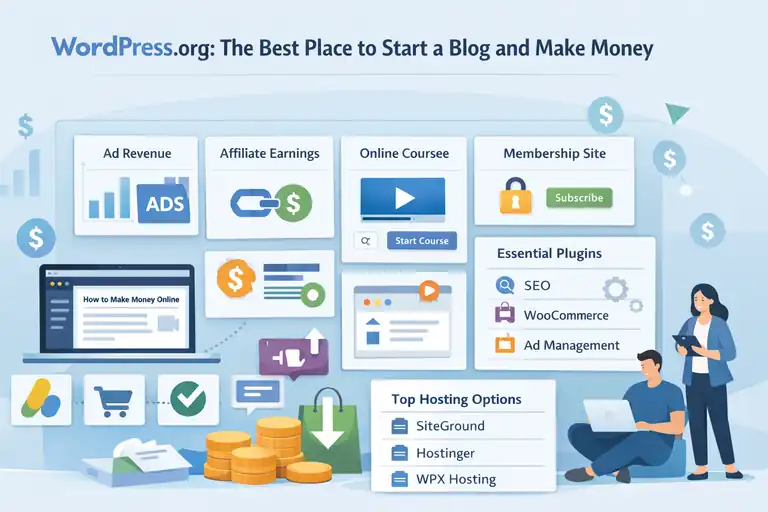
WordPress.org is widely considered the best place to start a blog and make money — and for good reason.
It’s open-source, highly customizable, and gives you full control over both your website and revenue streams.
Why WordPress.org Gives You Unlimited Monetization Freedom
The biggest advantage of WordPress.org is that you can monetize it in any way you want. Unlike hosted platforms, there are no rules about what you can promote or sell.
Here’s how most bloggers earn using WordPress:
- Ads: Integrate Google AdSense, Monetag, or AdThrive once your traffic grows.
- Affiliate marketing: Use plugins like ThirstyAffiliates or Pretty Links to manage and track affiliate links.
- Products and courses: Sell digital goods using WooCommerce or Easy Digital Downloads.
- Memberships and subscriptions: Tools like MemberPress or Restrict Content Pro let you create gated content.
That freedom means your income potential scales with your creativity, not your platform’s limits.
Essential Plugins That Help Boost Blog Revenue
Plugins are what make WordPress a powerhouse for making money. They let you add new features instantly — no coding required.
Here are a few I personally recommend:
- Rank Math – Optimize every post for search engines easily.
- WP Rocket – Improve speed and performance for better rankings and conversions.
- WooCommerce – Sell products or digital downloads directly on your site.
- Ad Inserter – Manage and control ad placements automatically.
- AffiliateWP – Create your own affiliate program if you sell products.
The key is to install only what you need — too many plugins can slow your site down. Focus on performance and monetization essentials.
Best Hosting Options to Maximize Performance and Profit
Because WordPress.org is self-hosted, you’ll need a hosting provider. Your host directly affects site speed, uptime, and even SEO rankings.
Here are three hosting options that balance affordability and performance:
- Bluehost – Excellent for beginners with great support and speed.
- Hostinger – One of the most budget-friendly options with solid uptime.
- WPengine – Premium performance for established bloggers earning serious traffic.
Pro tip: Start small with a shared hosting plan, then upgrade as your blog grows. That way, you can scale without overpaying early on.
Wix: Great for Beginners Who Want Quick Monetization
If you want to start fast without worrying about the technical setup, Wix can be a good choice. It’s a fully hosted platform, meaning everything — from hosting to design — is handled for you.
While it’s less flexible than WordPress, it’s incredibly beginner-friendly and lets you start earning early.
How Wix Simplifies Blog Creation With Drag-and-Drop Tools
One of Wix’s biggest strengths is simplicity. You can build a professional-looking blog in under an hour with its drag-and-drop editor. No coding, no plugins — just choose a template, customize it, and start writing.
You also get built-in SEO tools, mobile optimization, and analytics tracking out of the box. For beginners, that’s a huge time-saver.
The downside? You’re limited to Wix’s ecosystem. You can’t install third-party tools or plugins as freely as with WordPress, so scaling income can be trickier later.
Monetization Opportunities Through Ads, Products, and Services
Wix offers several built-in ways to make money:
- Display Ads: You can connect your site to Google AdSense or use Wix’s ad placement features.
- Selling Products: Wix Stores lets you sell both physical and digital goods directly.
- Paid Bookings or Services: Perfect if you’re a coach, designer, or consultant offering paid sessions.
- Affiliate Links: You can still include affiliate links within your content.
While Wix takes care of the technical side, remember that higher-level monetization (like advanced memberships or ad optimization) often requires paid Wix plans.
Pros and Cons of Using Wix to Make Money Blogging
Let’s break it down simply:
Pros:
- Very easy to start — perfect for beginners.
- Built-in SEO and eCommerce tools.
- No maintenance or hosting setup needed.
Cons:
- Limited customization compared to self-hosted platforms.
- You don’t own your site fully — it’s hosted on Wix servers.
- Harder to scale advanced monetization (like high-traffic ad programs).
In my opinion, Wix is great for people who want to get started fast and learn the ropes — but if you’re serious about building a business, you’ll eventually want the flexibility of WordPress.
Squarespace: Stylish Platform for Creative Entrepreneurs
Squarespace is often the go-to choice for people who want their blog to look as good as it reads. It’s a design-first platform that lets creative entrepreneurs—like photographers, designers, and small business owners—build elegant blogs without touching a line of code.
While it’s not the most flexible platform for deep customization, it offers an impressive balance between aesthetics and monetization potential.
Why Squarespace Appeals to Designers, Photographers, and Brands
If you care about how your blog visually represents your brand, Squarespace will feel like home. Its templates are sleek, mobile-responsive, and built with a modern design aesthetic that naturally enhances credibility.
For example, a freelance photographer can create a stunning portfolio blog that blends visual storytelling with services or print sales. A wellness coach can easily combine blog content with booking pages and lead capture forms.
What I personally like is that Squarespace eliminates the “tech stress.” You can focus on content, visuals, and branding instead of backend updates or plugin conflicts.
In short: Squarespace attracts those who value brand presentation as much as monetization. It’s not just a blog platform—it’s a full brand hub.
Built-In Tools for Selling Digital Products and Services
Squarespace makes it surprisingly easy to turn your blog into a business without adding third-party tools. Everything you need is already built in.
Here’s what you can do:
- Sell digital products like ebooks, presets, or templates through its Commerce feature.
- Offer services (like coaching or design work) with the Scheduling tool that syncs directly to your calendar.
- Add paywalls or memberships using Squarespace Member Areas to monetize exclusive content.
- Connect payment gateways (like Stripe or PayPal) with just a few clicks.
I’ve seen small creative businesses thrive on Squarespace because of how smooth it makes this process. For creators who sell visually driven products—like art, templates, or photography—the all-in-one setup saves a ton of time.
When to Choose Squarespace Over WordPress for Profit
Squarespace is the right choice when you want design simplicity and brand cohesion over deep customization.
It’s ideal for:
- Entrepreneurs who value visual design more than complex backend control.
- Service-based professionals (coaches, stylists, photographers) who want to combine blogging with bookings or sales.
- Creators who want a single platform for content, store, and portfolio.
That said, if you want to scale your income through ad networks or complex affiliate systems, Squarespace can feel limiting. You can insert affiliate links and even integrate some ad scripts, but you won’t have the same control as WordPress.
My honest take? Squarespace is best if you want to look professional fast and earn through products or services—not ads or extensive automation.
Medium: Best for Writers Who Want Built-In Readers
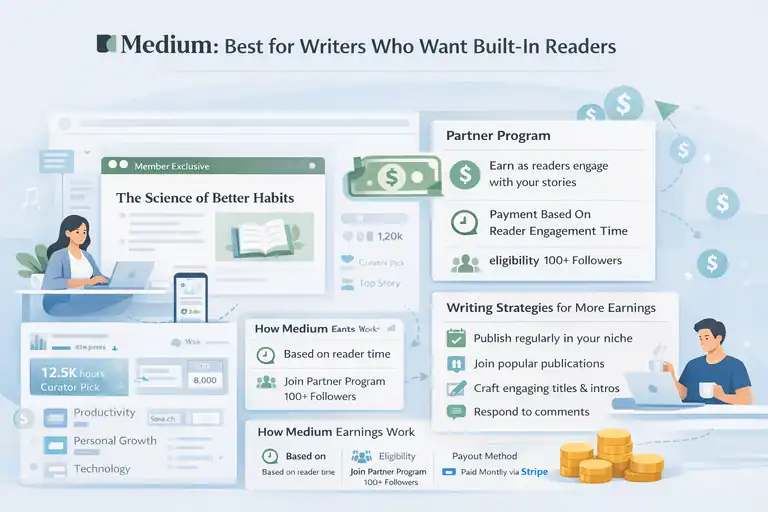
Medium is a powerful choice for writers who’d rather focus on writing than web design or SEO setup.
It’s not just a blogging platform—it’s a content discovery ecosystem where your work can reach thousands of readers organically.
How Medium’s Partner Program Helps You Earn Through Engagement
Medium’s Partner Program pays writers based on how much time paying members spend reading their stories. In simple terms, the more engaged readers are with your posts, the more money you make.
For example, if your post gets picked up by Medium’s curation team, it can be promoted across topic feeds and newsletters, giving you instant exposure. Some writers earn anywhere from a few dollars to a few thousand per month—though consistency is key.
What I find interesting about Medium is that it rewards reader connection, not clicks. Thoughtful, in-depth writing often performs better than SEO-optimized fluff.
Here’s a quick summary of how earnings work:
- Payment basis: Reader engagement time.
- Eligibility: You must join the Partner Program and have 100+ followers.
- Payment method: Monthly via Stripe, based on member reading time.
It’s not passive income, but it’s perfect for passionate writers building an audience.
Writing Strategies That Increase Visibility and Payouts
To make money on Medium, you have to write for both humans and the algorithm. Here’s what tends to work best:
- Publish regularly (2–3 times per week) to stay visible in the feed.
- Join or create publications—these act like digital magazines that can massively increase your reach.
- Use captivating titles and intros that spark curiosity and emotion.
- Engage with readers through comments; the algorithm favors interaction.
I’ve seen writers go from zero to 10,000 followers by writing consistently in niche topics like productivity, personal growth, or writing tips. It’s less about SEO and more about storytelling and resonance.
Why Medium Is Ideal for Writers—but Not for Full Control
Medium is incredible for exposure and community, but it’s not a true “owned” platform. You don’t control your website, analytics, or monetization structure fully.
The key limitations are:
- You can’t install ads, plugins, or custom scripts.
- You rely on Medium’s algorithm for visibility.
- You don’t fully own your audience—if Medium changes its rules, your income can vanish.
Still, for writers who want to get paid to write without tech headaches, it’s one of the best starting points. If you later want more control, you can always migrate to WordPress or Ghost and bring your audience with you.
Substack: Best for Bloggers Focusing on Paid Newsletters
Substack has become the modern home for independent creators who want to make money directly from their readers.
It’s a hybrid of a blog and an email platform—meaning every post you publish can go straight to your subscribers’ inboxes.
How Substack Combines Blogging With Email Monetization
Substack simplifies the process of running a paid newsletter. Instead of worrying about website design, you just write, publish, and grow your email list. You can then offer free and paid tiers for your content.
For example, you might share free weekly posts and charge $5–$10/month for premium insights or behind-the-scenes updates. Substack takes a small percentage (10%) of your paid subscriptions, but it handles everything else—payment processing, email delivery, and hosting.
It’s essentially a one-stop platform for writers who want consistent, recurring revenue without relying on ads.
Building an Engaged Audience That Actually Pays
Success on Substack depends on trust and reader connection. People don’t subscribe to your content—they subscribe to you.
To build a paying audience:
- Start free to grow trust before introducing paid tiers.
- Offer consistent value, like deep insights, personal stories, or exclusive resources.
- Use social media to funnel followers to your Substack list.
- Engage with readers directly through comments and replies.
Many creators I’ve followed treat Substack as their “inner circle.” The sense of intimacy—emails landing directly in someone’s inbox—makes subscribers feel personally connected, which is key for retention.
Limitations of Using Substack as a Primary Blog Platform
While Substack is fantastic for monetization through subscriptions, it’s not designed to be a full blogging or business hub.
There are limitations to consider:
- Limited design control: You can’t fully customize the look or structure of your site.
- SEO trade-offs: Substack’s posts can rank on Google, but customization options for SEO are minimal.
- Platform dependency: Like Medium, you don’t fully own the system or data.
That said, Substack shines as a tool for direct monetization. If your goal is to get paid by a loyal audience rather than rely on ads or affiliates, it’s an excellent choice.
From what I’ve seen, many creators use Substack alongside a personal website—combining the email monetization of Substack with the SEO and content control of WordPress. It’s a smart hybrid approach for long-term growth.
Ghost: The Professional Option for Membership-Based Blogging
Ghost is the platform I often recommend for creators who want to build a serious, independent business from their content. It’s clean, fast, and purpose-built for publishing and membership monetization.
Unlike platforms trying to be everything for everyone, Ghost focuses on helping you own your audience—not rent it.
How Ghost Helps You Monetize With Memberships and Subscriptions
Ghost stands out because it integrates memberships directly into the platform. You can publish free posts for all readers while locking premium ones behind a subscription.
Everything—from user signup to payment processing—is built in.
Here’s what makes Ghost’s system powerful:
- Native membership tools: Let readers subscribe for free or paid tiers.
- Built-in Stripe integration: Accept monthly or yearly payments directly, with no external plugins.
- Zero transaction fees from Ghost: You only pay Stripe’s standard processing fee.
Imagine you’re a productivity writer. You could post free content weekly but offer paid access to in-depth guides, private newsletters, or even live Q&As. It’s a system designed for sustainability, not quick wins.
I personally like that Ghost lets you keep your brand front and center. There are no platform logos or “sponsored by” banners—just your content, your readers, and your income.
SEO and Email Tools That Support Creator Independence
Ghost’s technical features are tuned for serious growth. Its built-in SEO tools automatically optimize URLs, metadata, and site speed. That means you don’t have to install a dozen plugins to get noticed by Google.
Even better, it has an integrated email newsletter system. Every time you publish, you can send your post directly to subscribers’ inboxes without needing external services like Kit or Brevo.
A few highlights worth noting:
- Automatic sitemaps and AMP support for better visibility.
- Native analytics that show open rates and engagement.
- Markdown and custom themes for full creative freedom.
This blend of blogging, SEO, and email tools is why many independent publishers and journalists migrate to Ghost from WordPress—it just runs smoother once your audience and income start scaling.
Why Ghost Appeals to Serious, Tech-Savvy Bloggers
Ghost isn’t for everyone. It’s best suited for people comfortable tweaking settings or hiring a developer to fine-tune design and structure.
Here’s who it fits best:
- Writers ready to monetize premium content or memberships.
- Entrepreneurs building subscription-based media businesses.
- Bloggers who value performance, speed, and independence.
It’s not drag-and-drop easy like Wix, but that’s also its strength. Ghost gives you total ownership—your content, your audience data, and your revenue all stay with you.
If your goal is long-term profit and professionalism, Ghost might quietly be the best place to start a blog and make money once you’re past the beginner phase.
Blogger: The Simplest Free Platform to Start Blogging
Blogger has been around since the early 2000s, and while it’s not flashy, it remains one of the easiest free options to get your writing online fast.
It’s owned by Google, which makes setup almost effortless—you can start a blog in minutes using just a Google account.
Benefits of Blogger for Beginners on a Budget
Blogger’s biggest draw is simplicity. You don’t have to worry about hosting or domain setup unless you want to upgrade later. It’s completely free, which makes it appealing if you’re testing the waters or have zero budget.
A few benefits worth noting:
- Instant setup: You can go live within 10 minutes.
- Google integration: Connect easily to Analytics, Search Console, and AdSense.
- Custom domain option: Use a free Blogspot URL or your own domain.
For a beginner trying to learn content creation, Blogger is a no-risk starting point. You can experiment with writing, layout, and SEO without spending a cent.
How to Monetize a Blogger Site Using Google AdSense
Because Blogger is owned by Google, monetizing through AdSense is straightforward. You can apply for AdSense directly within your Blogger dashboard once your site meets traffic and content quality guidelines.
To make real income, focus on:
- Quality content: AdSense approval requires valuable, original posts.
- Consistent publishing: Google favors active sites with steady updates.
- Relevant niches: Topics like finance, tech, and health attract higher-paying ads.
You can also include affiliate links or sponsored content, but Blogger’s monetization features are limited compared to WordPress or Ghost. Still, it’s a great first step toward learning the basics of making money online.
Why Most Bloggers Eventually Move Away From Blogger
While Blogger is great for beginners, most people outgrow it. Its templates are outdated, customization is limited, and you don’t have ownership if Google decides to discontinue the service.
In my experience, Blogger works best as a learning platform, not a long-term business foundation.
Once you understand the basics of blogging and want to expand monetization, migrating to WordPress.org or another self-hosted option is the logical next move.
Tumblr: The Underrated Platform for Niche Blogging
Tumblr has a unique charm. It blends microblogging, visuals, and community culture into a platform that feels more like social media than traditional blogging.
While it’s not built for business-heavy strategies, it offers a surprisingly powerful space for niche audiences and creative expression.
How Tumblr Supports Creative and Visual Blog Content
Tumblr is perfect if your content thrives on visuals or short, expressive posts. Artists, writers, fandom creators, and lifestyle bloggers often use it as a home for creative storytelling.
Here’s what makes Tumblr appealing:
- Easy multimedia support: Add GIFs, images, quotes, or videos effortlessly.
- Community reblogs: Other users can share your posts, helping them go viral.
- Thematic templates: You can design aesthetic blogs with minimal effort.
If your goal is to grow a passionate audience around your creativity rather than run a business immediately, Tumblr’s culture of sharing and engagement is ideal.
Unique Monetization Opportunities Within Tumblr Communities
Tumblr isn’t known as a money-making machine, but it does have paths to monetization—especially if you build a strong niche community.
You can:
- Use affiliate links in posts promoting products you love.
- Offer commissions or digital art sales directly to followers.
- Promote your Patreon or Ko-fi page for tips and support.
- Build a brand presence that drives traffic to an external site or shop.
While income might be smaller compared to other platforms, Tumblr excels at audience building. Once you have followers invested in your work, you can easily transition them to a more monetizable platform.
When Tumblr Makes Sense for Microblogging and Brand Growth
Tumblr is great for people who love to create and share frequently without pressure.
It works best for:
- Artists and creators focusing on visual storytelling.
- Writers testing niche ideas or building communities.
- Brands aiming for culture-driven engagement rather than direct sales.
Think of Tumblr as a top-of-funnel platform—great for visibility and building an audience before moving them to a more flexible blog or email list.
Choosing the Best Blogging Platform for Your Goals
At this point, you’ve seen there’s no one-size-fits-all answer to the question of the best place to start a blog and make money. The right platform depends entirely on your goals, skills, and commitment level.
Matching Platform Features to Your Monetization Strategy
A quick summary to help you decide:
- WordPress.org: Best for complete freedom and long-term scaling.
- Squarespace or Wix: Best for creatives and service-based businesses.
- Medium or Substack: Best for writers who want built-in audiences.
- Ghost: Best for membership-based, professional blogs.
- Blogger or Tumblr: Best for beginners testing ideas with zero budget.
If your goal is ownership and scalability, self-hosted platforms like WordPress or Ghost always win in the long run.
Key Questions to Help You Pick the Right Starting Point
Ask yourself these before choosing:
- How much time do I want to spend on setup and maintenance?
- Do I want full ownership of my site and audience?
- What’s my main income goal—ads, products, services, or memberships?
- How comfortable am I with technical setups?
Answering these honestly can save you months of frustration (and potentially hundreds of dollars).
Expert Tip: Start Where You Can Grow, Not Just Start Fast
It’s tempting to pick the easiest platform, but speed shouldn’t outweigh growth potential. I always suggest starting simple but planning for scalability.
For example:
- Start with WordPress.org on a basic hosting plan—you can upgrade anytime.
- Or, begin on Medium or Substack to grow an audience, then migrate later.
The goal isn’t just to start a blog. It’s to build a sustainable digital asset that keeps earning even when you’re not writing daily.
Proven Ways to Maximize Blog Income on Any Platform
No matter which platform you choose, consistent monetization comes from strategy and patience. The best bloggers combine multiple income streams and constantly optimize their approach.
Build Multiple Income Streams (Ads, Affiliates, Products)
Diversify early. Relying on one income source is risky. A balanced mix might include:
- Ads for passive income.
- Affiliate marketing for promoting products you believe in.
- Digital products like templates, guides, or courses.
A blogger earning $500/month from ads can easily double income by adding one digital product or affiliate partnership.
Use SEO to Grow Organic Traffic and Profitability
SEO remains one of the most reliable long-term growth tools. Even small traffic increases can compound into major income over time.
Simple SEO steps:
- Research low-competition keywords using tools like Ahrefs or Ubersuggest.
- Optimize post titles, meta descriptions, and headings.
- Internally link related posts to improve time on site.
Remember, SEO is a slow burn—but the payoff is consistent, compounding traffic.
Leverage Email Marketing and Social Media to Scale
Email and social media are how you turn readers into loyal fans. Build your list from day one—even if it’s just 10 people.
- Email marketing: Send helpful, personal content that builds trust.
- Social media: Repurpose your blog posts into short, shareable insights.
- Cross-promotion: Use Instagram or LinkedIn to funnel traffic back to your blog.
The key is connection. Readers buy from people they trust, and that trust is built through consistent, authentic communication.
Final Thought: The best place to start a blog and make money isn’t about picking the “right” platform—it’s about starting where you can grow. Begin where you feel comfortable, learn as you go, and adapt your strategy as your audience (and income) grows.
FAQ
What is the best place to start a blog and make money?
The best place to start a blog and make money is WordPress.org because it gives you full control, scalability, and unlimited monetization options through ads, affiliates, and digital products.
Can beginners make money blogging on free platforms?
Yes, beginners can start earning on free platforms like Blogger or Medium, but income potential is limited. For long-term profits, switching to a self-hosted platform is best.
How do I choose the right platform to make money blogging?
Choose based on your goals: use WordPress for full freedom, Squarespace or Wix for design ease, and Substack or Medium for writing-focused income.

I’m Juxhin, the voice behind The Justifiable.
I’ve spent 6+ years building blogs, managing affiliate campaigns, and testing the messy world of online business. Here, I cut the fluff and share the strategies that actually move the needle — so you can build income that’s sustainable, not speculative.
Related posts:
 How to Create Blog and Earn Money Fast as a Beginner
 Start a Blog Website and Build a Profitable Side Income
 How to Create a Blog Site and Start Making Money
 How to Build an Easy Blog That Makes Real Income
 Setting Up a Blog Website That Earns From Day One
 Create a Blog Free and Start Earning With No Risk