Table of Contents
Some links on The Justifiable are affiliate links, meaning we may earn a small commission at no extra cost to you. Read full disclaimer.
When I first started looking for the best website to start a blog, I quickly realized how overwhelming the options were. Between free platforms, self-hosted solutions, and all the tools promising income potential, it’s easy to get lost.
The truth is, not all blogging platforms are created equal—some are perfect for creative freedom, while others make monetization effortless.
In this guide, I’ll walk you through the most effective platforms, what makes each one stand out, and how to choose the right one if your goal is to earn consistent income from blogging.
1. WordPress.org – The Best Platform for Full Control
If you’ve ever wanted complete freedom over how your blog looks, works, and earns money, WordPress.org is usually where you end up.
It’s the platform I recommend when someone tells me they’re serious about building a long-term income stream.
Why WordPress.org Dominates the Blogging World
WordPress.org stands out because you fully own your website. That means you’re not limited by someone else’s rules, monetization restrictions, or design constraints.
When you self-host, you can customize everything—from page layouts to advanced SEO settings—which is a huge advantage if your goal is to grow traffic and income.
In my experience, the biggest benefit is scalability. You can start small with a simple blog and gradually turn it into a niche site, a digital product storefront, or even a full membership platform.
WordPress.org powers over 40% of the internet (W3Techs), which tells you just how robust and future-proof it is.
Another reason it dominates is the massive community. If you get stuck, there’s almost always a guide, forum answer, or tutorial that helps you fix the issue quickly. That alone has saved me hours of headaches over the years.
How Self-Hosting Maximizes Income Potential
Self-hosting means you rent server space from a hosting provider and install WordPress.org on it. While it sounds technical, most hosts automate the entire process. The real magic is what self-hosting gives back to you.
You can monetize your site in any way you want—ads, affiliate marketing, digital products, sponsorships, memberships, and more. There’s no platform taking a percentage of your earnings or blocking revenue sources.
For example, Google AdSense, Mediavine, and affiliate programs all work without restrictions.
You also benefit from better site performance when you choose a high-quality host. Faster loading speeds directly influence rankings and conversions.
Google reports that improving load time by even one second can increase mobile conversions by up to 27%, which makes hosting speed an income factor, not just a technical detail.
Key Plugins That Boost Monetization Opportunities
Plugins are small add-ons that enhance your blog’s functionality.
Here are the most income-friendly ones I find myself recommending:
- SEO plugins like Rank Math help your posts rank faster with built-in schema, keyword scoring, and automation.
- Affiliate link managers such as ThirstyAffiliates organize links, cloak URLs, and prevent broken-link issues that hurt revenue.
- Email marketing integrations that connect your site to platforms like Kit or alternatives help you grow your subscriber list.
- E-commerce plugins like WooCommerce let you sell digital products or services directly from your blog.
These are basically shortcuts to professional-level marketing without needing developer skills.
Pros and Cons of Using WordPress.org for Income Blogs
Whenever someone asks me if WordPress.org is the best website to start a blog for income, I usually tell them: yes, if you want full control—but it does come with responsibilities.
Pros:
- Unlimited monetization freedom
- Thousands of themes and plugins
- Full ownership of your content
- Scalable for almost any business model
Cons:
- Requires ongoing maintenance
- Has a learning curve for total beginners
- Needs hosting, which adds cost
- You’re responsible for backups and security
Even with these drawbacks, most long-term bloggers eventually move to WordPress.org because its flexibility is hard to match.
2. Wix – The Best Website Builder for Beginners
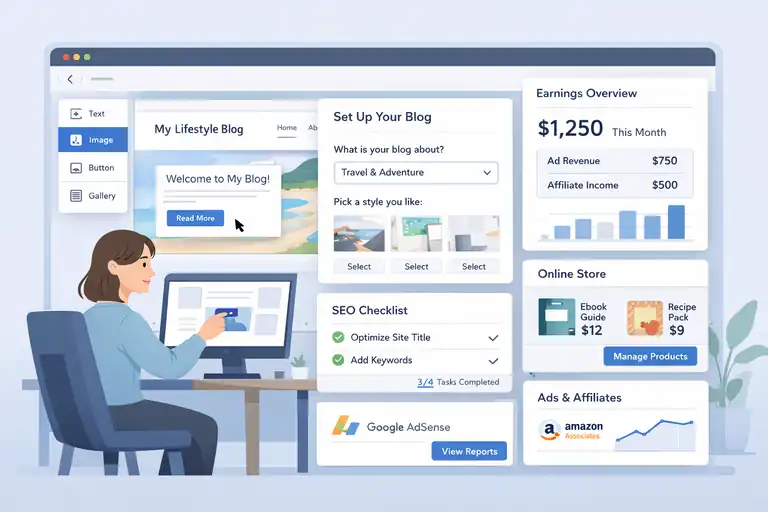
If you want something simple, visual, and beginner-friendly, Wix is often the easiest place to start.
It removes the technical overwhelm that stops so many new bloggers before they even publish a post.
Why Wix Is Ideal for First-Time Bloggers
What I appreciate about Wix is how intuitive it feels. You can drag and drop elements on the screen, almost like building with digital LEGO blocks. For someone who doesn’t want to touch code or navigate plugin settings, this kind of simplicity is a breath of fresh air.
Wix also includes built-in hosting, templates, and security, so you don’t need to assemble the pieces yourself. It’s an all-in-one ecosystem. In my experience helping beginners, this reduces setup time from days to minutes.
The platform also guides you through the initial steps using Wix ADI (Artificial Design Intelligence). It asks a few questions and then generates a starter layout tailored to your niche. For new bloggers, that removes a lot of decision fatigue.
How to Monetize Your Blog on Wix with Ads and Affiliates
Even though Wix is simpler than WordPress.org, you still have solid income opportunities. You can connect Google AdSense to show ads on your site, or join affiliate programs like Amazon Associates to earn commissions through product recommendations.
Wix also lets you sell digital products—workbooks, templates, PDFs—using built-in e-commerce tools. This is something many people don’t realize, but it works well for beginners who want to test small offers without building a full store.
One tip I often give is to focus on SEO early. Wix’s built-in SEO tools walk you through optimizing headlines, metadata, and structure. It’s quite helpful when you’re just learning how search engines work.
Limitations to Consider Before Starting a Wix Blog
Wix is easy, but it does have boundaries. Once you pick a template, you can’t switch to a new one without rebuilding your site. That surprises a lot of people.
Another limitation is scalability. If your blog grows quickly and you want more custom features, you may feel constrained because Wix doesn’t offer the same level of plugin variety or coding flexibility as WordPress.org.
You also have limited control over server performance. Most of the time Wix runs smoothly, but you can’t optimize the hosting environment yourself. For bloggers aiming for high traffic levels, this can eventually become a bottleneck.
Best Wix Templates for Income-Focused Blogs
Wix offers hundreds of templates, but a few stand out for bloggers who want to focus on monetization:
- Lifestyle Blog and Vlog
- Travel Blog
- Food Blog
- Personal Blog
- Minimal Blog Layouts with clean whitespace
I usually recommend choosing a simple, uncluttered layout. Clean designs reduce distractions and increase click-through rates for ads and affiliate links. Even subtle design choices like spacing and font selection can affect earnings more than you’d expect.
3. Squarespace – The Best for Design-Driven Blogging
If you care deeply about aesthetics and want your blog to look polished without hiring a designer, Squarespace is hard to beat. Its themes are some of the most visually appealing on the market.
What Makes Squarespace Perfect for Visual Bloggers
Squarespace’s strength is its design quality. The templates look modern, editorial, and professional right out of the box.
If you’re creating content in niches like travel, photography, wellness, or style, visuals are part of the storytelling—and Squarespace showcases them beautifully.
I personally love how consistent the editor feels. You don’t deal with messy spacing or broken layouts. What you see on the screen is almost exactly how it will appear when published.
Another big advantage is the built-in features. Squarespace includes image optimization, analytics, newsletter tools, and even small marketing features without needing separate add-ons.
How to Integrate E-Commerce and Monetize Content
Squarespace shines when you want to blend blogging and digital products. The platform lets you sell physical items, digital downloads, or services directly through your website, with a simple dashboard to manage everything.
You can also integrate affiliate links easily by adding call-to-action blocks or product cards into your blog posts. Some creators use Squarespace as a hybrid model—blog plus portfolio plus shop—and it works surprisingly well.
A small tip I’ve learned is to leverage Squarespace’s built-in email campaigns. They aren’t as advanced as dedicated email providers, but they’re convenient for nurturing new readers or promoting a new product launch.
SEO and Traffic Tools That Help Grow Income
Squarespace includes useful SEO features like clean URLs, fast loading speeds, and mobile-responsive templates. These are foundational ranking factors, and they’re handled automatically.
The platform also provides analytics that show page views, traffic sources, and popular content. If you’re earning income, those insights matter because they help you double down on pages that convert well.
While Squarespace isn’t as SEO-flexible as WordPress.org, it covers the essentials and keeps things simple—which can be an advantage if you don’t want to manage a complex SEO setup.
Key Drawbacks of Using Squarespace for Blogging
Squarespace isn’t perfect, and I always try to set realistic expectations.
Here are the main limitations I’ve observed:
- Less customization compared to WordPress.org
- Fewer monetization tools than other platforms
- Some features (like advanced SEO edits) feel restricted
- Monthly costs can add up because many features require higher-tier plans
Despite these drawbacks, Squarespace is still a strong option if you value beautiful design and want a platform that feels easy to maintain.
4. WordPress.com – A Simpler Option for New Bloggers
If you want the WordPress experience without managing hosting or plugins yourself, WordPress.com feels like a softer entry point.
It’s streamlined, beginner-friendly, and takes care of the technical setup for you.
Differences Between WordPress.com and WordPress.org
The easiest way I can explain the difference is this: WordPress.com is the hosted version, and WordPress.org is the self-hosted version. With WordPress.com, the platform takes care of hosting, updates, and security. With WordPress.org, you control everything yourself.
WordPress.com limits your customization on the free and lower-tier plans. You can’t use custom themes or install plugins unless you upgrade. This matters if you plan to monetize heavily because plugins often unlock the tools you need for ads, SEO, and affiliate management.
One benefit I’ve seen for absolute beginners is that WordPress.com removes the anxiety of breaking something. On WordPress.org, you can accidentally crash your site with the wrong plugin. On WordPress.com, that rarely happens because the ecosystem is tightly controlled.
If you imagine building a blog inside a fenced garden, WordPress.com is that garden. WordPress.org is an open field.
How to Upgrade to Monetize Your Blog
If income is your goal, you’ll need to upgrade beyond the free plan. Monetization features start unlocking on the paid tiers.
Here’s how upgrading usually works:
- You choose a plan that supports monetization (typically Premium or Business).
- You unlock tools for ads, affiliate links, and custom branding.
- You can then install necessary marketing or SEO plugins if your plan allows it.
One shortcut I like is connecting your site to WordPress.com’s built-in ad network, WordAds. It’s not as powerful as higher-paying networks like Mediavine, but it’s an easy way to earn on autopilot.
Another upgrade benefit is using a custom domain. A branded domain increases trust, which can directly help with conversions and email sign-ups.
I’ve seen even simple changes like switching from a free subdomain to a custom URL improve click-through rates.
Pros and Cons of WordPress.com for Income Blogging
I always try to be honest about the strengths and weaknesses so you can decide realistically.
Pros:
- Simple setup with no hosting management
- Built-in security and updates
- Lower learning curve than WordPress.org
- Monetization available with upgrades
Cons:
- Limited customization without a higher-tier plan
- Plugin access depends on your subscription level
- Less control over monetization settings
- Your site is still technically within their ecosystem
WordPress.com is great for beginners, but if your blog grows quickly, you may outgrow the restrictions sooner than expected.
When WordPress.com Is the Right Choice
From what I’ve seen, WordPress.com works best if you’re still experimenting. Maybe you’re testing a niche or dipping your toes into blogging without fully committing.
It’s also ideal if you prefer convenience over flexibility. If you don’t want to think about backups, server issues, or plugin conflicts, WordPress.com gives you peace of mind.
I often tell new bloggers: If you start here and eventually want more control, you can migrate to WordPress.org later. The transition isn’t always seamless, but it’s doable—and it’s a path many successful bloggers take as their income grows.
5. Ghost – The Best Website for Content Monetization
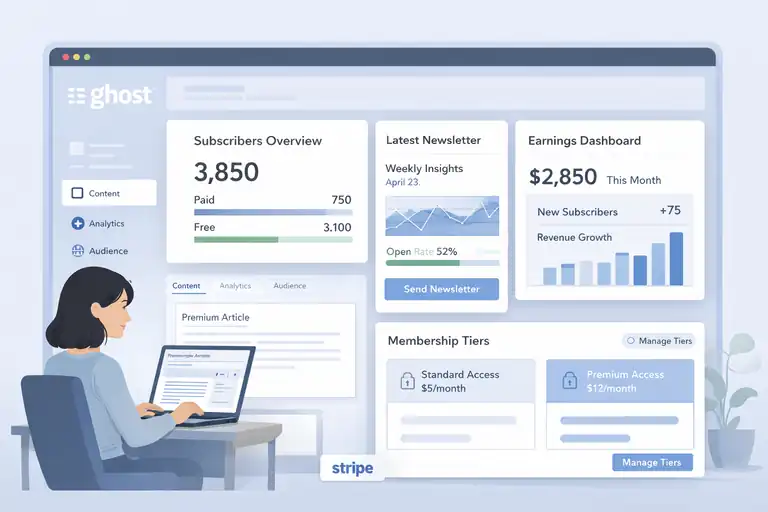
Ghost feels different from most blogging platforms. It’s built around publishing, memberships, and clean writing—not heavy design or plugins.
If your goal is to make money directly from your readers, Ghost has the strongest foundation.
Why Ghost Is Built for Serious Writers and Creators
Ghost was created for people who want a minimalist writing-focused environment. Instead of juggling dozens of plugins, you get a streamlined editor that keeps distractions away.
What sets Ghost apart, in my experience, is how creator-centric it feels. Everything from the dashboard to the post editor is built with clarity and speed in mind. It’s like writing in a premium notebook—clean, simple, and purposeful.
Ghost also handles newsletters natively. You can publish a blog post and email it simultaneously without switching tools. If you’re a writer who values workflow simplicity, this alone can save hours per month.
How Ghost’s Membership Model Supports Direct Income
Ghost is built around memberships. Instead of relying on ads, you earn money directly from your readers through paid tiers or exclusive content.
Here’s how that usually works:
- You publish free content to attract readers.
- You lock premium posts or newsletters behind a paywall.
- Subscribers pay monthly or yearly to access the premium material.
It’s a model Substack made mainstream, but Ghost gives you far more control because you own your website and data.
Ghost also integrates with Stripe for payments. I like that it’s transparent—no hidden fees, no platform claiming a percentage of your revenue. That alone can make a big difference once you have a few hundred subscribers.
A fun scenario I’ve seen: A writer with just 1,000 highly engaged subscribers can make more money on Ghost than a blogger with 100,000 monthly page views relying on ads.
SEO and Performance Benefits for Earning Potential
Ghost is built on a modern, fast framework. Pages load quickly, templates are clean, and the code structure is optimized for search engines out of the box. Google has repeatedly confirmed that speed affects rankings, and Ghost sites often outperform bulkier platforms.
Another perk is having structured data automatically baked into your posts. You don’t need plugins for schema or performance optimization. The platform handles things quietly in the background.
Ghost also includes built-in analytics, which gives you a quick overview of engagement without needing to connect external tools. For creators focused on income, this helps you identify posts that convert readers into paying members.
Costs and Challenges of Running a Blog on Ghost
Ghost is powerful, but it’s not cheap. The basic plan often costs more than managed WordPress hosting, especially if you expect to grow your membership base.
For some creators, the cost is justified by the earning potential—especially if your primary monetization is recurring revenue.
Here are a few real challenges to consider:
- Limited design flexibility compared to WordPress
- Fewer third-party integrations
- Higher monthly costs
- Requires some technical comfort if you self-host
If you’re comfortable paying more for a streamlined, writer-first system, Ghost is one of the most sustainable income platforms. But it’s not the right fit for bloggers who rely heavily on affiliates or display ads.
6. Medium – The Simplest Option for Building an Audience
Medium removes almost every barrier that usually stops people from writing. You don’t worry about design, hosting, SEO, or structure. You just write—and Medium brings the audience to you.
How Medium’s Partner Program Generates Income
Medium pays writers based on member reading time. When paying members read your story, you earn a share of Medium’s subscription revenue.
It works like this:
- You publish a story.
- Medium distributes it to readers through recommendations.
- You earn money when members engage with your content.
I’ve seen writers earn anywhere from a few dollars a month to thousands, depending on how consistently they publish and how well their stories resonate. The algorithm rewards engagement, so emotional, narrative-driven content tends to perform well.
Medium also promotes stories across its network if they meet quality guidelines. That exposure can bring you thousands of views without any SEO effort.
What You Give Up in Control and Customization
The simplicity of Medium comes with trade-offs. You don’t control your website design, you can’t integrate your own analytics, and you can’t customize monetization.
Medium also owns the platform. That means if policies change—or if Medium decides to shift direction—your income can fluctuate overnight. I’ve watched creators experience this firsthand when their views suddenly dropped after an algorithm update.
You also can’t fully build a brand on Medium. Everything looks and feels like Medium, not your own site. For long-term blogging, that loss of identity can become an issue.
When Medium Makes Sense for Beginner Bloggers
Medium is ideal if you want to start writing immediately without technical setup. It’s also perfect if you’re testing a niche or refining your writing voice. I often tell people who feel stuck in perfectionism to try Medium first because the blank page feels less intimidating.
It’s also helpful if you want fast exposure. Medium’s built-in audience means your stories can reach readers even if you don’t have followers yet.
But if your main goal is building a brand or creating a long-term income asset, Medium alone won’t give you enough control.
How to Transition from Medium to Your Own Blog
If you start on Medium and eventually want to build your own income-generating site, the transition is entirely possible.
Here’s a simple path I often recommend:
- Keep writing on Medium to grow your audience.
- Set up your own blog on a platform like WordPress.org or Ghost.
- Add a link at the bottom of each Medium post inviting readers to join your email list.
- Gradually publish more original content on your own blog.
The key is owning your email list. Once readers follow you off-platform, your income becomes more stable and you aren’t dependent on Medium’s algorithm.
A creator I worked with moved from Medium to Ghost over six months and now earns more from 300 paying members than she ever did from Medium’s Partner Program. That’s the power of owning your ecosystem.
7. Substack – The Best for Newsletter-Driven Blogging
Substack is a great fit if you want to write consistently and get paid directly by your readers without juggling plugins or website design. It blends blogging and email into one simple platform.
Why Substack Is Ideal for Writers Seeking Recurring Revenue
What I love most about Substack is that it removes almost all friction. You write, hit publish, and your content goes straight to your subscribers’ inboxes. There’s no separate email tool to manage, and that simplicity helps you stay focused on writing.
Substack’s biggest advantage is recurring revenue. Readers can pay monthly or yearly for premium newsletters, and this kind of predictable income is rare in traditional blogging. I’ve seen creators earning steady four-figure months with only a few hundred loyal subscribers.
Another thing worth noting is Substack’s built-in discovery features. They recommend writers to readers based on interests, which can help you grow without needing SEO or social media. It’s not perfect, but it’s a nice boost when you’re starting from zero.
How to Monetize with Paid Subscriptions and Memberships
Substack keeps monetization straightforward. You set a price, choose what content stays free, and put the rest behind a paywall.
Here’s what usually works well:
- Offer one or two free weekly posts to build trust.
- Save deep-dive guides or opinion pieces for paying members.
- Create simple bonuses like audio versions or behind-the-scenes notes.
Because Substack handles checkout, emails, and delivery, your main job is creating content readers genuinely want to pay for. And when you do, recurring income can feel incredibly stabilizing.
One small tip: Make your premium posts feel like a personal experience. People subscribe to connect with you, not just your information. Even handwritten-style section breaks or personal stories can increase conversions.
Tips to Grow and Retain Subscribers
Growing on Substack isn’t just about publishing more often. It’s about nurturing the relationship.
Here’s what I’ve seen work repeatedly:
- Write a warm welcome email for new subscribers.
- Ask questions within your newsletter to encourage replies.
- Share occasional free samples of paid content.
- Highlight member wins or stories when relevant.
The retention part is just as important. One rule I use is: Always give subscribers at least one moment each week where they think, I’m glad I’m still here. That feeling keeps people from canceling.
If you want faster growth, cross-recommendations with other Substack writers can help. It’s a built-in feature and takes five minutes to set up.
Pros and Cons Compared to Traditional Blogging
Substack is wonderful for writers, but it’s not a perfect substitute for a website.
Pros:
- Simple setup with no tech skills needed
- Built-in email delivery
- Recurring subscription revenue
- Discovery tools that help you grow
Cons:
- Limited design options
- No advanced SEO capabilities
- Substack takes a percentage of your paid subscriber revenue
- Harder to build a standalone brand
If writing is your main passion and you want the clearest path to recurring income, Substack is hard to beat. But if you want full control over your brand and monetization, you may eventually outgrow it.
8. Webflow – The Best Website for Customization and Scaling
Webflow is ideal if you want high-end design without hiring a developer. It’s powerful enough for custom builds but still manageable once you get used to the interface.
How Webflow Combines Design Freedom with Blogging Power
Webflow gives you almost pixel-level control over your site. You can design pages visually while the platform writes clean HTML, CSS, and JavaScript behind the scenes. It feels more like a design studio than a typical website builder.
I like Webflow when someone wants a blog that looks modern and professional, especially in niches where visuals matter. You can create layouts that don’t feel like templates, which helps your blog stand out among competitors.
Unlike many drag-and-drop builders, Webflow’s animations and interactions are smooth and reliable. A well-designed blog can increase reading time, and reading time often correlates with conversions and earnings.
Using Webflow CMS to Structure Income-Generating Content
Webflow’s CMS lets you build custom content types. It’s like creating your own database, but without coding. This becomes a huge advantage when monetization is tied to structured content.
For example, if you’re running an affiliate site, you can create custom CMS fields for product ratings, pros and cons, or direct links. Then you use dynamic pages to scale your content efficiently.
A scenario I’ve seen: Someone running a travel blog used Webflow CMS to create dynamic guides for each city. The CMS automatically pulled in affiliate links for hotels and tours, saving hours of manual editing.
This kind of workflow makes scaling a lot easier once your traffic grows.
Advanced SEO and Analytics Tools for Monetization
Webflow includes technical SEO tools like clean code, fast hosting, customizable metadata, and automatic responsive layouts. These features help your blog meet Google’s ranking requirements.
You can also integrate tools like Google Analytics and Search Console with a few clicks. While SEO plugins aren’t part of the system like they are with WordPress.org, Webflow gives you enough control to optimize effectively.
One benefit I personally appreciate is Webflow’s performance. Since it’s hosted on a global CDN, pages load very quickly, which is crucial for user experience and rankings.
Google reports that websites that load within two seconds have significantly lower bounce rates, and lower bounce rates often lead to higher revenue.
When Webflow Is Worth the Investment
Webflow makes the most sense if you want a beautiful, custom website and you’re comfortable investing both time and money into your setup.
It’s especially worth it when:
- You care deeply about branding
- You want a unique look that templates can’t achieve
- You plan to scale your blog into a more complex website
- You prefer visual editing over managing plugins
However, if you’re just starting and your budget is tight, Webflow may feel more complex than necessary. It’s not the cheapest platform, but it’s one of the most capable for design-driven bloggers.
9. Blogger – The Old-School Option Still Worth Considering
Blogger may feel like a relic from the early internet, but it still has a purpose. It’s simple, free, and surprisingly stable for basic blogging needs.
Why Blogger Still Works for Simple Monetization
The best thing about Blogger is that it’s incredibly easy to set up. You sign in with a Google account, choose a theme, and start writing in minutes. Because Google owns Blogger, it integrates smoothly with tools such as AdSense.
For simple monetization—especially display ads—Blogger actually works well. I’ve seen hobby bloggers make a few hundred dollars a month just by consistently posting and enabling AdSense.
You also don’t pay for hosting, which keeps your costs at zero. For someone testing the waters, that’s hard to ignore.
How to Use Google AdSense for Easy Income
Blogger makes AdSense setup incredibly straightforward. Once you connect your account, Blogger adds the ad placements automatically. It’s not as customizable as implementing ads on WordPress.org, but it works without technical setup.
One small tip I often share is to manually adjust placement after the initial setup. Ads placed higher on the page tend to earn more, but they shouldn’t overwhelm your writing. A balanced layout can improve both income and user experience.
If you’re patient and consistent, AdSense earnings can grow with time, even on a simple Blogger site.
Drawbacks of Using Blogger for Long-Term Growth
The biggest issue with Blogger is that it hasn’t evolved as quickly as other platforms. If you’re aiming to grow a serious brand or turn your blog into a larger content business, Blogger’s limitations eventually get in the way.
A few challenges to keep in mind:
- Very limited design customization
- Fewer monetization options beyond ads
- Not ideal for advanced SEO techniques
- Future uncertainty because Google regularly sunsets products
If you’re building a long-term income stream, these factors can create friction as your site grows.
When Blogger Makes Sense for Hobby Bloggers
I recommend Blogger when someone wants to write for fun or experiment with blogging without any financial commitment. It’s also a great place for younger writers or beginners who want an extremely low-pressure platform.
If your income goals are small or you’re purely writing as a creative outlet, Blogger still has a place in today’s blogging world. Just be aware that if things go well, you’ll likely need to migrate later.
Choosing the Best Website to Start a Blog for Income
Choosing the best website to start a blog really comes down to how you want to earn money and how much control you want. Each platform shines for different goals.
How to Match the Right Platform with Your Income Goals
A quick way to narrow things down is to look at your primary income model.
If you want:
- Ads and affiliates → WordPress.org, Wix, Blogger
- Memberships and subscriptions → Ghost, Substack
- Beautiful branding + digital products → Squarespace, Webflow
- Instant audience + simple writing → Medium
I always ask people what kind of creator they want to be because the platform should support that identity, not fight against it.
Comparing Costs, Control, and Monetization Flexibility
Every platform balances these three factors differently. WordPress.org gives you maximum control at a low cost, but you take on more responsibility.
Substack and Medium are free to start but limit your brand ownership. Squarespace and Webflow give you polished design, but they charge more for it.
A simple way to decide is to list what you value more: simplicity, flexibility, or cost. Once you know your priorities, the right platform becomes clear.
Which Platform Offers the Best ROI for Bloggers
In my experience, WordPress.org usually offers the best long-term return on investment. You get full ownership, endless customization, and the freedom to monetize however you want.
But if you value time over customization, platforms like Wix, Squarespace, or Substack may offer a better personal ROI because they reduce stress and setup time. ROI isn’t always about money—it’s also about energy and sustainability.
Pro Tip: Start Small, Then Scale Strategically
One of the biggest mistakes I see is waiting too long to start. My honest suggestion is to pick a platform, publish consistently, and adjust as you learn. You can always migrate later once your vision becomes clearer.
The real income comes from the habit of publishing, staying curious, and serving your audience—not from picking the perfect platform on day one.
FAQ
What is the best website to start a blog for income?
For most people, WordPress.org is the best website to start a blog for income because it gives full control over monetization, SEO, and growth without platform restrictions.
Which blogging platform is best for beginners who want to make money?
Wix and WordPress.com are best for beginners who want simplicity, while still allowing ads, affiliate links, and basic monetization with minimal setup.
Can you make money blogging on free platforms?
Yes, but income potential is limited. Platforms like Medium or Blogger can earn money, but long-term income is easier on self-owned platforms like WordPress.org or Ghost.

I’m Juxhin, the voice behind The Justifiable.
I’ve spent 6+ years building blogs, managing affiliate campaigns, and testing the messy world of online business. Here, I cut the fluff and share the strategies that actually move the needle — so you can build income that’s sustainable, not speculative.