
Table of Contents
Some links on The Justifiable are affiliate links, meaning we may earn a small commission at no extra cost to you. Read full disclaimer.
A solid Bluehost vs Hostinger comparison matters more than most people think, because your hosting choice affects speed, setup stress, support quality, and what you end up paying after the promo price disappears.
I’ve looked at both through the lens that actually matters to real site owners: not just who looks cheaper on the homepage, but who is easier to live with after month one.
If you’re starting a blog, business site, portfolio, or WordPress project, this guide will help you choose the host that fits your budget, skill level, and growth plans.
What This Bluehost Vs Hostinger Comparison Really Measures
A hosting comparison can get messy fast because providers love to advertise the shiny stuff first.
What you actually need is a practical framework that matches the way websites behave in the real world.
Pricing Is Only The Starting Point
A low starting price looks great until you notice the term length, renewal rate, feature limits, and what is or is not included.
Bluehost’s pricing page and Hostinger’s pricing page both lead with promotional entry pricing, but the structure is different enough that two “cheap” plans can feel very different once you check websites allowed, storage, support, and renewals.
Bluehost also highlights shared, WordPress, cloud, VPS, and dedicated paths, while Hostinger pushes longer-term web hosting discounts very aggressively.
What I suggest is simple: judge hosting on total first-year value, not the lowest headline number. A plan that costs a little more but includes the features you actually need can be cheaper than a “budget” plan that forces upgrades later.
A realistic example: if you need multiple websites, Bluehost’s smallest entry plan may stop being attractive quickly. On the other hand, if you only need one beginner site and want a familiar WordPress-focused setup, the value equation changes.
That is why this guide weighs five things together: pricing, ease of use, performance, support, and scalability. In my experience, those are the factors that determine whether you feel good or trapped six months later.
Who This Comparison Is For
This guide is best for four types of buyers. First, beginners launching a first website. Second, bloggers and affiliate site owners using WordPress. Third, small businesses that need dependable support and email basics. Fourth, people migrating from another host who want fewer headaches.
If you are comparing hosts for a tiny personal project, Hostinger usually gets attention because of its lower intro pricing and broader website allowances on shared plans. If you are building around WordPress and want a provider with a long-standing WordPress.org recommendation, Bluehost enters the conversation immediately.
WordPress.org currently lists Bluehost among its recommended hosting options, and Bluehost says it has been officially recommended since 2005.
There is also a skill-level angle. Bluehost leans into a traditional ecosystem with cPanel access through its portal, while Hostinger leans into its custom hPanel experience.
That difference matters more than people realize because it affects how quickly you can manage domains, files, email, databases, and backups without feeling lost.
Pricing And Renewal Costs: Who Gives Better Value?
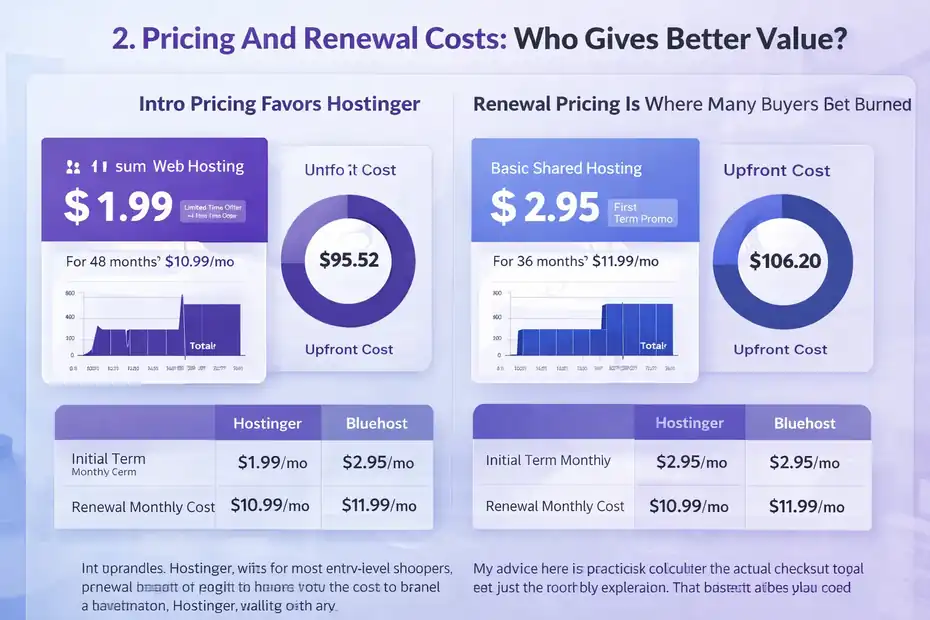
This is usually the first thing people ask, and honestly, it should be one of the first things you check.
Hosting companies know price gets the click, so you need to read beyond the first number.
Intro Pricing Favors Hostinger
Hostinger’s official pricing currently starts lower than Bluehost’s main shared hosting promo pricing.
Hostinger’s pricing page shows entry web hosting starting at $1.99 per month on a 48-month term, while Bluehost’s recent official pricing references entry shared hosting starting from $2.95 per month and its pricing pages present plan comparisons across hosting categories.
That makes Hostinger the easier recommendation for ultra-budget buyers. If your goal is “I need the lowest possible cost to launch a decent site,” Hostinger usually wins the first impression.
But there is a catch. The lowest Hostinger price is tied to a long commitment. For many people, that is still a fair trade. You get a lower monthly rate, but you prepay more upfront. Bluehost also uses discounted long-term pricing, though the exact promo structure varies by plan and campaign.
My advice here is practical: Calculate the actual checkout total, not just the monthly equivalent. That is the number your card cares about.
Renewal Pricing Is Where Many Buyers Get Burned
Renewal pricing matters because the first term ends faster than you think. Hostinger’s pricing page clearly shows renewal pricing on the plan card, such as Premium renewing at $10.99 per month after the discounted term.
Bluehost’s various plan pages and pricing materials also show higher renewal rates than entry promos, though exact figures differ by product line and promotion.
This is where I think Hostinger does a slightly better job of making the value proposition obvious for budget shoppers. Bluehost is not necessarily overpriced, but it can look less aggressive when you compare the cheapest public-facing shared offers side by side.
A simple buyer scenario helps here. Imagine you are building a niche blog and expect low traffic for a year. Hostinger’s lower entry cost may make more sense. Now imagine you are launching a client-facing business site where support access, WordPress familiarity, and brand comfort matter more than squeezing every dollar. Bluehost becomes more competitive.
Refund Policies Are Similar, But The Details Matter
Both companies offer a 30-day refund window on eligible hosting purchases. Bluehost’s refund policy states that refunds for hosting services are available within 30 days for new signups, while domain registration fees are not refundable.
Hostinger’s refund policy also allows refunds within 30 days of the transaction for eligible products, with some exceptions and special-case limitations.
That domain detail is important. A “free domain” is rarely truly free if you cancel and want to keep it. Bluehost explicitly notes a non-refundable domain fee deduction when applicable.
So, on pure price, Hostinger wins for most entry-level shoppers. On overall value, it depends on whether you care more about the cheapest start or a more WordPress-branded hosting experience.
Ease Of Use And Setup Experience
After price, usability is the next thing that can make or break your experience. A host can be cheap and still waste your time every week.
Bluehost Feels Familiar If You Want cPanel Access
Bluehost gives users a modern account manager while still providing access to cPanel-related tools from inside the portal. Bluehost’s help documentation explains how to open cPanel from the hosting or websites area, and its control panel content emphasizes a unified dashboard with cPanel access for deeper controls.
That matters because cPanel is still familiar territory for a lot of site owners, freelancers, and developers. Even if you are a beginner now, tutorials across the web often assume a cPanel-style environment. That can reduce friction.
I would describe Bluehost’s setup style like this: it is beginner-friendly, but it still leaves the door open for more traditional hosting management. That is useful when your site grows and you need more control.
If you have ever moved hosts before, you already know how valuable “familiar” can be. When something goes wrong, being able to find file manager, databases, redirects, cron jobs, or DNS tools without hunting through a custom interface is a real advantage.
Hostinger’s hPanel Is Cleaner For Many Beginners
Hostinger does not center cPanel on its shared plans. Instead, it uses hPanel, its custom control panel. Hostinger’s own documentation describes hPanel as a streamlined, beginner-friendly interface for managing hosting, domains, email, and WordPress tasks, and its support content positions it as an easy-to-navigate alternative to cPanel.
For brand-new users, hPanel can actually feel less intimidating than cPanel. The menu structure is more guided, and the dashboard tends to feel more productized rather than “here are fifty technical icons, good luck.”
This is one of those areas where personal preference matters. I believe Hostinger has the smoother visual onboarding for beginners. Bluehost has the advantage for users who want compatibility with the broader cPanel learning ecosystem.
A quick rule I’d use:
- Choose Bluehost if you want something closer to the traditional hosting workflow.
- Choose Hostinger if you want a cleaner all-in-one panel with less clutter.
First-Time WordPress Setup Is Easy On Both
Both providers heavily target WordPress users. Bluehost is prominently tied to WordPress and is still listed on WordPress.org’s hosting recommendations page. Hostinger also markets managed WordPress hosting and performance features built around WordPress optimization.
For a first-time WordPress launch, neither provider is difficult. The difference is more about workflow. Bluehost feels like “WordPress with a hosting company that has been around forever in that space.” Hostinger feels like “modern budget hosting that wants setup to feel as frictionless as possible.”
If you are nervous about your first install, both are workable. If you hate clutter, Hostinger may feel easier. If you want the comfort of WordPress-centric familiarity and cPanel-style control, Bluehost has the edge.
Performance, Speed, And Uptime Expectations
Speed is where a lot of hosting articles get vague. I prefer to keep this part grounded. Hosting alone will not save a bloated site, but bad hosting can absolutely hold back a good one.
What The Official Pages Tell Us
Bluehost advertises a 99.99% uptime promise on shared hosting and highlights free CDN, managed WordPress updates, and global data centers on plan materials.
Hostinger emphasizes performance-focused hosting, 24/7 support, and infrastructure choices that include LiteSpeed in its performance materials. Hostinger also promotes WordPress speed features such as LiteSpeed optimization profiles and LiteSpeed Cache integration.
From a feature perspective, Hostinger tends to speak more aggressively about speed tooling on the lower end, especially around LiteSpeed-based optimization. Bluehost focuses more on reliability, managed WordPress convenience, and integrated growth features.
That does not automatically mean one is always faster for every site. It means Hostinger often gives speed-conscious users more obvious talking points up front.
Independent Performance Results Tend To Lean Toward Hostinger, But Not Universally
Independent comparisons are mixed, which is normal in hosting because test setups vary. Some recent third-party tests have shown Hostinger ahead on response time, while others show Bluehost performing better in some global measurements and Hostinger doing better in US-focused or load-related scenarios.
For example, one 2025 comparison reported Hostinger ahead on average response time, while a 2026 review cited Bluehost ahead on global TTFB and Hostinger ahead in US TTFB with lower error rates under load.
What I take from that is not “pick the one with a single prettier benchmark.” It is this: Hostinger generally has the stronger reputation for entry-level speed value, especially if you use its built-in optimization stack properly.
Bluehost can still perform well, particularly if your site is configured cleanly and you value the broader WordPress ecosystem more than squeezing out every possible millisecond.
Real-World Speed Depends On Site Type
Here is the part many comparisons ignore. A portfolio site with ten pages behaves differently from a WooCommerce store, a page-builder-heavy blog, or a multilingual business site.
A realistic scenario:
- A lightweight WordPress blog with good caching may run well on either host.
- A speed-sensitive affiliate site on a tight budget may get better value from Hostinger.
- A beginner business owner who wants reliable setup help and WordPress familiarity may be happier on Bluehost even if raw benchmark chatter favors Hostinger.
My honest take: For most budget-conscious users chasing performance-per-dollar, Hostinger wins. For users who prioritize a trusted WordPress-centered experience and acceptable performance over aggressive budget optimization, Bluehost stays in the race.
WordPress, Features, And Day-To-Day Management
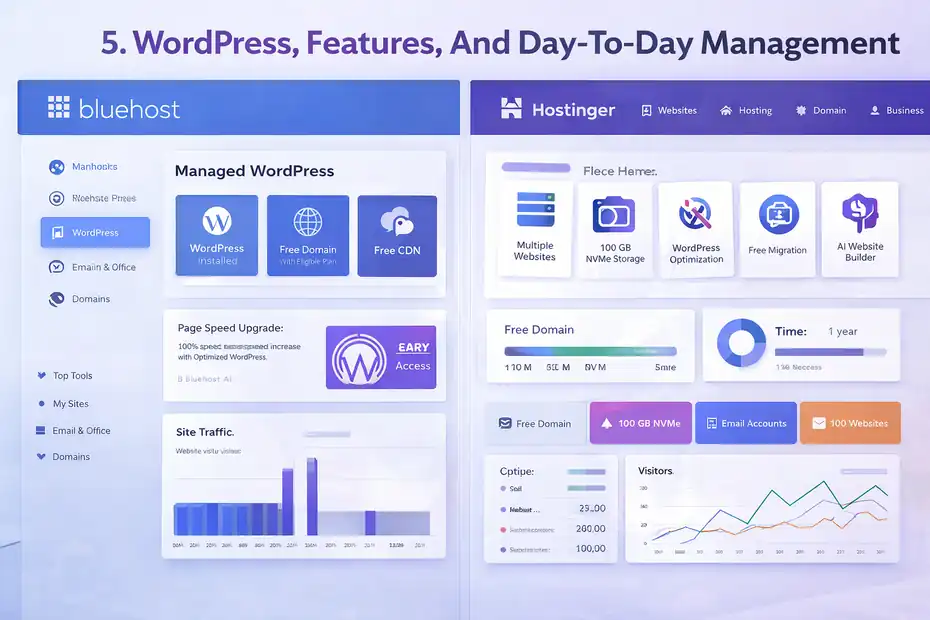
This section is where a hosting decision becomes less theoretical. You are not buying a homepage banner. You are buying the daily experience of running your site.
Bluehost Has Strong WordPress Positioning
Bluehost’s WordPress pitch is straightforward: WordPress pre-installed, AI site builder options, free domain on qualifying terms, free CDN, site migration tooling, and its long-running WordPress.org recommendation.
Bluehost says its WordPress hosting is officially recommended by WordPress.org since 2005, and WordPress.org currently lists Bluehost in its recommended hosting lineup.
That recommendation still matters for many beginners. It gives Bluehost instant credibility with people who do not want to overthink hosting. For a first WordPress site, that psychological trust is a real selling point.
I also think Bluehost does a good job of making WordPress feel “native” to the broader account experience. That is useful for bloggers, service businesses, and creators who want a smoother start without learning too much hosting jargon.
Hostinger Packs More Value Into Lower-Tier Plans
Hostinger’s value story is hard to ignore. Its web hosting pricing shows multiple website allowances, NVMe storage on current plans, free domain for one year on eligible terms, and included support around its broader hosting ecosystem.
It also emphasizes free migration and WordPress-oriented optimization capabilities.
In practice, that often means you get more room to grow before needing an upgrade. For someone running several small projects, microsites, or side businesses, that can be the deciding factor.
Imagine you run:
- One portfolio
- One blog
- One test site
- One landing page for a side service
Hostinger’s website allowances can make that setup much cheaper than trying to stretch a single-site starter plan elsewhere.
Control Panel Philosophy Affects Daily Work
This is one of my favorite tie-breakers because it is so practical. Bluehost’s cPanel access gives you traditional flexibility. Hostinger’s hPanel gives you a simpler, cleaner environment.
Neither is objectively perfect. But they attract different users:
- Bluehost is easier to recommend to freelancers, agency assistants, and people used to classic hosting dashboards.
- Hostinger is easier to recommend to newer users who want fewer moving parts on screen.
If you already know you will be editing DNS, handling databases, setting up redirects, or troubleshooting file paths, Bluehost’s familiarity may save time. If you want to log in, manage the basics, and move on with your day, Hostinger’s interface may feel better.
Support, Migration, And Troubleshooting
Support only matters when you need it badly, which is exactly why it matters so much.
Bluehost Offers 24/7 Chat And Phone Support
Bluehost’s contact and help pages state that support is available 24/7, and Bluehost provides both chat and phone support. That phone option is a meaningful differentiator for users who prefer talking through an issue instead of typing out a long explanation.
I would not underestimate that. A lot of beginners feel calmer when they can call someone during a domain issue, broken site incident, or email setup problem.
This makes Bluehost especially appealing for small business owners who are less technical and want live human reassurance. Even if chat is usually enough, having the phone option changes the comfort level.
Hostinger’s Support Is 24/7, But It Leans Into Chat
Hostinger also offers 24/7 support, but its official support and contact pages emphasize live chat, support center resources, tutorials, and customer success assistance rather than phone-first support.
Hostinger also points users through hPanel-based support workflows and AI-assisted triage before escalating to specialists when needed.
This setup works well for many users, especially if you are comfortable with chat. Hostinger also has a large tutorial library, which can be genuinely useful if you prefer self-service help.
Still, if phone support is important to you, Bluehost has the clearer advantage.
Migration Is Better Defined At Hostinger For Most Cases
Hostinger prominently advertises completely free website migration, even for many websites, with separate requests per site.
Bluehost offers a free self-service WordPress migration tool and also references free migration tools or services in some materials, but its migration ecosystem is more nuanced, with separate self-service and paid/professional migration paths depending on what you need.
That gives Hostinger the cleaner migration story for typical buyers. If you are moving from another host and want an obvious “yes, we’ll help transfer it” value proposition, Hostinger is easier to understand.
A practical migration scenario:
- Moving one or several standard websites from another provider: Hostinger is often the simpler recommendation.
- Moving a WordPress site and you are okay using a guided tool: Bluehost is still very workable.
Which Host Is Better For Different Types Of Users?
By this point, you probably do not need more features thrown at you. You need the decision made simpler.
Best For Absolute Beginners On A Budget: Hostinger
If your top priority is getting online cheaply without feeling buried in complexity, Hostinger is usually the better buy. The entry pricing is lower, the multi-site value is often stronger, the hPanel experience is beginner-friendly, and the migration offer is easy to understand.
I recommend Hostinger for:
- First blogs
- Portfolios
- Side projects
- Small affiliate sites
- New freelancers testing ideas
- Budget-conscious WordPress users
The biggest reason is simple: it stretches your dollar further.
Best For WordPress Trust And Traditional Hosting Familiarity: Bluehost
Bluehost is the safer choice for users who value WordPress branding, traditional hosting structure, and phone support.
Its WordPress.org recommendation is still a strong credibility signal, and cPanel access through the Bluehost portal can be reassuring for users who want classic hosting tools available when needed.
I recommend Bluehost for:
- First-time business sites
- Users who want phone support
- People already comfortable with cPanel-style hosting
- Buyers who care about WordPress endorsement and ecosystem familiarity
This is not the “cheapest possible” pick. It is more the “I want something established and recognizable” pick.
Best For Growing Multiple Small Sites: Hostinger
This is where Hostinger pulls ahead again. If you plan to host several websites under one account, its plan structure is often more generous at lower price points. That alone can save real money over a year or two.
For creators, SEO site builders, and side-hustle operators, that flexibility matters. One account supporting multiple small projects is a very common modern use case, and Hostinger fits it well.
Common Mistakes People Make When Choosing Between Them
This is the part I wish more hosting guides took seriously. Most bad hosting decisions are not caused by the host. They are caused by mismatched expectations.
Mistake 1: Choosing Based On Promo Price Alone
The cheapest intro plan is not always the cheapest ownership experience. Renewal pricing, site limits, email rules, migration scope, and add-ons can change the real cost fast. Both providers use discounted intro pricing, so always compare full term cost and renewal cost together.
Mistake 2: Ignoring Your Comfort With The Dashboard
If you hate technical interfaces, do not force yourself into a setup that feels overwhelming just because someone on a forum said it is “more powerful.” Hostinger’s hPanel is often easier for beginners.
Bluehost’s cPanel-connected workflow is often easier for users who want traditional hosting control.
Mistake 3: Expecting Hosting Alone To Fix A Slow Site
Even great hosting cannot rescue a site weighed down by huge images, too many plugins, weak caching, bad themes, or sloppy scripts.
Hostinger gives you attractive speed tooling. Bluehost gives you solid managed WordPress support paths. But optimization still matters on your side too.
Mistake 4: Not Matching Support Style To Your Personality
Some people are fine with chat and tutorials. Some want to pick up the phone when their homepage disappears.
Bluehost offers both chat and phone support; Hostinger emphasizes chat-led support. That difference should influence your decision more than most review scores do.
Final Verdict: Which Hosting Wins?
This bluehost vs hostinger comparison has a pretty clear outcome for most buyers, even though both are legitimate options.
Hostinger Wins For Overall Value
If I had to recommend one host to the average beginner, small site owner, or budget-conscious WordPress user, I would choose Hostinger.
The lower entry price, stronger multi-site value, clearer migration promise, beginner-friendly hPanel, and speed-focused positioning make it the more compelling all-around option for most people.
It is the better fit when your question is, “How do I get solid hosting without overspending?”
Bluehost Wins In A Few Specific Situations
Bluehost still makes sense if you want phone support, place real weight on WordPress.org’s recommendation, or prefer a hosting environment that keeps traditional cPanel-style controls within reach.
It is also a reasonable choice for beginners who want a recognizable WordPress-centered brand and do not mind paying a little more for that comfort.
So here is my honest bottom line:
- Choose Hostinger if you want the better value winner.
- Choose Bluehost if you want the safer WordPress-familiar support experience.
For most readers, Hostinger wins this matchup. For a smaller group that prioritizes phone support and WordPress familiarity over pure value, Bluehost can still be the right call.
The Simplest Decision Rule
Use this quick filter:
- Pick Hostinger when budget, multiple websites, and beginner-friendly setup matter most.
- Pick Bluehost when phone support, WordPress recommendation, and cPanel-style familiarity matter most.
That is really the heart of it. Not every hosting comparison needs drama. Sometimes the best answer is just matching the right host to the right kind of user.
FAQ
What is the main difference in a bluehost vs hostinger comparison?
The main difference in a bluehost vs hostinger comparison is value versus familiarity. Hostinger focuses on lower pricing, beginner-friendly dashboards, and multi-site value, while Bluehost emphasizes WordPress integration, traditional hosting tools, and phone support. Your choice depends on whether you prioritize cost efficiency or a more familiar hosting experience.
Which is cheaper in a bluehost vs hostinger comparison?
Hostinger is generally cheaper in a bluehost vs hostinger comparison, especially for long-term plans. Its entry pricing starts lower and often includes more websites per plan. However, both providers increase prices at renewal, so it is important to compare total long-term costs rather than just the introductory rate.
Is Bluehost or Hostinger better for beginners?
Hostinger is often better for beginners due to its clean dashboard and lower pricing, making setup easier and less overwhelming. Bluehost is also beginner-friendly but leans more toward traditional hosting systems. Beginners who want simplicity usually prefer Hostinger, while those wanting a familiar WordPress-focused setup may choose Bluehost.
Which hosting is faster, Bluehost or Hostinger?
Hostinger is typically faster in many entry-level comparisons due to its performance-focused infrastructure and built-in optimization features. However, Bluehost still offers reliable speed for most websites. Real performance depends on your site setup, content, and optimization, not just the hosting provider alone.
Should I choose Bluehost or Hostinger for WordPress?
Both are strong choices for WordPress, but the best option depends on your needs. Bluehost is officially recommended by WordPress.org and offers a more traditional setup, while Hostinger provides better pricing and modern tools. If budget matters most, choose Hostinger. If familiarity and support matter more, choose Bluehost.

I’m Juxhin, the voice behind The Justifiable.
I’ve spent 6+ years building blogs, managing affiliate campaigns, and testing the messy world of online business. Here, I cut the fluff and share the strategies that actually move the needle — so you can build income that’s sustainable, not speculative.
Related posts:
 Bluehost Hosting: Features, Pricing, & Perks
 Bluehost Reviews You Can Trust Before Signing Up
 Bluehost Cost Explained: What You’ll Really Pay 2025
 Cloudways DigitalOcean vs Shared Hosting: Why It’s Worth the Upgrade
 WP Engine Competitors Compared: Speed, Price, and Support
 Bluehost Hosting Review For Beginners: Setup, Speed, Value