
Table of Contents
Some links on The Justifiable are affiliate links, meaning we may earn a small commission at no extra cost to you. Read full disclaimer.
CallRail lead tracking software review is one of those searches people make when they are tired of guessing which ads, pages, or campaigns actually bring in phone calls and qualified leads.
I get it. Lead tracking tools can look brilliant in a demo and then feel expensive once you start paying for numbers, minutes, and add-ons.
In this review, I’ll walk you through what CallRail does well, where it falls short, who should buy it, and whether the price makes sense for your business in 2026. The goal here is simple: help you make a smart decision without fluff.
What CallRail Is And Who It Is Really For
CallRail sits in the lead tracking category, but that description is a little too narrow. In practice, it is a marketing attribution and conversation intelligence platform built for businesses that rely on phone calls, forms, texts, and appointment-driven leads.
What CallRail Actually Does
At its core, CallRail helps you figure out where your leads came from before they called, texted, or filled out a form. It does this by assigning tracking numbers to different channels, campaigns, or pages, then matching incoming activity back to the source. That sounds technical, but the business value is simple: you stop treating all leads like they appeared out of nowhere.
For many small and mid-sized businesses, the biggest win is call attribution. If you spend on SEO, PPC, Local Services Ads, direct mail, billboards, or landing pages, CallRail gives you a better shot at knowing which channel actually produced the conversation. That matters because lead volume can be misleading. Ten cheap calls from bad-fit prospects are not better than three calls from people ready to buy.
CallRail has also expanded beyond basic call tracking. It now includes form tracking, text tracking, call recording, routing, automation, AI summaries, sentiment analysis, and tools for qualifying leads faster. So this is no longer just a “marketing phone number” tool. It is trying to become the place where attribution meets lead handling.
That wider scope is helpful, but it also means you need to be honest about what you need. If all you want is simple call counts by channel, CallRail may feel more powerful than necessary. If you want attribution plus lead quality insight, it starts to make much more sense.
The Businesses That Usually Benefit Most
CallRail works best when calls are a major part of your sales process. In my experience, that usually means local service companies, law firms, healthcare practices, home services, agencies, franchises, and B2B teams that still close a meaningful share of deals by phone.
A few practical examples make this clearer:
- Home Services: A roofing company running search ads, SEO pages, and seasonal promotions can see which campaign generated booked estimates instead of just website clicks.
- Legal: A law firm can review recorded calls, tag qualified consultations, and separate serious cases from low-value inquiries.
- Healthcare And Med Spas: A clinic can track calls from local search, monitor front-desk handling, and spot missed revenue when staff fail to answer.
- Agencies: An agency managing multiple clients can prove channel performance without relying only on form fills or basic ad dashboards.
Where CallRail feels less ideal is in low-call businesses. If your product sells mostly through ecommerce checkout, self-serve SaaS signup, or outbound email, you might not use enough of the platform to justify the cost. The software becomes most valuable when a phone conversation is part of the buying journey.
Where It Fits In A Modern Marketing Stack
CallRail is not usually your CRM, ad platform, or analytics suite. It fills the gap between traffic and revenue by clarifying which campaigns produced real lead activity and what happened during those conversations.
That middle-layer position is why it often pairs well with tools your team may already use. For example, teams commonly connect it with Google Ads for campaign attribution, HubSpot for lead management, and Google Analytics 4 for broader reporting. The point is not that you need every integration. The point is that CallRail becomes more useful when it feeds attribution and lead-quality data into the systems your team already checks daily.
I believe this is one reason so many businesses stick with it once setup is done. Replacing a number on a website is not the hard part. Building a cleaner feedback loop between traffic, conversations, and sales outcomes is where the real value shows up.
My view: CallRail is most worth the money when you are already spending enough on marketing that one bad attribution decision per month costs more than the software itself.
How CallRail Works In Real Life
The headline features sound nice, but software lives or dies on workflow. You need to know what actually happens after signup and whether the product feels practical once real leads start coming in.
Call Tracking And Dynamic Number Insertion
The most important feature is call tracking, especially dynamic number insertion. This is the mechanism that swaps the phone number shown on your site based on how someone arrived there. If a visitor came from organic search, paid search, or a specific ad campaign, CallRail can show a unique tracking number and tie the call back to that source.
This matters more than many people realize. Without number swapping, you might only know that a call came from “the website.” That is not enough when you are deciding whether to keep spending on a keyword cluster, landing page, or ad group. Dynamic number insertion turns vague attribution into something closer to channel-level truth.
The setup is usually manageable. You add a script to your site, define where the phone number appears, assign numbers to campaigns, and test that the swaps work correctly. For a standard WordPress or landing page setup, this is not especially difficult. The complexity rises when you have multiple domains, odd templates, or scattered number placements across headers, widgets, and custom sections.
A practical caution here: Dynamic tracking is only useful if your pool of numbers is sized correctly. Too few numbers and attribution gets muddy during busy traffic periods. Too many numbers and your bill climbs faster than expected. This is one of the first places where CallRail can be either brilliantly efficient or annoyingly expensive depending on setup discipline.
Form Tracking, Text Tracking, And Conversation Data
CallRail is stronger today because it does more than phone calls. Form tracking lets you tie submitted forms back to the same marketing journey, which is helpful if your business gets a mix of calls and website inquiries. Instead of reporting on forms in one system and calls in another, you get a more unified lead view.
Text tracking is useful too, especially for service businesses where prospects prefer messaging first. Some buyers are not ready to call, but they will send a quick text asking about pricing, availability, or appointment windows. Capturing that as a tracked lead gives you a more realistic picture of demand.
Then there is conversation data. Call recording, transcription, summaries, and AI-driven analysis are where CallRail moves beyond raw attribution. Now you are not just seeing that a lead came from a campaign. You are hearing whether the lead was a fit, whether your staff handled the call well, and whether common objections keep repeating.
That combination is powerful because attribution alone can lie. A campaign might generate lots of calls but still produce weak revenue if the calls are poor quality. Once you layer conversation insights onto source data, you can make better budget decisions. In my opinion, this is where CallRail starts to justify its higher-tier plans for serious advertisers.
Automation, Routing, And Lead Handling
A lead tracking platform becomes much more valuable when it helps you act on data instead of just admire it. CallRail includes routing, notifications, tagging rules, and automation options that make the platform more operational, not just analytical.
Routing means you can decide what happens when calls come in. That might include sending calls to a specific location, forwarding based on time of day, or prioritizing the right team member. If you run a service business with missed-call problems, this is more than a convenience. It directly affects revenue.
Automation is also helpful for reporting hygiene. You can create rules that categorize calls based on duration, source, or outcomes. For example, you might auto-tag short wrong-number calls differently from consultations that last five minutes or more. That makes your reports cleaner and reduces manual work for the team.
Still, CallRail is not magic. Routing logic needs planning. Tags need governance. Notifications need to go to people who will actually respond. I have seen plenty of businesses install lead tracking software and then leave every process messy around it. In those cases, the software looks underwhelming, but the real issue is operational follow-through.
CallRail Features That Matter Most Before You Buy
This is the section I think most buyers should spend time on. Not every feature deserves equal attention. Some are genuinely useful. Others sound impressive but only matter if your team will act on them.
Attribution Reporting That Goes Beyond Surface-Level Metrics
CallRail’s strongest feature is still attribution reporting. You can see which channels, campaigns, keywords, landing pages, and sessions produced tracked lead activity. For performance marketers, that clarity is often the main reason to buy the product.
What I like is that this reporting can answer practical budget questions. Which campaigns generate first-time callers? Which pages create serious inquiries instead of information-only calls? Which paid keywords bring in leads that actually convert? Those are the questions that matter when you are trying to protect ad spend.
The quality of that reporting depends on your implementation. If your UTM structure is a mess, your ad accounts are poorly organized, or your website has tracking gaps, CallRail cannot fix that for you. It will reflect your setup, not rescue it. So buyers should not expect “better attribution” without putting some thought into campaign naming, landing page structure, and consistent source tagging.
I suggest thinking of CallRail as an amplifier. If your measurement habits are decent, it improves them. If your measurement habits are sloppy, it exposes the sloppiness. That may be uncomfortable, but it is still valuable.
Call Recording And AI Analysis
Call recording used to be mostly a coaching tool. Now, with transcripts and AI summaries layered on top, it becomes a performance and qualification tool as well. You can skim conversations faster, look for repeated themes, and identify whether staff are handling leads correctly.
This matters in real businesses because lead quality is often misdiagnosed. Marketing says the leads are good. Sales says the leads are bad. Operations says the front desk is overwhelmed. Recording and transcription help you see what is actually happening instead of arguing from memory.
A few useful applications stand out:
- Sales Coaching: Review how top performers handle pricing questions or objections.
- Quality Control: Catch missed greetings, bad intake behavior, or weak appointment handling.
- Lead Qualification: Separate poor-fit inquiries from high-intent prospects more accurately.
- Message Testing: Hear what language customers actually use so you can improve ad copy and landing pages.
The downside is that advanced conversation features tend to push you into more expensive plans. They are not wasteful, but they can become overkill for very small teams. If you have one owner-operator answering every call personally, transcripts and AI summaries might be nice to have rather than essential.
Multi-Location, Agency, And Client Reporting Capabilities
CallRail gets especially appealing when you manage complexity. A single-location business with one website and two campaigns can survive with lighter reporting. An agency, franchise, or multi-location business usually cannot.
The platform supports multiple tracking numbers, source segmentation, and account structures that make cross-channel reporting more manageable. Agencies in particular tend to like CallRail because it gives them a more defensible way to show results to clients who care deeply about phone leads.
Imagine you run a local marketing agency with five home service clients. Without call tracking, your monthly reporting leans heavily on clicks, impressions, and form fills. Clients may nod politely, but what they really want to know is whether the phone rang with legitimate opportunities. CallRail closes that credibility gap.
Where agencies need caution is cost and process creep. Every extra client number, routing rule, user permission, and report setup adds overhead. That does not mean the platform is wrong for agencies. It just means margins look better when you standardize your setup templates and reporting conventions from the start.
CallRail Pricing: Is It Expensive Or Fair?
This is where opinions usually split. Some users see CallRail as easy to justify. Others see it as one more subscription that keeps growing with usage.
Both views can be true depending on your business model.
Current Pricing Structure And What You Actually Get
CallRail’s current pricing starts with Lead Tracking at about $50 per month plus usage, Lead Tracking Complete at about $95 per month plus usage, and Lead Conversion at about $150 per month plus usage. Voice Assist is priced separately as an add-on, and usage costs still matter on top of base plans.
Here is the practical version of that pricing:
| Plan | Starting Price | Best For | Main Value |
|---|---|---|---|
| Lead Tracking | $50/month + usage | Small businesses that mainly need call and text attribution | Basic tracking, call recording, routing, attribution |
| Lead Tracking Complete | $95/month + usage | Teams that want form attribution too | Calls, texts, forms, better lead visibility |
| Lead Conversion | $150/month + usage | Teams that want deeper conversation intelligence | AI summaries, keyword analysis, sentiment, stronger optimization |
| Voice Assist Add-On | $95/month + usage | Businesses missing calls or needing AI answering help | 24/7 lead intake and qualification support |
That looks reasonable on paper, but the phrase plus usage matters. Extra numbers, minutes, calls, and certain add-ons can push your real monthly spend well above the entry price. So when you budget for CallRail, do not stop at the headline plan cost. Estimate traffic volume, call volume, and how many tracking numbers you realistically need.
I believe this is where many buyers get surprised. The platform is not necessarily overpriced, but it is easy to underestimate the all-in cost if you only look at the cheapest starting tier.
When The Cost Feels Worth It
CallRail feels worth the money when better attribution changes budget decisions. That sounds obvious, but it is the key test. If the software helps you cut wasted ad spend, recover missed calls, or prove that a profitable campaign is working, it can pay for itself very quickly.
A simple example: Imagine you spend $4,000 per month on paid search. CallRail helps you identify that one campaign drives long, high-intent calls while another brings mostly junk inquiries. You reallocate 25% of your spend and close just one extra customer. For many service businesses, that alone covers months of software cost.
It also feels worth it when your sales process depends on calls. If every booked estimate, case review, or consultation starts with a phone conversation, then failing to track and review those calls creates a real blind spot. In that scenario, CallRail is not just a reporting tool. It is part of your revenue infrastructure.
I would add one more point here: peace of mind has value. Many owners buy software like this because they are tired of arguing with agencies, guessing at lead quality, or wondering whether staff are missing opportunities. Better visibility reduces that frustration.
When The Cost Starts To Feel High
CallRail starts to feel expensive when your marketing volume is low, your attribution needs are basic, or your team does not use the deeper features consistently. The problem is not always price. Sometimes it is underutilization.
You may not need CallRail if:
- You get very few calls: A handful of monthly phone leads may not justify a dedicated platform.
- You already trust your attribution: Some businesses have simple enough funnels that channel performance is obvious.
- Your team never reviews calls or reports: Unused features create software regret fast.
- Your sales happen mostly online: Ecommerce and self-serve funnels often need different tools first.
There is also a psychological factor. Subscription software feels more expensive when charges vary with usage. Predictable flat pricing is easier to tolerate, even when total value is similar. With CallRail, a busy month can be good for revenue and still annoy you when the bill climbs.
That does not make the software unfairly priced. It just means you need to buy it with open eyes and a realistic estimate of how your usage will scale.
Setting Up CallRail The Right Way
A lot of the final ROI depends on setup quality. I would rather use a “good enough” plan with excellent implementation than pay for the highest tier and leave the basics half-done.
Step 1: Map Your Lead Sources Before Touching The Account
Before you create numbers or install scripts, define the lead sources you actually want to measure. This sounds boring, but it prevents messy reporting later. Decide which channels matter most: organic search, paid search, direct mail, referral campaigns, landing pages, local listings, or offline advertising.
The goal is not to track everything at once. The goal is to track the sources that affect real spending decisions. If you try to map every imaginable lead source on day one, the setup becomes bloated and confusing. Start with the channels you actively invest in or plan to optimize.
I recommend writing a basic source map with three layers:
- Channel: SEO, PPC, social, offline, referral
- Campaign: Spring AC tune-up, consultation ads, city landing pages
- Destination: Specific pages or booking paths where numbers appear
This structure makes it easier to decide how many tracking numbers you need and where dynamic number insertion should apply. It also helps you avoid the classic mistake of creating dozens of numbers with no clear naming system.
When businesses skip this planning step, reports become cluttered and trust in the platform drops. The software gets blamed, but the real problem is a weak measurement plan.
Step 2: Install Tracking Cleanly And Test Every Number
Once the source map is clear, install the tracking script and test the number replacement logic carefully. Do not assume it works because the dashboard says a number is active. Visit your site from different source conditions and confirm the displayed number changes as expected.
This is where many avoidable issues show up. Maybe the phone number is hardcoded into an image. Maybe it appears in a sticky mobile bar but not in the desktop header. Maybe one landing page template is missing the tracking script. None of these issues are dramatic, but they quietly break attribution.
A solid test process should include:
- Desktop And Mobile Checks: Number display often differs by device.
- Key Page Types: Homepage, service pages, landing pages, booking pages, and contact pages.
- Traffic Variations: Organic, paid, direct, and referral paths where relevant.
- Call Verification: Place test calls and make sure source data appears correctly.
This part is not glamorous, but it is where trust in the platform begins. When setup is done carefully, CallRail feels reliable. When setup is rushed, every later report becomes a little suspect.
Step 3: Define What Counts As A Good Lead
The smartest thing you can do after technical setup is decide what qualifies as a good lead. This sounds like a sales question, but it matters just as much for marketing analysis.
If every call is counted equally, your reports may flatter campaigns that create noise rather than revenue. A 15-second pricing question from someone outside your service area is not the same as a detailed consultation request. CallRail becomes much more useful once you create a simple framework for separating meaningful leads from low-value contacts.
That framework can include call duration, tags, call outcomes, appointment status, or post-call review criteria. You do not need a perfect attribution model. You just need a consistent way to label conversations based on business value.
For example, a local HVAC company might define qualified leads as calls longer than 90 seconds that result in a booked appointment or clear estimate request. A law firm might use consultation type, case fit, and urgency. A med spa might track service interest and appointment conversion.
This is one of the biggest differences between casual and effective use of CallRail. Casual users count activity. Effective users classify value.
Pros, Cons, And The Most Common Complaints
No software review is useful if it sounds like a product page. So let’s talk honestly about where CallRail shines and where buyers tend to get frustrated.
What CallRail Does Really Well
CallRail’s biggest strength is that it makes lead attribution more tangible for businesses that depend on calls. It also does a strong job of turning conversation data into usable marketing insight instead of leaving everything trapped in raw recordings.
The biggest advantages, from what I’ve seen, are:
- Easy-To-Grasp Attribution: You can connect marketing sources to calls, forms, and texts without building a custom reporting stack.
- Good Usability: The platform is generally easier to learn than many analytics-heavy tools.
- Strong Agency Fit: It helps agencies prove value to clients who care about inbound calls, not just clicks.
- Useful Conversation Tools: Recording, transcription, and summaries make performance review much faster.
- Operational Support: Routing and automation features make it more than a passive dashboard.
I also think CallRail deserves credit for sitting in a practical middle ground. It offers more depth than bare-bones call tracking tools, but it is still more approachable than stitching together telecom systems, CRM logic, and custom attribution reporting from scratch.
For busy teams, that middle ground is attractive. You get meaningful visibility without needing a full in-house analytics engineer to make sense of the data.
The Biggest Drawbacks Buyers Should Expect
The most common drawback is cost creep. Even when users like the product, they often complain that usage fees, number needs, or add-ons make the total monthly spend higher than expected. This is especially relevant for agencies, seasonal businesses, and fast-growing advertisers.
Another drawback is that CallRail can expose process problems you were not ready to fix. If your team misses calls, fails to tag leads consistently, or ignores follow-up tasks, CallRail will reveal that. Some people see this as a product problem when it is really an operations problem.
A few other limitations are worth noting:
- Advanced Features Can Be More Than Small Teams Need: If you are very small, the platform may feel deeper than necessary.
- Reporting Still Needs Human Interpretation: Attribution data helps, but it does not automatically explain business context.
- Setup Quality Matters A Lot: Weak implementation leads to mistrust quickly.
- Not A Full CRM Replacement: It complements your stack rather than replacing core systems.
I would not call these deal-breakers. I would call them maturity requirements. The software tends to perform best when the business using it has at least a basic process for lead intake, follow-up, and reporting discipline.
Review Pattern: What Real Users Usually Praise Or Criticize
User sentiment around CallRail is fairly consistent. People often praise setup simplicity, call visibility, reporting improvements, and the ability to connect calls back to marketing efforts. That is the core value, and most satisfied buyers seem to agree it delivers there.
The recurring criticisms tend to cluster around price, billing complexity, occasional frustration with features they do not use, and the feeling that advanced capabilities can be overkill for lean teams. In other words, the pattern is not “this tool does not work.” It is more “this tool is strong, but you need enough volume and discipline to justify it.”
That is actually a good sign. I am more comfortable recommending software when the complaints are mostly about fit and cost rather than broken fundamentals. It suggests the product itself is solid, even if it is not right for everyone.
CallRail Vs Other Lead Tracking Options
You should never buy attribution software in a vacuum. The better question is not whether CallRail is good. It is whether it is the best fit compared with the alternatives you are realistically considering.
CallRail Vs WhatConverts
WhatConverts often appeals to businesses that want lead tracking across calls, forms, chats, and ecommerce-style inputs with a slightly different reporting flavor. If your priority is broad lead capture and source reporting without leaning heavily into AI conversation tools, WhatConverts can look attractive.
CallRail usually wins on call experience depth and lead conversation analysis. WhatConverts can feel appealing when you want simpler lead-centric reporting and less emphasis on listening to calls. So the choice often comes down to this: do you mainly want stronger call attribution and conversation intelligence, or do you want a broader lead capture view with a different style of reporting?
I suggest CallRail when calls are central to your business and your team will actually use recordings and transcripts. I lean toward WhatConverts when the company wants unified lead reporting but is less invested in deep call coaching or AI analysis.
CallRail Vs Twilio-Based Setups
A Twilio-based setup can be much more flexible, but it usually requires more technical involvement. Twilio is infrastructure. CallRail is a finished product. That difference matters.
If you have developers, custom workflows, and a strong reason to build exactly what you want, Twilio can be powerful. You can create specialized call flows, integrate deeply into internal systems, and control more of the experience. The tradeoff is complexity. You are effectively building or managing your own solution stack.
CallRail is better for teams that want something operational quickly without a custom development project. It gives you packaged reporting, call handling features, and attribution logic in a format marketers and operators can actually use day to day.
For most small and mid-sized businesses, I would not recommend replacing CallRail with a DIY telecom stack unless there is a very specific technical reason. Flexibility sounds exciting until you become the person responsible for maintaining it.
CallRail Vs CRM-First Tracking Approaches
Some businesses try to solve lead attribution mostly inside a CRM. That can work to a point, especially when form fills dominate and sales teams are disciplined about source fields. But phone attribution is usually where CRM-only setups become weak.
A CRM can tell you where a lead was supposed to come from if the data entered correctly. CallRail is better at capturing what actually happened at the moment of the call or form submission and tying that activity back to the traffic source. The two systems solve different parts of the lead journey.
This is why I usually see the best results when CallRail supports the CRM instead of trying to replace it. Attribution lives in the tracking layer. Pipeline management lives in the CRM. When those jobs are separated cleanly, reporting makes more sense.
Advanced Tips To Get More ROI From CallRail
If you do buy CallRail, the basic setup is only the start. The bigger ROI usually comes from how you use the data after the first 30 days.
Use Lead Quality Tags, Not Just Lead Volume
One of the fastest ways to get more value from CallRail is to stop treating every call as equal. Tag leads based on quality, intent, and outcome so you can optimize toward useful conversations rather than raw totals.
This is especially important when channels perform differently by quality. A campaign may look great on volume while quietly producing weak-fit leads. Another campaign may generate fewer calls but far better close rates. Without tags, both campaigns can look similar at a glance.
Good tag categories vary by business, but common examples include booked appointment, qualified consultation, wrong number, existing customer, spam, poor-fit inquiry, or urgent high-value lead. The exact labels matter less than the consistency.
I have seen this simple habit change budget decisions more than any fancy dashboard tweak. Once you compare channels by qualified leads instead of total calls, weak campaigns become easier to spot.
Review Calls For Message Insights, Not Just Sales Coaching
Many teams review calls only when there is a service issue or a poor performer to coach. That is useful, but it misses a huge opportunity. Call recordings are one of the best sources of customer language you will ever get.
Listen for patterns in how prospects describe their problem, what objections they raise, what pricing fears they mention, and what words they use when they are ready to buy. Then use that language in your landing pages, ads, FAQs, and sales scripts.
A simple example: If prospects repeatedly ask whether your pricing includes installation, cleanup, or follow-up support, that tells you exactly what your landing page may be failing to clarify. Marketing often improves faster when it listens to real calls than when it brainstorms copy in a vacuum.
This is a very underused benefit of CallRail. The software can double as a voice-of-customer tool if you make time to learn from the conversations.
Build A Monthly Attribution Review Rhythm
The companies that get the most out of CallRail usually create a monthly review rhythm. They do not just log in randomly when someone complains about lead quality. They compare sources, review qualified lead counts, examine missed calls, and decide what to change.
A useful monthly review might include:
- Top Lead Sources: Which channels produced the most qualified calls or forms
- Missed Opportunity Check: How many calls were missed, abandoned, or mishandled
- Campaign Quality Review: Which sources delivered the best conversations, not just the most
- Messaging Insights: What customers kept asking about
- Budget Actions: Where to increase, decrease, or test spend next month
That structure turns CallRail from a reporting utility into a decision-making system. And honestly, that is the difference between “worth the cost” and “another subscription.”
My advice: If nobody on your team is going to review lead quality, missed calls, and source performance at least once a month, you probably will not capture the full value of CallRail.
Final Verdict: Is CallRail Worth The Cost?
CallRail is worth the cost for businesses that depend on inbound calls, want cleaner attribution, and are willing to act on the data. If you are spending meaningful money on SEO, paid search, local marketing, or multi-channel campaigns, CallRail can help you stop guessing which efforts actually produce qualified leads.
I would not call it the cheapest option, and I would not recommend it blindly to every small business. If your lead volume is low, your sales happen mostly online, or your team will not review recordings and reports, the price can feel high fast. But if one good attribution insight helps you cut wasted spend or recover missed opportunities, the software can pay for itself surprisingly quickly.
So here is my honest take. CallRail is not cheap, but for the right business it is not overpriced either. It is a strong fit when calls are tied closely to revenue and you need more than surface-level marketing metrics.
If that sounds like your situation, CallRail is absolutely worth a serious look.

I’m Juxhin, the voice behind The Justifiable.
I’ve spent 6+ years building blogs, managing affiliate campaigns, and testing the messy world of online business. Here, I cut the fluff and share the strategies that actually move the needle — so you can build income that’s sustainable, not speculative.
Related posts:
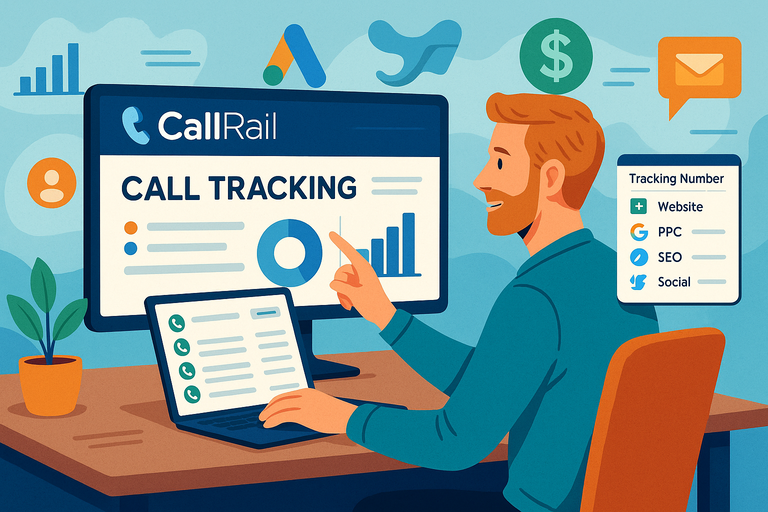 CallRail Call Tracking: How It Works and Why It Matters
 What is CallRail? Discover the Power of Call Tracking and Analytics
 ClickMagick ClickBank Integration – Track, Optimize & Profit!
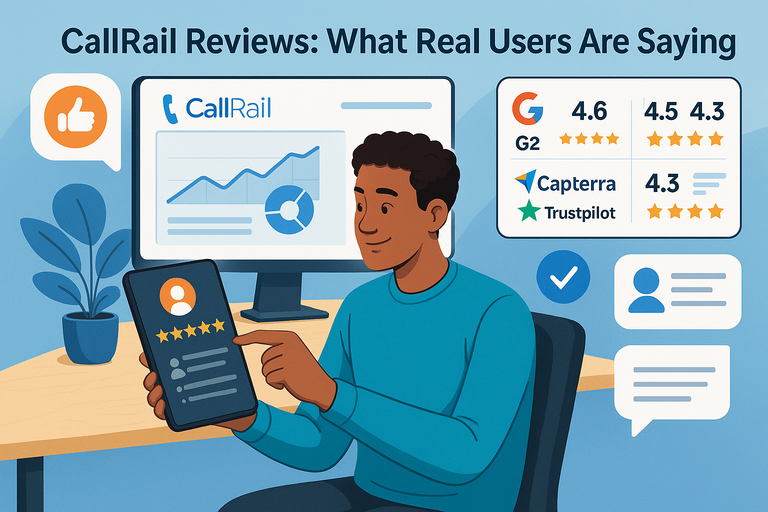 CallRail Reviews: What Real Users Are Saying
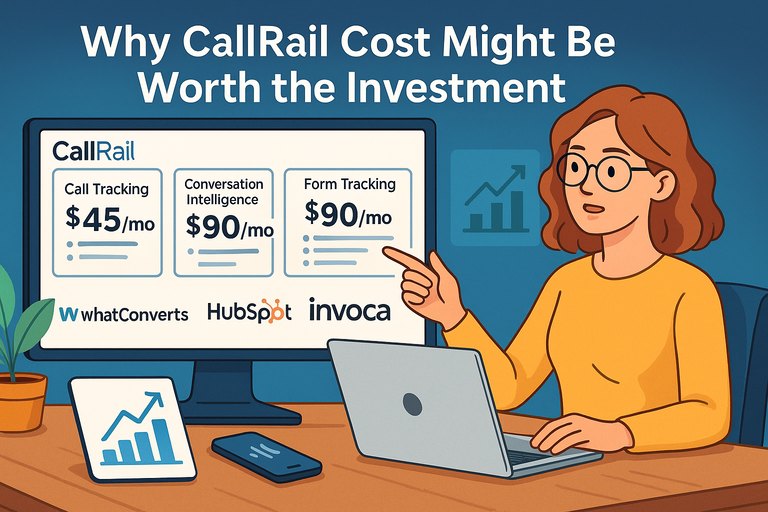 Why CallRail Cost Might Be Worth the Investment
 ClickMagick Worth It For Affiliate Marketers: Full Truth