
Table of Contents
Some links on The Justifiable are affiliate links, meaning we may earn a small commission at no extra cost to you. Read full disclaimer.
Ecommerce SEO for small ecommerce stores works best when every optimization is tied to a buying decision, not a traffic target.
A small store rarely has the authority, budget, or time to chase thousands of broad keywords, so the goal is to attract shoppers who are likely to buy and move them toward the right product quickly. That means prioritizing commercial pages, fixing technical friction, creating focused supporting content, and measuring revenue rather than pageviews alone.
This guide shows you how to build a practical SEO system that can produce sales without turning your store into a content factory.
Start With Revenue, Not Rankings
A sales-focused SEO strategy begins by deciding what an organic visit is supposed to accomplish. Before researching keywords or publishing content, connect search visibility to products, margins, conversion paths, and the pages that can actually generate revenue.
Understand The Difference Between Traffic And Commercial Intent
Not every search has the same value to an ecommerce store. A keyword can bring thousands of visitors and still contribute little revenue if the searcher mainly wants information.
Think of search demand in three practical groups. Transactional searches signal a near-term purchase, such as “buy stainless steel pour over kettle.” Commercial-investigation searches show active evaluation, such as “best pour over kettle for induction.” Informational searches sit earlier in the journey, such as “how to control water temperature for pour over coffee.”
For a small store, I recommend building from the bottom of that funnel upward. Optimize product and category pages for transactional demand first. Then create comparison, buying-guide, and use-case content that supports those pages. Broader educational content comes later, when you can show how it leads naturally to products.
A smaller keyword that lands directly on a strong category page can be a better business opportunity than a high-volume term that requires a long article and attracts mostly browsers.
Use Simple Economics To Prioritize SEO Work
You do not need a complicated attribution model to decide which pages deserve attention first. Start with the commercial information you already have: product price, gross margin, historical conversion rate, stock reliability, repeat-purchase potential, and how strategically important the product is to your store.
Then add search opportunity. A useful prioritization question is: if this page gained qualified organic visibility, would the additional orders be meaningful? A category containing proven, well-stocked products with healthy margins usually deserves more attention than a low-margin category with frequent stockouts, even if both have similar keyword volume.
- Intent: How close is the searcher to buying?
- Relevance: How closely does the query match the page and products?
- Commercial Value: Are the products profitable enough to justify the work?
- Ranking Feasibility: Can your store realistically compete?
- Operational Readiness: Can you keep the products available and fulfill demand reliably?
SEO should amplify a functioning offer. If a product has weak margins, poor reviews, confusing shipping terms, or unreliable availability, ranking it higher may expose the problem rather than solve it.
Make Sure The Store Is Ready To Convert Organic Visitors
SEO cannot compensate for a storefront that makes buying difficult. Before pushing more shoppers into a product page, check whether the page answers the questions that typically delay a purchase: What exactly is included? Which size or variant should I choose? When will it arrive? Can I return it? Is the business trustworthy? What happens if it is out of stock?
Review your key pages on mobile, because many shoppers will encounter your store there first. Make sure the primary product information is visible without excessive scrolling, images load cleanly, variant selectors are understandable, the add-to-cart action is obvious, and important shipping or return information is easy to find.
A customer arriving from a buying guide should reach the relevant category or product with one clear click.
The best SEO page is not merely the page that can rank. It is the page that can satisfy the search, establish confidence, and make the next buying step obvious.
This readiness check gives the rest of your SEO work a commercial foundation. Once your store can convert qualified visitors, keyword and technical improvements have a much better chance of turning visibility into revenue.
Build A Keyword Map Around What People Actually Buy
Keyword research becomes useful when it tells you which page should rank for which buying need. The objective is not to collect a large spreadsheet of phrases; it is to create a clean map connecting search intent to categories, products, and supporting content.
Start With Products, Categories, And Customer Language
Begin with the store rather than a keyword tool. List your main categories, subcategories, best-selling products, defining attributes, common use cases, materials, sizes, compatible products, customer types, and problems the products solve.
Next, expand each commercial theme with the modifiers buyers use when narrowing choices. Depending on your niche, these may include “for,” “with,” “without,” “under,” “compatible with,” “size,” “material,” “color,” “replacement,” “bundle,” “gift,” or a specific application. A store selling desk accessories, for example, may find that “desk mat” is too broad, while “large felt desk mat,” “desk mat for mechanical keyboard,” or “washable desk mat” maps much more precisely to real products.
When you need competitor data, keyword variations, difficulty estimates, and SERP analysis in one place, Semrush can make this stage faster. Its keyword and competitor research features are useful when you have enough product depth to justify structured research. For a very small catalog or tight budget, Google Keyword Planner, Google Trends, and Search Console can cover much of the early discovery work without another subscription.
Prioritize Keywords A Smaller Store Can Win
Small ecommerce sites usually lose when they copy the keyword strategy of large retailers. A national marketplace can rank a broad category page for “running shoes” because it has enormous authority, inventory, links, and brand demand. A specialist store may compete more effectively for narrower searches where expertise and product fit matter more.
Look for queries that combine buying intent with specificity. “Waterproof hiking shoes” is more useful than “shoes,” and “wide waterproof hiking shoes for women” reveals an even clearer requirement.
Evaluate the actual search results before committing. If the first page is dominated by giant marketplaces, major brands, local packs, or editorial lists, ask whether your intended page format matches what Google is rewarding. Likewise, a long article may be the wrong response when category pages dominate.
I suggest prioritizing keywords where three things overlap: your catalog is genuinely strong, the intent is commercially useful, and the search results leave room for a focused specialist. That combination is usually more actionable than chasing low difficulty scores in isolation.
Assign One Primary Search Job To Each Important Page
Keyword cannibalization happens when several pages on your site compete for the same intent without a clear reason.
Create a simple keyword map with one row per important page. Record the page type, primary search intent, main keyword theme, related variants, and the next action you want the visitor to take. A “linen tablecloths” category, for example, may target commercial category terms, while a guide called “How to Choose a Linen Tablecloth Size” should answer sizing questions and link shoppers back to the category.
Do not force every keyword into a new page. If two phrases produce nearly identical search results and serve the same buyer need, one strong page can often cover both. Create separate pages only when the intent, product set, or user experience is meaningfully different.
This map becomes your guardrail as the store grows. Before adding a new collection, filter page, or article, check whether an existing page already owns that search job. If it does, improve the existing page instead of creating another weak competitor.
Turn Category Pages Into Your Main Organic Sales Assets
For many stores, category and subcategory pages offer the best balance of search demand and purchase intent. They can rank for meaningful commercial queries while giving shoppers enough choice to compare products without forcing them to know an exact model first.
Build Category Pages Around A Clear Buying Need
A strong category page should make its purpose obvious to both shoppers and search engines. Use a descriptive title and H1, show products that genuinely fit the category, and add concise copy that helps customers understand the selection rather than burying the grid beneath generic SEO text.
The page should answer the questions that help someone choose within that category. That may include material differences, sizing, compatibility, ideal use cases, care requirements, or how one subcategory differs from another. A short introduction can establish relevance, while more detailed guidance can appear below the product grid if it genuinely helps shoppers.
Pay particular attention to product naming. If your cards use vague internal names such as “Model 14” or “Classic,” shoppers and search engines receive little context. Product titles should communicate the important differentiators naturally, without becoming keyword-stuffed sentences.
If a category ranks but sends customers into out-of-stock items, poorly reviewed products, or confusing variant choices, traffic will not turn into sales. SEO and merchandising should work together: feature the products you can confidently sell, keep filters useful, and make sure the category reflects the query that brought the visitor there.
Use Internal Links To Show Which Pages Matter Most
Site architecture is one of the highest-leverage advantages available to a small store because it does not require more backlinks or more articles. Google uses internal links to discover pages and understand their relative importance, while shoppers use the same pathways to move through your catalog.
Aim for a simple hierarchy: homepage to major categories, major categories to subcategories, and categories to product pages. Important commercial pages should not be hidden behind internal search, JavaScript-only interactions, or many layers of navigation. Use crawlable links with descriptive anchor text so both users and search engines can follow the path.
A buying guide about choosing chef knives can link to chef-knife categories. A product page can link to compatible accessories. A high-traffic category can link to a narrower subcategory for shoppers with a specific requirement.
The goal is to create a clear network around priority commercial pages. When you launch a new category that matters to revenue, link to it from relevant established pages rather than leaving it isolated and hoping a sitemap alone gives it sufficient importance.
Control Filters, Facets, Pagination, And Duplicate URLs
Ecommerce platforms can generate many URL variations from filters, sorting options, tracking parameters, pagination, and product variants. Some of those URLs are useful landing pages; many are not. If every combination becomes indexable, a small catalog can create a surprisingly large amount of duplicate or near-duplicate content.
Decide which filtered views deserve to exist as search landing pages. A filter such as “black leather backpacks” may have distinct demand and enough products to justify an indexable collection. A sort order such as “price low to high” usually does not need its own search result.
Pagination also needs crawlable URLs. If products beyond the first set appear only after someone clicks a JavaScript “load more” button and there are no crawlable links or discoverable URLs, search engines may have difficulty reaching deeper products. Give paginated sets unique URLs and make sure the linking pattern allows crawlers to move through them.
Use canonical tags consistently and avoid conflicting signals between internal links, canonicals, and sitemaps. When filters or parameters create duplicate views, consolidate them appropriately instead of trying to rank every variation.
Make Product Pages Useful Enough To Rank And Persuasive Enough To Sell
Product pages carry the final part of the organic buying journey. Their job is to match specific product searches, provide enough information to remove uncertainty, and help the shopper decide whether this exact item is right for them.
Replace Manufacturer Copy With Decision-Making Information
Copying a supplier description is fast, but it gives your page little differentiation and often fails to answer the questions customers actually have.
Start with the attributes that affect the decision: dimensions, materials, compatibility, fit, capacity, finish, included components, care, warranty terms, intended use, and meaningful limitations. Then explain those details in plain language. If a backpack holds a 16-inch laptop, say where it fits and whether the compartment is padded. If a table is solid oak, explain the finish and care expectations rather than repeating “premium quality.”
Use images to support the same questions. Include angles, scale, details, packaging, and variants when relevant. A useful product description reduces uncertainty rather than simply creating more text.
For a hypothetical ceramic cookware store, a page could explain which stovetops the pan supports, the usable cooking surface, oven-safe considerations, handle behavior, cleaning method, and what comes in the box. That information helps conversion while also giving the page richer context for specific product searches.
Handle Variants And Product Structured Data Carefully
Variants create a common ecommerce SEO problem because one product may exist in multiple colors, sizes, materials, or configurations.
If variants use parameters, keep canonicalization consistent and avoid creating thousands of thin combinations that provide no independent search value. If variants have separate pages because the differences are substantial, each page should contain accurate, self-contained information rather than merely changing one word in the title.
Product structured data can help search engines understand details such as product identity, offers, price, availability, and other supported commerce information. For variant-heavy products, ProductGroup markup can describe the relationship between related versions.
Validate implementation after platform or theme changes. Product pages are dynamic, and schema can become stale if price or availability updates do not flow correctly. Also consider a Google Merchant Center feed when appropriate, because structured data and merchant feeds can complement each other. The operational priority is consistency: the page, markup, feed, and actual checkout availability should tell the same story.
Keep Reviews, Out-Of-Stock Items, And Discontinued Products Useful
A product page can accumulate rankings, backlinks, reviews, and customer familiarity over time. Deleting it immediately when inventory changes can throw away that value and create a poor experience for people who still find the URL through search, email, social posts, or old links.
For temporarily out-of-stock products, keep the page live when the item is expected to return. Clearly state availability, offer a restock notification if your platform supports it, and recommend genuinely similar alternatives.
For permanently discontinued products, decide based on replacement value and ongoing demand. If there is a direct successor, a redirect may make sense when the replacement satisfies essentially the same intent. If people still search for the old model and the page contains useful information, keeping it live with a clear discontinued notice and alternatives can be better than forcing everyone to a generic category.
Moderate review spam, avoid misleading incentives, and make sure important product facts remain easy to find. The goal is a durable page that remains useful across inventory changes instead of a disposable URL tied only to today’s stock status.
Fix Technical Problems Before They Multiply
Technical SEO matters most when it prevents search engines or shoppers from reaching valuable pages.
Crawl The Store And Fix Indexing Signals First
Start with the pages that should make money. Confirm that your priority categories and products return a successful status code, are not blocked from indexing, have appropriate canonical tags, appear in your sitemap when they should, and are reachable through internal links.
A crawler makes this much faster than opening pages one by one. Screaming Frog is especially practical for small stores because its free version can crawl up to 500 URLs, which may cover an entire modest catalog. It can surface broken links, redirects, title and metadata issues, robots directives, canonicals, and duplicate-page patterns. The limitation is that larger sites and advanced configuration require a paid license, and the desktop interface can be more technical than a beginner-friendly website audit tool.
When troubleshooting, work in order. First fix pages that cannot be crawled or indexed correctly. Then resolve broken internal links and unnecessary redirect chains. Next check duplicate canonicals, orphaned priority pages, and sitemap inconsistencies. Metadata rewrites come later.
Technical SEO should remove barriers to the pages you already know have commercial value.
Improve Speed Where It Affects Real Shopping Behavior
Speed optimization can become an endless technical project, so focus on the templates shoppers use most: homepage, major categories, product pages, cart, and any content pages that receive meaningful organic traffic. Test representative URLs rather than assuming one fast homepage means the entire store is healthy.
PageSpeed Insights can help you identify Core Web Vitals and common performance bottlenecks. Current “good” thresholds are Largest Contentful Paint within 2.5 seconds, Interaction to Next Paint under 200 milliseconds, and Cumulative Layout Shift under 0.1. Treat these as user-experience targets, not as a reason to sacrifice useful product functionality for a perfect score.
Compress images appropriately, serve suitable dimensions, lazy-load content that does not need to appear immediately, and remove apps that contribute little business value.
Measure before and after major changes. A faster page is valuable when it makes browsing and buying easier, not when it merely improves a synthetic score. If an optimization breaks variant selection, reviews, checkout tracking, or add-to-cart behavior, the trade-off is not worth it.
Diagnose Duplicate Content, Thin Pages, And Crawl Waste
A category with 20 well-matched products and little text can be useful, while a 1,000-word category filled with generic copy can still be weak. Diagnose whether each indexable URL gives the shopper a distinct reason to land there.
Start with automatically generated pages: tag archives, empty categories, internal search results, filtered URLs, duplicate collections, and near-identical variant pages. Ask whether each should be indexed, consolidated, redirected, or removed. Also look for content duplication created by product feeds or manufacturers. If hundreds of retailers publish the same description, your page needs additional value through better specifications, imagery, selection guidance, reviews, compatibility details, or merchandising.
When a page is indexed but receives no impressions for months, avoid assuming deletion is always the answer. Check whether it is internally linked, whether the keyword target is realistic, whether another page is competing with it, and whether the page satisfies a distinct intent. Consolidate only when the overlap is genuine. The goal is a smaller, clearer index of useful pages—not the smallest possible index.
Create Supporting Content That Moves Shoppers Toward Products
Content earns its place in a small ecommerce SEO strategy when it helps customers choose, compare, use, or trust products. Instead of publishing broad articles for traffic alone, build content around questions that occur before and after a purchase and connect those pages to the relevant commercial path.
Focus On Buying Guides And Comparison Questions First
Buying guides are often the most useful bridge between informational search and a category page. They work when shoppers know the type of product they need but do not yet understand which features or options matter.
A strong guide should teach a decision process. Rather than writing “10 Best Office Chairs” because the keyword is popular, a specialist store might create “How to Choose an Office Chair for a Small Home Office,” then explain footprint, adjustability, armrest clearance, flooring, user height, and work duration. The guide can link to appropriate categories or products at the points where those criteria become relevant.
Comparison content should be equally specific. Compare materials, product types, sizes, or compatible systems when customers genuinely face that choice. Avoid manufacturing false comparisons between nearly identical items just to create pages.
Some “best” queries favor independent editorial sites, while others accept retailer guides. Examine current results before deciding whether your store can credibly satisfy the query. Your advantage is first-hand product knowledge at the catalog level: specifications, compatibility, use cases, and selection logic. Use that expertise to help shoppers choose rather than disguising a sales page as neutral education.
Build Use-Case Content Around Real Customer Problems
Use-case content can uncover commercially relevant long-tail searches that generic keyword research misses. Start with questions customers ask before purchasing: Will this fit my space? Does it work with my device? Is it suitable for beginners? Can I use it outdoors? Which size works for a family of four?
The choice between adding the answer to an existing page and creating a new page depends on intent. If the answer helps someone choose within one category, it may belong on the category page. If it requires substantial explanation and applies across multiple products, a guide may deserve its own URL.
Hypothetically, a lighting store could create a guide to choosing pendant light size above a kitchen island. The content could explain proportions, spacing, ceiling height, number of fixtures, and measurement steps, then point readers to pendant categories that fit different layouts. That is much closer to a purchase than a broad article about interior design trends.
Mine customer service emails, on-site search terms, product reviews, return reasons, and sales conversations for these questions. They are often more valuable than generic topic lists because they reveal the friction customers experience before spending money.
Use Content To Strengthen Commercial Pages, Not Compete With Them
Every supporting article should have a clear relationship to the catalog. Before publishing, identify the category or products it supports, where the internal links belong, and what a reader should do after getting the answer.
Use descriptive internal anchors naturally. If a section explains how to choose a walnut standing desk, link “walnut standing desks” to the appropriate collection when that collection is genuinely the next step. Avoid repetitive exact-match anchors across every article; natural variation is fine as long as the destination is clear.
Category pages can reference a detailed sizing guide or compatibility article for shoppers who need more help. This creates a two-way information architecture rather than a blog that sits separately from the store.
Update content when products, standards, interfaces, or customer questions change. A guide that recommends discontinued products or links to empty categories can lose both usefulness and revenue potential. During updates, check which queries the page already receives, whether new subtopics have emerged, and whether the call to action still matches current inventory.
The test is simple: if an article attracts organic visitors, can you explain how it helps those visitors make a better purchase decision? If not, it may be generating activity rather than business value.
Measure Organic Revenue And Scale What Already Works
Rankings are diagnostic signals, not the final outcome. Your measurement system should reveal which queries bring qualified visitors, which landing pages influence orders, where shoppers drop out, and which SEO improvements are worth repeating.
Connect Search Console And Analytics To Commercial Questions
Google Search Console should be your starting point for understanding how the site appears in Google Search. It shows queries, landing pages, impressions, clicks, average positions, indexing information, and other search-specific signals. Its limitation is that it does not tell you the complete on-site purchase story.
Pair it with Google Analytics 4 or another correctly implemented ecommerce analytics system so you can evaluate sessions, product views, add-to-cart actions, purchases, and revenue. GA4 is useful for connecting landing-page behavior with commerce events, but the quality of the conclusions depends on the quality of your tracking. Test purchase events, currency, transaction IDs, and consent behavior rather than assuming the default installation is complete.
You do not need to build a huge dashboard. For a small store, review organic landing pages by revenue, conversion rate, orders, and new-user behavior, then compare those results with Search Console query trends. A page that gains clicks but produces no commercial engagement needs a different response from a page that converts well but lacks visibility.
This pairing turns SEO from “Did rankings increase?” into “Which search opportunities are producing profitable customer behavior?”
Diagnose The Gap Between Visibility, Clicks, And Sales
When an SEO page underperforms, identify where the funnel is breaking before changing everything at once.
Use a simple diagnostic table:
| Signal | Likely Question | First Place To Investigate |
|---|---|---|
| Impressions low | Are we visible for enough relevant queries? | Keyword targeting, indexation, authority |
| Impressions up, clicks flat | Is the result attractive and relevant? | Title, snippet, intent match, SERP features |
| Clicks up, product views weak | Is the landing page routing shoppers well? | Navigation, product visibility, page UX |
| Product views up, add-to-cart weak | Does the offer answer buying objections? | Price, shipping, variants, trust, product information |
| Add-to-cart up, purchases weak | Is checkout or total cost creating friction? | Checkout, payment, delivery, unexpected fees |
| Revenue up from a page | Can we expand the winning pattern? | Adjacent keywords, internal links, related categories |
Organic traffic may be reaching the right page, but product-market fit, stock, price, shipping, or checkout can still prevent the sale.
Likewise, a page with modest traffic can be a major SEO win if it consistently drives profitable orders. Protect and expand those pages first.
Scale Through Repeatable Wins, Not A Bigger Publishing Calendar
Once you know which pages and queries generate commercial results, scale by repeating the pattern around adjacent demand. If a category page ranks and converts for a specific material, size, or use case, look for closely related subcategories or guides that serve a distinct need. If a buying guide assists sales, build the next guide around another documented customer decision.
Your recurring process can stay simple: monitor priority pages, review new queries, fix technical regressions, refresh decaying pages, strengthen internal links, and expand only where demand and inventory support the effort.
Authority also matters as you move into more competitive searches. Earn links through resources people genuinely want to reference: original product-selection tools, useful data, specialist guides, visual assets, calculators, or expert contributions. Avoid treating bulk link acquisition as a shortcut. For a small ecommerce brand, a handful of relevant mentions from credible industry sites can be more strategically useful than a large volume of unrelated links.
As you grow, keep your original constraint: revenue first. More categories, articles, and tracked keywords create complexity. Scale the parts of the system that already show evidence of attracting the right shoppers and converting them.
Choose The Next SEO Action That Can Produce Revenue
Ecommerce SEO for small ecommerce stores becomes manageable when you stop treating it as a race to publish more content or rank for the biggest keywords. Start with the pages tied most directly to profitable, available products.
Map high-intent searches to those pages, make category and product experiences genuinely useful, remove technical obstacles, and create supporting content only when it helps a shopper make a better decision. Then measure the full path from search visibility to revenue. If a page converts but lacks impressions, improve its visibility. If it ranks but does not sell, fix the offer or buying experience before chasing more traffic. If a page produces both rankings and orders, expand around that pattern.
Your next step should be small and specific: choose one commercially important category, audit its keyword target, internal links, indexation, page usefulness, speed, and conversion path, then improve it before moving to the next opportunity.

I’m Juxhin, the voice behind The Justifiable.
I’ve spent 6+ years building blogs, managing affiliate campaigns, and testing the messy world of online business. Here, I cut the fluff and share the strategies that actually move the needle — so you can build income that’s sustainable, not speculative.
Related posts:
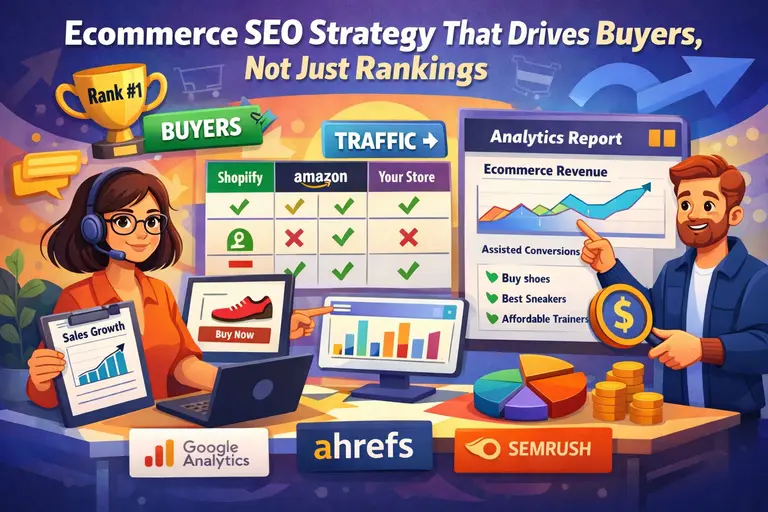 Ecommerce SEO Strategy That Drives Buyers, Not Just Rankings
 Ecommerce SEO or Paid Advertising: Which Drives Better Long-Term Profit?
 How to Scale Ecommerce SEO Without Losing Quality or Control
 Ecommerce SEO Success Stories That Show What Actually Works
 Ecommerce Content Strategy for SEO: From Keywords to Sales
 17 Ecommerce Website Traffic Generation Tips To Get More Visitors Fast