
Table of Contents
Some links on The Justifiable are affiliate links, meaning we may earn a small commission at no extra cost to you. Read full disclaimer.
HubSpot vs Salesforce for small business is one of those comparisons that looks simple until you are the person who actually has to choose, pay for it, set it up, and get your team to use it.
I’ve seen a lot of businesses get distracted by feature lists when the real question is much more practical: which CRM helps you sell faster without creating admin chaos?
In most small-business cases, HubSpot is the easier and safer pick. Salesforce can absolutely be the better long-term system, but only when you already know you need deeper customization, more process control, and room for a more technical setup.
The honest verdict in one sentence
If you want the fast answer, here it is: HubSpot is usually better for most small businesses, while Salesforce is better for small businesses that are already operating like an early-stage enterprise.
That sounds a little blunt, but I think it is the clearest way to frame this decision. Most small businesses do not fail with CRM because the tool is missing one advanced feature. They fail because the system becomes too hard to maintain, too expensive to expand, or too annoying for the team to use consistently.
HubSpot wins when your priorities are simplicity, speed, visibility, and getting everyone into one system quickly. Salesforce wins when your priorities are customization depth, more complex permissions and workflows, and building a CRM that can support a more layered operation over time.
Here is the simplest way I would break it down:
- Choose HubSpot if: You want to launch quickly, your team is small, you value ease of use, and you want sales, marketing, and service data to feel connected without heavy technical work.
- Choose Salesforce if: You need more control over how the CRM behaves, expect more complex processes, have multiple sales roles or teams, or plan to build around a broader ecosystem over time.
That is the short verdict. Now let’s get into the real comparison, because the details are where small businesses either save money or quietly create six months of CRM pain.
What small businesses actually need from a CRM

A lot of CRM comparisons start with giant feature grids. I understand why, but that is not usually how a small business should make this decision.
Your real goal is not “more features”
For most small businesses, the goal is not buying the most powerful CRM. The goal is building a reliable revenue system. You need a place to store contacts, track deals, manage follow-ups, keep the pipeline accurate, and avoid leads falling through the cracks.
That sounds obvious, but it changes everything. When you think that way, the best CRM is not the one with the longest capabilities list. It is the one your team actually uses every day, without resistance.
In my experience, small businesses usually need five things first: pipeline visibility, easy contact management, simple automation, clean reporting, and adoption from the team. If one of those breaks, the CRM becomes expensive shelfware.
This is where HubSpot often gets an early advantage. It is built to feel approachable. Salesforce often asks you to think more like a system designer, which can be a strength, but only if your business is ready for that level of control.
Small-business CRM decisions are usually operations decisions
A CRM choice is not just a software decision. It is an operations decision disguised as a tech purchase.
Imagine you run a five-person B2B service company. You have a founder selling, one account manager, one operations lead, and maybe one marketing person.
In that scenario, the CRM needs to reduce handoff mistakes and help everyone see what is happening without digging through custom objects, fields, and complicated dashboards.
Now imagine a 25-person company with SDRs, account executives, renewals, multiple territories, and separate approval layers. That business might outgrow a lightweight setup much faster.
Suddenly, custom processes matter more than pure simplicity. That is where Salesforce starts to look more attractive.
So before you compare tools, compare your operating model. If your business is still trying to make sales execution consistent, HubSpot usually fits better. If your business already has layered process complexity, Salesforce may be the smarter foundation.
HubSpot vs Salesforce at a glance
Before going deeper, let’s put the comparison in plain English.
Current public pricing shows HubSpot Sales Hub at $0 for Free, promotional Starter pricing from $15 per seat monthly on its product page, Professional starting at $100 per seat monthly, and Enterprise at $150 per seat monthly.
HubSpot’s Starter Customer Platform bundle is also positioned for small businesses, with standard Starter pricing noted at $20 per seat monthly and discounted first-year offers on the official site.
Salesforce lists Starter Suite at $25 per user monthly, Pro Suite at $100, Enterprise at $175, and Unlimited at $350, with Salesforce also stating that Enterprise and Unlimited prices increased by an average of 6% on August 1, 2025, while Starter and Pro were unchanged.
| Category | HubSpot | Salesforce |
|---|---|---|
| Best for | Small teams that want speed and simplicity | Small businesses with more complex process needs |
| Learning curve | Easier | Steeper |
| Setup speed | Faster for most teams | Often longer |
| Entry pricing | Lower-friction free and starter options | Affordable Starter, but complexity rises faster |
| Customization depth | Good, but more structured | Much deeper |
| Reporting | Strong and clean | Powerful, especially at higher tiers |
| Marketing alignment | Excellent | Strong, but often more modular |
| Admin burden | Lower | Higher |
| Long-term scalability | Very good | Excellent |
| My default recommendation | Better for most small businesses | Better for advanced small businesses |
That table is the high-level view, but let me make it more useful.
The easiest summary of the trade-off
HubSpot is easier to buy, easier to understand, easier to onboard, and easier to maintain. That matters more than many business owners realize.
Salesforce is more configurable and can become more powerful as your business gets more complicated. That also matters, but only if you genuinely need that complexity.
I believe this is where people get stuck. They assume choosing the “bigger” platform is the safer move. In reality, overbuying CRM is one of the most common small-business mistakes. You pay for optionality you may never use, while your team struggles with the basics.
Why price alone is not enough
A lot of readers search this topic because they want the cheaper option. That makes sense, but the cheapest-looking CRM is not always the lowest-cost CRM.
You also need to account for setup time, onboarding, admin work, training, integration cleanup, and the cost of poor adoption.
HubSpot states onboarding is required for Professional and Enterprise tiers, and its pricing guide lists one-time onboarding fees of $1,500 for Professional and $3,500 for Enterprise.
Salesforce, meanwhile, explicitly points users toward configuration and partner help for implementation depending on business needs.
So the smarter question is this: what will this platform cost you to fully use, not just to subscribe to?
Ease of use and day-to-day adoption
This is the category small businesses should care about more than almost anything else.
HubSpot is usually easier to adopt
HubSpot’s biggest small-business advantage is that it tends to make sense quickly. The interface feels cleaner, the navigation is more intuitive, and the common actions most teams need are easier to find.
That matters because most small businesses do not have a dedicated CRM administrator. The owner, sales lead, or operations manager becomes the accidental admin. If the system is too complex, updates get delayed, fields become messy, and reporting slowly becomes less trustworthy.
HubSpot is strong here because it feels like it wants the user to succeed fast. Even its official small-business messaging leans into the idea of an all-in-one starter platform for startups and smaller teams, covering marketing, sales, service, commerce, and CRM in one connected environment.
If your team is not naturally technical, HubSpot will usually create less friction in the first 30 to 90 days.
Salesforce can feel heavier, even when it is powerful
Salesforce is not hard because it is bad. It is hard because it is deep.
You can shape Salesforce around more complex workflows, permissions, stages, roles, and operational logic. That flexibility is valuable. But for a small business, it can also mean more decisions, more configuration, and more chances to build something overcomplicated.
I have seen this happen a lot. A small team buys Salesforce because they want room to grow. Then they spend months dealing with setup choices they did not really need yet. Meanwhile, reps still forget to log activity and managers still rely on spreadsheets because the CRM never became the source of truth.
If your business thrives on standardization and simplicity, Salesforce can feel like too much platform too early.
Adoption beats potential every time
This is probably my strongest opinion in the whole article: the CRM your team uses consistently is better than the CRM with the higher ceiling.
A simple CRM with 90% adoption will almost always outperform a powerful CRM with 40% adoption. Clean pipeline data, reliable notes, and consistent task management are worth more than advanced architecture your team never fully embraces.
So if you already know your team resists admin work, HubSpot has the edge. If your team is more process-driven and you are comfortable managing a more structured platform, Salesforce becomes more realistic.
Features that matter most for small business
Most small businesses do not need every enterprise feature, but they do need the right ones.
Contact, deal, and pipeline management
Both platforms can absolutely handle core CRM work. You can manage contacts, accounts, deals, tasks, and activity history in either one.
The difference is the feeling of using them.
HubSpot is more immediate. Pipeline views are straightforward, contact records are easy to read, and common sales actions feel accessible. For a small team trying to organize chaos, that is a major benefit.
Salesforce also handles these fundamentals well, but it tends to shine more when your process has more structure around it. If you have multiple pipeline paths, different rep roles, territory rules, or more complicated lead routing, Salesforce gives you more control.
For a simple service business, agency, consultancy, or smaller B2B company, HubSpot often gives you what you need with less setup. For a sales organization with more moving parts, Salesforce starts to separate itself.
Automation and workflow depth
This is where the gap gets more interesting.
HubSpot gives small businesses useful automation without making them feel like they need a technical background. That is one reason it works so well for growing teams. You can automate follow-ups, deal movement, notifications, and handoffs in a way that feels manageable.
Salesforce, on the other hand, offers deeper workflow and process customization. That is great when you truly need it. It is less great when you only need a few simple automations and end up creating a maze.
My advice here is simple: Do not buy automation depth you are not ready to maintain.
A small business with one sales pipeline, one offer structure, and a short sales cycle usually gets enough automation from HubSpot. A business with more layered processes, more approval logic, or multiple internal teams touching the same records may benefit more from Salesforce.
Reporting and visibility
Small businesses often say they want reporting, but what they really want is clarity.
They want to know:
- Which leads are turning into deals
- Which reps are following up
- Which pipeline stages are slowing down
- Which source is creating real revenue
- Which deals are actually likely to close
HubSpot does a very good job of making these answers easier to access. Reports tend to feel more approachable, and that matters when leadership wants quick visibility without depending on a specialist.
Salesforce reporting is powerful, especially as your business matures. But it often rewards stronger setup discipline. In other words, Salesforce reporting can be incredible, but only if the system architecture and data hygiene are solid.
For many small businesses, “easier insights sooner” is more useful than “more reporting potential later.”
Marketing, service, and the all-in-one question
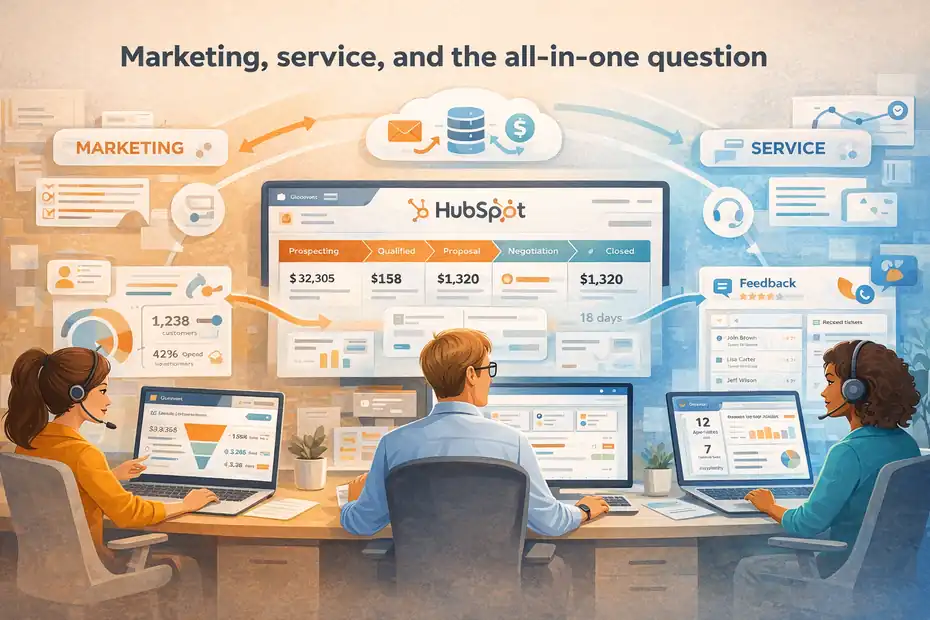
This section matters a lot because many small businesses do not want a sales tool alone. They want connected customer operations.
HubSpot has a natural advantage if you want one connected system
HubSpot’s ecosystem is one of its biggest selling points for small business. Its Starter platform for small businesses bundles marketing, sales, service, commerce, and CRM on one shared data layer, and HubSpot positions that connected experience as a core benefit.
In practical terms, that means a lead can come through a form, enter the CRM, move into a deal pipeline, and later become a service contact without feeling like the business stitched together five disconnected tools.
For a small business, that is huge. It reduces tool sprawl, makes reporting cleaner, and usually creates fewer handoff problems between marketing, sales, and support.
If your business wants one central customer platform rather than a more modular stack, HubSpot is very compelling.
Salesforce is strong, but often feels more modular
Salesforce absolutely supports broader customer management, but the experience often feels more segmented. That is not inherently bad. In some businesses, it is a strength.
The challenge for smaller teams is that modularity can lead to more planning, more purchasing decisions, and more implementation overhead. You can create a very powerful system, but the road there may be heavier.
This is one of those areas where I think HubSpot feels more “small-business native.” It tends to meet a smaller company where it is, rather than asking the company to architect the stack first.
If marketing and sales need to stay closely aligned, HubSpot often wins
Many small businesses struggle with a very specific problem: marketing generates leads, but sales does not fully trust the lead quality or follow-up consistency.
HubSpot is very good at reducing that tension because the shared visibility is easier to understand. Marketing can see handoff points, sales can see contact history, and leadership can trace the funnel more naturally.
That does not mean Salesforce cannot do this. It can. But if your goal is faster alignment between marketing and sales without a lot of system design work, HubSpot usually gets there with less friction.
Setup, implementation, and hidden costs
This is where the “best CRM” conversation gets real.
The subscription price is only part of the total cost
A CRM can look affordable on paper and still become expensive in practice.
HubSpot has a lower-friction entry path. Its free tools, starter tiers, and guided onboarding make it easier for small businesses to get moving. HubSpot also says Starter does not require onboarding, while Professional and Enterprise do.
Salesforce also has an accessible entry price at the Starter level, with Starter Suite beginning at $25 per user monthly and Pro at $100, but implementation complexity can rise faster as you move beyond the basics.
Salesforce’s own implementation guidance points new users toward configuration and, when needed, consultant or partner help.
That means the subscription fee is not the whole story. You also need to budget for setup labor, training time, data cleanup, and ongoing admin.
Time-to-value matters more than most buyers expect
I suggest thinking about “time-to-value” as a decision factor.
How quickly can your business go from:
- Buying the CRM
- Importing contacts
- Setting up pipeline stages
- Training the team
- Tracking follow-ups
- Producing useful reports
For many small businesses, HubSpot wins here. Faster implementation means you begin getting usable data and cleaner execution sooner. That has real financial value.
Salesforce may deliver more long-term control, but if it takes longer to get fully useful, the early value curve can be slower. That is fine for some businesses. It is frustrating for others.
Hidden costs often come from complexity, not pricing pages
The most expensive CRM problems are often indirect:
- Reps refusing to update fields
- Duplicate records everywhere
- Stale pipeline stages
- Inconsistent automation
- Reports leadership no longer trusts
- Admin work nobody owns
Those are not line items on a pricing page, but they are very real costs.
In my view, HubSpot reduces those risks for smaller teams because it is easier to keep tidy. Salesforce can create more operational upside, but only if someone is actively stewarding the system.
Scalability: which one grows better with your business?
This is where Salesforce makes its strongest case.
Salesforce has the higher ceiling
There is a reason Salesforce has such a strong reputation in larger organizations. It can support far more complexity, deeper customization, richer role structures, and more advanced architecture over time.
If you expect your business to grow into multiple sales teams, more sophisticated territory management, layered approvals, or highly customized objects and workflows, Salesforce gives you more room.
That is a real advantage. It should not be ignored.
For the right small business, Salesforce is not overkill. It is foresight.
HubSpot scales better than many people assume
That said, I think some people underestimate HubSpot.
HubSpot is not just a “starter CRM.” It has Professional and Enterprise tiers, advanced forecasting, automation, AI-supported features, and broader customer platform capabilities. HubSpot’s public sales pages position Professional around AI forecasting and automated follow-ups, and Enterprise around custom objects, lead scoring, and conversation intelligence.
That means many small businesses can stay in HubSpot much longer than they think. If your growth path is straightforward rather than heavily operationalized, HubSpot may scale perfectly well without forcing an early migration.
The better question is not “which scales more?” but “which scales with less pain?”
I think this is the smarter framing.
A platform can be infinitely scalable in theory, but still be the wrong choice if it slows your current business down. Most small businesses should not optimize for a hypothetical version of themselves three years from now while ignoring the execution problems they have today.
Choose Salesforce early if your future complexity is highly likely and fairly near-term. Choose HubSpot if your bigger risk is poor adoption, scattered data, and slow execution right now.
Real-world scenarios: which one fits your business type?
This is usually the section people find most helpful, because it turns theory into practical fit.
Scenario 1: founder-led sales team
Imagine a founder, one salesperson, and maybe one virtual assistant helping with admin. There is no sales operations team. Marketing is basic. The main need is tracking leads, follow-ups, meetings, proposals, and closed deals.
This business should usually choose HubSpot.
Why? Because the bottleneck is not advanced CRM architecture. The bottleneck is consistency. The business needs one place to manage pipeline, tasks, and communication without creating complexity the team will never maintain.
Scenario 2: small B2B team with light marketing and service needs
Now imagine a 10-person company with two reps, one marketer, one customer success person, and a manager who wants cleaner reporting.
This is still very often a HubSpot use case. The connected marketing, sales, and service environment is helpful, and the business can get more value from one shared platform.
If the team is trying to improve lead handoff, email follow-up, lifecycle visibility, and customer retention, HubSpot often feels more natural.
Scenario 3: more structured sales process with multiple roles
Now let’s say the company has SDRs, closers, renewals, approvals, and role-based access needs. There are multiple pipelines, different deal rules, and stronger reporting demands.
This is where Salesforce becomes more interesting. The business may benefit from deeper customization, more structured controls, and a CRM that can adapt to a more operationally complex environment.
Scenario 4: the business that already knows it wants a system owner
If you already know someone on your team will own CRM structure, workflows, permissions, and optimization, Salesforce becomes far more realistic.
That one detail changes the equation. A platform with more depth becomes much more useful when someone is actually there to manage it.
Common mistakes small businesses make when choosing between HubSpot and Salesforce
You can save yourself a lot of regret by avoiding a few predictable mistakes.
Mistake 1: buying for prestige instead of fit
Some businesses choose Salesforce because it feels like the “serious” option. Others choose HubSpot because it feels modern and easy. Neither is a good reason on its own.
You should choose based on operational fit, not brand halo.
Mistake 2: assuming your team will “grow into” complexity
I hear this all the time. A company buys more CRM than it needs because they assume the team will eventually use the advanced features.
Sometimes that happens. Often it does not.
Most teams do not grow into complexity automatically. They grow into it only when there is active management, training, and process discipline.
Mistake 3: focusing only on monthly subscription cost
A CRM that costs less per seat can still cost more in lost time, weak adoption, and setup burden. The total cost of ownership includes labor, cleanup, and the opportunity cost of a system nobody fully trusts.
Mistake 4: ignoring cross-team needs
Your CRM is not just for sales. Marketing, service, operations, and leadership often depend on the same data. If one platform makes those connections easier, that matters.
Mistake 5: not defining success before buying
Before choosing either platform, define what “good” looks like after 90 days.
For example:
- All leads are captured automatically
- Every open deal has a next step
- Reps follow a shared pipeline process
- Management can see forecast and source performance
- No more spreadsheet handoffs
If you cannot define the outcome, it becomes much easier to buy the wrong system.
Final recommendation: who should choose HubSpot and who should choose Salesforce?
Here is my honest recommendation after looking at this specifically through the small-business lens.
Choose HubSpot if you want speed, clarity, and lower admin burden
HubSpot is the better choice for most small businesses.
I would recommend it first if:
- Your team is small or lean
- You need fast adoption
- You do not have a CRM admin
- You want sales, marketing, and service to live closer together
- You value ease of use more than deep customization
- You want to get operational quickly without a heavy implementation cycle
HubSpot’s small-business positioning, bundled starter approach, and easier onboarding path all align well with that kind of buyer.
HubSpot also cites strong customer growth outcomes, including 129% more leads, 36% more deals, and a 37% improvement in ticket closure rates after one year for customers on its small-business page, though as always, your results will depend on execution.
Choose Salesforce if you need more control and already expect complexity
Salesforce is the better choice if your small business is already more structurally complex than average.
I would recommend it if:
- You have multiple sales roles or team segments
- You need more advanced customization
- You care deeply about process control and permissions
- You have someone who can own CRM administration
- You are building for more operational complexity soon, not just someday
- You are comfortable with a steeper setup curve in exchange for a higher long-term ceiling
Salesforce also has a strong story around AI momentum in the SMB market. Its research says 91% of SMBs using AI report revenue benefits, and Salesforce content aimed at SMBs says 75% of SMBs are investing in AI.
Those numbers do not decide the CRM choice on their own, but they do show why many businesses are prioritizing platforms that can support smarter automation and customer workflows.
My honest final verdict
If you are a typical small business reading this because you want the best blend of usability, value, and practical execution, choose HubSpot.
If you are a more advanced small business with clear process complexity and someone ready to manage the system properly, choose Salesforce.
That is the real answer.
Not the safest answer. Not the most dramatic answer. Just the honest one.
And for most smaller teams, the honest answer is this: a CRM that is easier to implement and easier to keep clean usually creates better results than a CRM with more theoretical power.
FAQ
What is the main difference between HubSpot and Salesforce for small business?
The main difference is simplicity versus customization. HubSpot is easier to use and quicker to set up, making it ideal for small teams. Salesforce offers deeper customization and control, which suits businesses with more complex processes and long-term scalability needs.
Is HubSpot or Salesforce better for beginners?
HubSpot is generally better for beginners because of its intuitive interface and faster onboarding. Small business teams can start using it with minimal training, while Salesforce often requires more setup time and technical understanding to fully utilize its features.
Which is more affordable for small businesses, HubSpot or Salesforce?
HubSpot often feels more affordable initially due to its free and starter plans. However, total cost depends on usage, onboarding, and scaling. Salesforce has predictable pricing but may require additional setup or admin costs as your business grows.
Can a small business outgrow HubSpot and need Salesforce later?
Yes, some small businesses eventually outgrow HubSpot if they need advanced customization or complex workflows. However, many businesses scale successfully within HubSpot for years, especially if their processes remain relatively straightforward and aligned.
Which CRM is easier to implement quickly?
HubSpot is easier to implement quickly because it requires less technical setup and offers guided onboarding. Most small businesses can get started within days, while Salesforce implementations typically take longer due to customization and configuration requirements.

I’m Juxhin, the voice behind The Justifiable.
I’ve spent 6+ years building blogs, managing affiliate campaigns, and testing the messy world of online business. Here, I cut the fluff and share the strategies that actually move the needle — so you can build income that’s sustainable, not speculative.
Related posts:
 Should I Use HubSpot For My Business Or Avoid It?
 Apollo IO Pricing Explained: Plans, Costs & Real Value
 Freshsales CRM Pricing Comparison: Save More on Upgrades
 Freshworks CRM Pricing: Real Costs & Hidden Value
 Ecommerce Marketing Solutions That Multiply Your Sales
 HubSpot Review For Small Business: Worth It Or Hype?