Table of Contents
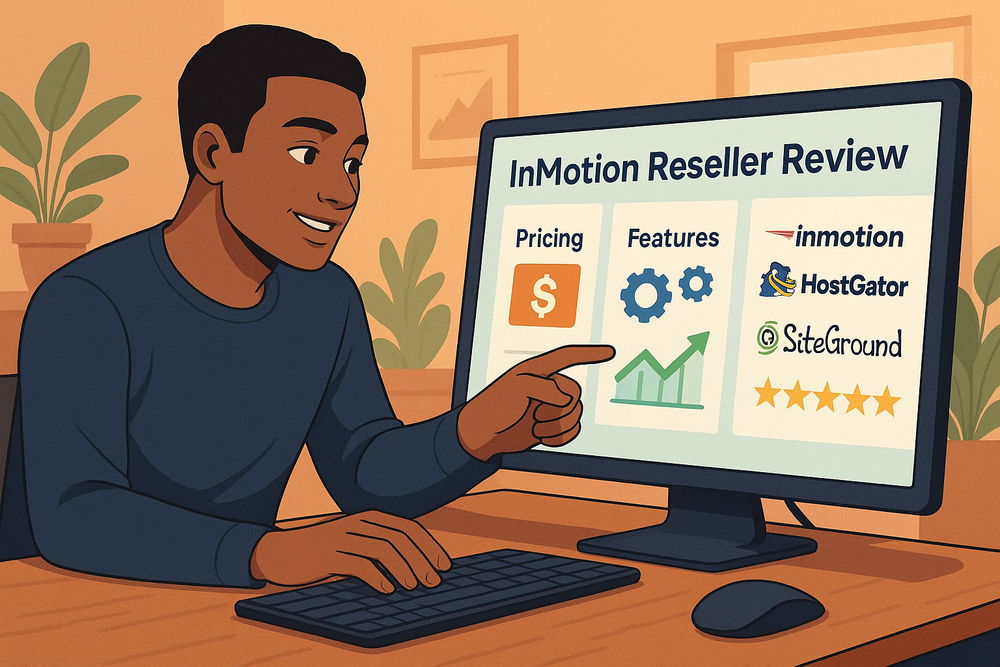
InMotion reseller hosting is often pitched as a way to build your own hosting business without the headaches of server management. But does it really deliver the right mix of pricing, features, and profit potential for someone serious about starting?
This review will break it all down so you can see whether InMotion reseller hosting is worth the investment.
InMotion Reseller Hosting Pricing Breakdown
If you’re serious about starting a hosting business, pricing is the very first thing you’ll want to unpack.
With InMotion reseller hosting, the costs look straightforward on the surface — but the way plans scale and how resources are divided can have a huge impact on your actual profits.
Comparing Starter vs Advanced Plans
InMotion offers a few tiers, with entry-level reseller packages designed for people dipping their toes into the business, and advanced tiers better suited for agencies or established resellers.
The Starter plan usually comes with fewer cPanel accounts, smaller storage space, and limited bandwidth. For example, you might see something like 25–50 cPanel accounts on the lower end versus 80–120 accounts on advanced tiers.
Here’s why that matters: your profit potential directly depends on how many clients you can host and how much you can charge per account. A beginner plan might allow you to experiment with pricing models (say, $10–$15/month per site) without too much upfront cost.
Once you move into higher tiers, you can fit in more clients, spread out your server costs, and increase margins.
Think of it like renting office space: A small room is cheap but caps how many desks you can fit. A larger space costs more but gives you room to scale. The trick is balancing cost versus revenue until you hit that sweet spot.
How Resource Limits Affect Profit Margins
Every reseller hosting plan comes with resource ceilings — disk space, bandwidth, and email limits. These aren’t just technical numbers; they dictate your business model.
- Disk space is where client websites and databases live. If you plan to host WordPress-heavy sites with lots of media, even 100GB can get eaten quickly.
- Bandwidth controls traffic. A handful of high-traffic blogs could use more resources than dozens of small business sites.
- Email accounts are often tied to client demand. Agencies love to bundle hosting with professional email, but these accounts chew up storage.
Profit margins shrink fast if you oversell resources without monitoring. InMotion does give you WHM tools to track usage in real time, which helps you stay proactive.
I always recommend setting soft limits for clients — for instance, capping storage per account — so one customer doesn’t eat up resources and cut into your margins.
Hidden Costs You Should Watch Out For
The base plan price is just one piece of the puzzle. Some hidden costs can sneak up on you if you’re not paying attention.
- Domain reseller accounts: InMotion doesn’t always bundle these in. You may need to register separately through Enom or ResellerClub.
- SSL certificates: While InMotion includes free SSL for domains, certain businesses want premium or wildcard SSLs, which add extra fees.
- WHMCS licenses: The first license might be included, but higher-tier upgrades or branding customizations often cost more.
- Backups: InMotion includes automatic backups, but larger storage tiers or advanced restore features may carry extra charges.
These extras aren’t deal-breakers, but they should be factored into your overall business math. It’s better to know upfront that you’ll be paying, say, an additional $20–30 a month in tools or add-ons rather than have your margins quietly eroded.
Key Features That Set InMotion Reseller Apart

Features are where InMotion tries to justify its higher-than-budget pricing. The platform leans heavily on white-labeling, automation, and performance to help you run your business like a pro.
White-Label Branding for Your Hosting Business
This is one of the strongest features of InMotion reseller hosting. White-label branding means your clients never see InMotion’s name — it looks and feels like you’re running your own hosting company.
You can customize:
- The nameservers (e.g., ns1.yourcompany.com).
- The control panel with your branding.
- The client login portals and invoices.
I suggest setting this up from the start because it’s a powerful trust builder. When a client sees your brand on their control panel instead of a third-party company, they’re more likely to see you as the real host, not just a middleman.
That perception is worth its weight in gold for client retention.
Free WHMCS Billing and Client Management
InMotion includes WHMCS (Web Host Manager Complete Solution) with most reseller plans. If you’ve never used it, think of it as your automation backbone.
From one dashboard, you can:
- Set up recurring billing for hosting accounts.
- Automate account creation after payment.
- Manage support tickets.
- Track usage and resource limits.
What I love is that it takes the repetitive, manual work out of client management. You don’t have to manually set up cPanel accounts or chase invoices — WHMCS does it all.
For anyone who’s tried to manage 20+ clients with spreadsheets and email reminders, this is a lifesaver.
Built-In Security and Automatic Backups
Clients rarely ask about server-level security until something goes wrong, but having these built-in makes your business much stronger.
InMotion includes:
- Free SSL certificates with every plan.
- Malware protection tools.
- DDoS defense to prevent downtime during attacks.
- Automatic backups stored offsite.
Automatic backups are particularly important. Imagine one of your clients accidentally nukes their WordPress site during an update. Instead of a nightmare, you can restore it in minutes.
I suggest making “free daily backups” a selling point when pitching clients — it adds value and makes your offer stand out.
cPanel and WHM for Easy Account Control
The backbone of reseller hosting is control — and InMotion sticks with the industry standard: cPanel for clients and WHM (Web Host Manager) for you.
- Your clients get cPanel, which is familiar to most web professionals. They can manage files, databases, emails, and domains with an easy interface.
- You get WHM, which lets you create and manage accounts, set quotas, monitor resource usage, and even suspend accounts if invoices aren’t paid.
What I recommend is creating different hosting “packages” in WHM. For example, one package could be 2GB storage/20GB bandwidth, another 5GB/50GB.
You can then price these tiers separately, making upsells smooth. It’s like creating bronze, silver, and gold hosting packages without needing separate servers.
Performance and Reliability You Can Expect
If you’re selling hosting, your reputation is tied directly to performance.
Clients rarely forgive slow websites or downtime, and with InMotion reseller hosting, you need to know exactly what you’re working with before making promises.
Uptime Guarantees and Real-World Results
InMotion promotes a 99.99% uptime guarantee, which translates to just a few minutes of downtime a month. On paper, this looks perfect, but the real test is how stable the servers feel under everyday client workloads.
From what I’ve seen, uptime generally holds steady, and any issues tend to be planned maintenance rather than random outages. The catch is that “guarantee” doesn’t mean zero downtime.
If you’ve got clients running e-commerce sites, I’d suggest setting expectations early: they’re unlikely to notice blips, but if they expect absolute perfection, they’ll need enterprise-level hosting.
A practical way to stay ahead is to connect uptime monitoring tools like UptimeRobot or HetrixTools. That way, if something goes down, you’ll know before your client does — and you can step in with updates rather than waiting for an angry email.
Speed Optimization with NVMe SSD Storage
Speed is where InMotion quietly shines. Their reseller plans now come with NVMe SSD storage, which is a big leap compared to older SATA SSDs. NVMe drives handle read/write operations much faster, which means pages load quicker and databases respond snappier.
Think of it this way: On a traditional SSD, loading a WordPress site with plugins and images might take two seconds. On NVMe, it can drop to under a second. That difference might not sound huge, but Google takes site speed into account for SEO rankings, and clients care about bounce rates.
I suggest making this part of your sales pitch. You can say: “Our hosting is powered by NVMe SSDs, the same tech used in modern high-performance laptops and servers, so your site loads lightning fast.” It’s a simple line that positions you above budget resellers who don’t offer NVMe.
How Data Centers and Server Locations Impact Clients
InMotion’s servers are based in the US, primarily on the East and West Coasts. That’s fine if your clients are in North America, but it’s worth noting if you plan to serve international clients.
Here’s why location matters: the further your client’s visitors are from the server, the longer it takes data to travel back and forth. A client in California will see fast load times from a West Coast server, but someone in Singapore might notice delays.
A good workaround is to use a content delivery network (CDN) like Cloudflare. Pairing InMotion hosting with Cloudflare puts cached versions of sites closer to global visitors, which keeps speed consistent.
I’ve used this setup myself, and it makes your hosting feel “bigger” than it really is — like you’re running a worldwide network when it’s really just one server paired with smart caching.
Support and Resources for Resellers
Even with the best hardware, you’ll run into situations where you need help. The difference between a good reseller host and a nightmare often comes down to support quality.
InMotion markets itself as support-driven, but let’s unpack what that really looks like.
24/7 Technical Support and Response Times
InMotion offers 24/7 support via chat, phone, and email ticketing. From my experience, chat is the fastest — usually within a few minutes — while tickets can take a few hours. Phone is reliable if you prefer explaining complex issues out loud.
The real value here is that support isn’t outsourced to scripts. When I’ve contacted them, I’ve usually spoken with people who understand WHM, cPanel quirks, and common reseller headaches like DNS propagation or email deliverability. That said, if you’re troubleshooting niche issues, you may need to escalate.
My advice: Use chat first for urgent issues, tickets for documentation-heavy problems, and phone when you need reassurance or a walkthrough. Having those three options gives you flexibility that not every reseller host provides.
Knowledge Base, Tutorials, and Community Help
InMotion has a large knowledge base that covers step-by-step tutorials for common tasks: setting up new accounts, managing DNS records, installing SSLs, and so on. This is gold when you’re stuck at 2 a.m. and don’t want to wait for support.
For example, when setting up WHM packages, you can literally follow their documentation: log into WHM, go to “Add a Package,” set disk and bandwidth quotas, and save. Their guides usually include screenshots, which makes them easy to follow even if you’re new.
There’s also a reseller community forum where you can pick up tips from other users. While not as active as bigger hosting communities, it’s still useful when you want practical feedback.
Onboarding Assistance for New Resellers
This is something I think InMotion doesn’t shout about enough: they actually provide onboarding help when you’re new. That might include walking you through WHMCS setup, pointing you to branding resources, or answering “newbie” questions without making you feel silly.
When I first tested a reseller plan, I asked them how to white-label nameservers properly. Instead of sending me a vague article, a support agent gave me the exact steps and even checked my DNS records afterward. That’s the kind of hand-holding that makes a huge difference when you’re learning.
If you’re starting from scratch, I’d suggest taking advantage of this. Spend the first week working with their onboarding team to set up your WHM packages, billing automation, and branding so you’re client-ready faster.
Profit Potential With InMotion Reseller Hosting

At the end of the day, reseller hosting isn’t just about tech — it’s about making money. InMotion reseller hosting gives you the tools, but your profits depend on how you structure your business.
How to Calculate Your Hosting Business Margins
Here’s the simple math:
- Monthly reseller cost: $30–$50 (Starter tier).
- Number of accounts included: around 25–50.
- Average client price: $10–$15/month per site.
If you fill just 20 accounts at $12/month, that’s $240 revenue. Subtract your $30 hosting cost, and your margin is $210. As you scale to higher-tier plans with 80–100 accounts, the margins multiply.
I suggest building a simple spreadsheet where you plug in your plan cost, client count, and pricing model. That way, you can test “what if” scenarios.
For example:
- 30 clients at $12/month = $360 revenue.
- Hosting cost $40.
- Profit = $320/month.
It’s surprisingly motivating when you see the math add up.
Pricing Strategies That Maximize Revenue
Most resellers make the mistake of competing on price alone. I believe it’s better to bundle value.
Here are a few strategies that work well:
- Create tiered packages (Basic, Business, Premium) with different storage and bandwidth limits.
- Include free extras like SSL, backups, or email — clients love “all-in-one” solutions.
- Offer discounts for annual payments. Example: $120/year instead of $12/month. This locks in cash flow upfront.
From what I’ve seen, clients don’t mind paying $15–20/month if they feel cared for. Position yourself as a local or boutique host, not a bargain-bin provider.
Upselling Add-Ons and Extra Services to Clients
The secret sauce to higher profits isn’t just selling hosting — it’s the upsells. InMotion gives you the infrastructure, but you can layer on services that clients already need:
- Website maintenance: Updates, backups, and security checks for $30–50/month.
- Domain registrations: Offer it as a one-stop shop.
- Premium SSL certificates: Great for e-commerce clients.
- Email marketing or Google Workspace setup: Charge a setup fee plus management.
For example, I once had a client pay $15/month for hosting and another $50/month for ongoing WordPress updates. That single upsell more than tripled my revenue from them. Hosting gets you in the door; upsells keep your business thriving.
Who Should Choose InMotion Reseller Hosting
Not every reseller host is built for every type of business. InMotion reseller hosting is designed for a specific audience, and knowing whether you fit that profile is half the battle.
Best Fit for Freelancers and Web Agencies
If you’re a freelancer or small web agency, InMotion fits like a glove.
Here’s why:
- You can bundle hosting into your design or development packages. For example, “Website design + 1 year of hosting included” is an easy upsell.
- White-label features let you build your own brand instead of being seen as “just a designer.”
- Automatic billing with WHMCS saves time — no chasing invoices while you’re juggling projects.
I believe the real magic happens when agencies use hosting as a client retention tool. Instead of handing clients off to a big-box host, you stay in control. Clients stick with you longer because leaving means moving their website, which most won’t bother doing.
When It Makes Sense to Scale to VPS or Dedicated Hosting
Reseller hosting works great up to a point, but eventually, you may outgrow it. If you find yourself with:
- High-resource clients (large WooCommerce stores or media-heavy sites).
- More than 100 accounts pushing your plan’s limits.
- Clients demanding advanced configurations (custom caching layers, staging environments, etc.).
That’s when it’s worth scaling to VPS (virtual private server) or even a dedicated server. I’ve made that leap before — and the difference is you get root access, so you can tweak performance at a deeper level. It costs more, but it also gives you total control over resources.
Situations Where InMotion May Not Be the Right Fit
InMotion isn’t perfect for everyone. You might want to think twice if:
- Your target audience is outside the US and latency is a deal-breaker.
- You need data centers in Europe or Asia for compliance reasons.
- You’re chasing ultra-cheap hosting. InMotion isn’t the rock-bottom option.
I’d also caution that if you’re brand new to tech and terrified of WHM or cPanel, the learning curve might feel steep. The support helps, but you’ll need a bit of patience.
Alternatives to Compare Before Choosing InMotion
Before locking yourself into InMotion reseller hosting, it’s smart to compare it against the competition. Each alternative has its strengths, and the “best” choice often depends on your business model.
Comparing InMotion vs HostGator Reseller Plans
HostGator is usually the go-to budget-friendly option. Plans are cheaper than InMotion, and they often run heavy discounts. But in my experience, the trade-off is performance. HostGator doesn’t include NVMe storage, and their uptime is less consistent.
That said, if you’re starting with a very tight budget and your clients aren’t resource-heavy, HostGator can work. Just know you may need to move to something stronger down the road.
Quick comparison snapshot:
| Feature | InMotion Reseller | HostGator Reseller |
| Storage Type | NVMe SSD | Standard SSD |
| White-Label Branding | Yes | Yes |
| WHMCS License | Free | Extra Fee |
| Performance Rating | Higher | Moderate |
How InMotion Stacks Up Against SiteGround Reseller Hosting
SiteGround is the “premium” alternative. Their platform is cloud-based with strong performance, top-notch support, and global data centers. The downside?
It’s significantly more expensive, and their reseller system is token-based, which feels less flexible than InMotion’s account-based model.
I’d say SiteGround is better for agencies serving international clients or those who want to brand themselves as a high-end provider. InMotion, by contrast, balances affordability with solid performance for US-based businesses.
Budget-Friendly Options vs Premium Reseller Solutions
Here’s how I’d position the options in plain terms:
- Budget: HostGator, Namecheap — good for experimenting but limited in long-term growth.
- Balanced: InMotion — ideal for freelancers, small agencies, and US-based resellers who want a middle ground between cost and performance.
- Premium: SiteGround — best for global agencies with demanding clients and bigger budgets.
This way, you can choose based on where your business stands today, not where you hope it might be five years from now.
Final Verdict on InMotion Reseller Hosting
After digging into the details, it’s time to wrap this up with a clear verdict. Should you go with InMotion reseller hosting, or is it better to look elsewhere?
Key Strengths That Make It Stand Out
- NVMe SSD storage for noticeably faster websites.
- Free WHMCS license included — a big cost saver.
- Reliable 24/7 support with real technical know-how.
- White-label branding that makes your business look professional.
- Automatic backups and strong security built in.
In short, InMotion feels like a balanced option: not the cheapest, not the most premium, but solid for agencies and freelancers who want dependable hosting.
Drawbacks You Need to Consider First
- Limited data center locations (mostly US-based).
- Pricing is higher than bargain-basement hosts.
- Plans can feel restrictive once you scale beyond 100+ accounts.
These aren’t deal-breakers, but they matter if you’re targeting global clients or running on razor-thin margins.
My Recommendation for Different Types of Users
- Freelancers: InMotion is a fantastic starting point because it adds recurring income without overwhelming you.
- Small Agencies: Great for bundling with design/development services.
- Established Hosts: You may outgrow reseller plans quickly and need to move into VPS or dedicated servers.
- Global Agencies: Consider SiteGround or another host with worldwide data centers.
I’d personally recommend InMotion reseller hosting if you want a reliable, US-focused solution with enough performance to impress clients without breaking your budget. It gives you the tools to start building recurring revenue, while still leaving room to scale when you’re ready.