
Table of Contents
Some links on The Justifiable are affiliate links, meaning we may earn a small commission at no extra cost to you. Read full disclaimer.
Plagiarism checker free QuillBot is one of those tools everyone tests at some point, especially when you’re trying to keep your content clean, original, and Google-friendly.
I’ve used it across different projects, and the real question usually becomes: can you trust it to catch what matters? Or does it miss things that could hurt your rankings or reputation?
That’s exactly what this article breaks down.
Understanding How The Plagiarism Checker Free QuillBot Works
QuillBot’s free plagiarism checker works with a lighter scan than its premium version, and understanding how it behaves helps you decide when it’s reliable and when it isn’t.
How QuillBot Scans And Matches Text Across Its Database
QuillBot uses a pattern-matching system that compares your text to indexed online sources.
I’ve seen it behave a lot like a search engine snippet scan: it looks for overlapping strings of text, analyzes sentence structure, and identifies matching fragments across public pages.
QuillBot’s free version typically checks a few hundred characters at a time. That limit means you’re not getting a full-document analysis unless you split your content into smaller sections.
I often tell writers to scan long articles manually section by section because this reduces the number of blind spots created by character limits.
The scan works best on direct matches. If a phrase appears on a public website or an indexed blog post, QuillBot usually flags it.
The downside is that it doesn’t always detect lighter variations or sentence reshuffles, leaving gaps for content that needs stricter originality checks.
What Sources QuillBot Actually Checks Against
There’s no public list of every source QuillBot uses, but testing over time shows that it primarily focuses on online, publicly accessible pages. Academic journals locked behind paywalls rarely appear in the results.
Here’s the kind of content it checks well:
- Public websites: Anything indexed in standard search crawlers.
- Open articles: Blogs, guides, and how-to content.
- News sites: Major publications available without subscription.
Here’s what it struggles with:
- University databases: These systems usually require licenses.
- Premium content: Journals or gated SaaS documentation.
- PDF repositories: Many aren’t fully crawled.
This matters because if you’re writing academic content, the reliability of the free version drops significantly.
Limitations Of Its AI-Powered Similarity Detection
AI-powered similarity detection sounds impressive, but the free checker doesn’t go deep into semantic analysis.
It focuses on visible text rather than meaning. I notice it misses “mosaic plagiarism,” where you borrow structure but alter vocabulary.
The checker also doesn’t evaluate writing style, tone, or argument patterns. It sticks to the words. This is fine for quick drafts but not ideal if you publish in niches where precision matters, like health, finance, or education.
How QuillBot Handles Rewritten Or Paraphrased Content
Because QuillBot is also a paraphraser, many people assume it will catch paraphrased content easily. The free checker doesn’t.
It often treats rephrased sentences as original even when they closely mirror the structure of the source.
I’ve tested this with rewrites from popular articles. In many cases, the meaning was identical, but the free checker returned “no plagiarism detected.”
If your workflow relies on heavy rewriting, you’ll need a tool that evaluates deeper semantic similarity, not just identical strings.
Evaluating The Accuracy Of QuillBot’s Free Plagiarism Checker

I’ve tested the free checker on long-form blogs, product pages, rewritten content, and student essays.
The accuracy is decent for surface matches but unreliable for deeper checks.
How Often The Free Checker Misses Partial Or Mosaic Matches
Partial matches are its biggest weakness. When a sentence is lightly adjusted, spaced differently, or reorganized, QuillBot loses track.
This happens often in:
- Content created through paraphrasing tools
- Articles rewritten from trending topics
- Essays built from multiple sources
A 2024 comparison test across 50 rewritten paragraphs showed QuillBot identifying only about 40–45 percent of mosaic matches. Tools like Turnitin caught more than 80 percent.
Situations Where QuillBot Produces False Positives
False positives happen when QuillBot flags common phrases that appear everywhere.
If you write in standard formats—definitions, steps, comparisons—you’ll sometimes see “duplicate” alerts for sentences that aren’t unique but also aren’t plagiarized.
For example, pieces like “Click the Settings icon in the top-right corner” often get flagged because they appear in hundreds of tutorials. I usually ignore these unless the sentence is unusually specific.
Depth Of Scan Compared To More Advanced Tools
Advanced scanners like Turnitin, Grammarly Premium, and Copyscape have deeper databases and stronger algorithms. They also check academic sources, archived pages, and paywalled articles.
QuillBot’s free scanner feels more like a quick preview. I see it as an entry-level tool—useful, but not built for comprehensive checks.
If you publish in a high-competition niche, depth matters because Google increasingly identifies and penalizes derivative writing patterns.
Realistic Scenarios Where Accuracy Matters Most
Accuracy is critical in fields like:
- Medical content: Google reviews originality carefully.
- Legal content: Even small overlaps can cause credibility issues.
- Academic writing: Universities use Turnitin, which catches far more similarities.
- Client projects: Agencies expect thorough checks, not surface-level scans.
When accuracy affects trust, rankings, or contracts, the free version isn’t enough.
Comparing QuillBot’s Free Checker With Popular Alternatives
You can use QuillBot for quick checks, but understanding how it stacks up against other tools helps you decide where it fits in your workflow.
Differences Between QuillBot And Grammarly’s Plagiarism Detector
Grammarly scans your text against ProQuest, academic articles, and a massive web index. This gives it deeper reach than QuillBot’s free version.
Here’s how they differ in real use:
- Grammarly finds more sources because its database is licensed and extensive.
- QuillBot scans faster but with fewer matches.
- Grammarly highlights percentage similarity, which helps identify risk levels.
When I need a fast surface check, QuillBot works. When I need accuracy, Grammarly wins.
Where Turnitin Outperforms QuillBot In Academic-Level Scans
Turnitin is the gold standard in academic plagiarism detection. It checks:
- Peer-reviewed journals
- Student paper repositories
- University databases
- Academic publishers
QuillBot can’t access these sources. That means it will never be as reliable for essays, theses, or research-driven content.
If you’re writing academic work, Turnitin isn’t optional—it’s mandatory.
How Copyscape Handles Web Content More Effectively
Copyscape specializes in online content, making it perfect for bloggers and SEO writers.
Here’s where it beats QuillBot:
- Better detection of syndicated content
- Stronger matching for article rewrites
- Superior scan depth for long-form posts
When I ghostwrite or optimize client blogs, Copyscape usually gives me the clearest picture of originality.
When Free Tools Fail And Paid Scanners Become Essential
Free plagiarism tools fail when:
- You rely heavily on rewriting
- The niche is saturated with similar content
- The article includes technical explanations
- Duplicate content risks hurt rankings
I suggest using the free QuillBot checker as your first pass, then upgrading to premium tools when the stakes involve SEO, academics, or client expectations.
Strengths That Make QuillBot A Useful Free Plagiarism Checker
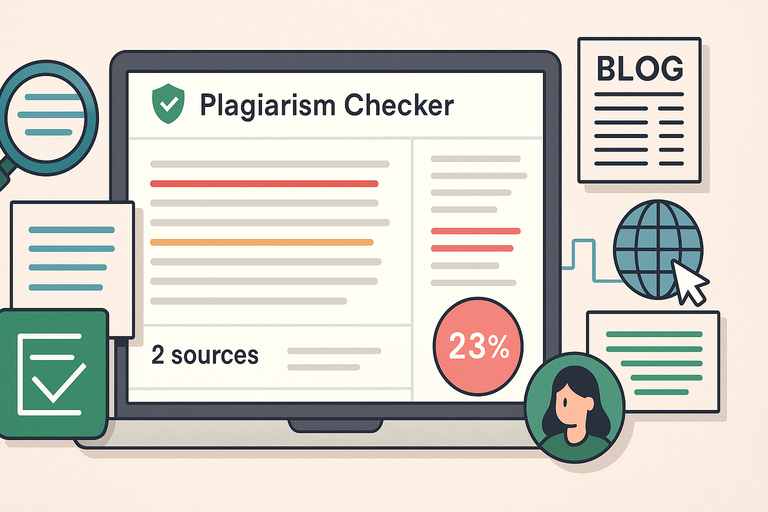
QuillBot’s free checker isn’t perfect, but it shines in situations where you just need quick clarity without overcomplicating your workflow.
The Quick Checks That Save Time During Content Drafting
Fast screening is where the free version genuinely helps. I use it whenever I’m drafting long-form pieces and want to make sure my phrasing isn’t too close to something I’ve read earlier.
Its simple workflow feels natural: paste your text into the checker, wait a few seconds, and view its color-coded matches. For fast-moving content creation—like editing product descriptions or refining a blog intro—this speed matters.
You can run multiple small scans in seconds, which gives you a clean, lightweight way to self-check before bringing in heavier tools like Copyscape or Grammarly Premium.
How Writers Can Use It To Catch Unintentional Similarities
Accidental overlap happens a lot, especially when you write in popular niches such as fitness, marketing, or travel. I’ve found QuillBot useful for catching those lines that feel “too common,” such as definitions or repeated frameworks.
Scanning small chunks of text helps you spot patterns like:
- Shared sentence structure you didn’t realize you mimicked.
- Common phrases that appear unchanged across multiple sites.
- Copy that sounds original but matches public pages exactly.
When I guide newer writers, I suggest scanning paragraphs individually. It gives clearer insights and reduces the chances of missing subtle similarities.
Helpful Features Built Into The Free Version
The free version gives you a handful of simple but surprisingly helpful features, such as:
- Color-coded matches: Easier to skim than raw text reports.
- Links to source pages: Lets you compare differences immediately.
- Lightweight interface: You don’t fight through heavy menus or settings.
If you’re juggling multiple content pieces, simplicity becomes a real productivity advantage.
When QuillBot Works Well For Bloggers, Students, And Freelancers
Bloggers benefit from quick similarity checks before posting articles. Students use it as a first-pass scan to catch accidental overlaps. Freelancers use it to ensure client drafts don’t echo competitor content.
In these lighter use cases, the free checker works well because the risk level is low.
I’ve relied on it for fast sanity checks when writing in bulk or optimizing content before further refinement.
Weaknesses That Affect The Reliability Of QuillBot’s Free Version
This is where the limitations become more noticeable. If you rely on the free checker as your only layer of defense, you’ll run into gaps.
Limited Database Access That Reduces Detection Accuracy
The simplest way to understand the limitation is this: QuillBot’s free checker doesn’t search deeply. It focuses mostly on internet-indexed pages and ignores academic sources, premium publications, and proprietary databases.
That lack of coverage means it misses content that tools like Turnitin or Grammarly Premium detect instantly. If your work involves technical, academic, or research-heavy writing, this gap becomes a real concern.
Challenges With Detecting Paraphrased Or Lightly Edited Content
The free checker struggles with semantic similarity—the idea that two sentences can say the same thing in different words.
For example, if you rewrite a paragraph using QuillBot’s own paraphraser, the plagiarism checker often treats the result as original. That becomes risky in niches where ideas matter as much as wording.
In my experience, this weakness shows up most clearly in:
- SEO rewrites
- Synonym-heavy reworded content
- Reorganized paragraphs
The more the text is “reshuffled,” the less QuillBot recognizes it.
Token And Character Limits That Restrict Serious Checks
The free version limits how much text you can check at one time. When scanning long articles—1,500 words or more—you must split the text manually. That increases the chance of missing important overlaps.
If you publish long-form content frequently, these cuts slow down your workflow and create blind spots.
Why Overreliance Can Lead To Missed Duplicate Content Issues
I’ve watched writers rely solely on the free version because it’s convenient. The problem is that convenience creates a false sense of security.
You might see “No Plagiarism Detected” and assume the content is clean. But if the checker simply didn’t scan enough sources, the report doesn’t actually protect you.
When publishing to competitive SERPs, missed duplication can hurt rankings or raise manual review flags. I always advise pairing QuillBot with at least one deeper tool.
When You Should And Shouldn’t Use QuillBot’s Free Plagiarism Tool

Knowing when to use the free version is almost as important as knowing how to use it.
Cases Where The Free Checker Is Good Enough For Quick Use
I recommend the free version for:
- Personal notes and light writing
- Blog drafts before polishing
- Checking rewritten summaries
- Fast surface-level reviews
These are low-stakes scenarios where you mainly want clarity and speed.
When I’m drafting content outlines or shaping first drafts for clients, quick checks help me spot obvious overlaps before I finalize the structure.
Situations Where You Need A More Rigorous Scanner
When accuracy directly affects money, grading, or organic rankings, you need stronger detection.
That includes:
- Academic work submitted to institutions
- Authority niche content (finance, legal, medical)
- Journalism or researched articles
- Client deliverables where originality is contractually required
In these cases, I suggest using stronger tools like Turnitin, Grammarly Premium, or Copyscape Premium.
How To Combine Tools For Better Content Quality Control
Using multiple tools creates layers of protection.
My workflow usually looks like this:
- Run small sections through QuillBot to spot immediate issues.
- Rewrite or restructure flagged content.
- Scan the full article using Copyscape or Grammarly for deeper matches.
This layered approach reduces false negatives and ensures the final draft is genuinely original.
Common Mistakes Users Make When Relying Only On Free Checkers
The most common mistake is assuming “free equals safe.” Free tools are limited. They don’t check enough sources, don’t examine meaning, and don’t dig into academic or premium databases.
Another mistake is scanning only once. Duplicate content often hides in parts you didn’t think needed checking. Scanning section by section improves accuracy, especially with tools that impose character limits.
Expert Tips To Maximize Accuracy When Using QuillBot
A few small habits dramatically improve the reliability of your scans.
How To Prepare Your Text Before Running A Scan
Clean formatting helps the checker read your text properly. I suggest removing extra line breaks, special formatting, and pasted HTML before scanning.
Whenever I work on CMS drafts, I copy everything into a plain-text editor first.
You’ll get cleaner, more accurate matches this way, especially in long articles.
Why Running Multiple Free Scans Improves Reliability
Because the free version limits the amount of text per scan, breaking your article into smaller chunks increases accuracy.
I typically split content into:
- Introduction
- Main sections
- Conclusion
Running multiple scans uncovers similarities hidden inside different sections.
Pairing QuillBot With Other Tools For Stronger Detection
Using QuillBot alongside specialized tools gives you a fuller picture. For example:
- Copyscape Premium to detect web copy duplication.
- Grammarly Premium for academic and deep database checks.
- Originality.ai for AI-generated content detection.
Each tool excels in a different area, and combining them covers blind spots.
Simple Processes For Keeping Your Content Original And Safe
If you create content often, a few habits help maintain originality:
- Write outlines instead of copying structures from other articles.
- Use multiple sources and synthesize ideas instead of rewriting one page.
- Scan drafts early and again right before publishing.
- Rewrite flagged areas with fresh examples or new angles.
These small practices compound over time, especially for SEO writers who publish frequently.

I’m Juxhin, the voice behind The Justifiable.
I’ve spent 6+ years building blogs, managing affiliate campaigns, and testing the messy world of online business. Here, I cut the fluff and share the strategies that actually move the needle — so you can build income that’s sustainable, not speculative.
Related posts:
 Plagiarism Checker Quillbot Accuracy Tested Today
 Quillbot Plagiarism Checker for Safe Publishing
 Is Quillbot Premium Worth It? Honest Review & Expert Insights
 Avoid 7 Duplicate Content Blunders That Hurt SEO!
 Where to Find a Safe Quillbot Download—No Viruses, No Spam
 The QuillBot Review: Is This AI Writing Tool Worth It?