
Table of Contents
Some links on The Justifiable are affiliate links, meaning we may earn a small commission at no extra cost to you. Read full disclaimer.
A smart squirrly content optimization strategy can make SEO feel a lot less messy, especially when you want clear guidance while writing instead of fixing everything after you publish.
If you use WordPress and want a workflow that helps you choose better keywords, optimize pages in real time, and connect content work to broader SEO goals, Squirrly gives you a pretty structured path.
I’ve found that the real win is not chasing green lights for their own sake, but using the tool to build pages that match intent, cover a topic properly, and deserve to rank.
Understand What A Squirrly Content Optimization Strategy Really Means
A lot of people install Squirrly and immediately treat it like a scoring tool. That is usually where results flatten out. A real strategy is bigger than a plugin panel.
What Squirrly Is Actually Helping You Do
At its core, Squirrly is trying to turn content optimization into a guided workflow instead of a guessing game. Its ecosystem includes keyword research, the Briefcase keyword portfolio, Focus Pages, SEO Live Assistant, audits, automation, and tracking, so the tool is built around the idea that rankings come from connected actions rather than one isolated blog post.
On its official site and knowledge base, Squirrly positions SEO Live Assistant as real-time guidance inside WordPress and highlights related features like Focus Pages, Briefcase, SEO Automation, audits, and rank-related workflows.
What that means for you in practice is simple: you are not just optimizing words on a page. You are choosing a target keyword, building a page around intent, improving on-page relevance, and then tying that page into sitewide SEO priorities. That is a much healthier way to think about rankings in 2026.
I believe this is the biggest mindset shift to make early. Don’t ask, “How do I get 100% in the editor?” Ask, “How do I make this page the best answer for one specific search?” Once you do that, the tool becomes useful instead of distracting.
A good squirrly content optimization strategy is really a system for matching search intent, structuring content around a clear primary topic, and using Squirrly’s prompts to tighten relevance instead of forcing keywords.
The Biggest Mistake: Treating Optimization Like A Checklist
This happens all the time. Someone opens the SEO Live Assistant, sees suggestions about headings, URL, meta elements, or keyword usage, and starts stuffing the exact phrase everywhere. The page becomes awkward, repetitive, and less helpful.
That is not optimization. That is compliance theater.
Here is the trap: tool-based SEO can make you feel productive because every green mark looks like progress. But Google does not rank checklists. It ranks useful pages that satisfy intent, hold attention, and feel trustworthy. The tool is there to support those outcomes, not replace them.
A better approach looks like this:
- Step 1: Choose one primary keyword with a real chance of matching your page’s purpose.
- Step 2: Build sections around the questions the searcher actually has.
- Step 3: Use Squirrly’s prompts to refine placement, coverage, and relevance.
- Step 4: Stop optimizing when the content starts sounding less human.
In my experience, the best Squirrly users are the ones who know when to ignore a suggestion. That sounds funny, but it matters. You should absolutely use the assistant, but your final standard should be clarity, usefulness, and intent match.
If a sentence reads strangely just to satisfy an SEO prompt, rewrite the sentence. The ranking upside of sounding natural is usually bigger than the upside of forcing another exact-match mention.
Start With Search Intent Before You Touch The Editor
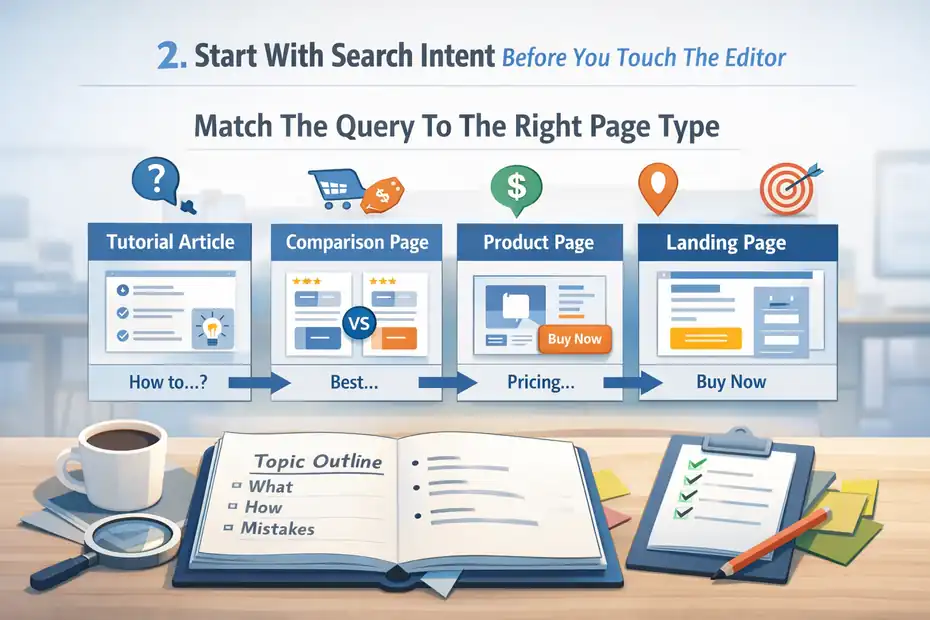
This is where higher rankings usually begin or end. Before opening a draft, decide what the searcher wants and what kind of page should satisfy that need.
Match The Query To The Right Page Type
Not every keyword deserves a blog post. Some keywords need a landing page, some need a product category page, and some need a deep tutorial. If you skip this step, your optimization work can be perfect and still fail.
Let me break it down. When someone searches a phrase like “best CRM for small teams,” they usually want comparison-driven commercial content. When they search “how to set up CRM pipelines,” they want educational setup content.
When they search a brand term plus pricing, they want a product page or pricing explainer. Same SEO basics, different intent.
This matters because Squirrly can help optimize the page, but it cannot save the wrong page format. If you write a fluffy blog post for a keyword that clearly needs a buyer’s guide, your odds drop right away.
I suggest defining the page type before writing a single paragraph:
- Informational query: Build a tutorial, explainer, or guide.
- Commercial query: Build a comparison, alternatives page, or solution page.
- Transactional query: Build a service, product, or conversion-focused page.
- Navigational query: Build or improve the exact destination page people expect.
A strong squirrly content optimization strategy starts here because on-page relevance only works when the page format aligns with intent. Relevance without intent match is one of the most expensive SEO mistakes because it burns time and creates pages that look optimized but never convert.
Build A Topic Outline Around Real Questions
Once you know the page type, outline the page around the reader’s decision path. This is where many articles become either too broad or too thin.
A better outline usually answers five things in order: what it is, why it matters, how it works, how to do it, and what mistakes to avoid. That progression mirrors how real people think. It also gives Squirrly more meaningful content to evaluate because your coverage becomes naturally complete.
Imagine you run a small ecommerce store and want to rank a page about product page SEO. A weak outline might just list vague tips. A stronger outline would cover search intent, title tags, copy structure, images, schema, internal links, and conversion friction. Now the page has a real chance to earn rankings and sales.
I like using this simple planning formula before writing:
- Primary question: What is the main problem the page solves?
- Secondary questions: What will the reader ask next?
- Proof elements: What examples, screenshots, numbers, or scenarios build trust?
- Conversion step: What should the reader do after they finish?
This approach also makes Squirrly’s real-time suggestions more useful. Instead of filling a thin page with keywords, you are optimizing a page that already deserves visibility. That is the order I recommend every time.
Choose Keywords The Way Squirrly Was Designed To Support
Keyword selection is not about picking the biggest search volume you can find. It is about choosing the terms your site can realistically support and your content can genuinely satisfy.
Use Briefcase And Keyword Research To Build Topic Clusters
Squirrly’s knowledge base shows a workflow that runs from Keyword Research into the Briefcase, then from Briefcase into optimization and rank-related processes.
It also treats labels, keyword storage, and sending keywords into later stages as part of the strategy, which tells you something important: Squirrly expects you to organize keywords as an asset, not treat them like one-off ideas.
That is exactly how I recommend using it.
Instead of choosing one random keyword per article, build a small cluster. Pick one primary term, a few close variants, and a handful of supporting subtopics. This helps your writing feel more natural because you can answer the topic fully without repeating the same phrase 20 times.
Here is a practical example for a service business:
- Primary keyword: local SEO audit
- Close variants: local SEO website audit, local business SEO audit
- Supporting terms: Google Business Profile issues, citation cleanup, on-page local signals, local rankings tracker
Now your content can sound like a subject-matter expert wrote it, not a robot trying to hit density.
I believe this is one of the biggest hidden advantages of a squirrly content optimization strategy. The tool encourages structure. When you use that structure properly, you create content ecosystems instead of isolated posts, and that is much stronger for topical authority.
Don’t Chase Volume If The Site Can’t Win Yet
This part is not exciting, but it saves months of frustration. Many sites target keywords that are simply too competitive for their current authority, content depth, or link profile.
Squirrly emphasizes keyword research, SEO strategy, and ranking workflows across its product and support pages, and even its free and paid plans are built around monthly keyword research limits and Focus Pages rather than unlimited random targeting.
On the current pricing page, the Free plan includes 5 AI keyword researches a month and 1 Focus Page, while PRO lists 50 AI keyword researches and 25 Focus Pages across 5 sites.
That setup quietly pushes you toward prioritization, which is a good thing.
You do not need 200 keywords this month. You need a handful of keywords you can actually compete for. For many newer sites, that means long-tail phrases, local modifiers, clear problem-solution queries, and lower-competition intent terms.
A simple filter helps:
- Good target: clear intent, winnable competition, business relevance
- Bad target: vague intent, huge competition, weak conversion value
In my experience, one page ranking at position 6 for a very specific keyword is more valuable than ten pages sitting on page five for broad vanity terms. Squirrly works best when you feed it targets that make strategic sense.
Optimize In Real Time Without Making The Content Sound Forced
This is where Squirrly becomes hands-on. The SEO Live Assistant is the feature most people think about first, and honestly, it is the part that can either sharpen your writing or tempt you into over-optimizing it.
Use SEO Live Assistant As A Writing Coach, Not A Boss
Squirrly describes SEO Live Assistant as a real-time assistant inside WordPress that checks content while you type and helps optimize keywords, meta tags, headings, and more.
Its support docs also show that the feature connects with multiple builders and includes tasks like making all optimization indicators green.
That sounds great, and it is useful, but only if you approach it with the right mindset.
Think of the assistant like a writing coach sitting next to you. It should point out opportunities you missed, not dictate every sentence. When it nudges you to improve headings, use the keyword in strategic places, or tighten metadata, that is helpful.
When you start bending natural language just to satisfy a prompt, pull back.
A healthy workflow looks like this:
- Draft first: Write the core section in plain language.
- Optimize second: Review the assistant’s suggestions.
- Refine third: Adjust wording where it improves both clarity and relevance.
- Read aloud last: If it sounds unnatural, fix it.
I recommend reading every optimized section out loud. It is the fastest human-quality test I know. If you would not say the sentence to a client or customer, it probably needs a rewrite.
Focus On Key Placement, Not Keyword Density
The pages that tend to rank are not necessarily the pages with the most exact-match mentions. They are usually the pages that send clear topical signals in the most important places while still covering the subject deeply.
That means your primary keyword should usually appear in sensible high-impact areas such as the title, intro, at least one subheading where appropriate, URL if relevant, meta elements, and naturally throughout the body.
Squirrly’s own Live Assistant materials specifically mention optimizing keywords, headings, meta tags, and related page elements in real time.
The key phrase here is “where appropriate.”
Here is the shortcut I personally use:
- Placement priority: title, intro, H2 or H3, meta title, meta description, URL, image context if relevant
- Secondary coverage: synonyms, close variants, entities, examples, FAQs
- What to avoid: repeating the exact phrase in every paragraph
Imagine you are optimizing a guide for “email segmentation strategy.” You do not need that exact phrase ten times. You need a strong title, a clean intro, intent-matching sections, and supporting terms like audience segments, lifecycle emails, customer behavior, and campaign personalization.
That is how you make a squirrly content optimization strategy work with semantic SEO instead of against it.
Turn One Optimized Article Into A Page That Actually Competes
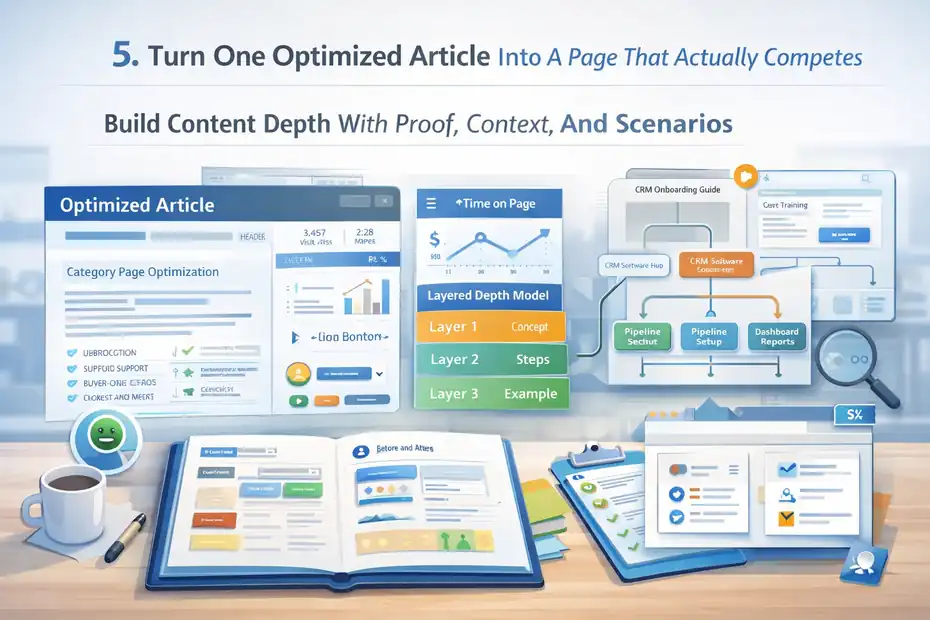
A page can be optimized and still underperform because it lacks depth, proof, or useful structure. This section is where you move from technically optimized to genuinely competitive.
Build Content Depth With Proof, Context, And Scenarios
Google has become very good at separating surface-level content from content that actually helps. The easiest way to stand out is not to sound smarter. It is to be more useful.
That means adding things readers can act on: examples, mini scenarios, decision frameworks, checklists, screenshots, before-and-after outcomes, and specific explanations. If you are teaching something, show the reader what good execution looks like.
For example, let’s say you are writing about category page SEO. Don’t stop at “add unique copy.” Explain what that means. Show a 150-word intro targeting category intent, describe how subcategory links support crawling, and explain why buyer-oriented FAQs can help both usability and long-tail relevance.
I suggest using this three-layer depth model in every major article:
- Layer 1: Explain the concept in plain English.
- Layer 2: Show how to apply it step by step.
- Layer 3: Add a realistic example or mistake to avoid.
This is the kind of structure that improves time on page and makes optimization signals feel earned. It also helps you avoid generic AI-style writing because each section has a job to do.
In most cases, higher rankings come from higher usefulness. The plugin helps you optimize the frame, but the real ranking lift usually comes from the quality of the answer inside that frame.
Strengthen Internal Linking And Page Relationships
This is one of the most overlooked parts of content optimization. A page is not only judged as a standalone asset. It is also judged by how well it fits into the rest of your site.
If you publish an excellent article and fail to connect it to supporting and related pages, you waste a lot of SEO value. Internal links help search engines understand hierarchy, distribute authority, and map topical relationships.
Here is the practical move: every important page should link upward, sideways, and downward.
- Upward links: point to the main parent category or hub
- Sideways links: point to related articles or adjacent solutions
- Downward links: point to deeper tutorials, case studies, or service pages
Imagine a SaaS site with a main page on CRM onboarding. That page should link to subtopics like user training, pipeline setup, email integration, and reporting dashboards. Those subpages should link back to the main onboarding guide. Now you have a topic cluster instead of scattered posts.
I recommend planning internal links before publishing, not after. It is much easier to build a coherent site architecture when you know which role each page plays.
Squirrly can help optimize a page, but your internal linking strategy is what helps that page live inside a real SEO system.
Use Focus Pages, Audits, And Prioritization To Improve Rankings Over Time
Publishing is not the finish line. This is where many content teams quietly lose momentum. They optimize once, publish, and move on. Rankings rarely work that way.
Use Focus Pages To Prioritize What Actually Matters
Squirrly’s pricing and product materials repeatedly center Focus Pages as a core unit of work.
The current plans list Focus Page limits across tiers, which is a clue that Squirrly wants users to identify and actively manage their most important ranking pages instead of spreading effort evenly across everything.
The Free plan includes 1 Focus Page, PRO lists 25, and Web Dev Kit and Business list 70.
That is smart SEO.
Not every page deserves the same attention. Some pages bring leads. Some pages support topical authority. Some pages are nice to have but not business-critical. Your best move is to identify which pages matter most and improve those first.
I like sorting Focus Pages into three buckets:
- Revenue pages: service pages, high-intent landing pages, product pages
- Authority pages: deep guides targeting valuable informational terms
- Support pages: comparison pages, FAQs, linkable resources
Then I work in cycles. Refresh one group, monitor performance, improve internal links, update examples, and tighten search intent alignment. That is far more effective than publishing endlessly without revisiting the pages already closest to winning.
A strong squirrly content optimization strategy is not just about writing more. It is about upgrading the pages with the highest upside.
Audit For Gaps Instead Of Randomly Rewriting
Audits are most helpful when they reveal what is missing, not when they make you obsess over cosmetic tweaks. Squirrly’s knowledge base and pricing pages position audits as part of the workflow, with page-based audit limits included in each plan.
Current official plan details show 1 audit suite page per month on Free, 100 on PRO, and 300 on Web Dev Kit and Business.
Use that kind of feature to ask better questions:
- Is the page matching the right intent?
- Is the title promising the same thing the content delivers?
- Are there missing subtopics competitors cover?
- Is the page too thin for the keyword?
- Are internal links weak or irrelevant?
- Is the page optimized but not persuasive?
I have seen pages jump simply because the content was reframed, not because the keyword placement changed. For example, a weak “tips” article can become a much stronger “step-by-step system” page with clearer sections, examples, and better link support.
That is why I suggest auditing with a purpose. Do not rewrite pages just because they feel old. Rewrite when you can clearly identify a ranking gap, an intent mismatch, or a conversion problem.
Choose The Right Plan, Measure Outcomes, And Scale What Works
Once your process starts working, the next question is not “How do I optimize more content?” It is “How do I scale this without lowering quality?”
Pick A Plan Based On Workflow, Not Hype
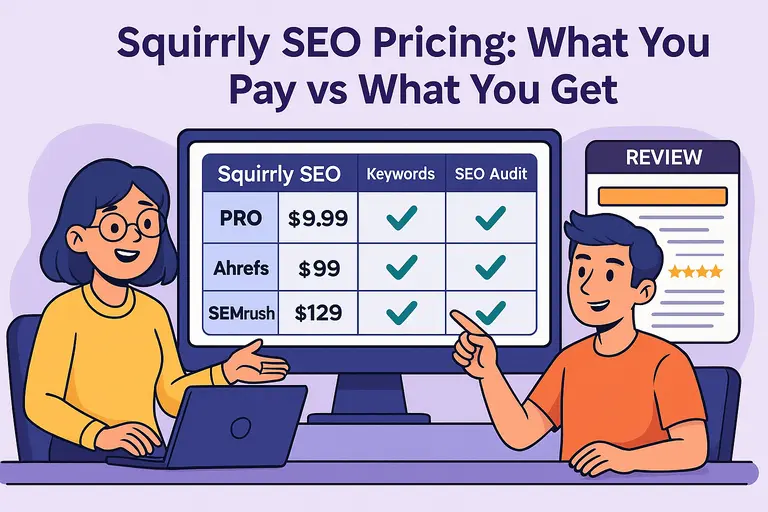
Squirrly currently offers Free, PRO, Web Dev Kit, and Business options on its official pricing page. At the time of writing, Free is $0, PRO is $9.99 per month, Web Dev Kit is $51.20 per month, and Business is $71.99 per month.
The same page says the Free plan includes 1 site, 1 Focus Page, and 5 AI keyword researches monthly, while PRO includes 5 sites, 25 Focus Pages, and 50 AI keyword researches.
Web Dev Kit and Business both list 300 AI keyword researches and 70 Focus Pages, with Web Dev Kit covering 10 sites and Business covering 7 sites.
Here is the simple comparison:
| Plan | Best Fit | Monthly Price | Sites | Focus Pages | AI Keyword Researches |
|---|---|---|---|---|---|
| Free | Testing or very small sites | $0 | 1 | 1 | 5 |
| PRO | Freelancers, small businesses | $9.99 | 5 | 25 | 50 |
| Web Dev Kit | Agencies managing multiple installs | $51.20 | 10 | 70 | 300 |
| Business | Larger businesses and marketers | $71.99 | 7 | 70 | 300 |
My advice is pretty straightforward. If you are building a repeatable content program for one business or a few sites, PRO looks like the practical starting point. If you are an agency or need more multi-site control, then the higher tiers make more sense.
Measure Rankings, Traffic, And Conversions Together
This is the final piece, and honestly, it is the one that keeps you from wasting money on content that looks successful but is not doing anything useful.
Do not judge a page only by whether it went greener in the editor. Judge it by performance. The three metrics I care about most are:
- Ranking movement: Are target terms moving into visible positions?
- Organic traffic quality: Are people actually arriving on the page?
- Conversion outcome: Are they subscribing, booking, buying, or clicking deeper?
A realistic content review cycle might look like this: Publish the page, monitor early ranking movement, check engagement after a few weeks, update weak sections, and add links from newer related pages. Then compare that page against others targeting similar intent.
Squirrly’s knowledge base notes more than 23,000 paid clients and positions the platform around connected SEO workflows, but your own measurement still matters more than any vendor promise.
The official knowledge base also notes the company’s long-running product history and support ecosystem, which is useful context, but results still come from how well you execute.
That is the part I always come back to: Tools can accelerate good decisions, but they cannot replace them. If you use Squirrly to choose better targets, create stronger pages, improve important assets over time, and measure real outcomes, your optimization strategy becomes sustainable instead of random.
Final Thoughts
A winning squirrly content optimization strategy is not about chasing perfect scores. It is about using Squirrly to create a cleaner SEO workflow: choose better keywords, match intent more accurately, optimize the right elements, strengthen page depth, and keep improving the pages that matter most.
If I had to simplify the whole process into one sentence, it would be this: use Squirrly to support judgment, not replace it.
That is how you get higher rankings without turning your content into something nobody wants to read.
FAQ
What is a squirrly content optimization strategy?
A squirrly content optimization strategy is a structured approach to improving content using Squirrly SEO tools. It focuses on keyword selection, real-time optimization, and aligning content with search intent to improve rankings, traffic, and overall page performance.
How does Squirrly help improve content rankings?
Squirrly improves rankings by guiding content creation with real-time SEO suggestions. It helps optimize headings, keywords, and metadata while ensuring the content aligns with search intent, making pages more relevant and competitive in search results.
Do I need to follow every suggestion in Squirrly SEO Live Assistant?
No, you should not follow every suggestion blindly. Squirrly provides guidance, but your priority should be natural, helpful content. Use its recommendations to refine your writing without sacrificing clarity, readability, or user experience.
What is a Focus Page in Squirrly SEO?
A Focus Page is a prioritized page you want to rank higher in search results. Squirrly tracks its performance and provides actionable recommendations to improve visibility, helping you focus your SEO efforts on pages that matter most.
How do I choose the right keywords in a squirrly content optimization strategy?
Choose keywords based on search intent, competition level, and relevance to your content. Focus on long-tail keywords and realistic opportunities, ensuring your content fully answers the query instead of targeting high-volume terms you cannot rank for yet.

I’m Juxhin, the voice behind The Justifiable.
I’ve spent 6+ years building blogs, managing affiliate campaigns, and testing the messy world of online business. Here, I cut the fluff and share the strategies that actually move the needle — so you can build income that’s sustainable, not speculative.
Related posts:
 How to Craft a Winning SEO Strategy for Your Website
 Squirrly SEO: Does It Actually Help You Rank Faster?
 Squirrly SEO – The Ultimate WordPress SEO Plugin for Boosting Your Website’s Rankings
 How to Build a Powerful SEO Website in 5 Easy Steps
 Is the Squirrly SEO WordPress Plugin Enough to Rank?
 Squirrly SEO Pricing: What You Pay vs What You Get