
Table of Contents
Some links on The Justifiable are affiliate links, meaning we may earn a small commission at no extra cost to you. Read full disclaimer.
If you’ve ever used Quillbot essay features to polish your writing, you know how tempting it is to rely on it for everything. But here’s the truth: even the smartest AI tools can trip you up if you don’t use them correctly.
Have you ever wondered why some essays edited with Quillbot still get flagged for errors or lack originality?
This guide exposes the shocking mistakes writers make with Quillbot essays—and more importantly, how you can avoid them to keep your writing sharp, authentic, and professional.
Relying Too Much on Quillbot’s Paraphrasing
Sometimes, using Quillbot to rewrite entire essays feels like a shortcut—but too much automation can make your writing feel hollow or inaccurate.
Quillbot is a fantastic AI tool for paraphrasing sentences and improving fluency, but it’s not designed to think for you.
Overusing Paraphrasing Without Understanding Context
When you feed entire paragraphs into Quillbot and hit Paraphrase, the tool rewrites your sentences using similar meanings and structures. But here’s the catch: Quillbot doesn’t always understand your essay’s intent.
For example, if you paraphrase a nuanced argument about ethics or data interpretation, Quillbot might swap critical words that shift meaning completely.
I’ve seen this happen in academic essays where “moral obligation” becomes “ethical pressure”—technically similar but not contextually identical. The danger lies in trusting AI without verifying accuracy.
Here’s a practical habit I recommend:
- Paraphrase sentence by sentence, not by paragraph.
- Compare your original and Quillbot versions side by side.
- Keep the meaning that fits your argument’s tone and intent.
You’ll spend more time refining, but the result feels human and authentic—something professors and editors immediately notice.
Losing Your Original Voice and Tone in the Rewrite
One of the most common complaints about Quillbot essays is that they sound “generic.” That’s usually because the writer let Quillbot rewrite their voice out of existence.
The AI tends to neutralize tone—making your unique phrasing disappear.
If your natural writing is expressive or assertive, Quillbot might flatten it into a plain academic monotone. I believe this happens because the algorithm prioritizes correctness over character.
To fix this:
- Use Quillbot’s “Fluency” mode for grammar improvement, then manually tweak the phrasing to match your style.
- Keep signature words or expressions intact.
- Read your essay aloud—if it doesn’t sound like you, rewrite it.
Remember, professors and readers value clarity, but they also want to feel your personality in your argument.
How to Balance AI Suggestions with Human Editing
Here’s where smart writing meets smart tech. Instead of letting Quillbot take the wheel, treat it as your co-editor. Use it to rework awkward phrasing or fix repetitive structure—but not to replace original thought.
Try this simple process:
- Write your draft naturally.
- Highlight only problem sentences and send them through Quillbot.
- Review every suggestion manually before accepting.
Think of Quillbot as your writing mirror—it reflects your words more cleanly but won’t tell your story for you.
Ignoring Grammar and Flow After Rewriting
It’s easy to assume Quillbot will handle grammar automatically. But the truth? Paraphrasing doesn’t mean error-free writing.
AI tools like Quillbot improve structure, yet they often miss subtle grammatical and logical issues that only a human eye can catch.
Why Paraphrasing Doesn’t Guarantee Perfect Grammar
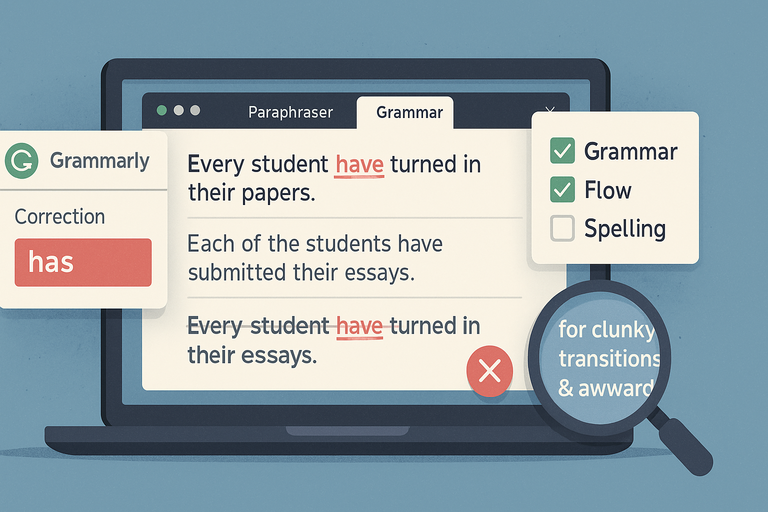
When Quillbot rewrites, it focuses on semantic similarity—keeping meaning intact while changing structure. That doesn’t mean it ensures grammatical perfection.
For instance, Quillbot might rewrite:
“Each of the students have submitted their essays.”
as
“Every student have turned in their papers.”
It preserved meaning but kept the grammar error (have instead of has). The issue lies in subject-verb agreement, something AI still struggles with.
Always recheck grammar manually using a second tool like Grammarly or ProWritingAid. These focus specifically on syntax, style, and punctuation, complementing Quillbot’s rewriting features.
Common Grammar Errors Quillbot Misses in Essays
From my testing, here are a few patterns Quillbot often overlooks:
- Incorrect article use: “An university” instead of “a university.”
- Parallelism issues: “She likes reading, to swim, and hiking.”
- Misplaced modifiers: “Running quickly, the goal was reached.”
Each of these reduces essay clarity. To catch them, read your essay backward (sentence by sentence). It forces your brain to focus on grammar, not meaning—a trick I recommend to every writer I mentor.
How to Proofread Effectively After Using Quillbot
Effective proofreading means separating your writer and editor brains.
Here’s a simple approach that works:
- Step away for 15–30 minutes after paraphrasing.
- Read your essay aloud or use text-to-speech tools like NaturalReader.
- Watch for clunky transitions or awkward rhythm.
- Reorder sentences if they sound unnatural.
Quillbot handles structure, but you handle flow. When both work together, your essay reads clean and professional.
Producing Essays That Sound Mechanically Written
A common side effect of relying too much on Quillbot is that your essay starts sounding robotic.
It’s technically correct—but lifeless. That’s not what you want, especially if your goal is to engage your reader or earn top marks.
How Overuse of AI Makes Writing Sound Robotic
When every sentence is rephrased, rhythm and variety vanish. Quillbot tends to use safe, repetitive sentence structures like “This means that…” or “In conclusion, it can be said that….” These are grammatically fine but dull to read.
I believe the best essays blend logic with rhythm. To test this, copy your essay into a free tool like Hemingway Editor. If you see too many long, passive sentences, Quillbot might have drained your natural flow.
Try this instead: mix short and long sentences, use active voice, and occasionally break grammar rules intentionally for emphasis.
Signs Your Essay Lacks Natural Human Flow
You’ll know your essay sounds mechanical when:
- Every sentence starts the same way.
- There’s little emotional tone or argument rhythm.
- Transitions feel forced (e.g., “Additionally,” “Moreover,” every other line).
To fix this, I often rewrite key transitions in my own voice. Replace “Moreover” with something conversational like “Even more interestingly” or “What’s worse is…” depending on tone.
Tips to Restore a Conversational and Engaging Tone
Here’s how you bring life back to your essay:
- Use human connectors: Write as if you’re explaining your point to a friend.
- Inject personality carefully: Words like “surprisingly,” “ironically,” or “fortunately” create flow.
- Vary sentence rhythm: Combine punchy lines with longer reflections.
Let me share a quick fix:
- AI Rewrite: “The study concluded that motivation was a factor influencing performance.”
- Human Rewrite: “The study found that motivation doesn’t just help—it drives performance.”
The second version has emotion and clarity, both signs of human touch.
Failing to Check for Plagiarism After Rewriting
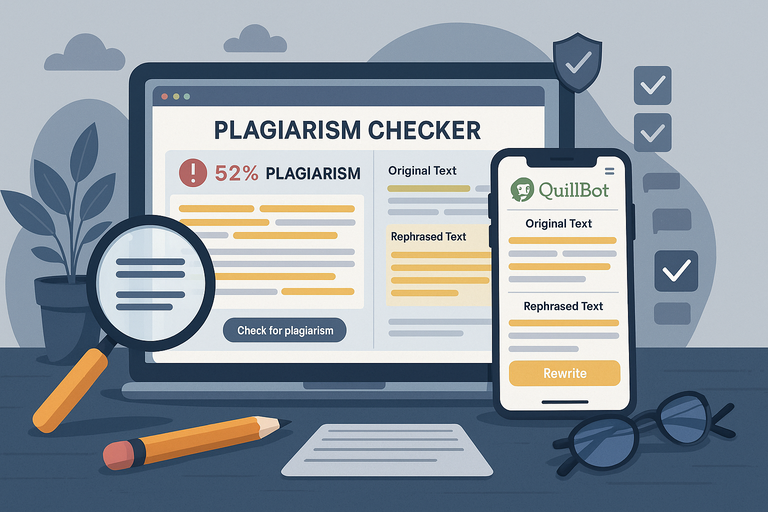
Even after using the Quillbot essay tool to rewrite your work, many writers mistakenly assume their content is automatically plagiarism-free. But Quillbot’s goal is rephrasing, not originality verification.
If you skip a plagiarism check, your essay could still contain sentences that match existing online content—and that can lead to serious academic consequences.
Why Quillbot Isn’t a Plagiarism Detector
Quillbot is built to reword text using AI, not to detect copied material. It focuses on structure and semantics—how sentences read and sound—not on comparing your text against millions of published sources.
Here’s where confusion happens:
- You paste content into Quillbot.
- It rephrases sentences beautifully.
- You think it’s “new.”
But unless you run the essay through a plagiarism checker like Turnitin or Copyscape, you can’t confirm whether phrases or sentence patterns still overlap with original works.
I suggest treating Quillbot as your language assistant, not your originality safeguard. After paraphrasing, always perform a plagiarism check before submitting.
How Rephrased Sentences Can Still Be Flagged
Even well-rewritten essays can trigger plagiarism alerts because algorithms like Turnitin don’t just scan for exact wording—they analyze semantic similarity.
That means if your idea structure or phrasing closely mirrors the source, it can still be flagged.
For example, Quillbot might reword:
“Climate change is the biggest threat to biodiversity in the 21st century.”
as
“In this century, biodiversity faces its greatest risk from climate change.”
Different wording, same structure—and plagiarism software can catch that.
To avoid this:
- Change sentence rhythm, not just words.
- Add your own examples or commentary.
- Rewrite with your understanding, not just AI help.
I believe the best essays reflect synthesis, not mimicry. Use Quillbot as a guide, but make the insights your own.
Tools You Should Use to Ensure 100% Originality
Here are reliable tools I recommend for plagiarism checks after using Quillbot:
- Turnitin: Standard in academia; compares your text with scholarly databases.
- Grammarly Premium: Offers a plagiarism feature that scans billions of online pages.
- Copyscape: Great for blog or website content; quick and accurate.
- Quetext: A simple, free option for smaller essays.
Pro tip: Don’t just rely on one. Run your essay through at least two scanners for maximum assurance. If they both show “no matches,” you can confidently submit your essay knowing it’s clean.
Misusing Quillbot’s Modes for Academic Writing
Quillbot offers several writing modes—each built for a different goal. Misusing them is one of the easiest ways to lose essay clarity or academic tone.
Understanding when to switch between Fluency, Formal, and other modes can make a dramatic difference in how polished your writing feels.
When to Use “Fluency” vs “Formal” Modes in Essays
Fluency mode focuses on readability. It’s ideal for simplifying awkward phrasing or making long sentences smoother. I often use it when I’m working on early drafts—when the goal is flow, not formality.
Formal mode, on the other hand, tightens tone and removes contractions or casual words. It’s perfect for academic essays or research papers where professionalism matters.
Example workflow:
- Use Fluency mode for initial clarity.
- Then switch to Formal mode for the final polish.
A quick UI path example: Select mode → Choose Fluency → Paraphrase → Switch to Formal → Rephrase final version.
This combination keeps your writing natural yet academically appropriate.
How the Wrong Mode Changes Meaning or Tone
Using the wrong mode can subtly distort your message. For instance, Quillbot’s Creative or Shorten modes can alter emphasis or remove key qualifiers that matter in academic writing.
Example:
- Original: “This evidence strongly supports the hypothesis.”
- Creative Mode Output: “The evidence backs the idea.”
The rewrite lost strength and precision—both crucial in academic arguments.
I suggest always double-checking rewritten sentences for tone alignment. Read them aloud: if they sound too casual or vague, they’re not ready for submission.
Best Mode Combinations for Academic Clarity
From experience, these combinations work best for students and researchers:
- Fluency + Formal: Ensures clarity and professional tone.
- Standard + Shorten: For simplifying long, redundant paragraphs.
- Formal + Expand: Ideal when you need to elaborate on key ideas without losing academic depth.
Try experimenting within a single paragraph and comparing results. Once you understand how each mode “feels,” you’ll instinctively know which to use for every section of your essay.
Skipping Manual Citation and Reference Checks
Quillbot helps with rephrasing, but it doesn’t manage citations or references.
If you paste text containing in-text citations or reference lists, Quillbot might accidentally alter them or detach the context from the source. Ignoring this step can cost you points—or worse, raise plagiarism concerns.
Why Quillbot Doesn’t Fix Citation Formatting Errors
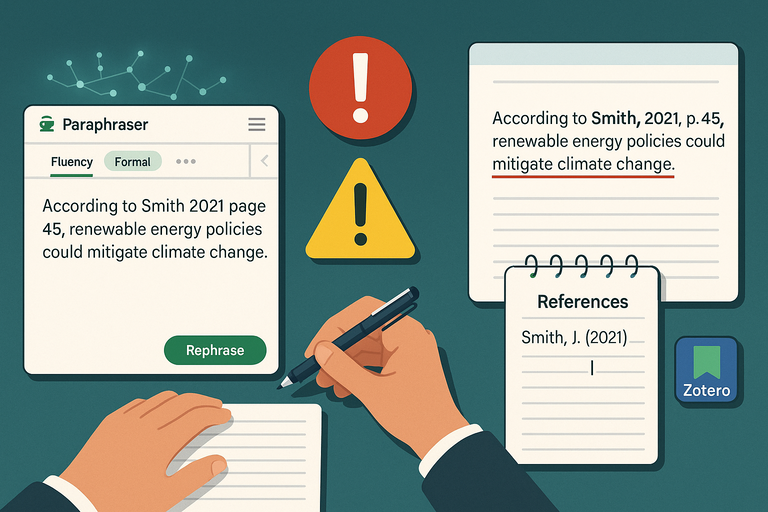
Quillbot focuses on sentence rewriting, not citation integrity. It doesn’t follow citation formats like APA, MLA, or Chicago, so it might move punctuation, change author names slightly, or even omit parentheses.
Example issue:
- Original: (Smith, 2021, p. 45)
- Rephrased: Smith 2021 page 45.
That subtle change breaks APA formatting. If your essay depends on precise academic referencing, always recheck every citation after running it through Quillbot.
Common Mistakes with Quoted or Cited Text
Here’s what I often see when students forget manual review:
- Quillbot rewrites within quotation marks, changing exact wording.
- URLs or source titles get removed when paraphrasing reference-heavy paragraphs.
- Dates or author names shift order, especially in parenthetical citations.
I recommend freezing citations before paraphrasing—replace them temporarily with placeholders like [CITATION1], then restore them after rewording. It keeps your references intact and avoids accidental distortion.
Reliable Tools for Managing Academic References
If you want smoother citation management, here are tools that make life easier:
- Zotero: Free software that organizes and auto-formats citations.
- Mendeley: Great for managing PDFs and inserting references directly into Word or Google Docs.
- EndNote: Ideal for advanced research projects; integrates seamlessly with Microsoft Word.
- Cite This For Me: Quick online citation generator for one-off essays.
I advise pairing one of these with Quillbot for a complete workflow: Quillbot handles your language, the citation tool keeps your sources precise.
Assuming AI Understanding Equals Human Insight
It’s easy to assume tools like Quillbot essay mode “understand” what you’re writing. But AI doesn’t interpret meaning the way humans do—it processes language statistically.
This difference is subtle but crucial when you’re writing something that needs depth, argument, or emotion.
The Limits of Quillbot’s Contextual Awareness
Quillbot doesn’t actually understand your essay—it predicts words that sound right based on patterns in language data.
When you paste a paragraph about climate ethics or social justice, it doesn’t “grasp” the topic’s moral implications. It simply reconstructs the text to read fluently.
This can lead to small but serious errors, especially in complex essays.
For instance, if you write:
- “Economic inequality challenges democratic stability.”
Quillbot might rephrase it to:
- “Democracy struggles with challenges caused by unequal economies.”
The change looks harmless but shifts emphasis—moving focus from inequality to the economy itself. That subtle distortion can weaken your argument’s meaning.
I suggest always rereading paraphrased text for logic, not just grammar. Ask yourself: “Does this version still express what I meant?” If not, edit it manually.
How Over-Reliance Hurts Critical Thinking
The more you let Quillbot do the thinking, the less mental effort you invest in understanding your material. Over time, this habit dulls your analytical edge.
Writing isn’t just about sounding correct—it’s about processing ideas deeply enough to express them clearly.
When you skip that process, your essays may sound polished but feel empty. I’ve seen students deliver AI-polished essays that earned lower grades because the arguments lacked depth.
Try this approach:
- Write your first draft manually to clarify your reasoning.
- Then, use Quillbot to smooth readability and structure.
- Finally, review it critically, making sure your main arguments still hold.
Think of Quillbot as a mirror, not a brain—it reflects your thinking but doesn’t replace it.
Practical Ways to Use AI Without Losing Creativity
Here’s how to make Quillbot a creativity booster instead of a crutch:
- Use AI for rhythm, not reasoning. Let it refine sentences, not decide your argument.
- Challenge every rewrite. Ask, “Would I have said it this way?”
- Blend AI tone with human storytelling. Add examples, metaphors, or experiences only you can provide.
In my experience, when writers use Quillbot to clean drafts instead of replace them, their work becomes both sharper and more original.
Forgetting to Optimize Essays for Readability
Many writers use Quillbot for grammar and phrasing but forget the bigger goal—making their essays easy to read.
Readability isn’t just a nice extra; it determines whether your reader actually understands your ideas.
Why AI-Rewritten Sentences Can Be Hard to Read
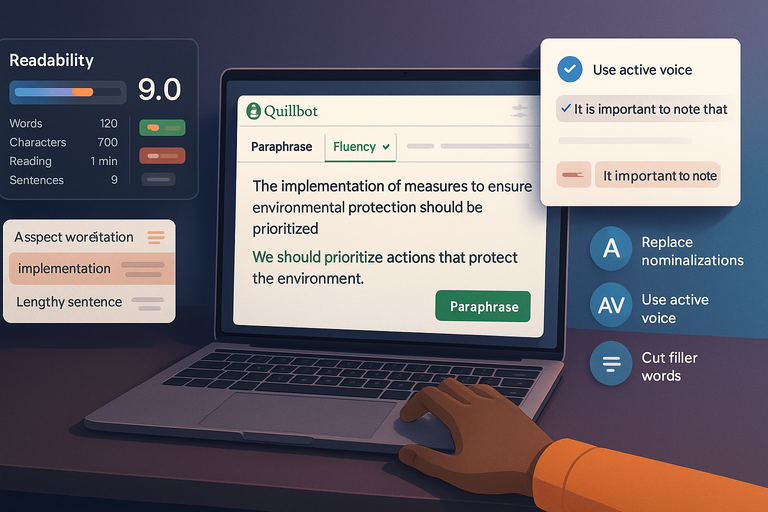
AI-generated rewrites sometimes sound polished but feel dense. Quillbot’s algorithms often favor longer, formal sentence structures that reduce clarity.
Example:
- “The implementation of measures to ensure environmental protection should be prioritized.”
That’s grammatically fine—but heavy. A clearer version would be:
- “We should prioritize actions that protect the environment.”
When using Quillbot, look out for these patterns:
- Excessively long sentences.
- Repetitive phrasing.
- Overly formal tone for simple ideas.
If your essay feels tiring to read aloud, simplify it. The best writing isn’t just correct—it’s comfortable.
How to Use Readability Tools Alongside Quillbot
I recommend pairing Quillbot with readability checkers. Tools like Hemingway Editor or Readable score your text’s clarity, sentence length, and grade level.
Try this workflow:
- Paraphrase your text in Quillbot using Fluency mode.
- Copy the result into Hemingway Editor.
- Shorten long sentences or replace abstract words flagged in yellow/red.
Aim for a grade level between 8–10 if your essay targets general readers or blogs. For academic work, higher complexity is fine—but make sure flow isn’t sacrificed.
Techniques to Simplify and Clarify Your Essay
Here are small changes that make a big difference:
- Replace nominalizations: Change “implementation of policies” to “implementing policies.”
- Use active voice: Instead of “It was decided that,” say “The team decided.”
- Cut filler words: Phrases like “it is important to note that” add bulk, not value.
I suggest reading your final draft out loud. If you stumble while reading, your audience probably will too.
Using Quillbot Without Editing for SEO or Audience Fit
When you use Quillbot for online essays or blog-style writing, it won’t automatically optimize for search intent or audience tone.
That’s your job—and it’s what separates generic AI text from high-performing, human-centric content.
How AI Misses Search Intent and Keyword Nuance
Quillbot doesn’t know what users search for or how search engines interpret context. It rewrites text purely based on linguistic variety, not keyword intent.
Example: if your keyword is “Quillbot essay tips,” AI might change it to “tips for Quillbot essays,” or remove it entirely—hurting your SEO alignment.
That’s why I always reinsert keywords manually after paraphrasing. Place them naturally in introductions, headers, and meta descriptions. Your essay should read like it was written for humans, but structured for algorithms.
Editing Tips for Essays Meant for Online Publishing
Here’s a simple checklist I use when optimizing AI-assisted essays:
- Reinsert focus keywords naturally in 2–3 key spots.
- Add semantic variations (e.g., “AI writing,” “essay rewriting”).
- Use subheadings that match search queries.
- Format paragraphs into bite-sized chunks for mobile reading.
I suggest running your essay through Yoast SEO or SurferSEO before publishing—it helps you spot missing keywords, readability issues, and structure gaps.
Aligning Tone and Keywords with Reader Expectations
AI often defaults to neutral tone, but your readers may want friendly, persuasive, or expert writing. Before you finalize your essay, ask: “Who am I writing for—and what do they expect from my voice?”
For instance, an academic audience expects precision; a blog reader prefers warmth and clarity. Adjust tone accordingly after paraphrasing.
Try reading your piece as your target reader would. If it sounds detached or robotic, rewrite sections manually to add empathy or authority.
Treating Quillbot as a “One-Click Fix” Solution
Many people treat Quillbot like magic—paste, click Paraphrase, done. But good writing requires reflection and revision.
Relying solely on automation leads to essays that sound clean but lack coherence, personality, and depth.
Why Good Essays Still Need Critical Review
Even the best AI outputs need human oversight. Quillbot doesn’t know your purpose, audience, or desired tone. It can improve fluency but not argumentation.
I always review rewritten essays for three things:
- Accuracy: Does every claim remain factually correct?
- Clarity: Are transitions logical and smooth?
- Voice: Does it still sound like me?
You’d be surprised how often a single misplaced word can shift meaning. That’s why I believe in giving every AI-edited piece a full second read.
The Importance of Revising Beyond AI Output
A second round of editing adds what AI can’t—judgment and nuance. Revisions let you evaluate structure, coherence, and emotional rhythm.
When revising, focus on:
- Reordering paragraphs for logical flow.
- Tightening introductions and conclusions.
- Reconnecting arguments with supporting evidence.
This process transforms a Quillbot essay from “well-written” to “memorable.”
Building a Smarter Workflow Between You and Quillbot
Here’s a workflow that blends AI efficiency with human depth:
- Draft your essay manually.
- Use Quillbot’s Fluency or Formal mode to refine language.
- Run it through Grammarly or Hemingway for readability.
- Reinsert keywords and adjust tone for your target audience.
- Perform a final read-through aloud for flow.
That balance—AI speed plus human insight—is where real writing power lives. Quillbot isn’t a replacement for thought; it’s a tool that magnifies it.
When you use it with awareness, discipline, and curiosity, your essays stop sounding like AI outputs—and start sounding like you.

I’m Juxhin, the voice behind The Justifiable.
I’ve spent 6+ years building blogs, managing affiliate campaigns, and testing the messy world of online business. Here, I cut the fluff and share the strategies that actually move the needle — so you can build income that’s sustainable, not speculative.
Related posts:
 Quillbot Alternative Review: Top 5 Choices
 How Long Is the Quillbot Trial? Full Details & Limitations
 Best Alternative Of QuillBot That Writers Actually Use
 The QuillBot Review: Is This AI Writing Tool Worth It?
 How To Use QuillBot Tool To Rewrite Like A Pro
 Best AI Tools Similar To QuillBot For Smarter Writing