
Table of Contents
Some links on The Justifiable are affiliate links, meaning we may earn a small commission at no extra cost to you. Read full disclaimer.
If you’re searching for the best ecommerce website builder for small business, you’re probably at a stage where growth matters more than just getting online.
This guide is for small business owners, solo founders, and growing brands who want to choose the right ecommerce platform without wasting time or money.
I’ll answer one core question clearly: which ecommerce website builder actually supports small business growth, based on real features, scalability, and long-term value.
Shopify Ecommerce Builder For Scalable Small Business Growth
Shopify is often the first name that comes up when people search for the best ecommerce website builder for small business, and honestly, there’s a good reason for that.
It’s designed to help small businesses launch fast, sell confidently, and scale without rebuilding everything later.
Shopify Setup Speed And Ease For Nontechnical Founders
One thing I’ve seen repeatedly is how fast nontechnical founders get from idea to live store with Shopify. You don’t need to understand hosting, servers, or code.
Shopify handles the technical foundation so you can focus on products and customers.
Here’s what setup realistically looks like:
- Guided onboarding that walks you through products, payments, and shipping
- Prebuilt themes that are ready to sell out of the box
- Automatic hosting, security, and SSL certificates
In practical terms, I’ve watched first-time founders launch a functional store in a single weekend. That speed matters when momentum is high and motivation is fragile.
Shopify also uses plain language instead of developer jargon. For example, “payment provider” instead of “payment gateway integration.” That may sound small, but it lowers friction when you’re learning fast.
Built-In Ecommerce Tools That Support Sales Growth
Shopify isn’t just a website builder. It’s a sales engine with growth tools already baked in, which is a big reason it works so well for small businesses aiming to scale.
Core tools you get without extra apps include:
- Abandoned cart recovery emails
- Discount codes and automatic promotions
- Built-in analytics for sales, traffic, and conversion rates
- Inventory tracking across multiple channels
A useful stat here: Shopify reports that stores using abandoned cart recovery can reclaim up to 15 percent of otherwise lost sales. For a small business, that’s real money without extra ad spend.
What I personally like is how these tools work together. You don’t feel like you’re duct-taping systems together just to run a basic promotion.
Shopify App Store Advantages For Expanding Functionality
As your business grows, Shopify’s App Store becomes a serious advantage. It has thousands of vetted apps that plug directly into your store.
Common growth-focused app categories include:
- Email marketing tools like Omnisend
- Upsell and cross-sell apps to increase average order value
- Subscription and recurring payment tools
- Advanced reporting and inventory forecasting
In my experience, this ecosystem lets you grow in stages. You only add complexity when you need it. That’s healthier than choosing a platform that overwhelms you on day one.
One caution I’ll share honestly: too many apps can slow your site and inflate costs. The smartest Shopify stores stay lean and only add apps tied directly to revenue or retention.
Pricing Structure And Hidden Costs Small Businesses Should Know
Shopify pricing is transparent on the surface, but small businesses should understand the full picture before committing.
Typical costs to plan for:
- Monthly plan starting around $39
- Transaction fees if not using Shopify Payments
- App subscription costs as you expand features
- Premium themes if you want advanced design
Here’s a simple comparison snapshot:
| Plan Level | Monthly Cost | Best For |
| Basic Shopify | ~$39 | New and small stores |
| Shopify | ~$105 | Growing businesses |
| Advanced | ~$399 | High-volume scaling |
My advice is to budget an extra 20–30 percent above the base plan for apps and tools. That avoids surprises later.
When Shopify Is The Best Ecommerce Website Builder For Small Business
Shopify is the best fit when growth is a real goal, not just a nice idea. If you plan to add products, sell on social media, or expand into multiple sales channels, it handles that transition smoothly.
Shopify works best if you:
- Want to scale without rebuilding your site later
- Prefer simplicity over full technical control
- Plan to sell across Instagram, TikTok, Amazon, or POS
If your business is serious about growth and sales efficiency, Shopify consistently earns its place as the best ecommerce website builder for small business with long-term ambitions.
Wix Ecommerce Builder For Design-First Small Businesses
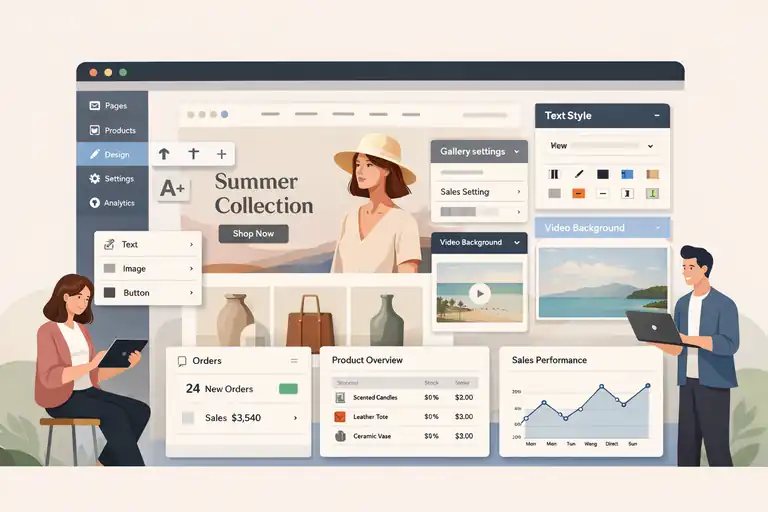
Wix takes a different approach. It’s ideal for small businesses that care deeply about visual branding and want more creative control without hiring a designer or developer.
Wix Ecommerce Design Flexibility For Brand Customization
Wix’s biggest strength is design freedom. Unlike Shopify’s structured themes, Wix allows near pixel-level control through its visual editor.
Design advantages you’ll notice right away:
- Drag-and-drop layout editing
- Advanced animation and video backgrounds
- No enforced layout rules
For creative brands, photographers, or lifestyle businesses, this flexibility helps the site feel truly unique. I’ve seen Wix stores that look more like editorial magazines than online shops, which can be a strong differentiator.
The tradeoff is that design freedom requires restraint. It’s easy to overdesign and hurt usability if you’re not careful.
Built-In Ecommerce Features Compared To Shopify
Wix covers the ecommerce basics well, but it’s not as sales-focused as Shopify.
Wix ecommerce includes:
- Product listings and variants
- Secure checkout and payments
- Basic inventory management
- Discount codes and coupons
Where Shopify leans into optimization and conversion tools, Wix leans into presentation. For smaller catalogs or service-based products, that balance works fine.
From what I’ve seen, Wix performs best when you’re selling fewer products and storytelling matters more than aggressive optimization.
Wix Limitations That Impact Long-Term Business Growth
This is where honesty matters. Wix can feel limiting as your business scales.
Common growth-related limitations include:
- Fewer advanced inventory tools
- Smaller app ecosystem
- Less flexibility for complex shipping rules
- Limited multi-channel selling options
I’ve watched businesses outgrow Wix and migrate later, which can be time-consuming. That doesn’t make Wix bad, but it does mean you should choose it intentionally.
If growth beyond a few hundred orders per month is your goal, Shopify tends to handle that stage more comfortably.
Pricing Tiers And Value For Early-Stage Businesses
Wix pricing is generally attractive for new businesses.
What you’re paying for:
- Ecommerce plans starting lower than Shopify
- Hosting and security included
- Fewer paid add-ons early on
For early-stage founders testing an idea, this can be a smart way to validate without committing to higher monthly costs.
Here’s the tradeoff I usually explain: Wix is cheaper early, Shopify is cheaper later when efficiency matters more than flexibility.
Who Should Choose Wix For Ecommerce Websites
Wix is a strong choice when design and simplicity outweigh scaling concerns.
Wix is ideal if you:
- Run a design-driven or content-heavy brand
- Sell a small number of products or services
- Want creative control without technical setup
If your priority is visual storytelling and brand expression, Wix can absolutely be the best ecommerce website builder for small business in the early stages. The key is knowing whether your future growth plans align with its strengths.
BigCommerce Platform For High-Volume Small Businesses
BigCommerce is built for small businesses that are already selling consistently and feel constrained by add-ons, transaction fees, or platform limits.
It’s often overlooked, but for high-volume growth, it can quietly outperform more popular options.
BigCommerce Native Features That Reduce App Dependency
One of BigCommerce’s biggest strengths is how much functionality comes built in. Instead of relying heavily on third-party apps, many advanced features are native, meaning they’re part of the core platform.
Here’s what that looks like in practice:
- Advanced product options and variants without paid apps
- Built-in faceted search, which helps customers filter products easily
- Native multi-currency support for international selling
- Real-time shipping rate integrations
In my experience, this reduces both cost and complexity. Fewer apps mean fewer things to break, fewer subscriptions to manage, and faster site performance. For stores doing steady volume, that stability matters more than flashy add-ons.
If you’ve ever felt like your Shopify store turned into a patchwork of apps just to function at scale, BigCommerce feels refreshingly complete.
SEO And Performance Benefits For Ecommerce Growth
BigCommerce puts serious emphasis on technical SEO, which is a big deal if organic traffic is part of your growth strategy.
Notable SEO-friendly features include:
- Full control over URLs, metadata, and redirects
- Automatic image optimization and CDN delivery
- Clean code structure that loads quickly
A practical metric worth noting: Google has repeatedly confirmed that site speed impacts rankings and conversions. BigCommerce stores often score higher on Core Web Vitals out of the box compared to heavily app-loaded competitors.
From what I’ve seen, brands relying on SEO rather than paid ads tend to see faster gains on BigCommerce once content and category pages mature.
Transaction Fees And Pricing Transparency Explained
BigCommerce does not charge transaction fees, regardless of which payment provider you use. That’s a meaningful difference once sales volume increases.
What to expect with pricing:
- Monthly plans starting around $39
- No added transaction percentage
- Automatic plan upgrades based on revenue thresholds
That last point surprises people. If your revenue grows past certain limits, BigCommerce bumps you to the next plan. I actually see this as a signal, not a penalty. If the platform is forcing an upgrade, your business is doing something right.
Compared to platforms that quietly skim a percentage of every sale, BigCommerce’s model feels more honest at scale.
BigCommerce Usability For Small Business Teams
BigCommerce is not the easiest platform on day one, especially compared to Shopify. The dashboard is more technical, and setup takes longer.
However, for small teams, it offers:
- Advanced user permissions
- Detailed reporting without extra tools
- Better control over large catalogs
Once processes are in place, teams often move faster because fewer workarounds are needed. I’d say it rewards structured businesses more than experimental ones.
When BigCommerce Outperforms Other Ecommerce Builders
BigCommerce tends to shine when volume, complexity, and margins all matter.
BigCommerce is often the better choice if you:
- Process high order volume monthly
- Want fewer apps and more native power
- Care deeply about SEO-driven growth
At that stage, it becomes a serious contender for the best ecommerce website builder for small business that’s already scaling.
Squarespace Commerce For Content-Driven Small Businesses
Squarespace Commerce is best known for beautiful websites, but it also serves a specific type of ecommerce business very well.
It’s especially strong for brands where content, storytelling, and aesthetics drive sales.
Squarespace Ecommerce Design Strengths And Brand Control
Squarespace templates are polished and opinionated, which is a good thing if you want consistency without micromanaging design.
Key design strengths include:
- Professionally designed templates with built-in balance
- Consistent typography and spacing without tweaking
- Visual-first layouts ideal for storytelling
I’ve seen creators and service-based sellers convert better on Squarespace simply because the site feels trustworthy and cohesive. You don’t fight the design system. You lean into it.
The limitation is flexibility. You’re working within a framework, not free-form design like Wix.
Commerce Features For Physical And Digital Products
Squarespace handles both physical and digital products, but it’s intentionally simple.
Built-in commerce tools cover:
- Physical product sales with inventory tracking
- Digital downloads like courses, presets, or files
- Basic subscriptions and memberships
For creators selling a small catalog, this simplicity is a feature, not a flaw. You spend less time configuring systems and more time creating.
That said, complex fulfillment workflows or advanced product logic will feel restrictive fairly quickly.
SEO And Blogging Capabilities For Organic Growth
This is where Squarespace quietly excels. Its blogging and content tools are tightly integrated with ecommerce.
SEO-friendly features include:
- Clean URL structures
- Built-in blogging with category organization
- Easy internal linking between content and products
I’ve seen content-led brands use blog posts as primary landing pages, then funnel readers into products naturally. If your growth plan relies on education, storytelling, or authority building, Squarespace supports that flow well.
Platform Limitations For Scaling Ecommerce Operations
Squarespace is not built for operational complexity.
Common limitations include:
- Limited app ecosystem
- Basic inventory and reporting tools
- Fewer integrations with advanced marketing platforms
In short, it scales content better than operations. If logistics, automation, or multi-channel selling become priorities, the platform can feel tight.
Best Use Cases For Squarespace Ecommerce Websites
Squarespace works best when brand and content drive conversions more than aggressive optimization.
It’s a strong fit if you:
- Sell a small number of curated products
- Rely on content, email, or personal brand trust
- Want simplicity over customization
For the right business model, Squarespace can absolutely be the best ecommerce website builder for small business that grows through credibility, not complexity.
WooCommerce Website Builder For WordPress-Based Businesses
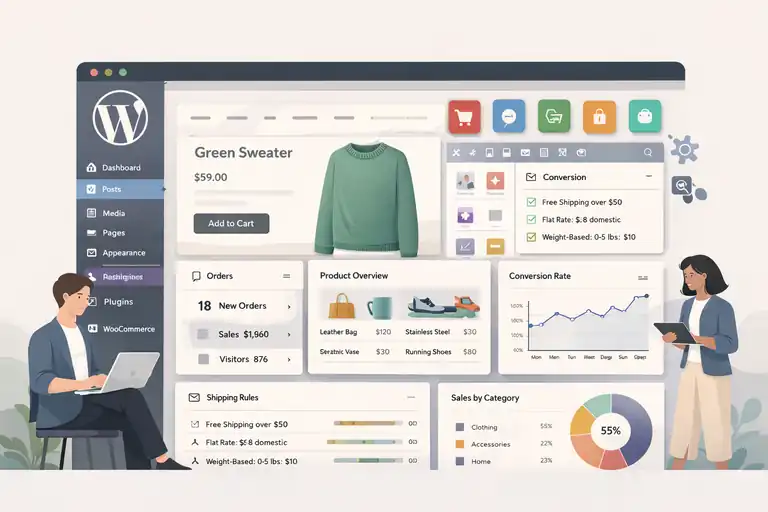
WooCommerce is a powerful option if your business already lives on WordPress or you want full control over your ecommerce experience.
It’s not the easiest path, but it can be the most flexible when used intentionally.
WooCommerce Flexibility And Full Ownership Advantages
WooCommerce is an open-source ecommerce plugin for WordPress. In simple terms, that means you own everything: your site, your data, and your customization choices.
What full ownership really gives you:
- No platform-imposed design or feature limits
- Complete control over checkout, pricing logic, and content
- Freedom to move hosts or developers anytime
From my experience, this matters most to businesses that hate feeling boxed in. If you’ve ever thought, “I wish I could just change this one thing,” WooCommerce usually lets you.
The tradeoff is responsibility. Freedom comes with decisions, and sometimes headaches.
Plugin Ecosystem For Advanced Ecommerce Customization
WooCommerce’s plugin ecosystem is massive. Nearly every ecommerce feature you can imagine exists as a plugin.
Common high-impact plugins include:
- Advanced shipping rules based on weight or location
- Custom checkout fields for B2B or wholesale
- Subscriptions, memberships, and bookings
- Deep analytics integrations with Google Analytics
A practical example: I’ve seen a subscription business use WooCommerce to create a hybrid store with one-time products, subscriptions, and gated content, all on one site. That level of customization is hard to match elsewhere.
The key is restraint. Too many plugins can slow your site and create conflicts. I always suggest starting lean and adding only what directly supports revenue or retention.
Hosting, Security, And Maintenance Responsibilities
This is the part people underestimate. WooCommerce does not handle hosting, security, or updates for you.
You’re responsible for:
- Choosing reliable WordPress hosting
- Managing site backups and updates
- Installing security plugins and SSL
For nontechnical founders, this can feel intimidating. The upside is that managed WordPress hosts simplify much of this. You pay more monthly, but you save time and stress.
If you’re comfortable working with a developer or learning basic site management, this becomes manageable. If not, it can feel heavy.
Cost Structure And Scalability Considerations
WooCommerce itself is free, but running it isn’t.
Typical ongoing costs include:
- Hosting fees
- Premium plugins and themes
- Developer support when things break
At small scale, WooCommerce can be cost-effective. At large scale, costs rise with complexity, not revenue. That’s good and bad. You’re not punished for selling more, but you pay for advanced needs.
Compared to hosted platforms, WooCommerce often wins on flexibility but loses on predictability.
When WooCommerce Is The Best Ecommerce Website Builder For Small Business
WooCommerce shines when control matters more than convenience.
It’s often the best ecommerce website builder for small business if you:
- Already use WordPress heavily
- Want full ownership of your site and data
- Need custom functionality beyond templates
If you value flexibility and long-term control, WooCommerce can be a powerful foundation.
Square Online Ecommerce Builder For Local Businesses
Square Online is designed for local businesses that sell both online and in person. If you already use Square at your counter, this platform feels like a natural extension.
Square Online Integration With POS And In-Person Sales
Square Online integrates directly with Square POS, which means your online and offline sales talk to each other automatically.
What that gives you:
- Unified inventory across online and physical locations
- Real-time stock updates
- Centralized reporting
For local retailers, this is huge. I’ve seen shops eliminate inventory mistakes simply by syncing systems instead of manually updating spreadsheets.
If your business runs on in-person transactions, Square Online reduces friction immediately.
Ecommerce Features Designed For Local Retailers
Square Online focuses on practical, everyday selling tools.
Core features include:
- Online ordering and curbside pickup
- Local delivery options
- Simple product management
It’s not built for massive catalogs or complex product logic. It’s built for speed and simplicity, especially for restaurants, salons, and retail stores.
That focus makes it surprisingly effective for local growth.
Pricing Simplicity And Transaction Cost Breakdown
Square Online is refreshingly simple on pricing.
What to expect:
- Free plan with Square branding
- Paid plans for custom domains and features
- Transaction fees per sale
The tradeoff is that transaction fees apply consistently. For high-volume online sellers, that adds up. For local businesses, it’s often an acceptable cost of convenience.
Customization Limits Compared To Other Builders
Square Online is not flexible by design.
Limitations include:
- Basic design customization
- Limited app integrations
- Simple product structures
If branding or advanced workflows matter deeply, this platform may feel restrictive. If speed and reliability matter more, it works well.
Ideal Small Business Scenarios For Square Online
Square Online fits businesses that sell locally and want online presence without complexity.
It’s a strong choice if you:
- Run a brick-and-mortar store
- Already use Square POS
- Want fast online ordering
For these scenarios, it can easily be the best ecommerce website builder for small business focused on local sales.
How To Choose The Best Ecommerce Website Builder For Growth
Choosing the right platform isn’t about features alone. It’s about fit. Growth looks different depending on your business model, budget, and long-term goals.
Matching Business Model To Ecommerce Platform Strengths
Different platforms reward different strategies.
A simple mental shortcut:
- Content and branding focus: Squarespace
- Fast scaling and multi-channel selling: Shopify
- High-volume and SEO-driven growth: BigCommerce
- Full control and customization: WooCommerce
- Local and in-person sales: Square Online
I suggest choosing based on how you plan to grow, not how you look today.
Budget Planning Beyond Monthly Subscription Costs
Monthly plans are just the starting point.
Also plan for:
- Apps and plugins
- Payment processing fees
- Developer or support costs
In my experience, underestimating these costs causes more stress than the platform choice itself.
Migration Risks And Platform Lock-In Considerations
Switching platforms later is possible, but rarely painless.
Consider:
- Data portability
- URL and SEO impact
- Design rebuild costs
If growth is a real goal, choosing a scalable platform early can save months of work later.
Growth Features That Matter Most For Small Businesses
Not all growth features are equal.
Prioritize:
- Reliable checkout performance
- Inventory and order management
- Analytics that show what’s working
Fancy features don’t matter if the fundamentals break.
Final Recommendation Based On Business Growth Stage
There’s no single winner for everyone. The best ecommerce website builder for small business is the one that supports your next stage without holding back the one after that.
My honest advice: choose the platform that lets you focus on customers today while quietly supporting growth tomorrow.

I’m Juxhin, the voice behind The Justifiable.
I’ve spent 6+ years building blogs, managing affiliate campaigns, and testing the messy world of online business. Here, I cut the fluff and share the strategies that actually move the needle — so you can build income that’s sustainable, not speculative.
Related posts:
 Wix Ecommerce Review 2025: Is It Worth Your Money?
 Best Ecommerce Platform for Small Business: Full Comparison Guide
 Dropshipping Platforms Ranked: Speed, Fees, and Control
 How to Make Money Dropshipping: 7 Secrets to a $10K/Month
 Dropshipping Marketing Strategies That Actually Drive Sales
 Online Store Website Builder That Helps You Sell Fast