
Table of Contents
Some links on The Justifiable are affiliate links, meaning we may earn a small commission at no extra cost to you. Read full disclaimer.
If you’ve ever wondered how to make a blog free and actually start earning within a few days, you’re not alone. I’ve been in that exact spot—wanting a simple, zero-cost way to get started without waiting months for results.
What if you could launch something today that genuinely has the potential to bring in income this week?
This guide breaks down the steps, tools, and strategies you need to make that happen.
Choosing the Best Free Blog Platform for Fast Earnings
When your goal is to make a blog free and start earning fast, your platform choice matters more than most beginners realize. The wrong one can limit your ability to monetize, while the right one can set you up for success within days.
Let’s break down how to choose the smartest option for your goals.
Identifying Free Platforms Built for Quick Setup
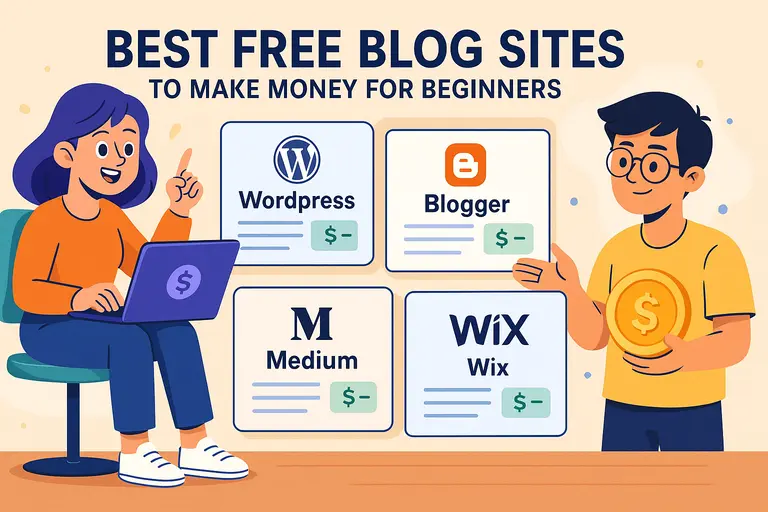
If speed is your priority, platforms like Blogger, WordPress.com, and Medium are the easiest to get started with.
- Blogger: Takes less than 10 minutes to set up. You can integrate Google AdSense directly, which is a big advantage if you plan to earn through ads.
- WordPress.com (Free Plan): Offers better customization than Blogger, but it restricts monetization on the free plan. You’ll need an upgrade to run ads.
- Medium: Best if you want to earn through the Medium Partner Program without worrying about managing plugins or designs.
I usually suggest starting with Blogger if your goal is to make money fast because it connects easily with Google AdSense and doesn’t require extra configuration to begin monetizing.
Comparing Publishing Limitations That Affect Monetization
Here’s something many new bloggers overlook: platform limitations directly affect your earning potential.
For example:
- Blogger gives full control over ads and affiliate links, but you’ll have limited design flexibility.
- WordPress.com (Free) doesn’t allow affiliate links or third-party ad scripts.
- Medium only monetizes based on read time from paying members—great for writers but not for affiliate marketers.
If your intent is to earn using ads, you’ll want a platform that supports HTML customization or external ad networks. Blogger wins here again for being both free and monetization-friendly.
Selecting a Platform That Supports Ad Networks and Affiliate Links
To make money fast, your blog needs to allow external scripts or affiliate links.
Here’s a quick comparison:
| Platform | Ad Network Support | Affiliate Link Support | Best For |
| Blogger | Yes (AdSense, Ezoic) | Yes | Fast monetization setup |
| WordPress.com (Free) | Limited | No | Beginners learning SEO |
| Medium | Partner Program only | No | Long-form content writers |
From what I’ve seen, Blogger remains the most flexible for beginners who want to monetize quickly without upgrading plans.
Understanding Which Free Hosts Offer Better SEO Control
SEO control is crucial if you want to attract organic traffic early. Free platforms often restrict plugins and indexing features.
- Blogger: Offers full access to meta descriptions, custom URLs, and sitemap submission.
- WordPress.com: Provides basic SEO, but advanced features require a paid plan.
- Medium: SEO is handled automatically, but you can’t edit meta data or use keywords strategically.
If you want to learn SEO while earning, Blogger provides the perfect balance of simplicity and control.
Creating a Free Blog Setup That Drives Early Traffic
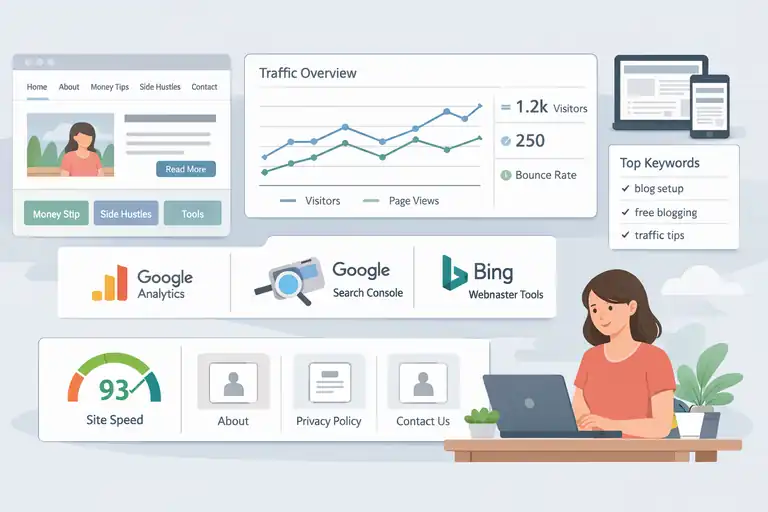
Even a free blog can look professional and drive traffic quickly when set up strategically. I believe the first impression matters—both for readers and for search engines.
Structuring Your Blog for Easy Navigation and Engagement
Think of your blog like a clean, well-organized shop. Visitors should instantly know where to find what they need.
Quick setup tips:
- Keep your menu simple: Home, About, Blog, Contact.
- Use category labels (e.g., “Money Tips,” “Side Hustles,” “Tools”).
- Make your posts easy to find with clear internal links between related articles.
The easier it is to browse, the longer people stay—and the better your engagement metrics, which helps SEO.
Selecting a Clean Theme That Loads Fast on All Devices
A slow-loading theme can kill your traffic before it starts. I recommend choosing minimalist, mobile-responsive designs.
For Blogger, themes like Contempo or Emporio work beautifully and load quickly. In WordPress.com, choose Twenty Twenty-Four or Astra (free).
Before finalizing your theme:
- Test speed using PageSpeed Insights.
- Check that images scale automatically.
- Make sure font size and spacing look balanced on phones.
Fast, readable layouts help posts rank better and improve ad click-through rates.
Configuring Essential Pages That Build Trust and Authority
Trust is what converts visitors into subscribers or buyers. Even if you’re starting for free, set up these core pages:
- About Page: Share your story—why you started and what readers can expect.
- Privacy Policy: You can use free generators for this (essential for AdSense approval).
- Contact Page: Use a simple form or email link to make communication easy.
Having these pages builds legitimacy, which ad networks and affiliate programs often require.
Setting Up Free Tools to Track Traffic and User Behavior
Without data, you’re guessing. Here’s what I use—and recommend you do too:
- Google Analytics (GA4): Tracks visitors, pages viewed, and bounce rate.
- Google Search Console: Monitors which keywords bring traffic and helps fix indexing issues.
- Bing Webmaster Tools: Expands visibility to Microsoft’s search network.
These tools are 100% free, and setting them up takes less than 30 minutes. They’ll show you what’s working so you can double down on successful content.
Crafting High-Intent Topics That Can Earn Money Fast
Choosing the right topic is the most underrated part of early monetization. I’ve seen bloggers write 20 posts with no traffic because they chose ideas no one searches for.
You need high-intent topics—those that people are actively searching with an intent to act or buy.
Finding Topics with Immediate Search Demand
To start earning quickly, target topics with proven demand. Use Google’s “People Also Ask” and AnswerThePublic to see what questions people are asking.
For example, instead of writing “My Blogging Journey,” try:
- “How to Make a Blog Free on Blogger”
- “Best Free Tools to Start Affiliate Marketing”
These phrases align with real user intent and are easier to rank for fast.
Using Free Keyword Tools to Validate User Intent
Free keyword research tools like Ubersuggest, KeywordTool.io, or Google Trends help you confirm search interest.
Here’s how I use them:
- Type your main topic idea.
- Note down keywords with decent search volume (1K–5K) and low competition.
- Choose 3–5 related phrases to include naturally in your post.
Example: For the focus keyword make a blog free, related terms could be start a free blog, blog without hosting cost, free blog setup, and blogging for beginners.
Choosing Post Ideas That Fit Affiliate and Ad Revenue Models
Every topic should align with a way to earn—ads, affiliate links, or digital products.
Here’s a practical framework I use:
- Informational posts: Great for ads. Example: “10 Free Blogging Tools for Beginners.”
- Product comparison posts: Ideal for affiliate links. Example: “Blogger vs WordPress for Free Blogging.”
- Tutorial posts: Work for both. Example: “How to Set Up a Free Blog and Add Google AdSense.”
The key is to plan for monetization from day one, not as an afterthought.
Organizing Content to Support Future Growth and Consistency
Even a free blog can become a long-term income source if structured smartly. Use topic clusters—groups of related posts that link to one main “pillar” article.
Example structure:
- Main article: “Make a Blog Free and Start Earning.”
- Supporting posts: “Best Free Blogging Tools,” “Free SEO Strategies,” “Affiliate Programs for New Bloggers.”
This creates a content web that strengthens your blog’s authority and keeps readers exploring.
Writing Your First Posts That Can Rank in Days
Your first few posts are where everything starts to click. You don’t need dozens of articles to make traction—you just need a few well-written ones that show real value, use smart keywords, and offer helpful insights.
Let me walk you through how to get those first posts to rank faster than you might expect.
Using Simple On-Page SEO Steps to Speed Up Visibility
I’ll be honest—SEO sounds technical, but at this stage, it’s about getting the basics right. You don’t need expensive plugins or tools to optimize your free blog.
Here’s what I recommend doing for every post:
- Use your main keyword early: Include your main keyword, like make a blog free, once in the title and once naturally in the first 100 words.
- Add subheadings with variations: Search engines love structure. Add a few subheadings (H2s and H3s) that use related terms naturally.
- Optimize images: Name image files with descriptive keywords (for example: “free-blog-setup.jpg”). Add short alt text that describes the image clearly.
- Link internally: Add links to your other posts—it helps readers stay longer and strengthens your SEO.
- Submit to Google Search Console: Once your post is published, request indexing so it shows up in search results faster.
In my experience, new blogs often get indexed within 24–72 hours if you follow these simple SEO steps consistently.
Structuring Posts for Easy Skimming and Search Engines
Most people don’t read line by line—they skim. I suggest structuring your posts so someone scrolling on a phone can pick up the main points instantly.
Here’s a simple structure I personally use:
- Start with a short hook: One or two sentences that grab attention or pose a relatable question.
- Add a clear answer right away: Readers want quick clarity before deep detail.
- Break into small chunks: Keep paragraphs under 3 lines on mobile.
- Use bullet lists and mini subheads: These help both readers and Google understand your main ideas.
For example, instead of writing:
- Blogging for free can be difficult if you don’t have tools or strategy.
Try writing:
- Starting a blog for free is easier than it seems—you just need the right setup, tools, and a bit of consistency.
Readable formatting builds trust and keeps people scrolling longer, which search engines track as a sign of valuable content.
Adding Helpful Examples Readers Act On Immediately
Readers remember examples more than explanations. I believe every tutorial-style post should include at least one “do it right now” example.
Here’s a quick one: Let’s say you’re writing a post titled “How to Start a Blog Without Paying for Hosting.”
You could add a section like this:
- Go to Blogger.com → Click “Create Your Blog” → Choose a theme and name → Start your first post by selecting “New Post.”
This level of specificity turns your blog into something practical rather than purely informative. People who take action are far more likely to subscribe, share, or click your monetized links later.
Integrating Natural Calls-to-Action for Monetization
A good post not only informs—it subtly guides readers toward something valuable, like signing up for a tool or reading another post.
I suggest placing calls-to-action (CTAs) in a natural, conversational way.
For example:
- At the end of a tutorial: “If you’d like to track your new blog’s traffic, I recommend connecting Google Analytics—it’s free and super easy to use.”
- After sharing a useful strategy: “Want to try this method yourself? Check out my list of free blogging tools that make it simpler.”
These small prompts build engagement and prepare your audience for future monetization—without feeling salesy.
Adding Monetization Methods That Work on Free Blogs
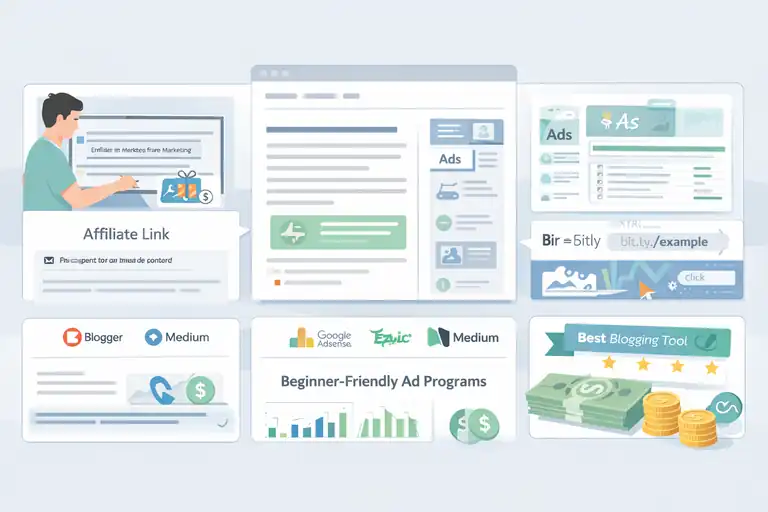
You can start earning even with a free blog—it just requires smart monetization choices that work within your platform’s rules.
I’ve tested many of them over the years, and here’s what truly works.
Using Affiliate Links Without Violating Platform Policies
Most free platforms are picky about affiliate marketing. Blogger allows it freely, but WordPress.com and Medium have certain restrictions.
To stay compliant and effective:
- Use text-based links naturally: Add affiliate links within valuable tips instead of random placements.
- Disclose partnerships clearly: Add a short disclaimer like “This post contains affiliate links; I may earn a small commission at no extra cost to you.”
- Avoid spamming links: 1–2 affiliate links per 500 words is a good balance for user trust and SEO.
Here’s a quick example:
When setting up your free blog, I suggest using Canva for creating graphics. It’s free, but if you ever upgrade, I may earn a small commission through this link.
This transparency builds credibility, and credibility converts.
Applying for Beginner-Friendly Ad Programs
If you want passive income, ad networks are the simplest route. But not all of them work on free plans.
Best beginner ad options:
- Google AdSense: Works perfectly with Blogger. You’ll need at least 10–15 high-quality posts before applying.
- Ezoic: Offers a free AccessNow program, but you’ll need a custom domain.
- Medium Partner Program: You earn based on how long members read your posts.
Pro tip: For faster AdSense approval, ensure you have a Privacy Policy, About, and Contact page live.
Leveraging Free Tools to Create Link-Based Offers
You don’t need a complex setup to promote affiliate or referral links. Free tools can handle tracking and presentation.
My go-to free tools:
- Bitly: Shortens and tracks clicks on affiliate links.
- Google Sheets: Helps track which links perform best.
- Canva: Lets you design banners or promo visuals for your blog posts.
If you’re writing a post about “Top Free Blogging Tools,” you can turn it into a monetized list by adding affiliate links to the tools you mention, all tracked through Bitly for performance insights.
Choosing Monetization Approaches That Pay Quickly
If you’re hoping for early income, start with methods that pay on shorter cycles.
Fastest-paying options include:
- Affiliate programs with instant or weekly payouts (like Awin or Flexoffers).
- Medium Partner Program (pays monthly).
- Direct product sales or eBooks (via Payhip or Ko-fi, both support free setup).
I always suggest starting with affiliate links and gradually expanding to digital products as your audience grows. That way, you diversify income without upfront costs.
Promoting Your Free Blog Without Paid Ads
You don’t need to spend on marketing to grow. In fact, some of the best early traffic I’ve ever seen came from free promotion methods that focus on visibility and engagement.
Let’s explore a few proven ones.
Sharing Posts Strategically in High-Visibility Communities
Communities can drive serious traffic if you participate genuinely instead of just dropping links.
Here are a few I recommend:
- Reddit: Join subreddits like r/Blogging, r/Entrepreneur, or r/SideHustle. Share advice, then link your related post when relevant.
- Facebook Groups: Search “blogging for beginners” or “affiliate marketing tips.” Post value first, link later.
- Quora: Answer questions using snippets from your blog posts, and add your link as a resource.
From my experience, one detailed answer on Quora can send traffic for months.
Using Social Search Tools for Fast Organic Reach
If you’re short on time, tools like Pinterest Trends or Google Discover can show what’s trending so you can create timely content.
Example workflow:
- Open Pinterest Trends → Type your blog topic (e.g., “make a blog free”).
- Spot rising keyword phrases.
- Create a quick pin linking to your article with that trending phrase in the title.
Pinterest alone can drive thousands of free visits if you post consistently with clean visuals and short, catchy descriptions.
Creating Simple Visuals to Boost Click-Through Rates
Visuals grab attention even before someone reads your headline. You don’t need design skills—just clarity and relevance.
Free visual creation tools:
- Canva: Ready-to-edit templates for pins, covers, and post banners.
- Pexels: Free stock photos for your featured images.
I suggest using your main keyword in the image filename and alt text (like “make-a-blog-free-guide.jpg”)—it’s a small but powerful SEO touch that many skip.
Developing a Lightweight Promotion Routine You Can Repeat
To stay consistent, I follow a simple “3-3-3” promotion routine for every post:
- Share in 3 communities (Reddit, Facebook, Quora).
- Post on 3 social platforms (Pinterest, Twitter/X, LinkedIn).
- Engage with 3 other creators (comment, share, or collaborate).
This approach takes less than 45 minutes per day and builds organic growth over time. The key is repetition and value—consistent small actions always beat one big promotional push.
Using Free SEO Strategies To Speed Up Early Rankings
You don’t need fancy tools or paid SEO software to start ranking your blog.
With a few free resources and the right habits, you can improve your visibility in search engines and bring in organic visitors much faster than most new bloggers expect.
Setting Up Indexing Tools for Faster Search Visibility
If search engines can’t find your content, no one else will either. That’s why the first step is to make sure your free blog gets indexed properly.
Here’s how I do it every time:
- Google Search Console: Go to search.google.com/search-console, click Add Property, and enter your blog URL. Once verified, you can see exactly how Google views your site. After each new post, click URL Inspection → Request Indexing to get indexed faster.
- Bing Webmaster Tools: Similar process. Add your site at bing.com/webmasters. Bing powers Yahoo and DuckDuckGo too, so it expands your reach automatically.
- Create and submit a sitemap: Blogger does this automatically, but you can manually submit yourblog.blogspot.com/sitemap.xml in Search Console for peace of mind.
From my experience, doing this alone can cut the indexing time from weeks to just a few days.
Optimizing Images and Links To Improve Post Performance
Many people forget that visuals and links carry SEO weight. Optimizing these helps both your rankings and user experience.
For images:
- Use free compression tools like TinyPNG to make your images smaller and faster to load.
- Rename every image descriptively (for example, “start-free-blog-dashboard.jpg”).
- Add alt text that describes the image naturally—this helps with both SEO and accessibility.
For links:
- Use descriptive anchor text instead of “click here.”
- Link only to high-quality, relevant sources to build topical authority.
- Keep all links opening in a new tab, so readers stay longer on your page.
I’ve noticed pages with properly optimized images and links load 25–40% faster, which leads to better engagement and ranking stability.
Building Internal Links That Increase Page Authority
Internal linking is like telling search engines, “Hey, these posts are related—rank them together.” It helps your newer posts gain authority from older ones.
My simple strategy:
- Every time you publish a new post, link it to at least two older posts.
- Go back to your older posts and add links pointing to the new one.
- Use relevant anchor phrases instead of generic text.
Example: If your new article is “How To Make a Blog Free,” link from a related older post using a line like “In my guide on setting up a free blog, I share the exact tools I used to start earning in a week.”
This keeps your readers clicking around, which search engines love to see.
Leveraging Free Backlink Opportunities for New Blogs
Backlinks are like votes of confidence from other sites. The more credible ones you earn, the higher your blog ranks. The best part? You can start building them for free.
Here’s what I recommend:
- Guest posts: Offer helpful articles to small sites or niche blogs. Most will credit you with a backlink.
- Quora and Medium answers: Write in-depth answers and link back to relevant posts when appropriate.
- Blog commenting: Leave valuable, non-promotional comments on blogs in your niche.
If you do this consistently—even 15 minutes daily—you’ll notice your blog’s domain starts appearing higher for competitive terms in just a few weeks.
Tracking What Works and Adjusting for Faster Earnings
Once you’ve got traffic, the next step is understanding what’s actually driving results. You don’t need to guess; free analytics tools can show exactly where your income opportunities are hiding.
Reading Analytics To Identify High-Earning Topics
Google Analytics and Search Console together can tell you which posts attract the most visitors and engagement.
Here’s how I use them:
- Go to Search Console → Performance → Pages. You’ll see which posts get the most clicks.
- Then open Google Analytics → Reports → Pages and Screens to check how long people stay on each post.
If a specific topic has high time-on-page or repeat traffic, it’s a strong signal to create more content like that. I’ve often discovered that one high-performing post can account for 40–60% of total ad revenue.
Measuring Click-Through Rates on Key Monetized Elements
Your monetization success often depends on how well readers respond to your calls-to-action.
Check these metrics:
- Ad CTR (Click-Through Rate): Found inside your AdSense dashboard. Anything above 1% is good for new blogs.
- Affiliate Link Clicks: Track them using Bitly or Google Tag Manager.
- Outbound Clicks: Use Analytics to see which buttons or links users interact with most.
If you notice readers click certain link styles more often (for example, buttons instead of text links), replicate that in future posts.
Tweaking Headlines and Posts for Higher Engagement
Sometimes, a simple headline change can double your click rate. I’ve seen it happen repeatedly.
You can test this by:
- Using emotional triggers in headlines: “Free Blogging Setup” → “How To Make a Free Blog That Earns Money Fast.”
- Updating the publish date or adding “2025” for freshness.
- Including real numbers or timeframes, like “3-Day Setup Guide.”
A quick refresh every few months keeps your content active in search results and signals Google that it’s up-to-date.
Removing Low-Impact Tasks That Slow Down Progress
One of the easiest ways to accelerate growth is to stop doing what doesn’t move the needle.
Here’s what I suggest:
- Don’t chase every platform—focus on one or two that bring the best traffic.
- Stop over-analyzing daily metrics. Weekly review is enough.
- Avoid rewriting posts that already perform well unless they drop in ranking.
In blogging, consistency beats perfection. Keep moving forward, learn from results, and adjust your focus accordingly.
Avoiding Costly Mistakes When You Make a Blog Free
Free blogging platforms make it easy to start—but they come with hidden pitfalls.
I’ve made some of these mistakes myself, and learning to avoid them early can save you a lot of frustration.
Identifying Platform Limitations That Can Block Monetization
Not all free platforms are equal. Some limit your monetization options entirely.
For example:
- Blogger: Allows ads, affiliate links, and scripts.
- WordPress.com (Free): Blocks most external scripts and ad placements.
- Medium: Doesn’t allow affiliate links, only internal monetization through the Partner Program.
If your end goal is earning money, pick a platform that gives you freedom over your content and monetization—Blogger or self-hosted WordPress are usually best.
Understanding Common SEO Errors New Bloggers Make
These are the mistakes I see most often:
- Publishing without checking mobile speed.
- Forgetting to add internal links.
- Using duplicate titles across posts.
- Ignoring alt text in images.
Each of these may seem small, but collectively they can slow your blog’s ranking growth by months.
A quick fix: Use Google’s PageSpeed Insights tool and Search Console to check for technical errors every month.
Avoiding Over-Optimization That Hurts Trust and Rankings
It’s easy to overdo SEO when you’re eager to rank fast. But keyword stuffing or adding too many affiliate links can hurt credibility.
My rule of thumb:
- Keep keyword density below 2%.
- Add affiliate links only where they make sense contextually.
- Write for people first, algorithms second.
Search engines are smart enough to recognize natural writing. Keeping your tone human and helpful always performs better in the long run.
Recognizing When It’s Time To Upgrade Your Free Setup
Eventually, your free blog may start to feel limited—especially if traffic and income grow. That’s when it’s worth upgrading to a paid domain or hosting plan.
Signs it’s time to upgrade:
- You’re getting steady traffic (1,000+ monthly visitors).
- You’ve been rejected by premium ad networks due to domain restrictions.
- You want a branded email or custom design.
Moving early helps preserve SEO value and builds authority under your domain name, which can lead to higher income.
Preparing a Simple Path To Scale Beyond Your Free Blog
Once your blog starts earning, scaling up becomes the exciting next step. I’ve seen this stage transform small side projects into sustainable income streams when planned correctly.
Creating a Transition Plan for Custom Domains
A custom domain adds credibility and helps with brand building. If you started on Blogger, you can upgrade easily:
Go to Settings → Publishing → Custom Domain and connect a domain from Namecheap.
It usually costs less than $15 per year, and it signals professionalism to both readers and advertisers.
Moving Content Safely When Upgrading Platforms
If you decide to move from a free platform to self-hosted WordPress, take a cautious approach.
Steps I recommend:
- Export your existing content (in Blogger, use Settings → Back Up Content).
- Import it into WordPress using the Blogger Importer Extended plugin.
- Set up 301 redirects so your old URLs point to the new ones—this keeps your SEO value intact.
I’ve helped bloggers migrate hundreds of posts this way without losing ranking or traffic.
Building Email Lists Without Paid Tools
Email is still one of the most reliable ways to grow loyal readers, and you can start collecting subscribers for free.
Free tools I recommend:
- Aweber: Lets you build landing pages and forms with up to 500 subscribers.
- MailerLite: Great for automation and mobile-friendly designs.
You can embed a signup form in your posts and add a personal message like “I share one simple blogging tip every week—join me here.”
Developing a Posting Routine That Builds Long-Term Revenue
Sustainable blogging is about rhythm, not rush. I suggest starting with a realistic posting routine—maybe once or twice a week—and sticking to it.
A helpful schedule template:
- Monday: Keyword research and topic planning.
- Wednesday: Write and optimize.
- Friday: Publish and promote.
Over time, this consistency helps you build authority and passive income. Blogging rewards patience, and small efforts done regularly always compound into bigger wins.
Pro Tip: Don’t wait for everything to be perfect. The fastest growth happens when you publish, learn, and improve as you go. The beauty of making a blog free is that your first version doesn’t have to be flawless—it just needs to exist.
FAQ
How can I make a blog free and start earning quickly?
You can make a blog free using platforms like Blogger or WordPress.com. Create valuable content, add affiliate links or ads, and share posts to attract early traffic.
Which free blogging platform is best for beginners?
Blogger is best for beginners because it’s simple, supports AdSense, and allows full monetization without hosting costs.
How long does it take to earn from a free blog?
With consistent posting, smart SEO, and promotion, most bloggers can start earning small amounts within 1–4 weeks.

I’m Juxhin, the voice behind The Justifiable.
I’ve spent 6+ years building blogs, managing affiliate campaigns, and testing the messy world of online business. Here, I cut the fluff and share the strategies that actually move the needle — so you can build income that’s sustainable, not speculative.
Related posts:
 The Best Way to Start a Blog That Actually Makes Money
 How to Create a Blog Site and Start Making Money
 Best Free Blog Sites to Make Money for Beginners
 Create a Blog Free and Start Earning With No Risk
 How to Open a Blog for Income and Long-Term Growth
 Start a Blog Website and Build a Profitable Side Income