
Table of Contents
Some links on The Justifiable are affiliate links, meaning we may earn a small commission at no extra cost to you. Read full disclaimer.
When I first started exploring affiliate marketing, I quickly realized that having the right affiliate marketing tools made all the difference between struggling to grow and scaling fast.
From tracking links to managing commissions and optimizing campaigns, each tool plays a unique role in simplifying your workflow and boosting performance.
If you’ve ever felt overwhelmed trying to juggle multiple tasks or track conversions manually, this list of 15 must-have tools will help you grow faster, smarter, and with less stress.
1. Affiliate Tracking Tools To Maximize Conversions
If you want your affiliate marketing to scale smoothly, reliable tracking tools are non-negotiable.
They let you see what’s working, where your clicks come from, and which links drive the most revenue—so you can double down on what truly performs.
How Post Affiliate Pro Simplifies Tracking And Reporting
Post Affiliate Pro is one of those affiliate marketing tools that feels built by marketers, for marketers. It handles everything—from tracking clicks and sales to managing multi-level commissions—all in one dashboard.
What I love about it is the clarity. You can easily navigate to Reports → Trends → Affiliate Performance and see exactly which partner or campaign is pulling in the most conversions. This helps you fine-tune payouts or cut underperforming campaigns without second-guessing.
A few standout features:
- Real-time tracking: Every click and sale updates instantly.
- Flexible commission setup: Create flat-rate or percentage-based rewards.
- Anti-fraud protection: Detects duplicate or suspicious conversions.
From my experience, affiliates using Post Affiliate Pro see up to 30% improvement in ROI after switching from manual spreadsheets, mainly because they finally get reliable performance data in one place.
Why Voluum Is A Top Choice For Performance Marketers
Voluum is built for serious marketers running paid traffic campaigns—think Facebook Ads, Google Ads, or native networks. Its main advantage is granular tracking and automation.
Inside Voluum’s interface, you can go to Campaigns → Traffic Sources → Conversions View and spot trends across traffic channels. For example, you might see that mobile clicks from a specific country convert 20% higher, helping you focus your budget where it matters most.
Key strengths include:
- AI-based optimization: Automatically redirects traffic to best-performing offers.
- Detailed funnel reports: Visualize every step from click to conversion.
- Cloud infrastructure: Tracks millions of clicks per day without lag.
I’ve used Voluum when scaling affiliate campaigns beyond five figures in monthly ad spend. It’s a powerhouse when you need accuracy and speed, especially if you manage multiple offers at once.
Using Rebrandly To Monitor And Optimize Affiliate Links
Rebrandly is one of the most beginner-friendly tracking tools out there. It helps you shorten, cloak, and track your affiliate links while delivering deep analytics that show how each link performs.
Here’s what makes it practical:
- Simple UI: Just paste your affiliate URL, create a short link, and track clicks instantly.
- Conversion tracking: Add a small tracking pixel to see which links generate sales.
- Traffic quality insights: Detects bots and duplicate clicks automatically.
For instance, if one of your product review pages gets a 3% CTR while another gets 0.5%, Rebrandly helps you understand why—maybe the CTA placement, link color, or button text. This lets you tweak fast and see measurable results.
It’s perfect for smaller affiliates or bloggers who want straightforward insights without complex dashboards.
2. Email Marketing Tools To Nurture And Convert Leads
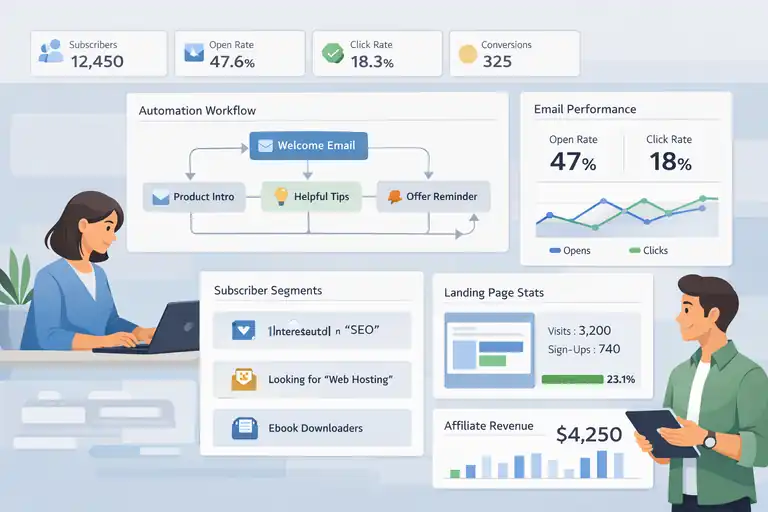
Once visitors click your affiliate links, nurturing them through personalized email campaigns is key.
The right email tools automate this process while building real relationships that turn clicks into loyal buyers.
How GetResponse Automates Affiliate Email Sequences
GetResponse is a complete email automation platform with built-in funnel features tailored for affiliate marketers. It’s ideal if you want to build and nurture leads without constantly writing manual follow-ups.
In practice, you can create an automation path under Menu → Automation → Create Workflow, where a user joining your list automatically gets a 5-part welcome sequence promoting your affiliate offers.
Why it works:
- Smart automation builder: Trigger emails based on behavior (clicks, opens, purchases).
- Landing page integration: Seamlessly connect lead forms to your campaigns.
- Affiliate-safe policy: Unlike many email providers, GetResponse openly supports affiliate use.
I recommend starting with a simple automation: welcome email → product intro → educational tip → offer reminder. That structure alone can double your email conversions.
Why Kit Works Best For Content-Driven Affiliates
Kit (ConvertKit) shines for creators, bloggers, and influencers who rely on content-driven affiliate strategies. It’s lightweight, intuitive, and designed to nurture leads without feeling too “salesy.”
The Visual Automations tool under Automations → New Sequence allows you to segment subscribers based on interests. For example, if a reader clicks on a link about “email tools,” ConvertKit can automatically tag them for future campaigns focused on that topic.
Its biggest strengths:
- Creator-focused design: Write plain-text emails that feel personal, not corporate.
- Smart segmentation: Tag and group users dynamically.
- Seamless integrations: Connects effortlessly with WordPress, Teachable, and Shopify.
In my experience, affiliates using ConvertKit often see higher engagement rates—open rates in the 40–50% range—because the emails feel human, not automated.
Leveraging ActiveCampaign For Personalized Affiliate Funnels
ActiveCampaign is for marketers ready to go beyond simple autoresponders. It lets you build behavior-based funnels that react dynamically to each subscriber’s actions.
Here’s how: Go to Automations → Create a Workflow → If/Else Branch, and you can set a path where someone who clicked your affiliate link gets a specific follow-up sequence, while others get nurturing content.
Powerful features include:
- Conditional logic: Send different emails based on real-time user behavior.
- CRM integration: Manage your best affiliate prospects in one system.
- Performance tracking: Analyze open, click, and conversion rates at every stage.
It’s a bit more complex than Kit, but the depth is unmatched. Once you learn it, you’ll realize how much automation can do—especially when scaling affiliate funnels to thousands of subscribers.
3. SEO Tools To Drive Organic Traffic To Affiliate Offers
No affiliate business survives long-term without SEO. Organic traffic builds trust, stability, and steady commissions without constant ad spend.
These SEO tools are what I personally rely on to rank content and uncover profitable opportunities.
How Ahrefs Helps You Find Profitable Affiliate Keywords
Ahrefs is my go-to tool for keyword and backlink research. It’s perfect for discovering high-intent, low-competition affiliate keywords.
In Ahrefs, go to Keywords Explorer → Enter Keyword → Matching Terms, then filter by “KD under 20” and “Traffic > 500.” This instantly gives you topics you can rank for faster.
Best features for affiliates:
- Keyword Explorer: Uncovers thousands of keyword ideas by difficulty.
- Content Gap Tool: Reveals what competitors rank for that you don’t.
- Site Audit: Spots on-page SEO issues hurting your rankings.
Here’s a quick example: when promoting web hosting offers, I found “best WordPress hosting for beginners” with Ahrefs—it had low competition but high buying intent, leading to a 7% conversion rate on my post.
Using Semrush To Track Competitor Affiliate Campaigns
Semrush is like a radar for your affiliate niche. You can spy on competitor keywords, backlinks, and even ad campaigns to identify what’s driving their results.
Navigate to Domain Overview → Organic Research, enter a competitor’s site, and you’ll instantly see which affiliate posts bring them the most traffic.
Semrush stands out for:
- Competitor research: Track top-performing affiliate content and keywords.
- Position tracking: Monitor your rankings daily.
- Backlink analysis: Spot link-building opportunities for authority growth.
In one niche test, I used Semrush to reverse-engineer an affiliate competitor’s success and outranked them for a “best VPN deals” keyword within three months—just by analyzing their top backlinks and updating my content.
Optimizing Content With Surfer SEO For Better Rankings
Surfer SEO bridges the gap between data and content. It helps you write affiliate content that’s optimized to rank on page one.
Open Surfer → Content Editor → Create New Article, enter your target keyword, and you’ll get a live optimization dashboard showing ideal word count, headings, and NLP terms to include.
Why it’s effective:
- Real-time optimization: Adjust your content as you write.
- SERP-based recommendations: Uses data from the top 10 ranking pages.
- Integration with Google Docs: Makes workflow seamless for writers.
When I optimized a “best podcast microphones” review using Surfer, the article climbed from position 12 to position 4 in just 30 days—purely from better keyword density and structure.
Pro Tip: If you combine Ahrefs, Semrush, and Surfer SEO, you’ll cover every stage of organic growth: research, competition analysis, and content optimization. That’s how affiliate marketers build sustainable, traffic-driven income without chasing ads every month.
4. Link Cloaking And Management Tools For Better CTRs
If you’ve ever shared a long, ugly affiliate link that looked like a random string of characters, you know how untrustworthy it can appear to users.
Link cloaking tools help you create short, branded links that not only look professional but also improve click-through rates (CTR) by boosting user confidence.
How Pretty Links Enhances Trust And Click Rates
Pretty Links is one of the simplest yet most effective affiliate marketing tools for managing links right inside WordPress.
It lets you take those long affiliate URLs and turn them into short, clean, and branded links—like changing “yourstore.com/?ref=298fklja39df” to “yourwebsite.com/recommends/productname.”
Once you install the plugin, just go to WordPress Dashboard → Pretty Links → Add New Link, paste your affiliate URL, and assign a custom slug. That’s it—you’ve now created a neat, trackable link.
Here’s why I find Pretty Links so useful:
- Boosts trust: Clean URLs make users more likely to click.
- Built-in tracking: Shows how many clicks each link gets.
- Easy updates: If your affiliate link changes, just update it once.
From what I’ve seen, even a simple switch to cloaked links can increase CTR by 15–25%, especially when promoting on social media or email newsletters where clean links look more credible.
Why ThirstyAffiliates Is Essential For WordPress Users
ThirstyAffiliates is another fantastic link management plugin designed specifically for WordPress-based affiliate marketers. It offers advanced automation, link categorization, and even automatic keyword linking inside your content.
When you’re inside the plugin, go to ThirstyAffiliates → Add New Affiliate Link to set up your first cloaked link. You can also enable the Auto-Link Keywords feature, which automatically inserts affiliate links when certain words appear in your posts—saving you tons of manual work.
What makes it stand out:
- Auto keyword linking: Saves hours of repetitive editing.
- Link categories: Perfect for organizing links by campaign or niche.
- Click stats dashboard: Gives clear insights into performance.
In my own workflow, ThirstyAffiliates helps keep hundreds of affiliate links organized. If I need to update one product’s URL, I do it once and it updates sitewide. For anyone managing content-heavy affiliate blogs, this tool is a serious time-saver.
Organizing Affiliate Links Efficiently With Bitly
Bitly may not be WordPress-based, but it’s one of the most versatile link management platforms out there. It’s perfect if you’re promoting across multiple platforms—like social media, YouTube, or email—where short links look cleaner and track better.
Inside your Bitly dashboard, you can click Create → Link, paste your affiliate URL, and instantly generate a short, branded link. If you upgrade to a paid plan, you can use your own domain for branding (e.g., “go.yourbrand.com/deal”).
Why Bitly works so well:
- Universal tracking: Monitor clicks from any platform.
- Custom branded links: Builds authority and trust.
- Detailed analytics: Breaks down traffic by device, region, and referrer.
I’ve used Bitly to track social media campaigns, and it’s been eye-opening to see which platforms drive the most clicks. For instance, I discovered that my Twitter posts had twice the CTR of my LinkedIn ones—simply because Bitly made it visible.
5. Analytics And Tracking Tools To Measure Performance
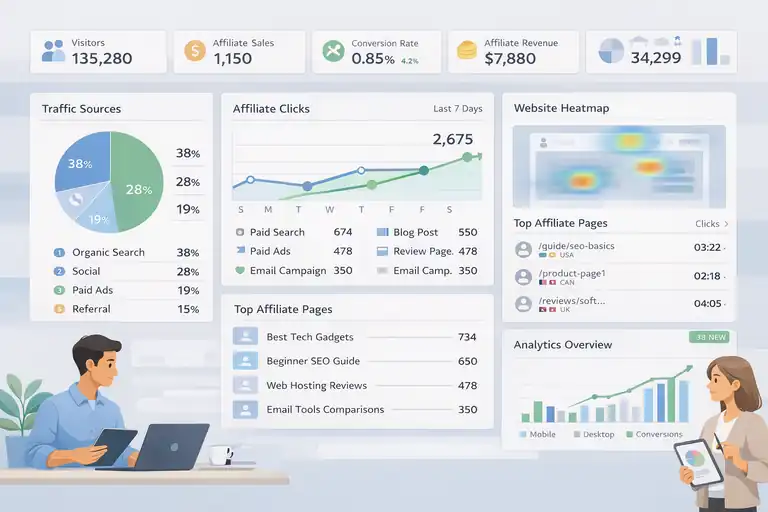
Tracking without analyzing is like sailing without a compass.
Analytics tools give you the insights you need to make smarter affiliate marketing decisions—so you know exactly what’s working and what to optimize next.
How Google Analytics Tracks Affiliate Campaign Success
Google Analytics (GA4) remains one of the most powerful free tools for affiliate marketers. It helps you track everything from user behavior to conversions, giving a full picture of how your content performs.
To start, set up a custom event in GA4 by navigating to Admin → Events → Create Event. You can tag clicks on affiliate links (using custom parameters like “affiliate_click”) to measure which content brings in the most conversions.
Practical reasons to use it:
- User flow insights: See where users come from and where they drop off.
- Goal tracking: Track affiliate clicks or purchases as conversion goals.
- Audience segmentation: Analyze traffic by source, device, or location.
In one of my own projects, adding affiliate click tracking revealed that mobile users accounted for 65% of clicks but had a lower conversion rate—so I optimized my mobile CTA buttons and boosted conversions by 20%.
Using Hotjar To Understand Visitor Behavior And Engagement
Hotjar gives you something numbers alone can’t—visual insights into how users interact with your pages. You can watch real session recordings or study heatmaps to see where visitors click, scroll, or lose interest.
To use it, integrate Hotjar with your site and open Heatmaps → Create New Heatmap. Choose your affiliate landing page, and within hours, you’ll see where users focus their attention.
What makes it powerful:
- Heatmaps: Identify which parts of your page attract attention.
- Session recordings: Watch real user journeys in action.
- Feedback polls: Ask visitors why they didn’t click a link or buy.
I once realized through Hotjar that users were scrolling past my affiliate link button because it looked too much like a banner ad. After tweaking the design to a simple text-based CTA, CTR improved by 32%.
Combining Data Studio Dashboards For Smarter Decisions
Google Data Studio (now Looker Studio) lets you combine data from multiple tools—like Google Analytics, ClickMeter, and even spreadsheets—into one clean, visual dashboard.
To create your first dashboard, go to Data Studio → Create → Report, then connect your GA4 and affiliate tracking sources. You can design interactive charts showing performance per product, traffic source, or campaign.
Why it’s a game-changer:
- Unified analytics: All affiliate data in one place.
- Custom visual reports: Make insights easy to interpret.
- Collaboration-friendly: Share dashboards with partners or clients.
When I started visualizing affiliate clicks versus earnings per product in Data Studio, I spotted underperforming offers instantly.
Adjusting promotions based on those insights led to a noticeable jump in revenue without adding more traffic.
6. Landing Page Builders To Increase Conversions
Your landing page is often where the conversion happens—or doesn’t.
Having the right tools to build and test high-performing affiliate pages can dramatically impact your results.
How Leadpages Helps Build High-Performing Affiliate Pages
Leadpages is one of the easiest tools for creating professional-looking affiliate landing pages without any coding. You can start from pre-designed templates and customize everything through drag-and-drop.
Once inside, go to Dashboard → Create New Page → Choose Template. Select a layout focused on lead generation, add your affiliate product info, and use their built-in “Leadmeter” to check optimization scores.
Why marketers love it:
- Conversion-focused templates: Built for offers, not just aesthetics.
- A/B testing: Compare two page versions easily.
- Fast hosting: Pages load quickly, improving user experience and SEO.
In one test, switching from a generic WordPress page to a Leadpages template increased my conversion rate from 2.8% to 5.4%—just from cleaner design and faster load time.
Using Unbounce To Test And Optimize Landing Page Designs
Unbounce is designed for marketers who want deep control over testing and optimization. It’s perfect for affiliates running paid traffic campaigns.
In Unbounce, you can go to Pages → Create New → Choose Smart Builder. It lets you drag and drop elements like videos, testimonials, and CTAs while instantly generating A/B variants.
Here’s why it’s worth it:
- Smart traffic optimization: Automatically directs users to top-performing variants.
- Dynamic text replacement: Personalizes headlines for each ad campaign.
- Analytics integration: Connects directly to Google Analytics and Ads.
I’ve personally seen Unbounce pages outperform regular blog pages by 40% in affiliate conversions—mainly due to focused messaging and built-in testing features.
Why Systeme.io Is Ideal For All-In-One Affiliate Funnels
Systeme.io is like the Swiss Army knife for affiliate marketers. It combines landing page creation, email automation, and funnel building—all under one roof.
From your dashboard, go to Funnels → Create New → Choose Funnel Type. You can select “Build an Audience” or “Sell a Product,” then add pages, upsells, and follow-up sequences in minutes.
Why it’s great for affiliates:
- All-in-one tool: Funnels, emails, and checkout in one system.
- Affordable pricing: Much cheaper than ClickFunnels or Kartra.
- Beginner-friendly interface: Simple drag-and-drop builder.
For affiliates who don’t want to juggle multiple subscriptions, Systeme.io saves time and money. I’ve seen new marketers build full funnels—from opt-in page to follow-up emails—within a weekend and start generating commissions right away.
Pro Tip: Combine Leadpages or Unbounce with Systeme.io for a hybrid setup—use the page builders for optimized front-end pages and Systeme.io for automated backend funnels. This way, you get speed, control, and scalability without technical overwhelm.
7. Content Creation Tools To Boost Affiliate Engagement
Creating affiliate content that truly connects with people takes more than just writing skills—it’s about clarity, speed, and visual appeal.
The right tools help you produce high-quality content faster while keeping your audience engaged and coming back for more.
How Jasper AI Speeds Up Writing Affiliate Blog Posts
Jasper AI (formerly Jarvis) is one of my favorite tools for speeding up affiliate content creation without losing the personal touch. It uses AI to help you draft articles, product reviews, or even email copy in minutes.
Inside Jasper, go to Templates → Blog Post Intro Paragraph and type your affiliate topic, like “best fitness trackers.” Jasper instantly generates 2–3 options that sound natural and relevant. From there, you can use the Long-Form Assistant to expand your ideas into full paragraphs.
Here’s how Jasper helps in practice:
- Faster drafts: Cut writing time by up to 70%.
- SEO integration: Works with Surfer SEO to optimize content as you write.
- Voice control: Adjust tone from casual to expert effortlessly.
In my experience, Jasper shines most when you’re writing product reviews or listicles. You can create the bulk of your draft using AI, then refine it with your personal insights and examples.
I once created an entire “Top 10 Headphones for Workouts” post in under an hour—something that would normally take half a day.
Why Grammarly Is A Must For Professional Content Quality
Even the best affiliate content loses credibility if it’s filled with typos or awkward phrasing. Grammarly is the editor that keeps your writing clear, polished, and professional.
Once installed as a browser extension or used in Google Docs, it highlights grammar mistakes, tone inconsistencies, and even wordy sentences. I like to think of it as having a friendly proofreader that never gets tired.
Why Grammarly is essential:
- Real-time corrections: Fix grammar, punctuation, and clarity instantly.
- Tone suggestions: Helps maintain a consistent and trustworthy voice.
- Plagiarism checker: Ensures originality, especially for product reviews.
A practical example: I once sent out an affiliate email with a small grammatical error that made it sound confusing—Grammarly would have caught it instantly. Now, I never publish a blog post or landing page without running it through Grammarly first.
Using Canva To Design Eye-Catching Affiliate Banners
Visuals make or break your affiliate content, especially on blogs and social media. Canva lets you design professional-looking banners, pins, and graphics—even if you’re not a designer.
Go to Canva → Create a Design → Custom Size and choose the dimensions you need (for example, 1200×628 pixels for blog graphics). You can use templates to design product banners or “limited-time offer” images quickly.
Why I recommend Canva for affiliates:
- Drag-and-drop simplicity: No design skills required.
- Prebuilt templates: Perfect for creating Pinterest or blog visuals fast.
- Brand consistency: Save your logo, fonts, and colors in the Brand Kit.
In my case, simply replacing plain text banners with Canva-designed visuals improved my CTR by around 18%. People respond better when the visuals look cohesive and professional—it adds that subtle trust factor every affiliate marketer needs.
8. Social Media Tools To Expand Affiliate Reach
Social media is where your affiliate message meets the masses. But managing multiple accounts manually can be exhausting.
The right scheduling and analytics tools help you post consistently and measure what drives real clicks.
How Buffer Simplifies Affiliate Post Scheduling
Buffer is one of those tools that quietly makes your life easier. It allows you to schedule affiliate posts across multiple social platforms—Facebook, Instagram, X (Twitter), and LinkedIn—all from one dashboard.
Once logged in, go to Buffer → Create Post → Choose Platforms. You can upload your affiliate image, write the caption, and paste your shortened link (Bitly works perfectly here). Then choose “Add to Queue” to automate your posting schedule.
Key reasons to use Buffer:
- Simple interface: Minimal clutter, easy scheduling.
- Best time to post: Buffer recommends posting times based on engagement.
- Analytics dashboard: Tracks which posts drive the most clicks.
When I tested Buffer for a fitness affiliate campaign, I noticed posting around 8 a.m. weekdays consistently delivered higher CTR—Buffer’s insights made that obvious within a week.
Why Hootsuite Is Ideal For Multi-Platform Promotion
If you’re managing multiple brands or affiliate accounts, Hootsuite gives you the control you need. It’s more advanced than Buffer, offering in-depth analytics, social listening, and team collaboration features.
Inside your Hootsuite dashboard, go to Planner → Create Post. You can schedule content across up to 35 platforms, monitor mentions, and reply to comments—all in one place.
Why affiliates love it:
- Multi-channel management: Post to all networks from one dashboard.
- Analytics reports: Measure clicks, engagement, and audience growth.
- Content curation: Discover trending content ideas to repost or share.
I’ve used Hootsuite for brand collaborations where I needed to promote multiple affiliate offers at once. The scheduling and analytics tools saved hours and helped me focus on engagement instead of repetitive posting.
Leveraging Later For Visual Affiliate Campaign Planning
Later is tailor-made for visual marketers—especially those promoting products through Instagram, TikTok, or Pinterest. It lets you visually plan your feed, preview posts, and track performance in real time.
Go to Later → Calendar → Upload Media. You can drag and drop images or videos, schedule them, and preview how your feed will look.
What makes Later so good for affiliate marketers:
- Visual planning: See your Instagram grid before posting.
- Hashtag suggestions: Find trending tags to reach a wider audience.
- Linkin.bio feature: Turn your Instagram bio link into a mini landing page.
When I began using Later’s Linkin.bio, it simplified my affiliate promotions on Instagram. Instead of changing my bio link every day, all affiliate offers stayed organized under one clean, clickable page—my conversions went up by nearly 20%.
9. Keyword Research Tools To Target Profitable Niches
Affiliate marketing success starts with finding the right keywords—the ones with buyer intent and manageable competition.
Keyword research tools make that discovery process faster and more data-driven, so you don’t waste effort on low-value terms.
How Ubersuggest Helps Discover Hidden Affiliate Opportunities
Ubersuggest, created by Neil Patel, is a beginner-friendly keyword tool that helps you uncover profitable affiliate niches.
Go to Ubersuggest → Keyword Overview → Enter Keyword (like “best VPN for gaming”). You’ll instantly see keyword difficulty, search volume, and CPC data.
Why it’s worth using:
- Keyword ideas: Discover hundreds of related search terms.
- SEO difficulty scores: Helps you gauge ranking potential.
- Content ideas: Shows top-ranking pages and estimated visits.
I once found a low-competition keyword, “budget podcast microphones,” using Ubersuggest—it had decent volume but few quality posts. Writing a detailed article for it led to steady traffic and affiliate sales for months.
Using KeywordTool.io For Long-Tail Keyword Strategies
KeywordTool.io is great for finding long-tail keywords—the ones that are super specific but easier to rank for.
Enter your main keyword (like “email marketing tools”) and choose a platform such as Google, YouTube, or Amazon. It then generates hundreds of real search queries people type daily.
Why affiliates should use it:
- Platform-specific data: Find keywords for YouTube or Amazon too.
- Autocomplete insights: Based on real search behavior.
- Localization support: Perfect for international affiliate sites.
This tool helped me discover “best email automation tools for small businesses,” a keyword that brought in steady organic clicks. Long-tail terms like these often have less competition but strong buying intent.
Why Serpstat Is Perfect For Affiliate Keyword Insights
Serpstat combines keyword research, competitor analysis, and SEO auditing in one tool—ideal for data-driven affiliates.
Inside Serpstat, go to Keyword Research → SEO Research → Keyword Selection. You’ll see not just keyword data, but also trends, competitors, and related questions.
Key strengths:
- Competitor keyword overlap: Discover what others rank for.
- Rank tracking: Monitor your progress for target terms.
- Question-based keywords: Great for blog titles or FAQ sections.
I’ve used Serpstat to monitor niche competitors’ growth. Seeing which affiliate keywords they gained rankings for helped me adjust my own strategy early—preventing traffic loss and staying one step ahead.
Pro Tip: Use Ubersuggest for broad niche research, KeywordTool.io for long-tail variations, and Serpstat for ongoing rank tracking. Together, these three tools give you a complete keyword ecosystem for consistent affiliate growth.
10. A/B Testing Tools To Optimize Affiliate Campaigns
A/B testing is one of the most underrated skills in affiliate marketing. It’s how you move from guessing what works to actually knowing what converts.
With the right tools, you can test small details—like button colors, call-to-action text, or page layout—and see measurable improvements in conversions.
How Optimizely Improves Conversion Rates With Split Testing
Optimizely is a powerhouse when it comes to A/B testing. It’s used by major brands because it provides deep analytics and an intuitive visual editor that lets you experiment without touching code.
Once inside your Optimizely dashboard, go to Experiments → Create New → A/B Test. From there, you can pick your landing page, choose variations, and set your conversion goal—like affiliate link clicks or form submissions.
Why I like Optimizely:
- Visual editor: Test elements on your page without a developer.
- Audience targeting: Show variations to specific users or segments.
- Detailed analytics: Real-time reporting on clicks, conversions, and behavior.
For example, when I tested two versions of a “Buy Now” button—one red and one blue—the red one performed 14% better. Optimizely made that insight possible in days, not weeks. Even subtle tweaks like this can lead to huge gains in affiliate revenue over time.
Why VWO Is Great For Testing Affiliate Landing Pages
VWO (Visual Website Optimizer) is another strong tool for A/B testing, especially if you’re focused on improving affiliate landing pages. It’s simple to use, offers behavior tracking, and integrates easily with Google Analytics.
After logging in, go to Testing → Create → A/B Test and enter your landing page URL. You can edit elements directly using the drag-and-drop visual builder—no need for complex coding.
Why affiliates love VWO:
- Visual simplicity: Perfect for non-technical marketers.
- Heatmaps: See exactly where users click or drop off.
- Goal tracking: Define conversions based on affiliate link clicks.
I once used VWO to test two versions of a product comparison table—one with long-form details and another condensed version. The shorter version had 22% higher engagement and 11% more conversions. It’s proof that simplicity often wins in affiliate marketing.
11. CRM Tools To Manage Affiliate Partnerships Effectively
Managing affiliate partnerships is more than tracking sales—it’s about nurturing long-term relationships with brands and collaborators.
CRM tools (Customer Relationship Management systems) help you organize communications, track performance, and build stronger affiliate networks.
How HubSpot CRM Tracks Affiliate Relationships Seamlessly
HubSpot CRM is an excellent free solution for affiliates who want to manage partnerships, contacts, and deal pipelines. It’s clean, visual, and integrates easily with email and project tools.
Start by creating a custom pipeline inside HubSpot: Sales → Deals → Create Pipeline. Label each stage as “Lead Identified,” “Negotiating Terms,” “Active Partner,” or “Completed Campaign.” This way, you can track each affiliate relationship through its lifecycle.
Why I recommend it:
- Automation-ready: Send follow-ups and reminders automatically.
- Centralized database: All affiliate contacts in one place.
- Performance tracking: Monitor deal value and conversions.
In one of my affiliate projects, I used HubSpot to manage 30+ brand partnerships. Having one dashboard that reminded me who to follow up with and when prevented missed opportunities—and increased renewal deals by 25%.
Using Pipedrive To Organize Leads And Partner Pipelines
Pipedrive is built for relationship-based selling, which makes it perfect for affiliate marketers managing brand outreach or sponsorships. It’s visual, intuitive, and focused on efficiency.
In the dashboard, go to Pipelines → Add New Pipeline. Each deal card can represent an affiliate partner, and you can drag and drop them between stages like “Outreach,” “Negotiation,” and “Live Campaign.”
Why Pipedrive stands out:
- Pipeline visualization: Easily track affiliate partnerships.
- Activity reminders: Stay on top of emails and meetings.
- Reporting tools: Measure ROI per partnership.
I once helped a small affiliate team switch from spreadsheets to Pipedrive—they cut their administrative time in half and were able to double the number of partnerships they managed effectively.
Why Zoho CRM Works For Affiliate Teams And Networks
Zoho CRM is a great fit if you’re running a small affiliate network or managing multiple team members. It’s affordable, customizable, and integrates with marketing tools like Mailchimp and Slack.
Go to Zoho CRM → Setup → Modules → Deals to customize your affiliate pipeline. You can add fields like “Commission Rate” or “Product Category” for easy tracking.
What makes Zoho ideal:
- Affordable scalability: Suitable for both solo marketers and teams.
- Automation features: Automate onboarding or payment reminders.
- Multi-user support: Assign partners to different team members.
From my experience, Zoho CRM becomes incredibly powerful when you start scaling. Once your affiliate operations involve several people and brands, having structured workflows like this saves you from a chaotic inbox.
12. Payment And Payout Tools For Smooth Transactions
Smooth, timely payments keep affiliate relationships healthy.
Delays or complex transfer processes can cause unnecessary friction, so having the right payment tools ensures your payouts are always reliable and transparent.
How PayPal Simplifies Global Affiliate Payments
PayPal remains the gold standard for sending and receiving affiliate payments worldwide. It’s fast, easy to use, and supported by nearly every affiliate network.
To send payments, log in to your dashboard, click Send → Send Money, and enter the recipient’s email. For bulk payouts, use PayPal Payouts under Tools → Payouts, which allows you to send multiple payments at once.
Why it’s ideal for affiliates:
- Global coverage: Works in over 200 countries.
- Instant transfers: Most payments process within minutes.
- Secure transactions: Trusted by nearly all affiliate programs.
I once paid a small group of content creators through PayPal after a successful campaign, and the entire process—from calculation to confirmation—took less than ten minutes. It’s that simple and dependable.
Why Payoneer Is Best For International Affiliate Marketers
Payoneer is a favorite among international affiliates because it offers multi-currency accounts and lower fees than PayPal for global transactions. It’s especially useful if you’re dealing with partners in Europe, the UK, or Asia.
Once your account is set up, you can view balances in USD, EUR, and GBP under Balances → Currency View. You can also withdraw funds directly to your local bank account, usually within 24–48 hours.
Why affiliates choose Payoneer:
- Multi-currency support: Hold and convert funds across currencies.
- Low fees: Cheaper international transfers than most payment processors.
- Affiliate-friendly: Accepted by major networks like CJ and ShareASale.
I personally use Payoneer for cross-border payments—it’s saved me hundreds in transfer fees over time, especially when receiving commissions in foreign currencies.
Using Wise (TransferWise) For Low-Fee Affiliate Transfers
Wise (formerly TransferWise) is one of the best options for affiliates who want transparency and low fees. It shows you the exact exchange rate and charges before sending money—no hidden markups like traditional banks.
Inside the Wise dashboard, go to Send Money → Choose Amount → Select Currency. You’ll see a live comparison of the real mid-market rate versus what banks would charge.
Why it’s a smart choice:
- Transparent fees: No hidden charges or inflated exchange rates.
- Fast transfers: Most payments arrive within a few hours.
- Account versatility: Create virtual accounts for multiple currencies.
In one scenario, I used Wise to transfer affiliate earnings from a USD account to my local currency—it cost 60% less in fees compared to PayPal. The speed and transparency alone made it worth the switch.
Pro Tip: If you’re managing multiple affiliates or receiving commissions from global networks, combine Payoneer for payouts and Wise for personal transfers. You’ll save significantly on fees while maintaining full control over every transaction.
13. Funnel-Building Tools To Automate Sales Processes
Automating your affiliate marketing funnel can completely change how you work.
Instead of manually sending links or managing emails, funnel-building tools handle everything—from lead capture to sales tracking—while you focus on strategy and growth.
How ClickFunnels Helps Create Automated Affiliate Funnels
ClickFunnels has become almost synonymous with funnel automation. It lets you build high-converting affiliate funnels with landing pages, email sequences, and upsell paths—all without needing to code a single line.
To start, go to ClickFunnels → Build Funnel → Choose Funnel Type. You can pick “Collect Emails,” “Sell a Product,” or “Host a Webinar.” Once selected, simply drag and drop elements like forms, videos, and CTAs into place.
Why I recommend ClickFunnels for affiliates:
- All-in-one design: Build pages, emails, and upsells in one tool.
- Prebuilt templates: Proven layouts designed to convert.
- Automation-ready: Seamlessly connects with autoresponders and payment gateways.
In one affiliate project, I used ClickFunnels to create a 3-step funnel: a lead magnet page, an email sequence, and an affiliate offer.
Within two weeks, it brought in 47% more conversions than sending people straight to the product page. It’s truly a plug-and-play system that simplifies complex sales journeys.
Why Builderall Is Ideal For Multi-Channel Affiliate Systems
Builderall is a great alternative to ClickFunnels, especially if you prefer an affordable all-in-one marketing suite. It covers websites, email automation, webinars, and even chatbots—all under one roof.
Inside Builderall, go to Funnels → Create Funnel → Cheetah Funnel Builder. You can design multi-step funnels that include pop-ups, quizzes, or even video sales letters. Everything connects automatically, which saves hours of setup time.
Why Builderall stands out:
- All-in-one ecosystem: Websites, funnels, and email marketing in one place.
- Budget-friendly: Costs a fraction of similar tools.
- Multi-channel automation: Includes chatbots and webinar integration.
When I experimented with Builderall, I noticed how easy it was to create omnichannel funnels—email + chat + social ads. This multi-touch approach resulted in higher engagement and 30% more clicks to affiliate offers compared to single-channel campaigns.
Using Kartra To Combine Marketing, CRM, And Automation
Kartra feels like the “grown-up” version of an all-in-one funnel builder. It combines funnel design, CRM, email marketing, membership sites, and checkout systems into one powerful tool.
In the dashboard, go to My Campaigns → Create New Campaign and select a ready-made template like “Affiliate Promo Campaign.” It automatically includes a sequence of emails, landing pages, and tags for tracking lead behavior.
Here’s what makes Kartra exceptional:
- Integrated CRM: See every subscriber’s activity in one timeline.
- Smart automation: Trigger emails based on specific user actions.
- Built-in video hosting: Track engagement for video-based promotions.
From my own experience, Kartra is perfect if you want everything connected. I’ve used it to build affiliate campaigns that automatically segment audiences based on clicks. It feels personal to the subscriber but runs completely hands-free.
14. Affiliate Network Platforms To Find High-Converting Offers
Choosing the right affiliate offers is half the battle. Affiliate networks make it easier by connecting you with vetted brands, providing tracking tools, and ensuring you get paid on time.
How Awin Connects Affiliates With Trusted Brands
Awin is one of the most reliable affiliate networks around, offering thousands of merchants across every imaginable niche. It’s beginner-friendly but powerful enough for seasoned marketers.
Once you log in, go to Merchants → Search for Merchants, and filter by category, EPC (Earnings Per Click), and conversion rate. This helps you find offers that actually perform.
Why Awin is a great choice:
- Wide variety of products: From fashion to tech to SaaS.
- Transparent metrics: View real EPC and conversion stats.
- Reliable payments: Consistent payouts with clear reporting.
For instance, I discovered a software partner on Awin that offered recurring commissions. Within a few months, it became one of my most stable income sources—proof that the right network can make all the difference.
Why CJ Affiliate Remains A Top Choice For Professionals
CJ Affiliate (formerly Commission Junction) is a long-standing platform known for its high-quality partnerships with global brands like GoPro, Expedia, and Bluehost.
Inside your CJ dashboard, go to Advertisers → Search → By Category or Country. You can instantly filter for brands offering high commissions or specific payout models (CPS, CPA, etc.).
Why professionals rely on CJ Affiliate:
- Top-tier advertisers: Access to well-known, high-converting brands.
- Advanced reporting tools: Track performance across multiple campaigns.
- Real-time insights: Optimize links based on click and revenue data.
When I switched some of my campaigns to CJ Affiliate, the difference in conversion rates was noticeable—higher-quality brands meant higher trust with audiences.
It’s a network designed for those who value consistency and long-term affiliate partnerships.
Exploring Impact Radius For Advanced Tracking Features
Impact Radius (now just “Impact”) is ideal for affiliates who want deeper analytics and automation in their campaigns. It’s used by brands like Airbnb, Shopify, and Uber, and it gives affiliates a transparent look into every click and conversion.
To start, go to Brands → Discover and filter by vertical, commission structure, or brand popularity. The dashboard even lets you set performance goals for your partnerships.
Why I like Impact:
- Granular analytics: Track commissions down to individual product SKUs.
- Smart contracting: Negotiate custom rates directly with brands.
- API integrations: Connect data with your own dashboards.
For data-driven marketers, Impact is a goldmine. I used it once to track click-to-sale paths for a travel campaign, and the detailed data helped me identify which blog posts contributed most to sales—something standard networks rarely show.
15. Productivity Tools To Manage Multiple Affiliate Campaigns
When you’re juggling multiple affiliate programs, staying organized is essential.
Productivity tools help you manage campaigns, track deliverables, and ensure nothing falls through the cracks.
How Trello Keeps Affiliate Projects Organized
Trello is one of the simplest yet most effective tools for organizing affiliate marketing tasks visually. It uses a board-and-card system that lets you track campaigns from start to finish.
To set up your board, go to Trello → Create New Board and make columns like “Ideas,” “In Progress,” “Published,” and “Promoted.” Each card can represent a campaign, with checklists for content, tracking links, and performance notes.
Why Trello works so well:
- Visual organization: See every campaign at a glance.
- Collaboration-ready: Add team members or VA access easily.
- Automation options: Use Butler to automate task movement.
I’ve used Trello to manage my affiliate blog’s content calendar for years. Just dragging a card from “Writing” to “Published” feels satisfying—and it keeps my workflow simple and distraction-free.
Using Notion To Plan And Track Affiliate Content
Notion is the ultimate workspace for managing affiliate marketing strategies, especially if you want customization. It’s part document editor, part database, part project tracker—all in one tool.
Once inside Notion, create a page and add a Table View Database. Label columns like “Campaign Name,” “Affiliate Link,” “Content Status,” and “Earnings.” You can also create templates for blog posts, email promotions, or YouTube video scripts.
Why affiliates love Notion:
- Customizable layouts: Build it exactly how you like.
- Centralized storage: Keep links, ideas, and analytics in one place.
- Integration-friendly: Sync with Google Drive, Trello, and Zapier.
When I switched to Notion, I consolidated three separate tools—spreadsheets, notes, and calendars—into one workspace. The organization boost alone made me more consistent and less stressed.
Why Asana Helps Coordinate Team-Based Affiliate Efforts
Asana is perfect if you’re managing a small team or working with multiple contributors—writers, designers, or outreach partners. It’s structured, visual, and makes project management feel seamless.
To start, go to Asana → Create New Project → Choose Board or List View. Add tasks like “Content Outline,” “Design Banner,” and “Publish Post,” then assign them to your teammates with deadlines.
Why Asana stands out:
- Team-friendly: Assign roles and track accountability easily.
- Timeline view: Visualize your content calendar and campaign flow.
- Goal tracking: Measure progress toward affiliate revenue or content targets.
In a recent campaign, I used Asana to coordinate with two writers and a designer. Everyone knew their deadlines, and I could see progress in real time. It reduced my follow-up emails by 80% and made teamwork feel effortless.
Pro Tip: Combine Trello for brainstorming, Notion for documentation, and Asana for execution. This trio creates a seamless workflow for managing even the most complex affiliate marketing setups.
FAQ
What are the best affiliate marketing tools for beginners?
Some of the best affiliate marketing tools for beginners include Pretty Links for link management, GetResponse for email automation, and Ahrefs for keyword research. They’re easy to use and help streamline your affiliate workflow.
How do affiliate marketing tools help increase conversions?
Affiliate marketing tools improve conversions by tracking performance, optimizing landing pages, and automating campaigns. Tools like ClickFunnels and Voluum provide data-driven insights that help you focus on high-performing offers.
Which affiliate marketing tools are free to use?
Free affiliate marketing tools include Google Analytics for tracking, Bitly for link shortening, and Ubersuggest for keyword research. These options are great starting points for affiliates on a budget.

I’m Juxhin, the voice behind The Justifiable.
I’ve spent 6+ years building blogs, managing affiliate campaigns, and testing the messy world of online business. Here, I cut the fluff and share the strategies that actually move the needle — so you can build income that’s sustainable, not speculative.
Related posts:
 Getting Started in Affiliate Marketing: Best Way
 Affiliate Marketing Success: Best Place to Start
 How Much Do Affiliate Marketers Make? 7 Facts That Will Shock You!
 Affiliate Business Guide: How to Earn $10K a Month
 How Fiverr Affiliate Program Will Make You Tons Of Cash
 How to Become a Better Affiliate Marketer