Table of Contents
Some links on The Justifiable are affiliate links, meaning we may earn a small commission at no extra cost to you. Read full disclaimer.
Switching from Mailchimp to Brevo is a decision many growing businesses make when email costs start climbing or automation flexibility becomes limited.
If you’re considering switching from Mailchimp to Brevo, the migration itself is easier than most people expect—but only if you follow the right sequence to protect your lists, automations, and deliverability.
Below is a strategic migration outline designed to help you move from Mailchimp to Brevo smoothly while avoiding common pitfalls like broken automations, lost segmentation, or damaged sender reputation.
Why Businesses Are Switching From Mailchimp To Brevo In 2026
If you’ve been exploring switching from Mailchimp to Brevo, you’re definitely not alone. Over the past few years, many bloggers, ecommerce founders, and marketing teams have started re-evaluating their email platforms because of pricing, automation flexibility, and the need for integrated marketing tools.
In most cases, the shift isn’t because Mailchimp suddenly stopped working. It’s usually because businesses reach a stage where the pricing model or feature limitations start slowing them down.
Let’s break down the biggest reasons behind this migration trend.
Rising Mailchimp Pricing And Contact-Based Billing Pressure
One of the biggest triggers behind switching from Mailchimp to Brevo is Mailchimp’s pricing structure.
Mailchimp charges based on the number of contacts stored in your account, not just the number of emails you send. That means you pay for:
- Active subscribers
- Unsubscribed contacts
- Archived contacts (in some plans)
For small creators this might not seem like a big deal. But once your list grows beyond 10,000 subscribers, the costs can rise quickly.
Let me give you a simple scenario.
Imagine you run a blog with:
- 25,000 subscribers
- 3 email campaigns per week
With Mailchimp, you’re paying primarily for those 25,000 contacts regardless of how often you email them. Even inactive contacts increase your bill.
Many businesses start noticing this when they cross the 20k–50k subscriber range, where monthly costs can reach hundreds of dollars depending on automation usage and plan tier.
This is where Brevo’s pricing model changes the conversation.
Instead of charging mainly by contacts, Brevo focuses on email sending volume, which often feels more logical for businesses. If you only send campaigns a few times per week, your costs can drop significantly.
In my experience, this is often the moment when founders begin seriously considering a platform switch.
Brevo’s Email + CRM Model Reducing Marketing Stack Costs
Another major reason businesses start switching from Mailchimp to Brevo is tool consolidation.
Many marketing stacks today look something like this:
- Email marketing platform
- CRM software
- SMS marketing tool
- Live chat software
- Marketing automation tool
Each one adds another subscription cost.
Brevo approaches things differently by combining multiple tools into one system. In addition to email marketing, Brevo includes:
- Contact management CRM
- SMS marketing
- Marketing automation workflows
- Live chat and inbox tools
- Transactional email infrastructure
For many small teams, this can replace several tools at once.
Imagine you’re running a small ecommerce brand with three employees. Instead of managing separate tools for customer conversations, order notifications, and email marketing, Brevo lets you manage all of it inside one platform.
I’ve seen businesses reduce their marketing software stack from five tools to two simply by moving to Brevo.
That’s not just convenience. It’s also real cost savings.
Automation Limitations That Push Users Away From Mailchimp
Automation is where many businesses start feeling friction with Mailchimp.
Mailchimp does offer automation features like:
- Customer journeys
- Welcome sequences
- Behavioral triggers
But as your automation strategies grow more advanced, some limitations start appearing.
For example:
- Conditional branching can feel restrictive in complex workflows
- Some triggers are limited depending on plan tier
- Advanced automation often requires workarounds
This isn’t a problem for simple email newsletters. But if you’re building deeper funnels, things can get frustrating.
Let’s say you want an automation that does this:
- Sends a welcome email
- Waits until a subscriber clicks a specific link
- Moves them to a sales sequence
- Triggers an SMS reminder if they don’t open an email
With some tools, this workflow becomes easier to manage visually.
Brevo’s automation builder is designed around event-based triggers and conditional paths, which many marketers find easier to scale as their funnels grow.
If you’re building nurture funnels, lead scoring systems, or multi-step onboarding sequences, this flexibility becomes valuable.
Brevo’s Transactional Email Advantage For Ecommerce Brands
If you run an online store, this is where switching from Mailchimp to Brevo can make an even bigger difference.
Transactional emails are operational messages like:
- Order confirmations
- Shipping notifications
- Password resets
- Account alerts
These emails must be fast, reliable, and highly deliverable.
Mailchimp primarily focuses on marketing campaigns, while Brevo offers a much stronger infrastructure for transactional email.
For ecommerce businesses, this means you can manage both:
- Marketing campaigns
- Operational emails
inside one platform.
Here’s a realistic example.
Imagine you run a Shopify store. When someone buys a product, they might receive:
- Order confirmation
- Shipping update
- Delivery notification
- Post-purchase review email
Instead of using multiple systems for those communications, Brevo allows many businesses to manage both marketing and operational emails together.
This unified setup can simplify automation, reporting, and customer communication.
When Switching From Mailchimp To Brevo Actually Makes Sense
Not every business needs to migrate immediately.
In fact, if you’re running a small newsletter with under 2,000 subscribers, staying with Mailchimp might still be perfectly reasonable.
But from what I’ve seen, switching from Mailchimp to Brevo usually makes sense when a business reaches certain growth stages.
Common migration triggers include:
- Email list growth beyond 10k–20k subscribers
- Rising monthly email platform costs
- Need for advanced automation workflows
- Ecommerce businesses needing transactional email
- Teams wanting a built-in CRM with marketing automation
There’s also a psychological moment that happens with many founders.
At first, you just want an email tool that works.
Later, you start wanting a marketing system that scales with your business.
That’s typically when migration becomes a serious conversation.
And the good news is that the transition doesn’t have to be complicated if you prepare correctly.
Pre-Migration Audit Before Switching From Mailchimp To Brevo
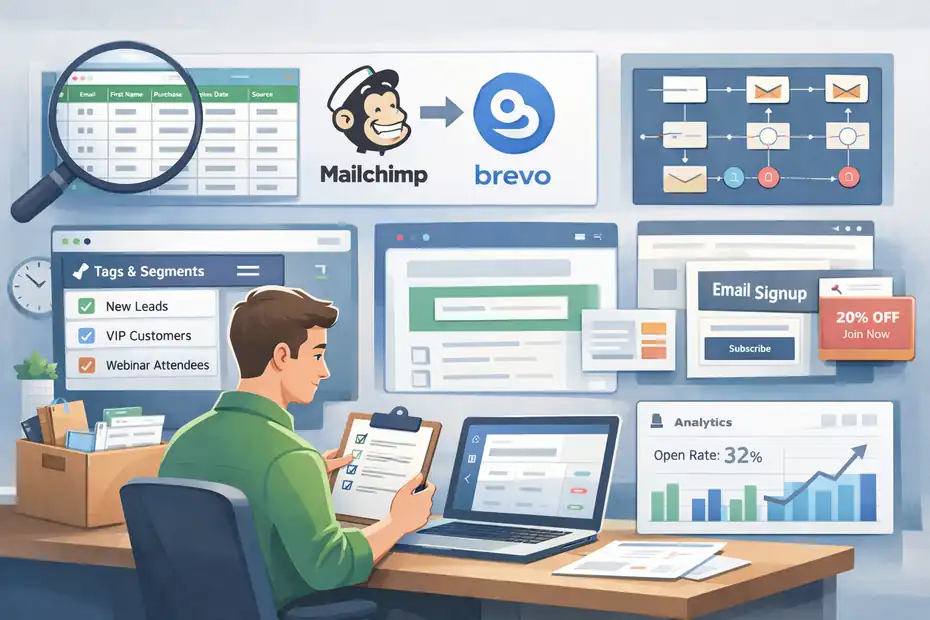
Before you start moving contacts or rebuilding automations, the smartest thing you can do is perform a full audit of your Mailchimp account.
Think of this like preparing to move houses. You wouldn’t throw everything into boxes without first organizing what you actually want to keep.
When switching from Mailchimp to Brevo, this audit prevents common problems like:
- Broken automations
- Missing contact data
- Lost segmentation
- Deliverability issues
Let’s go step by step through what you should review before exporting anything.
Exporting All Mailchimp Audiences Without Losing Data Fields
Mailchimp organizes contacts using something called audiences. Each audience functions like a separate list of subscribers.
Some accounts have only one audience, while others have several used for different products or brands.
Before switching platforms, you need to export every audience carefully.
But here’s something many beginners miss: your contacts often contain custom fields, such as:
- First name
- Last purchase date
- Location
- Lead source
- Customer status
If you export incorrectly, these fields may not transfer cleanly.
The safest approach is exporting your audience as a CSV file, which keeps all the columns intact.
Once exported, open the file in a spreadsheet and confirm that your important attributes appear as columns.
For example:
| First Name | Purchase Count | Signup Source |
These fields will later become contact attributes in your new system.
Taking five minutes to verify this now can save hours of manual cleanup later.
Auditing Tags, Segments, And Groups Before Exporting
Most mature Mailchimp accounts rely heavily on tags and segments to organize subscribers.
These systems allow you to target specific audiences like:
- New leads
- Customers
- Webinar attendees
- High-value buyers
However, tags and segments often evolve organically over time. You might have created them months or years ago and forgotten they exist.
Before exporting your contacts, it’s worth auditing these structures.
Ask yourself:
- Are there outdated tags that should be removed?
- Do some segments overlap unnecessarily?
- Are there tags that represent the same behavior?
Cleaning this up before migration makes the next platform easier to manage.
In my experience, many accounts reduce 20–30% of unnecessary tags during this audit phase.
The result is a cleaner segmentation structure that’s easier to rebuild later.
Documenting Current Mailchimp Automation Workflows
Automations are one of the most important things to document before switching from Mailchimp to Brevo.
Once you deactivate your Mailchimp account, these workflows disappear. If you haven’t documented them, rebuilding them becomes guesswork.
I recommend opening every automation workflow and writing down:
- Trigger event (signup, purchase, tag added)
- Email sequence structure
- Delay timing between emails
- Conditional paths or branching
Here’s a simple example of what documentation might look like.
Example workflow map:
- Trigger: User signs up through lead magnet form
- Email 1: Welcome email (sent immediately)
- Email 2: Educational email (2 days later)
- Email 3: Product introduction (5 days later)
This type of documentation makes rebuilding workflows later extremely straightforward.
Identifying Active Signup Forms Embedded On Your Website
One thing that frequently breaks during migrations is signup forms.
Many websites have embedded Mailchimp forms on:
- Blog sidebars
- Landing pages
- Popups
- Checkout pages
If you switch platforms without identifying these forms first, new subscribers will continue entering Mailchimp even after your migration.
Before leaving Mailchimp, make a list of every active form on your website.
Typical locations include:
- Homepage newsletter forms
- Lead magnet download pages
- Exit-intent popups
- Footer email signup boxes
I suggest testing each form yourself and noting where the subscriber data currently flows.
This helps ensure that when you rebuild the forms later, every subscriber enters the correct automation or list.
Backing Up Historical Campaign Reports And Analytics
One final step many people forget when switching from Mailchimp to Brevo is backing up historical campaign data.
Mailchimp provides valuable analytics such as:
- Open rates
- Click-through rates
- Subscriber growth trends
- Campaign revenue tracking
These insights can help guide your future email strategy.
For example, you might discover that:
- Product launch emails had a 32% open rate
- Educational newsletters averaged 8% click rates
- Certain subject lines performed significantly better
Exporting or recording these reports gives you a useful baseline for future campaigns.
In my experience, keeping a record of your best-performing campaigns helps you replicate successful strategies after migration.
Exporting Your Data From Mailchimp The Right Way
Once your audit is complete, the next step in switching from Mailchimp to Brevo is exporting your data properly.
This stage might sound simple, but it’s where many migrations go wrong.
If contacts, tags, or suppression lists are exported incorrectly, you can run into issues like:
- Sending emails to unsubscribed users
- Losing segmentation data
- Breaking automation triggers
Let me walk you through the safest way to export everything so your migration stays clean.
Exporting Mailchimp Audience Lists With Custom Fields
Start by exporting your main audience lists.
Most Mailchimp accounts store contacts inside a single audience, but larger accounts may use multiple audiences for different brands or products.
Export each audience separately so you can review the data clearly.
When exporting, ensure the following fields appear in the file:
- Email address
- First name
- Last name
- Tags
- Signup date
- Any custom attributes
Once downloaded, open the CSV file and scan the columns.
You’re mainly checking for:
- Missing values
- Broken formatting
- Empty columns that should contain data
A clean export ensures your contact attributes transfer smoothly during the next stage.
Downloading Tags, Groups, And Segment Conditions
Tags and segments often define how your marketing campaigns are targeted.
If these aren’t preserved during migration, you lose valuable audience organization.
Exporting tags usually happens alongside contact data, but it’s still important to double-check that tags appear as columns or fields.
For example, a contact might include tags such as:
- Customer
- Webinar attendee
- Lead magnet subscriber
You may also want to write down segment rules, such as:
- Subscribers who opened the last 5 campaigns
- Customers who purchased within 30 days
- Leads tagged as “high interest”
Documenting these rules makes it easier to rebuild your segmentation logic later.
Exporting Campaign Templates For Future Rebuilds
Email templates often represent hours of design work.
Even though you’ll likely rebuild them in your new platform, it’s helpful to save copies of your existing campaign designs.
You can do this by exporting:
- HTML email templates
- Campaign drafts
- Newsletter layouts
Saving these files ensures you can replicate your branding quickly without redesigning everything from scratch.
This is especially useful if your emails include:
- Custom HTML styling
- Brand colors and fonts
- Complex product layouts
Saving Automation Logic And Email Sequences
Earlier, we discussed documenting your automations. Now it’s time to capture the email content inside them.
Open each automation and save:
- Email subject lines
- Email body content
- Delay timing between emails
Some people simply copy this content into a document.
Others export HTML versions of each email.
Either method works, as long as you preserve the content and sequence order.
When rebuilding automations later, this archive becomes your blueprint.
Exporting Suppression Lists To Protect Deliverability
This step is absolutely critical.
Suppression lists include:
- Unsubscribed contacts
- Hard bounces
- Spam complaints
These contacts should never receive emails again.
If you forget to export this data during switching from Mailchimp to Brevo, you risk accidentally emailing people who opted out previously.
That can lead to:
- Spam complaints
- Reputation damage
- Lower deliverability
To prevent this, export your suppression lists separately and keep them ready for import into your new system.
This protects your sender reputation from day one after migration.
Setting Up Your Brevo Account For Migration Success
Before you import anything, you want your new setup to be clean, authenticated, and ready to send. This is the part many people rush through, and honestly, it is one of the biggest reasons migrations feel messy later.
A smooth start in Brevo makes the rest of switching from Mailchimp to Brevo much easier. You are not just opening an account. You are building the sending environment that will affect deliverability, automation accuracy, and how organized your customer data stays long term.
Creating Your Brevo Account And Choosing The Right Plan
The first step is simple, but the decision behind it matters more than most guides admit. When you create your Brevo account, do not just pick the cheapest plan and hope it works out later. I suggest choosing based on how you actually send emails, not on what sounds affordable at first glance.
Brevo’s pricing is generally tied to sending volume rather than total contact count, which is one of the main reasons people consider switching from Mailchimp to Brevo in the first place. That model tends to feel fairer if you have a larger list but send only a few campaigns each week.
For example, if you run a newsletter with 35,000 subscribers and email once or twice weekly, a send-based plan can be much more cost-efficient than paying for every stored contact.
When choosing a plan, check five things first: monthly email volume, automation needs, transactional email usage, user seats, and reporting requirements. If you run an ecommerce business, you may also need room for order emails and abandoned cart flows, not just newsletters. That is where people underestimate their usage.
A practical approach is this: start with your average monthly sends from the last 90 days, then add a buffer of 20% to 30%. That gives you breathing room during launch periods, promotions, or seasonal spikes.
In my experience, underbuying a plan creates more stress than saving money. You do not want your first migration month to include unexpected upgrade pressure.
Verifying Your Sending Domain And Authentication Records
This step is not glamorous, but it is one of the most important parts of switching from Mailchimp to Brevo. Domain authentication is what tells inbox providers that your emails are genuinely coming from your business and not from a spammer pretending to be you.
In simple terms, Brevo will ask you to add DNS records to your domain settings. These usually include SPF, DKIM, and sometimes a tracking or return-path record. If those abbreviations sound technical, here is the plain-English version: they are trust signals that help Gmail, Outlook, Yahoo, and other providers verify your sender identity.
Here is how I recommend handling it:
- Log into your domain host or DNS manager.
- Copy the exact records Brevo provides.
- Paste them carefully into your DNS settings.
- Wait for verification, which can take a few minutes or sometimes longer depending on propagation.
- Confirm the domain status inside Brevo before importing contacts or sending anything.
A common mistake is verifying only part of the setup and then assuming you are ready. You are not. If DKIM is missing, your campaigns may still send, but inbox trust can suffer. I have seen migrations where open rates dropped 10% to 20% simply because authentication was incomplete during the first few sends.
My advice is simple: Do not treat this as a technical checkbox. Treat it as sender reputation insurance.
Setting Up Dedicated Or Shared IP Sending Options
This is one of those migration decisions that sounds advanced, but it is actually pretty practical once you break it down. When sending email through Brevo, you may use either a shared IP or a dedicated IP. The right option depends mostly on your email volume and consistency.
A shared IP means you send alongside other Brevo users. For many small and mid-sized businesses, that is completely fine. In fact, it is often the best option if your sending pattern is irregular or you do not have enough volume to build your own sender reputation steadily.
A dedicated IP, on the other hand, is your own sending lane. It gives you more control, but it also means your reputation depends entirely on your behavior.
Here is the simple rule I use: if you send modest or inconsistent volumes, shared IP usually makes more sense. If you send large volumes regularly and need tighter reputation control, a dedicated IP can be worth considering. For example, a store sending daily promotions, post-purchase flows, and transactional messages at scale may benefit from dedicated infrastructure.
The catch is warm-up. A dedicated IP should never be blasted with your full list on day one. You need to ramp up volume gradually so inbox providers learn to trust the sending pattern. If you skip this, deliverability can wobble fast.
For many people switching from Mailchimp to Brevo, starting on a shared IP and moving later is the smartest path. It keeps the migration simpler while you rebuild your systems and stabilize performance.
Creating Custom Contact Attributes Inside Brevo
This is where your new setup starts becoming useful instead of just functional. Contact attributes are the fields that store subscriber information such as first name, signup source, order count, lead type, or customer stage. If you create these correctly before import, your segmentation and automations will be much easier to rebuild.
Think of attributes as the structure behind personalization. Without them, your list becomes just a pile of email addresses. With them, you can target smarter. You can separate buyers from leads, identify where people subscribed, or trigger different journeys based on business stage or engagement.
Before importing contacts, review the fields you used in Mailchimp and create matching attributes in Brevo. Typical examples include:
- First name
- Last name
- Signup date
- Lead source
- Customer status
- Purchase count
- Last order date
- Country or region
I recommend cleaning this list before recreating everything. This is a good time to remove fields you no longer use. If you had random old columns like “webinar_march_2023” or temporary tracking fields from past campaigns, leave them behind unless they still serve a clear purpose.
A smart shortcut is to name attributes in a way that still makes sense six months from now. Clear labels beat clever labels every time. “purchase_count” is useful. “pc_final_new” is how future-you ends up annoyed at 11:30 p.m.
Preparing Contact Lists For Clean Data Imports
Before you upload your CSV files, you want to clean the data so Brevo imports it without confusion. This step looks boring, but it saves an absurd amount of cleanup later. In my experience, most import problems are caused by messy source files, not the platform itself.
Start by reviewing each CSV and checking for duplicate emails, broken formatting, blank rows, and inconsistent values. For example, if one column says “United States,” another says “USA,” and another says “US,” that inconsistency can break clean segmentation later. The same goes for yes/no fields, date formatting, or naming conventions.
Here is a practical pre-import checklist:
- Remove duplicate contacts unless you intentionally need them merged by logic.
- Standardize date formats such as YYYY-MM-DD.
- Clean up empty columns that do not contain usable data.
- Normalize values like country names, customer stages, or lead sources.
- Make sure each header clearly matches the contact attribute it should map to.
I also suggest splitting large imports into logical groups when appropriate. For example, you might separate newsletter subscribers, customers, and leads from different sources instead of dumping everything into one massive file. That makes validation easier and reduces the chance of one mapping error affecting your entire database.
A clean import is not just about convenience. It directly affects segmentation, automation entry rules, and reporting later. This is one of those quiet steps that makes the entire migration feel professional.
Importing Mailchimp Contacts Into Brevo Without Errors
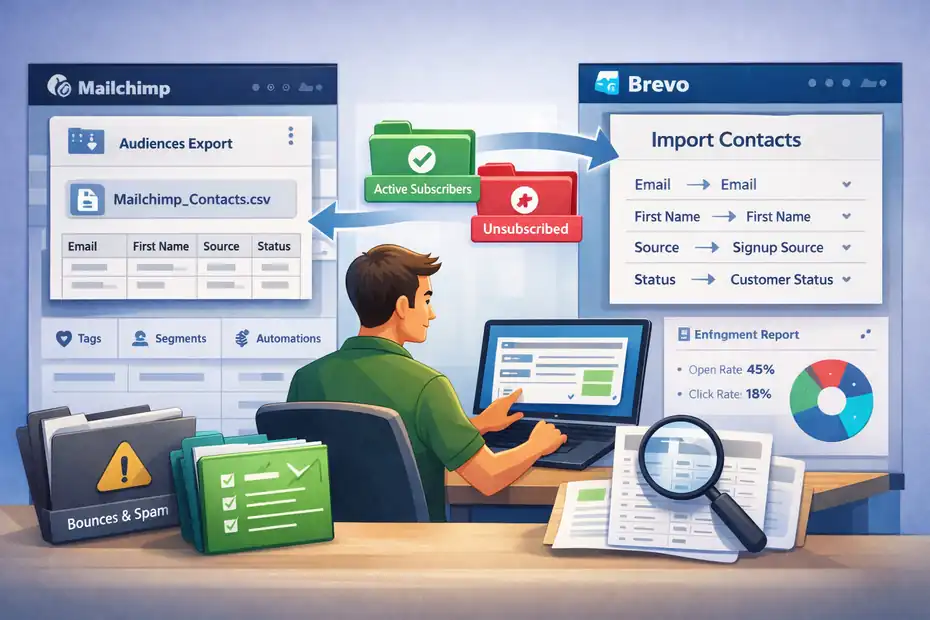
Once your Brevo account is properly set up, the next stage is moving your actual subscriber data. This is where a lot of migrations either stay clean and organized or turn into a slow-motion mess of broken fields, duplicate contacts, and missing segmentation.
The good news is that importing contacts into Brevo is usually straightforward when the prep work is done right. The goal here is not just to get contacts into the system. It is to preserve the logic behind your list so your targeting, automations, and deliverability stay intact.
Formatting CSV Files To Match Brevo Contact Fields
When you import contacts, Brevo reads your CSV file column by column. If the headers are inconsistent, unclear, or misaligned, the import may still go through, but the data can land in the wrong places. That is how you end up with last names inside first-name fields or dates treated like plain text.
The best way to avoid that is to format your CSV files before upload. Each column should represent one clean, clearly named data type. The top row should contain only the field names. No extra notes, no merged cells, no decorative formatting, and definitely no random blank rows at the top.
A simple structure might look like this:
| email | first_name | signup_source | customer_status | purchase_count |
That format makes mapping much easier inside Brevo. I also recommend using UTF-8 encoded CSV files when possible, especially if your list contains accented characters, special symbols, or international names.
One small detail people miss is field type consistency. If one row has a number and another has text in the same column, imports can get messy. For example, if “purchase_count” contains “3” in one row and “many” in another, you are setting yourself up for segmentation problems later.
My rule is simple: If a field should behave like a number, a date, or a yes/no value, format it that way across the whole file. Clean structure now gives you better filters, smarter automations, and fewer headaches after import.
Mapping Mailchimp Tags To Brevo Attributes And Lists
This is one of the most important thinking steps in switching from Mailchimp to Brevo. Mailchimp uses tags, groups, audiences, and segments in a way that does not always translate one-to-one inside another platform. If you import without a plan, you can technically move the data but lose the logic behind it.
Here is the mindset I recommend: Do not recreate Mailchimp exactly. Recreate the purpose of your organization. That distinction matters.
Some Mailchimp tags should become Brevo attributes. Others should become lists. Others should stay as segmentation filters built from behavior or profile data.
For example, “customer” might work better as a contact attribute, while “newsletter subscribers” may belong in a list. A temporary event tag like “black-friday-clicked” might be useful as a boolean field or as logic inside a segment instead of a permanent structural label.
Ask one question for each tag: what job is this label doing? Is it identifying source, lifecycle stage, behavior, product interest, or campaign history?
Here is a simple decision framework:
- Use attributes for stable profile data such as plan, stage, or source.
- Use lists for broad organizational buckets.
- Use segments for dynamic filtering based on rules.
This matters because cleaner structure leads to better automation later. If you try to force every old Mailchimp tag into a permanent Brevo list, your account can become cluttered fast. I believe this is the best time to simplify, not just transfer.
Importing Contacts While Preserving Segmentation Logic
Moving contacts is easy. Preserving why they were segmented is the part that requires more thought. If your Mailchimp account had engaged readers, customers, leads, webinar registrants, and inactive contacts all separated for a reason, that structure needs to survive the migration.
The safest way to preserve segmentation logic is to import contacts with the data that powers those segments. Instead of thinking only in terms of labels, think in terms of rules. For example, if a Mailchimp segment included “subscribers who joined from a webinar and clicked at least one offer email,” you need the relevant source field and engagement marker available in Brevo.
In practice, this usually means importing:
- Source-related fields such as signup page or lead magnet
- Lifecycle fields such as lead, prospect, or customer
- Relevant behavior flags where available
- Date fields such as signup date or last purchase
You can then rebuild those segments inside Brevo using filters and rules rather than manually recreating a static list every time.
A realistic example: imagine you run a course business and used Mailchimp to segment people who downloaded a checklist but never bought.
In Brevo, that group becomes easier to manage if you import “lead magnet source” and “customer status” as fields. Then the segment becomes a rule, not a maintenance task.
That is the real goal here. You are not just importing names. You are rebuilding targeting intelligence in a cleaner, more scalable way.
Handling Unsubscribed And Suppressed Contacts Correctly
This is the step that protects your sender reputation from avoidable damage. When people unsubscribe, bounce, or mark an email as spam, that history matters. You do not want those contacts slipping back into your active database during migration.
When switching from Mailchimp to Brevo, keep unsubscribed and suppressed contacts separate from active subscribers. Do not dump everyone into one file and “sort it out later.” Later is usually when mistakes happen.
At minimum, you should identify and isolate:
- Unsubscribed contacts
- Hard bounces
- Spam complaints
- Invalid or malformed addresses
- Role-based emails if they are low quality, such as info@ or admin@ in cold or low-intent lists
The point is not to delete every record blindly. In some cases, you may want to retain these contacts as excluded records for compliance and future reference. But they should not be imported as mailable subscribers.
I have seen migrations where a business accidentally re-imported old unsubscribes and sent a welcome campaign to them from the new platform. It is a fast way to generate complaints and start your new sender reputation on the wrong foot.
My advice is to maintain a clear suppression file, document why those addresses are excluded, and apply those exclusions before any campaign goes out. This is one of those behind-the-scenes steps that readers rarely celebrate, but inbox providers definitely notice.
Validating List Health Before First Campaign Send
Before you send your first campaign from Brevo, pause and validate the quality of the list you imported. This is the final checkpoint between a clean migration and a disappointing first send.
List health means looking at whether your contacts are valid, engaged, well-segmented, and permission-based. Even if your import succeeded technically, the database can still contain weak points such as stale subscribers, low-intent leads, or formatting issues that hurt performance.
I recommend checking five things before launch:
- Contact count accuracy: Does the total roughly match your expected active subscriber count?
- Field integrity: Are key attributes showing correctly across random sample contacts?
- Segment logic: Do your major groups produce the right people when filtered?
- Suppression protection: Are unsubscribes and bounces excluded properly?
- Engagement readiness: Can you identify your most active subscribers for the first send?
A smart first-campaign strategy is to send only to your most engaged segment first, such as people who opened or clicked recently before the migration. That gives you a cleaner signal and helps build confidence in the new environment.
In my experience, this first send is less about revenue and more about validation. You are watching delivery, open rate trends, click activity, and any unexpected issues with personalization or rendering. Think of it as a live systems check with real subscribers, not a giant grand opening.
Rebuilding Automations Inside Brevo’s Workflow Builder
Once your data is in place, the next big job is rebuilding the automations that actually make your email system useful. This is where switching from Mailchimp to Brevo starts to feel real, because you are moving from static migration work into active customer journeys.
The goal is not to recreate every old automation blindly. It is to rebuild the flows that matter most, clean up outdated logic, and make the system easier to scale. In many cases, this is where the new platform starts paying off.
Translating Mailchimp Customer Journeys Into Brevo Flows
Mailchimp automations and Brevo workflows do not always use the same structure, so the smartest approach is translation, not duplication. You are taking the intent behind each customer journey and rebuilding it in a way that fits Brevo’s logic.
Start with the journeys that drive the most value. Usually that means welcome sequences, lead nurture series, post-purchase flows, re-engagement campaigns, and any journey tied directly to revenue or lead qualification. Do not start with the weird edge-case automation you built at 1 a.m. during a launch two years ago. Start with the flows people actually enter every week.
For each old journey, document four things:
- Trigger: What starts the sequence?
- Timing: How long does each delay last?
- Decision logic: What changes the path?
- Goal: What result is the flow trying to create?
That last one matters a lot. A journey without a clear goal is usually just email clutter wearing a workflow costume.
Here is a practical example: a Mailchimp journey triggered by “tag added: ebook-download” might become a Brevo workflow triggered by contact attribute update or list entry. The emails themselves may stay similar, but the underlying trigger logic may need to change.
I suggest rebuilding one automation at a time and testing it before moving to the next. That slower, cleaner approach usually beats trying to rebuild your whole ecosystem in one sprint and then debugging everything at once.
Rebuilding Welcome Sequences Using Brevo Automation
Your welcome sequence should usually be the first automation you rebuild. It is the easiest place to validate your setup, and it often has the biggest downstream impact on engagement, clicks, and conversions. First impressions matter in email more than most people realize.
A good welcome sequence does not just say hello. It confirms the signup, sets expectations, and moves the subscriber toward one clear next step. Depending on your business, that next step might be reading a key article, booking a call, browsing products, or making a first purchase.
A simple structure often works well:
- Email 1: Deliver the promised lead magnet or confirmation immediately
- Email 2: Introduce your brand story or core value 1 to 2 days later
- Email 3: Point to a product, service, or high-value resource after that
- Email 4: Address a common objection or decision barrier
- Email 5: Invite action with a clear next step
When rebuilding this in Brevo, pay close attention to timing, entry conditions, and exclusions. For example, if a new subscriber buys before Email 3, they may need to exit the welcome flow and enter a customer sequence instead. That kind of logic prevents awkward email timing.
I believe this is also a good place to simplify. If your old welcome sequence had eight emails but only three actually drove clicks or replies, trim the fluff. A leaner, sharper sequence often performs better than a bloated one.
Setting Behavioral Triggers Based On Email Engagement
Once your core welcome flow is live, the next level is behavioral automation. This means the subscriber’s actions decide what happens next. Instead of everyone receiving the same sequence, the path changes based on clicks, opens, page visits, or contact updates.
This kind of logic makes email feel more relevant because it responds to interest instead of guessing at it. For example, someone who clicks a pricing link is signaling a different intent than someone who only reads educational content. Your follow-up should reflect that.
Useful behavioral triggers often include:
- Clicked a specific link
- Opened or did not open a message
- Joined a list from a specific source
- Reached a customer milestone
- Visited a key page or completed a form, where tracking is available
A realistic scenario: imagine you run a freelance coaching business. If a subscriber clicks your service package link but does not book a call, you can move them into a short objection-handling sequence. If they ignore all sales content but keep opening educational emails, you can keep them in nurture mode instead.
The key here is not to overcomplicate the logic. I suggest starting with one or two meaningful engagement branches rather than building a giant automation maze. Clear behavioral intent beats clever automation every time. The best workflows feel natural to the subscriber and easy to maintain for you.
Creating Lead Nurture Workflows With Conditional Paths
Lead nurture workflows are where many businesses start seeing real value after switching from Mailchimp to Brevo. These are the sequences that bridge the gap between casual interest and buying readiness. Done well, they keep leads warm without making every email feel like a sales pitch in disguise.
Conditional paths are what make this work. Instead of pushing every lead through the same sequence, you create different routes based on what they do, what they want, or what stage they are in. That makes the experience more relevant and usually improves click quality too.
Let me break it down with a simple example. Say you run a digital product business. A new lead downloads a free SEO checklist. In a basic sequence, everyone gets the same five follow-up emails. In a conditional nurture workflow, someone who clicks the “technical SEO” resource gets different follow-up content than someone who clicks the “content strategy” guide.
That logic helps you do three useful things:
- Match follow-up content to actual interest
- Move warmer leads closer to the offer faster
- Keep less-ready leads engaged without forcing the sale
A practical nurture flow often includes education, trust-building, light objection handling, and a soft conversion point. I recommend defining one main conversion goal per workflow.
If one sequence tries to sell a course, a template, a consulting package, and a webinar all at once, the reader usually chooses none of them. Clear pathways convert better and are much easier to optimize later.
Testing Automation Timing And Trigger Logic
This is the part people are tempted to skip because they are tired of the migration by now. I get it. But testing your workflows is what separates a smooth launch from a week of apologizing to subscribers after sending the wrong email at the wrong time.
Every automation should be tested before it goes fully live. That means creating test contacts, manually triggering workflows, and checking whether the correct emails fire at the correct times under the correct conditions. It sounds repetitive because it is. It is also necessary.
I recommend testing at three levels:
- Trigger test: Does the workflow start when the right event happens?
- Timing test: Do delays work as expected?
- Path test: Do contacts move into the correct branch based on behavior or attributes?
A real example: if a subscriber joins your welcome list and then purchases within 24 hours, what happens next? Do they still get the “why you should buy” email two days later? If yes, that is a logic gap you want to catch before launch.
You should also test personalization fields, subject lines, internal notifications, and exit conditions. From what I have seen, the most common mistakes are duplicate enrollment, delayed emails firing too early, and subscribers staying in a sequence after they should have exited.
My honest opinion is this: Testing feels slow, but fixing a broken automation after 5,000 people enter it feels much slower. A couple of careful test runs now can save your migration reputation later.
Recreating Signup Forms And Lead Capture Systems
This is the part of switching from Mailchimp to Brevo that looks small on paper but causes a surprising number of migration mistakes. Your forms are the front door to your list, so if they break, misfire, or send people into the wrong sequence, the rest of your setup starts wobbling fast.
The goal here is not just to replace a form box on your site. It is to make sure every new subscriber enters the right list, gets the right tags or attributes, and starts the right workflow from day one.
Replacing Mailchimp Embedded Forms With Brevo Forms
Embedded forms are usually the first thing you need to swap out because they sit directly on your pages, posts, sidebar areas, and footer sections. If you leave old Mailchimp forms live after moving platforms, you end up collecting leads into the wrong system, which is the digital equivalent of forwarding your mail to the old house.
Start by making a list of every place an embedded signup form appears. That often includes blog posts, homepage sections, resource pages, and sitewide footer forms. I suggest checking not only visible forms but also old landing pages that still rank in search or get shared from old campaigns. Those forgotten pages are where messy lead capture tends to happen.
When recreating the form, keep the structure simple at first. Collect only the fields you truly need. In most cases, email address and first name are enough unless segmentation requires more context. If you ask for too much data up front, conversion rates usually drop. I have seen businesses add three extra fields “for better targeting” and quietly cut lead generation by double digits.
As you replace each form, verify three things: the destination list, the assigned attributes, and the automation trigger. It is also smart to update the thank-you message or redirect page so the new subscriber experience feels intentional rather than patched together. A form is not just a box. It is the first step in your relationship with that subscriber.
Migrating Popups And Landing Page Lead Forms
Popups and landing page forms require a little more attention because they often include extra logic, timing rules, or lead magnet delivery steps.
Unlike a simple embedded form, these usually have conversion intent built into them. That means a sloppy migration can hurt list growth quietly, even if everything appears functional.
Start by identifying which forms are actually worth migrating. This is a good chance to prune weak assets. If a popup has converted poorly for months or an old landing page targets an offer you no longer promote, you do not need to drag that baggage into your new setup.
I believe migrations work best when they simplify before they scale.
For each popup or landing page, document:
- The offer being promoted
- The trigger or display behavior
- The form fields being collected
- The thank-you step or redirect path
- The follow-up workflow that should start after submission
A practical example: imagine you run a freelance design business and offer a “Website Copy Checklist” popup on blog posts.
That form should not just collect the lead. It should add the right source attribute, trigger the checklist delivery email, and move the subscriber into a nurture sequence tied to service interest.
If even one of those steps is missing, the form may still technically work but underperform strategically.
This is where I recommend thinking beyond the form itself. Ask what promise the page or popup makes, then make sure the backend experience fulfills that promise immediately.
Connecting Brevo Forms With WordPress Or Shopify
If your site runs on WordPress or Shopify, the real job is not only building forms. It is making sure the form and the site behave like one connected system. This is where many people assume the integration alone will solve everything, but in practice, integrations still need testing and logic checks.
On WordPress, forms may live inside page builders, popup plugins, theme widgets, or custom code blocks. On Shopify, forms can appear in theme sections, popups, footer forms, and customer capture apps. Before replacing anything, map where each form currently lives so you do not miss hidden placements.
The practical workflow looks like this:
- Identify the form location on the site.
- Replace the old connection or embed with the new Brevo version.
- Confirm the form submits correctly on desktop and mobile.
- Check where the contact lands after submission.
- Verify the correct follow-up action fires.
A common migration issue is assuming that because the form appears correctly on the page, it is working correctly behind the scenes. I have seen forms that visually submit just fine but fail to apply the right attributes or start the right automation. That means the lead exists, but the system has no idea what to do next.
If you run an ecommerce store, pay extra attention to where forms appear in the buying journey. Newsletter signup, back-in-stock interest, and post-purchase capture are not all the same kind of lead. Treat them differently from the start and your segmentation gets much stronger later.
Ensuring New Subscribers Enter The Correct Workflows
This is where the form setup turns into actual marketing logic. A subscriber should not just be collected. They should enter the right journey based on how they joined, what they requested, and what stage they are in. Otherwise, your automation becomes a pile of generic emails pretending to be personalization.
The easiest mistake here is routing every new contact into one default sequence. That sounds efficient, but it usually creates a poor experience. Someone who signed up for a discount code should not receive the same welcome path as someone who downloaded a long-form guide or requested a consultation.
I recommend thinking in terms of entry intent. Ask why this person subscribed right now. Their answer should shape the first emails they receive.
Here is a practical way to structure it:
- Lead magnet signup: Enter educational nurture tied to that topic
- Newsletter signup: Enter a general welcome sequence
- Customer signup or buyer: Skip lead nurture and move into onboarding or post-purchase messaging
- Inquiry or quote request: Route into a higher-intent sequence with faster follow-up
A realistic example: if someone joins from a product comparison guide, they are probably closer to evaluating solutions than a general blog reader. Their first few emails should reflect that. In my experience, matching workflow entry to signup context is one of the easiest ways to improve click quality without sending more email.
This part matters because the first automation is where trust is either built or diluted.
Testing Form Submissions And Contact Tagging
Once your forms are in place, do not assume they are ready just because they submit. Testing is where you catch the quiet errors that otherwise sit there stealing leads for weeks. I know that sounds dramatic, but I have seen migrations where one mistyped field mapping sent every new subscriber into the wrong automation for a month.
Create multiple test submissions using different email addresses and user paths. Submit forms from desktop and mobile. Test embedded forms, popups, and landing pages separately. Then check exactly what happened to each contact.
You want to confirm:
- The form submission succeeds without errors
- The contact enters the correct list or database segment
- The right attributes are applied
- The correct workflow starts immediately or after the intended delay
- Any confirmation email, redirect, or lead magnet delivery works properly
Here is where I get a little obsessive, and I think it is worth it: check one contact record line by line after each test. Look at source data, tags or attributes, timestamps, and automation enrollment. A form that only “mostly works” is not working.
A good final test is scenario-based. Example: submit through a blog popup, then verify that the contact gets the expected email, the right source value, and the correct nurture path. This lets you test the whole chain, not just the form itself. That is the level of detail that makes switching from Mailchimp to Brevo feel smooth rather than stressful.
Preserving Email Deliverability During The Platform Switch
Deliverability is the part of migration that people often notice only after something goes wrong. You can move lists, rebuild forms, and recreate automations perfectly, but if inbox providers do not trust the new sending setup, your results can dip fast.
The good news is that most deliverability problems during switching from Mailchimp to Brevo are preventable. The key is to move gradually, send to the right people first, and avoid doing anything that looks suspicious to inbox providers.
Warming Up Your Brevo Sending Domain Gradually
A new sending setup should earn trust over time, not demand it on day one. That is what warming up means. You gradually increase sending volume so mailbox providers can observe a normal, healthy pattern instead of seeing a sudden blast from a new source.
Even if your subscribers know you, your new environment still needs to establish its own reputation. This is especially important if you are using a new domain configuration or changing the underlying sending infrastructure. I suggest treating your first few sends as reputation-building sends, not as major campaigns.
A simple warm-up pattern often looks like this:
- Start with your most engaged subscribers first.
- Send a smaller campaign to that segment.
- Watch bounce, complaint, and engagement signals.
- Increase volume gradually over several sends.
- Expand to less-active segments only after performance stays stable.
Imagine you have a list of 40,000 contacts. Do not send all 40,000 from the new setup on day one just because the import completed. Start with the people who opened or clicked recently. Those contacts are more likely to engage, which sends positive trust signals.
From what I have seen, warm-up is less about a magic number and more about controlled pacing. The inbox providers are basically asking, “Does this sender behave like a real business people want mail from?” Your first sends should answer yes as clearly as possible.
Avoiding Spam Triggers During Your First Campaigns
Your first campaigns from the new platform should be boring in the best possible way. This is not the time for your most aggressive launch copy, your loudest subject line, or a massive all-caps promotion because you feel pressure to “make the move count.” Early campaigns should prioritize trust and stability.
Spam triggers are not just about certain words anymore. They come from patterns. Sudden volume spikes, poor engagement, low-quality lists, heavy image use, misleading subject lines, or sending to people who have not heard from you in ages can all raise red flags.
I recommend keeping your first campaigns simple:
- Use a recognizable sender name
- Write a clear, honest subject line
- Send plain or lightly formatted content
- Include a visible unsubscribe option
- Avoid overloaded layouts with too many links or large images
A practical first email might simply reintroduce your brand voice and deliver something useful. If you need a bridge message, tell subscribers what they can expect going forward. You do not need to announce your platform migration like it is a family move across the country, but a familiar tone helps reinforce continuity.
One mistake I have seen is using the first send as a “we miss you” blast to cold segments. That is risky. Your first campaigns should go to people most likely to open, click, and confirm that your new sending environment deserves inbox placement.
Segmenting Engaged Subscribers For Initial Sends
If I had to pick one tactic that matters most for early deliverability, it would be this one. Start with engaged subscribers. Not your whole list. Not your “maybe they still remember us” crowd. The people who have interacted recently.
Engaged segments give you the best chance of strong open and click signals, which help mailbox providers build confidence in your new sending environment. In plain language, you want your early audiences to say, “Yes, we know this sender, and yes, we care about these emails.”
How you define engaged depends on your business model, but practical filters often include:
- Opened in the last 30 to 90 days
- Clicked at least one campaign recently
- Purchased recently if you are in ecommerce
- Joined recently through a confirmed form or lead magnet
A realistic example: if you imported 18,000 subscribers, but only 4,500 engaged meaningfully in the last 60 days, those 4,500 are your opening group. That may feel smaller than you hoped, but it is usually the smarter play. Good engagement from 4,500 people is more helpful than weak engagement from 18,000.
I believe this is where a lot of businesses protect themselves from avoidable deliverability drops. They accept that list size and list quality are not the same thing. During a migration, quality wins every time. You can always expand later once the new setup proves itself.
Monitoring Open Rates After Migration
Open rates are not a perfect metric, but they are still useful as an early warning signal after migration. You should not obsess over every fluctuation, but you absolutely should monitor directional changes across your first several sends.
The key is comparison. Look at your recent Mailchimp baseline and compare it to early Brevo performance with similar audience segments and similar email types. A slight difference is normal. A major drop deserves investigation.
Here is what I suggest watching after each early campaign:
- Open rate trend by audience segment
- Click rate trend compared with opens
- Bounce rate
- Unsubscribe rate
- Complaint or spam report indicators where available
If opens dip sharply but clicks among openers remain strong, the issue may be inbox placement or subject-line visibility rather than content quality. If both opens and clicks fall together, you may be dealing with a trust, targeting, or list health issue. If unsubscribes spike, your segmentation or message alignment may be off.
A practical tip: compare campaign type to campaign type. Do not compare a sale email to an educational newsletter and assume the platform caused the difference. That is how people blame the migration for what was really a content mismatch.
In my experience, the first three to five sends tell you much more than the first one alone. Trends matter more than one isolated number.
Cleaning Inactive Contacts Before Large Broadcasts
This is the least exciting advice in the whole migration guide, which probably means it is one of the most useful. Before sending larger broadcasts from your new setup, clean inactive contacts aggressively and thoughtfully.
Inactive subscribers are not automatically bad, but they are risky during a platform transition. If a large chunk of your list has not opened or clicked in a long time, sending to all of them from a fresh environment can drag down engagement and increase complaints. That is not the kind of first impression you want to make with inbox providers.
A sensible cleanup process usually includes:
- Identifying contacts with no opens or clicks over a long period
- Reviewing whether those people ever purchased or converted
- Moving long-term inactive users into a re-engagement segment
- Excluding non-responders from major campaigns if they stay inactive
For example, if someone has not opened an email in 12 months and never clicked a single offer, they probably should not be in your first large broadcast from the new platform. A smaller, deliberate re-engagement sequence later is much safer.
I know removing or excluding contacts can feel emotionally painful because list size has a way of flattering us. But inflated list numbers do not help if the people behind them are no longer paying attention. In most cases, a smaller active list produces better deliverability, cleaner analytics, and more honest marketing decisions.
Testing Your Email System Before Full Migration
Before you fully shut off the old setup, you want proof that the new one works in real-world conditions. Not in theory. Not “it looked fine in the builder.” Actually works.
This testing phase is where you check the entire system: campaigns, forms, automations, links, personalization, tracking, and compliance. It is the final quality-control pass before switching from Mailchimp to Brevo becomes permanent.
Sending Internal Campaign Tests Across Multiple Devices
Your first campaign tests should go to internal addresses before they ever reach subscribers. I recommend sending to a small set of test inboxes across different providers and devices so you can catch display issues, formatting glitches, and sender inconsistencies early.
At minimum, test on:
- Gmail
- Outlook
- Apple Mail if available
- Mobile phone view
- Desktop browser or email app
Look for the details readers actually notice. Is the sender name familiar? Does the preview text support the subject line? Does the email look clean on mobile without awkward spacing or giant image blocks? Are buttons easy to tap? A campaign can look great in the builder and still fall apart in an inbox.
I also suggest checking both light and dark mode if that matters for your template style. It is one of those modern details many teams ignore until a logo disappears into a dark background and suddenly your polished newsletter looks like a ghosted coupon from 2009.
A helpful habit is to create a simple internal checklist for every pre-send test:
- Subject line displays correctly.
- Preheader reads naturally.
- Layout holds on desktop and mobile.
- Main links work.
- Footer and unsubscribe area display correctly.
These tests do not need to be dramatic. They need to be consistent.
Running Automation Simulations With Test Contacts
Campaign tests tell you whether an email sends properly. Automation simulations tell you whether your system thinks properly. That is a different kind of test, and it matters just as much.
Create several test contacts and push them through different entry paths. One should behave like a new newsletter subscriber. Another should mimic a lead magnet signup.
Another should represent a customer action if your sequences depend on lifecycle changes. You are trying to simulate the decisions a real person might trigger.
Check whether:
- The automation starts when expected
- The correct branch is selected
- Delays fire at the right intervals
- Exit conditions work
- Contacts do not enter duplicate sequences by accident
A realistic scenario might look like this: a subscriber joins through a checklist form, receives the welcome email, clicks the pricing link, and then purchases. What happens next? Do they exit lead nurture? Do they still receive a sales push they no longer need? Do they enter a customer onboarding path?
This kind of simulation helps you catch the logical gaps that are invisible in a workflow diagram. From what I have seen, the most common automation problem during migration is not that nothing works. It is that almost everything works, except one key condition that creates awkward experiences at scale.
The more realistic your test scenarios, the fewer surprises you will have later.
Checking Personalization Fields And Dynamic Content
Personalization errors are small enough to miss during setup and obvious enough to embarrass you in a live send. That is why they deserve their own testing stage.
If your emails use first-name fields, account data, conditional sections, or custom attributes, test each version before going live. The goal is to confirm that real subscriber data populates correctly and that fallback logic works when a field is missing.
Things to check include:
- First name displays properly
- Empty fields do not create broken greetings
- Conditional sections appear only when they should
- Product, source, or lifecycle references match the contact record
A classic mistake is assuming every imported contact has a first name. Then the campaign goes out saying, “Hi ,” to a big chunk of the list. Nothing says “carefully automated relationship-building” quite like greeting someone with a comma.
I recommend testing three cases for every personalized email:
- A contact with complete data
- A contact missing optional fields
- A contact in a different segment or branch
Dynamic content should feel seamless to the reader. If they can tell the logic is stitched together awkwardly, the trust effect goes backward. In my experience, simple personalization that works reliably beats complicated personalization that fails unpredictably.
Validating Links, Tracking, And Analytics Setup
A migration is not complete if your emails send beautifully but your data becomes unreliable. You need to validate the tracking layer before full rollout so you know what is actually working after launch.
Start with the basics. Click every important link in your test campaigns and automations. Make sure each one goes to the correct destination, loads properly on mobile, and reflects the intended next step. Then check whether the click is tracked where it should be.
This is also the moment to confirm your broader analytics setup. If you rely on campaign attribution, revenue tracking, or UTM parameters for reporting, check that those values are still being applied correctly.
The exact setup will vary depending on your site and analytics stack, but the principle stays the same: the journey should remain measurable after the platform switch.
Here is a practical validation flow:
- Open a test email
- Click a main CTA
- Confirm the page loads correctly
- Check whether the click is recorded
- Verify any campaign tagging or attribution rules are present
A realistic example: if your newsletter normally drives traffic to a product collection page, but your new tracking setup strips campaign parameters, your analytics may underreport email performance. That can make a successful migration look weaker than it really is.
I suggest treating tracking as part of the product, not as a reporting extra. If you cannot measure what happens after the click, optimization gets much harder.
Confirming Compliance With GDPR And Email Consent
This step is not glamorous, but it is essential. When switching from Mailchimp to Brevo, you need to make sure your consent records, subscription logic, and unsubscribe handling still align with the permissions your contacts originally gave.
In practical terms, that means asking a few clear questions. Did these people actually opt in? Can you identify where they signed up? Are unsubscribed users properly excluded? Are your forms still communicating what subscribers are agreeing to receive?
For many of us, consent management is one of those areas that feels “basically fine” until a migration forces us to look closely. That is not a bad thing. It is a chance to tighten your process.
A useful compliance check includes:
- Confirming opt-in sources are documented where possible
- Preserving unsubscribe status during import
- Making sure form language matches what you actually send
- Verifying preference or consent logic still works after migration
- Ensuring footer and unsubscribe mechanisms are present in every campaign
If you serve audiences where GDPR or similar privacy expectations matter, clear records become even more important. Even outside strict legal interpretation, respectful consent practices are good email strategy. Subscribers who remember why they joined are more likely to stay engaged.
My advice is simple: do not use migration as an excuse to email people whose permission is unclear. That shortcut rarely ends well.
Cancelling Mailchimp Safely After Successful Migration
Once the new system is running, it can be tempting to shut down Mailchimp immediately and call the project finished. I understand the urge. By this point, you probably want closure.
But the safest final step in switching from Mailchimp to Brevo is a controlled transition, not a dramatic cutoff. You want proof that forms, automations, tracking, and list growth are all functioning consistently before you remove the old setup for good.
Running Parallel Campaigns During The Transition Period
A short transition period where both systems are still visible to you can reduce risk significantly. This does not mean sending duplicate campaigns to subscribers from two platforms at once. It means keeping Mailchimp accessible while Brevo becomes the live system, so you have a fallback reference point if something unexpected appears.
During this phase, Brevo should handle the active sending, while Mailchimp remains available for verification, historical checks, and final comparison. I usually recommend a brief observation window long enough to confirm that subscriber capture, core automations, and reporting are stable.
Here is what you are really validating during the transition:
- New leads are entering Brevo, not Mailchimp
- Active campaigns and automations are firing from the new setup
- Historical Mailchimp data is still accessible if needed
- No forgotten forms or pages are still feeding the old system
A practical example: if a lead comes through an old blog page and still lands in Mailchimp, you want to catch that while the old account is still available, not three weeks after closure when the trail has gone cold.
In my experience, this transition period acts like a quiet insurance policy. You may not need it, but if something slips through, you will be glad the old reference environment is still there.
Verifying All Automations Are Working In Brevo
Before you cancel anything, confirm that every important automation now works entirely from Brevo without relying on old logic, old forms, or manual workarounds. This is the checkpoint that tells you the migration is operational, not just technically finished.
Focus first on the workflows that affect revenue, lead capture, and customer experience. Those are usually:
- Welcome sequences
- Lead nurture flows
- Post-purchase or onboarding emails
- Re-engagement workflows
- Notification paths tied to important subscriber actions
Go one by one and confirm the trigger, timing, branch logic, and exit rules are functioning correctly. I suggest reviewing recent enrollments rather than only looking at workflow design. A workflow can look perfect in the builder and still behave strangely with real contacts.
One simple way to validate this is to compare expected outcomes with recent examples. If five subscribers joined a certain form this week, did all five enter the correct sequence?
If a customer purchased, did they move out of pre-sale nurture and into the right onboarding path? That kind of spot check tells you more than staring at settings screens.
My honest take is that a platform migration is not truly done until the automations can run without you hovering over them nervously like a parent watching a kid ride a bike for the first time.
Confirming Contact Growth And Form Integrations
It is not enough for your existing contacts to be imported correctly. You also need to confirm that new contact growth is happening normally after the move. This is where a lot of migrations look fine at first glance but quietly start underperforming because forms, integrations, or routing logic are incomplete.
Check subscriber growth across a normal week and compare it to your recent baseline. You are not looking for identical numbers down to the decimal. You are looking for healthy continuity. If your site usually generates 20 to 30 new leads per day and now you are seeing 8, that is worth investigating.
Areas to review include:
- Embedded forms on core pages
- Popup form activity
- Landing page capture rates
- Ecommerce signup sources
- Contact source attribution inside the new system
A realistic example: imagine your footer form works, but your blog content upgrade forms are still connected to the old system or missing source attributes. Your total lead count may appear normal, but the quality and routing of those leads will be off. That can distort automation performance later.
I recommend checking not only whether contacts are arriving, but whether they are arriving cleanly. Are they getting the right source value? The right list assignment? The right workflow entry? Growth without structure creates cleanup work later. Growth with structure creates momentum.
Exporting Final Mailchimp Data Archives
Before closing or downgrading your old account, export a final archive from Mailchimp. Think of this as your migration receipt. Once the account is closed or features are reduced, retrieving historical reports, templates, or audience snapshots can become harder than expected.
Your final archive should usually include:
- Contact exports
- Suppression or unsubscribe records
- Campaign reports
- Automation reference notes
- Templates or raw email content you may want later
You do not need to keep every tiny artifact forever, but you do want enough history to answer future questions. Maybe six months from now you will want to compare open-rate trends before and after the migration.
Maybe you will need an old campaign layout or proof of legacy list status. Having a final archive turns those from stressful guesses into easy lookups.
I suggest organizing the archive clearly by category and date. Future-you will appreciate folders that make sense. “mailchimp-final-exports” is helpful. “random-old-email-stuff-v2-final-final” is less so.
This step rarely feels urgent in the moment, which is exactly why people skip it. Then one day they need an old report, and suddenly the skipped archive becomes very important.
Closing Or Downgrading Your Mailchimp Account
Once you have confirmed that Brevo is fully live, forms are working, automations are stable, and your final archive is saved, you can decide whether to close Mailchimp completely or downgrade it temporarily.
The right choice depends on your comfort level and operational needs. Some businesses prefer a clean break once everything is stable. Others keep a lower-tier setup for a short period while they monitor performance and confirm nothing else was missed. There is no universal rule here, but there should be a deliberate decision.
Before closing or downgrading, double-check:
- No active forms still point to Mailchimp
- No critical automations remain there
- Historical data has been exported
- Billing changes are understood
- Team members know the migration is complete
If you decide to close the account, treat it like the end of a system, not just the end of a subscription. Update internal documentation, remove old embeds, and make sure no one on your team is still using outdated templates or workflows out of habit.
From what I have seen, the cleanest migrations end quietly. No panic. No mystery gaps. Just a stable new setup, cleaner costs, better structure, and a team that no longer has to wonder which platform is actually running the show.
That is the real finish line of switching from Mailchimp to Brevo. Not just moving data, but ending up with a system you trust.
FAQ
Is switching from Mailchimp to Brevo difficult?
Switching from Mailchimp to Brevo is usually straightforward if you migrate in the right order. Most problems happen when people skip list cleaning, domain authentication, or automation testing. A structured migration plan helps you move contacts, forms, and workflows without losing data or hurting deliverability.
Can I move my Mailchimp contacts to Brevo without losing tags?
Yes, you can move Mailchimp contacts to Brevo without losing useful organization, but tags often need to be remapped into attributes, lists, or segments. The key is to export your data cleanly, preserve custom fields, and rebuild the logic behind your segmentation instead of copying everything blindly.
Will switching from Mailchimp to Brevo affect email deliverability?
Switching from Mailchimp to Brevo can affect deliverability if you send too fast or import old inactive contacts. In most cases, deliverability stays healthy when you authenticate your domain, warm up gradually, and send first to engaged subscribers who already recognize your emails.
When should I cancel Mailchimp after moving to Brevo?
You should cancel Mailchimp only after Brevo is fully working for forms, automations, list growth, and campaign sending. It is smart to keep Mailchimp active briefly during the transition so you can verify that nothing is still connected to the old platform before closing it.
Why are businesses switching from Mailchimp to Brevo in 2026?
Many businesses are switching from Mailchimp to Brevo because Brevo’s pricing is often more flexible for growing lists, especially when contact-based billing becomes expensive. Businesses also like combining email marketing, automation, CRM, and transactional email in one platform instead of paying for multiple tools.

I’m Juxhin, the voice behind The Justifiable.
I’ve spent 6+ years building blogs, managing affiliate campaigns, and testing the messy world of online business. Here, I cut the fluff and share the strategies that actually move the needle — so you can build income that’s sustainable, not speculative.