
Table of Contents
Some links on The Justifiable are affiliate links, meaning we may earn a small commission at no extra cost to you. Read full disclaimer.
The best tools to use with HubSpot are the ones that remove friction, connect your data, and make your team faster without turning your setup into a mess.
That sounds simple, but in practice, most teams add too many apps too early and end up with duplicate records, broken workflows, and reporting they do not trust.
I believe the smarter move is to build a lean HubSpot stack around your actual bottlenecks first.
In this guide, I’ll walk you through the best HubSpot tools by use case, how they work together, what to prioritize first, and how to avoid the common integration mistakes that quietly hurt results.
What makes a tool worth using with HubSpot
A good HubSpot tool should solve a real operational problem, not just add another logo to your tech stack.
Before you install anything, it helps to think in terms of friction: where are leads getting stuck, where is data going stale, and where is your team repeating manual work?
Start with the workflow problem, not the app
Many teams search for the best tools to use with HubSpot when the real issue is not the tool itself. It is the workflow behind it. If your sales team forgets to log calls, the answer may be a calling integration.
If ecommerce data is missing from contact records, the answer may be a store sync. If you are copying data between apps, the answer may be automation.
I suggest asking three simple questions before adding anything:
- What manual task is slowing us down every week?
- What customer data do we need inside HubSpot but do not have?
- What action should happen automatically after a lead, deal, ticket, or order changes?
That framing keeps your stack lean. In my experience, the strongest HubSpot setups are usually built around five to eight tightly connected tools, not twenty random integrations.
A useful benchmark here is scale. HubSpot says its marketplace includes more than 2,000 apps, and the broader CRM messaging around HubSpot highlights connections to over 2,000 popular business apps. That is great for flexibility, but it also means it is very easy to overbuild.
Choose tools that improve data quality and actionability
The best integrations do two things at once: they bring better data into HubSpot, and they make that data usable in automation, segmentation, sales activity, or reporting.
For example, a Shopify integration is not valuable just because it syncs orders. It becomes valuable when those order events help you create smarter lifecycle stages, post-purchase campaigns, win-back automations, and revenue reporting.
HubSpot’s Shopify data sync is built specifically to bring customers, orders, and products into the platform so teams can personalize campaigns and measure revenue impact more clearly.
This is where a lot of companies get it wrong. They connect data, but they do not decide what should happen next. So the app installs successfully, yet results barely move.
Prioritize native and certified integrations when possible
Not every third-party app is risky, but native or well-supported marketplace apps usually give you a smoother setup, better long-term reliability, and fewer maintenance headaches.
HubSpot’s marketplace includes certified apps such as Slack and Zoom, both of which are widely used and tightly connected to everyday sales and service workflows. Slack shows 80K installs in the marketplace, while Zoom shows 98K installs.
That install volume does not automatically make an app perfect, but it is a useful signal. Popular, certified integrations usually have clearer documentation, better support paths, and more predictable behavior inside HubSpot.
The best tools to use with HubSpot by category
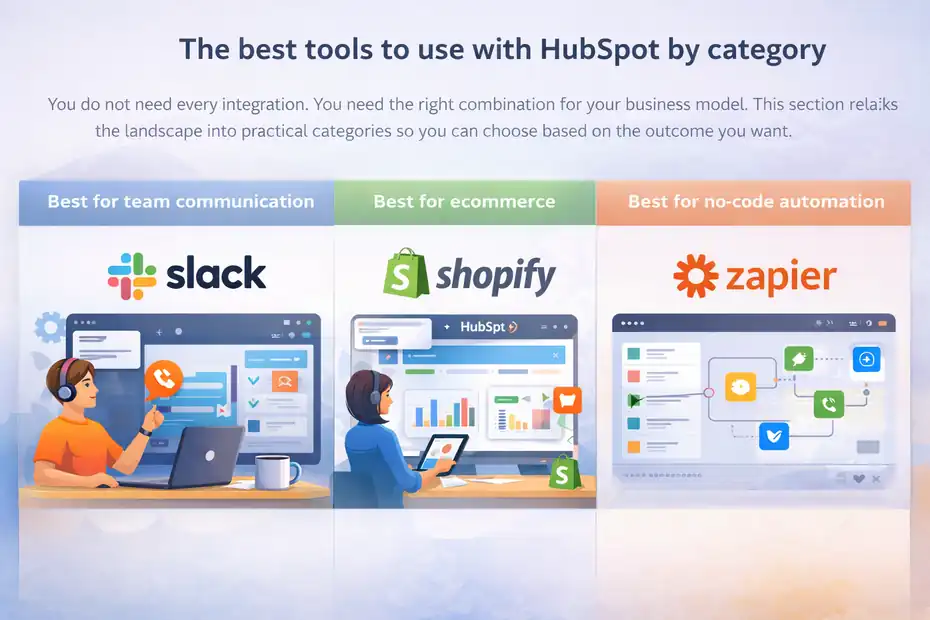
You do not need every integration. You need the right combination for your business model.
This section breaks the landscape into practical categories so you can choose based on the outcome you want.
Best for team communication: Slack
Slack is one of the most practical tools to pair with HubSpot because it keeps activity visible where your team is already working. The integration lets teams manage records, receive notifications, use slash commands, and even reply to live chats from Slack in certain workflows.
HubSpot’s knowledge base and Slack app page both position it as a day-to-day execution layer for notifications and record actions.
This matters more than it sounds. Imagine a sales rep gets a high-intent form submission from a target account. If that alert lives only inside HubSpot, response time depends on someone checking the CRM. If that same event posts into a deal room or sales channel in Slack, follow-up becomes immediate.
I recommend Slack most when you want to improve speed and visibility, especially for:
- New lead alerts
- Deal stage changes
- Task reminders
- Ticket escalations
- Internal handoff notifications
Where teams go wrong is sending too many alerts. If every tiny update hits Slack, people mute the channel and the integration loses value. Keep Slack connected to high-value events only.
Best for ecommerce: Shopify
If you run an ecommerce business, Shopify is one of the strongest HubSpot integrations you can add. HubSpot’s native Shopify data sync is designed to unify ecommerce and customer data so teams can personalize campaigns, automate follow-ups, and measure revenue impact.
The setup also adds HubSpot tracking code to your Shopify store automatically when installed through the supported flow.
That combination is powerful because it closes the gap between marketing and revenue. Instead of treating customers like anonymous email subscribers, you can segment based on product purchases, order history, cart behavior, and customer lifecycle signals.
A realistic use case looks like this:
- A customer buys for the first time
- HubSpot moves them into a post-purchase lifecycle stage
- They enter a cross-sell workflow based on product category
- If they do not reorder within 45 days, they enter a win-back sequence
- High-value repeat buyers are added to a VIP list for retention campaigns
That is where Shopify becomes more than a sync. It becomes the engine behind better segmentation and retention.
I believe Shopify is one of the easiest high-impact wins for HubSpot users because the revenue connection is so direct.
Best for no-code automation: Zapier
Zapier is the classic “bridge” tool, and it still earns that reputation. HubSpot documents Zapier as a way to automate workflows between HubSpot and more than 1,400 apps, while Zapier’s current marketplace listing says it connects HubSpot to over 8,000 apps.
The practical takeaway is simple: if a needed app does not have the native workflow you want, Zapier often fills the gap.
This is especially useful when you need quick operational automation without custom development. Think of tasks like:
- Creating spreadsheet rows from new contacts
- Sending lead data into niche fulfillment tools
- Routing enriched data into HubSpot
- Triggering downstream notifications when deals close
When I use Zapier in a HubSpot stack, I treat it like connective tissue, not the core nervous system. In other words, use it to patch gaps, prototype ideas, or support edge workflows. Do not build your entire go-to-market operation on dozens of fragile Zaps if a native integration or direct sync exists.
A good rule is this: native first, Zapier second, custom API work third. That sequence keeps your setup simpler and easier to troubleshoot.
Best tools for sales execution inside HubSpot
Sales teams usually feel integration value the fastest because small workflow improvements directly affect follow-up speed, context, and pipeline movement. These tools help most when your team lives in conversations all day.
Best for meetings and webinars: Zoom
Zoom is a strong HubSpot companion if your process relies on sales meetings, demos, onboarding calls, or webinars. The HubSpot marketplace lists Zoom as a certified app with 98K installs, and HubSpot’s integration documentation highlights its use with meetings, workflows, and contact records.
The practical benefit is not just scheduling. It is context. When meeting data flows into contact and deal records, your team has a cleaner timeline of who met, when they met, and what should happen next.
That is especially useful for sales and customer success teams that want to automate follow-up after key interactions. For example, after a booked demo, you can trigger reminders, create post-meeting tasks, and enroll no-show contacts into a recovery sequence.
I recommend Zoom most for businesses that sell through conversations rather than pure self-serve checkout. If meetings are part of your funnel, this integration helps keep activity tied to the CRM instead of scattered across inboxes and calendars.
The main caution is governance. Make sure meeting ownership, lifecycle triggers, and follow-up sequences are mapped cleanly, or you can end up with duplicate enrollments and messy attribution.
Best for calling and SMS workflows: Aircall
If your team handles a meaningful amount of phone outreach or support, Aircall is one of the most useful specialist tools to connect with HubSpot. Its marketplace page positions the platform around calling and SMS, while the integration context focuses on shortening sales cycles and improving customer experience.
What I like about phone integrations in HubSpot is that they reduce memory-based selling. Reps do not need to remember who was called, when the call happened, or where the conversation stands. That context is logged and visible in the record.
Aircall also has an interesting proof point from HubSpot’s technology partner case study: marketplace-sourced leads for Aircall closed at a 71% rate, with 15% fewer ghosted deals in those HubSpot-connected motions.
That is not a universal promise for every customer, but it does suggest strong alignment between HubSpot and communication-heavy sales workflows.
I would prioritize a calling tool like Aircall when:
- Your reps work fast outbound sequences
- Inbound phone leads matter
- SMS follow-up is part of your conversion path
- Managers need better call activity visibility
It is less important for low-touch, content-led funnels where email and onsite conversion do most of the work.
Best for project handoff after the sale: Asana
HubSpot often does a great job getting the sale across the line, but many teams struggle with what happens next. That is where Asana can help. HubSpot’s marketplace notes that the Asana integration can connect task management processes to HubSpot workflows, while newer integration messaging emphasizes viewing HubSpot campaign and deal context inside Asana tasks.
This matters for implementation teams, agencies, onboarding specialists, and any business with post-sale delivery steps.
Imagine you close a new retainer client. The deal moves to closed-won in HubSpot. That event automatically creates an onboarding project in Asana from a template, assigns kickoff tasks, and gives your fulfillment team access to the core client context. That single handoff can save hours each week and reduce missed steps.
I recommend Asana when the real pain point is not lead generation but operational handoff. It is especially strong for service businesses where delivery quality depends on repeatable post-sale execution.
Best tools for lead capture, forms, and website growth
HubSpot has strong built-in forms and lead capture tools, but there are cases where external tools create a better experience or support a specific workflow you cannot easily replicate natively.
Best for interactive forms and quizzes: Typeform
Typeform is a smart addition when you want forms to feel less like admin and more like a conversation. Its HubSpot marketplace listing focuses on branded forms that can send contacts, deals, or customer data into HubSpot, with personalization features layered in.
That matters because lead capture quality is not only about volume. It is also about completion rate and intent. A more interactive form can sometimes outperform a standard form when the offer is consultative, educational, or qualification-heavy.
I usually recommend Typeform for:
- Lead qualification quizzes
- Multi-step consultation applications
- Customer research and voice-of-customer surveys
- Post-purchase feedback loops
- Event registration flows with conditional logic
A useful scenario is a B2B service company that wants to screen inbound leads before sales gets involved. Instead of sending everyone to the same short form, the company uses a Typeform flow to collect budget range, company size, main challenge, and timeline. That data syncs into HubSpot and routes better-fit leads to sales automatically.
That kind of front-end filtering can improve sales efficiency fast, especially if your team wastes time on poor-fit demos.
Best for WordPress-powered websites: HubSpot’s WordPress plugin
If your website runs on WordPress, HubSpot’s own plugin is one of the most straightforward ways to connect site activity with your CRM. HubSpot describes the plugin as a way to manage contacts, live chat, forms, and analytics inside WordPress while funneling data directly into HubSpot.
This is especially helpful for smaller teams that want cleaner implementation without stitching together multiple plugins from different vendors.
From what I have seen, WordPress and HubSpot work well together when you keep the setup focused. Use the plugin to connect your main lead capture points, chat, and tracking. Then let HubSpot handle segmentation, automation, and follow-up downstream.
Where people make it harder than necessary is trying to recreate every possible feature through extra plugins. That usually slows the site, complicates tracking, and creates conflict between scripts.
If your site is content-heavy and SEO-driven, WordPress plus HubSpot is still a practical combination in 2026 because it lets you keep content flexibility while centralizing lead and customer data.
How to build the right HubSpot stack step by step
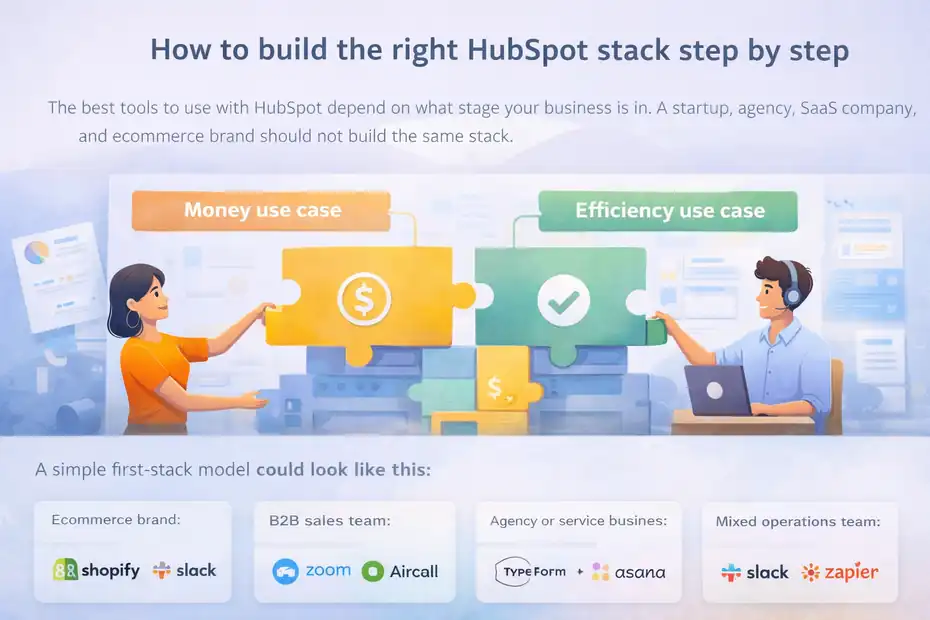
The best tools to use with HubSpot depend on what stage your business is in. A startup, agency, SaaS company, and ecommerce brand should not build the same stack.
Start with one core use case and one supporting use case
I recommend choosing one “money” use case and one “efficiency” use case first.
Your money use case is the one most likely to improve revenue directly. Examples include syncing ecommerce data, improving sales follow-up, or capturing better lead qualification data.
Your efficiency use case is the one most likely to save time or reduce errors. Examples include internal alerts, task automation, or post-sale project creation.
A simple first-stack model could look like this:
- Ecommerce brand: Shopify + Slack
- B2B sales team: Zoom + Aircall
- Agency or service business: Typeform + Asana
- Mixed operations team: Slack + Zapier
This approach works because it keeps implementation manageable. You can measure impact faster, fix issues earlier, and expand based on what proves useful.
Map fields, ownership, and trigger logic before installation
This is the least glamorous step, but it is the one that saves you later. Before connecting any app, define:
- Which records should sync
- Which fields matter most
- Which system is the source of truth
- Who owns the contact, company, or deal after sync
- Which workflow should fire after data arrives
For example, if Shopify sends a customer into HubSpot, should that record update lifecycle stage automatically? Should it create a deal? Should product category map to a custom property? These choices affect reporting, segmentation, and automation quality.
I believe most “bad integration experiences” are really bad planning experiences. The app worked. The logic was the problem.
Build reporting around outcomes, not app activity
Do not measure success by install count or sync volume. Measure it by the business outcome the tool should improve.
A few better examples:
- Slack: reduced lead response time
- Shopify: increased repeat purchase rate
- Zapier: reduced manual admin hours
- Zoom: higher demo attendance or better follow-up completion
- Aircall: more connected calls and faster contact logging
- Typeform: higher qualification rate
- Asana: faster onboarding kickoff after closed-won
This keeps your stack tied to real performance instead of vanity metrics.
Common mistakes when choosing HubSpot integrations
Most HubSpot integration mistakes are not technical. They come from poor prioritization, fuzzy ownership, or a desire to solve every problem at once.
Installing too many apps before you know your process
This is probably the most common issue. Teams feel pressure to “complete” their stack, so they install a dozen tools before their sales process, lead stages, or customer journey are even stable.
That creates confusion fast. One app updates lifecycle stage. Another app creates tasks. A third app syncs duplicate data. Suddenly nobody trusts the CRM.
My advice is simple: do not integrate chaos. Clarify the process first, then connect the tool to that process.
Letting two systems fight over the same field
This is the silent killer of CRM quality. If HubSpot and another platform both update the same key property, you can end up with records changing unexpectedly.
This happens often with lifecycle stage, lead status, owner assignment, and custom qualification properties. The fix is deciding the source of truth before launch.
For example, maybe Shopify owns order history, but HubSpot owns lifecycle stage. Maybe your calling platform logs calls, but HubSpot owns lead status. These boundaries matter.
Using automation without cleanup rules
Automation is powerful, but only if you also think about cleanup. What happens when data changes, a deal reopens, or a customer qualifies for two workflows at once?
Without cleanup rules, you get duplicate tasks, clashing nurture flows, and noisy reporting. This is why a lighter stack often performs better. It is easier to understand, audit, and improve.
Advanced ways to get more value from HubSpot tools
Once your core stack is working, the next step is not adding random new apps. It is getting more leverage from the tools you already connected.
Use integrations to improve segmentation and timing
The biggest gains often come from timing, not volume. When external tools feed HubSpot better behavioral signals, your segmentation becomes sharper and your automation gets more relevant.
For ecommerce, that may mean segmenting by first purchase date, product family, or reorder window. For B2B, it may mean segmenting by attended demo, completed intake form, or recent support interaction.
This is where tools start compounding. A form tool improves data collection. A meeting tool improves timeline context. A messaging tool speeds internal response. Suddenly your workflows feel more human because they react to real customer behavior.
Turn operational events into marketing opportunities
One of my favorite HubSpot strategies is using non-marketing events as marketing triggers. A few examples:
- A project kickoff in Asana triggers a customer education sequence
- A completed Zoom demo triggers a case-study follow-up
- A Shopify reorder gap triggers a win-back campaign
- A support issue escalation in Slack alerts customer success to intervene
This is where HubSpot becomes more than a CRM. It becomes the system that turns operational signals into revenue opportunities.
Audit your stack every quarter
Even good integrations drift over time. Teams change processes, fields get renamed, automations multiply, and reporting starts feeling slightly off.
A quarterly audit can catch problems before they become expensive. Review which apps are still active, which fields sync correctly, which workflows depend on each integration, and whether each tool still justifies its cost and complexity.
In my experience, stack quality is not about how many integrations you add. It is about how deliberately you keep them useful.
The best HubSpot tool combinations for different business types
You do not need a universal answer. You need the best combination for your revenue model.
For B2B service businesses
A practical stack is Typeform + Zoom + Asana + Slack.
This works because lead qualification, meetings, project handoff, and internal coordination are usually the pressure points. The goal is to move the right leads into the pipeline, close them efficiently, and launch delivery without confusion.
For ecommerce brands
The strongest starting point is Shopify + Slack + Zapier.
Shopify gives you revenue and customer behavior data, Slack improves team visibility, and Zapier handles edge-case automations between niche tools that may not justify a custom build.
For sales-led SaaS teams
A strong combination is Zoom + Aircall + Slack + Zapier.
That gives you meeting context, call visibility, real-time alerts, and flexible automation across the rest of your stack. If demos, discovery calls, and outbound motion drive growth, this setup usually creates fast operational wins.
Final thoughts on choosing the best tools to use with HubSpot
The best tools to use with HubSpot are not the ones with the flashiest feature pages. They are the ones that make your CRM more complete, your team more consistent, and your customer journey easier to act on.
If I were starting from scratch, I would keep it simple. Pick one tool that improves revenue visibility, one that improves execution speed, and one that removes repetitive admin. Then build from there.
For many teams, that means starting with Shopify, Slack, Zapier, Zoom, Typeform, Asana, or Aircall depending on the business model. HubSpot’s ecosystem is large enough to support almost any workflow, with the marketplace now past 2,000 apps and 2.5 million active installs. The opportunity is real. The trick is staying intentional.
When you choose carefully, HubSpot stops feeling like a place where data goes to sit. It becomes the operating system behind better marketing, smoother sales, and stronger customer retention.
FAQ
What are the best tools to use with HubSpot?
The best tools to use with HubSpot include Slack for communication, Shopify for ecommerce data, Zapier for automation, Zoom for meetings, and Typeform for lead capture. These tools enhance data flow, improve workflows, and help teams act faster on customer insights inside HubSpot.
Why should I integrate tools with HubSpot?
Integrating tools with HubSpot helps centralize your data, automate repetitive tasks, and improve team efficiency. Instead of switching between platforms, you can manage marketing, sales, and customer interactions in one place, leading to faster decisions and better overall performance.
Is Zapier necessary for HubSpot integrations?
Zapier is not always necessary, but it is useful when native integrations are not available. It connects HubSpot with thousands of apps and helps automate workflows quickly. However, it is best used for simple automations rather than as the core system for critical business processes.
How do I choose the right tools for HubSpot?
To choose the right tools for HubSpot, focus on your biggest bottlenecks first. Identify where your team loses time or lacks data, then select tools that solve those specific problems. Avoid adding too many apps and prioritize integrations that directly improve workflows or revenue tracking.
Can too many integrations hurt HubSpot performance?
Yes, too many integrations can create data conflicts, duplicate records, and messy workflows. When multiple tools update the same fields, it reduces data accuracy. A smaller, well-planned stack is usually more effective and easier to manage than a large number of disconnected integrations.

I’m Juxhin, the voice behind The Justifiable.
I’ve spent 6+ years building blogs, managing affiliate campaigns, and testing the messy world of online business. Here, I cut the fluff and share the strategies that actually move the needle — so you can build income that’s sustainable, not speculative.
Related posts:
 Email Marketing Campaigns: 5 Secrets to Skyrocket Engagement
 Top 5 Automated Sales Funnel Hacks for Explosive Growth!
 B2C Email Marketing Best Practices You Can’t Afford to Ignore
 Best Sales Funnels Builder for Explosive Growth
 7 Reasons to Try Omnisend Email Marketing Today
 Omnisend Marketing Automation That Actually Increases Revenue