
Table of Contents
Some links on The Justifiable are affiliate links, meaning we may earn a small commission at no extra cost to you. Read full disclaimer.
SurveyMonkey real user experience for lead generation is a lot more practical than most glossy software reviews make it sound.
If you are wondering whether it can actually help you capture better leads, qualify them faster, and feed cleaner data into your sales process, the answer is yes, but only when you use it with the right expectations.
In my experience, SurveyMonkey works best when you treat it as a structured lead qualification system, not just a basic form builder. That difference matters, and it is exactly where most teams either get traction or waste time.
What SurveyMonkey Is Really Like For Lead Generation
SurveyMonkey can absolutely support lead generation, but the real experience depends on whether you need simple contact capture or deeper qualification. Its main strength is not just collecting names and emails.
It is helping you ask better questions, segment responses, and turn answers into usable intent signals.
A Tool For Qualification, Not Just Collection
A lot of people come to SurveyMonkey expecting a standard lead form tool. That is partly true, but it misses the bigger value. SurveyMonkey is stronger when you want to learn something useful about a lead before a sales call even happens.
For example, imagine you run a B2B SaaS company selling inventory software. A plain contact form might capture a name, work email, and company size.
A SurveyMonkey form or survey can also capture current systems, team pain points, timeline to switch, purchase authority, and budget range. That gives your team context, not just contact data.
This is why many marketers like it for mid-funnel and high-intent lead generation. SurveyMonkey itself highlights lead generation form templates and positions forms as a way to collect job titles, emails, phone numbers, and other qualification details for the sales funnel.
It also supports 200+ integrations and CRM-oriented workflows, which makes it more useful once leads begin moving through marketing and sales systems.
What I would stress here is simple: SurveyMonkey is usually not the best fit if you only want the cheapest embedded form. It becomes more valuable when lead quality matters more than lead volume.
Where The User Experience Feels Smooth
The biggest positive most users notice early is ease of setup. SurveyMonkey says 92% of marketing users find it easy to use, and that matches the broader reputation it has for straightforward survey creation and analysis.
G2 comparisons also frequently call out SurveyMonkey’s ease of creating, updating, and analyzing surveys.
In practice, this usually shows up in a few ways:
- You can start from templates instead of building everything from scratch.
- The question logic feels accessible even for non-technical marketers.
- Distribution is flexible enough for email, landing pages, embedded workflows, and follow-up surveys.
- Reporting is usually easier to understand than more enterprise-heavy research tools.
That said, smooth does not always mean perfect. Users who want deep visual page control or highly conversion-optimized landing page design can feel boxed in. SurveyMonkey is better at structured data capture than aggressive front-end CRO design.
So the experience is good, but it is good in a particular way. It is polished, stable, and fast to launch. It is not necessarily the most customizable lead-gen front-end on the market.
What Kind Of Team Usually Gets The Best Results
From what I have seen, SurveyMonkey performs best for three types of teams.
First, B2B service companies that need to pre-qualify leads before a consultation. Second, SaaS companies that want to segment inbound leads by pain point, company size, or readiness. Third, marketing teams running content offers, research-led lead magnets, or feedback-driven campaigns.
It is especially helpful when the lead journey involves some thinking. If your prospect needs to answer a few smart questions before the next step, SurveyMonkey becomes useful fast.
On the other hand, if you run a very high-volume ecommerce lead capture campaign and only need a one-field email opt-in, it may be more than you need. In that case, the platform’s survey power can feel like extra weight rather than an advantage.
That distinction is important because it shapes expectations. SurveyMonkey is not just about grabbing leads. It is about getting more useful lead data at the point of conversion.
How SurveyMonkey Supports The Lead Generation Process

Lead generation with SurveyMonkey works best when you understand the flow behind it. You are not simply publishing a form.
You are building a response path that moves someone from curiosity to qualification to follow-up.
The Basic Workflow Most Businesses Use
The standard SurveyMonkey lead generation workflow usually looks like this:
- A visitor clicks from an ad, email, content asset, webinar page, or social post.
- They land on a survey or form designed to collect both contact details and buying context.
- Their answers trigger internal routing, segmentation, or CRM syncing.
- Sales or marketing follows up with a more relevant next step.
That sounds simple, but the real value is in step two. The question design determines whether you get raw leads or qualified leads.
For example, a cybersecurity consultant might ask:
- Company size
- Biggest compliance challenge
- Current security stack
- Desired implementation timeline
- Interest in a free consultation
Now compare that to a plain “Book a demo” form. The second version may generate more submissions, but the first version gives much better qualification data.
SurveyMonkey supports this broader workflow through forms, templates, distribution methods, and integrations with CRM and marketing automation systems.
Its official integrations page specifically mentions improving lead scoring in HubSpot and Marketo and enriching audience data for personalized campaigns.
Why Surveys Can Convert Better Than Basic Forms In Some Cases
This is where things get interesting. Many businesses assume shorter always converts better. That is sometimes true, but not always.
A well-structured survey can outperform a plain form when the visitor wants personalization, diagnosis, or relevance. People are often more willing to answer 5 to 8 smart questions if they believe they will get a better recommendation, estimate, consultation, or resource at the end.
Think about a financial advisor offering a retirement planning checklist. A basic form asks for email. A survey asks age range, retirement goal, investment confidence, and biggest concern. The second option feels more tailored, more helpful, and more serious.
That is the hidden lead generation advantage of SurveyMonkey. It can create an experience that feels consultative rather than transactional.
In my opinion, this is one of the strongest use cases for the platform. It helps you create “micro-commitment” flows. A user answers a few questions, invests a little attention, and becomes more qualified by the time they submit.
The catch is that you need a clear benefit. If the survey feels random, intrusive, or too long, completion rates drop quickly.
Where SurveyMonkey Fits In The Funnel
SurveyMonkey is rarely just a top-of-funnel tool. It can support multiple stages depending on what you build.
At the top of funnel, it can power quizzes, assessments, content gating, or research-style lead magnets. In the middle of funnel, it can qualify inbound interest, collect pain points, or prioritize high-intent contacts.
Lower in the funnel, it can support consultation intake, onboarding readiness checks, or post-demo qualification.
This flexibility matters because lead generation is not one moment anymore. It is a sequence of small decisions.
SurveyMonkey’s broader platform positioning also reflects that. The company promotes surveys and forms for marketing teams, emphasizes connected workflows, and notes 500+ expert templates and 200+ integrations on its product pages.
So the real user experience is less about “Can this collect leads?” and more about “Can this collect the right signals at the right stage?” With SurveyMonkey, the answer is often yes.
Setting Up SurveyMonkey For Lead Generation The Right Way
This is where a lot of users either get early wins or create a form that looks nice but underperforms.
Setup matters more than most people expect.
Start With One Conversion Goal
Before you open a template, define one goal. Not three. Not five. One.
For example:
- Book consultation calls
- Qualify demo requests
- Capture webinar leads
- Segment leads by pain point
- Collect discovery information before outreach
When you skip this step, the survey becomes bloated. You ask too many questions because each internal stakeholder wants “just one more field.” That is how lead forms turn into drop-off machines.
I suggest writing a single sentence first: “This survey exists to help us identify and convert [type of lead] by learning [specific information].”
That one line keeps the experience focused.
A strong example might be: “This form helps us qualify ecommerce brands doing at least $50K per month that need help improving checkout conversion.”
Now every question has a job. Company revenue, platform, checkout issue, and growth goal all make sense. Random questions disappear.
This sounds basic, but it is one of the highest-leverage setup decisions you can make. Good lead generation starts with disciplined intent.
Choose The Right Template, Then Cut Ruthlessly
SurveyMonkey offers hundreds of templates and promotes expert-written survey and form templates as a speed advantage. That can save time, especially for marketers who do not want to build flows from scratch.
But here is my honest advice: never publish a template untouched.
Templates are helpful starting points, not finished conversion assets. Most need trimming. Some need stronger wording. Others ask unnecessary questions too early.
Let’s say you use a lead generation form template. Instead of accepting every default field, ask:
- Does this question help us qualify or convert?
- Will the user understand why we are asking it?
- Can we delay this question until later in the sales process?
- Does this field create friction without enough payoff?
A good rule is to remove 20% to 40% of the initial template content before launching. Most forms improve when they get tighter.
I also recommend grouping questions by mental effort. Easy identity questions first, qualifying questions second, and optional nuance questions last.
This creates flow. Users are much more likely to finish when the survey feels progressive instead of front-loaded with difficult asks.
Use Logic To Keep The Experience Relevant
Survey logic is one of the biggest reasons to use SurveyMonkey for lead generation instead of a barebones form builder.
Logic lets you personalize the path based on the user’s answer. A freelancer does not need the same follow-up questions as a 200-person agency. A lead who wants pricing needs a different path than one who wants a strategy call.
This matters because relevant questions feel shorter, even when the survey itself is not technically short.
Here is a simple logic example for a B2B lead form:
- If company size is 1–10 employees, ask about founder-led growth challenges.
- If company size is 50+, ask about CRM complexity and team alignment.
- If budget is under a threshold, offer a self-serve resource instead of sales outreach.
- If timeline is immediate, trigger a fast-track handoff.
That kind of branching creates a better user experience and better internal efficiency. Your leads feel understood, and your team stops wasting time on mismatched follow-up.
In my experience, this is one of the clearest dividing lines between average SurveyMonkey use and smart SurveyMonkey use.
The Real Advantages Users Notice After Launch
Once a campaign goes live, the real user experience starts to show.
This is where the platform either becomes useful every week or slowly turns into “just another form tool.”
Better Lead Context For Sales Conversations
One of the most practical benefits is improved sales readiness. Instead of handing sales a spreadsheet full of vague contact details, you hand over context.
That context might include:
- Pain point category
- Urgency level
- Team size
- Budget range
- Desired outcome
- Current tool stack
This changes the first conversation. A rep can open with relevance instead of discovery basics.
For example, if a prospect already said their biggest issue is low MQL-to-SQL conversion and they currently use HubSpot with no lead scoring model, the sales rep can skip generic probing and go straight into diagnosis.
That is a better buyer experience too. Nobody enjoys repeating the same information after filling out a form.
SurveyMonkey’s integration positioning supports this use case directly. Its official materials mention syncing data into CRMs like Salesforce and using integrations to improve lead scoring and campaign personalization.
If your team values better handoff quality, this alone can justify the tool.
Faster Campaign Testing Without Heavy Technical Work
Another strong advantage is speed. SurveyMonkey is built for quick creation and iteration. That matters in lead generation because forms are rarely “done.” You are constantly testing offers, phrasing, question order, and qualification criteria.
The platform’s reputation for ease of use, templates, and accessible setup makes it easier for marketers to launch and adjust without waiting on a developer every time.
SurveyMonkey also says users can create surveys and forms from prompts with AI support and start from 500+ templates.
That kind of speed helps in practical scenarios:
- Testing a webinar signup flow
- Reframing a consultation intake survey
- Launching a post-content qualification form
- Creating an event lead capture form on short notice
I believe this is one of SurveyMonkey’s underrated strengths. Not because it is flashy, but because momentum matters in marketing. When the barrier to testing is low, teams learn faster.
And faster learning usually beats perfect planning.
Cleaner Segmentation For Follow-Up Campaigns
The third major benefit is segmentation. Good lead generation is not just about capturing a lead. It is about sending the right next message.
When SurveyMonkey collects structured answers, those responses can become segmentation inputs. A lead interested in pricing can get a different email sequence from a lead still researching options. A beginner can get education content. A mature buyer can get case studies or consultation prompts.
SurveyMonkey’s integrations page explicitly frames this as enriching email tools with customer interests and needs so teams can run targeted, personalized campaigns.
This is where lead gen starts to feel more intelligent. Instead of sending the same generic follow-up to everyone, you respond to intent.
That can improve open rates, meeting rates, and even sales cycle speed. You are not forcing every lead into the same path. You are sorting them into more relevant conversations.
For many teams, that is where the return actually shows up.
The Limitations And Friction Points You Should Expect
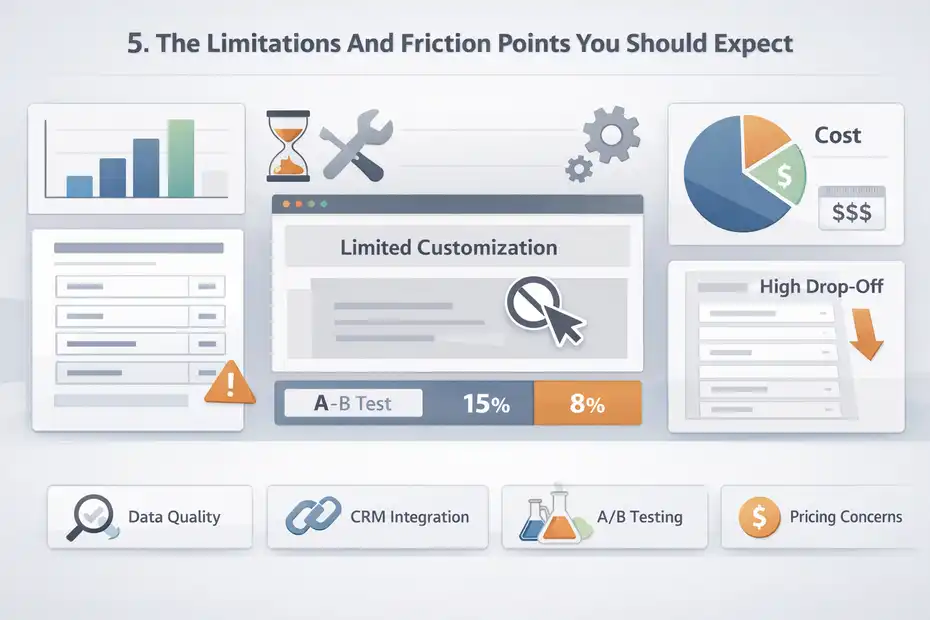
No honest article on SurveyMonkey real user experience for lead generation should pretend the platform is perfect.
It has clear tradeoffs, and you should know them before committing to a workflow.
It Can Feel More Like A Survey Tool Than A CRO Tool
This is probably the most important limitation.
SurveyMonkey is excellent at collecting and organizing responses. It is not primarily built as a high-conversion landing page optimization platform.
So if your strategy depends on pixel-level page control, highly customized branded layouts, or rapid design experimentation, you may feel constrained.
That does not mean conversion suffers automatically. It means SurveyMonkey wins more on relevance, logic, and speed than on visual flexibility.
For example, a SaaS company running paid traffic to a deeply branded landing page with social proof blocks, custom testimonials, interactive pricing, and heatmap-based optimization may prefer a different front-end experience.
SurveyMonkey can still collect the lead, but it may not be the ideal top-layer page builder.
This is why I recommend matching the platform to the job. Use it when data depth and qualification logic matter more than design theatrics.
Longer Forms Still Need Careful Restraint
SurveyMonkey makes it easy to ask good questions, which sometimes creates a new problem: asking too many.
Because the platform handles surveys well, teams often assume more data is always better. It is not. Every extra question is a negotiation with the user.
In lead generation, there is always a tension between richer qualification and lower friction. SurveyMonkey gives you the technical freedom to build complex flows, but you still need editorial discipline.
I usually suggest this framing:
- Keep required questions tightly linked to immediate action.
- Leave lower-priority profiling for later touchpoints.
- Use logic so users only see what matters to them.
- Explain why sensitive questions are being asked.
Without that restraint, the experience starts to feel like homework. And once a lead feels interrogated instead of helped, conversion drops.
The tool can support nuance. Your job is deciding how much nuance belongs in the first interaction.
Pricing Can Be Fine For Teams, Less Comfortable For Casual Use
Pricing is another reality check. SurveyMonkey has a free entry point, but the more serious collaboration and workflow features sit on paid plans.
As of the official pricing page available now, Team Premier starts at $92 per user per month, billed annually, with collaboration, collection, analysis, and workflow connection features included.
SurveyMonkey also says paid plans include forms at no added cost, following the launch of SurveyMonkey Forms.
That does not automatically make it expensive, but it changes the buyer fit.
For a team running regular campaigns and using integrations, this can be reasonable. For a solo founder who only needs a lightweight lead capture tool, it may feel harder to justify.
So the value equation depends on how much you use:
- Logic and qualification depth
- CRM syncing
- Team collaboration
- Repeated campaign testing
- Reporting and segmentation
If you only need a basic opt-in form, you might be paying for capability you will not fully use.
Best Practices To Improve Lead Generation Results In SurveyMonkey
This is where the article moves from expectation-setting to practical improvement.
A lot of mediocre results come from setup habits, not platform limitations.
Lead With A Strong Promise, Not A Generic Ask
Your opening message matters more than the form itself.
“Fill out this form” is weak. “Answer 6 quick questions to get a personalized CRM audit” is stronger. “Tell us where your funnel is leaking, and we’ll show you the fastest fix” is stronger still.
A good SurveyMonkey lead generation experience starts with clarity about what the user gets.
I recommend framing the value in one of four ways:
- Personalized recommendation
- Better-fit consultation
- Faster diagnosis
- More relevant resource
This matters because people do not enjoy forms. They enjoy outcomes. If the outcome is vague, motivation drops.
Imagine a PPC agency using SurveyMonkey for discovery calls. Instead of asking visitors to “submit your details,” they position the survey as “Find out what is hurting your Google Ads efficiency before your free strategy session.” Same platform. Better promise. Better intent.
This is one of those small changes that can shift conversion quality dramatically.
Ask Questions That Sales Will Actually Use
A lot of lead forms collect information nobody uses. That is a silent performance killer.
Before publishing, sit with whoever handles follow-up and ask: “Which answers would genuinely change how you reply, prioritize, or sell?” Those are the questions worth keeping.
Useful questions often include:
- Current challenge
- Business type
- Company size
- Buying timeline
- Main goal
- Existing solution
- Estimated budget range
Less useful early questions often include excessive demographic detail, full addresses, or anything that belongs in onboarding rather than lead capture.
I have seen teams improve booked-call quality just by replacing generic fields with two better qualifiers. One client-style example would be swapping “phone number” and “industry” for “biggest growth bottleneck” and “desired implementation timeline.” Suddenly the outreach becomes smarter.
SurveyMonkey gives you room to ask better questions. Use that room carefully.
Build Follow-Up Paths Before You Collect The First Lead
This is where many teams fall short. They build the survey, launch traffic, and only then think about what happens next.
Do not do that.
Before launch, define:
- Who gets a fast reply
- Who gets nurtured
- Who gets disqualified
- What message each segment receives
- What system records the lead data
SurveyMonkey’s workflow value increases a lot when paired with CRM and automation logic. The company explicitly points to integrations with platforms like HubSpot, Mailchimp, Salesforce, Marketo, and Constant Contact to support scoring, segmentation, and targeted campaigns.
Even if your stack is simple, the principle stays the same. A survey is only the beginning. The real conversion happens in the handoff.
In my view, the best-performing SurveyMonkey lead gen setups are not the prettiest ones. They are the ones with the clearest next-step logic.
Common Mistakes That Hurt SurveyMonkey Lead Generation Performance
Most poor results come from a small set of repeated mistakes. The good news is that they are fixable.
Mistake 1: Treating Every Lead The Same
Not every lead deserves the same path. Some are ready now. Some are early-stage. Some are not a fit at all.
When every submitter gets the same thank-you page, the same email, and the same outreach sequence, you lose the core advantage of using a structured response system in the first place.
SurveyMonkey is most useful when you sort leads by intent and relevance. That might mean routing enterprise prospects differently from small businesses, or offering a DIY resource to budget-sensitive leads while prioritizing higher-fit buyers for direct outreach.
Segmentation does not need to be complex to be effective. Even three buckets can make a difference:
- High intent
- Mid intent
- Low fit or nurture
This improves internal efficiency and creates a better experience for the lead.
Mistake 2: Asking For Too Much Too Soon
I know the temptation. You want enough information to avoid unqualified calls. But there is a tipping point where qualification turns into friction.
A practical fix is to separate questions into two groups:
- Must know now
- Nice to know later
If the answer will not change immediate routing or follow-up, it probably does not belong in the first conversion step.
For example, a B2B consultant might need company size, biggest challenge, and timeline. They probably do not need annual revenue, full tech stack, team org chart, and detailed procurement process on first contact.
SurveyMonkey gives you enough flexibility to overbuild. Resist that.
Mistake 3: Measuring Completion Without Measuring Lead Quality
This is a subtle but costly problem.
A form can have a high completion rate and still generate poor leads. It can also have a slightly lower completion rate and produce much higher-quality conversations.
That is why I suggest tracking at least four metrics:
- Start rate
- Completion rate
- Qualified lead rate
- Booked meeting rate
If possible, also track close rate by entry path.
This changes how you evaluate performance. A shorter form is not automatically better if it floods sales with weak leads. A longer survey is not automatically worse if it cuts volume by 20% but doubles call quality.
The goal is not just more responses. It is better downstream outcomes.
Advanced Ways To Scale SurveyMonkey Lead Generation
Once the basics work, SurveyMonkey becomes more valuable as a segmentation and insight layer. This is where more advanced teams pull ahead.
Use Different Surveys For Different Traffic Sources
One of the easiest scaling moves is matching the survey to traffic intent.
A lead coming from a pricing page is different from a lead coming from a blog post. A webinar attendee is different from a paid social click. Yet many businesses route all of them into one generic form.
I recommend source-specific variants.
For example:
- Blog CTA survey: Focus on education stage and problem awareness.
- Webinar follow-up survey: Focus on urgency and solution interest.
- Pricing-page survey: Focus on buying readiness and objections.
- Partner referral survey: Focus on context and service fit.
This lets you reduce friction because the questions feel more aligned with why the user clicked in the first place.
You also gain better analytics. Instead of just asking “Which source converts?” you start asking “Which source produces the best-qualified intent?”
That shift is huge for scaling decisions.
Turn Survey Data Into Messaging Research
This is one of my favorite expert-level uses.
Your lead surveys are not just qualification tools. They are messaging goldmines. Every answer tells you how prospects describe problems, what language they use, what outcomes they want, and where confusion lives.
That can improve:
- Landing page copy
- Ad messaging
- Sales scripts
- Email sequences
- Webinar angles
- Offer framing
SurveyMonkey positions itself as both survey and market insight software, and that overlap matters here. Marketing teams can use collected data not only to capture leads but to shape campaigns and strategy.
If you notice 38% of prospects describe the same issue using one phrase, that phrase probably belongs in your homepage headline or retargeting copy.
This is one of those compounding benefits that many users miss. Good lead forms do not just feed sales. They sharpen your whole marketing system.
Build Progressive Profiling Across Multiple Touchpoints
Advanced lead generation rarely tries to learn everything at once. It learns in layers.
You might collect:
- Initial interest and pain point on first conversion
- Team and budget details before a consultation
- Deeper implementation needs after discovery
- Customer goals after onboarding
SurveyMonkey can support this layered approach well because it is naturally built around structured questions and response workflows.
This creates a smoother user experience. Each touchpoint asks only what is relevant at that moment. You reduce initial friction while still building a strong profile over time.
In most cases, this approach outperforms the “ask everything now” mindset. It feels lighter for the prospect and smarter for your team.
What To Expect Before You Choose SurveyMonkey
By this point, the honest answer is clear: SurveyMonkey can be a strong lead generation platform, but it is strongest in specific situations.
You Will Probably Like It If Your Goal Is Better Qualification
If your biggest problem is poor lead context, vague form submissions, or weak segmentation, SurveyMonkey can feel like a big upgrade. It is especially helpful when the sales process benefits from structured discovery before direct outreach.
You will likely appreciate it if you want:
- Smarter intake flows
- Easier survey setup
- Reliable templates
- Logic-based qualification
- CRM and email platform connectivity
SurveyMonkey’s official product and pricing materials support that positioning, with strong emphasis on forms, connected workflows, templates, and integration depth.
From what I have seen, users tend to feel satisfied when they buy it for insight-rich lead capture, not just basic email collection.
You May Feel Limited If You Want Maximum Front-End Control
If your ideal stack revolves around highly customized landing page experiences and aggressive CRO design testing, SurveyMonkey may feel narrower. It is not weak. It is just optimized for a different center of gravity.
This is an important distinction because frustration often comes from mismatch, not from bad software.
If you expect it to behave like a dedicated page builder, you may be disappointed. If you expect it to behave like a polished qualification engine with distribution and integration support, you will probably be happier.
That is why expectation-setting matters so much.
The Best Way To Judge It Is By Pipeline Impact
I would not judge SurveyMonkey only by completion rate or form aesthetics. Judge it by what happens after submission.
Ask:
- Are sales calls better informed?
- Are leads easier to prioritize?
- Are follow-up emails more relevant?
- Are low-fit leads filtered earlier?
- Are conversion paths clearer by segment?
Those are the outcomes that matter.
SurveyMonkey real user experience for lead generation is generally positive when the platform is used for what it does best: structured qualification, relevant segmentation, and faster insight capture.
It is less impressive when treated as a generic front-end form replacement with no workflow strategy behind it.
That is the real expectation to carry into the decision.
Final Thoughts
If you want my honest take, SurveyMonkey is a solid lead generation option when your business needs more than a simple contact form. It shines when you care about lead quality, not just lead count.
The platform is easy to launch, strong on logic and structure, and supported by broad integrations, templates, and marketing workflows.
But it works best when you keep surveys focused, build segmentation intentionally, and judge success by downstream pipeline quality rather than vanity metrics alone. Used that way, it can become a very effective part of your lead generation system.
FAQ
What is the real user experience of SurveyMonkey for lead generation?
SurveyMonkey real user experience for lead generation focuses on structured data collection and lead qualification. Users find it easy to set up and effective for gathering insights, but results depend on how well surveys are designed. It works best when used to qualify leads, not just collect contact details.
Is SurveyMonkey good for lead generation compared to basic forms?
SurveyMonkey can outperform basic forms when you need deeper insights about leads. It allows you to ask targeted questions, segment responses, and personalize follow-up. While simple forms capture more volume, SurveyMonkey helps improve lead quality and conversion by collecting meaningful data upfront.
How many questions should a lead generation survey have in SurveyMonkey?
Most effective lead generation surveys in SurveyMonkey include 5 to 10 questions. This range balances user engagement and data collection. Asking too many questions can reduce completion rates, while too few may limit qualification. Focus only on questions that directly impact sales or follow-up decisions.
Does SurveyMonkey integrate with CRM tools for lead management?
Yes, SurveyMonkey integrates with popular CRM and marketing tools, allowing automatic lead syncing and segmentation. This helps businesses track responses, score leads, and personalize outreach. Integration improves efficiency by ensuring collected data flows directly into your existing sales and marketing systems.
What are common mistakes when using SurveyMonkey for lead generation?
Common mistakes include asking too many questions, not defining a clear goal, and treating all leads the same. Many users also fail to create follow-up workflows before collecting data. To improve results, keep surveys focused, use logic for personalization, and align questions with real sales needs.

I’m Juxhin, the voice behind The Justifiable.
I’ve spent 6+ years building blogs, managing affiliate campaigns, and testing the messy world of online business. Here, I cut the fluff and share the strategies that actually move the needle — so you can build income that’s sustainable, not speculative.
Related posts:
 5 Must-Have Email Signup Forms to Grow Your List Effortlessly
 How Web Marketing Solutions Turn Clicks Into Conversions
 Take the Leap With Next Step Marketing Solutions That Convert
 10 Similar Sites To Apollo IO Every Marketer Should Try
 How Automated Marketing Solutions Save Time and Increase Revenue
 How To Choose the Right Account Based Marketing Solutions for You