
Table of Contents
Some links on The Justifiable are affiliate links, meaning we may earn a small commission at no extra cost to you. Read full disclaimer.
Mailbird pricing explained starts with a simple question: are you paying for a better inbox, or just paying to avoid friction every day? If you have been comparing Mailbird plans and feeling like the pricing page answers only half the question, you are not alone.
The current lineup includes a free plan, a yearly Premium plan, and a Premium Pay Once option, with a few important conditions around updates, device limits, and add-ons that change the real cost.
This guide breaks down what you actually get, who each plan fits, and where the value is real.
What Mailbird Pricing Looks Like Right Now
Mailbird’s pricing looks simple at first glance, but the real decision is not just free versus paid.
It is really about how many accounts you manage, how long you plan to use the app, and whether you care about future major feature updates.
What The Current Plans Include
Mailbird currently lists three relevant license states: Free, Premium Yearly, and Premium Pay Once. The support center also mentions a Standard tier, but it is not available for new purchases anymore, which matters because older reviews still mention it and confuse buyers.
On the live pricing page, the Free plan is €0 and includes 1 account plus knowledge base support.
The Premium Yearly plan is listed at €2.46 per user per month when billed yearly, and the Premium Pay Once plan is listed at €92.25 per user. Mailbird also says all customers get a 14-day money-back guarantee.
A few feature differences matter immediately:
- Free: 1 account, knowledge base support.
- Premium Yearly: Unlimited accounts, VIP support, unlimited email tracking, templates, custom apps, block sender, and filters/rules.
- Premium Pay Once: The same premium feature set, plus the pricing page currently highlights an additional free Premium license.
In plain English, Mailbird is not charging mainly for “email access.” It is charging for scale and workflow. Once you go beyond one inbox, or want rules, templates, tracking, Exchange support, or the unified experience across more serious use cases, the free plan stops being the real option.
Why Older Mailbird Pricing Articles Often Mislead You
This is where a lot of readers get tripped up. Many older Mailbird reviews still talk about Personal, Business, or Standard pricing like those plans are the current default.
Mailbird’s own support documentation says Mailbird 3.0 is currently compatible with Free, Standard, and Premium, but Standard is unavailable for new purchases.
That means if you are reading a comparison from even a year or two ago, there is a good chance the plan structure or exact pricing no longer matches what you will see at checkout.
I think this matters more than most pricing guides admit. People do not just want the number on the page. They want to know whether that number still applies to the product they are about to buy.
Mailbird’s pricing page also appears to use promotional display pricing and discount language like “Save 50%” and “Save 75%,” so what you see can be influenced by current offers, region, or campaign timing.
That is why the safest way to interpret mailbird pricing explained is this: treat the plan structure as stable enough to compare, but treat the exact amount as something you should verify before purchase.
The parts that matter most are the account limits, device limits, support level, update policy, and whether you prefer yearly billing or one-time ownership.
What You Really Pay For In Each Plan
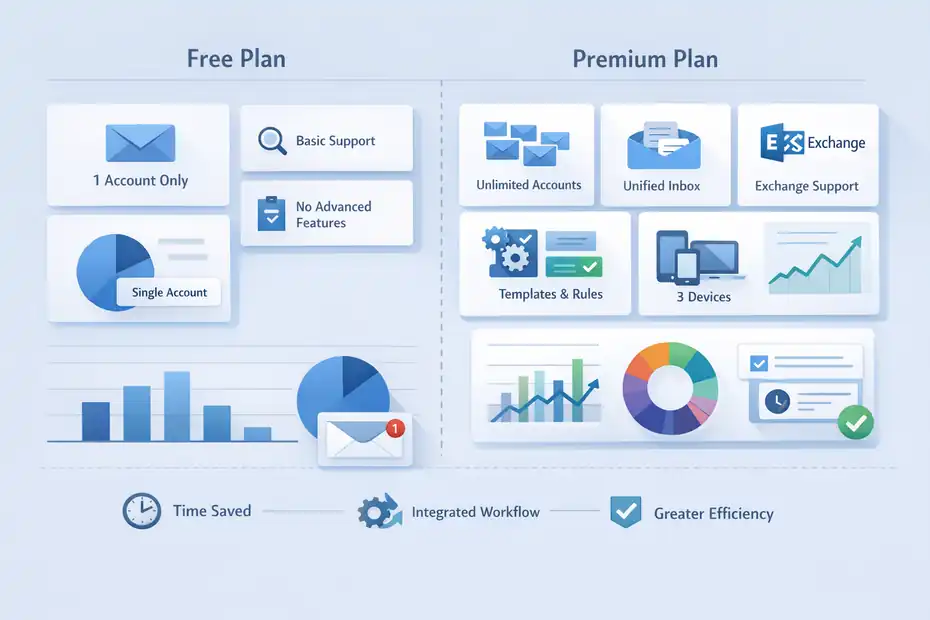
Once you get past the headline price, Mailbird becomes much easier to understand.
You are paying for capacity, convenience, and fewer daily interruptions, not just a prettier inbox.
Free Plan: Good For Testing, Not For Serious Work
The free plan is genuinely usable, but only in a narrow scenario. Mailbird lists 1 email account per device on Free, along with knowledge base support. In its license guide, the company also describes Free as a simplified email experience for personal or light use.
That makes the free plan a decent fit if your situation looks like this:
- You use one personal inbox only: Maybe a single Gmail or Outlook account for casual messages.
- You want to test the interface first: This is the lowest-risk way to see whether you like the desktop workflow.
- You do not need advanced features: Things like templates, premium integrations, rules, or Exchange are not the point here.
Where the free plan stops making sense is the moment your email becomes even a little messy. Imagine you manage a personal inbox, a work inbox, and a side-project address. At that point, the “real” Mailbird benefit is the ability to bring everything together. Free blocks that value because it caps you at one account.
So yes, it is free, but I would not call it the best long-term choice for most professionals. It is more like a trial in practical terms, even if Mailbird presents it as a full free tier.
That distinction matters because many people compare Free to Premium and assume they are evaluating the same product with extra perks. They are not. They are evaluating a light version versus the full workflow version.
Premium: You Are Paying For Workflow Compression
The Premium tier is where Mailbird’s value proposition really lives. According to the pricing and support pages, Premium includes unlimited accounts, Microsoft Exchange support, all integrations, unlimited email tracking, email templates, custom apps, a unified inbox, ChatGPT integration, block sender, filters/rules, and VIP or email support depending on the page wording.
Premium licenses also cover up to 3 devices per license, and the license is cross-platform for Windows and macOS on Mailbird 3.0 or newer.
That sounds like a long feature list, but the easier way to understand it is this:
- Unlimited accounts: Less context switching if you manage more than one inbox.
- Unified inbox: One place to work instead of bouncing between tabs and apps.
- Templates and rules: Faster repetitive email handling.
- Exchange support: Important if your workplace uses Microsoft infrastructure.
- 3 devices per license: Better value if you move between desktop and laptop.
In my experience, this is the real reason people pay for desktop email software. Not because they cannot access email elsewhere, but because they want to reduce the small time losses that pile up all day.
Saving 20 seconds here, 45 seconds there, and a few mental resets per hour can easily become meaningful over months. Mailbird is pricing that convenience, and for the right user, that logic is fair.
How The Real Cost Changes Over One, Three, And Five Years
The biggest pricing misunderstanding with Mailbird is assuming “Pay Once” automatically means “best deal.” It might be. It might not.
The answer depends on how long you keep using the software and whether you care about future major versions.
Yearly Vs Pay Once: The Math Looks Better Than The Headline
Mailbird’s Premium Yearly plan is listed at €2.46 per user per month, billed yearly. That works out to roughly €29.52 per year before any tax or regional differences. Premium Pay Once is currently listed at €92.25 per user.
On top of that, Mailbird offers optional add-ons on the pricing page, including Leave Me Alone for €49 and Lifetime Updates for €59.
Here is the practical math:
| Option | Upfront / Annual Cost | Approx. 1-Year Cost | Approx. 3-Year Cost | Approx. 5-Year Cost | Key Catch |
|---|---|---|---|---|---|
| Free | €0 | €0 | €0 | €0 | Only 1 account |
| Premium Yearly | €2.46/mo billed yearly | €29.52 | €88.56 | €147.60 | Renews every year; updates included |
| Premium Pay Once | €92.25 one time | €92.25 | €92.25 | €92.25 | Future major updates not included by default |
| Premium Pay Once + Lifetime Updates | €151.25 total | €151.25 | €151.25 | €151.25 | Higher upfront cost, but broader future-proofing |
The interesting part is the crossover point. Without Lifetime Updates, Pay Once becomes cheaper than Yearly somewhere after the third year. With Lifetime Updates added at current listed pricing, the total starts to look similar to roughly five years of the yearly plan.
So the best value depends on your expected usage length, not just your budget today.
The Update Policy Is The Detail That Changes Everything
Mailbird’s support page is unusually clear here, and I think this is the single most important pricing detail to understand. If you buy a Pay Once license without Lifetime Updates, your Mailbird version stays fully functional, but you will not receive future new features, improvements, or major version updates after purchase.
Mailbird says you will still receive critical core fixes to keep the app stable and secure. By contrast, the yearly subscription includes all future updates by default.
That means “Pay Once” is not exactly the same as “lifetime everything forever.” It is closer to “buy this version and keep using it.” For some buyers, that is perfectly fine. If your setup is stable and you dislike subscriptions on principle, Pay Once can still be attractive.
But if you are the kind of person who expects feature expansion over time, the yearly plan may actually be the more honest purchase because it includes the future roadmap automatically.
I suggest thinking about it this way: do you want software ownership, or do you want ongoing product evolution? Mailbird offers both models, but they are not equivalent. The pricing only makes sense once you separate those two ideas.
Which Plan Makes Sense For Different Types Of Users
The best Mailbird plan is less about “features” and more about your inbox pattern. One account versus many.
Stable needs versus changing needs. Personal use versus revenue-linked work.
Best Choice For Casual Users, Freelancers, And Teams
Let me break it down by user type.
- Casual single-account user: Free is enough if you only need one account and mostly want a clean desktop email app. Paying for Premium here is usually unnecessary unless you specifically want templates, rules, or integrations.
- Freelancer or consultant: Premium is where value starts showing up fast. If you run a client inbox, a personal inbox, and maybe a project-specific address, unlimited accounts and unified workflow become practical time savers. Exchange support can matter too if clients use Microsoft infrastructure.
- Small business owner: Premium Yearly often makes more sense than Pay Once because updates are included and the lower upfront cost is easier on cash flow. Mailbird also says multi-license discounts apply automatically, starting at 5% for 2 to 10 licenses and rising to 25% for 101 or more licenses.
- Long-term power user: Premium Pay Once can be appealing if you expect to use Mailbird for years and you are comfortable deciding separately whether Lifetime Updates are worth adding.
Mailbird also says more than 200,000 businesses trust the platform and more than 4,000,000 users use it, which at least suggests it is not a niche experiment with a tiny user base. That does not prove it is right for you, but it does reduce some buyer anxiety around legitimacy and adoption.
A Realistic Scenario: When Paying Actually Saves Money
Imagine you are a solo consultant billing €60 per hour. You handle three inboxes daily and lose maybe 10 minutes per day to switching tabs, re-finding threads, and repeating similar replies.
That is about 50 minutes per week, or roughly 43 hours per year. Even if Mailbird only cuts a fraction of that friction, the yearly plan’s listed cost of about €29.52 could pay for itself very quickly.
Now compare that with a student or light personal user who checks one inbox twice a day. In that case, the free plan probably gives enough value already, and the paid plan could feel unnecessary. The software itself has not changed. Only the economics of your time changed.
This is why I believe the smartest way to judge Mailbird pricing is not to ask, “Is it cheap?” Ask, “What kind of inbox do I have?” If your inbox is tied to work output, client communication, or lead handling, Mailbird becomes easier to justify. If it is mostly casual reading and occasional replies, free or a simpler alternative may be plenty.
Hidden Pricing Details Most Buyers Miss
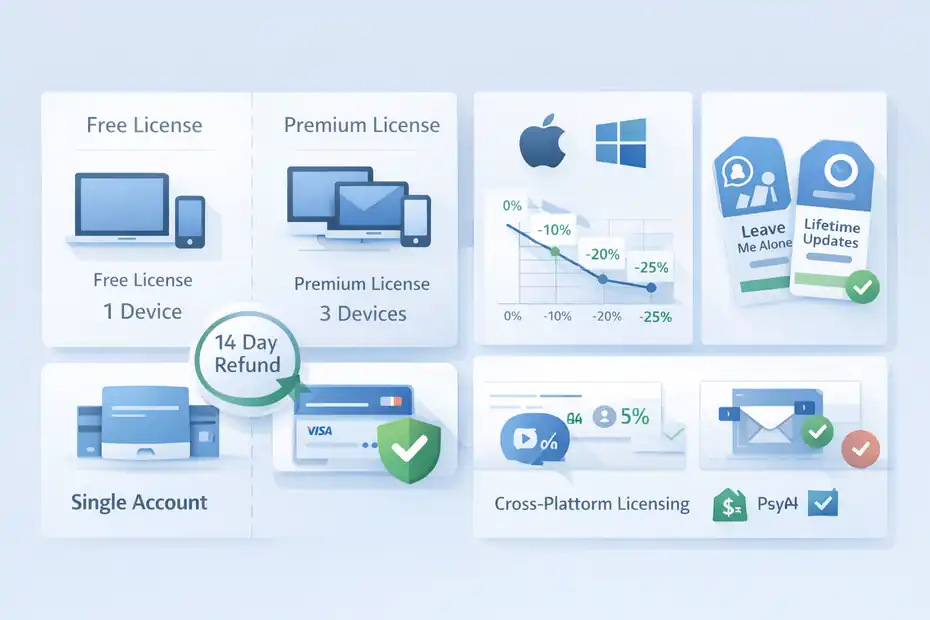
This is the section most people need before they click “buy.” The headline number is not the whole story, and Mailbird’s pricing page does include a few details that are easy to overlook.
Device Limits, Platform Support, And Add-Ons
Mailbird says Premium covers 3 devices per license, while Free covers 1 device. It also states that licenses are valid for both Windows and macOS, though the FAQ clarifies this applies to Mailbird 3.0 or newer.
On macOS, Mailbird requires Ventura or later, and POP3 account support on Mac is currently not available, even though multi-account support is part of the wider positioning.
Those details matter because they affect perceived value:
- 3 devices per Premium license: Better if you use a work laptop, home desktop, and secondary machine.
- Cross-platform licensing: Useful if you switch between Windows and Mac.
- Mac limits: POP3 on Mac is not currently supported, so not every workflow is equal across platforms.
- Optional add-ons: Leave Me Alone and Lifetime Updates increase the real price of Pay Once if you enable them.
This is where some buyers feel surprised later. They think they are comparing one number to another, but they are really comparing a base plan to a customizable checkout flow. That is not inherently bad. It just means the “real” price is the one after you decide whether you need update protection or extra inbox-cleaning features.
Discounts, Refunds, And Payment Methods
Mailbird’s current pricing page says all customers get a 14-day money-back guarantee. It also says it accepts major debit and credit cards plus PayPal. For teams, the company lists automatic multi-license discounts: 5% off for 2 to 10 licenses, 10% for 11 to 25, 15% for 26 to 50, 20% for 51 to 100, and 25% for 101 or more.
That changes the economics in two ways.
First, the refund window lowers your risk. If you are on the fence, you are not committing blindly. Second, the volume discounts make Mailbird more competitive for small teams than many people assume at first glance.
A solo buyer sees one set of numbers. A team buyer can end up with a different effective price per seat.
I would still advise checking the final checkout total carefully, especially for taxes, local currency conversion, and whether any add-ons are toggled on. The pricing page is informative, but the actual amount you pay is always the final checkout amount, not the promotional banner in isolation.
How Mailbird Compares With Other Email App Costs
Mailbird does not exist in a vacuum. People usually compare it with Spark, Outlook, or free desktop options, even if they do not say it out loud.
Quick Cost Comparison With Spark And Microsoft 365
Here is where Mailbird’s pricing becomes more interesting. Spark’s official pricing page currently shows a Free plan with unlimited email accounts, a Plus plan at €8.25 per month per user when billed yearly (€99/year), and a Pro plan at €19.08 per month per user when billed yearly (€229/year). Spark also says its subscriptions are multiplatform.
Microsoft’s official pricing for individuals shows Microsoft 365 Personal at $99.99/year or $9.99/month, with Outlook plus desktop Office apps, 1 TB of cloud storage, and use on up to 5 devices simultaneously.
| Product | Entry Free Tier | Paid Entry Point | Notable Value Angle | Best For |
|---|---|---|---|---|
| Mailbird | Yes, but 1 account | €2.46/mo billed yearly | Low-cost premium desktop workflow; pay-once option exists | Windows/Mac users wanting multi-account focus |
| Spark | Yes, unlimited accounts | €8.25/mo billed yearly | Cross-platform and AI/collab heavy | Users wanting modern collaboration features |
| Microsoft 365 Personal | No free full desktop suite equivalent | $99.99/year | Outlook plus Office apps and 1 TB storage | Users already invested in Microsoft ecosystem |
What jumps out is that Mailbird’s Premium Yearly price is dramatically lower than both Spark Plus and Microsoft 365 Personal on the published entry plans. That does not automatically make Mailbird the best value, because Spark includes unlimited accounts even on free and Microsoft bundles far more than email.
But if your sole goal is “get a better desktop email workflow for the lowest ongoing cost,” Mailbird is clearly positioned aggressively.
Why Mailbird Can Feel Cheap Or Expensive Depending On Your Baseline
If your baseline is Gmail in a browser, any paid email client can feel unnecessary. If your baseline is Microsoft 365, Mailbird can feel refreshingly affordable. If your baseline is Spark Free, then Mailbird Free may feel more restrictive because Spark’s free plan supports unlimited accounts.
That is why pricing comparisons can go sideways so fast. People compare a product against the wrong benchmark.
- Compared with browser email: Mailbird is an added cost.
- Compared with broader productivity suites: Mailbird is cheaper, but narrower.
- Compared with premium modern email apps: Mailbird’s yearly price is very competitive.
In my view, Mailbird wins on cost when you want a focused desktop email client and do not need a giant ecosystem bundle. It loses on perceived value if you expect mobile parity, extensive collaboration layers, or a free multi-account tier similar to Spark’s.
That does not make the pricing bad. It just means the product is optimized around a specific kind of buyer.
Common Buying Mistakes And How To Avoid Them
Most disappointment with Mailbird pricing does not come from the product being deceptive.
It comes from buyers making the wrong assumption before purchase.
Mistake 1: Buying Pay Once Without Understanding Updates
The biggest mistake is assuming the Pay Once plan includes all future versions automatically.
Mailbird’s support documentation says that without Lifetime Updates, your Pay Once license remains functional, but it does not receive future new features, improvements, or major version updates after purchase.
Critical core fixes still continue, but that is not the same as ongoing product evolution.
So before buying Pay Once, ask yourself:
- Do I care about future major versions?
- Am I happy freezing on the purchased version?
- Would I rather spread cost over time and get all updates included?
If the answer to that middle question is no, then the yearly plan is probably the cleaner fit. This is one of those situations where the cheaper-looking ownership model can become the less satisfying experience if your expectations are subscription-like.
Mistake 2: Paying For Premium When Free Already Fits
The opposite mistake also happens. Some people buy Premium because they assume “paid must be better,” when the free plan already covers their real needs. If you use one inbox, do not need Exchange, do not care about templates, and mostly want a nicer desktop experience, Free may be enough.
I recommend matching the plan to your current mess, not your imagined future workflow. Plenty of users only need a clean interface and one account. Others genuinely need unlimited accounts, a unified inbox, templates, and rules because email is tied to work output. There is no status prize for picking Premium.
The smartest buying decision is the one that aligns with your inbox complexity today, with a small allowance for growth over the next year. That mindset will save you from both overbuying and underbuying.
How To Decide If Mailbird Is Worth Paying For
At this point, the question is not really “what does Mailbird cost?” It is “what does your current email friction cost you?”
A Simple Decision Framework You Can Use Today
Use this quick framework:
- Choose Free if: You have one account, light email volume, and mainly want a cleaner desktop interface.
- Choose Premium Yearly if: You want the full feature set, multiple accounts, included future updates, and lower upfront spend.
- Choose Premium Pay Once if: You prefer one-time ownership, plan to use Mailbird for years, and understand the update trade-off.
- Add Lifetime Updates if: You like the pay-once model but still want future major versions and feature improvements.
Here is the honest version: Mailbird is worth paying for when email is part of your work system, not just your communication channel. When your inbox affects how quickly you reply, organize, search, template, track, and move between accounts, the price becomes easier to justify.
When email is just something you check occasionally, the free tier or a different free client may be enough.
Final Verdict: What You Really Pay For And Why
So, mailbird pricing explained in one sentence? You are paying for a smoother multi-account desktop workflow, with the option to choose either ongoing updates through a yearly subscription or version ownership through a one-time purchase.
I believe Mailbird’s pricing is strongest for professionals who want focused email productivity without paying for a giant software bundle. Its biggest advantage is how low the Premium Yearly entry price is compared with other paid email ecosystems. Its biggest caveat is that Pay Once only makes full sense when you truly understand the update model.
That is the real answer behind the title. You are not just paying for features. You are paying for fewer switches, fewer delays, less inbox drag, and a setup that fits how serious your email workload actually is. If the friction is real, the price is easier to defend. If it is not, free may honestly be the smarter move.
FAQ
What is Mailbird pricing and how does it work?
Mailbird pricing includes a free plan, a yearly subscription, and a one-time purchase option. The free plan is limited to one account, while Premium unlocks unlimited accounts, advanced features, and multi-device use. Users can choose between ongoing updates or a one-time license depending on their needs.
Is Mailbird Pay Once really lifetime access?
Mailbird Pay Once gives you lifetime access to the version you purchase, but it does not automatically include future major updates. You will continue receiving critical fixes, but new features require an additional upgrade or purchasing lifetime updates separately for continued access.
Which Mailbird plan is best for most users?
Most users benefit from the Premium Yearly plan because it includes all features, supports multiple accounts, and provides ongoing updates. It is especially useful for professionals managing multiple inboxes or workflows that rely on email efficiency and organization.
Does Mailbird offer a free version worth using?
Yes, Mailbird offers a free version that works well for basic use with a single email account. However, it lacks advanced features like unified inbox, templates, and multiple accounts, making it more suitable for casual users rather than professionals.
Is Mailbird pricing better than competitors?
Mailbird pricing is generally more affordable than many competitors, especially for users who want a desktop email client without paying for bundled services. Its value depends on your needs, as alternatives may include broader features but at a higher cost.

I’m Juxhin, the voice behind The Justifiable.
I’ve spent 6+ years building blogs, managing affiliate campaigns, and testing the messy world of online business. Here, I cut the fluff and share the strategies that actually move the needle — so you can build income that’s sustainable, not speculative.
Related posts:
 Mailbird Pros And Cons For Business Users: Does It Scale With Your Team?
 Mailbird Worth It For Productivity Workflows: Real Efficiency Gains Tested
 HubSpot Pricing For Small Business: Hidden Costs
 Is Klaviyo Worth The Price For Small Stores Right Now?
 GetResponse Duplicate Contacts Problem Solution: Clean Fast
 Omnisend Low Email Open Rate Fix That Boosts Revenue