
Table of Contents
Some links on The Justifiable are affiliate links, meaning we may earn a small commission at no extra cost to you. Read full disclaimer.
Mailbird pros and cons for business users become a lot more interesting once you stop asking, “Is this a good email app?” and start asking, “Is this a good email app for the way my team actually works?” That is the real decision point.
Mailbird looks appealing because it offers a unified inbox, cross-platform licensing for Windows and Mac, multiple account support, app integrations, and a cleaner experience than many bloated email tools.
But once you bring team growth, shared workflows, admin control, and long-term scale into the picture, the answer gets more nuanced.
What Mailbird Is And Why Business Users Consider It
For many business users, Mailbird sits in that attractive middle ground between a basic free inbox and a full enterprise collaboration suite.
It is a desktop email client, not an email hosting provider, so it connects your existing Gmail, Outlook, Microsoft 365, Exchange, and other IMAP or POP3 accounts into one interface rather than replacing your mail service.
Unified Inbox Is The Main Reason Most Teams Look At It
The biggest reason businesses consider Mailbird is simple: inbox consolidation. If you manage sales@, your own work email, a founder inbox, and maybe a support alias, Mailbird can pull those accounts into one chronological view while still showing which account each message came from.
That matters because context switching is expensive. Every extra tab, browser profile, or separate app adds friction that drains attention during the day.
In practical terms, this is useful for solo operators, consultants, agencies, and small teams where one person wears several hats. Imagine you run a five-person services business.
You might handle client delivery in one mailbox, inbound leads in another, and finance questions in a third. Mailbird lets you monitor all of that from one workspace instead of bouncing between logins all day.
I think this is where Mailbird is strongest. It solves a very real problem that smaller businesses feel immediately: too many accounts, too much switching, and not enough flow. It is not trying to be a giant enterprise command center.
It is trying to make everyday email less annoying, and that focus is part of its appeal.
Mailbird Is Built More For Productivity Than For Heavy Administration
Mailbird’s official messaging leans hard into productivity: unified inbox, app integrations, send later, snooze, templates, tracking, search, and customization. The pricing page also shows individual licensing rules clearly: one user per license and up to three devices per premium license, which tells you a lot about how the product is positioned.
It is built primarily for individual professionals and seat-based team usage, not for centralized enterprise administration.
That distinction matters. A productivity-focused email client helps each employee work faster. An admin-focused email platform helps managers govern the system, assign access, control permissions, audit activity, and standardize workflows across departments.
Those are different jobs. Mailbird appears much stronger at the first than the second.
So right away, the search intent behind “does Mailbird scale with your team?” needs a precise answer. Yes, it can scale across more individual users who each need a better desktop email experience.
No, it is not the same thing as a collaborative shared-inbox platform with deep admin controls. That difference is the thread running through nearly every pro and con below.
The Biggest Pros Of Mailbird For Business Users

The pros are real, and for the right company they can be meaningful. Mailbird is not popular because of marketing alone.
It is attractive because it addresses several daily workflow bottlenecks that smaller businesses and power users genuinely deal with.
Clean Interface And Faster Daily Triage
One of the most repeated positives in review data is the interface. G2’s review summary highlights Mailbird’s clean design, fast performance, and ease of organizing multiple accounts and apps in one place. That aligns with Mailbird’s own positioning around simplicity and speed.
That clean design matters more than people sometimes admit. Email is not difficult because reading a message is hard. It is difficult because the inbox becomes a decision environment.
You are constantly scanning, prioritizing, replying, snoozing, searching, and shifting between messages that carry very different levels of urgency. A cluttered interface adds cognitive drag to every one of those micro-decisions.
Mailbird seems to win here by reducing that drag. For a salesperson handling prospect replies, a founder monitoring investor emails, or an account manager juggling several client threads, the value is not flashy. It is quieter than that.
You save a few seconds on each action, but those seconds pile up. Over a week, that means less friction and more mental bandwidth for actual work.
From what I’ve seen, software that feels calmer often gets used more consistently. That is important in business tools. A feature-rich platform that annoys your team will lose to a simpler platform that people actually open, trust, and use correctly every day.
Strong Multi-Account Support For Real-World Business Setups
Mailbird’s pricing and feature pages show multi-account support, with the free plan limited to one account and premium plans supporting unlimited accounts per device. That is one of the clearest business-friendly benefits.
This is especially useful in businesses where roles overlap. A small marketing lead may manage marketing@company.com, a personal work inbox, a campaign reply inbox, and a legacy account still receiving traffic from old landing pages.
A customer success manager might watch both a named account and a general client services account. In those cases, Mailbird helps one person centralize responsibility without building a more complex support stack too early.
It also supports moving between accounts while keeping replies routed correctly to the originating address, which matters for credibility. Nobody wants to answer a support thread from the CEO mailbox by mistake. Accurate reply routing sounds like a small thing until it breaks customer trust.
I recommend paying close attention to this if your company is still in that “organized but scrappy” phase. Mailbird can feel like a major upgrade when you are not ready for a dedicated help desk or collaborative inbox product, but you are definitely past the stage of living inside one webmail tab.
Helpful Productivity Features Without Enterprise-Level Complexity
Mailbird’s premium feature list includes advanced search, standard and premium app integrations, ChatGPT integration, email templates, snippets, Exchange support, undo send, send later, snooze, dark mode, rules, and tracking. For business users, that is a practical mix.
The value here is not that any single feature is revolutionary. It is that the bundle supports modern inbox habits. Send later helps with time-zone-aware outreach. Snooze keeps follow-ups visible without leaving them cluttering the inbox.
Templates speed up repetitive client responses. Tracking can help when you want visibility into outbound sales or important account emails. Rules reduce manual sorting.
Think about a recruiter sending the same interview logistics email 20 times a week, or a project manager replying to repeated client questions about timelines, approvals, and file delivery.
These are not rare edge cases. They are daily patterns. The more your email client compresses those patterns into two clicks instead of ten, the better it fits business use.
This is why Mailbird often feels strongest for operationally busy individual contributors. It gives you enough automation and control to move faster, but it does not demand the learning curve of a much larger suite. That trade-off can be excellent for lean teams.
The Biggest Cons Of Mailbird For Business Users
This is where the article gets more honest. Mailbird can absolutely be a smart choice, but it also has clear limits that matter once your team becomes more collaborative, regulated, or admin-heavy.
It Is Not A True Shared Inbox Platform
This is the most important con, and I would not bury it. Mailbird’s own content draws a distinction between a unified inbox and a shared team inbox. A unified inbox is one person viewing multiple accounts in one interface.
A shared inbox is one mailbox multiple people use collaboratively with visibility into who is handling what.
That sounds subtle, but operationally it is huge. In a shared-inbox workflow, you usually need assignment, collision detection, internal notes, status visibility, ownership rules, and a clean audit trail.
Without those, two people may answer the same email, or worse, everyone assumes someone else handled it.
So yes, Mailbird can connect a shared address like support@company.com as an account. But that does not automatically make it a collaborative workflow tool.
If three agents all log into the same mailbox through individual setups, you can still get overlap, ambiguity, and messy accountability unless your team adds strong manual rules outside the software.
For a two-person business, manual coordination might be enough. For a growing support, sales, or operations team, I believe this becomes the tipping point where Mailbird starts feeling like a personal productivity layer rather than a full team system.
Limited Signals Of Deep Centralized Admin Control
The official pricing page emphasizes per-user licensing and device limits, with discounts for multiple licenses, but it does not present the kind of deep centralized admin control language you usually see in enterprise collaboration platforms. The evidence available points more toward individual-seat deployment than robust team governance.
Why does that matter? Because scale is not just about adding more users. Real scale means consistent onboarding, permissions management, compliance handling, standardization, and less dependence on each employee setting things up perfectly by hand.
Once a company reaches 20, 50, or 200 users, “everyone configure your desktop app the same way” stops being a comforting sentence.
Imagine a distributed team where each employee connects inboxes, creates rules, chooses layouts, adds integrations, and stores emails locally on their machine. That can work. But it also increases variation.
Variation creates support burden. Support burden creates management drag. And management drag is often the hidden cost that makes a cheap seat-based tool more expensive over time.
This is an inference from Mailbird’s product positioning and licensing structure, not a direct vendor statement, but it is a reasonable one.
For a small team, this may be perfectly acceptable. For a company that needs centralized governance, it is a real drawback.
Some Users Report Missing Features, Bugs, And Support Friction
G2’s review summary flags not just the positives but also recurring concerns: bug issues, poor customer support, missing features, limited features, and at least some complaints about the lack of print preview. Those should not be ignored when evaluating business risk.
This does not mean Mailbird is unreliable across the board. It does mean there is enough public review signal to treat stability and workflow fit as something you should test before deploying it broadly. That is especially true if your business relies on precise formatting, printed records, or specialized mailbox behaviors.
A good rule here is simple: The more standardized and high-volume your communication process is, the more heavily you should weight edge cases and missing features. A freelancer can work around a small annoyance. A seven-person team processing hundreds of messages a day may feel that same annoyance as a recurring cost.
I suggest treating the trial period like a real pilot, not a casual test. Set up your actual mail accounts. Run your actual templates. Search old threads. Reply from aliases. Verify routing. Try the worst-case workflow, not just the pretty homepage demo. That is how you find out whether the cons are theoretical or expensive.
How Mailbird Works In Small Teams Vs Growing Teams
This is the section where most readers are really asking for a verdict.
Mailbird’s value changes dramatically depending on team size, workflow complexity, and whether email is mostly personal productivity or truly collaborative operations.
Where Mailbird Fits Best
Mailbird fits best in small businesses, founder-led teams, agencies, consultancies, and professional services environments where each person mainly manages their own inbox plus a few extra accounts.
In that setup, the software can remove clutter, centralize communication, and improve speed without forcing the team into a heavyweight system.
A good example is a five-person agency. The owner watches leads@ and finance@, two account managers each handle named client inboxes, and an operations lead monitors support@. In this case, the company does not need complex assignment logic inside email itself. It needs visibility, speed, and cleaner personal workflows. Mailbird can serve that well.
The same goes for consultants and independent operators managing multiple brands, ventures, or departments. If one person is the real owner of each mailbox, a unified inbox can feel like a major operational upgrade.
In my experience, this is the sweet spot: one to maybe ten users, modest process complexity, and clear mailbox ownership. That is where the pros stay bigger than the cons.
Where Mailbird Starts To Strain
Mailbird starts to strain when email becomes a shared workflow rather than an individual one. That usually happens in customer support, inbound sales teams, recruiting teams, and operations desks where multiple people need to touch the same queue with consistent accountability.
At that point, the question is no longer “Can everyone access the inbox?” The question is “Can we coordinate work inside the inbox without overlap, missed messages, or confusion?”
A unified inbox is not enough on its own for that. You typically need assignment, internal commentary, queue ownership, reporting, and clearer administrative control.
This is also where onboarding complexity becomes more visible. A growing team needs repeatable setup. The more customized each user’s local environment becomes, the harder it is to maintain consistency across the organization.
Again, that is an inference from how the product is licensed and positioned, but it matches the real operational needs of scaling teams.
So the scale question has a split answer: Mailbird scales fine as a better inbox for more individuals. It scales less convincingly as a collaborative email operating system.
Setup And Evaluation Checklist Before You Adopt It
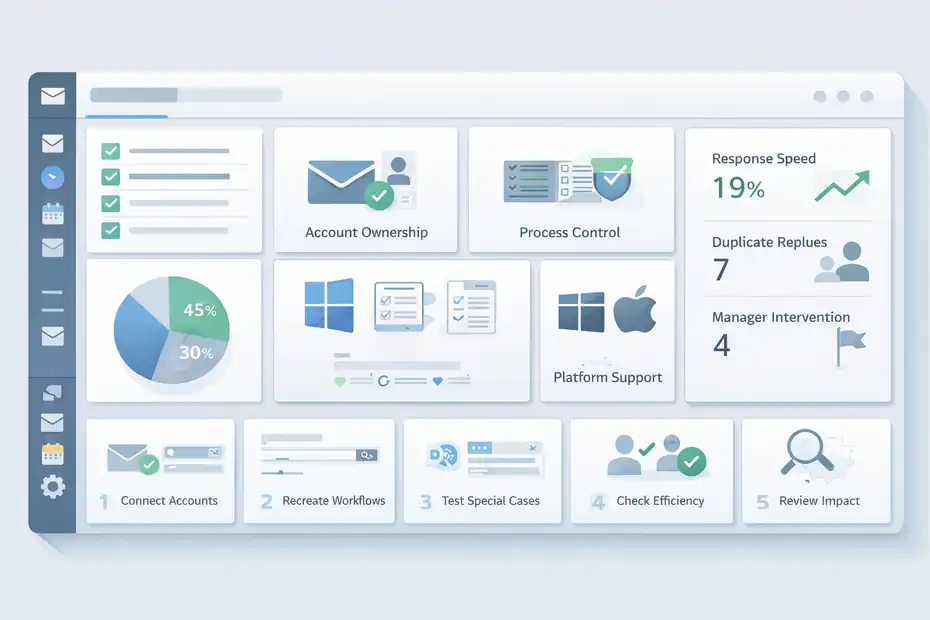
Before you buy multiple seats, it helps to evaluate Mailbird in a structured way.
Most email software disappointments come from unclear expectations rather than bad software alone.
Ask These Workflow Questions First
Start with ownership. Who owns each mailbox today? If every mailbox clearly belongs to one person, Mailbird is much easier to justify. If multiple people need to work from the same inbox all day, you may be trying to solve a collaboration problem with a productivity tool.
Next, ask how much process control you need. Do you need assignment visibility? Internal notes? SLA-style response tracking? Escalation paths? Standardized auditing? If the answer is yes to several of those, your needs are moving beyond what a unified desktop client is designed to do.
Then look at platform usage. Mailbird now supports both Windows and Mac, and licenses are valid across both for current versions, which is good news for mixed-device teams.
But Mailbird’s own FAQ says iPhone and iPad support is not currently available, with mobile apps on the future roadmap. For many businesses, that matters more than they expect.
A simple truth here: Desktop-only strength is fine if your team mostly works from laptops. It is a bigger limitation if your managers or reps live on mobile between meetings.
Run A Real Pilot Instead Of A Surface-Level Test
I strongly recommend a 5-step pilot:
- Connect the actual business accounts your team uses every day.
- Recreate your normal workflows like triage, follow-up, search, and delegation.
- Test special cases such as Exchange setup, aliases, templates, and account switching.
- Check whether every user can work efficiently without creating inconsistent setups.
- Review whether the app solves both productivity and coordination, or just productivity.
A realistic scenario helps. Imagine your team handles 80 inbound emails a day across support@ and sales@. During the pilot, track three metrics: response speed, duplicate replies, and manager intervention. If response speed improves but duplicate replies stay high, you learned something very important: the product helps individuals move faster, but it does not fix team coordination.
That kind of clarity is what prevents bad software decisions later.
Pricing, Licensing, And Value For Business Buyers
Pricing matters, but in business software the cheapest tool is not always the lowest-cost tool. You have to look at both seat price and operational fit.
What The Current Pricing Structure Signals
Mailbird’s official pricing page shows a one-time premium option at €59 with lifetime access to future Mailbird versions and updates, plus cross-platform use on Windows and Mac.
The same page also notes one user per license and up to three devices per premium license. Third-party pricing directories also list yearly seat-based plans, with Capterra showing business-oriented yearly pricing examples by user.
That pricing model can be attractive for smaller companies because it keeps the buy-in relatively low. For a lean team, paying per user for a more polished email experience can be reasonable, especially if it replaces a messy patchwork of browser tabs and inconsistent workflows.
But value depends on fit. A lower seat price loses its appeal if you still need another tool for shared inbox coordination, internal collaboration, or admin oversight. In that case, Mailbird becomes an added layer rather than a complete answer.
So I would frame the pricing this way: it is cost-effective when the job is “make each user faster.” It is less cost-effective when the job is “run a team-based inbox process end to end.”
Quick Comparison Table For Business Buyers
| Business Need | Mailbird Fit | Why It Matters |
|---|---|---|
| One person managing several inboxes | Strong | Unified inbox and multi-account support are central strengths. |
| Mixed Windows and Mac team | Good | Current licenses work across both platforms. |
| Mobile-first team workflow | Limited | iPhone and iPad support are not currently available. |
| Shared support or sales queue | Weak to moderate | Unified inbox is not the same as a collaborative shared inbox. |
| Deep admin control and governance | Limited | Public positioning emphasizes individual licensing more than centralized administration. |
| Productivity features per user | Strong | Search, templates, tracking, send later, snooze, rules, and integrations help daily efficiency. |
| Businesses needing Outlook/Exchange connectivity | Good | Exchange support is listed officially, with setup support docs available. |
This is why Mailbird often looks like a good-value tool on paper. For certain teams, it really is. The catch is that affordability should never be evaluated separately from workflow design.
Common Mistakes Business Users Make With Mailbird
A lot of disappointment with email tools comes from buying for the wrong use case. Mailbird is no exception.
Mistake 1: Confusing Unified Inbox With Shared Team Management
This is the classic error. A business sees “unified inbox” and assumes it solves collaborative team email. It does not, at least not by itself. A unified inbox helps one user see several accounts together. A shared-inbox system helps several users coordinate work inside one mailbox. Those are not the same category of product.
When companies miss this distinction, they tend to create process debt. People rely on Slack messages, memory, or ad hoc verbal updates to avoid stepping on each other in the inbox. That may work for a while, but it is fragile. One sick day or one busy launch week exposes the cracks fast.
The fix is straightforward: define whether your problem is visibility or collaboration. If it is visibility, Mailbird may be enough. If it is collaboration, you likely need more than Mailbird alone.
Mistake 2: Buying On Feature Count Instead Of Workflow Fit
It is easy to get impressed by templates, tracking, snooze, integrations, dark mode, search, and Exchange support. Those are useful features. But feature count is not the same thing as workflow fit.
For example, a founder may love Mailbird because it makes personal inbox control much better. Then they buy seats for the support team assuming the same logic applies. But support work is queue-based and collaborative. The founder’s use case and the support team’s use case are different, even though both happen in email.
I advise mapping software to the actual job to be done. Ask: is this tool meant to improve the individual operator, the shared process, or both? Mailbird appears strongest in the first category.
Mistake 3: Underestimating Mobile And Standardization Needs
Another mistake is evaluating only the desktop experience. Mailbird can be excellent on desktop for the right user, but if leadership or field teams need deep mobile continuity, the current lack of iPhone and iPad compatibility becomes relevant.
Standardization is the second half of this problem. In a three-person team, everyone can set things up manually. In a 30-person team, manual setup starts to become a management tax. Layout choices, rules, connected accounts, local storage habits, and personalized configurations can drift over time.
This is one of those unglamorous realities that experienced buyers learn the hard way. The true cost of software often shows up in repeatability, not in the invoice.
Final Verdict: Does Mailbird Scale With Your Team?
Mailbird scales reasonably well if your definition of scale is “more people each need a better, faster personal email workspace.”
It scales much less well if your definition of scale is “our team needs a collaborative inbox system with stronger coordination, governance, and shared-process control.”
Who Should Choose Mailbird
Mailbird is a strong fit for freelancers, founders, consultants, agencies, and small businesses where inbox ownership is clear and each user mainly wants to manage multiple accounts more efficiently.
In that context, the clean interface, unified inbox, cross-platform licensing, multi-account support, and productivity features offer real value. Public reviews also consistently praise its ease of use and fast feel.
If your team is lean and your biggest pain is email overload rather than team coordination, I think Mailbird is worth serious consideration. It can absolutely help you move faster.
Who Should Be Careful
Be more cautious if your business depends on a shared support desk, collaborative sales queue, complex administration, or heavy mobile continuity.
Mailbird can connect shared addresses, but Mailbird’s own content makes clear that a unified inbox is not the same as a shared team inbox. That distinction is the heart of the scaling question.
So my honest conclusion is this: Mailbird scales well for individual productivity, not as convincingly for collaborative email operations. If that matches your needs, it can be a smart and cost-effective choice. If your team needs coordination inside the inbox itself, you may outgrow it sooner than you expect.
FAQ
What are the main Mailbird pros and cons for business users?
Mailbird offers a clean interface, unified inbox, and strong multi-account support, making it ideal for individual productivity. However, it lacks true shared inbox functionality and deep admin controls, which can limit its effectiveness for teams that rely on collaborative workflows and structured email management.
Is Mailbird good for small business teams?
Mailbird works well for small teams where each user manages their own inbox or a few shared accounts. It improves efficiency and reduces email clutter, but it may not fully support teams that require coordination, task assignment, or visibility across shared email conversations.
Can Mailbird handle shared inbox workflows?
Mailbird can connect shared email accounts, but it does not function as a true shared inbox system. It lacks features like assignment tracking, internal notes, and collision detection, which are essential for teams managing high volumes of collaborative email communication.
Does Mailbird scale as your team grows?
Mailbird scales effectively for adding more individual users, but it becomes less suitable as teams grow and require structured collaboration. Larger teams often need centralized control, standardized workflows, and shared visibility, which Mailbird does not fully provide.
Is Mailbird better than traditional email clients for business use?
Mailbird can be better than traditional email clients for users who want a faster, more organized inbox with modern productivity features. However, for businesses needing collaboration and administrative control, traditional enterprise solutions or shared inbox tools may offer a better fit.

I’m Juxhin, the voice behind The Justifiable.
I’ve spent 6+ years building blogs, managing affiliate campaigns, and testing the messy world of online business. Here, I cut the fluff and share the strategies that actually move the needle — so you can build income that’s sustainable, not speculative.
Related posts:
 Mailbird Free Version: Worth It or Too Limited?
 The Mailbird App Looks Great—But Does It Deliver?
 Mailbird for Mac Review: Email Just Got Better
 Mailbird Email Client Review: Is This The Fastest Inbox Upgrade?
 Mailbird Worth It For Productivity Workflows: Real Efficiency Gains Tested
 HubSpot Pricing For Small Business: Hidden Costs