
Table of Contents
Some links on The Justifiable are affiliate links, meaning we may earn a small commission at no extra cost to you. Read full disclaimer.
Freshsales pros and cons for sales teams become a lot clearer once you stop looking at feature checklists and start asking a simpler question: will this CRM actually make your team sell faster without creating extra admin work?
That is where most buying decisions go right or wrong.
In my experience, Freshsales is one of those platforms that can feel like a smart, clean shortcut for the right team, but a frustrating compromise for the wrong one.
This guide breaks down where it genuinely helps, where it falls short, and how to decide whether it fits your workflow.
What Freshsales Is And Why Sales Teams Consider It
Freshsales sits in that interesting middle ground between lightweight CRM tools and more complex enterprise systems.
That is exactly why so many sales teams put it on the shortlist.
What Freshsales Actually Does For A Sales Team
At its core, Freshsales is a sales CRM built to help reps manage contacts, deals, pipeline stages, communication, and follow-up activity in one place.
Freshworks positions it around contact management, deal tracking, built-in communication, sales sequences, automation, and Freddy AI features for lead scoring, deal insights, and email assistance.
Official pricing pages also show that capabilities expand significantly as you move from lower tiers into Pro and Enterprise, where you get things like multiple pipelines, advanced workflows, custom reports, and governance controls.
What I like about this positioning is that it matches how most real sales teams work. They usually do not need a giant platform on day one. They need a CRM that keeps deals moving, reduces manual logging, and gives managers enough visibility to coach the team.
A practical example helps here. Imagine a five-person outbound team that is still juggling spreadsheets, inboxes, and a separate calling app. Freshsales can centralize that work faster than many heavyweight CRMs because the core sales workflow is already the product’s main focus.
That does not automatically make it the best option. It just means the product is trying to solve a very specific pain point: sales execution without overwhelming setup complexity.
Why Freshsales Appeals To Growing Teams
Freshsales tends to appeal to startups, SMBs, and mid-market teams because it promises a cleaner learning curve than enterprise-first CRMs while still offering automation and AI-assisted features.
User review summaries on G2 repeatedly highlight ease of use, setup, customization, and automation as key strengths, while also flagging limits around reporting depth.
Capterra reviews likewise include positive comments around value for money, intuitive pipeline setup, and all-in-one functionality.
That pattern matters. Sales leaders usually buy CRMs for two reasons: visibility and consistency. Reps, on the other hand, adopt CRMs only when the system saves time instead of stealing it. Freshsales gets attention because it seems to speak to both sides.
Managers get pipeline structure and workflows. Reps get a simpler interface, built-in calling, email syncing, and less app switching. TechRadar’s recent review also pointed to its usability, built-in phone functions, and AI-assisted workflow as key strengths.
I believe that is the real reason the platform gets traction. It is not usually the “most powerful CRM on earth” pitch. It is the “we can get this live without breaking our team” pitch.
For many teams, that is a much stronger buying trigger.
The Biggest Pros Of Freshsales For Sales Teams
This is where Freshsales usually makes its best first impression. The advantages are real, especially for teams that want speed, visibility, and a tighter day-to-day workflow.
Easy Adoption And A Cleaner User Experience
One of the strongest Freshsales pros for sales teams is adoption. If your reps hate logging activity, updating deals, or clicking through cluttered screens, a clean interface matters more than most buyers admit.
G2’s review summary specifically highlights user-friendliness and ease of setup, and TechRadar’s current review also describes the platform as intuitive with fast onboarding and role-based usability improvements.
This matters because a CRM only works when reps actually use it. I have seen teams buy “feature-rich” systems that looked impressive in demos but died in practice because reps found them annoying.
Freshsales has a better shot at real usage because the product is built around typical sales actions rather than forcing people through endless admin layers.
Here is where that plays out:
- Rep Onboarding: New SDRs can usually understand contacts, deals, tasks, and pipeline views quickly.
- Manager Visibility: Sales managers can review activity and deal stages without needing custom dashboards on day one.
- Lower Resistance: A cleaner UI means fewer “I forgot to update the CRM” excuses.
Imagine a founder-led sales team moving into its first formal CRM. With Freshsales, the biggest early win is often not advanced automation. It is simply getting everybody to work inside one system consistently.
That is a bigger operational upgrade than many teams realize.
Built-In Communication Tools Reduce Context Switching
Freshsales stands out because it includes built-in phone and email capabilities, rather than treating communication as an afterthought. Freshworks and TechRadar both highlight built-in telephony, email syncing, and activity logging as part of the platform’s practical value for sales workflows.
Why does that matter? Because context switching quietly destroys rep productivity. If your team has to jump between the CRM, inbox, dialer, note-taking app, and follow-up tracker, every activity takes longer than it should.
Freshsales helps by keeping more of this inside the CRM record itself. A rep can review a contact, see recent communication history, place or log a call, and update a deal without bouncing all over the stack. For smaller teams, that can feel like a major efficiency gain.
A realistic scenario: Say an AE is working 20 active opportunities. If each deal update requires switching through three or four tools, the admin drag adds up quickly. With a more unified workspace, they spend more time actually advancing deals.
That does not mean the communication stack is perfect for every company. Larger organizations with very specific telephony or compliance needs may still want specialized tools. But for many growing teams, the all-in-one workflow is one of Freshsales’ most convincing benefits.
Useful Automation And AI Without Enterprise-Level Complexity
Freshsales includes automation and AI features that are meaningful for sales teams, not just flashy demo extras. Official product and pricing pages mention sales sequences, advanced workflows, Freddy AI email support, deal insights, and forecasting-oriented capabilities in higher tiers.
Recent coverage from TechRadar also notes newer Freddy AI functions such as sentiment analysis, meeting summaries, next-best-action style support, and generative writing features, with some advanced AI available as an add-on.
In plain English, this means the platform can help teams automate repeatable follow-up tasks and surface signals that would otherwise get missed. That is especially useful when your pipeline volume starts growing faster than your team size.
The value shows up in small ways first:
- Sequence Management: Reps can standardize first-touch and follow-up outreach.
- Workflow Automation: Managers can reduce manual task assignment and stage-based reminders.
- Deal Prioritization: AI-assisted scoring and insights can help reps focus where momentum is strongest.
I suggest looking at these features as force multipliers, not magic. They are most helpful when your process already exists and you want the CRM to enforce it more consistently.
If your sales process is still messy, no AI layer will fix that. But if your team already knows what a good workflow looks like, Freshsales can help make it repeatable without the implementation burden some enterprise CRMs bring.
Competitive Value For Small And Mid-Sized Teams
Pricing is one of the more attractive parts of the Freshsales story.
Freshworks currently shows paid CRM plans starting at lower entry pricing and scaling upward by tier, while recent third-party review coverage frames Freshsales as competitively priced for teams that want a step up from basic CRM functionality without jumping into enterprise pricing too early.
Official pages also show advanced features such as multiple pipelines, custom reports, and advanced workflows reserved for higher plans.
That pricing structure can work well for teams in a transition phase. Think of a company that has outgrown spreadsheets and basic contact managers, but is not ready to justify a very expensive CRM rollout across the full sales org.
Here is a simple view of how the value conversation usually looks:
| Plan Level | What It Generally Fits | Main Trade-Off |
|---|---|---|
| Lower Tier | Early teams needing pipeline basics and simple automation | Limited depth for reporting and advanced process control |
| Mid Tier | Growing teams with more structured sales motions | Costs rise as more users and features are added |
| Higher Tier | Larger teams needing governance, forecasting, and customization | You start approaching the complexity and cost questions of larger CRMs |
The biggest advantage here is flexibility. A team can start relatively lean and expand later. The biggest caution is that “good value” depends on how many higher-tier features your team ends up needing.
The Main Cons Of Freshsales For Sales Teams
This is the part buyers often underweight. Freshsales has strong upside, but it also has real limitations that become more obvious as your process matures.
Reporting Can Feel Limited For Data-Heavy Teams
One of the most repeated Freshsales cons for sales teams is reporting depth. G2’s review summary explicitly says some users find reporting capabilities less advanced, and that complaint shows up often enough to treat it as a serious buying consideration rather than a one-off issue.
This matters most for managers who live inside pipeline analysis, conversion diagnostics, rep-level trend tracking, and board-ready forecasting views. If your sales leadership expects deeply flexible reporting across custom fields, complex attribution, or multi-layer funnel analysis, Freshsales may feel a little tighter than expected.
I would frame it like this: The reporting is often enough for operational management, but not always enough for highly analytical revenue teams.
A common scenario is a scaling B2B company with separate SDR, AE, and account management motions. At that stage, leadership often wants to answer questions like:
- Where exactly are stage-to-stage conversion rates breaking?
- Which lead sources create the highest close rate by segment?
- How long does each rep truly hold deals at each stage?
- Which sequences contribute to meaningful downstream revenue?
If your team asks those questions every week, test reporting hard before committing. This is one of those areas where a CRM can look fine in a demo and feel restrictive three months later.
Integration Breadth Is Not As Wide As Some Competitors
Freshsales integrates naturally with the Freshworks ecosystem, and TechRadar notes solid support for APIs plus tools like Zapier and Make. At the same time, that same review points out that native third-party integrations are not as broad as major competitors such as HubSpot or Salesforce.
This is not a dealbreaker for every company, but it becomes important fast when your sales stack gets more specialized. A lightweight stack can work beautifully with Freshsales. A more layered stack can require workarounds.
Here is where that friction often shows up:
- Marketing Handoffs: Teams may want deeper native sync with campaign or attribution systems.
- RevOps Workflows: More complex routing, enrichment, or warehouse workflows may need middleware.
- Specialized Tools: Niche sales engagement or analytics tools may not have the native depth some teams expect.
In my experience, integration limitations hurt more over time than at purchase. During evaluation, teams focus on what the CRM can do by itself. Six months later, they realize the bigger issue is how well it fits everything else.
So if your sales process already depends on a lot of third-party tools, do not just ask “Does it integrate?” Ask “How much manual maintenance will that integration create?”
That question usually reveals the real cost.
Costs Can Climb Once You Need Advanced Features
Freshsales can look affordable at the entry level, but the economics change once you move into higher tiers or add advanced AI capabilities. Official pricing pages show meaningful feature separation by plan, and recent review coverage notes that Freddy AI add-ons can increase per-user cost further.
This is a classic CRM trap. The starting price gets attention, but the actual working price depends on what your team needs to function well. That may include better automation, multiple pipelines, advanced workflows, forecasting, custom modules, or AI assistance.
For a ten-person team, the difference between “basic paid CRM” and “the version we really need” can become significant. That does not mean Freshsales is overpriced. It means the budget conversation has to be honest.
I recommend evaluating cost in three layers:
- License Cost: The published per-user fee.
- Feature Access Cost: What tier you need for your real workflow.
- Operational Cost: Extra spend on add-ons, middleware, or admin time.
A lot of teams compare CRMs at the first layer only. That is where buying mistakes happen. Freshsales is often good value, but only after you map your actual requirements to the correct plan.
Support And Complexity Can Change As You Scale
Support experience appears mixed across review sources. Capterra reviews include positive comments from some Enterprise customers but also mention slower support on lower tiers and occasional frustration, while third-party reviews note support limitations such as 24/5 availability and narrower coverage compared with some larger vendors.
This is one of those issues that feels small until something breaks during a critical sales week. Early-stage teams often assume support quality will be “good enough.” Mature teams know that admin help, fast troubleshooting, and implementation guidance can directly affect revenue operations.
There is another angle too: Complexity grows with success. Freshsales feels simple at first because it is easier to adopt. But once you add custom processes, permissions, forecasting, automation branches, and cross-functional reporting, even a simpler CRM needs real ownership.
So the con is not just support. It is support plus scale. A team may buy Freshsales to avoid complexity, then discover later that every CRM becomes more demanding once the business matures.
That does not make Freshsales uniquely flawed. It just means simplicity at the beginning should not be confused with low administration forever.
Which Sales Teams Usually Benefit Most From Freshsales
Freshsales is not a universal fit, and that is actually a good thing. The best buying decisions happen when you match the CRM to the motion.
Best Fit: Startups, SMBs, And Teams Replacing Spreadsheets
Freshsales is often strongest for teams moving from manual or loosely structured sales management into a real CRM. The product’s usability, built-in communication tools, and approachable automation make it attractive for companies that need better process without enterprise overhead.
Review patterns on G2 and Capterra reinforce that reputation around ease of use, setup, and value.
If I were advising a founder-led team or a lean sales org with under 50 reps, this would be the main Freshsales use case I would look at first.
Typical good-fit scenarios include:
- Early Revenue Teams: You need deal tracking, follow-up structure, and rep accountability.
- SMB Sales Orgs: You want automation and AI support, but not a huge implementation project.
- Freshworks Ecosystem Users: You already use Freshdesk or related products and want tighter alignment.
A realistic example: A SaaS company with two SDRs, three AEs, and one sales manager often benefits more from a CRM that gets adopted quickly than one with maximum theoretical customization.
That is where Freshsales can punch above its weight.
Less Ideal Fit: Highly Complex RevOps Environments
Freshsales becomes a riskier choice for organizations with very complex revenue operations, deep multi-team reporting requirements, or a heavy dependence on a broad native integration ecosystem. The recurring concerns around reporting depth and integration breadth are the biggest signals here.
I would be more cautious if your organization looks like this:
- Layered Sales Structure: SDR, AE, CS, partner, and renewal teams all need distinct workflows.
- Advanced Analytics Needs: Leadership expects custom funnel analysis and detailed attribution views.
- Tool-Heavy Stack: Your process depends on a large network of tightly connected sales and marketing apps.
In that environment, Freshsales may still work, but the margin for frustration is much higher. A CRM that feels elegant for one pipeline can feel restrictive for five.
This is where I suggest being brutally honest. Do not buy for the team you were last year. Buy for the process you expect to manage over the next 18 to 24 months.
That one mindset shift can save a painful migration later.
How To Evaluate Freshsales Before You Commit
The smartest way to evaluate Freshsales is not by asking whether it looks good in a demo.
It is by pressure-testing the exact parts of your sales process that create friction today.
Test Your Real Sales Workflow, Not The Default Demo
CRM demos are designed to look smooth. Real life is not. The right evaluation approach is to map your actual pipeline, handoff logic, follow-up cadence, and reporting needs into the trial environment.
Let me break it down:
- Step 1: Recreate Your Pipeline. Include your real stages, not a simplified version.
- Step 2: Load Sample Contacts And Deals. Use realistic data so your team can test navigation and visibility.
- Step 3: Run A Rep Workflow. Have reps log calls, send follow-ups, update stages, and schedule next actions.
- Step 4: Run A Manager Workflow. Check pipeline review, activity visibility, and reporting usefulness.
- Step 5: Test Exceptions. Include edge cases like reassignment, duplicate records, missing fields, or multi-owner deals.
This process quickly reveals whether Freshsales feels natural or forced.
I strongly recommend involving actual reps, not just leadership. Managers often approve a CRM based on control and reporting. Reps judge it by friction. Both views matter, but rep friction is what kills adoption first.
Compare The Required Plan, Not The Entry Plan
Freshsales pricing only makes sense when you match the product tier to your real needs. Official Freshworks pages show clear feature separation across plans, including items like sales sequences, multiple pipelines, advanced workflows, custom reports, and governance capabilities in higher tiers.
That means the real question is not “Can we afford Freshsales?” It is “Which version of Freshsales solves our workflow without compromise?”
I suggest creating a simple requirements list with three columns:
| Requirement | Nice To Have Or Must Have | Minimum Plan Needed |
|---|---|---|
| Multiple Pipelines | Must Have | Higher paid tier |
| Advanced Workflows | Must Have | Higher paid tier |
| AI Email Assistance | Nice To Have | Plan plus possible add-on |
| Basic Contact Management | Must Have | Entry or free tier |
This exercise prevents a very common mistake: buying low, then discovering you need to upgrade almost immediately.
When teams skip this step, the product feels like it got “more expensive later.” In reality, they just estimated against the wrong version.
Common Mistakes Sales Teams Make With Freshsales
Freshsales can work very well, but only if you implement it with a realistic view of process, ownership, and scale.
Mistake 1: Buying It For Ease Of Use Alone
Ease of use is a huge advantage, but it should not be the main buying reason. G2 and other reviews consistently praise usability, which is great, but a CRM still has to support your reporting, handoffs, and long-term growth.
I have seen teams get excited because Freshsales feels refreshing after looking at heavier tools. Then, months later, they realize they never really tested whether the system could support manager reporting, future integrations, or more complex routing rules.
A CRM should be easy enough to adopt and strong enough to grow with you.
The fix is simple: rank your needs in this order:
- Adoption
- Workflow fit
- Reporting fit
- Integration fit
- Total cost at the right tier
Ease of use belongs on the list, just not as the whole list.
Mistake 2: Underestimating Process Design
Freshsales includes automation and AI support, but those tools only work well when your pipeline logic is clear. If stage definitions are messy, rep ownership is unclear, or follow-up expectations are inconsistent, the CRM will only organize confusion faster.
Official feature pages show that Freshsales can automate a lot, but automation is only as good as the process behind it.
This is where many teams go wrong. They think the CRM will create discipline by itself. It will not.
Before rollout, define:
- What qualifies a lead
- What moves a deal to the next stage
- Who owns each step
- What activities are required
- What should trigger reminders or tasks
In my experience, teams that do this well usually like Freshsales more. Teams that skip it tend to blame the software for process problems they never solved.
Mistake 3: Ignoring Future Admin Load
Freshsales often feels lighter than enterprise CRMs, but it still needs ownership as your team scales. Support quality, reporting setup, automation maintenance, and integration monitoring all become more important over time.
Review patterns and third-party analysis suggest that the experience can vary depending on plan level, business size, and complexity.
This is the hidden issue many buyers miss. A CRM is not just a product decision. It is an operating system decision.
Someone on your team will need to own:
- User permissions
- Workflow updates
- Data hygiene
- Report creation
- Integration checks
- Sales process changes
That person does not need to be full-time at first. But someone does need to be responsible. Without ownership, even a user-friendly CRM slowly becomes messy, unreliable, and underused.
Final Verdict: Are Freshsales Pros And Cons Worth It For Your Team?
Freshsales pros and cons for sales teams come down to a simple trade-off: you get a CRM that is generally easier to adopt, cleaner to use, and more unified for everyday sales work, but you may give up some reporting depth, broader native integrations, and long-term flexibility compared with more complex platforms.
The strongest evidence in current reviews points to usability, automation, built-in communication, and value as core strengths, while reporting limitations and integration breadth remain recurring cautions.
My honest opinion is this: Freshsales is a very good choice for sales teams that want structure without enterprise bloat. It is often a smart fit for startups, SMBs, and growing teams that need reps to adopt the CRM quickly and managers to gain visibility fast.
It is a weaker fit for organizations with highly complex RevOps environments, heavy customization demands, or deep reporting expectations.
So here is the practical takeaway. If your team mainly needs a CRM that helps people work better every day, Freshsales deserves serious consideration. If your team mainly needs a CRM that can model a very complex revenue machine with minimal compromise, you should evaluate it much more cautiously.
That is the real honest breakdown. Freshsales is not the best CRM for every sales team. But for the right one, it can be exactly the kind of system that gets used, and that matters more than almost anything else.
FAQ
What are the main Freshsales pros and cons for sales teams?
Freshsales helps sales teams manage pipelines, contacts, and follow-ups in one place with a clean interface and useful automation. The main downsides are reporting limits, fewer native integrations than some rivals, and rising costs when teams need more advanced features or AI tools.
Is Freshsales good for small sales teams?
Freshsales is often a strong fit for small sales teams because it is easier to learn, faster to set up, and simpler to manage than many larger CRM platforms. It works especially well for teams that want better structure, visibility, and follow-up consistency without a long implementation process.
What is the biggest downside of Freshsales for growing teams?
The biggest downside for growing teams is that Freshsales can feel limiting once reporting, customization, and integration needs become more advanced. A team may start with a good experience, then realize later that deeper analytics, more complex workflows, or broader ecosystem support are harder to manage.
Does Freshsales offer good value for sales teams?
Freshsales can offer strong value for sales teams that want core CRM features, automation, and built-in communication tools at a reasonable starting cost. The value is best for small and mid-sized teams, but costs can increase when advanced workflows, reporting, or AI features become necessary.
How should a sales team evaluate Freshsales before buying?
A sales team should test Freshsales using its real pipeline, follow-up process, reporting needs, and day-to-day workflow instead of relying on a polished demo. This makes it easier to spot adoption issues, missing features, or upgrade requirements before making a long-term CRM decision.

I’m Juxhin, the voice behind The Justifiable.
I’ve spent 6+ years building blogs, managing affiliate campaigns, and testing the messy world of online business. Here, I cut the fluff and share the strategies that actually move the needle — so you can build income that’s sustainable, not speculative.
Related posts:
 Freshworks Vs HubSpot Comparison: Which Drives More Revenue
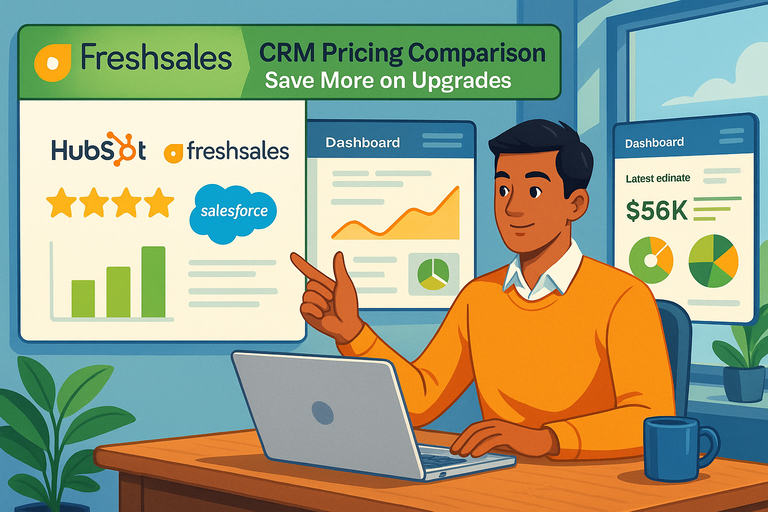 Freshsales CRM Pricing Comparison: Save More on Upgrades
 Freshsales Review For Small Business: Hidden Power Or Hype?
 Social Media Marketing for Small Business – Best Tips
 How to Start a Blog and Make Money
 Monday Limitations For Small Teams That Can Slow You Down