
Table of Contents
Some links on The Justifiable are affiliate links, meaning we may earn a small commission at no extra cost to you. Read full disclaimer.
A freshsales crm platform overview is really about one practical question: is this CRM simple enough to help you sell faster without becoming another bloated system your team avoids?
Freshsales, built by Freshworks, positions itself as an AI-powered sales CRM with contact and account management, pipeline tracking, built-in communication tools, automation, and optional sales-plus-marketing alignment through Freshsales Suite.
It also offers a free plan for up to three users and paid tiers that scale from basic pipeline management to forecasting, automation, and enterprise controls.
What Freshsales Is And Who It Is Best For
Freshsales sits in the part of the CRM market that tries to balance usability with enough depth for growing teams. If you want a platform that covers leads, contacts, deals, communication, and automation in one place, this is where Freshsales is trying to win.
What Freshsales Actually Does
At its core, Freshsales is a sales CRM designed to help you capture leads, organize customer data, manage accounts, move deals through a pipeline, and keep every interaction visible in one record. Freshworks describes it as an AI-powered sales CRM focused on helping teams grow pipeline, improve conversions, and boost productivity.
What I like about this positioning is that it is not pretending to be only a contact database. Freshsales goes beyond basic contact storage by combining account management, activity timelines, deal views, tasks, reminders, and communication tracking. That matters because many businesses outgrow lightweight contact tools the moment two reps start working the same account.
Freshsales is especially relevant for small and mid-sized sales teams that want a cleaner setup than some heavyweight enterprise CRMs, but still need automation and reporting. The free plan supports up to three users, while paid tiers add broader CRM depth, analytics, automation, and AI-led workflows.
In practical terms, imagine you run a B2B agency with five account executives. You need one place to track inbound leads, follow-ups, open deals, call notes, and next steps. That is the exact kind of workflow Freshsales is built to centralize. This use case is an inference based on the platform’s published feature set and plan structure.
Which Teams Usually Get The Most Value From It
Freshsales tends to make the most sense for teams that are juggling lead capture, rep activity, and pipeline visibility at the same time. If your current setup is spread across spreadsheets, inboxes, calendar reminders, and chat messages, you will probably feel the value of a CRM like this pretty quickly.
The strongest fit is often for inside sales teams, B2B service businesses, SaaS companies, agencies, and growing SMBs that need structure without a huge implementation project. Freshworks also promotes the broader CRM suite as a way to unify sales and marketing around a single customer view, which makes it more attractive if handoffs between lead generation and sales are messy today.
I would also put it in the “good for teams that want built-in functionality” category. The platform highlights built-in phone, email templates, live chat on the free tier, plus deeper automation and AI in higher plans. That reduces the need to patch together too many separate tools from day one.
Where it may be less ideal is for businesses that already depend on a very customized enterprise CRM environment with deeply layered objects, niche workflows, or complex governance requirements. Freshsales can scale, but its real appeal is that it stays approachable while still adding forecasting, role permissions, and automation as you move up.
How Freshsales Works Day To Day
The easiest way to understand Freshsales is to picture the daily flow of a rep.
Leads come in, records get enriched and assigned, activity gets logged, opportunities move through stages, and managers monitor pipeline health and forecast quality.
How Contacts, Accounts, And Deals Connect
Freshsales organizes customer data around standard CRM building blocks like contacts, accounts, and deals. Contacts represent individual people, accounts represent the company or organization, and deals represent the revenue opportunity you are trying to close.
The pricing comparison and feature pages list contact management, account management, lifecycle stages, activity timelines, and Kanban views for records as core parts of the platform.
This structure matters because it gives you context, not just storage. Instead of seeing “John from Acme” as one isolated line in a spreadsheet, you can tie John to Acme, connect open opportunities to that account, and review past calls, emails, notes, and tasks from one place. Freshworks specifically highlights a 360-degree view and activity history as part of the value proposition.
From what I have seen, this is where many teams either gain momentum or create chaos. If you define records cleanly from the start, reporting becomes useful later. If you let reps create duplicate contacts, inconsistent account names, and vague deal titles, the CRM starts lying to you.
A simple setup rule I recommend is this: Accounts should be standardized by company name, contacts should always be tied to an account where relevant, and every deal title should include both company and offer type. That advice is an implementation best practice based on the published data model, not a direct Freshworks quote.
How The Sales Pipeline Moves Inside The Platform
Freshsales includes pipeline management so you can define stages and move deals through your sales process. Freshworks also references pipeline customization, deal management, and Kanban-style record views, which usually makes the platform easier for reps who like a visual workflow.
This is important because a CRM should not just tell you what exists. It should tell you what needs attention next. In a healthy setup, each pipeline stage reflects a real buying step, not a vague internal label. For example, “Discovery Completed” is clearer than “Qualified,” because everyone knows what must happen before the deal moves.
Freshsales becomes more useful when each stage has a matching action. One stage may require a booked demo, another may require budget confirmation, and another may require proposal delivery. Once your team links stages to actual exit criteria, the CRM starts becoming a management system instead of a digital filing cabinet.
Freshworks also promotes deal insights, forecasting, and next-best-action style recommendations through Freddy AI in higher-level capabilities. That means the pipeline is not just static reporting; it can become a decision-support layer when the data is clean enough.
The Core Features That Matter Most
A lot of CRM articles throw feature lists at you. That is not very helpful. What actually matters is how the features reduce friction for the rep and give better visibility to the manager.
Lead Capture, Routing, And Enrichment
Freshsales highlights lead routing rules, auto-assignment, and auto-profile enrichment on its feature pages. In plain English, that means the platform can help push the right lead to the right rep and fill in some customer details automatically using public and social information.
This is one of the most underrated CRM advantages. If a lead comes in and sits unassigned for six hours, the system has already failed at the most basic level. Routing rules reduce that delay. Enrichment helps reps avoid starting from a blank record, which saves time and can improve first-touch personalization.
I believe this is especially useful for lean teams. When you do not have sales operations staff manually cleaning every record, even partial enrichment can cut repetitive admin work. Freshworks also positions the platform around productivity and reduced manual work, which supports that use case.
A realistic example: A software company routes EMEA leads to one rep, North America leads to another, and enterprise-size domains to a senior closer. That kind of logic is exactly where automated assignment starts paying off. This scenario is illustrative, but it follows the routing and territory-style assignment model Freshworks describes.
Built-In Communication And Activity Tracking
Freshsales includes built-in email and phone capabilities, email templates, live chat on some plans, activity dashboards, reminders, appointments, and interaction history. These features are designed to keep outreach and follow-up inside the CRM rather than scattered across disconnected tools.
That matters because the biggest reporting problem in sales is missing activity data. If your team sends emails outside the CRM, takes calls on personal numbers, and stores notes in random places, your pipeline report becomes a partial story. Built-in communications improve the odds that outreach data actually gets captured.
Freshworks also points to an activity dashboard and timelines, which help reps see what has happened and what is due next. For managers, this makes coaching easier. You can quickly spot whether a stalled deal has had no meaningful activity for ten days or whether it is still moving with the buyer.
My suggestion is to treat activity hygiene as a non-negotiable rule during implementation. The CRM should answer three questions fast: who owns this deal, what happened last, and what happens next. If those answers are missing, adoption drops because the system stops being trustworthy.
Automation, Sequences, And Workflow Support
Freshsales promotes sales sequences, automation, task creation, and workflow features that help teams reduce manual admin work and standardize follow-up. Freshworks describes sales sequences as structured, multi-step actions that guide prospects through the buying process across channels.
This is where the platform can move from “organized CRM” to “process-driven CRM.” A good sequence is not just automation for the sake of it. It is a repeatable system that ensures leads are followed up consistently without making every message sound robotic.
For example, a demo-request sequence might include: day one confirmation email, day two call task, day four follow-up email, and day seven final check-in. The rep still personalizes the message, but the framework prevents good leads from slipping through because someone got busy.
I would be careful, though. Too much automation can make a sales team lazy. The best use of sequences is for timing and consistency, not replacing human judgment. Freshsales seems built with that balance in mind because its automation sits alongside tasks, timelines, and rep-driven activity, rather than pretending the system can close deals on its own.
Where AI Fits In Freshsales
AI is a major part of Freshsales positioning now, especially through Freddy AI.
The real question is not whether AI exists in the product, but whether it saves time or improves prioritization in a way your team will actually trust.
What Freddy AI Helps You Do
Freshworks says Freddy AI for Sales helps teams find potential customers, create personalized emails, and get insights that help close deals faster. Official pages also mention capabilities like contact scoring, deal forecasting, risk signals, recommendations, next-best actions, and email drafting or rephrasing.
That feature mix tells you Freshsales is using AI in two main ways. First, it supports output, like helping draft sales emails. Second, it supports judgment, like prioritizing leads or flagging deal risk. Those are smart areas to target because sales teams usually waste time on both writing and deciding what to focus on next.
I think the best practical use case is prioritization. When a rep has 60 open opportunities, AI-based lead or deal scoring can help surface which ones deserve attention first. Freshworks describes Freddy as analyzing engagement, historical data, and signals to support that kind of prioritization.
Still, I would not hand over your pipeline brain to AI. Use Freddy as a second opinion, not the final decision-maker. AI works best when your process already has clear stages, clean records, and consistent activity logging. If your data is messy, the recommendations may look impressive while still being misleading.
When AI Features Are Worth Paying For
AI features sound exciting, but they only pay off if they solve a bottleneck you already feel. In most sales teams, that bottleneck is usually one of three things: reps spending too much time writing repetitive emails, managers struggling to forecast accurately, or pipeline reviews taking too long because nobody knows which deals are real.
Freshworks ties Freddy availability and richer capabilities to higher plans and add-ons, with official pricing pages also referencing Freddy AI Agent session packs and comparing feature access by tier.
So here is the honest view. If you are a tiny team still figuring out basic process, AI is probably not the first thing to buy. You will usually get more value from fixing pipeline stages, ownership rules, and follow-up discipline. But once your reps are consistently using the CRM, AI can start saving real time by helping with prioritization, writing assistance, and forecast support.
A simple benchmark I like is this: If managers are manually reviewing every deal each week to guess what will close, AI forecasting and risk signals may be worth serious attention. If the team is still forgetting to log calls, spend on process first.
Pricing And Plan Differences
Pricing is often where Freshsales becomes more appealing, especially for smaller teams that do not want to jump straight into expensive enterprise CRM contracts. The platform uses a free entry point and several paid tiers.
Before the table below, note that Freshworks’ official pricing pages list these Freshsales CRM plans: Free at $0 for up to 3 users, Growth at $9 per user per month billed annually, Pro at $39 per user per month billed annually, and Enterprise at $59 per user per month billed annually. Official comparisons also show that feature access expands across tiers.
| Plan | Published Starting Price | Best Fit | What You Commonly Get |
|---|---|---|---|
| Free | $0 for up to 3 users | Very small teams testing CRM discipline | Core contact/account management, Kanban views, built-in phone, email templates, live chat |
| Growth | $9/user/month billed annually | Small teams ready for structured pipeline work | Entry paid CRM features and more room to scale |
| Pro | $39/user/month billed annually | Teams needing stronger automation, reporting, and AI-related depth | More advanced sales workflows and insights |
| Enterprise | $59/user/month billed annually | Larger or more complex teams needing control and scale | Advanced customization, governance, and higher-end capabilities |
How To Choose The Right Plan
The right Freshsales plan depends less on company size alone and more on workflow complexity. A four-person team can need Pro if it runs layered sales motions. A ten-person team may still be fine on Growth if the process is straightforward.
The free plan is most useful when you want to test whether your team will actually live inside a CRM. Because it includes core productivity features like Kanban views, built-in phone, email templates, and live chat, it is enough to validate habits before spending heavily.
Growth is the natural step when you need a real operating system for sales, not just a basic database. Pro becomes attractive when automation, forecasting, and AI-led insights start affecting revenue predictability.
Enterprise is where governance, control, and deeper sophistication usually matter more. That tier logic is an interpretation of the published feature progression and pricing structure.
I usually suggest choosing a plan based on your next 12 months, not your current month. If you already know you want structured automation and better forecasting by next quarter, it can be cheaper to implement once on the right tier than to rebuild your setup later.
The Hidden Cost Considerations People Miss
CRM buyers often focus on seat price and ignore operating cost. In my experience, that is a mistake. The real cost of a CRM includes setup time, data cleanup, admin overhead, user adoption, and whether you need extra products or add-ons to complete the workflow.
Freshworks also sells broader CRM options, including Freshsales Suite and Freshmarketer, plus add-ons such as Freddy AI Agent session packs and marketing contacts in some product areas. That matters because your total cost may depend on whether you need sales only, sales plus marketing, or AI usage beyond included allowances.
Another hidden factor is tool consolidation. If Freshsales replaces a separate dialer, simple email automation tool, or scattered activity tracking process, the effective cost can be lower than the seat price suggests. On the other hand, if you still need several external systems for your exact motion, the savings may be smaller.
I recommend mapping three cost buckets before buying: license cost, implementation effort, and replacement value. That gives you a more realistic ROI picture than plan price alone.
How To Set Up Freshsales The Right Way
A CRM implementation does not fail because the software is bad.
It usually fails because the team imports messy data, skips process design, and expects automation to save an undefined workflow.
Step 1: Build Your Sales Process Before You Import Data
The first thing to define is not custom fields. It is your sales process. Freshsales supports leads, contacts, accounts, deals, lifecycle stages, activities, and pipeline views, so your setup should start by deciding how those pieces reflect your real customer journey.
Start with the pipeline stages. Write down the actual milestones a buyer passes through from first contact to closed deal. Then define what must be true before a deal moves from one stage to the next. This sounds simple, but it is the difference between useful reports and fantasy reports.
Next, decide ownership rules. Who owns inbound leads? When does ownership pass from SDR to AE? When is an account shared? What activities must be logged? If these rules are fuzzy, the CRM becomes a source of internal arguments instead of clarity.
Only after that should you configure fields, forms, and automations. I suggest keeping your first version lean. You can always add fields later. What you do not want is a giant CRM form nobody wants to complete because it feels like tax paperwork.
Step 2: Clean Your Records And Standardize Naming
Freshsales can help with data enrichment and automation, but no CRM can magically fix sloppy source data on its own. Before importing contacts and accounts, standardize names, remove duplicates, and agree on what counts as a valid record.
A few rules go a long way. Company names should follow one format. Country fields should use one naming convention. Phone numbers should include country codes where possible. Job titles do not need 17 variants of the same role. These are boring decisions, but they make reporting far more accurate later.
I also recommend defining required fields by record type. For example, every deal might require an account, owner, expected close date, value, and current stage. Every contact might require email, company, and source. This keeps the CRM useful without making it annoying.
Here is the part many teams skip: test the import with a small sample first. Bring in 50 records, inspect how they look, then adjust. That one small checkpoint can save hours of cleanup and rebuild work.
Step 3: Add Automation Only After The Team Learns The Basics
Freshsales offers automation, routing rules, sequences, reminders, tasks, and AI-led assistance. That is powerful, but piling it all on at once usually hurts adoption instead of helping it.
I suggest a phased rollout. In phase one, get the team comfortable with records, pipeline updates, notes, tasks, and basic communication logging. In phase two, add lead assignment rules and simple reminders. In phase three, introduce sequences, forecasting, and AI prioritization.
Why so gradual? Because the team needs to trust the data before it will trust the automation. If a rep sees three bad tasks generated from a messy workflow, they stop believing the system is helping.
A strong early automation is usually assignment and task follow-up. A weak early automation is usually a complicated multi-branch sequence nobody has tested. Start with the things that reduce delay and admin work immediately, then layer in the clever stuff after usage habits are stable.
Common Mistakes And Troubleshooting Tips
Freshsales can absolutely improve sales operations, but only when the setup matches how your team actually sells.
Most CRM disappointment comes from process mistakes, not feature gaps.
The Most Common Setup Mistakes
The first big mistake is copying another company’s pipeline. Your stages should reflect your actual buying journey, not a generic template. Freshsales gives you the structure to manage pipelines, but it cannot define your sales motion for you.
The second mistake is over-customizing too early. Teams often create too many fields, too many statuses, and too many automation rules before anyone has even used the system for a month. That usually slows reps down and creates inconsistent data.
The third mistake is weak ownership discipline. If records do not have clear owners, or activity expectations are unclear, the CRM becomes a place where deals go to disappear. Freshworks’ emphasis on tasks, reminders, dashboards, and timelines only helps if people actually follow the process.
The fourth mistake is treating the CRM as a manager-only reporting tool. If reps do not personally benefit from using it, adoption drops. The system needs to save them time, not just create oversight.
How To Improve Adoption And Data Quality
The easiest way to improve CRM adoption is to make the system useful in the rep’s daily routine. Built-in communication tools, activity views, reminders, and templates help because they reduce friction rather than adding chores.
I recommend weekly hygiene checks with a short scorecard. Look at missing next steps, deals with no recent activity, records without owners, and close dates that have not changed in too long. These are simple metrics, but they reveal whether the CRM reflects reality.
Another effective move is manager modeling. If leadership uses Freshsales during pipeline reviews, coaching, and forecasting, the team learns that the CRM is the source of truth. If managers ignore it and ask for spreadsheets, everyone gets the message that the system is optional.
From what I have seen, adoption improves when you celebrate speed and clarity, not just compliance. Show reps how the platform helps them respond faster, stay organized, and avoid dropped opportunities. That is a much better story than “please fill out your fields.”
Advanced Optimization And Scaling Tips
Once the basics are stable, Freshsales becomes more interesting.
This is where automation, AI, forecasting, and cross-team alignment can help you move from CRM usage to revenue operations improvement.
How To Use Freshsales More Strategically
A mature Freshsales setup should help you spot patterns, not just store records. Freshworks promotes forecasting, AI insights, risk signals, next-best actions, and customer views that unify activity and deal context. That means the platform can support coaching and prioritization, not just administration.
One smart optimization is to group deals by stage aging. If a deal sits too long in one stage, something is broken: either the buyer is stuck, the rep is inactive, or the qualification was weak. Another is to compare conversion by lead source. If one channel fills the pipeline but rarely closes, the CRM should help you see that early.
I also like using AI features as a review assistant instead of a replacement for manager judgment. Let Freddy surface risky deals or likely priorities, then use that input during one-on-ones and pipeline reviews. This keeps the process human while still benefiting from pattern detection.
The deeper lesson is simple: A CRM gets more valuable when it changes decisions, not when it just produces prettier dashboards.
When To Expand Into The Broader Freshworks Ecosystem
Freshworks positions Freshsales Suite as a way to unify sales and marketing with a single customer view, while Freshmarketer adds multichannel engagement like email, SMS, WhatsApp, landing pages, and forms. That makes ecosystem expansion worth considering when lead generation, nurturing, and handoff are starting to break across separate tools.
This is not something every business needs right away. I would only expand when there is a clear operational reason. For example, if marketing is generating leads but sales cannot see campaign context, or if follow-up journeys need tighter coordination, the broader suite may create real value.
There is also a practical integration angle. Freshworks has an app marketplace and promotes CRM integrations as a way to connect systems and reduce manual data transfer. So if your team already depends on external apps for support, signing, or other workflows, the ecosystem question becomes more important.
My opinion here is pretty simple: Stay lean until cross-team friction becomes expensive. Then expand intentionally, not because “all-in-one” sounds nice on a vendor page.
Final Verdict On Freshsales
Freshsales is best understood as a modern sales CRM that tries to give growing teams an easier path to structure, automation, and AI-assisted selling without forcing them into a giant enterprise-only experience.
Official Freshworks pages show a platform built around contacts, accounts, deal pipelines, communication tracking, automation, and Freddy AI, with pricing that starts free for up to three users and scales through Growth, Pro, and Enterprise tiers.
I think the strongest argument for Freshsales is usability combined with enough depth to grow. You can start with core CRM habits, then layer in routing, sequences, forecasting, and AI as your process matures. That is a healthier progression than buying an overbuilt system and hoping the team catches up.
The biggest caveat is the same one that applies to every CRM: the tool will only be as good as the process and data behind it. If you implement it with clean ownership, clear stages, and disciplined activity tracking, Freshsales can become a very practical revenue engine. If you treat it like a dumping ground for half-finished records, it will just become a more expensive spreadsheet.
FAQ
What is Freshsales CRM and how does it work?
Freshsales CRM is a sales management platform that helps businesses track leads, manage contacts, and move deals through a pipeline. It centralizes customer data, automates follow-ups, and tracks communication so sales teams can stay organized and close deals more efficiently.
Is Freshsales CRM suitable for small businesses?
Freshsales CRM is well-suited for small businesses because it offers a free plan for up to three users and simple tools for managing contacts, deals, and communication. It provides enough structure to grow without overwhelming teams that are new to CRM systems.
What features are included in Freshsales CRM?
Freshsales CRM includes contact and account management, deal pipelines, built-in email and phone tools, automation, reporting, and AI-powered insights. Higher plans add forecasting, advanced workflows, and deeper analytics to help improve sales performance and decision-making.
How much does Freshsales CRM cost?
Freshsales CRM offers a free plan and paid tiers starting from affordable monthly pricing per user. The cost increases based on features like automation, AI capabilities, and advanced reporting, making it flexible for both small teams and growing businesses.
What makes Freshsales CRM different from other CRM platforms?
Freshsales CRM stands out by combining ease of use with built-in communication tools and AI-powered insights. It focuses on reducing manual work while helping teams prioritize deals, making it a strong choice for businesses that want a simple but scalable CRM solution.

I’m Juxhin, the voice behind The Justifiable.
I’ve spent 6+ years building blogs, managing affiliate campaigns, and testing the messy world of online business. Here, I cut the fluff and share the strategies that actually move the needle — so you can build income that’s sustainable, not speculative.
Related posts:
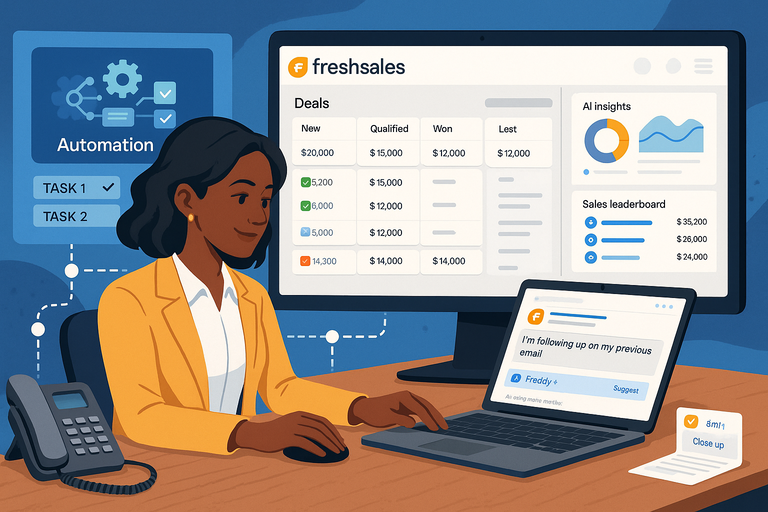 Freshsales CRM Explained: How It Helps You Close Faster
 Why CRM Freshworks Stands Out From Other Platforms
 Freshsales Review For Small Business: Hidden Power Or Hype?
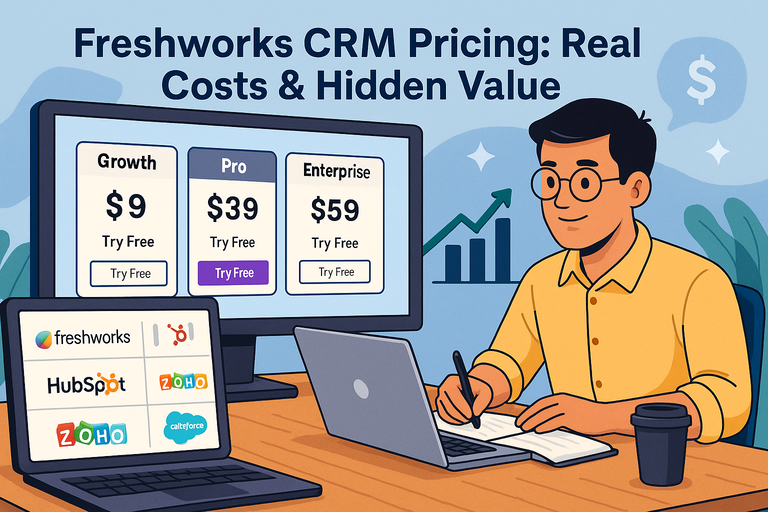 Freshworks CRM Pricing: Real Costs & Hidden Value
 Freshsales Features Overview: Powerful Tools Most Miss
 Freshsales CRM Review For Startups: Simple CRM Or Overkill?