
Table of Contents
Some links on The Justifiable are affiliate links, meaning we may earn a small commission at no extra cost to you. Read full disclaimer.
If you’re researching appscenic pros and cons for dropshipping, you probably do not want another vague “it depends” review.
You want to know whether AppScenic can actually help you build a store with faster shipping, less manual work, and fewer supplier headaches, or whether it will just add another monthly bill and more complexity. That is exactly how I’m going to approach this.
I’ll walk you through what AppScenic does well, where it can frustrate you, who it fits best, and when I believe you should skip it entirely.
What AppScenic Actually Is
AppScenic is a dropshipping automation platform built around product sourcing, supplier access, store integrations, and order workflow automation.
On its official site and app listings, it positions itself around verified suppliers, domestic inventory in regions like the US, UK, EU, and Canada, automated ordering, tracking sync, and a catalog of more than 1 million products.
It also supports multiple ecommerce integrations, including Shopify, WooCommerce, Wix, Ecwid, eBay, and Walmart.
What matters more than the marketing language is how this changes your day-to-day operations. In practice, AppScenic is not just a product finder. It is trying to be the operational layer between your storefront and your suppliers.
That means product import, price and stock syncing, order forwarding, and tracking updates are meant to happen with much less manual intervention than the old-school copy-and-paste dropshipping workflow. Official integration pages highlight 24/7 price and stock sync, automated orders, and tracking automation as core features.
I think that distinction matters because many beginners compare all dropshipping apps as if they do the same job. They do not. Some tools are mainly marketplaces. Some are mainly import plugins.
AppScenic is more useful when you want a semi-automated operating system for a real store, not just a place to grab random products.
How AppScenic Fits Into A Dropshipping Workflow
Most people start by thinking the main value is “find products and list them.” That is only part of it. The bigger value is what happens after the product goes live and customers start buying.
Here is the real workflow AppScenic is trying to simplify:
- Product Discovery: You browse suppliers and products inside the platform instead of sourcing blindly from random marketplaces.
- Store Import: You push selected products into supported storefronts like Shopify, WooCommerce, or Wix.
- Sync Management: Prices and inventory levels update automatically so you are less likely to sell an out-of-stock item.
- Order Automation: Orders can be forwarded and processed automatically instead of being handled one by one.
- Tracking Updates: Tracking numbers get pushed back to the store, reducing customer service friction.
That sounds simple, but it solves one of the biggest hidden problems in dropshipping: operational drag. Imagine your store gets 15 orders in one weekend. Manually checking stock, copying addresses, placing supplier orders, and updating tracking can eat hours.
From what I’ve seen, platforms like AppScenic become more valuable once you care about time loss and fulfillment mistakes, not just access to products.
The Type Of Seller Who Usually Looks At AppScenic
AppScenic tends to appeal to sellers who want faster shipping regions and more “local supplier” positioning than classic China-first dropshipping. Its public materials repeatedly emphasize domestic or regional supplier access, especially across the US, UK, EU, and Canada.
That makes it naturally attractive if your brand promise depends on shorter delivery windows and fewer customer complaints about long waits.
It also tends to fit people who are already a bit past the “test 500 random products” phase. I would put these users into three groups.
- Beginner Store Owners Who Want Less Chaos: They want a cleaner system and fewer moving parts.
- Brand-Building Sellers: They care about customer experience, shipping expectations, and a more curated catalog.
- Operators Scaling Beyond Manual Work: They want to stop spending their evenings forwarding orders and fixing stock mismatches.
That said, not every seller needs it. If your strategy is to run ultra-lean experiments with almost no monthly software budget, AppScenic may feel expensive relative to a simpler import-only app. That is one of the biggest tradeoffs, and I will get into it later.
The Biggest Pros Of AppScenic For Dropshipping
This is where the platform gets interesting. The best AppScenic advantages are not flashy. They are operational.
And in dropshipping, operations often decide whether your business feels manageable or miserable.
Faster Shipping Positioning Is One Of Its Strongest Advantages
One of AppScenic’s clearest strengths is its emphasis on suppliers and warehouses in top consumer markets. Official pages consistently highlight suppliers in the US, UK, EU, Canada, and similar regions, and AppScenic also promotes 2–5 day shipping on some integration and plugin pages.
That does not mean every product will arrive that fast, but it does mean the platform is built around a shorter-shipping-value proposition than the classic long-delay model many shoppers now distrust.
Why does that matter so much? Because shipping time affects almost everything else in ecommerce:
- Conversion rate can improve when delivery expectations feel realistic.
- Refund and chargeback risk often falls when customers are not waiting weeks.
- Customer support volume usually drops when “Where is my order?” emails slow down.
Imagine you run a pet accessories store. If you can offer products that ship from the US or UK instead of relying entirely on long-distance fulfillment, you have a better chance of matching what customers expect from modern online shopping.
You still need to verify shipping on each item, of course, but the platform’s supplier mix gives you a better starting point than a purely bargain-first catalog.
Automation Can Save More Time Than Most Beginners Expect
AppScenic’s automation stack is a major part of its appeal. The Shopify app listing and official integrations pages mention automatic ordering, instant price and stock sync, and tracking automation. In plain English, that means fewer manual steps after a product is published and after a sale comes in.
I think beginners often underestimate how expensive manual work becomes. At first, manually placing five orders sounds fine. But the moment your store starts getting traction, repetitive tasks become a bottleneck. You stop focusing on creative, profitable work like ad testing, product page improvements, email flows, and bundle offers.
Here is a realistic scenario. Let’s say you get 8 orders a day and each order takes 6 minutes to process manually across platforms, supplier checkout, and tracking updates. That is 48 minutes every day, or roughly 24 hours a month.
Even if automation only cuts that in half, you are still reclaiming double-digit hours. That is where AppScenic’s value can become very real, especially for solo operators.
Public reviews also repeatedly mention the automation and stock sync features as time-savers, which reinforces the official product claims.
Product Catalog Size And Variety Give You Room To Test
AppScenic publicly states access to over 1 million products. On paper, catalog size alone does not make a platform good. A massive catalog can still be full of generic items. But scale does matter when you are trying to test niches, find better variants, or replace weak products without rebuilding your store from scratch.
Where I think this becomes useful is in catalog depth rather than catalog hype. If you are building a store around home, pet, beauty, fitness, or gadgets, having a broad supplier network gives you more flexibility to:
- Replace underperforming products.
- Add complementary items for bundles.
- Move into higher-margin variations.
- Reduce dependence on one supplier.
That matters for brand stability. A common beginner mistake is building a store around one “winning” product with no backup options. Then the supplier goes out of stock, quality changes, or shipping slows down. A deeper catalog does not remove that risk, but it gives you more recovery paths.
The Integrations Are Better Than Many People Realize
AppScenic is not limited to one storefront. Its official integrations pages and help center show support for Shopify, WooCommerce, Wix, Ecwid, eBay, and Walmart. For some sellers, this is a real advantage because it reduces the pain of being locked into one ecosystem from day one.
I especially like this for WooCommerce and Wix users because many dropshipping conversations online still act like Shopify is the only serious option. It is not. Shopify is often the easiest, but if your business is already on another platform, the availability of native or direct integrations can keep migration costs lower.
This becomes even more useful when you think long term. A seller might start on Shopify because speed matters, then later expand into a marketplace channel or an alternate storefront model. Broad integration support does not automatically make that expansion easy, but it gives you a path.
The Main Cons Of AppScenic For Dropshipping
No serious review should stop at the upside. AppScenic solves real problems, but it also introduces tradeoffs that can make it the wrong choice for certain stores.
Pricing Can Be A Real Barrier For New Sellers
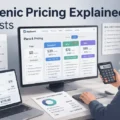
The current public pricing shown on the Shopify App Store includes a Standard plan at $39 per month, Pro at $79 per month, and Elite at $99 per month, with yearly discounts and a 7-day free trial.
The tiers also differ in pushed product limits, AI request limits, support SLA, and access to premium products. AppScenic’s own pricing page also shows a free browsing option, but meaningful operational use sits behind paid plans.
For a beginner, that cost can sting. And I think this is one of the most important cons to state clearly. Software costs are easy to dismiss when you are reading reviews, but they hit differently when you are also paying for:
- Your storefront subscription
- A domain
- Theme or design apps
- Email marketing
- Product samples
- Ads or influencer testing
An extra $39 to $99 per month can be completely reasonable for an active store. It can also be completely unreasonable for a store with zero traction. That is why I would not frame AppScenic as the best first spend for every beginner.
If your product research, offer creation, and traffic generation are still weak, no automation platform will fix that.
Product Limits On Lower Plans Can Restrict Aggressive Testing
The current Shopify listing shows the Standard plan allowing 100 pushed products, Pro allowing 5,000, and Elite allowing 20,000. For a focused niche store, 100 may be enough. For a broad catalog store or for a seller who likes to test many variants, that limit can feel tight fast.
This is one of those details that sounds minor until it affects your workflow. Let’s say you are running a general lifestyle store and you want to test multiple categories, bundles, and seasonal offers. A 100-product ceiling can force you to prune too early, which is annoying during the experimentation phase.
I usually suggest thinking about product limits in terms of store model:
- Niche Brand Store: 30 to 100 products may be enough.
- Hybrid Catalog Store: 100 can feel restrictive.
- Wide Testing Store: You may need Pro much sooner than expected.
That can quietly push your real cost of ownership higher than the advertised entry price. In my experience, platform pricing only feels fair when the lower tier actually matches your workflow. If you outgrow it in two weeks, the “starter” price is not your true price.
Supplier Quality Still Requires Judgment And Ongoing Checks
AppScenic emphasizes verified suppliers and trusted sourcing, which is absolutely a positive. But verified does not mean perfect, and it definitely does not mean every product is right for your audience.
Public reviews on Shopify include praise for reliability and support, but they also include criticism tied to fulfillment issues and catalog organization.
One AppScenic response on the Shopify review page even references a supplier disruption caused by a severe storm that affected warehouse operations.
That is important because some sellers hear “verified suppliers” and assume supplier management is now fully solved. It is not. You still need to:
- Check shipping origins and destination coverage.
- Review product descriptions for quality and consistency.
- Order samples when the product will represent your brand.
- Watch refund and complaint patterns after launch.
I do not say that as a knock on AppScenic specifically. I say it because supplier risk is built into dropshipping as a model. AppScenic can reduce randomness. It cannot remove operational reality.
Reviews Suggest The Experience Is Good, But Not Friction-Free
AppScenic’s public reputation signals are fairly strong, but not flawless. The Shopify App Store listing shows an overall rating of 4.0 with 43 reviews and a visible spread that includes one-star reviews.
Trustpilot shows hundreds of reviews, which suggests meaningful user volume, and recent review snippets there are generally positive about automation, supplier regions, and ease of setup.
I think this tells us something useful. The platform appears legitimate and actively used, but it is not a miracle product with universal praise.
That is actually more believable. In the ecommerce software world, a mixed review profile often means the tool works well for the right user and poorly for the wrong expectations.
A few Shopify review snippets point to product listing structure issues, fulfillment disruptions, or frustrations around specific edge cases. That is not enough to dismiss the platform, but it is enough to approach it with a more operational mindset.
Do not buy it because the homepage sounds smooth. Buy it because your store model will benefit from the specific automation and supplier advantages it offers.
When AppScenic Makes Sense And When It Does Not
This is usually the section people need most, because pros and cons are only helpful when tied to your actual situation.
AppScenic Makes Sense For Stores That Care About Customer Experience
If your strategy is to build a store that feels more like a real retail brand and less like a random product feed, AppScenic is easier to justify. Its supplier positioning, faster-shipping emphasis, product sync automation, and tracking automation all support a better post-purchase experience than the old “hope it arrives eventually” model.
I especially think it fits these situations:
- You Want Faster Regional Shipping: Your audience is in the US, UK, EU, or similar markets.
- You Hate Manual Fulfillment Work: You want operations to run with less copy-and-paste labor.
- You Are Building Around Retention: Better fulfillment usually helps repeat purchase potential.
- You Need More Than Shopify-Only Thinking: You want flexibility across multiple platforms.
If that sounds like your business, the monthly fee is easier to defend because it supports your actual promise to customers.
AppScenic Does Not Make Sense For Every Beginner
I want to be honest here. A lot of new sellers research software before they have validated a product, a niche, or a traffic source. In that case, AppScenic may be too much platform too early.
I would be careful about subscribing if:
- You have not made your first sale yet.
- You are still learning basic product page and offer creation.
- You need the absolute lowest software stack possible.
- You are only testing whether dropshipping is interesting to you.
In that stage, your bigger bottlenecks are usually not stock sync or tracking automation. They are messaging, positioning, creative testing, landing page quality, and traffic acquisition. A sophisticated fulfillment layer cannot rescue a weak offer.
My honest opinion is this: AppScenic is strongest when your business has moved from “Can I launch something?” to “How do I run this more cleanly and reliably?”
A Simple Decision Framework You Can Use
If you are stuck, use this practical filter.
- Choose AppScenic: When shipping speed, supplier quality, and automation are central to your offer.
- Wait On AppScenic: When you are still validating basic demand and protecting cash.
- Skip AppScenic: When your whole model depends on ultra-cheap software and massive broad catalog importing with minimal curation.
That may sound blunt, but I believe blunt is useful here. Most software regret comes from buying the right tool at the wrong stage.
A Balanced Setup Strategy If You Decide To Use It
If you do choose AppScenic, the smartest move is not importing hundreds of products on day one. It is setting up a controlled system.
Start With A Small Curated Catalog, Not A Massive Dump
Because AppScenic gives you access to a large catalog, the temptation is to import aggressively. I would not do that. A better setup is to start with 10 to 25 carefully selected products inside one niche or sub-niche, then build around performance data.
The large catalog becomes useful after you know what type of items your audience actually responds to.
A strong early selection framework looks like this:
- Shipping Relevance: Prioritize products with realistic delivery expectations for your market.
- Margin Potential: Leave enough room for ad costs, refunds, and promotions.
- Content Potential: Choose products you can explain visually through images or video.
- Accessory Potential: Favor items that can lead to bundles or upsells.
Imagine you are building a kitchen niche store. Instead of listing 150 unrelated gadgets, you might start with 12 products around meal prep efficiency. That gives your store a cleaner identity and makes your product pages easier to position.
Use Automation For Operations, Not As A Substitute For Merchandising
This is a mistake I see a lot. Sellers assume that because import and sync are easy, product selection does not need much thought. That is backwards.
Automation should support good merchandising, not replace it.
Here is how I would use AppScenic properly:
- Connect the store and test the integration.
- Import a narrow product set.
- Rewrite titles and descriptions to fit your brand voice.
- Set pricing logic carefully.
- Check shipping zones and customer expectations.
- Monitor stock behavior and supplier responsiveness.
The platform can automate the mechanical parts, but it cannot decide which products deserve front-page placement, which ones should be bundled, or which descriptions need a trust-building rewrite. That part is still your job.
Build A Review And Monitoring Habit From Week One
Even with sync tools, you should treat the first 30 to 60 days as a live validation period. Watch your operations like a hawk.
Key things to track:
- Order Processing Time: Are suppliers moving fast enough?
- Refund Reasons: Are complaints tied to quality, size, or shipping?
- Stock Volatility: Do items go unavailable too often?
- Customer Questions: What confusion keeps repeating?
I recommend using a simple weekly review sheet. Nothing fancy. Just log problem products, delivery issues, refund reasons, and the suppliers tied to them. Over time, this turns AppScenic from a broad marketplace into your own filtered supplier stack.
That is where the platform becomes more powerful. Not when you use everything, but when you narrow it to what actually performs.
Common Mistakes People Make With AppScenic
This is the part that separates a decent experience from a frustrating one.
Mistake 1: Treating “Verified” As “No Need To Vet”
AppScenic’s supplier model is one of its selling points, but you still need to vet products like an operator. Review product pages, watch fulfillment consistency, and sample items that will define your brand. A verification layer helps, but it does not remove your responsibility.
I suggest you think in layers:
- AppScenic filters the marketplace.
- You filter the catalog for your niche.
- Customers reveal which products are truly reliable.
That third layer is the one too many beginners ignore.
Mistake 2: Choosing A Plan Based Only On Price
The cheapest paid plan can be fine for a narrow niche store, but it is a poor fit if you need broad testing or premium product access. The current differences in pushed product volume, support SLA, AI requests, and premium product access can materially affect how you work.
I recommend choosing based on workflow, not fear. A cheaper plan that blocks your merchandising process is not actually saving you money.
Mistake 3: Publishing Supplier Content Without Editing It
This one is bigger than many people realize. Even if AppScenic makes import easy, supplier titles and descriptions often need cleanup. If your storefront reads like copied marketplace text, your brand trust suffers.
At minimum, rewrite:
- Product titles
- Opening description lines
- Benefits and use cases
- Shipping expectation copy
- Returns or guarantee messaging
Customers do not care how easy the import was. They care whether the page looks credible.
Advanced Perspective: Can AppScenic Help You Scale?
Yes, but only in a specific way. It helps operational scaling more than marketing scaling.
Where AppScenic Helps Scaling The Most
AppScenic is strongest when order flow and catalog management begin to consume meaningful time. Automation around ordering, tracking, and stock sync can prevent your back end from collapsing as sales rise. Supported multi-platform integrations can also help if your sales channels expand.
That means it helps scaling in these areas:
- More orders without proportional admin time
- Better catalog continuity when stock changes
- Easier expansion across supported channels
- Cleaner supplier management than fully manual methods
For many of us, scaling is not just “more revenue.” It is keeping the business functional while revenue grows. That is the lens where AppScenic makes sense.
Where AppScenic Will Not Save You
It will not fix weak market selection. It will not write irresistible offers by itself. It will not make bad creative profitable. And it will not erase the need for good customer support.
I think that is the healthiest way to think about the platform. It is an operations multiplier, not a magic growth engine.
A store doing $0 with poor product-market fit can stay at $0 with better automation. A store doing consistent sales with fulfillment friction, however, can become much stronger with better automation.
Final Verdict On AppScenic Pros And Cons For Dropshipping
AppScenic is a credible dropshipping platform with meaningful strengths in supplier access, faster-shipping positioning, automation, and integration flexibility.
Its official materials and public reviews support the idea that it is built for sellers who want a more reliable, less manual workflow than traditional bargain-bin dropshipping.
At the same time, it is not the cheapest path, lower tiers can feel restrictive, and supplier quality still requires active management.
My honest take is simple. If you are building a serious store and you care about customer experience, cleaner operations, and region-based shipping advantages, AppScenic is worth a hard look. If you are brand new, cash-sensitive, and still figuring out whether anyone wants your products, it may be better as a second-stage tool rather than your first big software commitment.
So when people ask me about appscenic pros and cons for dropshipping, I would sum it up like this:
- Best Pros: Better automation, stronger shipping positioning, broad catalog, multi-platform support.
- Biggest Cons: Monthly cost, plan limits, ongoing supplier vetting, and the fact that software cannot replace strategy.
That is not a glamorous answer, but I believe it is the useful one.
FAQ
What is AppScenic used for in dropshipping?
AppScenic is used to automate dropshipping operations, including product sourcing, inventory syncing, and order fulfillment. It connects your store with verified suppliers, helping reduce manual work while improving shipping speed and reliability, especially for sellers targeting US, UK, and EU markets.
Is AppScenic good for beginners in dropshipping?
AppScenic can work for beginners, but it is better suited for sellers who already understand basic store setup and product selection. Its pricing and features make more sense once you start getting orders and need automation rather than during early testing stages.
What are the main pros of AppScenic for dropshipping?
The main advantages of AppScenic include automated order processing, faster shipping options through regional suppliers, real-time inventory syncing, and multi-platform integrations. These features help reduce manual work and improve customer experience, which becomes important as your store starts scaling.
What are the downsides of using AppScenic?
The biggest downsides include monthly subscription costs, product limits on lower plans, and the need to still verify supplier quality. While it simplifies operations, it does not eliminate the need for product research, branding, or ongoing store optimization.
Does AppScenic help with faster shipping in dropshipping?
Yes, AppScenic focuses on suppliers located in regions like the US, UK, and EU, which can offer faster shipping compared to traditional overseas sourcing. However, delivery times still vary by product, so checking shipping details before listing items is essential.

I’m Juxhin, the voice behind The Justifiable.
I’ve spent 6+ years building blogs, managing affiliate campaigns, and testing the messy world of online business. Here, I cut the fluff and share the strategies that actually move the needle — so you can build income that’s sustainable, not speculative.
Related posts:
 Salehoo Directory Free: What You Can Access Without Paying
 Spocket Review Honest Pros And Cons: Worth It Or Not?
 How the Salehoo Catalog Helps You Spot Winning Items Quickly
 How to Dropship With SaleHoo: What Makes It Easier
 AppScenic Dropshipping Review: Hidden Truths
 AppScenic Pricing Explained: Real Costs