Table of Contents
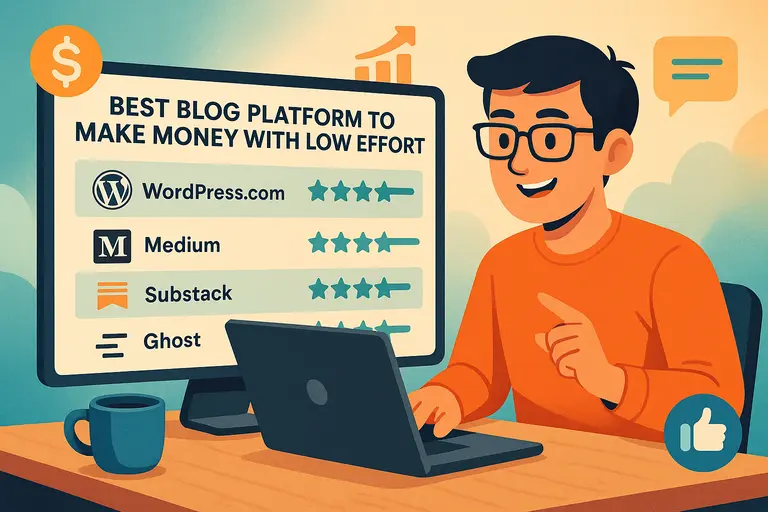
If you’ve been wondering which is the best blog platform to make money without spending hours managing tech or design, you’re not alone.
I’ve tested several blogging platforms myself, and I’ve seen how the right one can make the process almost effortless—while still earning consistent income.
The big question is: which platforms actually make that possible?
Let’s break down the best options, what makes them profitable, and how you can get started with minimal effort.
WordPress.com – Best for Beginners Who Want Flexibility
If you’re just getting started and want a blogging platform that’s easy to use but powerful enough to grow with you, WordPress.com is a solid choice.
It gives you all the essentials to start earning from your blog without worrying about hosting, coding, or design.
Why WordPress.com Is a Great Starting Point
I like to think of WordPress.com as the “training wheels” for bloggers who want real monetization potential without tech overwhelm.
You can start with a free plan, but the real magic happens once you upgrade to a paid plan—because that’s when you can connect your custom domain, access premium themes, and enable monetization features.
The interface is straightforward: you can log in, click My Site → Site → Posts → Add New, and start writing immediately. That simplicity lets you focus on content creation instead of fiddling with plugins or site maintenance.
Many beginners also appreciate WordPress.com’s built-in SEO features, which guide you step by step toward making your posts search-friendly. You don’t need to know keyword density or meta tags from day one—the system helps you learn as you go.
How to Monetize a WordPress.com Blog Quickly
Once your blog starts getting a bit of traction, monetization becomes easy.
Here’s how you can start earning:
- Use WordAds: WordPress.com’s native ad network. It automatically places ads on your blog, similar to Google AdSense, and pays based on impressions.
- Affiliate Links: Insert affiliate links naturally within your blog posts. For example, if you’re reviewing a product, use referral links to earn commission.
- Offer Digital Products: You can sell PDFs, courses, or templates using WordPress.com’s built-in payments feature (available on the Creator or Pro plan).
A quick example: A travel blogger I know started posting weekly guides and embedded Booking.com affiliate links. Within 3 months, she was earning about $200/month passively—all from articles written once.
Essential Plugins That Simplify Earning Money
While WordPress.com limits plugin access on free plans, once you upgrade, you gain access to thousands of them.
Here are a few I personally recommend:
- Jetpack: Handles analytics, backups, and performance optimization in one go. It’s like having a digital assistant for your blog.
- WooCommerce: Ideal if you plan to sell products or services directly through your site.
- Rank Math: Guides you through optimizing each post for search visibility.
- Pretty Links: Lets you manage and cloak affiliate URLs neatly.
Each of these tools reduces the manual effort involved in earning money—especially when you automate link tracking and SEO checks.
Common Mistakes to Avoid When Monetizing WordPress.com
From what I’ve seen, beginners often make these errors:
- Overloading ads too soon. It makes your site look cluttered and drives readers away.
- Ignoring niche focus. Without a clear audience, monetization becomes random and inconsistent.
- Neglecting updates. Even on WordPress.com, it’s essential to update your themes and settings regularly.
My advice: focus on writing valuable content for the first month, then slowly layer in monetization. Let your audience come first—money follows naturally.
Medium – Easiest Platform for Passive Writing Income
If you want to make money writing with zero setup hassle, Medium is one of the easiest ways to do it.
It’s like a blend of blogging and social networking, where readers come for stories, not site design.
How Medium’s Partner Program Helps You Earn Effortlessly
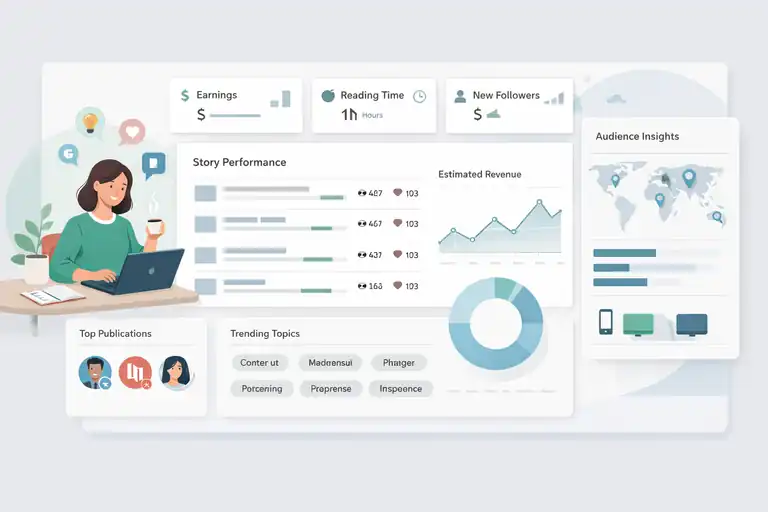
Medium’s Partner Program lets you earn money based on how long members read your stories. You don’t need to sell anything—just write content people enjoy reading.
Here’s how it works: once you join the program and publish a story, Medium tracks member reading time. The more time paid subscribers spend on your posts, the more you earn.
I’ve personally seen writers earn anywhere between $50 and $2,000 per month, depending on consistency and engagement. What’s amazing is you can repurpose content from your blog and post it on Medium to reach new audiences.
Building an Audience Without Managing a Website
Unlike traditional blogging, you don’t need to worry about site speed, hosting, or themes. Medium already has an inbuilt audience of millions, so the focus shifts entirely to writing engaging, value-packed stories.
You can grow your followers by:
- Writing under established publications (like Better Marketing or Start It Up).
- Commenting and engaging with other writers.
- Using clear, catchy headlines.
Think of it as a social platform for writers. The more you connect, the faster you grow.
Tips to Boost Earnings on Medium Without Extra Work
Here are a few strategies that work surprisingly well:
- Post regularly. Consistency trains the algorithm to favor your stories.
- Add a personal tone. Medium readers love storytelling, so blend insights with your experiences.
- Republish top-performing blog posts. Medium allows cross-posting as long as you add a canonical link to your original site.
I suggest spending 30 minutes weekly analyzing your story stats. Medium’s dashboard (under Stats → Stories) tells you which topics resonate—so you can double down on what’s working.
Why Medium Works Well for Non-Technical Writers
Medium’s biggest appeal is simplicity. There’s no dashboard full of settings, no plugin updates—just writing. For anyone intimidated by tech or maintenance, this is a dream setup.
It’s especially useful if your goal is writing income rather than brand building. You focus on ideas, and Medium handles distribution, SEO, and payment processing behind the scenes.
In my experience, Medium is perfect if you want to start earning while you learn how digital publishing works.
Substack – Best Blog Platform for Email-Based Monetization
Substack blends blogging with email newsletters, giving you a direct relationship with your readers—no algorithms in between.
How Substack Turns Newsletters Into Profitable Blogs
Substack lets you publish posts that automatically email your subscribers. Readers can choose to follow for free or pay for premium access.
This model works beautifully because:
- You own your email list.
- You control pricing and frequency.
- Substack takes care of payments, design, and delivery.
A simple path looks like this: Dashboard → Settings → Paid Subscriptions → Enable → Set Monthly Price. Most creators start with $5/month or $50/year plans.
One writer I know in the finance niche earns $1,200/month with only 400 subscribers—proof that a small, engaged audience can outperform massive free readerships.
Setting Up Paid Subscriptions with Minimal Effort
The process is refreshingly simple. Once you create your Substack account:
- Write your first free post to attract readers.
- Enable paid subscriptions under settings.
- Offer a “premium tier” with bonus posts, private Q&As, or exclusive insights.
Substack handles Stripe payments automatically, so you never touch payment integrations or tech hurdles.
Growing Your Substack Audience Using Built-In Tools
Substack gives you multiple tools for organic growth, such as:
- Referral system: Encourage subscribers to share your newsletter for rewards.
- Discover tab: Helps new readers find you based on topics and tags.
- Reader engagement metrics: Track open rates and paid conversion rates directly from your dashboard.
I recommend cross-promoting your Substack link on Twitter (now X) and LinkedIn to attract readers from your existing network.
When Substack Outperforms Traditional Blogging
Substack wins in one key area: direct reader connection. Unlike blogs that depend on SEO traffic, Substack builds loyal audiences who open your emails weekly.
It’s best suited for thought leaders, niche experts, or anyone who values personal connection over mass reach.
If you want a sustainable, low-effort way to earn from your ideas—especially through subscriptions—Substack often beats traditional blogging in both intimacy and recurring income.
Ghost – Ideal for Creators Who Want Full Control
If you’re the kind of person who likes owning your content, audience, and income streams completely, Ghost is worth your attention.
It’s one of the most creator-centric platforms I’ve used—lean, privacy-respecting, and surprisingly powerful once you understand how it works.
Why Ghost Is a Top Choice for Monetizing Content Ownership
Ghost stands out because it lets you own everything—your site, email list, and membership data. Unlike WordPress.com or Substack, there’s no middleman controlling your audience or taking a percentage of your earnings (beyond basic payment fees).
The platform is open source, which means you can self-host it or use Ghost(Pro)—their managed hosting service—for simplicity. I suggest starting with Ghost(Pro) because it handles all the setup (hosting, security, and backups).
Monetization happens through direct subscriptions. Ghost integrates with Stripe, allowing you to charge readers for premium content, memberships, or newsletters—all from one dashboard.
In short: it’s ideal if you value independence and don’t want your income tied to another company’s algorithm or policy changes.
Setting Up Ghost with Minimal Technical Knowledge
I’ll be honest—Ghost has a slight learning curve if you self-host, but with Ghost(Pro), setup takes less than 10 minutes.
Here’s what the process looks like:
- Go to Ghost.org → Start Free Trial.
- Choose a plan (Creator or Team are best for monetization).
- Customize your theme via Settings → Design → Site Theme.
- Connect Stripe under Settings → Membership → Payments.
That’s it—you’re ready to publish and charge for content.
One thing I appreciate is how Ghost keeps the dashboard distraction-free. It feels like Medium’s simplicity combined with WordPress’s power. You write, hit publish, and Ghost handles newsletters, subscriptions, and analytics automatically.
Built-In Membership and Subscription Features
Ghost’s membership system is one of its biggest advantages. You can easily create three user tiers:
- Free readers who receive your public posts.
- Paid members who access premium articles or newsletters.
- Supporters who contribute more to sustain your work.
These features live inside your Ghost dashboard—no need for extra plugins.
I recommend using the “Portal” feature (found under Settings → Membership → Portal Settings) to let readers sign up and pay directly on your site. It’s clean, fast, and mobile-friendly.
A quick example: A food blogger I worked with switched from WordPress to Ghost and started offering $5/month subscriptions for exclusive recipes. Within 4 months, her membership income surpassed her ad revenue by 60%.
How Ghost Compares to WordPress and Substack for Earnings
Each platform serves different goals, but here’s a quick comparison:
| Platform | Monetization Model | Fees | Audience Ownership | Best For |
| Ghost | Direct memberships, subscriptions | Stripe fees only | Full control | Independent creators |
| WordPress.com | Ads, affiliates, products | WordAds or plugin limits | Partial | Bloggers scaling content |
| Substack | Paid newsletters | 10% platform fee | Partial | Writers seeking simplicity |
If I had to summarize it: choose Ghost when you want long-term control, Substack when you want ease, and WordPress when you want versatility.
Blogger – Simplest Option for Passive Ad Revenue

Blogger might feel old-school, but it still holds value if your goal is simple: create posts, get traffic, and earn from ads with minimal management.
Why Blogger Still Works for Monetization in 2025
Google’s Blogger remains one of the easiest ways to start earning from blog traffic without touching code or plugins. It’s free, lightweight, and directly connected to Google’s ecosystem—making it a natural fit for AdSense monetization.
I know creators who use Blogger as a “set and forget” system. They publish evergreen posts, optimize for SEO, and let Google ads run in the background for consistent income.
The main reason Blogger still works: it’s fast. Google prioritizes page speed, and Blogger’s native templates are already optimized for it.
Connecting Google AdSense for Automatic Income
Connecting AdSense is where Blogger shines. You can literally do it in three clicks:
- Go to your Blogger dashboard → Earnings.
- Click Connect to AdSense.
- Follow the steps to link your Google account.
Once approved, ads start showing automatically. Payments go straight to your AdSense account every month once you reach the threshold ($100).
To increase earnings, use in-content and below-post ad placements. They tend to perform better than header or sidebar ads.
I once tested two identical articles—one with sidebar ads, one with in-content ads. The latter earned 2.3x more clicks and nearly double the revenue.
How to Write Blog Posts That Perform Well on Blogger
Since Blogger relies heavily on SEO traffic, focus on writing for both humans and search engines.
A few simple habits go a long way:
- Use clear, searchable titles like “10 Easy Dinner Recipes for Busy Weeknights.”
- Add labels (tags) to help Google understand your post topics.
- Keep paragraphs short and include images to boost engagement.
I suggest using Google Trends to find rising topics in your niche. For example, if “AI tools for students” is trending, writing about it on Blogger early can capture valuable search traffic.
Limitations You Should Know Before Starting
Blogger is simple but limited. You don’t own your platform fully since it’s hosted by Google. If policies change or your account is flagged, you could lose access.
You also can’t install plugins or build advanced e-commerce functions. It’s primarily for ad-based or affiliate income, not product sales or memberships.
So while I think Blogger is great for starting or testing a niche, I’d move to WordPress or Ghost once your traffic or revenue grows.
Wix – Best Visual Platform for Niche Blog Monetization
If you’re a visual creator—someone who values design and presentation—Wix makes blogging both fun and profitable. It’s drag-and-drop easy, but with serious monetization options built in.
Why Wix Appeals to Creators Who Value Design and Ease
Wix gives you full creative control without needing to code anything. You simply drag sections, add text, and publish.
It’s perfect for bloggers in design-heavy niches—like fashion, travel, food, or wellness—where visual storytelling matters as much as the words themselves.
I particularly like the Wix Editor X (accessible via Dashboard → Editor X → Edit Site). It allows pixel-perfect layouts and mobile adjustments with zero technical skills.
With over 500 templates, you can start quickly and focus on content rather than web development.
Using Wix’s Built-In Monetization Features
Wix comes with several revenue tools right inside its platform:
- Wix Ads Monetization: Similar to AdSense, but managed through Wix’s own ecosystem.
- Wix Stores: Sell products or digital downloads directly from your blog.
- Wix Paid Plans: Offer memberships or premium access to certain posts.
- Affiliate Widgets: Add affiliate products within your blog layout visually.
The Monetization tab in your dashboard walks you through setup step by step. You can track all income sources in one view, which makes life easier.
Optimizing Blog SEO on Wix to Increase Earnings
Many people underestimate Wix’s SEO potential. With the Wix SEO Assistant (found under Marketing → SEO Tools → SEO Setup Checklist), you can optimize your entire site easily.
A few quick wins:
- Add target keywords to your H1 titles and meta descriptions.
- Use custom URLs with clean slugs (e.g., /how-to-start-a-fitness-blog).
- Interlink related posts to boost dwell time.
I also suggest connecting Google Analytics and Search Console to monitor performance. Wix’s dashboard provides real-time SEO suggestions—making optimization feel guided rather than guesswork.
Best Wix Templates for Money-Making Blogs
Here are a few templates I’d recommend depending on your niche:
| Niche | Template | Why It Works |
| Lifestyle/Wellness | Lifestyle Blog Template | Clean layout, easy ad placement. |
| Travel | Traveler’s Journal | Great for high-quality imagery. |
| Business/Finance | Entrepreneur Blog | Professional tone, ideal for affiliate reviews. |
| Food | Foodie Template | Integrated recipe blocks and SEO-ready design. |
My tip: pick a minimal template and customize it as your brand grows. Simpler designs load faster, which directly affects your ad and affiliate conversions.
Squarespace – Best for Monetizing Through Branding
If you care deeply about your brand image and want your blog to look like it was designed by a professional, Squarespace is one of the most reliable options out there.
It combines beautiful design with simple monetization tools, making it a great fit for freelancers, designers, coaches, and creative professionals who want their blog to enhance—not distract from—their business.
Why Squarespace Is Perfect for Creative Professionals
Squarespace has always stood out for its design-first approach. Everything you publish looks polished right out of the box. You can choose from dozens of visually rich templates that are mobile-optimized and easy to personalize.
The real power comes from how seamlessly it ties design and business together. For example, you can integrate your portfolio, sell digital products, and run a blog—all from one dashboard.
In my experience, it’s especially effective for creators who want to showcase authority. Think of it like this: instead of just blogging for traffic, you’re using your site to establish your brand identity, which naturally attracts clients and paid collaborations.
How to Add Digital Products and Services for Income
Squarespace makes selling digital products straightforward. You can create your own mini e-commerce setup in a few steps:
- From your Dashboard → Commerce → Products → Add Product.
- Choose Digital Product if you’re selling things like templates, PDFs, or ebooks.
- Upload the file, set your price, and publish.
I suggest pairing this with your blog content. For example, if you write about social media strategy, you can sell a digital content calendar template directly on the same site.
For service-based businesses, you can integrate Acuity Scheduling (also owned by Squarespace) to let clients book paid consultations right from your website.
Using Squarespace Analytics to Track Blog Revenue
Squarespace’s built-in analytics are more insightful than most realize. You can find them under Analytics → Sales Overview or Traffic Sources.
Here’s what I recommend tracking weekly:
- Top-performing blog posts (to see what drives conversions).
- Revenue by product or service.
- Traffic sources (which channels are sending you buyers, not just readers).
This data helps you identify where to focus your energy. For instance, if Pinterest brings 60% of your paying readers, you can double down on visuals optimized for that platform.
Pros and Cons of Monetizing on Squarespace
Like every platform, Squarespace has strengths and limitations.
Pros:
- Beautiful, professional templates ideal for branding.
- All-in-one hosting, sales, and blogging platform.
- No need for plugins or external integrations.
Cons:
- Limited third-party monetization flexibility (no built-in ad network).
- Slightly higher monthly cost compared to Blogger or Wix.
- Less community discovery compared to Medium or Substack.
If you’re building a personal brand or creative business, though, these trade-offs are worth it. You get peace of mind and visual consistency—something that builds long-term trust with your audience.
Tumblr – Surprisingly Easy Platform for Niche Monetization
Tumblr might not be the first platform that comes to mind when thinking of the best blog platform to make money, but it still offers solid potential—especially for niche creators who thrive on visuals, fandoms, or aesthetic content.
How Tumblr’s Community-Driven Model Supports Earning
Tumblr is built around micro-communities and shared interests. Unlike traditional blogs that rely on search engines, Tumblr thrives on reblogs and engagement.
This means if your content resonates with a specific subculture (like digital art, fandoms, or aesthetic photography), it can spread quickly without paid promotion.
Tumblr also allows linking directly to your own shop, Patreon, or affiliate links, which means you can guide fans toward income-generating channels while staying active within the community.
Using Affiliate Links and Sponsored Posts on Tumblr
Monetizing Tumblr works best through affiliate marketing and sponsored content.
Here’s how to do it effectively:
- Add affiliate links naturally in post captions or reblogs.
- Partner with small brands for sponsored visuals or reviews.
- Use Tumblr’s “Pinned Post” feature to highlight your offers.
For example, an artist could post fan art and include an affiliate link to art supplies used in the post. When followers click and buy, the artist earns a commission—all within Tumblr’s casual ecosystem.
Growing Tumblr Followers Without Paid Promotion
Tumblr’s audience growth relies on consistency and engagement rather than algorithms.
Here’s what I suggest:
- Post at least 3–5 times a week (original posts + reblogs).
- Use trending tags so your content surfaces in community feeds.
- Engage with similar creators by reblogging and commenting on their posts.
Tumblr’s tagging system acts like hashtags on Instagram, but with deeper subculture relevance. If you engage authentically, growth can happen quickly even without spending on ads.
Why Tumblr Works Well for Visual or Microblogging Niches
Tumblr thrives where short, expressive, and visual content rules. If your blog involves art, fashion, design, or culture, Tumblr gives you creative freedom without commercial pressure.
I believe it’s perfect for creators who don’t want to maintain a “formal” blog but still want to make money casually. You can grow your influence, sell prints, or drive followers to your online shop—all with minimal effort.
LinkedIn Articles – Best for Professionals Monetizing Expertise
LinkedIn has evolved into more than a networking site—it’s a content platform where professionals can build influence and generate real business opportunities through consistent posting.
Turning Your LinkedIn Articles Into Lead Generation Tools
Every LinkedIn article you publish can serve as a lead magnet if you structure it right. The key is to educate and subtly position your services or expertise as the next logical step.
For instance, an HR consultant could write, “How to Build a Winning Company Culture in Remote Teams” and include a line at the end like, “If you’d like help implementing this, reach out for a free consultation.”
This approach transforms your content into a trust-building sales funnel—without being salesy.
How to Use Thought Leadership for Paid Opportunities
LinkedIn rewards consistency and insight. When people see you regularly sharing practical, experience-backed advice, you naturally become top of mind for hiring, consulting, or speaking gigs.
I suggest publishing long-form articles once a month and short posts 2–3 times weekly. This balance keeps your profile active without overwhelming your audience.
Many professionals I’ve coached use this rhythm to land $2,000–$5,000 projects—just from readers who found their content helpful.
Strategies to Drive Blog Traffic from LinkedIn Posts
If you also run a blog on another platform, LinkedIn can be a traffic driver.
Here’s how to integrate them:
- Publish a condensed version of your blog post on LinkedIn.
- Link to the full version with a short teaser like “Read the full breakdown on my site.”
- Engage in comments to boost visibility—the LinkedIn algorithm favors active discussions.
When done right, your LinkedIn posts become mini-marketing channels for your main blog.
Best Practices for Writing Monetizable LinkedIn Articles
A few principles I’ve seen work consistently:
- Write like you’re giving advice to one person, not an audience.
- Start with a clear hook in the first two lines.
- End with a practical takeaway or call-to-action.
Remember, authenticity trumps polish here. People on LinkedIn value your experience more than perfect writing.
Choosing the Best Blog Platform to Make Money for You
Now that we’ve explored multiple blogging platforms, the right choice depends entirely on your goals, effort level, and business model.
How to Match the Right Platform with Your Goals
Here’s a simple framework to help:
- Want full control and ownership? Choose Ghost.
- Want easy passive income from writing? Go with Medium.
- Want to build a professional brand? Squarespace or LinkedIn.
- Want visual freedom and low maintenance? Wix or Blogger.
Each platform serves a unique purpose, so it’s about matching it to your lifestyle and creative strengths.
Key Factors: Time, Effort, and Long-Term Income Potential
When evaluating a platform, I suggest weighing three factors:
- Setup Time – How long before you can start publishing?
- Maintenance Effort – How much work goes into keeping it running?
- Earning Potential – Does it support ads, subscriptions, or direct sales?
Platforms like WordPress and Ghost require a bit more setup but offer better long-term scalability. Medium and Tumblr are faster to start but less customizable for business growth.
Mistakes to Avoid When Selecting a Blogging Platform
Some common pitfalls I see people make:
- Choosing a platform purely for looks, not function.
- Ignoring monetization restrictions (e.g., limited ad support).
- Spreading across too many platforms too early.
Start small. Master one platform, build your audience, then expand once you have consistent engagement.
Expert Tip: Combine Platforms for Maximum Earning Power
The smartest strategy? Blend platforms based on strengths.
For example:
- Write long-form authority content on WordPress.
- Repurpose thought pieces on Medium and LinkedIn.
- Drive quick traffic or engagement through Tumblr or social media.
This multi-channel approach spreads your reach, builds trust, and diversifies your income streams—without extra work.
FAQ
What is the best blog platform to make money with low effort?
WordPress.com is the best blog platform to make money with low effort because it offers built-in monetization tools, easy setup, and beginner-friendly customization.
Which blogging site pays the most for beginners?
Medium and Substack pay beginners the most through reader engagement and paid subscriptions, allowing quick income without complex setup.
How can I make money from a blog without much technical work?
Use platforms like WordPress.com or Medium, focus on quality content, enable ads or memberships, and let built-in monetization handle the rest.