
Table of Contents
Some links on The Justifiable are affiliate links, meaning we may earn a small commission at no extra cost to you. Read full disclaimer.
Cloudways can look like the perfect middle ground for a small business that has outgrown cheap shared hosting but is not ready for a full-time server admin. You get faster cloud infrastructure, managed tools, and room to grow without diving too deep into DevOps.
That sounds great on paper. The real question is whether the platform is genuinely practical for a small business website, or whether the extra control and add-ons quietly turn it into an expensive headache.
In this Cloudways review for small business websites, I’ll break down the good, the annoying, and who should actually use it.
What Cloudways Actually Is And Why Small Businesses Look At It
Cloudways is not traditional shared hosting. It is a managed cloud hosting platform that sits on top of cloud providers and gives you an easier dashboard, managed backups, security tools, staging, and scaling controls.
Managed Cloud Hosting Without Full Server Headaches
Most small business owners do not really want “hosting.” What they want is a website that loads quickly, stays online, and does not create stress every time a plugin update goes wrong. That is the real appeal here.
Cloudways gives you access to infrastructure from providers like DigitalOcean, Vultr, Amazon Web Services (AWS), and Google Cloud without forcing you to manage the entire server stack yourself. In plain English, that means you get stronger performance than bargain shared hosting, but with a friendlier control panel than raw cloud infrastructure.
For a small business website, that matters more than many reviews admit. A local service company, online store, agency site, or appointment-based business usually needs three things: speed, uptime, and predictable recovery when something breaks. Cloudways is built more around those business needs than around flashy unlimited hosting promises.
The part I like is that it feels closer to a serious business platform than a hobby blog host. The part I think you should watch carefully is that it still expects you to understand a few hosting basics. It is easier than managing a server yourself, but it is not as beginner-proof as entry-level WordPress hosting.
My take: Cloudways makes the jump from “cheap hosting” to “real hosting” much less scary, but it does not remove the learning curve completely.
How It Differs From Shared Hosting And Premium Managed WordPress Hosting
If you are comparing Cloudways to standard shared hosting, the biggest difference is isolation and performance. On shared hosting, your site often competes with many other sites on the same environment. When one account gets hit with traffic or poor scripts, everyone can feel it.
With Cloudways, you launch your own cloud server. That gives you more dedicated resources and better consistency. It also lets you scale when traffic grows, instead of praying your host does not throttle you.
Compared with premium managed WordPress hosts, Cloudways usually gives you more flexibility and lower starting prices on the lower tiers. You are not boxed into a visits-based plan as aggressively, and you can choose the underlying provider that fits your budget. That is a real advantage for growing businesses that hate arbitrary plan ceilings.
But there is a trade-off. Some premium managed hosts feel more polished for total beginners. Cloudways gives you more control, but also more decisions. You choose provider, server size, app setup, backups, and add-ons. That freedom is valuable when you know what you are doing. It can also create friction if you wanted a pure hands-off experience.
The Small Business Use Cases Where Cloudways Makes The Most Sense
Not every small business needs cloud hosting. A new brochure site with five pages and almost no traffic probably does not need it yet. A slow host can still be frustrating, but overbuying hosting is real too.
Where Cloudways shines is in practical growth-stage situations:
- A service business that depends on local SEO and fast page loads
- A WordPress.org site using heavier themes or plugins
- A WooCommerce store where slow checkout costs money
- An agency or freelancer managing multiple client sites
- A content site that gets traffic spikes from ads, email, or seasonal promotions
Imagine you run a small online gift shop. During most of the month, your traffic is steady. Then Mother’s Day or Black Friday hits and your store suddenly has five times the visitors. That is exactly the kind of moment where weak hosting becomes visible.
Cart pages slow down, payments fail, and support tickets pile up. Cloudways is built for that middle stage where performance starts affecting revenue, not just convenience.
Cloudways Performance For Small Business Websites
Performance is the main reason most businesses consider Cloudways in the first place. Faster hosting can improve user experience, conversion rates, lead generation, and even how professional your brand feels.
What “Fast” Really Means On Cloudways
Cloudways promotes its optimized stack heavily, and that matters because stack is just shorthand for the software combination powering your website. The platform leans on NGINX, PHP-FPM, caching layers, and server-level tuning designed to make dynamic sites faster.
For a small business owner, the practical result is simple: pages usually feel snappier than they do on cheap shared hosting. Admin dashboards tend to be more responsive, product pages can handle more load, and caching options are easier to activate than they would be on a self-managed VPS.
I also think Cloudways benefits from avoiding the fake “unlimited everything” model that often hides underpowered environments. When you choose a server size, you are choosing real resources. That makes performance more predictable.
Now, fast hosting alone does not fix a bloated site. If your site is overloaded with huge images, bad plugins, and six tracking scripts, no host can save you completely. But Cloudways gives you a much stronger foundation than budget hosting. For many small business websites, that foundation is enough to feel the difference quickly.
That matters because site speed is not just a vanity metric. Faster pages usually mean lower bounce rates and fewer lost leads, especially on mobile where patience is low and interruptions are constant.
Why Speed Matters More For Leads And Sales Than Most Owners Think
A lot of small businesses treat hosting as a background utility, something you buy once and forget. I understand that instinct. Hosting is not exciting. The problem is that your visitors absolutely notice performance, even if they never say it out loud.
If your homepage lags, contact form stalls, or product pages hesitate, trust drops. People do not always think, “This host is slow.” They think, “This company feels a bit off.” Then they leave.
For local businesses, that can mean fewer calls. For ecommerce stores, that can mean abandoned carts. For consultants or agencies, it can quietly reduce form submissions from high-intent visitors.
This is where Cloudways makes a strong business argument. It is not just about better PageSpeed scores. It is about removing the friction that costs you outcomes. Even a modest improvement in site responsiveness can make your business feel more credible.
From what I have seen, small business owners often wait too long to upgrade hosting because the site still technically works. That is the wrong threshold. The better question is whether your current host helps or hurts conversions. If performance already feels inconsistent, you are probably paying for the cheaper plan in lost opportunities anyway.
Performance Features That Matter Most In Daily Use
A good hosting review should not stop at “it’s fast.” What matters is how the platform supports speed over time, not just on day one.
Cloudways includes the practical tools most small businesses actually use:
- Built-in caching options
- One-click staging environments
- Automated backups and on-demand backups
- Vertical scaling for more server resources
- Free SSL certificates
- Server monitoring and alerts
- CDN and security add-ons, including Cloudflare CDN
There is also support for tools like Breeze Cache Plugin and New Relic, which can help with caching and performance monitoring when needed.
The value here is not that every small business needs every feature. It is that Cloudways gives you room to fix performance issues before they become revenue issues. That makes the platform feel more like growth infrastructure than just “a place where the site lives.”
Setup Experience And Day-To-Day Ease Of Use
Cloudways is easier than raw cloud hosting, but it is not the easiest host on the market. That distinction matters if you are choosing based on confidence level, not just features.
Launching Your First Server And Website
The initial setup flow is fairly straightforward. You create an account, choose an application like WordPress, pick a cloud provider, select server size, choose a data center location, and launch.
That sounds simple, but this is also where beginners can second-guess themselves. On a typical starter host, you might just choose one plan and move on. With Cloudways, you are making real infrastructure decisions. For a tech-savvy business owner, that is a plus. For someone who just wants a site online today, it can feel heavier.
The good news is that the dashboard is much cleaner than a raw cloud panel. You are not buried in developer-only terminology at every step. You can spin up a server in minutes, and the platform handles much of the setup complexity behind the scenes.
I suggest most small businesses start conservative. Pick the smallest realistic server for your workload, use a provider like DigitalOcean or Vultr, choose the data center closest to your audience, and monitor from there. You do not need to overbuild on day one.
This setup experience lands in an interesting middle ground. It feels more professional than beginner hosting, but more approachable than infrastructure tools aimed at developers.
Dashboard Experience For Non-Technical Owners
Once your site is live, the dashboard is where you will decide whether Cloudways feels empowering or mildly intimidating. I think it does a good job overall, but it is clearly designed for users who want some control.
You can manage domains, SSL, backups, staging, scaling, cron jobs, application settings, and monitoring from one place. That is powerful. It also means there are more switches and menus than a true beginner host would show you.
For a small business owner who is willing to learn the basics, this is a good thing. You are not trapped. You can actually see what your hosting is doing. You can back up before a redesign, clone a site, push changes from staging, and monitor resource usage without opening a support chat every time.
But I would not describe Cloudways as “set it and forget it” in the same way as some premium managed WordPress hosts. It is more like “set it, learn it, and then enjoy the control.”
That difference is important. If you hate dashboards, menus, and technical decisions, Cloudways may still feel like work. If you like knowing what is happening with your site, it feels refreshingly transparent.
Migration, Staging, And Backup Workflow
This is one area where Cloudways becomes genuinely useful for small businesses, not just impressive on a feature list.
Migration matters because changing hosts is where many businesses get stuck. They stay on slow hosting because the move feels risky. Cloudways offers free migrations in many cases, and that reduces the biggest psychological barrier to upgrading.
Staging matters because real websites change. You install new plugins, update themes, test forms, and tweak design elements. Being able to test changes in a staging copy before touching your live site is a huge safety feature, especially if your website brings in leads every day.
Backups are where Cloudways feels properly business-friendly. You get automated backups, plus on-demand backups before making changes. That is exactly the kind of feature people ignore until one bad update wrecks a live site on a Tuesday morning.
Imagine you run a clinic website and your booking plugin update breaks the form. With Cloudways, you are in a much better position to restore quickly and avoid a full day of lost enquiries. That is not glamorous, but it is the kind of hosting detail that protects real revenue.
Pricing: Good Value Or Budget Trap?
Pricing is where Cloudways looks attractive at first glance and then gets more nuanced the deeper you go. The platform is often good value, but only if you understand what is and is not included.
Entry-Level Pricing And What You Actually Get
Cloudways flexible plans start low enough to attract small businesses, especially on DigitalOcean-based servers. That makes it look far more accessible than some premium managed WordPress hosts.
Here is the basic reality: you are paying for managed hosting layered on top of cloud infrastructure. That means the price is higher than going direct to the underlying provider, but lower than some high-end managed hosts for comparable performance.
For many businesses, that trade is fair. You are paying for convenience, support, backups, server optimization, and an easier control panel. That is often worth it. Time has value too, especially when you are running a business rather than a hosting experiment.
Where people get confused is expecting Cloudways to behave like an all-inclusive shared host. It does not. You are buying a server environment, not a bundle with every possible website extra built in. You need to think in terms of infrastructure plus management layer.
If you are moving from bargain hosting, the monthly bill may feel like a jump. If you are moving from a sluggish premium host with strict visitor caps, Cloudways may feel like a bargain.
Costs That Can Surprise Small Businesses
This is the part I think every honest Cloudways review for small business websites needs to say clearly: the platform can become more expensive than expected if you stack on extras without planning.
Potential extra costs can include:
- Higher-tier cloud providers like AWS or Google Cloud
- More bandwidth usage
- Email hosting add-ons
- DNS add-ons
- CDN or premium support choices
- Larger server sizes as your site grows
Cloudways also charges based on actual infrastructure and usage patterns rather than pretending everything is unlimited. I personally prefer that honesty, but it does mean your bill requires more attention.
A common example is email. Many small business owners assume hosting includes business email accounts. On Cloudways, that is handled separately through add-ons, not bundled in like old-school shared hosting often advertises. That is not necessarily bad, but it is different.
So is Cloudways costly? It can be, if you buy more platform than you need. But I would frame the bigger risk this way: Cloudways is only “expensive” when a business chooses it without understanding the hosting model.
Quick Pricing Perspective For Small Business Buyers
This table gives you the practical buying lens I think matters most.
| Scenario | Cloudways Value | Watch-Out |
|---|---|---|
| Small brochure site with low traffic | Decent, but may be overkill | Simpler hosting could be cheaper |
| Local lead generation site | Strong value if speed affects enquiries | Learn the dashboard basics |
| WooCommerce store | Often very good value | Add-ons and scaling can raise cost |
| Agency managing several sites | Excellent fit | Requires organized server planning |
| Fast-growing content site | Strong flexibility | Monitor resource usage regularly |
I believe Cloudways is best judged by cost-to-control, not just cost alone. You are paying for a more serious environment. That makes sense for some businesses and not for others.
Security, Reliability, And Support
Small businesses usually do not need enterprise jargon. They need to know whether the site will stay online, stay secure, and get help fast enough when something goes wrong.
Built-In Protections And Reliability
Cloudways includes several protections that matter in normal business use: free SSL, platform-level firewalls, backups, bot protection, monitoring, and recovery tools. That is a solid baseline.
Reliability is another strong point in principle because the platform sits on reputable cloud infrastructure. If you choose the right provider and server size, you are building on stronger foundations than bargain shared hosting usually offers.
For a small business, reliability is not just uptime bragging. It is continuity. Your website might be your receptionist, storefront, lead form, and FAQ center all at once. When it fails, your business does not just look bad. It may stop collecting revenue.
I also like that Cloudways gives you control over data center location. Hosting your site closer to your audience can improve speed and reduce unnecessary latency. That is a small detail with real business impact.
No host is magically immune to issues, of course. Plugins can conflict, traffic can spike, and misconfigurations happen. But Cloudways gives you more tools to recover cleanly than most low-cost hosts do.
How Support Feels In Real Life
Cloudways includes 24/7 support, and this is one of the reasons many users stay. Independent review platforms consistently show that support is a major strength, though not every review is glowing.
That mixed pattern feels believable to me. Hosting support is rarely perfect because expectations differ wildly. A developer may want deep troubleshooting. A business owner may just want someone to fix the issue immediately. Those are not always the same thing.
From a small business perspective, the most important question is whether support is accessible and competent enough when things become urgent. Cloudways generally performs well here compared with cheap hosts, especially because the platform is designed around managed hosting rather than bare infrastructure.
That said, I would still encourage any business owner to treat support as backup, not as their whole strategy. Learn the basics of backups, staging, and restores. Hosting gets much less stressful when you are not completely dependent on chat every time something changes.
Where The Risks Still Exist
Cloudways is safer than unmanaged cloud hosting for most users, but it is not risk-free. The biggest risks are usually operational, not catastrophic.
Here is where businesses can still trip up:
- Choosing the wrong server size and blaming the host
- Launching on a provider tier that does not fit the workload
- Forgetting that email is separate
- Making live changes without staging
- Adding too many plugins and expecting hosting to compensate
- Ignoring resource monitoring until performance drops
This is why I would not call Cloudways beginner-proof. It is business-capable, but it still rewards responsible site management. If you want a host that hides nearly every technical choice from you, this probably is not the one.
Best And Worst Fit For Small Business Websites
A hosting platform can be objectively good and still be the wrong fit for your business. That is exactly how I view Cloudways.
Who Should Choose Cloudways
Cloudways is a smart choice if you are in that middle zone where your website matters financially, but you do not want the cost or rigidity of top-tier managed hosting.
It is especially strong for businesses that already know their site is important to revenue. That includes stores, agencies, established local businesses, publishers, and service brands with active lead generation.
You should seriously consider it if you want:
- Better performance than shared hosting
- More control than beginner-managed hosts
- Staging and backups built into daily workflow
- Flexible scaling without moving hosts again in six months
- A platform that can grow with your site
I also think it is a good fit for businesses working with freelancers or agencies. The platform has enough control to support professional workflows without forcing everyone into raw server management.
Who Should Probably Skip It
Cloudways is not the best option for every small business, and saying that clearly builds more trust than pretending otherwise.
You may want to skip it if:
- Your site is tiny and gets very little traffic
- You want the absolute cheapest monthly cost
- You hate making hosting decisions
- You expect bundled email and ultra-simple setup
- You want a host that handles almost everything without any learning curve
For a one-page site or very new business, a simpler host may be enough for now. You can always upgrade later. There is no trophy for buying more hosting than you need.
I would also be cautious if your team is non-technical and nobody wants ownership of the website setup. Cloudways is manageable, but someone still needs to think about the basics.
My Verdict: Fast Hosting Or Costly Risk?
Here is the honest answer: for the right small business, Cloudways is fast hosting with solid value. For the wrong small business, it can feel like a costly risk because the extra control introduces complexity and the total cost can creep upward.
I do not think the platform’s main risk is poor quality. I think the risk is mismatch.
If you are upgrading from weak shared hosting, care about performance, and can handle a slightly more serious dashboard, Cloudways is one of the better options in its category. If you want something almost completely hands-off and beginner-led, it may not feel worth the learning curve.
My recommendation: Cloudways is worth it for small business websites that are already generating leads, sales, or meaningful traffic. If your website is mission-critical, the performance and flexibility usually justify the price. If your site is still minimal and low-stakes, start simpler and move up later.
How To Decide Before You Buy
Choosing hosting gets easier when you stop asking “What is the best host?” and start asking “What kind of website do I actually run?”
A Simple Decision Framework
Use this framework before you commit:
- Step 1: Look at business impact. If your site brings in calls, bookings, leads, or orders, performance matters more than bargain pricing.
- Step 2: Check your current pain points. If your issues are speed, downtime, or weak support, Cloudways is solving a real problem. If your issue is just wanting the cheapest plan, it probably is not.
- Step 3: Be honest about technical comfort. You do not need to be a developer, but you should be comfortable learning basic hosting workflow.
- Step 4: Estimate total cost. Include add-ons and growth, not just the entry plan.
- Step 5: Think one year ahead. The best host for your current traffic is not always the best host for your next traffic level.
This is the framework I wish more buyers used. It prevents both overspending and underbuying.
Final Recommendation For Different Small Business Types
Here is the simplest summary I can give you.
A local service business with active SEO traffic? Cloudways is often a good investment.
A growing WooCommerce store? Very likely worth considering, especially if speed affects conversion.
A freelancer or agency managing multiple websites? Strong fit.
A brand-new hobby blog or tiny static site? Probably more hosting than you need.
A founder who never wants to see a hosting dashboard? You may prefer a more guided managed WordPress option.
The reason Cloudways gets attention is that it occupies a very useful middle ground. It is more powerful than beginner hosting, but usually more cost-effective than premium managed WordPress plans at similar performance levels. That is a real niche, and for the right business, it is a valuable one.
If your website is becoming a genuine business asset rather than just an online placeholder, I think Cloudways is absolutely worth a serious look.

I’m Juxhin, the voice behind The Justifiable.
I’ve spent 6+ years building blogs, managing affiliate campaigns, and testing the messy world of online business. Here, I cut the fluff and share the strategies that actually move the needle — so you can build income that’s sustainable, not speculative.
Related posts:
 InMotion Hosting Worth It For Small Business Websites?
 Comparing All InMotion Hosting Plans (With Features)
 HostGator Hosting Review: Speed, Support, And Real Costs
 WP Engine Growth Plan Review for Business Scaling
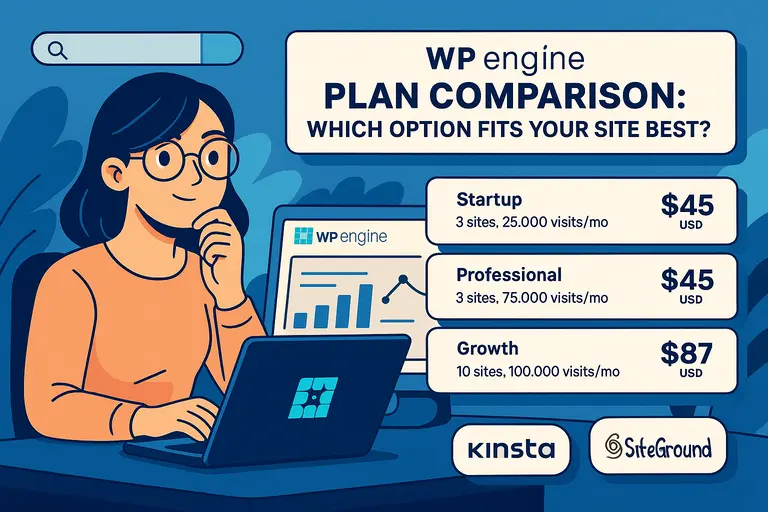 WPengine Plan Comparison: Which Option Fits Your Site Best?
 Alternative to WPEngine: Faster and Cheaper Options