Table of Contents
Some links on The Justifiable are affiliate links, meaning we may earn a small commission at no extra cost to you. Read full disclaimer.
Doba pricing explained is really about one thing: figuring out whether you are paying for useful operating leverage or just another monthly tool you will regret in 30 days.
If you have been comparing dropshipping platforms and feeling like the pricing page looks simple until you think about listing limits, store connections, automation caps, and refund rules, you are not overthinking it. You are asking the right question.
In this guide, I’ll break down Doba’s current pricing structure, the hidden cost layers that matter, and which type of seller can actually get real value from each plan.
What Doba Pricing Actually Looks Like Right Now
Before you can judge value, you need a clean picture of what Doba is charging today and what each tier includes.
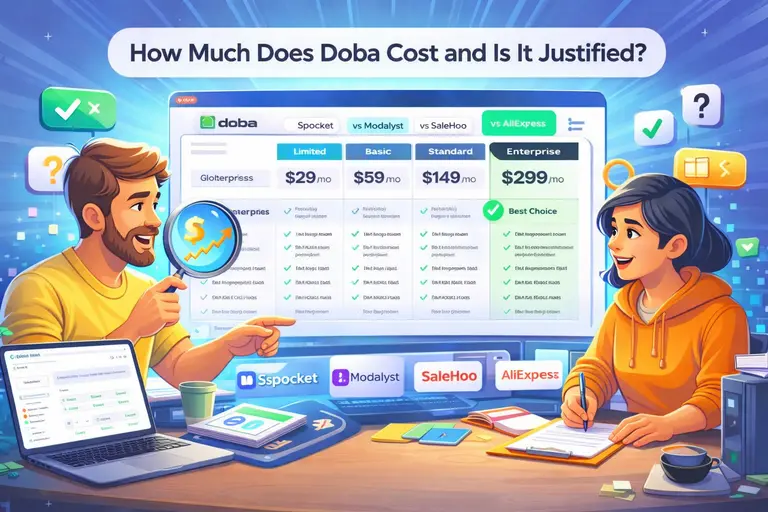
Limited Plan: Cheap Entry, Tight Limits
The current Doba pricing page shows the Limited plan at $28.66 per month when billed quarterly, with a quarterly saving message of $3.99 and a 14-day trial for $0.99. On paper, that sounds like an easy beginner entry point. The catch is that this plan is intentionally narrow.
You get 1 store integration, 30 one-click product listings, 20 inventory list capacity, AI Store Builder as an add-on, AI Pickr 30 times per month, and 24/7 customer service.
In plain English, this is a testing plan, not a scaling plan. You can connect one storefront, experiment with a small number of products, and learn the interface without committing to a larger bill. I think that part is fair. A lot of beginners do not need advanced automation on day one.
Where people get tripped up is assuming “starter plan” means “enough to run a serious store.” It usually does not. Thirty one-click listings and only 20 inventory list capacity create friction fast, especially if you like testing multiple angles, seasonal products, or niche collections.
A realistic scenario: Imagine you are launching a single Shopify store and want to test pet accessories, kitchen gadgets, and home organization products at the same time. You will probably hit plan limits before you hit product-market fit. That means the Limited plan is best treated as a short evaluation plan, not your long-term operating setup.
Basic Plan: The First Tier That Feels Like A Real Business Tool
Doba lists the Basic plan at $56.99 per month when billed quarterly, with a 7-day trial for $0.99. It includes everything in Limited, plus 2 store integrations, 250 one-click product listings, 600 inventory list capacity, 450 product downloads per month, AI Pickr 100 times per month, AI Auto Lister with 30 auto-listings, and an advanced product research tool.
This is the first plan that starts to feel usable for a real operator. I say that because the jump from 30 listings to 250 is not a small improvement. It changes how you work. You can build broader collections, test product depth, and run a store without feeling like every action eats into a tiny quota.
The 2 store integrations also matter more than most beginners realize. Even if you only run one store today, a second connection gives you flexibility for a second brand, a backup storefront, or marketplace expansion later. That can save migration headaches.
Still, this plan is not cheap in beginner terms. Quarterly billing means you are committing more cash upfront than the monthly-looking price suggests. If your margins are thin or your product validation is weak, paying for extra research and automation features will not magically fix a bad niche.
This plan delivers value when you already know how to test products with some discipline.
Standard And Enterprise: Where Doba Moves From Tool To Infrastructure
The Standard plan is shown at $142.66 per month when billed quarterly, with everything in Basic plus 5 store integrations, 1,000 one-click listings, 3,000 inventory list capacity, 2,000 product downloads monthly, AI Pickr 300 times per month, AI Auto Lister with 100 auto-listings, Doba Retailer API access at 3 requests per second, featured product selection, a dedicated account manager, Doba Elite Academy, and FTP server access.
Enterprise adds 15 store integrations, 2,500 one-click listings, 15,000 inventory list capacity, 5,000 monthly product downloads, AI Pickr 1,000 times per month, AI Auto Lister with 200 auto-listings, and API access at 5 requests per second. Doba’s page also notes Enterprise is available only on monthly or annual billing.
This is where I think the conversation changes completely. You are no longer paying mainly for product access. You are paying for operational capacity. More integrations, API access, bigger automation quotas, and account support are not “nice extras.” They are time-saving and process-stabilizing features for stores with moving parts.
For a solo beginner, Standard will often feel overpriced. For a team managing multiple stores, channels, or high listing volume, it can start to make sense. That is the key point: Doba’s upper tiers are priced less like hobby plans and more like business infrastructure.
So the real question is not “Is Standard expensive?” It obviously is. The better question is “Would these features replace enough manual work, missed opportunities, or tool stacking to justify the cost?” For the right operator, sometimes yes. For the wrong one, definitely no.
The Real Cost Of Doba Is More Than The Subscription
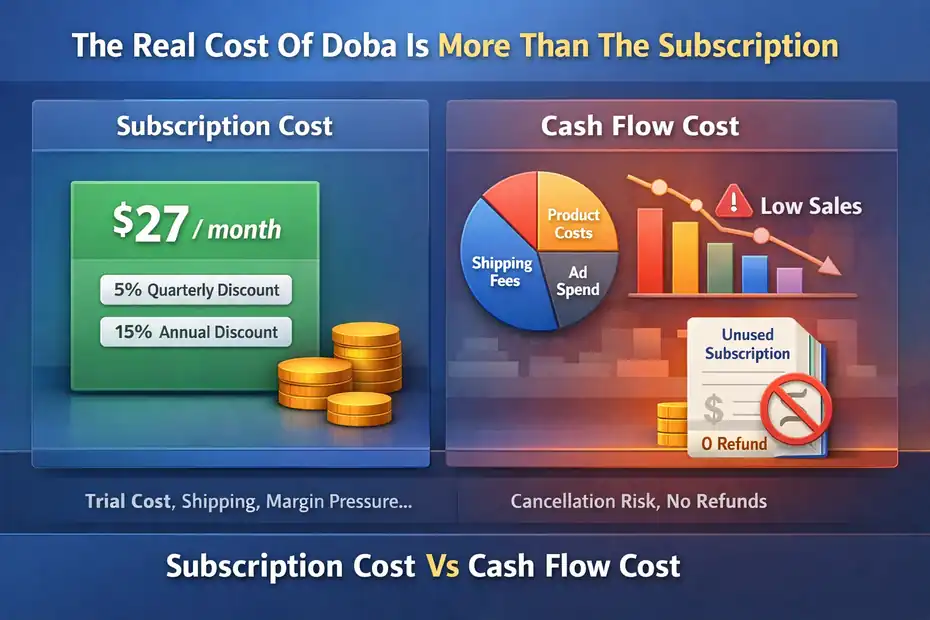
The subscription fee is visible. The total operating cost is where most dropshippers make bad decisions.
Subscription Cost Vs Cash Flow Cost
Doba advertises quarterly billing with 5% off and annual billing with 15% off on its pricing page. That means the platform nudges you toward longer commitments, which is common in SaaS but important in dropshipping, where cash flow is usually fragile in the early stage.
Here is the part I suggest you pay attention to: A lower monthly-equivalent rate does not mean lower business risk. If you choose a quarterly or annual cycle before your store proves demand, you are not really “saving money.” You are prepaying for confidence you have not earned yet.
Let me break it down in simple terms. A beginner often thinks, “The quarterly price is better value, so I should lock that in.” But if you quit after five weeks because your product tests fail, the cheaper effective monthly rate becomes irrelevant. Your real cost is the unused portion of a tool you no longer need.
This is why I believe plan selection should follow validation, not hope. If you have no winning products, weak traffic, and no real content or ad system, discount billing cycles can become an expensive psychological trap. The lower advertised per-month figure feels smart, but the total outlay is what hits your bank account.
Trial Cost, Cancellation Rules, And Refund Friction
Doba offers low-cost trials, but the refund and cancellation language matters just as much as the intro offer.
According to Doba’s fees and cancellations page, trial subscriptions are not eligible for refunds, and once a subscription fee has been successfully charged for more than 72 hours, you are not entitled to a full refund on monthly, quarterly, or annual subscriptions.
The same page says subscriptions renew on the billing date and can take up to an additional 30 days to process, while cancellation requires going through the pricing plan area and completing all prompts.
I do not say that to scare you. I say it because too many people buy software with the mindset of “I can always get my money back later.” With Doba, you should assume you need to manage cancellation proactively and on time.
That makes your onboarding week more important. Your trial period is not just a test of features. It is your chance to answer practical questions fast: Can you find products worth listing? Are shipping terms workable for your audience? Do the limits on your chosen plan actually fit your workflow?
A smart operator treats the trial like a due-diligence sprint. Do not spend that time casually browsing. Use it to test imports, margins, listing speed, workflow fit, and support responsiveness.
Otherwise the real cost of Doba becomes less about price and more about paying for uncertainty.
Product Cost, Shipping, And Margin Pressure Matter More Than Plan Price
This is the hidden truth in almost every dropshipping software comparison: the subscription usually is not the biggest profit killer.
Margin compression is. Doba gives you centralized sourcing and automation, but that does not automatically mean every listed product leaves enough room for ads, returns, payment fees, and customer support overhead.
Shopify App Store reviews also mention shipping-rate setup, inventory-plan limits, and order-timing nuances as real operational issues sellers run into.
Imagine you pay roughly $57 per month equivalent on Basic. That feels manageable. But if your average order only leaves $8 to $12 gross margin before advertising, your software cost can consume the profit from several orders each month before you even account for refunds or bad product picks.
That is why “Doba pricing explained” should always include product economics. The platform fee is fixed. Your product margin is variable. A weak product catalog strategy will make any tool feel overpriced.
In my experience, the right way to evaluate Doba is this: estimate how many profitable orders per month the platform needs to help you create or save in order to justify itself.
For some stores, that may be 5 to 10 extra orders. For others, it may be 20 or more. Once you frame it like that, the pricing discussion becomes much clearer.
What You Are Really Paying For In Each Doba Tier
The best way to judge value is to stop looking at plan names and start looking at what kind of work each tier removes.
Store Integrations And Listing Capacity: The First Real Value Driver
One of the clearest differences across Doba plans is how many store integrations and one-click product listings you get. Limited includes 1 store and 30 listings, Basic moves to 2 stores and 250 listings, Standard to 5 stores and 1,000 listings, and Enterprise to 15 stores and 2,500 listings.
This matters because listing capacity is really testing capacity. If you can only import a small batch of items, your product discovery process stays narrow. That can work when you already know your niche, but it hurts when you are still trying to discover what customers actually want.
Here is how I would think about it:
- Limited: Good for learning the system and publishing a very small starter catalog.
- Basic: Better for building a normal-looking store with enough breadth to test collections.
- Standard: Better for teams or serious operators cycling through larger inventories.
- Enterprise: Built for multi-store workflows, bulk expansion, and more complex catalog management.
If your current strategy depends on deep testing, seasonal collections, or multiple storefronts, you are not really buying “more listings.” You are buying room to operate without constant bottlenecks.
That is real value. But only if you actually use that room. Paying for large capacity while running a tiny store is like renting warehouse space for a lemonade stand. It sounds ambitious, but it is usually just expensive.
Inventory Capacity And Product Downloads: Quiet Features With Big Impact
Doba’s plans also scale inventory list capacity and product download allowances quite aggressively. Limited includes 20 inventory list capacity, Basic 600, Standard 3,000, and Enterprise 15,000. Product downloads monthly begin at Basic with 450, then rise to 2,000 on Standard and 5,000 on Enterprise.
These numbers may sound boring, but they affect your day-to-day operations more than flashy AI features. Inventory tracking is one of the least glamorous and most important parts of dropshipping. When stock levels change quickly, outdated product availability can create oversells, canceled orders, and customer frustration.
For many of us, this is where a platform earns its keep. Not by looking impressive in a dashboard, but by reducing silent operational mistakes. If you are managing a wide catalog, higher inventory capacity can save you from manual cleanup and product instability.
Product download limits matter too if you are doing bulk analysis, feed exports, or wider product research workflows. A beginner may never notice this. A scaling operator absolutely will.
So when you compare tiers, do not just ask whether you “need” bigger caps today. Ask whether small caps will force manual workarounds next month. That question usually gives you a more honest answer than staring at the price column alone.
AI, Automation, API, And Account Support: Useful Or Just Upsell?
Doba uses feature progression to justify higher tiers. AI Pickr rises from 30 uses per month on Limited to 100 on Basic, 300 on Standard, and 1,000 on Enterprise. AI Auto Lister appears on Basic with 30 auto-listings, then rises to 100 on Standard and 200 on Enterprise.
Standard and Enterprise also include Doba Retailer API access, with 3 requests per second on Standard and 5 on Enterprise. Standard adds a dedicated account manager, Doba Elite Academy, featured product selection, and FTP access.
This is where you need to be brutally honest with yourself. Automation tools are valuable when they replace work you were already doing at scale. They are much less valuable when they are just there to make you feel like you are running a bigger business than you are.
For example, API access means very little to a solo seller who is not building custom workflows. A dedicated account manager sounds great, but if your core issue is poor product selection or weak marketing, no account manager can save you from that.
On the other hand, if you already run multiple stores, need feed handling, and want smoother operational coordination, then these features can absolutely justify higher pricing. At that level, time is expensive. Reduced friction is not a luxury. It is margin protection.
So yes, the upsell is real. But that does not mean the higher plans are bad. It just means the value is highly dependent on business stage and workflow complexity.
Which Doba Plan Makes Sense For Different Types Of Dropshippers
There is no “best” plan in the abstract. There is only the least wasteful plan for your current stage.
Best Plan For Beginners Testing Their First Store
If you are brand new, the Limited plan is the safest place to start because it gives you a low-friction way to learn Doba’s workflow without jumping into high recurring cost immediately. The low-cost trial and lower entry tier make that possible, even though the feature caps are strict.
That said, I would only recommend Limited for a narrow purpose: learning, validating, and deciding whether Doba fits your business model. I would not recommend treating it like your permanent plan if you are serious about testing products at any meaningful pace.
A simple beginner playbook looks like this:
- Week 1: Use the trial to test catalog quality, shipping setup, product import flow, and support responsiveness.
- Week 2: List a small but focused group of products in one niche, not ten random categories.
- Decision Point: Upgrade only if you clearly need more listings or inventory capacity, not because you feel pressured to “go pro.”
My opinion is pretty straightforward here: Beginners lose more money from premature upgrading than from underpowered software. Until you can prove that product testing and store execution are your bottlenecks, keep your software commitment lean.
The right beginner mindset is not “What is the most powerful plan?” It is “What is the cheapest plan that still lets me make an informed business decision?” That question will save you a lot of money.
Best Plan For Sellers With Traction But Not Full Scale Yet
Basic is where Doba starts to make practical sense for a seller who already has some traction.
With 2 store integrations, 250 one-click listings, 600 inventory list capacity, 450 monthly product downloads, the research tool, and light automation, it gives you enough room to operate without immediately forcing you into infrastructure-level pricing.
I would place Basic in the “validated but not mature” stage. That means you have some sales history, at least one workable niche, and a reason to manage more listings or expand your catalog intelligently. You are not guessing completely anymore.
A realistic example: Imagine you run a home-and-kitchen store that gets a few sales per week organically and from short-form video content. You want to expand into complementary products, build collections faster, and reduce listing friction. That is where Basic can feel worth it.
What I like about this tier is that it can support momentum without demanding Standard-level budget. What I do not like is that many sellers still underestimate the full cost of the broader catalog they create.
More listings can mean more opportunity, but it can also mean more messy inventory, weaker merchandising, and lower focus.
So Basic is valuable when you are disciplined. If you use the extra capacity to test intentionally, it is a smart middle ground. If you use it to dump random products into your store, it just helps you scale confusion faster.
Best Plan For Agencies, Multi-Store Operators, And Serious Teams
Standard and Enterprise make the most sense for businesses with genuine operational complexity. Doba itself frames Standard as the “Best Choice,” and its own pricing comparison article positions Standard as the sweet spot for serious scaling because of automation, API access, account support, and education features.
I would translate that into practical terms like this: Standard is for operators who are already running systems, not just stores. You may be managing multiple storefronts, multiple team members, larger product feeds, or more advanced sourcing workflows.
Enterprise pushes further for higher-volume environments with the largest caps and stronger API allowance.
Where these plans create value:
- Team Coordination: More integrations and larger caps reduce workflow bottlenecks.
- Operational Stability: Better automation and inventory handling reduce manual errors.
- Custom Processes: API access matters when you want tighter system-to-system workflows.
- Support Leverage: Account management can help when your business is too busy for trial-and-error.
Where they do not create value: if you are a solo beginner hoping expensive software will create momentum by itself.
That is the big dividing line. High-tier Doba plans are not “too expensive” by default. They are expensive relative to underdeveloped businesses. For a team generating revenue across multiple stores, the math can look completely different.
How To Decide Whether Doba Is Worth The Money For You
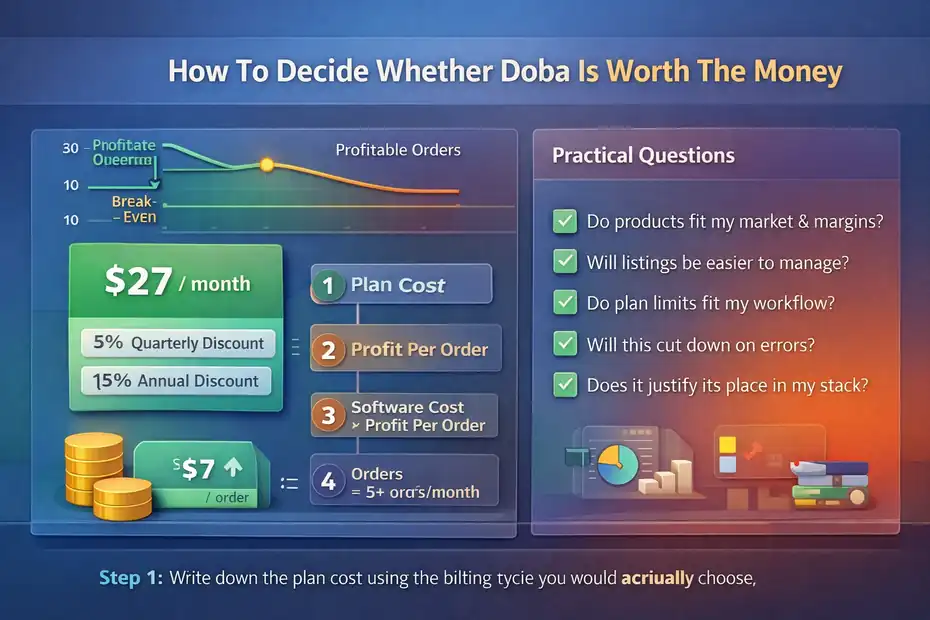
Software value is not emotional. It is operational and financial.
Run A Simple Break-Even Test Before You Subscribe
The cleanest way to judge Doba is with a break-even model. Start with your subscription cost, then estimate how many additional profitable orders Doba must help produce or protect each month.
That could happen through faster product launches, fewer inventory mistakes, easier sourcing, or quicker expansion into new listings. Doba’s pricing and feature structure clearly scales around those workflow advantages.
Here is a simple framework I recommend:
- Step 1: Write down the plan cost using the billing cycle you would actually choose.
- Step 2: Estimate your true profit per order after product cost, shipping, platform fees, and customer service buffer.
- Step 3: Divide software cost by profit per order.
- Step 4: Ask whether Doba can realistically help you gain or save that number of orders monthly.
For example, if your true profit is $12 per order and your plan effectively costs around $57 per month, you need roughly 5 extra profitable orders for the tool to justify itself. That is not impossible. But it is also not automatic.
I like this method because it removes the shiny-software effect. Instead of asking whether the dashboard looks powerful, you ask whether the platform can create measurable business output. That is the only test that matters.
Evaluate Workflow Fit, Not Just Feature Count
A lot of pricing pages are built to make you compare quantity. More listings, more AI usage, more downloads, more stores. But feature count is not the same as workflow fit.
Shopify App Store feedback shows that real user experience depends on details like shipping-rate setup, understanding plan-based inventory limits, and navigating order timing expectations.
This is why I suggest scoring Doba on five practical questions:
- Can I source products here that fit my audience and margin targets?
- Can I publish and manage listings faster than with my current method?
- Do the plan limits match how I actually work?
- Will this reduce operational mistakes or just add another subscription?
- Can I explain clearly why this tool earns its place in my stack?
If you cannot answer those confidently, you are probably still in the curiosity phase, not the buying phase.
In most cases, tools become worth the money when they remove repeat pain. If your current pain is disorganization, manual listing work, or inventory management friction, Doba may help. If your current pain is no traffic, no brand positioning, or no winning offer, Doba is not your main solution.
That distinction matters because pricing feels very different when a tool solves the wrong problem.
Compare Doba Against Your Alternatives Honestly
Doba’s own content compares itself against alternatives and notes pricing differences, but I think the better exercise is not “Which platform starts cheaper?” It is “Which platform gives me the simplest path to profitable execution?”
Doba’s ecosystem emphasizes centralized sourcing, automation, product research, and multi-store support. Shopify merchant reviews also highlight automation, bulk editing, advanced filtering, and inventory/order efficiency as strengths.
That means Doba may justify a higher price when your business benefits from its operational structure. It may not justify it if all you need is basic sourcing access and minimal automation.
Here is my honest take: Many dropshippers compare platforms too early and too abstractly. They obsess over a $20 or $40 difference in subscription price while ignoring the bigger variables like margin quality, content quality, and store execution. That is not wrong, exactly. It is just incomplete.
A platform is worth more when it matches your operating style. If you want more centralized management and broader built-in workflow support, Doba can look reasonable. If you want the absolute lowest tool spend while you learn, it can look expensive fast.
So compare alternatives, yes. But compare them through the lens of how you actually run your store, not just the headline monthly number.
Common Mistakes People Make When Evaluating Doba Pricing
Most software regret starts with a bad assumption, not a bad platform.
Mistake 1: Confusing A Trial With A Business Validation Plan
Because Doba offers low-cost trials, some sellers treat the platform as though it is automatically low risk. But low trial cost does not remove the need for serious evaluation, especially since trial subscriptions are not refundable and full refunds are restricted after successful charges beyond 72 hours.
The mistake is subtle. People think, “I’ll try it and see.” That sounds reasonable. But then they spend the trial period wandering through the catalog, bookmarking random products, and never measuring whether the tool actually fits their store model.
A better approach is to turn the trial into a mini audit:
- Product Check: Can you find products with usable margins and realistic shipping?
- Workflow Check: Is listing and syncing smoother than your current setup?
- Limit Check: Do plan caps already feel restrictive?
- Support Check: Can you get useful help fast when something is unclear?
I believe this is where most regret can be prevented. The trial should produce a yes-or-no decision based on evidence, not vibes.
If you finish the trial with no product shortlist, no margin model, and no workflow comparison, then you have not actually tested Doba. You have just looked at it. That is not the same thing.
Mistake 2: Buying More Capacity Than Your Store Can Use
Doba’s pricing ladder makes higher tiers look like obvious upgrades. More stores, more listings, more automation, more downloads. The problem is that unused capacity has zero ROI.
I see this a lot with ambitious sellers. They assume a bigger plan will force them to grow into it. Sometimes that works. More often, it just raises pressure and burns cash while the underlying store still lacks strong offers, positioning, or traffic.
For example, 1,000 one-click listings sounds powerful. But if you only have one small store and no repeatable merchandising process, that capacity can become clutter instead of leverage. The same goes for API access. It is valuable when you have a real use case, not when you just like the sound of “advanced.”
That is why I recommend upgrading only when one of your current plan limits is genuinely blocking revenue or efficiency. Not when you are simply imagining future scale.
Good software buying follows actual friction. When a cap is slowing you down in a measurable way, pay to remove it. Before then, keep your cost structure lean. That is how you protect your business while still growing intelligently.
Mistake 3: Ignoring The Difference Between Operational Value And Marketing Value
Doba mainly helps on the operations side: sourcing, listing, syncing, workflow management, and scaling support. Merchant feedback on Shopify highlights exactly those strengths, especially around automation, bulk editing, filtering, and order/inventory efficiency.
But many sellers buy a platform while secretly hoping it will solve a marketing problem. That is where disappointment begins. Doba can help you manage products more effectively. It cannot make your ads persuasive, your store trustworthy, or your content strategy compelling.
This matters because the same monthly fee feels very different depending on your bottleneck. If your store already gets traffic and your pain is operational mess, Doba may feel useful fast. If your store has no visitors, the same subscription can feel like a dead weight.
So be careful about what job you are hiring the platform to do. I say that with love, because it is one of the easiest mistakes to make in ecommerce. We buy the thing that looks productive instead of the thing that addresses the actual constraint.
Doba can be valuable. But its value is highest when your problem is execution efficiency, not demand creation. If you keep that distinction clear, your pricing decision gets much easier.
Final Verdict: Is Doba Expensive, Fair, Or Worth It?
The fairest answer is that Doba is not cheap, but it is not overpriced by default either. Its current plan structure starts at $28.66 per month billed quarterly for Limited, climbs to $56.99 for Basic, and reaches $142.66 for Standard, with Enterprise positioned above that for larger operations.
The feature ladder clearly ties higher pricing to more integrations, more listing capacity, more inventory handling, more automation, API access, and higher-touch support.
For beginners, Doba can feel expensive if you expect it to create success by itself. It will not. If you are still learning product selection, store positioning, or customer acquisition, you should be very careful about locking yourself into more software than you can justify.
The Limited plan is best used as a fit test, and the trial should be treated seriously because of the refund and cancellation rules.
For intermediate sellers, Basic is probably the most practical pricing tier. It is the first plan that gives enough room to test products and manage a normal store without instantly pushing you into infrastructure-level cost.
For more advanced teams, Standard and Enterprise can make sense when automation, API access, multi-store management, and support actually reduce manual work and protect revenue.
My honest opinion: Doba is worth the money when it removes real operational friction and helps you support profitable order flow. It is not worth the money when you are using it as a substitute for product validation or marketing skill. That is the cleanest version of doba pricing explained I can give you. The sticker price matters, but the real decision is whether Doba creates enough business efficiency to earn its place in your stack.
FAQ
What Is Doba Pricing?
Doba pricing is the monthly or annual cost you pay to access its dropshipping platform, supplier marketplace, product import tools, and automation features. The real value depends on your store size, how many products you test, and whether the plan saves enough time and manual work to justify the fee.
Is Doba Worth It For Beginner Dropshippers?
Doba can be worth it for beginners if you want a simple way to find products and manage listings in one place. Still, the value depends on your budget, margins, and sales volume. For many new sellers, it makes more sense after you validate your niche and first offers.
Does Doba Have Hidden Costs?
Doba does not just cost the subscription price. Your real cost also includes product pricing, shipping fees, lower margins, and the risk of paying for features you do not fully use. That is why comparing plan price alone can give a misleading picture of total dropshipping profitability.
Which Doba Plan Is Best For Small Stores?
For most small stores, the best Doba plan is usually the one that gives enough listings and inventory capacity without adding unnecessary overhead. A lower-tier plan often works best at the start. You should only upgrade when your current limits are clearly slowing down product testing or store growth.
How Do You Measure Doba Value Vs Cost?
The easiest way to measure Doba value versus cost is to calculate how many profitable orders the platform needs to help you generate each month. If the tool saves time, reduces mistakes, or helps you launch winning products faster, the subscription may be justified by improved efficiency.

I’m Juxhin, the voice behind The Justifiable.
I’ve spent 6+ years building blogs, managing affiliate campaigns, and testing the messy world of online business. Here, I cut the fluff and share the strategies that actually move the needle — so you can build income that’s sustainable, not speculative.