
Table of Contents
Some links on The Justifiable are affiliate links, meaning we may earn a small commission at no extra cost to you. Read full disclaimer.
An ecommerce CRM for scaling ecommerce business growth is not just a “nice to have” once your store starts getting traction. It becomes the system that helps you remember who your customers are, what they bought, what they care about, and what should happen next.
If you are trying to grow without losing control of support, retention, and customer data, this is where things usually start to break.
Let me walk you through what a growing store actually needs from a CRM, how to set it up properly, and where most brands get it wrong.
What An Ecommerce CRM Really Does For A Growing Store
When most store owners first hear “CRM,” they think about sales pipelines, enterprise software, and tools built for traditional B2B teams.
That is part of the picture, but an ecommerce CRM works differently because the job is different.
Why Ecommerce Growth Creates A Customer Data Problem
Growth sounds exciting until your customer data starts living in five different places. Orders sit in your store platform. emails live in your marketing tool. support conversations sit in a help desk. ad platforms know who clicked, but not who became a repeat buyer. At a certain point, you stop running a store and start chasing fragments of the same customer.
That is why an ecommerce CRM for scaling ecommerce business operations matters so much. It gives you one working customer record instead of disconnected snapshots. You can see first purchase date, average order value, product preferences, support history, refund patterns, engagement level, and lifecycle stage in one place. That turns reactive growth into manageable growth.
Imagine you run a skincare store doing 250 orders a month. You can probably still “remember” your best customers. Now imagine that same store at 2,500 orders a month. You cannot personally track who buys only during promotions, who needs replenishment reminders, or who has opened three support tickets in the past 60 days. Without a CRM, that context disappears.
I believe this is the moment many growing stores misdiagnose the problem. They think they need more traffic, more ads, or more automation. In reality, they often need a better customer system first. When your data is clean and connected, smarter retention and better decisions usually follow.
In my experience, scaling does not usually fail because a store lacks customers. It fails because the store stops understanding its customers clearly enough to market, support, and retain them well.
The Difference Between A Basic Contact List And A True Ecommerce CRM
A contact list tells you who subscribed. A real CRM tells you what kind of customer that person is and what should happen next. That difference is huge.
A basic list might store name, email, and maybe a few tags. A proper ecommerce CRM stores behavior. It can track purchase frequency, order count, product categories bought, last engagement date, lifetime value, subscription status, and post-purchase activity. That means you are no longer guessing who deserves a VIP offer, who should get a win-back email, or who is likely to churn.
Here is the practical difference:
| System Type | What It Usually Stores | What It Helps You Do | Main Limitation |
|---|---|---|---|
| Basic contact list | Name, email, opt-in status | Send broad campaigns | Little behavioral context |
| Email platform only | Subscriber activity, campaign engagement | Run newsletters and flows | May not unify support and store data |
| True ecommerce CRM | Orders, engagement, support, value, segments, lifecycle | Personalize retention, support, and growth | Needs setup discipline |
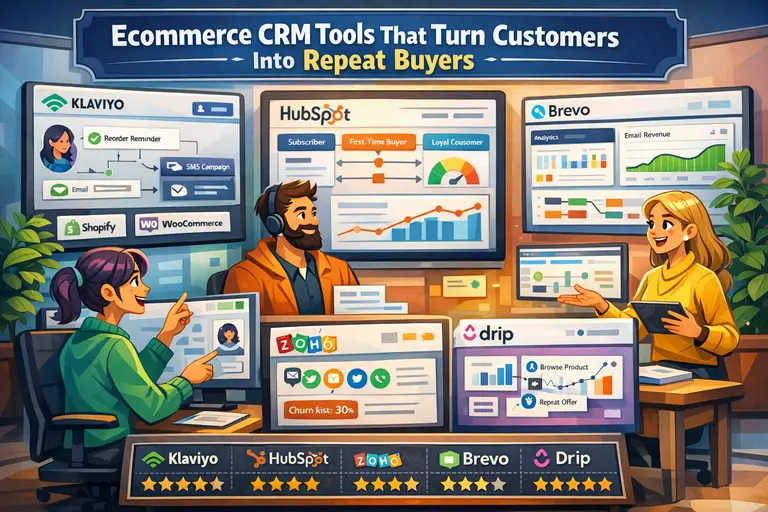
This is also why many stores eventually connect tools like Shopify, WooCommerce, HubSpot, Klaviyo, or ActiveCampaign. Not because more software is automatically better, but because each piece may handle a different part of the customer relationship.
Still, the concept matters more than the platform. If your system cannot answer simple questions like “Who are my top repeat buyers?” or “Which first-time customers are likely to buy again within 30 days?” then you do not really have a CRM yet. You have software, but not customer intelligence.
The Core Jobs A Growing Ecommerce CRM Must Handle
As your store grows, your CRM needs to do a few jobs extremely well. Fancy dashboards are nice, but the essentials matter far more.
- Customer unification: Pull purchase, support, and marketing data into one usable profile.
- Segmentation: Group customers by behavior, value, product interest, geography, or lifecycle stage.
- Automation triggers: Launch actions based on what customers actually do, not what you hope they do.
- Retention tracking: Show repeat purchase trends, churn signals, and customer lifetime value patterns.
- Team visibility: Give marketing, support, and operations a shared understanding of the customer.
Let me make this more concrete. Say a customer buys protein powder from your store twice, opens every educational email, and asks one support question about delivery timing. A strong CRM should let you identify that person as engaged, likely to reorder, and probably receptive to a subscription offer. A weak setup treats them like just another email address.
For many of us, the biggest win is not even automation. It is clarity. You stop sending generic campaigns to everyone. You stop handling VIP customers like new shoppers. You stop offering win-back discounts to people who were already about to reorder anyway.
That is where margin improves. Not from “doing more marketing,” but from doing more relevant marketing with better timing.
What Growing Stores Need Most From Their CRM Setup
A lot of articles talk about CRM features in abstract terms. Growing stores do not need abstract. They need a system that solves day-to-day scaling friction without creating a bigger mess.
A Single Customer View Across Orders, Support, And Marketing
The most important CRM outcome is a single customer view. Not because it sounds impressive, but because every good decision depends on it.
If customer data is fragmented, your email team might treat someone as inactive while your support team knows they just had a shipping issue. Your retention team might push a second-purchase offer to someone who already ordered yesterday. These mistakes are common, and they usually come from disconnected data rather than bad strategy.
A useful single customer view includes:
- Identity data: Name, email, phone, location, account history.
- Commerce data: Orders, revenue, products purchased, returns, discounts used.
- Engagement data: Email opens, clicks, SMS engagement, site activity when available.
- Service data: Tickets, complaints, satisfaction signals, delivery issues.
This is where tools like Gorgias or Zendesk can become relevant, especially when support history needs to be visible alongside order context. But the principle matters more than the specific vendor. If your support and marketing systems cannot “see” the same customer reality, personalization breaks.
I suggest building your CRM around the question, “What does my team need to know before they contact this customer?” That framing keeps the setup practical. It also prevents the classic mistake of collecting lots of fields that never influence an action.
Segmentation That Goes Beyond Demographics
Demographics can be useful, but behavior is what drives ecommerce results. A 29-year-old in London and a 29-year-old in Manchester do not belong in the same segment if one buys every 30 days and the other only clicks discount emails once a quarter.
Your CRM should let you segment by signals that actually affect growth:
- Purchase frequency: One-time buyers, second-order buyers, loyal repeat buyers.
- Recency: Ordered this week, this month, or not in the last 90 days.
- Value: High average order value, high lifetime value, discount-heavy customers.
- Category interest: Buyers of skincare, supplements, pet accessories, or bundles.
- Risk signals: Refund history, low engagement, declining order cadence.
Here is the payoff. Instead of sending one generic campaign to 50,000 contacts, you send three sharper messages: a replenishment reminder to likely reorders, a bundle offer to category enthusiasts, and a win-back message to lapsing customers. Same list size, much better relevance.
This is where ecommerce CRM starts feeling less like database work and more like revenue infrastructure. Good segments shape email, SMS, support priority, product recommendations, and even ad exclusions.
I have seen stores overcomplicate segmentation too early. They build 37 audiences nobody maintains. Start with maybe six to ten core segments that affect revenue directly. Clean, useful segmentation beats clever segmentation every time.
Automation That Supports Revenue Without Feeling Robotic
Automation gets overhyped, but the right automation is incredibly useful once your store reaches consistent order volume. The key is to automate responses to behavior, not just dates on a calendar.
For example, a growing store usually benefits from these CRM-driven automation paths:
- Welcome flow: New subscribers or new account creators get education, social proof, and a first-purchase push.
- Post-purchase flow: Customers receive onboarding, usage tips, shipping updates, and review prompts.
- Second-purchase flow: First-time buyers get nudged toward their next logical product.
- Win-back flow: Lapsing customers receive reactivation messaging based on past buying behavior.
- VIP treatment: High-value customers get early access, concierge support, or loyalty messaging.
The big mistake is assuming automation means removing the human element. It should do the opposite. Good automation makes communication more timely and more relevant. A buyer who just ordered running socks does not want random promos. They might want sizing help, care tips, or a recommendation for the matching product line.
Platforms like Omnisend, Mailchimp, Drip, Brevo, and Attentive often enter the conversation here because they help execute CRM-like lifecycle messaging. But again, tools are downstream. The strategy is the real engine.
I recommend treating automation like customer service at scale. If a message would feel careless or confusing from a person, it will still feel careless or confusing when automated.
How To Choose The Right Ecommerce CRM For Your Stage Of Growth
You do not need the most advanced CRM on the market. You need the one that fits your business model, team maturity, and current bottlenecks.
Match Your CRM To Your Store’s Real Complexity
A store doing 100 monthly orders does not need the same CRM architecture as a multi-brand business doing 20,000. This sounds obvious, but many teams either underbuy and hit limitations fast or overbuy and drown in setup complexity.
Use your actual operating reality to choose.
| Growth Stage | What The Store Usually Needs Most | CRM Priority |
|---|---|---|
| Early traction | Capture leads, basic lifecycle messaging, customer tagging | Simplicity and speed |
| Steady growth | Repeat purchase tracking, support visibility, stronger segmentation | Unified customer data |
| Scaling phase | Advanced automation, attribution clarity, team collaboration, forecasting | Cross-team visibility and retention depth |
| Multi-channel expansion | Wholesale, retail, online, subscription, service layers | Customization and integration depth |
If you sell a small number of repeat-purchase products, you may benefit more from strong lifecycle segmentation than from a complex sales CRM. If you run a high-ticket or consultative ecommerce model, more traditional pipeline features might matter. If you manage several brands or channels, data structure becomes the deciding factor.
This is why HubSpot, Zoho CRM, Freshsales, and Pipedrive appeal to different teams. They solve different workflow problems. The best choice depends less on marketing hype and more on whether your customer journey is simple, layered, or operationally messy.
I suggest choosing for the next 12 to 18 months, not the next 12 days. That gives you room to scale without rebuilding too soon.
Key Features That Actually Matter When Revenue Starts Climbing
Feature lists can get silly fast. You do not need to obsess over every checkbox. You need to know which features change outcomes.
These are the ones I would prioritize first:
- Native store integration: Your CRM should sync smoothly with your ecommerce platform and order data.
- Behavior-based segmentation: Static lists are not enough once volume increases.
- Automation workflows: Not just newsletters, but flows tied to customer actions.
- Lifecycle reporting: You need visibility into repeat purchase patterns and customer value.
- Support context: Especially if service quality affects retention in your category.
- Custom properties: Important for subscriptions, bundles, reorder intervals, or niche workflows.
- Ease of use: A sophisticated CRM that nobody maintains is a very expensive spreadsheet.
Notice what is missing from that list: flashy AI claims, overly complex forecasting, and features you only use in demos. Scaling stores need operational usefulness, not software theater.
A realistic example: if you run a home goods store and your CRM cannot tell you who bought a coffee machine but never bought filters, that is a problem. If it can run that segment in seconds and trigger a helpful replenishment sequence, that is a growth asset.
The best CRM features are the ones that make profitable follow-up easier.
When To Use An All-In-One System Vs A Connected Stack
There is no universal winner between an all-in-one CRM and a connected stack of specialized tools. Both can work. The right choice depends on team size, technical comfort, and how much customization you truly need.
An all-in-one system is often better when you want speed, fewer moving parts, and a lower maintenance burden. One platform for contacts, segmentation, communications, and reporting can reduce confusion. This is especially helpful for lean teams.
A connected stack can be stronger when you need best-in-class capability in multiple areas. For example, your store platform handles transactions, your CRM manages contact structure, your email/SMS tool handles messaging, and your support platform manages service. This can be powerful, but only if your data stays in sync.
Here is the honest tradeoff:
| Approach | Best For | Main Advantage | Main Risk |
|---|---|---|---|
| All-in-one | Lean teams, simpler stores | Easier setup and fewer integrations | May hit feature limits |
| Connected stack | Scaling teams with defined workflows | More flexibility and specialization | Data fragmentation if poorly managed |
I believe most growing stores should stay simpler for longer than they think. Complexity feels sophisticated, but it often introduces sync problems, duplicate records, broken automations, and reporting confusion. Unless you clearly need a layered stack, do not build one just because bigger brands do.
Step-By-Step Setup For An Ecommerce CRM That Can Scale
This is the part that matters most. A CRM is only useful when the setup mirrors your actual customer journey.
Start With Your Customer Lifecycle Before You Touch Any Software
Before you configure fields, automations, or integrations, map your customer lifecycle. If you skip this, you will end up with a technically “working” CRM that does not support real decisions.
Ask these questions first:
- How does someone first enter your world? Paid ad, organic traffic, referral, quiz, newsletter, direct purchase.
- What is the first conversion event? Email signup, account creation, first purchase, sample request.
- What usually happens next? Second purchase, inactivity, support question, subscription signup.
- Where does retention come from? Replenishment, bundles, seasonal repeat buying, loyalty.
- What are your churn signals? Long gaps between orders, declining email engagement, multiple support problems.
Now turn that into stages. For many stores, the lifecycle might look like this: subscriber, new customer, active customer, repeat buyer, VIP, at-risk, churned. Those stages are far more useful than a giant blob of contacts.
This step sounds basic, but it changes everything. Once lifecycle stages are clear, your CRM fields, segments, dashboards, and automations become obvious. Without them, you are just collecting data because software allows it.
I always suggest drafting this on paper first. Not in a dashboard, not in a workflow builder, just as plain language. If you cannot explain your lifecycle simply, your CRM will not fix that confusion.
Clean Your Data Before You Build Segments And Automations
Messy data quietly ruins CRM performance. Duplicate contacts, broken tags, outdated properties, and inconsistent naming will make every automation weaker and every report less trustworthy.
Start with a data cleanup pass:
- Remove duplicates: One customer should not appear as three records with minor email variations.
- Standardize fields: Decide how you name lifecycle stage, customer type, source, and order status.
- Audit tags: Delete old tags nobody uses and merge overlapping labels.
- Check sync logic: Make sure order refunds, cancellations, and subscription updates flow correctly.
- Review consent status: Especially important if you use email and SMS together.
This is one of those unglamorous steps that pays back constantly. Clean data improves segmentation, reduces embarrassing message mistakes, and helps your team trust the system.
Imagine you send a win-back offer to 3,000 “inactive” customers, but 400 of them actually ordered last week because your order sync is delayed. That is not just a technical issue. It is a brand experience issue.
From what I have seen, stores often rush into automation because it feels exciting. Data cleanup feels slow. But bad automation on dirty data scales mistakes faster. I would rather launch five accurate workflows than fifteen clever but unreliable ones.
Build Your First Revenue-Critical Segments And Workflows
Once your lifecycle and data are clean, build only the workflows that support real revenue or customer experience outcomes. Do not try to automate the entire universe on day one.
Start with this minimum viable CRM engine:
- Segment 1: New subscribers who have not purchased.
- Segment 2: First-time buyers within the last 30 days.
- Segment 3: Repeat buyers.
- Segment 4: High-value customers.
- Segment 5: At-risk customers with declining recency.
- Segment 6: Recent support issue customers.
Then pair them with practical workflows:
- Welcome sequence: Introduce brand story, key products, trust signals, and first-order guidance.
- Post-purchase nurture: Confirm the decision, reduce buyer anxiety, and guide product usage.
- Cross-sell or replenishment flow: Based on what they bought and when they are likely to need more.
- Win-back flow: Bring back customers before they disappear completely.
- VIP recognition flow: Reward your best buyers before they ask for it.
This setup is enough to create momentum without overwhelming your team. It also gives you clearer reporting because you can tie outcomes to a smaller set of purposeful workflows.
A realistic scenario: a supplement brand notices that buyers of a 30-day product often reorder between day 24 and day 33. That timing becomes the foundation for a replenishment automation. That is CRM thinking at its best: behavior, timing, relevance.
Connect Reporting So The CRM Improves Decisions, Not Just Messaging
A CRM should not only send messages. It should make the business smarter. That means connecting it to useful reporting, not vanity metrics.
At minimum, your CRM reporting should help answer:
- Which segments generate the highest repeat purchase rate?
- How long does it usually take a first-time buyer to place order two?
- Which products lead to the best long-term customer value?
- Where are customers dropping off in the lifecycle?
- Which support issues correlate with churn or refunds?
This is where many scaling stores finally see the real value. The CRM stops being “the email thing” and becomes a business intelligence layer for retention.
You do not need a giant analytics project to start. Even simple cohort thinking helps. Compare customers acquired in different months. Compare first-order categories. Compare discount-led buyers against full-price buyers. Those patterns guide better campaigns, better promotions, and sometimes even better merchandising.
If your CRM cannot surface these kinds of insights directly, it should at least structure the data well enough for you to review them elsewhere. What matters is that customer relationship data becomes decision-ready, not trapped in isolated screens.
Common Mistakes That Hold Back Scaling Stores
Most CRM problems are not caused by choosing the “wrong” tool. They come from weak implementation choices.
Treating The CRM Like An Email Tool Instead Of A Growth System
This is one of the biggest mistakes I see. Stores buy a CRM or CRM-adjacent platform, then use it like a broadcasting tool. They send campaigns, maybe build a welcome flow, and stop there.
That leaves a lot of value on the table. A CRM should shape retention, support prioritization, segmentation logic, offer timing, and even product strategy. When used well, it influences much more than outbound messaging.
A good test is this: if your CRM disappeared tomorrow, what would break? If the answer is only “our newsletter schedule,” you are underusing it.
A growth system looks at the whole relationship. It considers pre-purchase behavior, post-purchase support, reorder timing, value tiers, category affinities, and churn signals. That broader view is how stores scale without becoming impersonal.
I think this mistake happens because email is the most visible output. It feels like the obvious use case. But the real power often sits behind the scenes in customer structure and decision logic. The campaigns are just the visible layer.
Overbuilding Too Early And Creating Maintenance Debt
Another common mistake is overengineering. Store owners get excited about lifecycle marketing and build dozens of segments, branching workflows, advanced scoring models, and edge-case automations before the core system is stable.
Then reality hits. Nobody remembers what half the tags mean. Reporting becomes inconsistent. Team members are afraid to edit anything. Broken flows sit unnoticed for months.
Maintenance debt is real in CRM work. Every extra field, branch, and rule needs ownership. If nobody owns it, it decays.
I suggest using a simple rule: every workflow must answer one business question clearly. For example, “How do we convert new subscribers?” or “How do we recover customers who have not bought in 75 days?” If the workflow does not serve a specific outcome, do not build it yet.
Scaling is easier when your system stays understandable. Simple systems get improved. Overcomplicated systems get abandoned.
Ignoring Support And Post-Purchase Experience
A lot of retention loss happens after the sale, not before it. That is why support and post-purchase experience need to live closer to your CRM thinking.
If a customer has a delayed order, a damaged product, or a frustrating return, that context should influence your communication. Sending a cheerful upsell during a bad support experience feels tone-deaf. It is also preventable when support data is connected.
This matters even more in categories where trust and replenishment drive repeat revenue, like beauty, wellness, baby products, pet care, or specialty food. One bad unresolved issue can eliminate months of future customer value.
A mature ecommerce CRM setup should be able to identify support-sensitive customers and adjust messaging accordingly. Even a simple suppression rule can save you from awkward automation mistakes.
In my opinion, stores that connect retention and support tend to grow more sustainably because they protect the customer relationship instead of chasing immediate conversion at all costs.
How To Optimize Your Ecommerce CRM As The Business Scales
Once the foundation is working, optimization becomes the real growth lever.
Improve Retention With Lifecycle Timing And Smarter Offers
The biggest optimization opportunity is usually timing. Not more messages, better-timed messages.
Look at reorder windows, average days between purchases, seasonality, and category behavior. A reorder reminder sent too early gets ignored. Sent too late, it loses urgency. Your CRM should help you find those windows by segment or product line.
Offer strategy matters too. Not every customer needs a discount. Some need education. Some need convenience. Some need a bundle suggestion. Some just need a reminder. When you rely on discounts for everything, you train customers to wait.
Here is a smarter way to think about offers:
- New buyers: Reduce uncertainty with education and trust signals.
- Likely repeat buyers: Focus on convenience, product fit, and timing.
- VIPs: Offer exclusivity, early access, or premium support.
- At-risk customers: Reintroduce relevance before defaulting to a coupon.
A practical example: a coffee subscription brand may discover that second-order conversion improves more with a “pause or swap” message than with a discount. Why? Because friction, not price, was the main problem. Good CRM optimization finds those truths.
Use Customer Value Tiers To Protect Margin While Scaling
Not all customers should receive the same treatment. That is not unfair. It is operationally smart.
Your CRM should help you identify value tiers based on lifetime spend, repeat purchase behavior, order cadence, and sometimes referral activity. Once you do that, you can create better experiences without giving away margin unnecessarily.
For example:
- Top-tier customers: Faster support, previews, loyalty benefits, product feedback invitations.
- Mid-tier customers: Bundle recommendations, reorder prompts, category expansion offers.
- Low-engagement customers: Lighter-touch reactivation attempts or lower promotional priority.
This is important because scaling stores often lose margin by blasting discounts too broadly. High-intent loyal customers may not need a coupon at all. They may value convenience, exclusivity, or consistency more.
I believe value-tier strategy is one of the fastest ways to make a CRM feel commercially intelligent. It aligns resources with actual customer potential rather than equal treatment for every record in the database.
Audit Your CRM Every Quarter Before Problems Compound
CRM decay happens slowly. A sync breaks. A field gets renamed. A workflow loses relevance after a product line changes. Three months later, results are down and nobody is sure why.
That is why a quarterly CRM audit is worth doing, even for small teams.
Use this checklist:
- Data audit: Are duplicates, field values, and syncs still clean?
- Segment audit: Do your core segments still reflect how customers behave now?
- Workflow audit: Which automations still perform well, and which need rewriting?
- Message audit: Are emails and SMS still aligned with current offers and positioning?
- Reporting audit: Are you reviewing the metrics that actually predict retention?
This does not need to become a corporate ritual. One focused review session can catch a surprising amount. I recommend documenting every automation in plain language so future you knows why it exists.
The stores that scale cleanly are usually not the ones with the most automations. They are the ones that review, simplify, and improve their systems before the cracks turn into leaks.
Advanced CRM Strategy For Multi-Channel And Larger Ecommerce Brands
As your business grows, the CRM challenge shifts from “Can we segment customers?” to “Can we coordinate customer relationships across channels without losing context?”
Unifying Online, Support, Retail, And Subscription Data
The more channels you add, the more important identity resolution becomes. A customer might buy online, contact support, subscribe to replenishment, and later visit a physical location or wholesale partner. If those actions are disconnected, the business starts making fragmented decisions.
A scaling CRM strategy should aim to connect these layers into one customer relationship, even if the underlying systems remain separate. That includes:
- Transactional continuity: Online orders, subscription history, returns, and offline purchases where possible.
- Communication continuity: Email, SMS, support interactions, and account changes.
- Value continuity: One shared understanding of customer importance across channels.
This is where more customizable systems can become relevant, especially for brands with complex operations. Some businesses lean toward deeper setups involving Salesforce or layered ecosystems. Others keep the core simpler and focus on reliable syncs between fewer tools.
I would not recommend jumping into complexity unless your channel mix truly demands it. But once you do cross into multi-channel territory, CRM discipline matters even more. The customer does not care which platform holds their data. They only notice whether your brand remembers them.
Using CRM Insights To Inform Merchandising And Acquisition
A mature CRM should influence more than retention messaging. It should shape what you sell and how you acquire customers.
For instance, if CRM data shows that customers who start with a bundle have higher 90-day value than customers who start with a discounted single product, that should affect merchandising. If buyers acquired from educational content retain better than buyers from flash-sale campaigns, that should affect acquisition strategy.
This is where CRM becomes strategically powerful. It connects customer behavior to business decisions:
- Which entry products create the strongest long-term customers?
- Which promotions bring in low-value buyers?
- Which categories drive repeat behavior fastest?
- Which customer journeys produce the healthiest margins?
When I first started thinking about CRM this way, it changed how I looked at “growth.” More customers is not always better. Better-fit customers are better. A strong ecommerce CRM helps you see that difference earlier.
Final Verdict: What Growing Stores Need Most
Growing stores do not need a CRM that looks impressive in a demo. They need one that creates a reliable customer memory for the business.
At minimum, the right ecommerce CRM for scaling ecommerce business growth should give you one customer view, practical segmentation, lifecycle automation, support awareness, and reporting that improves decisions.
That foundation helps you increase repeat purchases, reduce communication mistakes, and scale with more confidence.
If your store is still early, keep it simple and useful. If you are in a stronger growth phase, focus on unifying data and improving lifecycle timing. If you are already managing multiple channels, make coordination and customer identity your priority.
The best CRM is not the one with the longest feature list. It is the one your team actually uses to serve customers better and grow more intelligently.
If I had to summarize the whole thing in one line, it would be this: a CRM should make your store feel more personal as it grows, not less.

I’m Juxhin, the voice behind The Justifiable.
I’ve spent 6+ years building blogs, managing affiliate campaigns, and testing the messy world of online business. Here, I cut the fluff and share the strategies that actually move the needle — so you can build income that’s sustainable, not speculative.
Related posts:
 How To Set Up Ecommerce CRM: 9 Simple Steps for a Smoother Launch
 Best Ecommerce CRM Software: 11 Top Platforms Compared for Smarter Growth
 Ecommerce CRM vs Marketing Automation: What’s Better for Store Growth?
 Is Ecommerce CRM Worth It for Online Stores? The Revenue Truth Explained
 Ecommerce CRM Tools That Turn Customers Into Repeat Buyers
 Why Ecommerce CRM Is Not Improving Sales: 9 Hidden Problems to Fix Fast