
Table of Contents
Some links on The Justifiable are affiliate links, meaning we may earn a small commission at no extra cost to you. Read full disclaimer.
Envato Elements pricing explained can feel more confusing than it should, especially now that the platform bundles unlimited creative assets with AI tools and multiple plan tiers.
If you are trying to figure out whether Core, Plus, Ultimate, Student, or Teams actually makes sense for your workflow, this guide will help you sort it out without the marketing fluff.
I’ll walk you through what each plan really includes, how licensing works, where the hidden trade-offs are, and which option usually gives the best value depending on how you work.
What Envato Elements Pricing Actually Means
Envato Elements is no longer just an “unlimited downloads” subscription. In 2026, the pricing structure is really a combination of two things: unlimited stock asset access and a separate level of access to Envato’s AI toolkit.
That split is the key to understanding why the plans are priced the way they are.
What You Are Really Paying For
When most people first look at Envato Elements, they assume they are choosing between asset libraries. That is not quite right anymore. All main individual plans include unlimited downloads from the full catalog of 26+ million creative assets, while the biggest difference between tiers is how many AI generations you get each month.
Core starts from US$16.50 per month billed annually, Plus starts from US$39 per month billed annually, and Ultimate starts from US$109 per month billed annually.
What this means in practice: If you mostly want templates, stock photos, fonts, video assets, music, or presentation files, the cheapest plan may already cover most of your real needs. If you also want to generate images, edit visuals with AI, create voiceovers, or build AI-heavy workflows inside Envato, the higher tiers start making more sense.
My take: This is one of those pricing systems that feels expensive only if you think of it as a stock library alone. Once you see that Envato is positioning AI as the upsell lever, the plan ladder becomes a lot easier to read.
The Simple Version Of The Current Plan Structure
If you want the cleanest possible summary, here it is. Core is the entry plan for unlimited asset downloads plus light AI usage. Plus is for regular AI use. Ultimate is for heavy AI production. Student mirrors Core at a discount.
Teams adds multi-user licensing and account management for shared access.
Here is a quick comparison:
| Plan | Best For | Asset Downloads | AI Generations | Pricing Signal |
|---|---|---|---|---|
| Core | Stock-heavy users with light AI needs | Unlimited | 10/month | From US$16.50/mo annually |
| Plus | Creators using AI regularly | Unlimited | 100/month | From US$39/mo annually |
| Ultimate | High-volume AI workflows | Unlimited | Unlimited | From US$109/mo annually |
| Student | Eligible students, faculty, staff | Unlimited | 10/month | 30% off Core |
| Teams | Small groups and agencies | Unlimited | Per user, by tier | Varies by seats/region |
This table tells you something important: the library itself is not the main pricing differentiator. AI usage is. If you download lots of non-AI assets and rarely touch generation tools, paying for Plus or Ultimate may not give you much additional value.
What You Get In Every Plan
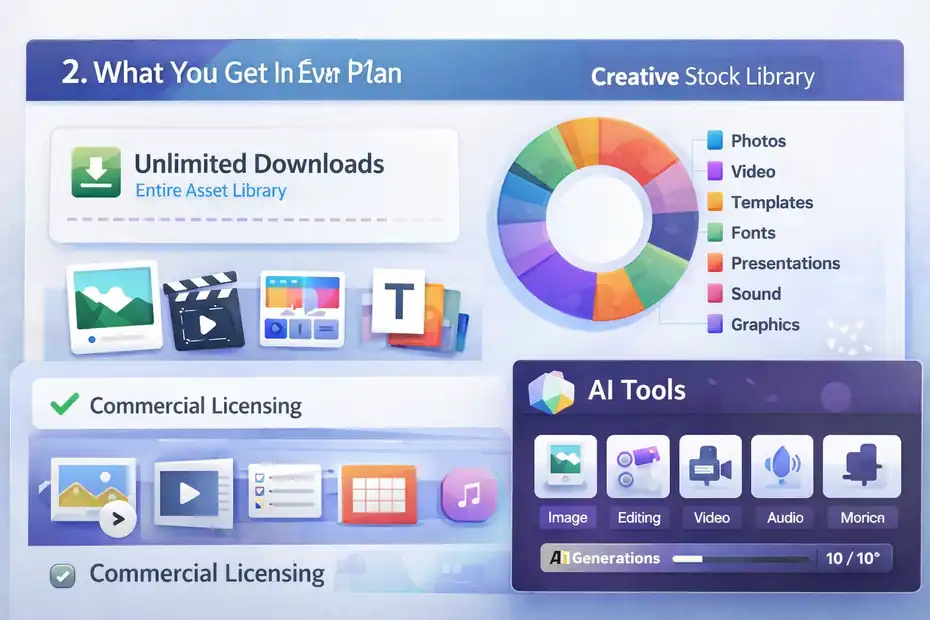
Before comparing tiers, it helps to know what stays the same. Envato makes the plans look different, but the foundation is very similar across individual subscriptions.
Unlimited Asset Downloads Are The Real Baseline
Every main Envato Elements plan includes unlimited downloads from the full creative library, with millions of assets across categories like stock photos, video footage, templates, fonts, presentations, sound effects, music, graphics, 3D, and more.
Envato states that no limits apply to creative stock asset downloads, although usage is still subject to its Fair Use Policy.
That matters because many people still compare Envato to credit-based marketplaces. Envato is not charging you per photo, per template, or per audio track in the standard subscription model. You can download repeatedly and test different assets without worrying about burning credits.
Practical example: Imagine you are building a Shopify store and need a logo font, a slideshow template, ten product lifestyle photos, background music for a promo clip, and a product mockup. With a credit system, that can get expensive fast. With Envato, the cost pressure moves away from download count and toward the monthly subscription itself.
The Commercial License Is Valuable, But It Has Rules
All plans include Envato’s commercial license, and this is one of the platform’s strongest selling points. But there is an important catch: the license is project-specific.
Each time you download an item for a new project, you need to create a new license for that separate end use. Fonts and add-ons are treated differently in some cases, but most items follow the one-project-per-license logic.
Here is the part many people miss:
- You can use licensed items commercially.
- You must license each asset for each project.
- If you cancel, you cannot use downloaded items for new projects.
- Previously licensed uses remain covered for completed projects.
I think this is where a lot of confusion around “lifetime commercial license” comes from. It does not mean unlimited future use after cancellation. It means the uses you properly registered while subscribed stay covered. That is a huge benefit, but it is not the same as perpetual open reuse for new work.
AI Tools Are Included, But Not Equally
Envato now includes AI tools across plans, including image generation, image editing, video generation, voiceovers, music generation, graphics creation, and more. The difference is the monthly AI generation allowance.
After February 25, 2026, Core includes 10 generations per month, Plus includes 100, and Ultimate includes unlimited generations, subject to fair use. Student includes 10 because it tracks the Core plan.
This is where your actual workflow matters. Ten AI generations sounds fine until you realize that testing styles, prompts, edits, and variations can consume those quickly. In my experience, 10 generations is enough for “occasionally helpful,” but not enough for an active AI-based creative process.
Core, Plus, And Ultimate Decoded
Now let’s get into the part most readers actually care about: what the individual plans feel like in real use.
Pricing pages tell you features. They do not tell you who gets frustrated on each plan.
Core Is Best For Asset-First Users
Core starts from US$16.50 per month when billed annually and includes unlimited creative asset downloads plus 10 AI generations each month. Envato positions it for people who mainly work with stock assets and only dip into AI occasionally.
That description is pretty accurate. Core makes sense if your workflow looks like this:
- You download templates, stock media, fonts, and graphics often.
- You are not relying on AI tools daily.
- You mainly want a broad library at the lowest entry price.
- You are a freelancer, blogger, marketer, or small business owner doing moderate production work.
Realistic scenario: Say you publish four YouTube videos a month and need intro templates, background tracks, thumbnail assets, and maybe one or two AI experiments for concept art or quick edits. Core is usually enough. You are paying for the library first and AI second.
Where Core can disappoint is iterative creative work. If you generate three image concepts, revise twice, test another prompt, and then try a voiceover variation, 10 generations disappears quickly. That is why Core works best when AI is a side feature, not a central workflow.
Plus Is Usually The Sweet Spot For Modern Creators
Plus starts from US$39 per month billed annually and includes everything in Core plus 100 AI generations each month. Envato describes it as a fit for creatives who use AI regularly in production. I think this is the most balanced plan for many solo professionals.
If you are a content marketer, designer, short-form video editor, or social media manager, Plus is often where the pricing starts to feel rational. One hundred generations gives you enough room to experiment, not just execute. That matters because AI creativity is rarely one-shot. Most of the value comes from iteration.
Example: Imagine you are building a month of branded content for a client. You need image variations, a few AI-assisted edits, maybe a voiceover draft, and multiple concept passes before approval. Plus gives you room for that without forcing you into enterprise-level spend.
I usually see Plus as the best-value plan for people who want one subscription that covers both stock assets and meaningful AI use. It is more expensive than Core, obviously, but not so expensive that it becomes hard to justify if AI genuinely saves you time.
Ultimate Is For Throughput, Not Casual Convenience
Ultimate starts from US$109 per month billed annually and includes unlimited AI generations on top of the same core asset access. Envato positions it for creators who generate at volume and want maximum creative momentum.
This plan is not for everyone, and I would not recommend it unless AI output is deeply tied to your business model. The price jump from Plus to Ultimate is significant. The only way it makes sense is if AI is producing enough usable work to offset the added subscription cost.
Who should consider Ultimate: Agencies producing rapid content variations, creative teams doing heavy concept generation, freelancers packaging AI-assisted deliverables into high-ticket services, or production environments where delay costs more than the plan upgrade.
Who should skip it: People who mostly download templates and occasionally test AI. In that case, Ultimate is overkill. Unlimited generations sound exciting, but “unlimited” only matters when usage intensity is truly high and still subject to fair use rules.
Student And Teams Plans Explained
Not every buyer fits the normal individual plan path.
Envato also has discounted student access and team-based subscriptions, and these can change the value equation quite a bit.
The Student Plan Is Better Than Most People Realize
Envato’s Student Plan provides access to the individual Core plan at a 30% discount, and the student pricing page currently shows a student-only rate of €10 per month in one regional listing.
Eligibility requires users to be 18 or older and to qualify through an educational institution, with a valid educational email address and other criteria. Envato support also says students, teachers, and faculty members may be eligible.
What matters more than the discount is what you do not lose. Student users still get the same Core features: unlimited downloads, the same license terms, and 10 AI generations per month.
That makes the student plan unusually strong compared with many education discounts that strip out commercial rights or limit export features. Envato does not position this as a “lite” version. It is basically Core at a reduced price for eligible users.
My advice: If you qualify, take it. This is one of the easiest pricing wins in the Envato ecosystem because you are not making a capability trade-off. You are just paying less for the same baseline plan.
Teams Plans Solve Access And Licensing Problems
Teams plans exist for groups that need shared subscription management and licensing under one subscription structure. Envato’s team pricing page says AI generation limits are applied per plan, per user, rather than shared across team members.
The team owner can nominate either themselves or a company as the licensee, and items licensed by members of the team are licensed on behalf of that licensee.
That detail matters a lot for agencies and in-house departments. With personal subscriptions, account sharing is not allowed, and support states the subscription is for an individual or for teams with a specific number of people.
Practical benefit: Teams plans help avoid the messy situation where one designer downloads assets on a personal account and the company later has to untangle ownership and licensing records. For client work, that administrative clarity is worth more than people think.
The exact team price can vary by seat count and region. One official team pricing result shows Team Core from €25.50 per month for a regional page, but you should treat team pricing as dynamic based on location and configuration rather than a single universal global number.
How Licensing Changes The Real Cost
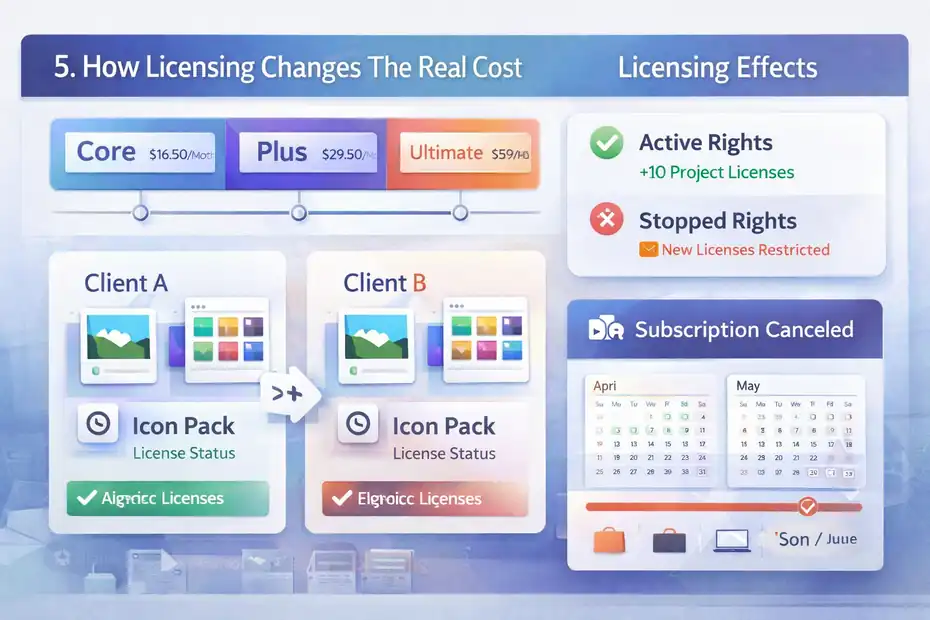
A lot of “Envato Elements pricing explained” articles stop at subscription numbers. I think that misses the bigger issue.
Pricing is only half the decision. Licensing affects how much value you actually get from the plan.
One Project Per License Is The Rule You Cannot Ignore
Envato’s license creates a commercial right when you download an item, but for most items that license applies to one specific project or end product. If you want to use the same asset in another separate project, you need to create a new license for that end use.
This does not add a new monetary charge, but it does create an operational cost. You need to stay organized. That is especially true if you are working across many clients, campaigns, websites, or product launches.
Simple example: If you use one icon pack in Client A’s landing page and then want to use the same pack in Client B’s landing page, that is not a “same project” continuation. You should create a new license entry for Client B.
This is not hard, but it does mean Envato works best for people who have decent file and project discipline. If you are sloppy with project records, you may end up uncertain about what was licensed where.
Canceling Does Not Erase Past Rights, But It Stops New Use
Envato’s support explains that after you unsubscribe, you can no longer use items for new projects, but existing uses that were registered while your subscription was active remain covered.
That means the subscription has a “build while active, keep what you licensed” model. For some buyers, that is fantastic. For others, it means staying subscribed is important if new client work keeps coming in.
Where this matters financially: If you are launching one big course, brand kit, or website and then do not expect much new work for a while, a few months of Envato could go a long way. If you are constantly creating fresh commercial deliverables, cancellation is less realistic because you need ongoing licensing ability.
I think this is one reason some freelancers love Envato while some agencies treat it as permanent overhead. The same pricing model behaves differently depending on how continuous your production schedule is.
Which Plan Is Best For Different Users
The best Envato Elements plan is not really about features. It is about usage pattern. Once you match the plan to your work style, the choice usually becomes obvious.
Best Plan For Freelancers, Creators, And Small Businesses
For many solo users, the decision comes down to Core versus Plus. If you mainly need stock assets, Core is enough. If AI helps you create deliverables faster or adds billable value, Plus is usually the stronger choice.
Here is how I would map it:
- Choose Core if: You need templates, media, and design assets weekly, but AI is occasional.
- Choose Plus if: You use AI in client work, content repurposing, ideation, or editing several times a month.
- Choose Ultimate if: AI output volume is directly tied to revenue or team throughput.
Mini scenario: A local marketing consultant making pitch decks, ad creatives, and landing pages for three clients a month can often stay on Core. A short-form content producer creating multiple video variants, visual tests, and AI-assisted scripts will usually feel constrained on Core and more comfortable on Plus.
Best Plan For Agencies, In-House Teams, And Schools
Teams plans are the obvious fit when multiple people need access, because individual subscriptions are not meant for shared account use. If you need cleaner licensing ownership, better management, and per-user AI allowances, team subscriptions are much safer operationally.
For schools, student pricing is excellent for eligible individuals, but it is not a substitute for team or institutional workflows. The student offer is individual, discounted Core access, not a collaboration framework for departments.
I would think of it like this: student pricing solves affordability, while team pricing solves governance. Those are two different problems.
Common Pricing Mistakes People Make
This is where buyers waste money. Not because the plans are deceptive, but because they buy for the wrong reason.
Mistake 1: Paying For AI You Barely Use
The most common mistake is upgrading emotionally instead of practically. Unlimited AI generations sound powerful, but if you only use AI a few times a month, Ultimate is a poor value. Even Plus can be excessive if your work is mostly asset downloads.
A better question is not “What plan sounds best?” It is “What did I actually create last month?” If your recent output was mostly stock video, fonts, presentation templates, and mockups, Core may already fit the job.
Mistake 2: Confusing Unlimited Downloads With Unlimited Rights
Unlimited downloads do not mean unlimited unrestricted usage. You still need project-specific licensing, and some common-sense restrictions apply, including limits around resale, redistribution, and certain merchandising uses.
Envato’s help center explicitly notes that items generally cannot be used as the basis for merchandising, such as printing a logo from Envato straight onto a T-shirt.
That matters if you run ecommerce stores, print-on-demand businesses, or client campaigns that cross into merchandise. Pricing can look great until a licensing mismatch creates friction.
Mistake 3: Using Personal Plans For Team Workflows
A personal plan can seem cheaper than a Teams plan at first glance, but account sharing is not allowed. Support also warns against scripts, bots, mass downloads, and other usage patterns that violate terms.
If multiple people need access, use the plan built for that. Saving a little on paper is not worth creating licensing confusion for your agency, company, or client roster.
How To Choose The Right Plan Without Overpaying
At this point, the smartest move is not to memorize features. It is to choose based on workflow economics.
A Practical Decision Framework
Here is the easiest way I recommend deciding:
- Count how often you use stock assets each month. If it is frequent, Envato already has a strong value case.
- Count how often you truly need AI generations. Not how often you want to play with them, but how often they support real output.
- Check whether your work is solo or shared. That decides individual versus Teams fast.
- Check whether you qualify for Student pricing. If yes, that is the cheapest on-ramp to full Core access.
If you want my honest shortcut, it is this: start with Core if you are asset-first, choose Plus if you are actively AI-assisted, and only move to Ultimate when AI generation volume is high enough that limits are slowing down paid work.
The Bottom-Line Recommendation
For most people searching “envato elements pricing explained,” the real answer is simpler than it looks.
- Core is the value pick for traditional creative asset users.
- Plus is the best balance for many modern creators who regularly use AI.
- Ultimate is a throughput plan for serious volume.
- Student is a great deal if you qualify.
- Teams is the right move when access, ownership, and licensing need to be organized across people.
If you strip away the branding, Envato is really selling one big creative library with a three-level AI meter attached. Once you understand that, the plans stop feeling complicated. And that, honestly, is the clearest way to decode the pricing.
FAQ
What does Envato Elements pricing include?
Envato Elements pricing includes unlimited downloads of creative assets like templates, stock photos, fonts, and video, plus access to AI tools. The main difference between plans is the number of AI generations allowed each month, while the asset library remains fully accessible across all tiers.
Is Envato Elements worth the price?
Envato Elements is worth the price if you regularly use creative assets or produce content. The value increases significantly when you download multiple items monthly or use AI tools to speed up workflows. For occasional users, the cost may feel less justified compared to single-purchase platforms.
What is the difference between Core, Plus, and Ultimate plans?
Core offers unlimited downloads with limited AI usage, Plus increases AI generation limits for regular use, and Ultimate removes AI limits entirely. All plans include the same asset library, so the main difference is how much you rely on AI tools in your creative workflow.
Can you use Envato Elements assets after canceling?
You can continue using assets in projects that were licensed during your active subscription, but you cannot use them for new projects after canceling. This means your past work remains protected, but ongoing or future work requires an active subscription.
Does Envato Elements offer a student discount?
Yes, Envato Elements offers a student discount that provides access to the Core plan at a reduced price. Eligible students, teachers, and faculty can receive the same features as the standard plan, including unlimited downloads and commercial licensing, but at a lower monthly cost.

I’m Juxhin, the voice behind The Justifiable.
I’ve spent 6+ years building blogs, managing affiliate campaigns, and testing the messy world of online business. Here, I cut the fluff and share the strategies that actually move the needle — so you can build income that’s sustainable, not speculative.
Related posts:
 Envato Elements Vs Creative Market Comparison: Which Wins?
 Top Marketing for Business Tactics Every Entrepreneur Must Know
 ClickMagick Pricing: How to Get the Most for Your Money
 AI-Powered Ad Creative: Smarter Ads, Better ROI!
 Voluum Pricing: Which Plan Saves You the Most Money?
 Constant Contact Pricing: Which Plan Is Right for You?