Table of Contents
Some links on The Justifiable are affiliate links, meaning we may earn a small commission at no extra cost to you. Read full disclaimer.
Elementor real user experience for small business sites matters a lot more than flashy design trends. If your website looks polished but loads slowly, feels confusing on mobile, or makes updating simple pages feel like a chore, it will not help your business much.
I have seen many small business owners choose Elementor because it feels flexible and approachable, but the real question is whether it actually works in day-to-day use.
In this guide, I’ll walk you through what works, what breaks down, and how to use Elementor in a way that supports leads, sales, and easier site management.
What Elementor Feels Like For Small Business Owners
For many small businesses, Elementor feels like freedom at first.
You can drag, drop, edit visually, and see changes in real time without touching code.
Why Elementor Feels Easy At The Beginning
Most people are drawn to Elementor for one simple reason: it reduces the fear of editing a website. Instead of opening a plain WordPress editor and guessing how a page will look, you work on the front end and see the design as you build it. That is a big emotional win for small business owners who do not want to rely on a developer for every headline change.
- Visual editing: You can click on text, images, buttons, and sections directly.
- Fast feedback: You see design updates immediately instead of previewing in another tab.
- Template convenience: Starter blocks and prebuilt layouts help people publish pages faster.
In my experience, this early ease is real. A local service business, coach, or boutique shop can usually build a homepage, services page, and contact page much faster with Elementor than with a more rigid setup. That matters when you are already wearing ten hats.
The catch is that “easy to start” is not always the same as “easy to maintain.” Elementor gives you a lot of freedom, and freedom without structure can get messy fast.
Many site owners end up with inconsistent spacing, too many widgets, and pages that look fine on desktop but awkward on mobile. So yes, the first impression is often positive, but long-term experience depends on how you build.
Why The Learning Curve Is Still Real
Even though Elementor is beginner-friendly, it still has its own system. You need to understand containers, responsive settings, typography controls, templates, global styles, and spacing logic. That can surprise people who expected a fully intuitive experience.
A good way to think about it is this: Elementor removes code, but it does not remove design decisions. You still need to know how sections should be structured, where buttons belong, how much text is too much, and what a visitor should do next. If you do not, Elementor can actually amplify poor decisions because it makes it easy to keep adding things.
Imagine you run a small cleaning company. You open Elementor to improve your homepage. One hour later, you have added animations, five different font sizes, a giant testimonial slider, and three button colors. Everything is technically possible, but the page now feels less trustworthy. That is a real user experience issue, not just a design preference.
I believe the best mindset is to treat Elementor like a flexible workshop, not a magic shortcut. It works well when you have a simple system and a clear business goal for each page.
Where Elementor Works Best On Small Business Sites
Elementor is not equally useful for every type of website. It shines most when a small business needs flexibility in marketing pages without needing custom development for every update.
Best Fit Use Cases For Elementor
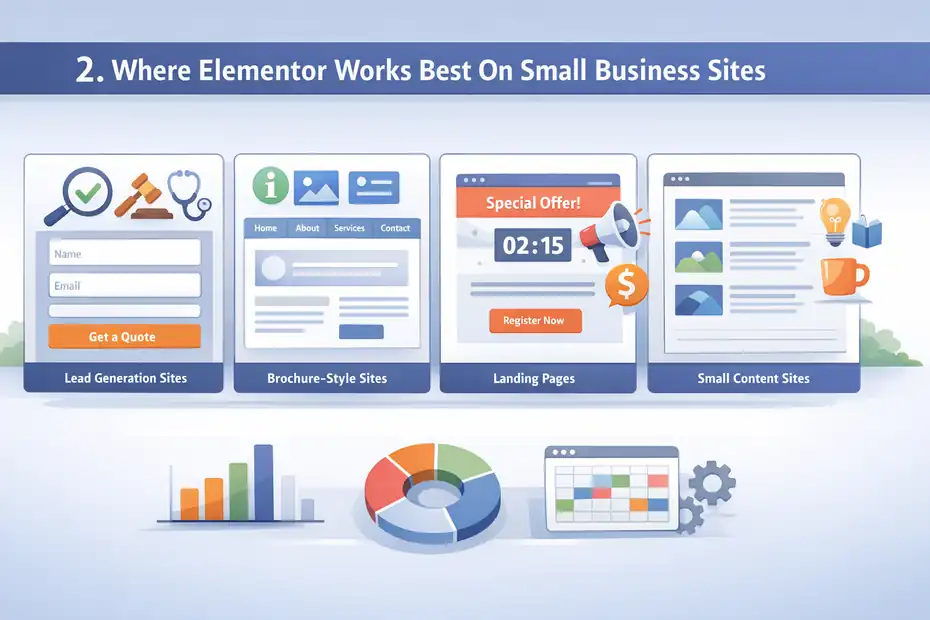
Elementor works especially well for service-based businesses, local businesses, personal brands, and small companies that need lead generation pages more than complex web applications. If your main goal is to explain what you do and get someone to contact you, it can be a strong option.
Here are the use cases where Elementor usually performs well:
- Lead generation sites: Lawyers, consultants, agencies, real estate teams, and clinics.
- Brochure-style sites: Businesses that need home, about, services, FAQ, and contact pages.
- Landing pages: Campaign pages for paid ads, webinars, local promotions, or seasonal offers.
- Small content sites: Blogs or resource hubs attached to a service business.
The reason it works here is simple. These sites benefit from fast layout changes, flexible content sections, and custom calls to action. A plumber may want separate pages for drain cleaning, leak repair, and emergency services.
A coach may want a sales page, booking page, and case study page. Elementor handles that kind of structure well.
I suggest thinking in terms of marketing control. If your business changes offers often, tests different messaging, or wants the freedom to update pages in-house, Elementor can save time and reduce dependence on outside help.
Where Elementor Is Not Always The Best Fit
Elementor can become less pleasant when the site is deeply complex. That includes highly customized directories, large membership systems, advanced e-commerce workflows, or heavy database-driven experiences. In those cases, visual flexibility can conflict with performance, structure, or long-term maintainability.
For example, a small bakery using Elementor for local ordering pages may be perfectly fine. But a store with hundreds of products, layered filters, and custom checkout logic may start feeling friction. That does not mean Elementor cannot be used at all. It means the real user experience behind the scenes may become frustrating.
I have also noticed that some business owners pick Elementor when what they really need is a simpler theme setup. If your site only needs five static pages and very minor updates, Elementor may be more power than you actually need. More power often means more settings, more decisions, and more room for inconsistency.
The strongest Elementor real user experience for small business sites tends to happen when the website is marketing-focused, moderately sized, and built around clear user journeys.
How To Set Up Elementor Without Creating A Mess
A strong Elementor site is usually decided in setup, not later. If the foundation is sloppy, every future page becomes harder to manage.
Build A Design System Before You Build Pages
This is the part many people skip. They start with sections and widgets before setting rules. That is why so many Elementor sites feel random. One page has huge padding, another has cramped spacing, one button is rounded, the next is square, and headlines change size every section.
Before building pages, define a simple system:
- Typography: Pick heading sizes, paragraph size, and line spacing.
- Colors: Choose one primary brand color, one accent color, and neutral shades.
- Buttons: Decide on one main button style and one secondary style.
- Spacing: Use consistent top and bottom padding for sections.
This sounds basic, but it changes everything. Let’s say you are building a site for a local accounting firm. If every service page shares the same layout, heading scale, and CTA style, the site feels more trustworthy. Visitors may not consciously notice the consistency, but they feel it.
In my experience, the easiest way to keep Elementor clean is to make fewer decisions on each page. Global styles, saved templates, and reusable section patterns reduce design drift. That makes editing faster and lowers the chance that a site slowly becomes visually chaotic over six months.
Use Containers And Templates With Intention
Modern Elementor builds often rely on containers instead of older section-column structures. Containers are more flexible, usually cleaner, and better for responsive layouts when used properly. But they still need discipline.
A good small business structure might look like this:
- Homepage template: Hero, trust bar, services overview, testimonials, CTA.
- Service page template: Problem, solution, process, proof, CTA.
- About page template: Story, values, team, proof, CTA.
- Contact page template: Contact methods, simple form, location or service area, FAQ.
The benefit is not just design consistency. It also improves writing consistency and user flow. Your pages stop becoming random collections of blocks and start acting like conversion paths.
I recommend avoiding the temptation to overbuild. You do not need a motion effect on every image or layered overlapping sections just because Elementor can do it. Small business websites usually perform best when the structure is obvious and the content does the selling.
What Real Visitors Notice First On Elementor Sites
Most visitors do not know or care that a site was built with Elementor. They only notice whether it feels fast, clear, and credible.
Speed, Clarity, And Mobile Comfort Matter More Than Design Tricks
This is where reality hits. Business owners often focus on how impressive a site looks during editing, while visitors care about how easy it feels to use. Those are not always the same thing.
A visitor usually judges your site in seconds based on:
- Load speed: Does the page appear quickly?
- Message clarity: Can they tell what you do right away?
- Mobile usability: Can they read and tap comfortably on a phone?
- Trust signals: Do testimonials, photos, reviews, and contact details feel real?
If your Elementor site opens with a giant moving banner, delayed text animation, and vague headline like “Transforming Possibilities,” you are already losing people. A small business site should answer practical questions fast. Who are you? What do you offer? Who is it for? What should I do next?
Imagine someone searching for an emergency electrician at 8:30 p.m. They do not want a cinematic experience. They want confidence and a phone number. This is why I often say the best user experience is not the most “creative” one. It is the one that removes hesitation.
Visitors Feel Friction Even When They Cannot Name It
A lot of UX problems on Elementor sites are subtle. The visitor may never say, “This page has inconsistent margin spacing.” But they feel the site is off. The page feels heavier than expected. Buttons sit too close together. The mobile menu is awkward. The form is too long. The text block is too wide.
That is how user experience works in real life. It often shows up as abandonment, not feedback.
I have seen small business sites improve conversions with surprisingly simple changes: removing a homepage slider, reducing the number of homepage CTAs from five to two, tightening service-page copy, and making buttons easier to spot on mobile. None of these changes are glamorous, but they directly affect results.
The real user experience is not what the business owner sees while designing. It is what the customer feels while trying to solve a problem on a small screen in a hurry.
Common Elementor Problems Small Businesses Run Into
Elementor can absolutely support a solid website, but there are repeating problems that show up on small business builds over and over again.
Design Freedom Often Turns Into Inconsistency
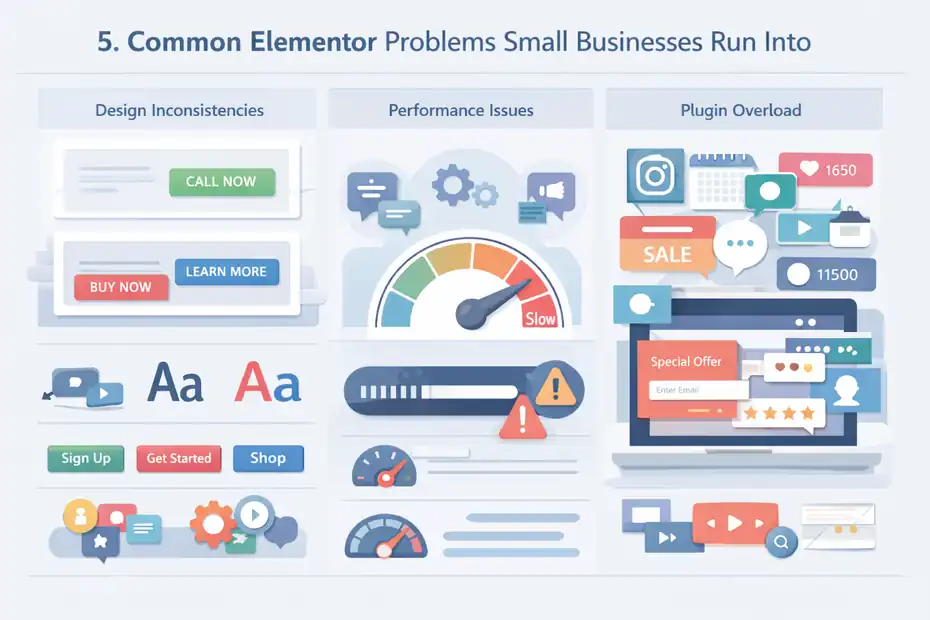
The biggest issue I see is inconsistency caused by too much widget-level editing. One page gets one font size, another gets a slightly different one. A CTA button uses one color in the hero and another color in the footer. Section padding changes randomly depending on who edited what last.
This happens because Elementor makes local edits very easy. Without a system, each page becomes its own little design experiment.
Common symptoms include:
- Messy spacing: Huge gaps between sections or cramped layouts.
- Mixed typography: Headings that do not follow a visual hierarchy.
- Unclear CTA flow: Too many button styles or too many actions competing.
- Visual clutter: Icons, gradients, motion effects, and shapes all fighting for attention.
For small business visitors, this kind of inconsistency reduces trust. It can make the site feel unfinished, even if all the right information is technically there. That matters more than people think, especially in industries where trust drives action, like healthcare, legal services, or home repair.
I believe one of the smartest Elementor habits is to restrict yourself. Fewer layout patterns and fewer styles usually create a better experience than endless customization.
Plugin Weight And Feature Overload Can Hurt Performance
Another common problem is adding too many extras. Business owners install Elementor, then add multiple addon packs, popup systems, form add-ons, animation extensions, and marketing widgets. Soon the site becomes bloated.
The issue is not Elementor alone. It is Elementor plus unnecessary layers. Each extra feature can add scripts, styling, or conflicts. The site still looks okay in the editor, but real users may deal with slower loads and more layout shifting.
A realistic scenario looks like this: A salon owner adds Instagram feeds, review carousels, animated counters, a sticky banner, a popup coupon, and two chat tools. Each feature seems useful in isolation. Together, they create friction. The page loads slower, the screen feels crowded, and the booking CTA becomes less obvious.
Small business websites often improve when you remove things rather than add more. Cleaner experiences usually win because they reduce distraction and help visitors move toward one decision.
How To Optimize Elementor For Better Speed And UX
This is where Elementor becomes much more practical. With a few smart adjustments, the experience can improve for both the business owner and the visitor.
Keep Layouts Lean And Content-Focused
The simplest optimization is also the most important: use fewer elements. Every extra widget, animation, script, or visual layer creates more work for the page. Most small business websites do not need highly complex section structures.
A cleaner Elementor page usually includes:
- One clear headline per section
- One primary action per major screen area
- Short paragraphs with obvious visual hierarchy
- Compressed images sized appropriately for web
- Minimal use of motion effects
I recommend treating every page like a sales conversation. A good conversation does not jump around randomly. It answers the next logical question. Your page should do the same. On a service page, that might mean problem, solution, proof, process, and CTA in that order.
A useful benchmark is to ask, “Would this section still make sense if I removed the styling?” If the answer is no, the design may be carrying weak content. That is risky, because design cannot fully compensate for unclear positioning.
Make Mobile The Default Experience
For many small businesses, most visitors now come from mobile. Yet a lot of Elementor editing still happens on desktop view first, with mobile adjustments made later. That leads to awkward compromises.
Mobile optimization should include:
- Readable text without zooming
- Buttons large enough for thumb tapping
- Tighter spacing so users do not scroll forever
- Headlines that still make sense when wrapped
- Images that support, not delay, the page
In my experience, many Elementor pages look “premium” on a large monitor but feel exhausting on a phone. Huge hero sections, oversized spacing, and stacked content blocks can make a page feel endless. A small business site should respect the visitor’s time.
I suggest reviewing each key page on an actual phone, not just the editor preview. That one habit reveals more UX issues than most people expect. You will notice where the page drags, where the button disappears below the fold, and where text becomes too dense to skim.
What Content And Design Choices Improve Conversions
A good-looking site is not the goal. The goal is action. For most small businesses, that means calls, bookings, quote requests, form submissions, or store visits.
Clear Messaging Usually Beats Clever Design
One of the biggest wins on Elementor sites is improving the wording, not the layout. Many pages look polished but say very little. Visitors should not have to decode brand language.
A stronger page usually has:
- Specific headline: Say what you do and who it helps.
- Practical subheadline: Explain the result or next step.
- Visible CTA: Make the action obvious and repeated logically.
- Proof near decision points: Reviews, numbers, or client examples close to forms and buttons.
For example, compare these two headlines:
- “Elevating Your Digital Presence”
- “Website Design For Local Service Businesses That Need More Calls”
The second one is clearer, more grounded, and easier for a real business buyer to understand. That is the kind of messaging improvement that changes real user experience.
I have seen service businesses increase inquiry quality simply by clarifying who the offer is for and removing vague wording. Good UX is not just spacing and buttons. It is also cognitive ease. People convert when the page makes sense fast.
Use Trust Elements Where Doubt Naturally Appears
Visitors hesitate at predictable moments. They hesitate before filling out a form, before clicking “Book Now,” and after reading pricing-sensitive services. Elementor makes it easy to place trust elements exactly where those doubts show up.
Helpful trust signals include:
- Short testimonials beside forms
- Review averages near service descriptions
- Before-and-after examples for visual industries
- Guarantees or response-time promises
- Photos of the real team, office, or work
Imagine a landscaping company with a service page for patio installation. Right above the contact form, adding “Typically quoted within 24 hours” plus two local client testimonials can reduce uncertainty more than adding another design flourish.
I believe this is where many small business sites underperform. They talk about themselves, but they do not answer the visitor’s quiet objections. The best Elementor pages use content blocks to reduce fear at the exact moment it shows up.
When Elementor Becomes Hard To Manage
The real test of a platform is not how fun it feels on day one.
It is how usable it feels six months later when the business is busy and someone needs to update three pages quickly.
Too Many Custom One-Off Pages Create Maintenance Headaches
A common trap is building every page from scratch. It feels creative in the moment, but over time it becomes painful. Small edits take longer because nothing is standardized.
One services page uses one layout, another uses a completely different structure, and no one remembers why.
This creates several long-term problems:
- Slow editing: You have to relearn the page every time you touch it.
- Brand drift: The site starts looking less unified over time.
- Higher error risk: Mobile mistakes and spacing issues multiply.
- Harder delegation: A team member or freelancer struggles to edit safely.
In my experience, the most maintainable Elementor sites are a little boring behind the scenes, and that is a compliment. They use repeatable templates, global styles, and limited widget patterns. That makes growth easier.
For a small business owner, time is a UX issue too. If updating a seasonal promotion takes 90 minutes instead of 10, that is friction. The backend experience matters because it affects how often the site stays current.
Multiple Editors Can Make The Site Worse Fast
Another issue appears when several people edit the site without shared rules. One person changes fonts, another adjusts margins manually, and someone else duplicates sections instead of using templates. Within a few months, the site feels inconsistent.
This is especially common in growing businesses where the founder, assistant, marketer, and freelancer all touch the website occasionally. Elementor’s flexibility helps everyone contribute, but it also makes it easier to break consistency.
A simple internal style guide helps a lot:
- Which pages use which templates
- Which button style is primary
- Which spacing values are standard
- Which widgets are approved
- Which pages should not be edited casually
I suggest documenting these rules even for very small teams. It sounds formal, but it saves stress later. A maintainable Elementor experience depends as much on process as on design.
Advanced Ways To Make Elementor Work Better Long Term
Once the basics are solid, you can start using Elementor more strategically. This is where it shifts from “page builder” to “business asset.”
Use Templates To Support Conversion Testing And Faster Publishing
A smart small business site does not rebuild from zero every time a new offer appears. It uses page structures that can be adapted quickly. Elementor templates are extremely useful here when used with intent.
For example, you can create reusable structures for:
- Lead magnet pages
- Local landing pages
- Seasonal offer pages
- Service expansion pages
- Case study layouts
Let’s say a roofing company expands into three nearby towns. Instead of building three entirely different location pages, you use one strong layout and adapt the local proof, service area details, and CTA wording. That saves time and protects consistency.
This also helps with conversion testing. You can compare one hero style against another, or a shorter form against a longer one, without redesigning your entire site architecture.
In my experience, small businesses benefit more from testing messaging and offer structure than from testing decorative design changes.
Pair Elementor With Better Measurement, Not More Widgets
A lot of optimization problems happen because people guess. They redesign pages based on opinion instead of behavior. Long term, the better move is to measure what users are doing and then simplify around that.
Useful things to monitor include:
- Which pages attract leads
- Where users drop off on key pages
- How mobile visitors behave differently
- Which CTA placements get clicks
- Which service pages produce real inquiries
This is where analytics and tracking matter, but the principle comes first. You do not need to obsess over dashboards. You need enough visibility to know whether your Elementor pages are helping or hurting.
I recommend focusing on a few business-relevant metrics: form completion rate, phone click rate, booking rate, bounce patterns on top pages, and page speed trends. For many of us, that tells a much more useful story than vanity metrics like overall page views alone.
The best advanced Elementor strategy is not adding complexity. It is using structure, templates, and measurement to make a small business site more predictable, more conversion-friendly, and easier to evolve.
Should Small Businesses Use Elementor In 2026?
This is the practical question, and the answer is more nuanced than a simple yes or no.
Elementor can absolutely work for small business websites, but only when it is used with restraint and purpose.
When Elementor Is A Smart Choice
Elementor is a strong fit when your business needs control over marketing pages, regular content updates, and a flexible visual system without relying on custom code for every change.
It is especially useful when speed of publishing matters and your site is focused on leads or straightforward service journeys.
It is usually a good choice if:
- You need flexible page design without a developer for every edit
- Your site is medium in complexity, not deeply custom
- You are willing to use templates and global styles
- Your business benefits from offer testing and landing pages
- You care about visual editing and in-house control
For many small businesses, that is enough to make Elementor worthwhile. A consultant, law office, fitness studio, dental clinic, or home service company can often get a lot of value from it.
What Actually Makes Elementor Work
The truth is that Elementor itself is not the whole story. The real user experience depends on the system around it. A disciplined site with strong messaging, mobile-first design, and consistent templates can perform very well.
A messy site with too many widgets, poor structure, and unclear calls to action will struggle, even if it looks impressive in the editor.
If I were advising a small business owner directly, I would say this: Use Elementor if you want flexibility, but do not confuse flexibility with a license to build everything. Limit your patterns.
Keep pages lean. Write clearer copy than you think you need. Design for the customer’s next step, not for your own excitement while editing.
That is what works. The best Elementor real user experience for small business sites comes from simplicity, consistency, and business-focused decisions. Not from using every feature. Not from chasing trendy layouts. Just from building pages that help real people trust you and act.
FAQ
What is elementor real user experience for small business sites?
Elementor real user experience for small business sites refers to how visitors interact with speed, layout, and clarity on Elementor-built pages. It focuses on usability, mobile performance, and conversion flow rather than just visual design, ensuring the site helps users take action quickly and easily.
Is Elementor good for small business websites in 2026?
Elementor is still a solid option for small business websites in 2026 if used properly. It works best for lead generation, service pages, and marketing sites, especially when templates, clean layouts, and mobile-first design are prioritized to maintain speed and usability.
Why do some Elementor sites feel slow or confusing?
Some Elementor sites feel slow or confusing because of too many widgets, heavy animations, and inconsistent design choices. When pages are overloaded with features or lack a clear structure, it creates friction for users, especially on mobile devices.
How can I improve user experience on an Elementor website?
You can improve user experience by simplifying layouts, focusing on clear messaging, optimizing mobile design, and reducing unnecessary elements. Fast loading, strong calls to action, and consistent spacing also help visitors navigate and take action more easily.
What are the biggest mistakes small businesses make with Elementor?
The biggest mistakes include overdesigning pages, ignoring mobile optimization, using inconsistent styles, and adding too many plugins. These issues make websites harder to use and maintain, reducing trust and lowering conversion rates over time.

I’m Juxhin, the voice behind The Justifiable.
I’ve spent 6+ years building blogs, managing affiliate campaigns, and testing the messy world of online business. Here, I cut the fluff and share the strategies that actually move the needle — so you can build income that’s sustainable, not speculative.