
Table of Contents
Some links on The Justifiable are affiliate links, meaning we may earn a small commission at no extra cost to you. Read full disclaimer.
If you’re searching for a hello bar popup not showing fix, you’re probably dealing with one of the most frustrating website problems: everything looks correct in the dashboard, but the popup still refuses to appear on your live page.
I’ve seen this happen for surprisingly simple reasons, from paused campaigns to caching conflicts to targeting rules that quietly block the popup.
The good news is that most Hello Bar display issues can be fixed fast once you check the right things in the right order.
Let me walk you through the fixes that usually solve it.
Confirm The Popup Is Actually Active
This is the first place I would look because it sounds obvious, but it catches a lot of people. Hello Bar lets you pause site elements, schedule when they appear, and limit when users can see them.
That means a popup can be fully designed and technically installed, yet still never show up on the page because it is inactive, paused, or restricted by timing settings.
Hello Bar’s support docs also confirm that pop-ups can be paused, scheduled by date or time, and hidden after a conversion.
Check Whether The Popup Is Paused
A paused popup is one of the fastest explanations for a missing popup, especially if it used to work before.
- What to check: Open your Hello Bar dashboard, go to the manage area, and confirm the popup status is live rather than paused.
- What often happens: Someone duplicates a campaign, edits a draft, or pauses an old version during testing and forgets to reactivate the new one.
- What I suggest: Treat popup status like a launch checklist item. Before testing anything technical, make sure the campaign is actually eligible to display.
In my experience, this is especially common on busy marketing teams. One person updates the design, another changes targeting, and nobody notices the popup was left in a paused state. If you are a solo site owner, it can still happen after experimenting with seasonal offers or temporary promotions.
A simple habit helps here: Name your campaigns clearly. Instead of vague labels like “Popup 2,” use something like “Homepage Exit Intent 10 Percent Off Live.” That makes it much easier to see what should be running.
Review Date, Time, And Visibility Windows
Hello Bar supports time-based and date-based display rules, which is useful for promotions but easy to forget later. The platform’s help center specifically notes that you can set a pop-up to appear only during certain dates or times.
- Look for: Start date, end date, time-of-day restrictions, and any expiration window.
- Common mistake: A popup built for last month’s campaign is still selected, but its date range already ended.
- Practical fix: Remove all schedule limits temporarily and test again.
Imagine you ran a Black Friday offer and reused the same popup shell for a spring campaign. If the old end date stayed attached, the new design could look perfect in the editor while remaining invisible on the live site.
That can feel like a code issue when it is really just a schedule conflict.
Check Conversion Suppression Rules
Hello Bar also lets you stop showing a popup to users who already converted, sometimes for a number of days and sometimes permanently.
- What this means: If you already filled out the form earlier, the popup may be intentionally hidden from you.
- Best test: Open the page in an incognito window or a browser you have not used before.
- Why this matters: Many people think the popup is broken when it is only hidden to returning visitors.
This one creates a lot of false alarms. The popup may be working perfectly for new users while you, the site owner, never see it again.
Make Sure The Hello Bar Script Is Installed Correctly
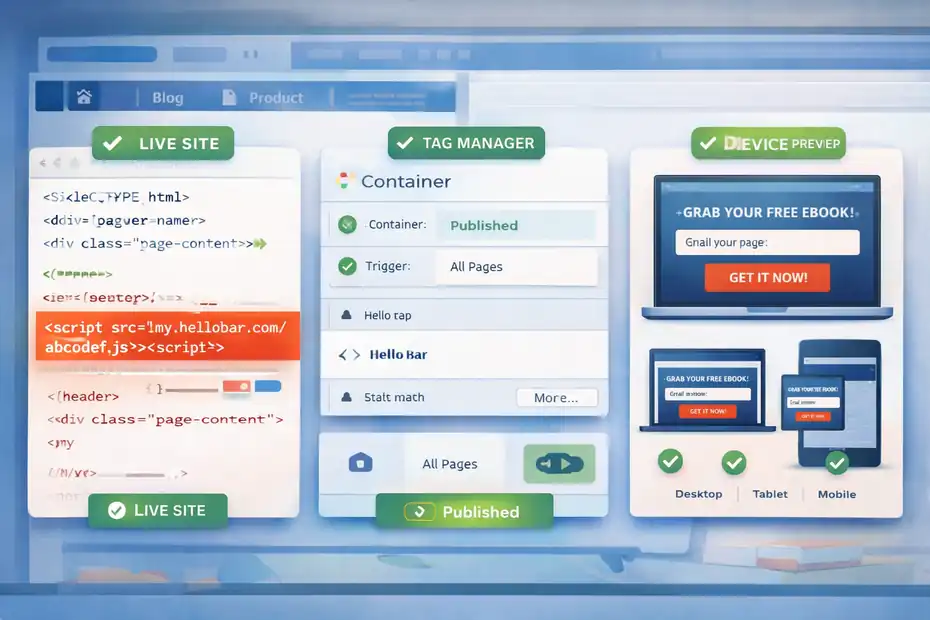
If the popup is active but still not appearing, the next step is installation. No script, no popup. Hello Bar supports more than one installation method, including direct site installation and Google Tag Manager. Its own support documentation mentions GTM as an alternative installation approach.
This matters because many “not showing” problems are not design problems at all. They are loading problems.
Verify The Tracking Code Is Present On The Live Site
Your Hello Bar popup depends on the Hello Bar script loading on the page where you want the popup to appear.
- Check the page source: View the source code or inspect the page and confirm the Hello Bar script is present.
- Check the right environment: Make sure it is installed on the live domain, not only a staging site or page builder preview.
- Check placement: The script should load consistently across the pages where the popup is supposed to appear.
I recommend testing at least three page types: the homepage, a blog post, and a product or landing page. Sometimes the code is inserted only into one template file, which makes the popup appear on some pages but not others.
A classic scenario is this: You add the code to your homepage template, assume it covers the full site, then realize your blog uses a different header file. The result looks random until you test by page type.
Test Google Tag Manager Or Alternative Installation
If you installed Hello Bar through GTM, make sure the tag actually fires.
- Check trigger conditions: The GTM tag may only fire on selected pages.
- Check publishing: The container must be submitted and published, not left in preview mode.
- Check conflicts: Another script, consent setup, or custom trigger may block the tag.
Hello Bar itself suggests GTM as an installation option, which is helpful when direct code placement is difficult. But GTM adds one extra layer where mistakes can happen. In practice, that means you are not just troubleshooting Hello Bar.
You are also troubleshooting the rules that control when GTM loads it.
Compare Desktop, Tablet, And Mobile Behavior
Hello Bar provides device previews and notes that some popups may look or behave differently across desktop, tablet, and mobile.
- Test all devices: Don’t assume a desktop test tells you what mobile users see.
- Review device targeting: The campaign may be limited to desktop only.
- Use real testing: A phone preview is useful, but opening the live page on an actual device is better.
I’ve seen popups “fail” on mobile when they were simply excluded by design or hidden because the targeting rules were desktop-only. If your traffic is mostly mobile, that matters a lot.
Clear Cache, Cookies, And Local Browser Storage
This is the fix I would try early, even before deep troubleshooting, because caching creates a lot of misleading symptoms. Hello Bar support advises testing edited pop-ups in incognito or after clearing cookies, and Hello Bar’s own blog also notes that caching can preserve outdated popup settings.
A cached site can make you think your current popup is broken when your browser is really just serving an old version of the page.
Clear Browser Cookies And Test In Incognito
Hello Bar specifically recommends clearing cookies or using an incognito browser window when checking an edited pop-up.
- Why this works: Cookies often store whether the popup was already shown, dismissed, or converted.
- Fastest method: Open a private browsing window and test the page there first.
- What to expect: If the popup appears in incognito but not in your normal browser, the issue is likely user-state data, not installation.
This is one of the cleanest tests you can run. It removes a lot of noise immediately. If the popup appears in a fresh session, you know the popup can load. That narrows the problem fast.
Clear Site Cache And CDN Cache
Hello Bar’s blog points out that stale cache can keep broken or outdated trigger settings live, even after you make changes. It recommends clearing WordPress cache, server cache, and hard refreshing the page.
- Where to clear: Your caching plugin, your host cache, and your CDN if you use one.
- Examples of the problem: You changed popup timing, targeting, or code, but visitors still get the old page version.
- My advice: Clear every layer once, then test again before changing anything else.
If you skip this, you can waste an hour “fixing” a problem that was already fixed. That happens all the time with WordPress sites using aggressive caching.
Do A Hard Refresh After Changes
A hard refresh forces the browser to fetch newer files rather than relying on stored copies.
- Use case: You updated installation code or popup rules and want to see the live result right away.
- Why it matters: Browsers often hold onto JavaScript assets longer than people realize.
- Best practice: Pair a hard refresh with incognito testing for the cleanest result.
I believe every popup troubleshooting checklist should include this step because it is quick, safe, and often solves the mystery on the spot.
Review Targeting Rules That Quietly Block The Popup
Targeting is where many Hello Bar popups stop showing, even though the campaign itself is technically fine.
Hello Bar offers targeting by device, geography, date, time, and custom conditions, which is powerful but also easy to overconfigure.
This is where good marketing logic can accidentally become bad troubleshooting logic.
Check Page-Level And URL Rules
A popup might be limited to only certain pages or URL patterns.
- Look for: Homepage-only targeting, exact URL matching, category-specific rules, or exclusion rules.
- Common mistake: The campaign is set for
/blog/pages, but you are testing on the homepage. - Simple test: Temporarily widen the targeting so the popup displays sitewide.
This happens a lot on content-heavy sites. You create one popup for blog readers, another for pricing pages, and another for the homepage.
Later, you test the wrong page and conclude the script is broken. In reality, the rules are working exactly as designed.
Check Device, Geo, And Audience Filters
Hello Bar’s support and homepage both mention custom targeting features including device and geo rules.
- Device filter issue: Mobile traffic may be excluded.
- Geo issue: The popup may only display in one country or region.
- Audience issue: Returning users, converters, or traffic segments may be filtered out.
Imagine you set a popup to target U.S. visitors on mobile only during business hours. That sounds smart for a campaign. But if you test from a desktop in another region at night, the popup will never appear. That is not a bug. It is a targeting mismatch.
Temporarily Strip Targeting Back To Basics
When troubleshooting, complexity is your enemy.
- Best reset: Remove advanced targeting and leave only the minimum settings required.
- Then test: If the popup appears, add rules back one at a time.
- Why this works: It isolates the exact condition causing the block.
I use this “strip it down, then rebuild” approach with forms, popups, automations, and analytics tags because it turns guessing into a controlled test.
Fix Trigger Problems And Popup Behavior Settings
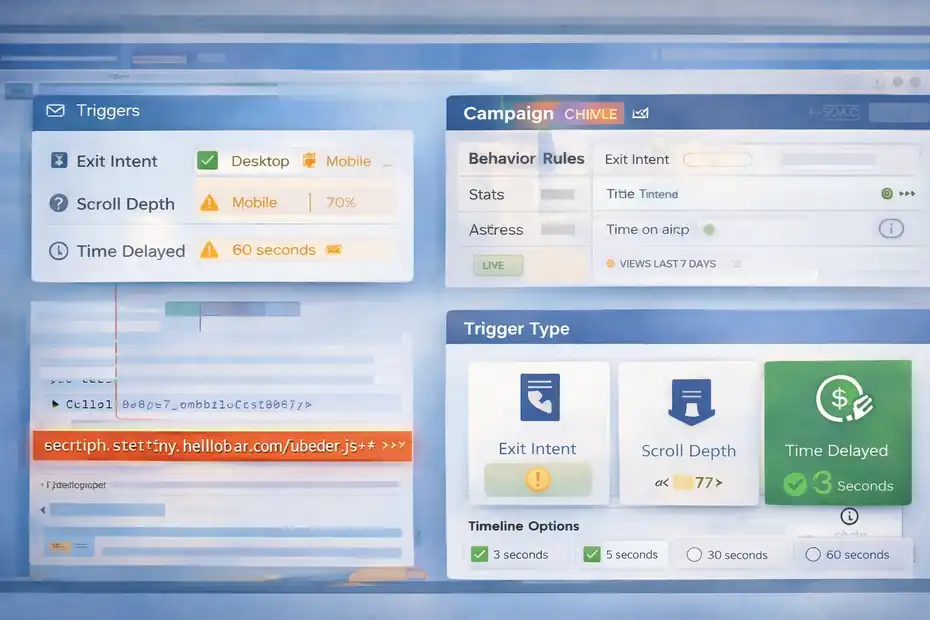
Sometimes the popup is installed and eligible to show, but the trigger never fires. This is slightly different from a complete install issue.
The campaign exists, but the behavior settings are too restrictive, delayed, or dependent on actions that never happen.
Hello Bar supports behavior rules like exit intent and other popup logic, and its blog stresses that popup performance depends on timing, intent, and relevance.
Check The Trigger Type First
Your popup may rely on a specific action like exit intent, scroll depth, or time on page.
- Exit intent problem: It usually works on desktop, but not the same way on mobile.
- Scroll trigger problem: The page may be too short for the required scroll percentage.
- Time delay problem: You may leave the page before the trigger delay finishes.
This is a huge source of confusion. Someone sets a popup to appear after 60 seconds, tests for 15 seconds, and concludes it is broken. Or they add a 70 percent scroll trigger to a short landing page where users never reach that depth.
The popup is not failing. The conditions are simply never met.
Use Simpler Trigger Settings During Testing
Before optimizing for conversion rate, optimize for certainty.
- Start with: A short time delay like 3 to 5 seconds.
- Avoid during testing: Complex multi-condition triggers.
- Goal: Prove the popup can fire first, then make the behavior smarter later.
I recommend using the simplest visible setup possible during troubleshooting. Once you know the popup appears reliably, you can move to higher-intent triggers such as exit intent or deeper scroll thresholds.
Watch For Mobile Trigger Limitations
Many site owners test on desktop and assume behavior is identical on mobile. It often is not.
- Why it matters: Exit intent behavior is harder to replicate on touch devices.
- What to do: Use time-based triggers for mobile testing first.
- Practical insight: If the popup works on desktop but not mobile, behavior settings are often the first thing to review.
In most cases, simpler mobile triggers outperform clever ones anyway because mobile users move faster and have less patience.
Check Theme, Plugin, And Script Conflicts
This is where troubleshooting gets a little more technical, but it is still manageable. A plugin conflict or theme script conflict can stop Hello Bar from loading properly, delay it, or hide it behind another layer on the page.
If your popup suddenly stopped working after a redesign, a plugin update, or a new cookie consent tool, I would take this section seriously.
Test For JavaScript Conflicts
Most popup tools rely on JavaScript to load, trigger, and render properly. If another script throws an error first, the popup may fail silently.
- Open browser console: Look for JavaScript errors on the page.
- Recent changes matter: New theme features, animation libraries, optimization plugins, or consent scripts can break behavior.
- Troubleshooting method: Disable likely conflicting tools one at a time on a staging site if possible.
The tricky part is that the popup might still work on some pages and not others. That often points to page-specific scripts, not a full-site Hello Bar failure.
Check Z-Index And Hidden Element Issues
Sometimes the popup loads, but you cannot see it because it is behind another layer.
- Common culprits: Sticky headers, cookie banners, chat widgets, or custom overlays.
- What to inspect: Whether the popup container exists in the page but is visually hidden.
- Fix path: Adjust theme CSS or remove overlapping elements during testing.
This is one of those issues that makes you question your sanity because the popup technically exists. It is just buried under something else. A live chat bubble in the bottom corner or a full-width sticky header can do more damage than people expect.
Review Consent And Privacy Tools
Consent banners can delay or block third-party scripts depending on the setup.
- What happens: The Hello Bar script may be classified as non-essential and blocked until consent is granted.
- Why this matters: You might see the popup only after manually accepting cookies.
- Testing tip: Compare behavior before and after consent on a fresh session.
For privacy-focused sites, this can be the real answer. The popup is not broken. It is waiting for permission.
Rebuild, Retest, And Optimize The Popup The Smart Way
If you have checked activation, installation, cache, targeting, triggers, and conflicts, and the popup still does not appear, the fastest path may be to simplify everything and rebuild from a clean version. I know that sounds annoying, but sometimes it is faster than endlessly tweaking a damaged setup.
Hello Bar has been used across a very large number of websites, and the company says its popup builder includes custom targeting and multi-format campaigns.
Hello Bar also states that the platform is used by hundreds of thousands of websites, with one recent company page citing over 600,000 and a 2025 blog post citing over 700,000.
That scale is useful context because it suggests the platform itself is usually not the core problem. More often, the issue is a specific site setup.
Build A Clean Test Popup
Create a basic popup with minimal rules and a very obvious trigger.
- Use a plain design: No advanced animations or custom code.
- Set broad targeting: Sitewide if possible.
- Set simple behavior: Show after 3 seconds.
If that clean popup appears, you have your answer: the original campaign setup is the issue, not the installation. That instantly narrows your next move.
I recommend naming this temporary version something like “Diagnostic Popup Test.” It helps you stay organized and makes cleanup easier later.
Track What Changed Before The Failure
Troubleshooting becomes much easier when you treat it like a timeline.
- Ask yourself: What changed right before the popup stopped showing?
- Examples: Theme update, cache plugin change, consent manager install, domain migration, GTM edit, or new targeting rules.
- Why this helps: Most website issues are change-related, not random.
In my experience, the sentence “it was working last week” is one of the most useful clues you can get. Websites rarely break for no reason. Something usually changed.
Know When To Escalate
At a certain point, it makes sense to stop guessing.
- Gather before contacting support: Page URL, screenshot of targeting, installation method, device tested, and whether incognito changed the result.
- Why this matters: Support can diagnose faster when you provide a clean reproduction path.
- Best mindset: Show them the simplified test case, not just the broken final version.
That gives you a much better chance of getting a real answer instead of generic back-and-forth.
A Fast Troubleshooting Checklist You Can Use Right Now
If you want the shortest path to a hello bar popup not showing fix, use this order:
- Check that the popup is live, not paused.
- Remove date, time, and conversion suppression limits.
- Test in incognito.
- Clear browser, site, server, and CDN cache.
- Confirm the Hello Bar script is on the live page.
- Simplify targeting to sitewide.
- Simplify trigger settings to a short time delay.
- Test on desktop and mobile.
- Check console errors and overlap issues.
- Build a clean test popup to isolate the problem.
I like this sequence because it starts with the fastest, most common fixes before moving into technical debugging. That usually saves time.
Common Mistakes That Make Hello Bar Popups Disappear
These mistakes show up again and again, and they are worth calling out directly because they waste the most time.
Testing As The Same Returning User
When you test in your everyday browser session, cookies may tell Hello Bar not to show the popup again. That is why incognito matters so much.
Using Overly Narrow Targeting
Smart targeting is useful for campaigns, but it is terrible for debugging. During troubleshooting, broad rules are your friend.
Forgetting Cache Exists At Multiple Levels
A lot of people clear only the browser cache and miss the hosting layer or CDN layer. Then they assume the change did not work.
Mistaking Trigger Delay For A Display Bug
If a popup is set to show after 30 or 60 seconds, you may simply not be waiting long enough.
Ignoring Device Differences
A popup can work on desktop and fail on mobile because of behavior rules, design issues, or device targeting.
How To Prevent The Problem From Happening Again
Once you fix the popup, the smartest move is preventing the same issue next month.
Use A Launch Checklist
Before publishing any new Hello Bar campaign, confirm:
- Status: Live
- Targeting: Correct pages and devices
- Schedule: No expired date settings
- Behavior: Trigger is realistic
- Testing: Verified in incognito on desktop and mobile
- Cache: Cleared after launch
This sounds basic, but it reduces the “why is it not showing?” drama a lot.
Keep One Simple Backup Campaign
I strongly recommend keeping one stripped-down diagnostic popup that you can activate anytime.
It acts like a canary in the coal mine. If that simple popup does not show either, the issue is probably installation, cache, or conflict-related rather than campaign-specific.
Document Changes
If you work with a developer, marketer, or VA, document who changed what and when. That makes rollback much easier when a popup suddenly disappears.
Final Thoughts
A hello bar popup not showing fix usually comes down to one of seven things: the popup is paused, the script is missing, the cache is stale, the targeting is too narrow, the trigger never fires, another script is interfering, or the campaign needs to be rebuilt cleanly.
The key is not to troubleshoot randomly. Work from the simplest checks to the more technical ones.
If I were fixing this on my own site today, I would start with incognito testing, strip the targeting back to sitewide, switch the trigger to a short delay, clear every cache layer, and verify the script is actually loading.
That sequence solves a surprising number of cases without touching anything complicated.
FAQ
Why is my Hello Bar popup not showing on my website?
If your Hello Bar popup is not showing, the most common causes include the campaign being paused, incorrect targeting rules, or missing installation code. It can also be hidden due to cookies, caching, or device restrictions. Testing in incognito mode usually helps identify the issue quickly.
How do I fix a Hello Bar popup that is not appearing?
Start by confirming the popup is live and not paused. Then check targeting settings, clear cache, and test in an incognito window. If the issue persists, verify the script installation and simplify trigger conditions to ensure the popup is eligible to display.
Can caching prevent my Hello Bar popup from showing?
Yes, caching can stop your Hello Bar popup from appearing correctly. Browser cache, website cache, or CDN cache may serve outdated versions of your page. Clearing all cache layers and doing a hard refresh ensures your latest popup settings are loaded properly.
Why does my Hello Bar popup show for others but not for me?
This usually happens بسبب cookies or conversion rules. If you previously interacted with the popup, Hello Bar may hide it from you. Testing in incognito mode or clearing cookies allows you to see the popup as a new visitor would.
Do targeting rules affect Hello Bar popup visibility?
Yes, targeting rules play a major role in whether your popup appears. Restrictions based on device, location, pages, or user behavior can prevent it from showing. Temporarily removing these rules helps confirm if targeting is the cause.

I’m Juxhin, the voice behind The Justifiable.
I’ve spent 6+ years building blogs, managing affiliate campaigns, and testing the messy world of online business. Here, I cut the fluff and share the strategies that actually move the needle — so you can build income that’s sustainable, not speculative.
Related posts:
 10 Similar Sites To Apollo IO Every Marketer Should Try
 Apollo IO Similar Sites Compared: Top Picks For Lead Gen
 How To Use The Apollo IO Extension For Smarter Prospecting
 SurveyMonkey Review For Digital Marketers: Growth Tool Or Just Data?
 ManyChat Pros and Cons for Businesses: Honest Breakdown
 Hello Bar Review For Marketers: Hidden Wins