
Table of Contents
Some links on The Justifiable are affiliate links, meaning we may earn a small commission at no extra cost to you. Read full disclaimer.
If you’re trying to hire UI designer talent without burning through your budget, you’re not alone—I’ve seen founders, marketers, and product leads struggle with this exact problem.
This guide is for startups, SaaS teams, agencies, and solo founders who want great UI design without costly mistakes. It answers one core question: how do you hire the right UI designer while avoiding wasted spend, poor fits, and rework.
Define UI Design Needs Before You Hire A Designer
Before you spend a dollar trying to hire UI designer talent, you need clarity. I’ve seen budgets disappear not because designers were bad, but because the problem was never defined clearly in the first place.
This section helps you lock scope before money is involved.
Separate UI Design From UX And Visual Branding
One of the fastest ways to waste budget is confusing UI design with UX or branding. They overlap, but they are not the same job.
UI design focuses on how the interface looks and behaves on screen. UX design focuses on user flow and behavior. Branding focuses on identity, tone, and visual personality.
Here’s how I explain it to clients in plain language:
- UI: What the buttons, layouts, colors, and screens look like
- UX: How users move through the product and why
- Branding: Logos, fonts, colors, and overall style rules
If you hire UI designer talent to “fix conversion” or “improve onboarding” without UX input, you’re paying for the wrong skill set. According to Nielsen Norman Group, usability issues are responsible for up to 70% of failed digital products, not visual flaws.
My rule of thumb:
- If users are confused, lost, or dropping off → UX problem
- If users understand the flow but hate the interface → UI problem
Knowing this upfront prevents hiring the wrong role and paying twice later.
Identify Deliverables That Impact Cost And Scope
Design costs aren’t abstract—they’re driven by deliverables. Every screen, state, and variation adds time.
When I help teams hire UI designer support, I ask them to list outputs like this:
- Screens: How many unique screens are required?
- States: Empty states, error states, loading states
- Breakpoints: Desktop, tablet, mobile
- Design system: One-off screens or reusable components?
A single dashboard screen can quietly turn into:
- Desktop version
- Mobile version
- Empty data version
- Error version
That’s four designs, not one.
Figma-based UI designers often price by complexity, not just screen count. Being specific avoids vague estimates and surprise invoices.
Practical shortcut: Write your deliverables like a checklist before talking to any designer. If you can’t list it, you can’t budget it.
Decide Between Project-Based Or Ongoing UI Work
This decision alone can save or drain thousands.
Project-based UI work is best when:
- You have a defined feature or launch
- Scope is stable
- Timeline is short
Ongoing UI design makes sense when:
- You ship weekly or biweekly
- Product evolves constantly
- You want design consistency over time
In my experience, startups often hire UI designer freelancers for “just one project” that quietly becomes ongoing work. That’s when hourly creep happens.
Cost comparison example:
- Fixed project: $3,500 for 15 screens
- Ongoing hourly: $75/hour × unclear scope = unpredictable spend
If work is continuous, negotiate a monthly retainer with capped hours. Predictability protects your budget more than chasing low hourly rates.
Set Clear Success Criteria For UI Design Output
Design feedback gets expensive when success is subjective.
Instead of “make it look modern,” define measurable outcomes:
- Usability: Fewer support tickets related to UI
- Consistency: Matches existing design system
- Development readiness: Developer-ready specs in Figma
- Performance: Reduced friction in key user flows
I always suggest agreeing on what “done” means before work starts. This reduces endless revisions, which is where budgets quietly bleed.
Quick test I use: If two stakeholders can’t agree whether a design is “finished,” the criteria aren’t clear enough.
Set A Realistic Budget When You Hire UI Designer

Once your needs are defined, budgeting becomes practical instead of emotional. The goal isn’t to spend less—it’s to spend correctly when you hire UI designer talent.
Understand Market Rates For Junior Mid And Senior Designers
Rates vary wildly depending on experience and geography. Here’s a realistic snapshot based on current market data from Upwork, Toptal, and Dribbble Hiring.
- Junior UI designer: $25–$45/hour
- Mid-level UI designer: $50–$85/hour
- Senior UI designer: $90–$150/hour
What most people miss is output efficiency. A senior designer charging $120/hour may finish in half the time of a junior charging $40/hour.
In practice, I’ve seen:
- Junior: 12 hours per screen
- Senior: 4–5 hours per screen
Cheap rates don’t always equal cheap outcomes.
Compare Hourly Rates Versus Fixed Price UI Projects
Hourly pricing gives flexibility. Fixed pricing gives certainty.
Hourly works best when:
- Scope is evolving
- You want exploratory design
- Stakeholders give fast feedback
Fixed price works best when:
- Deliverables are locked
- Timelines are firm
- Budget predictability matters
When I hire UI designer freelancers, I often hybridize:
- Fixed price for core screens
- Hourly buffer for revisions or extras
This prevents the “we’re almost done” phase from becoming a money pit.
Account For Revision Cycles And Hidden Design Costs
Revisions are where budgets quietly die.
Common hidden costs include:
- Stakeholder feedback loops
- Developer change requests
- New feature ideas mid-design
- Asset exports and documentation
Industry norm is 2–3 revision rounds. Anything beyond that should cost extra.
My advice: Put revision limits in writing. It’s not about being strict—it’s about protecting both sides from scope creep.
Avoid Overpaying For Skills You Don’t Actually Need
Not every UI project needs a design celebrity.
You’re likely overpaying if:
- You hire a senior product designer for static landing pages
- You pay for animation-heavy UI without development support
- You request custom illustrations when stock assets would work
I’ve personally chosen mid-level designers over seniors for execution-heavy UI work and saved 30–40% with no quality drop.
Smart hiring isn’t about prestige. It’s about alignment.
Pro tip: Before you hire UI designer talent, write a one-page “design brief” with scope, success criteria, and budget range. If a designer can’t work within that clarity, the problem won’t be price—it’ll be process.
Choose The Right Hiring Model For UI Designers
The hiring model you choose can quietly decide whether your UI budget stays lean or spirals out of control.
When people tell me they want to hire UI designer talent “as cheaply as possible,” I usually steer the conversation toward fit, not price.
The right model reduces waste, rework, and management overhead.
Hiring Freelance UI Designers Versus Full-Time Employees
Freelance UI designers are often the most budget-efficient option, but only in the right scenarios.
Freelancers work best when:
- You have clearly defined deliverables
- Work is intermittent or project-based
- You don’t need daily collaboration
Full-time UI designers make sense when:
- Design is core to your product
- You ship continuously
- You want deep product context over time
A hidden cost people forget: management time. A full-time hire includes salary, benefits, onboarding, and ongoing workload planning. According to Glassdoor, the average cost of a full-time employee is roughly 1.25–1.4× their base salary once benefits and overhead are included.
I’ve personally hired freelancers for early-stage products and full-time designers only after product-market fit. Until design work is consistent, full-time often equals idle payroll.
When Agencies Make Sense For UI Design Projects
Agencies get a bad reputation for being expensive, but they’re not always the wrong choice.
UI design agencies shine when:
- Timelines are tight
- Scope is large and well-defined
- You need design, UX, and delivery together
They struggle when:
- Budget is limited
- You need flexibility
- Stakeholders change direction often
Agencies price for risk, project management, and team availability. That’s why a UI project might cost $15k at an agency and $6k with a freelancer.
My honest take: agencies are efficient, not cheap. If speed and coordination matter more than cost, they can be worth it.
Contract UI Designers For Short-Term Product Needs
Contract UI designers sit nicely between freelance and full-time.
They’re ideal when:
- You need 20–40 hours per week
- The product phase is temporary
- You want predictable monthly costs
Contracts reduce ramp-up time and avoid long-term commitments. Many experienced designers prefer contracts because they offer stability without permanence.
If you plan to hire UI designer help for 3–6 months, contracts often deliver the best balance of cost and continuity.
Offshore Versus Local UI Designers Cost Tradeoffs
Offshore designers can reduce hourly rates by 40–60%, but cost savings come with tradeoffs.
Typical differences:
- Offshore rates: $25–$50/hour
- Local rates: $70–$120/hour
What matters more than geography is communication quality. Time zones, language clarity, and feedback loops can add hidden costs.
In my experience, offshore works best for execution-heavy UI tasks with clear briefs. For strategy-heavy or collaborative design, local or nearshore often saves money long-term.
Use Proven Platforms To Hire UI Designer Talent
Where you search matters as much as who you hire. Different platforms optimize for different outcomes: cost control, quality, speed, or vetting.
I’ve used all of the options below at different stages, and each has a place.
Hiring UI Designers On Upwork For Budget Control
Upwork is strong when budget flexibility matters.
Pros:
- Wide range of price points
- Hourly and fixed-price options
- Built-in time tracking
Cons:
- Quality varies widely
- Requires strong screening
Upwork works best if you:
- Filter by verified earnings
- Review long-term client history
- Start with a paid test task
It’s not “cheap designers,” it’s uneven designers. Good briefs separate the two fast.
Finding Vetted UI Designers Through Toptal
Toptal positions itself as a vetted talent network, and pricing reflects that.
Typical rates:
- $90–$150/hour
Strengths:
- Pre-screened UI designers
- Strong communication skills
- Enterprise-ready processes
Weakness:
- Higher minimum budgets
I suggest Toptal when mistakes are expensive. If a UI error delays a product launch, higher hourly rates can still be cheaper than rework.
Using Dribbble Hiring To Access Design-First Talent
Dribbble Hiring is portfolio-first.
Best for:
- Visual-heavy UI work
- Marketing sites
- Consumer-facing products
Watch out for:
- Concept-heavy portfolios
- Lack of real product constraints
Always ask candidates to explain why design decisions were made, not just how they look.
Leveraging LinkedIn To Source Experienced UI Designers
LinkedIn is underrated for UI hiring.
Advantages:
- Transparent work history
- Easier reference checks
- Better for senior designers
Downside:
- Slower response rates
- More outreach required
LinkedIn shines when you want long-term thinkers, not just executors.
Quick Platform Comparison
| Platform | Best For | Typical Cost | Risk Level |
| Upwork | Budget control | Low–Medium | Medium |
| Toptal | Vetted quality | High | Low |
| Dribbble | Visual talent | Medium | Medium |
| Experienced hires | Medium–High | Low |
Pro tip: No platform guarantees success. The real savings happen when you combine the right hiring model with a clear brief and a small paid test before scaling work. That’s how you hire UI designer talent without learning expensive lessons the hard way.
Evaluate UI Designer Portfolios Without Guesswork

A portfolio can look impressive and still be completely wrong for your product.
When you hire UI designer talent, the goal isn’t finding the prettiest screens—it’s finding proof they can solve your type of problems without burning time or budget.
How To Spot Real Product UI Experience
Real product UI experience leaves clues, and once you know what to look for, it’s hard to miss.
Strong product-focused portfolios usually show:
- Context: What problem the screen was solving
- Constraints: Platform, users, tech limits
- Tradeoffs: Why certain decisions were made
If a designer explains how UI decisions reduced friction, improved clarity, or aligned with development limits, that’s a green flag. In my experience, designers who’ve shipped real products talk more about why than wow.
A quick shortcut I use: look for screenshots that include edge cases like empty states or error messages. Designers who’ve worked on real products rarely forget those.
Red Flags In Overly Polished Concept Designs
Highly polished concepts can be misleading.
Common warning signs:
- No mention of users, metrics, or outcomes
- Every screen looks like a marketing page
- Zero constraints or tradeoffs mentioned
Concept work isn’t bad, but if everything is conceptual, you’re taking a risk. I’ve seen teams hire UI designers based on stunning Dribbble shots, only to discover they struggle with real-world limitations like legacy UI or developer feedback.
Ask yourself: could this design survive real data, real users, and real deadlines?
Assessing UI Systems Not Just Single Screens
One great screen doesn’t prove much. Products live or die on consistency.
Look for:
- Reusable components
- Consistent spacing and typography
- Evidence of a design system
A design system is simply a shared set of UI rules and components. Even lightweight systems signal that the designer thinks beyond individual screens.
If the portfolio shows how buttons, forms, and layouts repeat across features, you’re looking at someone who saves budget long-term by reducing rework.
Matching Portfolio Work To Your Actual Use Case
The closer their past work is to your use case, the lower your risk.
Try matching on:
- Industry: SaaS, fintech, e-commerce
- Platform: Web app, mobile app, dashboard
- Complexity: Simple marketing UI vs data-heavy tools
I once hired a brilliant consumer-app designer for an internal analytics tool. The UI looked great, but usability suffered. Lesson learned: relevance beats aesthetics every time.
Interview UI Designers With Cost-Saving Precision
Interviews aren’t about being friendly—they’re about reducing expensive surprises. When you hire UI designer talent, the right questions can save weeks of rework.
Ask Questions That Reveal Process And Efficiency
Process reveals how designers think under pressure.
Useful questions include:
- How do you start a UI project with limited input?
- What do you do when requirements change?
- How do you handle feedback you disagree with?
Efficient designers talk about prioritization, iteration, and communication. Inefficient ones focus only on tools and visuals.
From what I’ve seen, designers with clear processes waste less time—and less money.
Test Communication Skills To Reduce Rework
UI design is collaborative by nature. Poor communication is one of the biggest hidden costs.
Pay attention to:
- How clearly they explain decisions
- Whether they ask clarifying questions
- How they handle ambiguity
A designer who communicates well can reduce revision cycles by 30–50%. That’s not theory—that’s lived experience.
Validate Collaboration With Developers And PMs
Design doesn’t live in isolation.
Ask how they:
- Hand off designs to developers
- Handle technical limitations
- Collaborate with product managers
If they mention tools like Figma’s inspect panel or developer-ready specs, that’s a good sign. Those features translate designs into code-friendly details, saving engineering time.
Avoid Overengineering Through Practical Scenarios
Overengineering kills budgets.
Give a simple scenario:
- “We need a settings page by Friday. What would you prioritize?”
You’re listening for restraint. Good designers know when not to design everything.
Run Paid UI Design Tests Without Blowing Budget
Paid tests are one of the smartest ways to hire UI designer talent—if you keep them small and intentional.
Create Small Paid Tasks That Reflect Real Work
Tests should mirror actual tasks, not hypothetical challenges.
Good examples:
- Redesign a single existing screen
- Improve one workflow
- Extend an existing UI pattern
Avoid full redesigns or multi-screen tests. That’s spec work and a fast way to overspend.
Limit Scope To Prevent Spec Work And Overpayment
Set boundaries upfront:
- Time limit: 2–4 hours
- Clear deliverable
- Fixed payment
This protects both sides and keeps the test fair. Designers who push back on reasonable limits often cause scope creep later.
Evaluate Speed Quality And Decision-Making
You’re not just judging output—you’re judging judgment.
Look for:
- Smart prioritization
- Clear reasoning
- Willingness to make tradeoffs
I’d rather see a simple, well-justified UI than something flashy but impractical.
Compare Multiple Designers Using The Same Brief
Using the same brief removes bias.
You’ll quickly notice differences in:
- How they interpret requirements
- How many assumptions they make
- How clearly they explain choices
That comparison alone often makes the hiring decision obvious.
Protect Budget With Clear UI Design Contracts

Contracts sound boring, but this is where most UI budgets are either protected or quietly destroyed. When you hire UI designer talent without clear agreements, every “small change” becomes a cost leak.
A good contract doesn’t create friction—it creates clarity.
Define Scope Deliverables And Revision Limits
Scope is your first line of defense.
A solid UI design contract should clearly state:
- Number of screens or components
- Platforms included, such as web or mobile
- Number of revision rounds included
- What counts as a new request
Revisions are the biggest budget killer. Industry norm is two to three revision rounds. Anything beyond that should be billed separately.
I’ve learned this the hard way: if revisions aren’t capped, feedback turns into brainstorming, and brainstorming turns into unpaid strategy work that someone eventually charges for.
Set Ownership Rights For UI Design Assets
Ownership is often skipped until it becomes a problem.
Make sure the contract specifies:
- You own final design files upon payment
- Rights include commercial use
- No restrictions on future edits or reuse
This matters if you switch designers later. Without ownership rights, you may have to pay again just to modify your own UI.
Simple rule I follow: if I’m paying for the work, I’m owning the output.
Align Payment Milestones With Design Progress
Never pay everything upfront unless the scope is tiny.
Common milestone structure:
- 30% to start
- 40% after first design delivery
- 30% after final approval
Milestones keep both sides accountable. Designers stay motivated, and you reduce risk if expectations drift.
Prevent Scope Creep Before It Starts
Scope creep doesn’t start with big requests. It starts with “Can we just…”
To prevent it:
- Document every change request
- Tie changes to time or cost impact
- Pause work until changes are approved
This isn’t about being rigid. It’s about staying honest about tradeoffs.
Onboard UI Designers To Maximize ROI Quickly
Onboarding is where you either gain momentum or lose weeks. When you hire UI designer talent, the first few days set the tone for cost efficiency and output quality.
Share Design Systems And Brand Guidelines Early
If you already have a design system, share it immediately.
A design system is simply a library of reusable UI components and rules. Even a basic one saves time.
At minimum, provide:
- Brand colors and fonts
- Existing UI components
- Examples of past designs
Without this, designers guess. Guessing equals revisions.
Provide Context Instead Of Micromanaging UI Work
Context beats control every time.
Instead of telling designers what to draw, explain:
- Who the user is
- What problem they’re solving
- What success looks like
In my experience, designers do their best work when they understand the “why,” not when they’re pixel-pushed into decisions.
Establish Feedback Loops That Save Time
Feedback should be structured, not emotional.
Effective feedback loops include:
- One decision-maker
- Consolidated comments
- Clear priorities
Scattered feedback from five stakeholders can double design time. I’ve seen this happen more times than I can count.
Align UI Decisions With Business Goals
UI isn’t art—it’s a business tool.
Make sure designers know:
- Key metrics, like conversion or activation
- Constraints, like development timelines
- Tradeoffs between speed and polish
When UI decisions align with business goals, unnecessary design work disappears.
Scale UI Design Without Increasing Hiring Costs
Scaling doesn’t always mean hiring more people. Often, it means using what you already have more intelligently.
Reuse UI Components And Design Systems
Reusable components are your best friend.
Benefits include:
- Faster design cycles
- Consistent user experience
- Lower development effort
Teams using mature design systems can ship UI changes up to 30% faster, according to internal benchmarks shared by large SaaS teams.
Build Long-Term Relationships With Proven Designers
Constantly switching designers is expensive.
Long-term relationships mean:
- Less onboarding time
- Better product understanding
- Fewer mistakes
If a designer consistently delivers, keep them close—even part-time. Familiarity reduces cost more than rate negotiation.
Optimize Workflow Between Design And Development
Design handoff matters.
Use tools like Figma’s developer handoff features, which translate designs into specs developers can read easily. Clear handoff reduces back-and-forth and prevents misinterpretation.
Know When To Replace Or Retain A UI Designer
Not every designer scales with your product.
Retain designers who:
- Adapt to complexity
- Collaborate well
- Improve efficiency over time
Replace designers who:
- Overdesign simple problems
- Resist constraints
- Require constant clarification
It’s not personal. It’s alignment.
Final best practice: When you hire UI designer talent, remember that budget protection isn’t about squeezing rates. It’s about clarity, systems, and relationships. Do those well, and your UI costs stay predictable while quality goes up.
FAQ
How much does it cost to hire UI designer talent?
To hire UI designer talent, expect to pay between $40–$150 per hour depending on experience, location, and scope. Freelancers and contractors cost less upfront, while full-time designers include added expenses like benefits and onboarding.
What is the biggest mistake when you hire UI designer?
The biggest mistake when you hire UI designer talent is unclear scope. Vague requirements lead to revisions, delays, and budget overruns. Clear deliverables and revision limits prevent wasted spend.
Is it better to hire freelance or full-time UI designer?
It’s better to hire a freelance UI designer for short-term or defined projects and a full-time designer only when design work is continuous. Freelancers offer flexibility and lower risk for most early-stage teams.

I’m Juxhin, the voice behind The Justifiable.
I’ve spent 6+ years building blogs, managing affiliate campaigns, and testing the messy world of online business. Here, I cut the fluff and share the strategies that actually move the needle — so you can build income that’s sustainable, not speculative.
Related posts:
 Product Development Process: 10 Essential Steps for Success
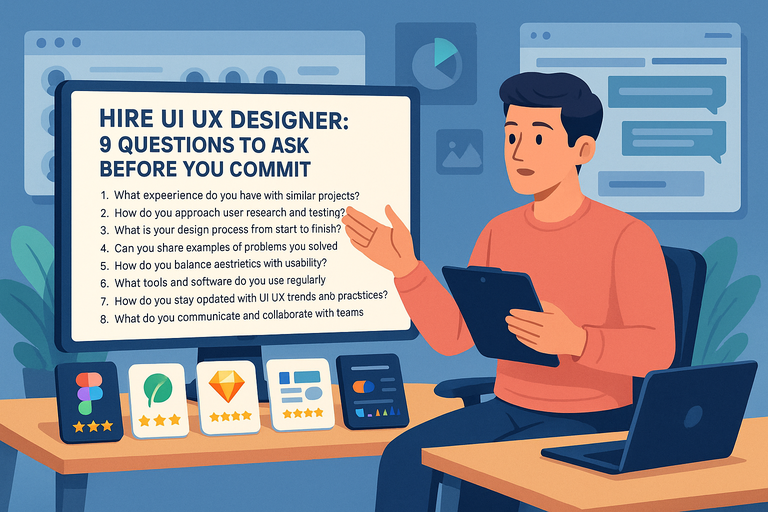 Hire UI UX Designer: 9 Questions to Ask Before You Commit
 Python Freelance Jobs Where to Land High-Paying Projects
 Freelance Developer: How to Find the Perfect Fit for Your Project
 WordPress Freelancer: How to Hire Experts Without Overpaying
 Upwork Freelancer Tips to Avoid Scams and Wasted Money