
Table of Contents
Some links on The Justifiable are affiliate links, meaning we may earn a small commission at no extra cost to you. Read full disclaimer.
An InMotion Hosting features overview is really about one practical question: what are you actually paying for once you sign up?
That matters, because hosting companies love to throw around terms like NVMe, uptime, managed support, and free migrations without explaining how those features affect your site day to day.
In this guide, I’ll break it all down in plain English so you can see what InMotion Hosting gives you across shared, WordPress, VPS, reseller, and dedicated plans, where it stands out, and where you should look a little closer before buying.
What InMotion Hosting Is Built To Offer
InMotion Hosting is not a one-plan provider.
It sells several hosting types for different stages of growth, from simple websites to full server environments, and that affects which features you actually get.
What The Platform Covers
InMotion Hosting offers shared hosting, WordPress hosting, VPS hosting, reseller hosting, dedicated servers, cloud VPS, and broader enterprise-style solutions.
On its main product pages, it frames these around different use cases: shared hosting for smaller sites, WordPress hosting for optimized WordPress performance, VPS for sites and apps that need dedicated resources, reseller for agencies and hosting resellers, and dedicated servers for high-traffic or custom workloads.
That matters because a lot of “feature overview” articles blur everything together. I think that creates confusion. A blogger on shared hosting does not need the same controls as an agency running client accounts, and neither of them needs the same setup as a company deploying custom apps on a managed VPS.
For many readers, the real value of InMotion is not one flashy feature. It is the way the product line gives you a progression path. You can start with a lower-complexity plan, then move toward VPS, dedicated, or reseller products as traffic, client work, or technical needs grow.
The company explicitly positions VPS as a step up for sites that need scalable CPU and RAM, and dedicated hosting as the top tier for single-tenant performance and control.
Imagine you run a small WooCommerce store that starts getting traffic spikes during promotions. Shared hosting may be fine at first, but once speed becomes inconsistent, the useful question is whether your host can scale with you.
InMotion clearly tries to answer that with multiple hosting layers instead of a one-size-fits-all offer.
The Core Promise Behind Its Feature Set
Across its product pages, InMotion repeats a few core themes: speed, security, support, and flexibility. Shared and general web hosting pages mention cPanel, SSL, email, support, uptime, and migration help. WordPress hosting emphasizes optimized servers, caching, backups, security, and collaboration tools.
VPS pages lean into high availability, NVMe storage, dedicated resources, and root access. Reseller pages focus on white-label tools, WHMCS, and client account management. Dedicated plans add Launch Assist and deeper management options.
That gives you a useful lens for evaluating the host: not “does it have features,” but “which category of features matters most for the kind of site I’m running?”
Here is a quick comparison to make that easier:
| Hosting Type | Best For | Standout Features |
|---|---|---|
| Shared Hosting | Small business sites, blogs, brochure sites | cPanel, email, SSL, FTP/SSH, Softaculous, migration help |
| WordPress Hosting | WordPress site owners who want optimization | Optimized stack, caching, backups, threat monitoring, collaboration tools |
| VPS Hosting | Growing sites, apps, developers | Dedicated CPU/RAM, root access, high availability, NVMe, scaling |
| Reseller Hosting | Agencies and hosting resellers | WHMCS, white-label branding, domain reseller tools, security features |
| Dedicated Servers | High-traffic and custom environments | Single-tenant hardware, Launch Assist, advanced support options |
The Everyday Features Most Buyers Actually Care About
This is the part most people care about first: the practical features you use every week, not the enterprise buzzwords.
cPanel, Email, And Basic Site Management
On shared hosting, InMotion includes cPanel, email management, FTP/SSH access, and Softaculous. That combination matters more than it sounds. cPanel is the familiar dashboard many site owners use to manage domains, email accounts, databases, backups, and file access.
Softaculous is the one-click app installer that helps you deploy software like WordPress without manual setup.
If you have only used beginner site builders before, this is the moment where hosting starts to feel more “real.” You get more control, but without moving into full server administration. I usually see this as a sweet spot for freelancers, local businesses, and content sites that want flexibility without hiring a sysadmin.
The free unlimited email feature also shows up on InMotion’s web hosting pages, which is useful for businesses that want branded inboxes tied to their domain instead of using a generic address. For a small team, that is one of those simple credibility upgrades that matters more than people expect.
A realistic example: If you run a local law office or home services business, you may need five or ten email addresses for intake, billing, and staff. Having email built into your hosting removes another subscription and keeps the setup in one place. That is not glamorous, but it is practical.
Free SSL, Uptime, And Security Monitoring
InMotion’s general hosting pages say web hosting plans include an SSL certificate, security monitoring, and a 99.99% uptime guarantee. Its legal hosting agreement also states that certain shared hosting plans may qualify for account credit if physical uptime falls below that threshold.
SSL is the lock icon in the browser. In simple terms, it encrypts data between your website and visitors. Today, that is not a bonus feature. It is table stakes. If a host includes it by default, that is what I would expect.
The uptime promise matters because downtime is not just a technical inconvenience. If your site is your lead source, even short outages can mean lost sales, missed form submissions, and weaker trust.
InMotion’s own uptime explainer gives a helpful frame: 99.9% uptime is about 43 minutes of downtime per month, while 99.99% is roughly 4 minutes per month. That difference is meaningful if your site makes money daily.
Security monitoring is also important, though this is one area where you should stay practical. Monitoring does not mean you can ignore plugin updates, weak passwords, or backups. It means the host is providing a layer of infrastructure-side oversight, which is valuable, but not magical.
Free Domain, Migration Help, And Refund Window
InMotion’s web hosting pages advertise a free domain on qualifying plans, while noting exclusions such as UltraStack ONE and unmanaged hosting. It also promotes free website migration, and for WordPress specifically, it says free transfers are available with select plans and via Launch Assist.
On the buying-risk side, its guarantee page says shared and WordPress hosting include a 90-day money-back guarantee, with the same window applying to VPS, UltraStack WordPress VPS, and reseller plans on terms of six months or longer; its FAQ also notes 30 days for monthly billing and dedicated servers.
I like this mix because it reduces friction for new customers. Migration support is especially valuable if you are leaving another host and do not want to touch databases or file paths yourself.
A common scenario is a small business owner who has outgrown a cheap host but keeps delaying the switch because moving the site feels risky. Free or guided migration changes that equation. It removes the psychological blocker, not just the technical one. That is a real feature benefit, even if it never appears in “speed benchmark” discussions.
Performance Features And What They Mean In Real Life
Performance language gets overused in hosting. So let’s translate InMotion’s speed-related features into practical terms you can actually use.
NVMe Storage And Faster Data Handling
InMotion emphasizes NVMe storage on shared, WordPress, VPS, and cloud VPS products. Its VPS page says NVMe provides more than double the link speed of traditional HDD drives and 3–6x faster data transfer rates between storage devices and hardware components. Its WordPress hosting page also highlights NVMe, caching, and an optimized stack as built-in speed features.
In plain English, NVMe is a faster type of storage than older hard drive-based setups. That does not automatically make every site lightning fast, but it improves the storage side of performance. Database queries, file reads, admin tasks, and dynamic page delivery can all benefit.
Where I think this matters most is for CMS sites that do more than display static pages. WordPress, WooCommerce, membership sites, and custom apps all rely on many small read/write operations. Faster storage can make those feel snappier, especially in the dashboard and on uncached pages.
Still, I would not oversell it. NVMe helps, but site speed also depends on themes, plugins, image sizes, caching, and traffic patterns. A bloated WordPress setup on fast hosting can still feel slow. So I see NVMe as a strong foundation, not a complete speed solution.
High Availability, Dedicated Resources, And Scaling
On the VPS side, InMotion says new customers get access to high-availability server clusters and dedicated CPU, RAM, and storage in a virtualized environment. It also describes VPS as suitable for handling more traffic than shared hosting, with scalable resources as needs grow. Cloud VPS pages add node redundancy and DDoS protection.
This is where the feature conversation shifts from “basic hosting” to “predictable performance.” Shared hosting is affordable because resources are shared. VPS gives you your own slice of CPU and memory, so your site is less affected by neighboring accounts.
That matters for stores, SaaS tools, learning portals, or content sites that get regular traffic spikes. Imagine you sell digital products and launch a new course. On shared hosting, that surge may push you into performance problems sooner. On a VPS with dedicated resources, you have a much better shot at maintaining stable load times.
I think this is one of InMotion’s stronger areas. It clearly presents VPS as a meaningful upgrade path rather than just a more expensive checkbox list. You get dedicated resources, root access for customization, and room to grow.
Data Center Choice And Geographic Reach
InMotion says it has data centers in Los Angeles, Ashburn, Amsterdam, and Singapore, and its support content also notes servers in the USA and Amsterdam. The Amsterdam page emphasizes direct access to major internet exchanges and low-latency routing across Europe. Reseller pages also mention US and EU location choices.
For many businesses, data center location is underrated. If most of your traffic is in North America, a US location makes sense. If you are serving European users, having infrastructure closer to them can improve latency and consistency.
This does not replace a CDN, but it still matters. I have seen site owners obsess over plugin tweaks while ignoring the fact that their audience is thousands of miles from the server. Choosing the right region is one of the easiest performance wins you can get early.
WordPress-Specific Features And Why They Matter
If your site runs on WordPress, you should care less about generic hosting language and more about how well the environment supports WordPress itself.
Optimized WordPress Stack, Caching, And Daily Essentials
InMotion’s WordPress hosting pages say plans include optimized servers, built-in speed with NVMe and caching, backups, security, and real-time threat monitoring. The WordPress features page positions these as premium features designed to simplify growth and maintenance.
That is important because WordPress performance is rarely about one single feature. It is the stack working together: server configuration, storage, caching, security layers, and update-friendly infrastructure.
For a normal site owner, the benefit is less technical babysitting. You are not piecing together a hosting account and then trying to patch performance afterward. You are starting from a hosting environment already tuned for the CMS you use.
A realistic example: Say you publish three optimized blog posts a week and run a few lead-generation plugins. On a generic plan, you may end up troubleshooting slow admin pages, login lag, or plugin conflicts sooner than expected. On a WordPress-optimized platform, the goal is to reduce that friction before it becomes a weekly annoyance.
Collaboration Tools For Teams And Agencies
One feature I do not think gets enough attention is collaboration. InMotion’s WordPress features page says users can invite team members to collaborate on website projects, domains, and email.
That sounds simple, but it solves a real workflow problem. A lot of WordPress sites are no longer managed by one person. You may have a founder, marketer, developer, copywriter, and VA touching different parts of the same online presence.
Without collaboration controls, people end up sharing logins or relying on messy workarounds. That is bad for both security and accountability. With role-based collaboration, work becomes cleaner. The designer can handle the site, the marketer can manage content, and the admin can stay in control of domain and email access.
If you run a small agency, this feature is even more useful. It helps you work with clients in a less chaotic way, especially during redesigns, launch prep, or routine site updates. It is not flashy, but it improves day-to-day operations.
Backups And Threat Monitoring For WordPress Owners
InMotion’s WordPress pages specifically mention backups and real-time threat monitoring, and its broader support documentation also includes backup tools and restore options through cPanel and its Backup Manager.
Support docs note a free backup service for accounts under 10GB on shared, VPS, or reseller plans, while also recommending off-server backups that you manage yourself.
I strongly agree with that last point. Even when a host includes backups, I never suggest treating host backups as your only safety net. They are helpful, but your best setup is always layered: host-level backups plus an additional copy you control.
If you update plugins often, run WooCommerce, or rely on lead capture forms, backups are not optional. They are your recovery system. Threat monitoring is the early warning. Backups are the parachute.
Developer, Agency, And Advanced Management Features
This is where InMotion becomes more attractive for technical users, agencies, and businesses that need control beyond a standard shared account.
SSH, Databases, Languages, And Deployment Flexibility
InMotion’s shared hosting page says developers can build web applications in Ruby, PHP, PostgreSQL, or MySQL, while shared plans include FTP/SSH access and Softaculous. Reseller hosting pages also mention support for Python, Node.js, and Git version control through Hosting Plus.
That tells you something important: even lower-tier or mid-tier plans are not aimed only at total beginners. There is enough flexibility here for developers managing custom sites, staging workflows, or lightweight applications.
SSH access, in particular, is a useful dividing line. If you have ever needed to run WP-CLI commands, inspect logs, adjust permissions, or work more efficiently than a file manager allows, SSH is a real quality-of-life feature.
I would describe InMotion’s setup as practical rather than ultra-cutting-edge. It is not trying to be a trendy developer platform first. It is giving you familiar hosting controls with enough technical access to do serious work, which is exactly what many freelancers and agencies prefer.
Root Access, OS Choice, And VPS Control
On VPS and cloud VPS plans, InMotion highlights root access and the ability to choose Linux operating systems such as AlmaLinux, Ubuntu, or Debian. It also offers managed and self-managed VPS options, plus control panel choices according to its pricing pages.
This is one of the clearest signs that InMotion is built for growth-minded users. Root access means you are not boxed into a narrow shared environment. You can configure services, install packages, fine-tune performance, and shape the server around your application.
That said, with control comes responsibility. If you buy unmanaged or heavily customized infrastructure without the skills to maintain it, the feature becomes a liability. In my experience, the smartest move is to choose the most control you can realistically manage. Do not buy root access just because it sounds advanced.
For developers, agencies, and SaaS founders, though, this flexibility is a real advantage. It creates room for custom stacks and future complexity without forcing an immediate jump to dedicated hardware.
WHMCS, White-Label Tools, And Reseller Business Features
Reseller hosting is where InMotion gets very product-specific. Its reseller pages say plans include free WHMCS, domain reseller tools, white-label branding, 24/7 support, high-performance storage, and built-in security like SSL, malware protection, and DDoS prevention. Its reseller product guide also notes the option to add a free eNomCentral account for registering domains.
If you are an agency or entrepreneur, this is a different kind of value. You are not just hosting your own site. You are building repeatable client service or recurring revenue.
WHMCS matters because it handles billing and account automation for hosting businesses. White-label branding matters because clients see your brand, not the underlying host. Domain reseller tools matter because they let you keep more of the customer relationship under one roof.
This is one of those areas where feature depth changes the business model. A designer who currently hands clients off to random hosting companies can package hosting, domain handling, and support into a monthly offer instead. That is not just a technical upgrade. It is a revenue strategy.
Support, Onboarding, And Managed Services
Support is one of the most important hosting features, but it is also one of the hardest to evaluate until something breaks.
24/7 Human Support And What That Actually Means
InMotion repeatedly promotes “helpful humans” and 24/7 support across product pages. Its contact page currently lists 24/7 chat and ticket support, plus phone support during 9 AM to 9 PM ET on weekdays.
I think this distinction matters. Some hosts market support in a vague way that sounds 24/7 across every channel, but the actual channel mix can vary. InMotion appears to provide around-the-clock chat and tickets, while phone availability is more limited. That is still solid, but it is worth knowing upfront.
For most users, chat and tickets are fine for billing issues, DNS guidance, migrations, and common fixes. For more technical or business-critical situations, response quality matters more than whether there is a phone number.
The support center is also fairly extensive, with product guides for WordPress, VPS, reseller hosting, backups, and security. That is useful if you like solving smaller issues yourself before opening a ticket.
Launch Assist And Guided Setup
InMotion’s Launch Assist service is one of its more distinctive features. The official Launch Assist page says managed VPS plans include 2 hours, standard and commercial dedicated servers include 2 to 4 hours, managed WordPress plans at higher resource levels include 2 hours, and reseller VPS also includes 2 hours.
The service is positioned as hands-on help from hosting experts for setup, transfers, and server-related onboarding.
This is valuable because advanced hosting often fails at the handoff moment. Buying a VPS is easy. Configuring it correctly is not.
Launch Assist narrows that gap. If you are moving from shared hosting into VPS or dedicated infrastructure, having real setup time with experts can save hours of mistakes and second-guessing. It also reduces the risk of paying for a more powerful environment but never configuring it well enough to benefit.
I would not call this necessary for everyone. But for businesses migrating custom apps, agencies onboarding multiple client sites, or teams without a full-time sysadmin, it is one of the more meaningful differentiators in InMotion’s stack.
Security, Backup, And Reliability Features To Look At Closely
These are the features that matter most when something goes wrong.
DDoS Protection, Malware Layers, And Server Security
InMotion’s reseller, cloud VPS, VPS-related, and dedicated materials reference DDoS protection, with some pages specifically mentioning Corero-backed protection. Its support center also includes Monarx security content for malware detection and monitoring on supported environments.
That tells me InMotion is not relying on just one generic “secure hosting” label. There are specific security layers in place depending on product type.
Still, the smart buyer should understand scope. DDoS protection helps mitigate traffic-based attacks. Malware monitoring helps identify compromised files or suspicious activity. Neither replaces responsible site management.
A practical rule I recommend is this: Use host security features as your infrastructure shield, then handle application-level hygiene yourself. Keep plugins updated, enforce strong passwords, enable two-factor authentication where possible, and do not rely on “the host will catch everything.” InMotion’s own managed VPS guidance encourages basics like 2FA, strong passwords, and disabling unused services, which supports that layered approach.
Backup Reality: Helpful, But Not A Full Strategy Alone
Backup support exists across InMotion’s ecosystem, but it is worth reading carefully. The support docs reference cPanel backups, WHM backups, Backup Manager, and free backup service for some accounts under 10GB.
WordPress hosting pages also mention daily backups in summary language. At the same time, InMotion explicitly recommends keeping regular backups stored off the server.
That is the correct advice, and honestly, I trust a host more when it says this openly.
If your store, blog, or lead-gen site matters to revenue, build a backup system that assumes mistakes will happen. Plugin conflict, bad update, accidental deletion, hacked admin account, broken deployment, human error. These are normal risks.
So yes, hosted backups are a feature. But the expert move is to treat them as one layer inside a wider disaster recovery habit.
Common Mistakes Buyers Make When Evaluating InMotion Hosting Features
A good feature list can still lead to a bad buying decision if you interpret it the wrong way.
Mistake 1: Buying For Specs Instead Of Use Case
A lot of people compare hosting by scanning for bigger numbers. More storage. More RAM. More CPU. More “performance.” That is not always wrong, but it is often incomplete.
The better question is: what workload are you actually running? A portfolio site may be perfectly fine on shared hosting with cPanel, SSL, email, and migration help. A high-traffic WooCommerce store may need WordPress optimization or VPS resources.
An agency handling multiple client environments may get more value from reseller tools than from raw storage alone.
I believe this is the biggest mistake in hosting shopping. Buyers chase abstract “power” when they should be matching features to the job.
Mistake 2: Assuming Managed Means Fully Hands-Off
Managed VPS, WordPress hosting, and premium onboarding can remove a lot of complexity, but they do not mean you never have to think about your site again. You still need to care about plugin quality, admin security, content performance, backups, and business continuity.
InMotion’s own materials separate infrastructure help, Launch Assist, support content, and customer-side best practices rather than pretending the host does everything for you.
That is actually a good sign. Real hosting is a partnership, not a magic trick.
Mistake 3: Ignoring Operational Features
Many buyers only compare speed claims and pricing. They ignore operational features like collaboration, migrations, email, support channel hours, backup workflows, or white-label management. Then later, those become the exact friction points they complain about.
In my experience, the host that feels easiest to live with is often the one that wins long term, even if benchmark numbers between competitors look similar.
Who Will Get The Most Value From InMotion Hosting
At this point, the feature list only matters if you can map it to your situation.
Best Fit Scenarios
InMotion looks strongest for users who want a traditional hosting environment with meaningful upgrade paths.
That includes small businesses that need email, SSL, cPanel, and migrations; WordPress owners who want optimization and backups; agencies that want reseller tools and white-label options; and growing sites that may later need VPS or dedicated resources.
It is also a sensible fit for people who value guided setup. Launch Assist, support documentation, and migration help lower the pain of moving into more advanced hosting.
When You Should Look More Carefully
I would look more carefully if your needs are extremely specialized, ultra-budget-driven, or centered on a modern developer platform workflow rather than classic hosting controls.
InMotion offers developer-friendly features, but its core experience still feels rooted in managed hosting, cPanel ecosystems, and business-focused infrastructure.
That is not a weakness. It just means the best buyer is someone who wants robust hosting with practical controls, not necessarily the most minimal or experimental deployment model.
Conclusion
This inmotion hosting features overview shows a platform built around practical hosting fundamentals first: cPanel, SSL, email, migrations, support, NVMe-based performance, WordPress optimization, VPS scaling, reseller tools, and onboarding help.
In my view, the biggest strength is not one single feature. It is how the features line up with different growth stages, from a simple business website to a managed server environment.
If you choose the plan that matches your actual workload, InMotion gives you a well-rounded feature set that is easier to grow with than many entry-level hosts.
FAQ
What is included in an InMotion Hosting features overview?
An InMotion Hosting features overview includes tools like cPanel, free SSL, email hosting, NVMe storage, website migration, and 24/7 support. It also covers performance, security, backups, and scalability options across shared, WordPress, VPS, and dedicated hosting plans.
Does InMotion Hosting offer good performance features?
Yes, InMotion Hosting includes NVMe storage, optimized servers, and caching for faster performance. These features improve loading times, database processing, and overall site responsiveness, especially for WordPress and dynamic websites that handle frequent user interactions or content updates.
Is InMotion Hosting suitable for beginners?
InMotion Hosting is beginner-friendly with features like cPanel, one-click installers, free migrations, and guided setup support. These tools simplify website management, making it easier for users with limited technical experience to launch, manage, and grow their websites confidently.
What security features does InMotion Hosting provide?
InMotion Hosting provides free SSL certificates, malware protection, DDoS protection, and real-time threat monitoring. These features help protect websites from common threats, secure user data, and maintain site reliability, although users should still follow basic security practices.
Can InMotion Hosting scale with growing websites?
Yes, InMotion Hosting supports scaling through VPS, cloud VPS, and dedicated hosting plans. As your traffic grows, you can upgrade to plans with more resources, dedicated CPU, and advanced controls without needing to migrate to a different hosting provider.

I’m Juxhin, the voice behind The Justifiable.
I’ve spent 6+ years building blogs, managing affiliate campaigns, and testing the messy world of online business. Here, I cut the fluff and share the strategies that actually move the needle — so you can build income that’s sustainable, not speculative.
Related posts:
 Why VPS InMotion Hosting is a Smart Upgrade Choice
 How Do I Cancel Bluehost And Get A Refund?
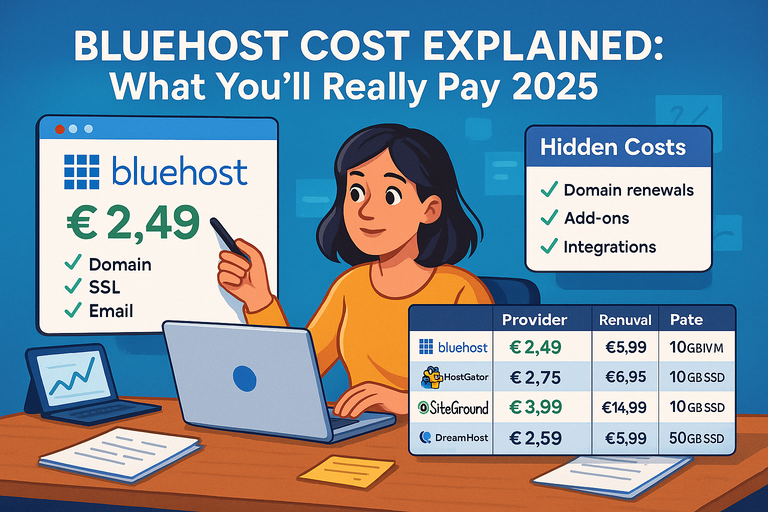 Bluehost Cost Explained: What You’ll Really Pay 2025
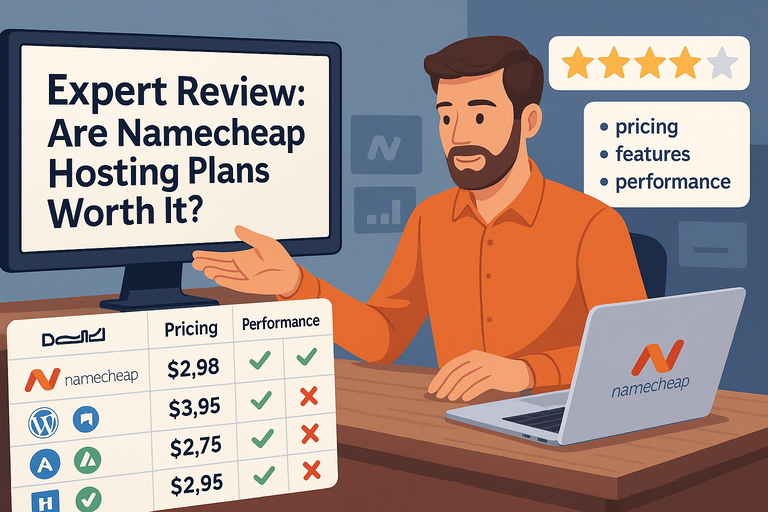 Expert Review: Are Namecheap Hosting Plans Worth It?
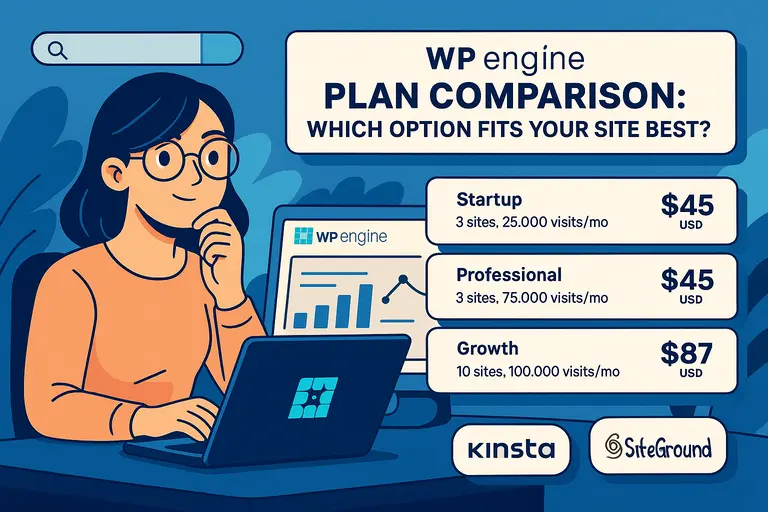 WPengine Plan Comparison: Which Option Fits Your Site Best?
 InMotion Hosting Worth It For Small Business Websites?