
Table of Contents
Some links on The Justifiable are affiliate links, meaning we may earn a small commission at no extra cost to you. Read full disclaimer.
How ecommerce CRM increases sales becomes a lot easier to understand once you stop thinking about CRM as “just software” and start seeing it as the system that helps you sell more to the right customer at the right moment.
If you run an online store, a good ecommerce CRM can help you recover abandoned carts, improve repeat purchases, raise average order value, and reduce wasted marketing spend.
In this guide, I’ll walk you through exactly how it works, where stores usually get it wrong, and how to turn customer data into more revenue without making your setup overly complicated.
What Ecommerce CRM Actually Means For An Online Store
An ecommerce CRM is not just a contact list with purchase history attached. It is the layer that connects customer behavior, orders, support interactions, and marketing activity so you can make smarter selling decisions.
CRM In Ecommerce Is Really About Context
Most store owners already have customer data, but it is scattered. Some of it lives in your store platform, some in your email tool, some in customer support tickets, and some in spreadsheets your team barely updates. That is where revenue leaks start.
An ecommerce CRM brings that information together and makes it usable. Instead of seeing “John placed two orders,” you see that John first came from Instagram, bought a low-ticket product, opened three email campaigns, contacted support about sizing, and has not purchased again in 60 days. That context changes how you market to him.
In practical terms, that means you can stop sending the same campaign to everyone. You can send different messages to first-time buyers, repeat buyers, VIP customers, refund-risk customers, or shoppers who always buy when a discount appears.
I believe this is where many stores finally feel the shift. Sales do not increase because CRM sounds sophisticated. Sales increase because the store starts making better decisions with better timing.
In my experience, the real value of ecommerce CRM is not “more data.” It is fewer blind spots. When you know who is buying, who is hesitating, and who is drifting away, your next move gets sharper and your sales process gets a lot less wasteful.
Why Ecommerce Stores Need More Than A Basic Customer List
A basic customer list tells you who bought. A real CRM tells you why they bought, what they are likely to buy next, and what might stop them from buying again.
That difference matters because ecommerce is rarely won on one transaction. Most profitable stores earn more when they improve retention, increase order value, and shorten the time between purchases. You cannot do that well if every customer looks the same inside your system.
Let me break it down for you. A strong ecommerce CRM usually helps you answer questions like these:
- Acquisition: Which channels bring customers with the best lifetime value, not just the cheapest first order?
- Conversion: Which products, offers, and messages help hesitant shoppers buy?
- Retention: Which customers are most likely to reorder, churn, or ask for refunds?
- Expansion: Which customer groups respond best to upsells, bundles, subscriptions, or loyalty programs?
That is why stores using platforms like Shopify, WooCommerce, or similar storefronts often add a CRM layer as they grow. The storefront processes the sale. The CRM helps you create more of them.
Why CRM Directly Impacts Revenue
Before we get into the nine practical ways stores earn more, it helps to understand the mechanism behind the lift. CRM improves sales because it improves relevance, timing, follow-up, and customer experience at the same time.
Better Data Leads To Better Offers
When a store does not know enough about a customer, the default move is broad discounting. That feels safe, but it often cuts margin without fixing the real issue.
A CRM helps you create better offers because it shows behavior patterns. For example, one segment may need urgency, another may need education, and another may just need a restock reminder. If someone keeps viewing a premium category, a coupon on entry-level products is probably the wrong move. If someone always reorders every 45 days, a timed replenishment message will outperform a random promotion.
This is where many stores see the first meaningful lift. They stop blasting promotions and start matching the message to intent.
Here is a simple scenario. Imagine you sell skincare. A new visitor who viewed your cleanser three times but never purchased should not get the same campaign as a customer who already bought the cleanser and is now ready for a serum or moisturizer. CRM lets you split those paths naturally.
That is how sales increase without needing more traffic. You improve what happens after the visitor arrives.
Good CRM Also Reduces Friction That Kills Conversions
Revenue is not only lost in marketing. It is lost in confusion, slow follow-up, irrelevant messages, weak support handoffs, and poor post-purchase experience.
An ecommerce CRM reduces that friction because teams are not operating in separate bubbles. Your support team can see order history. Your retention campaigns can react to returns or complaints. Your marketing team can suppress messages to customers already in a refund process. Your sales or support agents can identify high-value customers before a negative experience turns into churn.
That matters more than many stores realize. A customer who feels understood is easier to retain, easier to upsell, and less likely to disappear after one order.
I suggest thinking of CRM as a profit system, not just a marketing system. It protects conversion rate, repeat purchase rate, and lifetime value all at once.
9 Practical Ways Ecommerce CRM Increases Sales
This is the part most store owners really care about. Let’s move from theory into the actual revenue drivers.
1. It Creates Smarter Customer Segments Instead Of One-Size-Fits-All Campaigns
Segmentation is one of the clearest examples of how ecommerce CRM increases sales. Without it, your store sends generic campaigns. With it, you send messages based on buying stage, product interest, spend level, purchase frequency, or engagement behavior.
The biggest win here is relevance. A first-time buyer needs reassurance and onboarding. A repeat buyer may need a bundle offer. A dormant customer may need a win-back sequence. A VIP customer usually responds better to exclusivity than to aggressive discounts.
You do not need dozens of segments at the start. I usually recommend building these first:
- Segment 1: New subscribers who have not purchased.
- Segment 2: First-time buyers within the last 30 days.
- Segment 3: Repeat buyers with high average order value.
- Segment 4: Customers inactive for 60 to 90 days.
- Segment 5: Customers with support issues, returns, or refund signals.
This alone changes campaign performance because the message finally matches the situation. A store selling home fitness gear, for instance, might send beginner setup tips to first-time buyers and premium accessory offers to customers who already bought equipment.
That shift sounds simple, but it often moves email revenue and repeat purchase rate faster than stores expect. Not because the copy is magical, but because the targeting stops being lazy.
2. It Recovers More Abandoned Carts With Better Follow-Up
Most stores already know abandoned carts matter. The problem is that many recovery sequences are too generic to do much beyond the obvious.
A CRM-driven cart recovery flow can look at more than the cart itself. It can factor in customer history, category interest, previous purchases, support interactions, and even discount sensitivity. That gives you better follow-up logic.
For example, a returning customer who abandoned a cart may only need a reminder. A first-time shopper may need social proof, delivery information, or a sizing guide. A high-intent customer who visited the same product page several times might respond to urgency. Someone who previously returned an order may need reassurance before they buy again.
A stronger recovery sequence usually includes compact steps:
- Email 1: A reminder while intent is still fresh.
- Email 2: A friction remover such as shipping clarity, return policy explanation, or FAQ.
- Email 3: A product-specific nudge with reviews or usage context.
- Email 4: A selective incentive only when margin and customer quality justify it.
The point is not to spam the shopper. The point is to answer the reason they paused.
In my experience, stores earn more here when they stop treating all abandoned carts like coupon problems. Many abandoned carts happen because of uncertainty, not price.
3. It Increases Average Order Value Through Personalized Upsells
Getting a customer to buy once is expensive. Getting that same customer to add one more item to the order is often much cheaper and more profitable.
CRM helps raise average order value because it lets you personalize upsells based on what the customer already bought, viewed, or tends to prefer. This is much stronger than random “you may also like” blocks.
Imagine you sell coffee gear. A customer buying a grinder might be a strong candidate for premium beans, filters, or a cleaning kit. A first-time espresso machine buyer may need an onboarding bundle. A loyal customer who repeatedly buys beans may be a better fit for subscription messaging than a one-off upsell.
The key is sequencing. Do not push every possible add-on at once. Use CRM logic to decide where the upsell belongs:
- Pre-purchase: Cart or checkout add-ons.
- Immediate post-purchase: One-click complementary items.
- Follow-up email: Education-led recommendations after delivery.
- Replenishment stage: Refills, accessories, or upgrades when usage timing makes sense.
This works because the recommendation feels useful rather than pushy. The customer sees something that fits what they already intended to do.
That is an important distinction. Good upsells feel like better service. Bad upsells feel like noise.
4. It Improves Post-Purchase Retention And Repeat Orders
Many stores obsess over acquisition and then go strangely quiet after the sale. That is one of the easiest ways to waste marketing spend.
A CRM improves post-purchase retention by making follow-up useful and timely. Instead of sending a generic thank-you email and disappearing, you build journeys based on product type, reorder cycle, and customer value.
For example, a supplements brand can send usage guidance in week one, habit-building tips in week two, and a replenishment reminder before the product likely runs out. A fashion store can send care tips, styling suggestions, and relevant cross-sells based on the original order. A pet brand can use breed, product type, and purchase timing to plan the next message.
This is where tools like Klaviyo, Omnisend, or Mailchimp often come up, because stores use them to automate retention campaigns. But the real win is not the platform. It is the logic behind the journey.
When you help the customer use the product well, reorder at the right time, and discover the next relevant item, sales rise naturally. You are not forcing extra revenue. You are extending the customer relationship in a way that makes sense.
That is one of the cleanest answers to the question of how ecommerce CRM increases sales over time. It turns one purchase into a repeatable buying cycle.
5. It Helps You Win Back Quiet Customers Before They Churn
Churn usually does not feel dramatic in ecommerce. Customers simply stop returning. That quiet drop-off hurts more than most stores realize because it reduces lifetime value little by little.
CRM helps you spot this earlier. Instead of waiting until a customer is gone for six months, you can define risk windows based on normal buying behavior. If someone usually reorders every 30 days and is now at day 50, that is a signal. If a repeat buyer opens emails less often, visits less frequently, or buys a competing category less often, that is another signal.
A good win-back strategy is not just “here’s 15% off.” It should match the reason for disengagement.
- Scenario 1: If the customer bought once and vanished, send education and product-use content.
- Scenario 2: If the customer used to buy regularly, remind them before the usual reorder window passes.
- Scenario 3: If the customer had a support problem, acknowledge the issue and rebuild trust first.
- Scenario 4: If the customer was discount-driven, test a lighter incentive before giving away too much margin.
I recommend creating at least one churn-risk segment and one win-back automation. Even simple versions can recover meaningful revenue because they reach customers while some buying intent still exists.
This is also where CRM protects profitability. Winning back an old customer is often more efficient than constantly paying to acquire a new one.
6. It Gives Support Teams The Context To Prevent Refunds And Save Sales
One overlooked way ecommerce CRM increases sales is by helping support teams act like revenue protectors, not just problem solvers.
Support conversations are full of buying signals. Customers ask about size, fit, compatibility, ingredients, shipping times, warranty terms, or setup help. If your team can see customer history, product interest, order value, and past tickets in one place, they can respond with much better judgment.
A shopper asking about sizing may be close to purchasing, not just browsing. A repeat customer with a delayed shipment may be one bad experience away from churning. A high-value buyer contacting support after delivery may be a strong candidate for proactive assistance that prevents a refund.
Platforms like Gorgias often fit here because they pull ecommerce data into support workflows. But again, the principle matters more than the software name.
Here is the practical shift. Your support team should know:
- What the customer bought before.
- Whether this is a first order or a repeat order.
- Whether the customer has high lifetime value.
- Whether there are unresolved issues that should change the tone of the next campaign.
This reduces costly mistakes. You stop sending upsells to unhappy customers. You help support agents preserve trust faster. And you recover revenue that might otherwise disappear through cancellations, returns, or churn.
7. It Coordinates Email, SMS, And Paid Retargeting So Channels Work Together
A lot of stores lose money because their channels do not talk to each other. Email is promoting one thing, SMS is pushing another, and paid retargeting keeps showing an ad for a product the customer already purchased.
CRM helps solve this by acting as the decision layer behind your messaging. Once customer data is centralized, you can suppress, trigger, or sequence campaigns across channels more intelligently.
That changes the customer experience immediately. A buyer who just placed an order should leave your abandoned cart retargeting audience. A customer who ignored three email reminders might deserve an SMS nudge instead. A high-value repeat buyer might respond better to early access messaging than to a broad promo campaign.
I suggest using CRM rules to answer three questions before you message anyone:
- Who is this person right now? New lead, buyer, repeat customer, VIP, churn-risk, refund-risk.
- What happened most recently? Product view, cart abandonment, purchase, ticket, return, inactivity.
- Which channel makes the most sense next? Email for education, SMS for urgency, ads for reminder-level visibility.
Tools like ActiveCampaign, Drip, or HubSpot can support this kind of orchestration depending on store complexity. The revenue gain comes from not overwhelming customers with duplicated or contradictory messages.
When channels are coordinated, stores typically waste less spend and convert more intent.
8. It Increases Customer Lifetime Value With Loyalty And VIP Journeys
Not all customers deserve the same treatment. Some customers are price-sensitive one-time buyers. Others are loyal, high-margin customers who should be protected carefully.
CRM helps you identify those high-value groups and build experiences around them. That matters because customer lifetime value is often where long-term ecommerce profit is made.
A useful VIP setup usually starts with practical criteria, not vanity labels. For example, a customer could enter a VIP segment after hitting a spend threshold, placing a certain number of orders, or purchasing from key categories repeatedly. Once that happens, your store can treat them differently.
That might include:
- Priority access: Early product drops or limited launches.
- Exclusive bundles: Offers that reward value without relying on sitewide discounts.
- Higher-touch service: Faster responses or more personalized recommendations.
- Loyalty-focused retention: Messages built around status, perks, and recognition.
Imagine you run a premium apparel brand. Your top 10 percent of customers might generate a disproportionate share of revenue. If your CRM identifies them clearly, you can protect that segment with better experiences instead of lumping them into the same promo calendar as bargain hunters.
This is one of the best examples of earning more without adding traffic. You are simply treating your best customers like your best customers.
9. It Turns Customer Data Into Better Merchandising And Promotion Decisions
CRM is not only for messaging. It also helps stores make smarter business decisions about products, promotions, and timing.
When you look at CRM data properly, you can start spotting patterns that directly affect revenue. Maybe customers acquired through one campaign buy once and vanish, while another segment buys smaller first orders but becomes highly profitable over time.
Maybe one product drives repeat purchase behavior while another creates returns and support issues. Maybe your best customers respond to bundles but ignore percentage discounts.
This matters because many stores judge products by top-line sales alone. That is risky. A product that sells well but leads to poor retention or high refund rates may be less valuable than a product with lower volume but stronger repeat purchase behavior.
A CRM can help you answer questions like these:
- Which first-purchase products lead to the best second-order rate?
- Which customer segments produce the highest lifetime value?
- Which campaigns create revenue that sticks, not just one-time spikes?
- Which discount patterns attract low-quality buyers?
I believe this is where mature stores separate from reactive ones. They stop making promotional decisions based on guesswork and start using customer behavior to guide inventory pushes, bundle design, and campaign timing.
That kind of decision-making compounds. Over time, it can improve both revenue and margin.
How To Set Up Ecommerce CRM Without Creating A Mess
A lot of CRM projects fail because stores buy software first and ask strategy questions later. The smarter approach is simpler: define the revenue goals, map the customer journey, then choose the setup that supports those goals.
Start With Revenue Goals And Customer Stages
Before you build automations or dashboards, define what “more sales” should mean for your store. For some brands, it means increasing repeat purchase rate. For others, it means lifting average order value, reducing churn, or recovering carts more effectively.
Pick three to five revenue outcomes first. Then match them to customer stages.
A simple framework looks like this:
- Stage 1: Visitor becomes subscriber.
- Stage 2: Subscriber becomes first-time buyer.
- Stage 3: First-time buyer becomes repeat buyer.
- Stage 4: Repeat buyer becomes loyal customer.
- Stage 5: Loyal customer becomes VIP or advocate.
Once you see the journey this way, CRM becomes much easier to implement. You are not trying to automate everything. You are solving specific drop-offs.
For example, if your biggest weakness is the gap between first and second order, your CRM setup should prioritize post-purchase education, reorder timing, and cross-sell journeys. If abandoned carts are the main issue, that becomes the priority.
This sounds basic, but I strongly recommend not skipping it. Stores that jump straight into workflows often build busy systems, not profitable ones.
Connect The Right Data Sources And Keep The Model Clean
The next step is deciding which data actually needs to feed the CRM. More data is not always better. Clean, useful data beats messy volume every time.
In most cases, you want these sources connected:
| System | What It Contributes | Why It Matters For Sales |
|---|---|---|
| Store Platform | Orders, products, carts, customer accounts | Core buying behavior and revenue tracking |
| Email/SMS Platform | Opens, clicks, campaign engagement | Messaging relevance and channel timing |
| Support Platform | Tickets, complaints, shipping issues, returns | Churn prevention and customer context |
| Ad Platform Or Attribution Layer | Acquisition source and campaign quality | Better budget and retention analysis |
| Subscription Or Loyalty App | Renewal behavior, rewards, member status | Lifetime value and retention strategy |
Keep naming conventions consistent. Make sure events mean the same thing across tools. Define what counts as active, repeat, churn-risk, VIP, and high-value. If different teams use different definitions, your CRM becomes confusing fast.
This is one reason many mid-sized stores choose unified systems like Salesforce or Pipedrive only after they have clear process requirements. The software can help, but only when the data model is disciplined.
Build Only The Core Automations First
You do not need 25 workflows on day one. You need the few that directly influence revenue.
I usually suggest starting with these core automations:
- Automation 1: Welcome series for new subscribers.
- Automation 2: Abandoned cart recovery.
- Automation 3: First-order post-purchase sequence.
- Automation 4: Replenishment or reorder reminders.
- Automation 5: Win-back sequence for inactive customers.
That foundation covers most of the revenue-critical moments. Once those flows are working, you can layer in VIP campaigns, review requests, cross-sell logic, and support-triggered journeys.
This is where many of us need restraint. It is tempting to build elaborate automations because the CRM allows it. But complexity is only useful if it drives a measurable result. If a workflow is hard to maintain and does not move revenue, it is probably decoration.
A lean setup that your team actually understands will outperform a complicated one that nobody trusts.
Best Ecommerce CRM Tools By Store Stage
Tools matter, but only after the strategy is clear. The best choice depends less on hype and more on store size, team structure, and how sophisticated your customer journeys need to be.
A Simple Comparison Of Common Ecommerce CRM Options
Here is a practical comparison for stores evaluating options.
| Tool | Best For | Strengths | Watchouts |
|---|---|---|---|
| HubSpot | Growing brands needing CRM plus marketing coordination | Strong contact management, automation, reporting, sales alignment | Can become expensive as usage grows |
| Klaviyo | Ecommerce-first retention and messaging | Excellent segmentation, strong ecommerce flows, easy personalization | Better for lifecycle marketing than full sales CRM |
| ActiveCampaign | Mid-sized stores wanting flexible automation | Good automation depth, CRM features, multichannel journeys | Requires thoughtful setup to stay clean |
| Mailchimp | Smaller stores needing simple lifecycle campaigns | Familiar interface, easy entry point, decent foundational flows | Can feel limiting as segmentation gets more advanced |
| Salesforce | Larger teams with complex processes | Powerful customization, enterprise reporting, deep integrations | Higher implementation and management overhead |
| Pipedrive | Sales-led businesses with ecommerce-adjacent funnels | Clean pipeline management, practical sales workflows | Less ecommerce-native than dedicated retention tools |
| Gorgias | Support-heavy stores focused on revenue protection | Ecommerce-aware support context, ticket-to-revenue visibility | Best as part of a broader CRM stack, not the only layer |
I suggest choosing the tool that matches your operating model, not just your wishlist. A small brand with a lean team often does better with a focused retention setup than with a giant enterprise CRM no one fully uses.
How To Choose Without Overbuying
The easiest mistake here is buying based on features you “might need someday.” That usually leads to complexity, cost, and low adoption.
Ask these questions instead:
- Question 1: Is your biggest need retention marketing, sales pipeline visibility, or service context?
- Question 2: Does your team actually have the capacity to manage advanced workflows?
- Question 3: Do you need one central system, or can a lighter stack work for now?
- Question 4: Will the platform handle your current order volume and segmentation needs six to twelve months from now?
For many stores, the better path is gradual maturity. Start with the system that gives you clean segmentation, strong automation, and clear reporting. Then expand only when process complexity genuinely demands it.
That approach usually creates more sales because your team uses the system well instead of wrestling with it.
Common Mistakes That Stop CRM From Increasing Sales
CRM does not automatically create revenue. Plenty of stores install software, sync data, and still see weak results because the strategy underneath is shaky.
Mistake 1: Treating CRM Like A Database Instead Of A Revenue Engine
This is the big one. If your CRM only stores customer records, you are paying for potential, not performance.
The fix is to connect every major CRM activity to a revenue objective. Segments should support campaigns. Automations should support buying stages. Reports should support decisions. Support visibility should reduce churn or refunds. If the system cannot answer “how does this help us sell more or retain more,” it probably needs cleanup.
I have seen stores create dozens of tags, custom properties, and dashboards that look impressive but do nothing meaningful. Clean revenue logic beats fancy architecture.
Mistake 2: Overusing Discounts Because The CRM Makes It Easy
A CRM gives you targeting power, which is great. But that can tempt stores into over-discounting very precisely.
That is still over-discounting.
Use CRM to improve relevance first, not to turn every lifecycle message into a coupon. If every flow ends with a discount, customers learn to wait. Margin shrinks. Brand perception softens. Revenue may rise in the short term, but profit quality often gets worse.
A smarter order is message, education, reassurance, proof, urgency, then incentive only where needed.
Mistake 3: Ignoring Post-Purchase And Churn Signals
Many stores focus heavily on welcome flows and cart recovery because those are easy to understand. Then they neglect the post-purchase phase, where lifetime value is actually built.
If you are not tracking second-order rate, reorder timing, churn windows, refund signals, and support-triggered retention risks, your CRM setup is incomplete. Some of the best revenue gains come after the first sale, not before it.
That is why optimization matters as much as setup.
How To Measure Whether Your Ecommerce CRM Is Actually Working
If you cannot measure the business impact, it becomes too easy to confuse “activity” with improvement. CRM should be evaluated with commercial metrics, not just workflow completion stats.
Track The Metrics That Reflect Real Revenue Quality
Open rates and click rates still matter, but they are not enough. The stronger question is whether your CRM setup improves profitable customer behavior.
I recommend monitoring these metrics closely:
- Repeat purchase rate: Are more first-time buyers coming back?
- Average order value: Are cross-sells and upsells lifting basket size?
- Customer lifetime value: Are customer relationships becoming more valuable over time?
- Time to second purchase: Are customers returning faster?
- Recovered cart revenue: Are abandoned cart flows converting well?
- Win-back rate: Are inactive customers re-engaging?
- Refund or cancellation rate: Is customer experience improving or getting worse?
A practical example helps. Suppose your welcome series produces decent first-order conversions, but your time to second purchase remains flat. That suggests your onboarding and post-purchase journeys need work. If your cart flow recovers revenue but your refund rate rises after those orders, your targeting may be too aggressive.
Good CRM measurement is not just about celebrating revenue. It is about understanding the quality of that revenue.
Review Performance By Segment, Not Just In Aggregate
Store-wide averages hide useful truths. One segment may be highly profitable while another drains budget.
That is why segment-level reporting matters. Compare first-time buyers, repeat buyers, VIP customers, discount-driven customers, and churn-risk groups separately. Look at how each group responds to offers, content, timing, and channels.
This helps you spot where CRM is doing real work. Maybe SMS boosts reorders for one category but annoys another. Maybe customers acquired from paid social need longer education before they convert again. Maybe customers buying one specific entry product become your best long-term buyers.
These are the patterns that turn CRM from a marketing tool into a growth system.
Advanced Ways To Scale Revenue Once The Basics Work
Once your core setup is solid, there is a lot more room to grow. This is where CRM starts influencing strategy at a deeper level.
Use Predictive Logic And Behavior Patterns More Intelligently
As your store matures, you can move beyond static rules. Instead of only using simple segments like “purchased in last 30 days,” start building behavior-based logic.
For example, identify customers who buy fast after education-heavy content. Spot categories that lead to strong second-order behavior. Flag customers who engage with premium products but only purchase during launch windows. Notice when support satisfaction predicts future retention.
These patterns help you tailor timing, offers, and campaign structure more precisely. They also help you avoid wasting your best promotions on customers who would have purchased anyway.
From what I’ve seen, this is where stores begin to feel truly data-driven. Not because they are collecting more dashboards, but because they are learning which behaviors predict revenue and acting on them.
Align CRM With Merchandising, Support, And Finance Decisions
The final scaling step is organizational, not technical. CRM becomes much more powerful when it informs multiple teams.
Marketing can use it for segmentation and lifecycle timing. Support can use it to preserve customer trust. Merchandising can use it to understand which products produce strong long-term buyers. Finance can use it to evaluate customer quality by acquisition source, discount dependency, or return behavior.
That shared visibility helps stores grow more responsibly. Instead of chasing any sale, they start chasing the right sale.
I believe this is the long-term answer to how ecommerce CRM increases sales. It does not just boost campaigns. It improves the whole system that turns customer attention into repeatable revenue.
Final Takeaway
An ecommerce CRM increases sales when it helps your store become more relevant, better timed, and more useful at every stage of the customer journey. It improves segmentation, cart recovery, upsells, retention, win-back, support context, channel coordination, and lifetime value. More importantly, it helps you stop guessing.
If you are just getting started, keep it simple. Define your revenue goals, map the customer journey, connect clean data, and build the few automations that matter most. Once that foundation is in place, your CRM stops being a back-office tool and starts becoming one of the clearest profit levers in your business.

I’m Juxhin, the voice behind The Justifiable.
I’ve spent 6+ years building blogs, managing affiliate campaigns, and testing the messy world of online business. Here, I cut the fluff and share the strategies that actually move the needle — so you can build income that’s sustainable, not speculative.
Related posts:
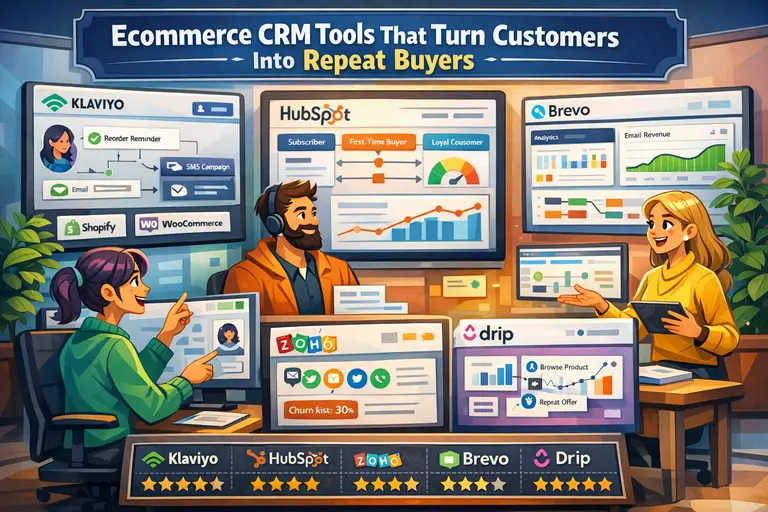 Ecommerce CRM Tools That Turn Customers Into Repeat Buyers
 Ecommerce Marketing Strategies That Increase Sales: 13 Proven Wins
 Advanced Ecommerce Marketing Strategies That Unlock Faster Growth
 How To Improve Ecommerce Marketing Results Without More Ad Spend
 Ecommerce CRM With Best Automation Features: 10 Picks Built to Save Time
 Ecommerce Website Conversion Rate Improvement: 17 Fixes That Work Fast