
Table of Contents
Some links on The Justifiable are affiliate links, meaning we may earn a small commission at no extra cost to you. Read full disclaimer.
Is SurveyMonkey useful for bloggers? In my experience, yes, but only when you use it as a decision tool rather than a random feedback form.
For bloggers who want sharper content ideas, better audience insight, stronger affiliate positioning, or original data to publish, SurveyMonkey can be genuinely useful.
For bloggers who only need a simple one-question poll or have a tiny audience, it can feel like overkill.
The real answer is not “good or bad.” It is whether the platform helps you collect the kind of answers that lead to clearer content, smarter offers, and measurable growth.
What The Real Answer Is: Growth Tool Or Waste?
SurveyMonkey can absolutely help bloggers grow, but only when the survey has a business purpose.
If you are hoping the tool itself will create growth, you will probably be disappointed. If you use it to reduce guesswork, it becomes much more valuable.
When SurveyMonkey Is Actually Useful For Bloggers
The best use case is simple: you have traffic, subscribers, customers, or readers, but you do not fully understand what they want next.
SurveyMonkey is built for collecting structured feedback fast, with ready-made templates, AI-assisted survey creation, shareable web links, social sharing, and real-time charting of responses.
That matters because blogging growth usually slows down when you rely only on assumptions.
For example, imagine you run a finance blog and your traffic is healthy, but your affiliate earnings are flat. A short survey can tell you whether readers are stuck choosing a budgeting app, worried about debt payoff, or confused by investing basics.
Those answers can shape your next article, your email sequence, and even the products you promote. I believe this is where SurveyMonkey shines for bloggers: it turns vague “audience research” into actual decisions.
It is also useful when you want original research. Survey-based content can become blog posts, newsletters, lead magnets, social posts, and outreach assets.
Content Marketing Institute specifically frames original research as a way to build a broader editorial plan, not just publish one report. That is a big deal for bloggers because one good survey can fuel months of content.
When SurveyMonkey Feels Like A Waste
SurveyMonkey can feel expensive or unnecessary if your audience is small, your questions are weak, or you only need a quick yes-or-no poll.
The platform has a free entry point, but many useful features sit behind paid plans, and some plans are clearly aimed at businesses that need more responses, exports, logic, or team collaboration.
It also becomes a waste when bloggers collect feedback they never act on. I have seen this pattern many times: someone sends a survey, gets 78 responses, skims the charts, then goes right back to publishing the same content.
In that case, the platform did not fail. The workflow failed. Survey tools are only useful when they change what you write, what you sell, or how you position your blog.
Another trap is low sample quality. If you ask five loyal subscribers what they want, you may hear strong opinions that do not reflect your wider audience.
SurveyMonkey itself emphasizes sample size, confidence levels, and margin of error, and even a population of 500 can require far more responses than most bloggers expect if they want tighter accuracy.
The Short Verdict Most Bloggers Need
My honest take is this: SurveyMonkey is useful for bloggers who are already treating their blog like a real asset. That usually means you have one of these goals:
- Learn what readers want next.
- Validate a product or lead magnet idea.
- Improve affiliate content with audience language.
- Collect original data for authority content.
- Segment your email list based on needs or experience level.
If you are still at the stage where you barely have readers, I would not rush into a paid plan. But if you already have a newsletter, recurring blog traffic, or an engaged niche audience, SurveyMonkey can save you from creating the wrong content for months. That is not a small benefit.
How SurveyMonkey Helps A Blog Grow In Practice
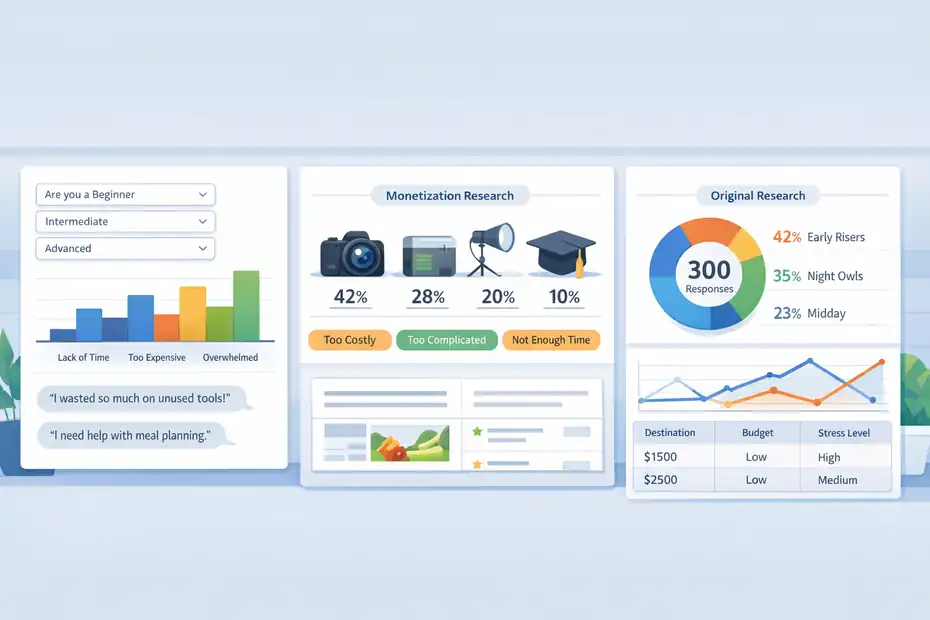
The platform is most valuable when it plugs into the real growth jobs a blogger already has.
Think content research, conversion research, product validation, and audience segmentation. That is where the payoff happens.
Use It To Find Content Ideas Readers Already Want
One of the hardest parts of blogging is not publishing. It is choosing what deserves to be published. SurveyMonkey helps by letting you ask direct, intent-rich questions like “What is your biggest obstacle with meal planning?” or “Which tool are you most frustrated with right now?”
That is far more useful than guessing from keyword volume alone because it reveals motivation, not just search behavior.
A practical setup looks like this:
- Question 1: What best describes you right now?
- Question 2: What is your biggest challenge with [topic]?
- Question 3: What have you already tried?
- Question 4: What would you most want help with next month?
Those questions do two important things. First, they reveal pain points in the reader’s own language. Second, they show content maturity. A beginner audience needs tutorials.
A more advanced audience may want comparisons, workflows, or case studies. That difference matters more than many bloggers realize.
I suggest treating every survey answer like headline research. If 31 people say “I keep wasting money on software subscriptions,” you suddenly have multiple content angles: cancellation guides, tool audits, template downloads, comparison posts, and a premium spreadsheet.
One response theme can become an entire content cluster.
Use It To Improve Monetization And Affiliate Conversions
A lot of bloggers assume low affiliate revenue means they need better copy. Sometimes that is true. But often the real issue is mismatch. You are recommending something your readers are not ready for, do not trust yet, or do not prioritize. A survey helps you find out which.
For example, if you blog about photography, ask readers whether their next purchase is more likely to be a lens, editing software, lighting setup, or online course. You are not just collecting opinions.
You are mapping buying intent. That makes your next affiliate article more strategic because you can focus on the category readers are already considering.
You can also use surveys to identify objections. A reader may want a course but feel overwhelmed, think it is too expensive, or worry it is too advanced. Those objections can shape your content angles.
Instead of writing “best courses for beginners,” you might write “best beginner photography courses if you only have 30 minutes a day.” That is what real audience insight looks like in publishing.
Use It To Create Original Research Content
This is where SurveyMonkey becomes more than a feedback tool. It becomes a content asset generator. SurveyMonkey directly positions its survey software as useful for content marketing and original research, including audience access, analytics, and export options that help teams turn findings into content.
Original data gives your blog something rare: information nobody else has in exactly the same form. That can help with credibility, email signups, social sharing, and backlinks when the findings are interesting and clearly presented.
Content Marketing Institute also notes that good original research should support a story people care about, not just dump numbers on a page.
A blogger in the productivity niche could survey 300 newsletter subscribers about morning routine habits, then publish a post like “What 300 Productivity Readers Actually Do Before 9 A.M.”
A travel blogger could survey readers about trip planning stress and turn that into a report, a lead magnet, and several follow-up posts. That is a much stronger use of surveys than asking, “Do you like my content?”
How To Set Up SurveyMonkey So It Produces Useful Answers
Most bad surveys fail before the first response arrives. The problem is usually unclear goals, weak question design, or poor distribution.
The setup stage matters more than the software brand.
Start With One Clear Decision You Need To Make
Before you write a single question, decide what action the survey should influence. This is the part many bloggers skip. Do not start with “I want feedback.”
Start with something like, “I need to choose my next content series,” or “I need to know which course topic has the strongest demand.”
I recommend choosing one of these decision types:
- Content decision: What should I publish next?
- Offer decision: What should I sell or recommend?
- Messaging decision: What language best reflects reader pain points?
- Segmentation decision: Which readers are beginners, intermediate, or advanced?
Once you know the decision, the survey gets much easier to design. You can remove curiosity questions that feel interesting but do not lead anywhere. That keeps completion rates healthier and results cleaner.
SurveyMonkey and other survey guidance sources consistently emphasize the importance of concise surveys and stronger response rates when surveys are easier to complete.
Write Questions That Produce Actionable, Not Vague, Data
A useful survey question creates a usable next move. A weak question produces polite noise. “What do you think of my blog?” is weak because it invites compliments, confusion, or broad opinions.
“Which of these three topics would help you most this month?” is much stronger because it points toward a specific publishing action.
A strong blogger survey usually mixes three types of questions:
- Multiple choice questions to spot patterns fast.
- Ranking questions to prioritize topics or problems.
- Open-ended questions to capture reader wording and unexpected insights.
SurveyMonkey offers templates and AI-assisted building, which can help you start faster, but you still need to think like an editor. The goal is not more questions.
The goal is better signal. In my experience, one sharp open-ended question can produce more usable content ideas than ten generic ratings.
A good final question is often: “What is one thing you wish more blogs explained clearly about [topic]?” That gives you direct content phrasing from your audience, and it often reveals emotional friction, not just technical confusion.
Keep The Survey Short Enough To Finish
Response quality drops when readers feel trapped in a long, unfocused survey. Qualtrics and SurveyMonkey both stress response-rate improvement through good survey design, realistic length, and easier completion.
That matters for bloggers because your audience is not being paid to respond.
For most blogging use cases, I suggest 5 to 10 questions. That is usually enough to identify major pain points, audience segments, and future content priorities without exhausting people.
If you are collecting original research for a major report, you can go longer, but every question should earn its place.
A practical rule I like is this: if a question will not change your next article, next email, next offer, or next recommendation, cut it. Bloggers tend to over-ask because we are curious. But good survey design is disciplined curiosity.
How To Get Enough Responses For The Data To Matter
Even a great survey is useless if hardly anyone answers it. Distribution matters just as much as question design.
The good news is that bloggers often already have distribution channels they can use well.
Use Your Existing Audience First
SurveyMonkey supports survey sharing through web links and social channels, which makes it easy to distribute through a blog post, newsletter, or social profile.
For bloggers, the highest-quality responses usually come from people who already know your content. They may be fewer in number than a paid panel, but they are often more context-rich and more relevant to your niche.
Your best channels are usually:
- Your email list.
- A post-survey CTA inside relevant blog posts.
- A thank-you page after a lead magnet signup.
- A pinned social post if your audience is active there.
Email is especially useful because it reaches people who already opted in. Mailchimp reports benchmark open rates around 34.23% overall, which is not a promise for your list but does show why email remains a strong place to invite survey participation.
If you only post the survey on social media, expect noisier data. Social followers can be helpful, but email subscribers are usually more invested and easier to connect back to your content strategy.
Know When A Small Sample Is Still Good Enough
Many bloggers freeze because they think they need huge datasets. You do not always. SurveyMonkey’s sample-size guidance shows that the number of responses you need depends on population size and how much uncertainty you can tolerate.
With a population of 500, for instance, the response target changes a lot depending on whether you accept a 10%, 5%, or 3% margin of error.
For everyday blog decisions, you often do not need academic precision. If 60 engaged subscribers answer and 42 of them highlight the same obstacle, that is already valuable directional data. I would not present that as universal market research, but I would absolutely use it to guide the next article series.
Where bloggers get into trouble is over-claiming. Small samples are great for internal strategy. They are weaker for bold public claims unless you are transparent about the limits. That distinction matters a lot for credibility.
Consider Paid Respondents Only For Specific Research Goals
SurveyMonkey Audience gives access to a respondent panel that the company says reaches 335M+ people across 130+ countries. That can be useful if your blog is targeting a market you do not already have access to, or if you want broader research beyond your own readership.
But I would use that carefully as a blogger. If your goal is understanding your own readers, a paid general panel is not a perfect substitute. It is better for market-level research than community-level insight.
For example, if you blog about skincare for women over 40 and want general consumer trends, paid respondents may help. If you want to know why your own newsletter readers are not buying your guide, your own list is far more useful.
Pricing, Features, And Whether The Cost Makes Sense
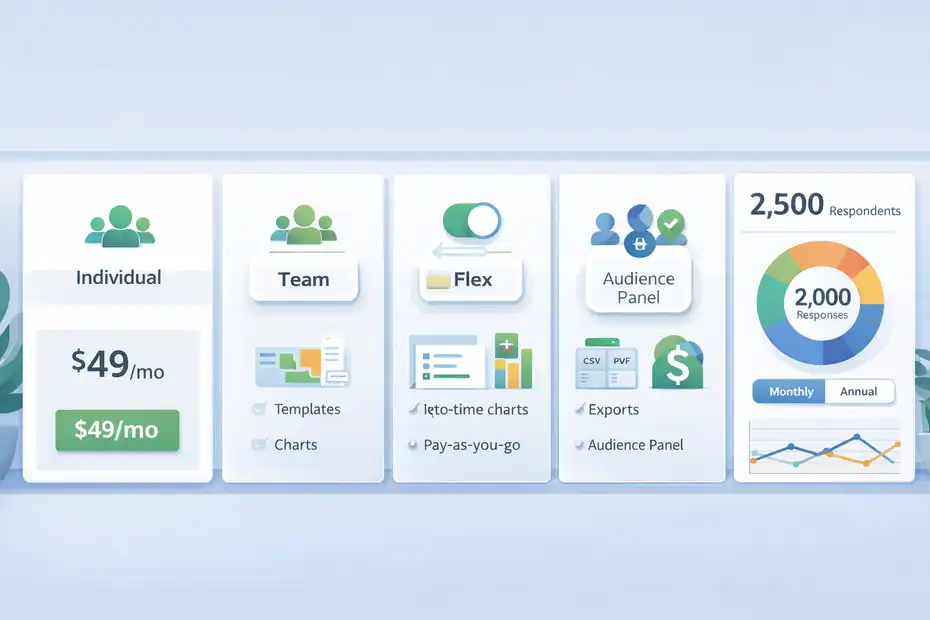
This is where many bloggers decide whether SurveyMonkey feels practical or excessive.
The answer depends on how often you will use surveys and what kind of analysis or sharing you need.
What You Get From SurveyMonkey That Bloggers Usually Care About
SurveyMonkey’s current product pages highlight AI survey building, templates, real-time charts, exports, multilingual support, web and social sharing, and access to a respondent panel on eligible plans or purchases.
Higher plans add stronger export and analysis options, while team plans introduce collaboration features that solo bloggers often do not need.
Here is the practical blogger view:
| Need | Why It Matters For Bloggers | SurveyMonkey Relevance |
|---|---|---|
| Fast survey creation | Helps you move from idea to published survey quickly | Strong, especially with templates and AI build tools |
| Real-time charts | Lets you spot patterns without heavy analysis | Strong for quick audience feedback |
| CSV/XLS/PDF export | Useful when turning responses into reports or deeper analysis | More important for original research content |
| Audience panel | Useful if you need respondents outside your own readership | Situational, not essential for most bloggers |
| Team collaboration | Helpful for agencies or media teams | Usually unnecessary for solo bloggers |
When Paying Makes Sense
Paying starts to make sense when your survey results influence revenue. That could mean higher affiliate conversions, a better course offer, stronger lead magnets, or original research that earns links and subscribers.
SurveyMonkey’s pricing pages show a range from lower individual tiers up to more advanced individual and team plans, including monthly and annual options, plus a Flex option for pay-as-you-go style analysis needs.
If you only run one small survey every few months, I would be cautious about subscribing long term. If you are using surveys quarterly to shape content, segment readers, and guide monetization, the math changes.
In that situation, one better-performing article or one validated product idea can easily cover the software cost. That is why I see SurveyMonkey as a workflow tool rather than a pure “survey app.”
When A Simpler Option Might Be Better
Not every blogger needs SurveyMonkey. If all you need is a lightweight poll inside a newsletter or a single form on your site, the full platform may be more than you need. SurveyMonkey is strongest when you care about structure, cleaner analysis, reusable templates, and potentially larger-scale research.
My rule is simple: The more strategic your questions, the more SurveyMonkey makes sense. The more casual your polling needs, the less necessary it becomes.
Common Mistakes Bloggers Make With SurveyMonkey
This is where the tool gets blamed for problems that are really process issues. Most survey mistakes are easy to avoid once you know what to look for.
Asking Readers What To Write Instead Of What They Struggle With
Readers are not always great editors. If you ask, “What blog posts should I create next?” you may get shallow requests or random wish lists. If you ask, “What is the most frustrating part of [topic] for you right now?” you get a problem. Problems are easier to turn into useful content than topic suggestions.
This is a subtle but important shift. Bloggers often ask for ideas when they really need context. Once you understand the struggle, the format becomes easier to choose. Maybe the answer is not a blog post at all.
Maybe it is a checklist, a calculator, a video walkthrough, or a mini email course.
Mixing Different Audience Types Into One Survey
A beginner and an advanced reader can give opposite answers, and both can be right. That is why segmentation matters. If you do not separate experience levels, business models, budgets, or goals, your results can become muddy fast.
SurveyMonkey supports question logic and structured survey design, which helps, but you still need to decide what segments matter.
A food blogger, for example, may have casual readers looking for quick recipes and power users looking for meal prep systems. If you treat those audiences as one group, the responses may look inconsistent when they are really just describing different needs.
Treating Survey Results As Absolute Truth
Survey data is useful, but it is not sacred. You should compare it with analytics, email clicks, sales patterns, and actual reader behavior. Mailchimp’s reporting guidance emphasizes measuring what people do, not just what they say.
I strongly agree with that. Survey answers are excellent directional signals, but behavior data helps confirm whether the signal is strong enough to act on.
I have seen bloggers say readers want one thing, then launch it and watch something else outperform it. That does not mean surveys are bad. It usually means stated preferences and buying behavior are not always identical. Use both.
Advanced Ways Bloggers Can Use SurveyMonkey Better Than Most People Do
Once the basics are working, SurveyMonkey can become part of a smarter content system.
This is where bloggers move from “collecting feedback” to building a repeatable insight engine.
Build A Recurring Reader Insight Loop
Instead of sending one big survey a year, run smaller surveys on a schedule. For example, one quarterly audience survey, one post-purchase survey, and one annual trend survey.
This creates a rhythm where audience insight becomes part of your editorial planning rather than a one-off event.
A recurring loop might look like this:
- Quarterly survey: What readers need now.
- Post-download survey: Why they grabbed a lead magnet.
- Annual research survey: Data for a flagship report.
That setup helps you separate immediate tactical needs from broader trend analysis. It also reduces the pressure on any single survey to answer everything.
Turn Open-Ended Responses Into SEO Angles
This is one of my favorite uses. Open-ended answers often reveal the exact phrasing readers use when describing a pain point. That language can improve your titles, intros, FAQs, email subject lines, and product messaging. It is especially helpful when keyword tools give you broad terms but not emotional nuance.
For instance, your audience may never say “project management optimization,” but they may say, “I keep dropping tasks because my system is too complicated.” That sentence is gold. It can inspire a more natural blog title, a better article hook, and a more persuasive CTA.
I suggest exporting open-text responses and tagging them manually by theme: frustration, desired outcome, objection, tool confusion, time problem, budget problem, and skill gap. That simple categorization can sharpen your entire content strategy.
SurveyMonkey’s export options make that process easier when you want to work outside the platform.
Publish Findings In Formats That Keep Working
If you do create original research, do not stop at one blog post. Content Marketing Institute highlights using original research as a broader planning engine, and that idea is especially useful for bloggers trying to stretch each effort further.
One survey can become:
- A flagship data post.
- A condensed newsletter issue.
- Several stat-driven social posts.
- A podcast talking point list.
- A lead magnet.
- A media outreach angle.
That is how you justify the effort. Bloggers often underestimate the compounding value of one well-designed research project. A survey that takes an hour to build can feed months of content when the topic is strong and the analysis is specific.
Final Verdict: Is SurveyMonkey Useful For Bloggers?
Yes, SurveyMonkey is useful for bloggers, but not in a magical, automatic way. It is useful when you already have an audience, a clear question, and a willingness to act on the data. It is especially strong for content research, audience segmentation, offer validation, and original research publishing.
Its current platform includes AI survey creation, templates, exports, real-time charts, social sharing, and optional access to broader respondent panels, which makes it more capable than a basic poll tool.
For newer bloggers with very little traffic, I think it is easier to overpay and underuse it. For established bloggers, newsletter creators, and niche site owners who want to reduce guesswork, it can be a genuine growth tool.
The difference comes down to this: are you asking questions that lead to better content, better offers, and better positioning? If yes, SurveyMonkey is not a waste. It is a shortcut to clearer decisions.
FAQ
What is SurveyMonkey and how does it help bloggers?
SurveyMonkey is an online survey tool that helps bloggers collect structured feedback from their audience. It allows you to understand reader preferences, identify content gaps, and validate ideas. This insight helps you create more relevant posts, improve engagement, and make smarter monetization decisions.
Is SurveyMonkey useful for bloggers with small audiences?
SurveyMonkey can still be useful for bloggers with small audiences, but its value depends on how you use the data. Even a small number of responses can reveal patterns about reader needs. However, if traffic is very low, simpler tools or direct feedback may be more practical.
Can SurveyMonkey improve blog content and SEO?
Yes, SurveyMonkey can improve blog content and SEO by uncovering real audience questions and pain points. This helps you create content aligned with search intent and user needs. Better alignment often leads to higher engagement, longer time on page, and improved search rankings over time.
Is SurveyMonkey worth the cost for bloggers?
SurveyMonkey is worth the cost if you regularly use surveys to guide content, products, or affiliate strategies. If insights from surveys directly influence your decisions and increase conversions or traffic, the return can outweigh the cost. Otherwise, it may feel unnecessary.
What are the best ways bloggers can use SurveyMonkey?
Bloggers can use SurveyMonkey to research content ideas, validate product concepts, segment their audience, and collect original data. It is especially effective for understanding reader challenges and improving messaging. The key is asking focused questions that lead to clear, actionable decisions.

I’m Juxhin, the voice behind The Justifiable.
I’ve spent 6+ years building blogs, managing affiliate campaigns, and testing the messy world of online business. Here, I cut the fluff and share the strategies that actually move the needle — so you can build income that’s sustainable, not speculative.
Related posts:
 Discover the Best Blogging Platform: 5 User Favorites
 The Biggest Mistakes When Creating a Blog – Fix Them Now
 Blog Ideas That Make Money and Grow Your Traffic
 How to Create Your Blog for Traffic and Steady Income
 Make My Own Blog and Grow a Loyal Audience
 SurveyMonkey Honest Review For Bloggers Collecting Emails: Smart Or Risky?