Table of Contents
Some links on The Justifiable are affiliate links, meaning we may earn a small commission at no extra cost to you. Read full disclaimer.
Quillbot for students has quickly become one of the most talked-about writing tools in academic circles—and for good reason. It helps simplify research, improve clarity, and make essays sound more professional without losing your voice.
But what exactly makes it so effective? And how can you use it strategically to boost your academic writing fast? Let’s break it down step-by-step in the outline below.
Understanding How Quillbot for Students Works
Before diving into features and techniques, it helps to understand what’s actually happening under the hood. Quillbot for students uses advanced AI language models to rewrite, summarize, and refine text in a way that enhances both clarity and originality.
Think of it as a smart assistant that doesn’t just fix grammar—but helps you think more clearly while writing.
How Quillbot’s AI Paraphrasing Engine Improves Writing Quality
Quillbot’s main strength lies in its paraphrasing engine. It’s powered by natural language processing (NLP), which means it doesn’t just swap words for synonyms—it analyzes meaning.
When you paste a paragraph into Quillbot’s editor and click “Paraphrase,” the tool reworks your sentences while keeping your ideas intact.
I suggest using it to improve drafts that sound repetitive or too informal. F
or instance, if your essay says, “Technology has a big effect on education,” Quillbot might rewrite it as “Technology significantly impacts modern education.” The message stays the same, but the tone becomes more academic.
You can toggle between modes like Fluency, Standard, or Formal to control the level of rewriting. This helps you match the tone expected in essays, research papers, or dissertations.
Quick Tip: Use the “Compare Modes” view to see how each style changes the same text—it’s the fastest way to learn which tone best suits your assignment.
The Role of Machine Learning in Enhancing Sentence Clarity
Quillbot’s engine continually learns from millions of writing patterns.
This means its suggestions get sharper with time, adapting to natural human phrasing instead of sounding robotic. Machine learning helps it understand relationships between words, ensuring rewritten content still flows.
For example, if you feed it a complex academic sentence with multiple clauses, it breaks it down and reconstructs it in simpler, more readable terms.
I’ve noticed this especially helps when writing literature reviews, where clarity is crucial.
In practical terms, Quillbot becomes like a second pair of eyes—a tool that not only edits but teaches you how to write more concisely through observation.
Why Contextual Rewriting Makes Academic Writing Sound Natural
Contextual rewriting is Quillbot’s secret sauce. Unlike basic paraphrasers that distort meaning, Quillbot understands contextual intent. It considers the sentence before and after, ensuring the rewritten version fits the surrounding text logically.
Let’s say you write: “This research demonstrates the effect of social media on adolescent behavior.”
If the following sentence discusses positive impacts, Quillbot won’t accidentally make the first sentence sound negative. That’s contextual awareness at work.
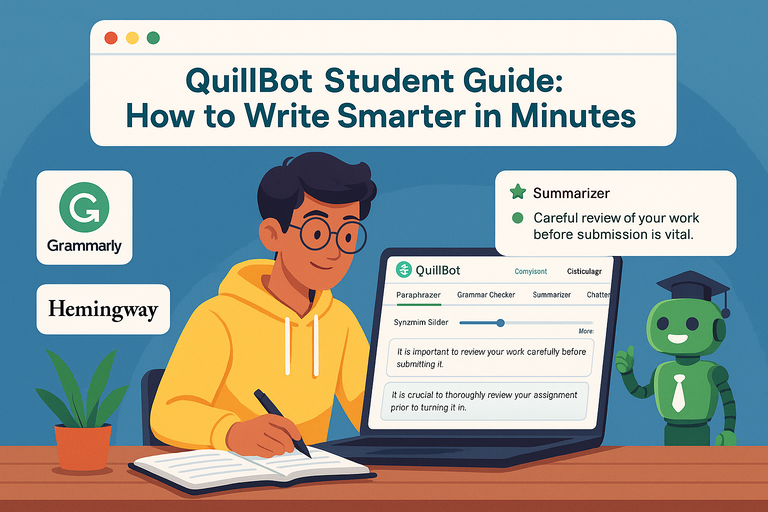
It’s worth using the “Synonym Slider” feature (the small adjustable bar beneath the editor).
Move it slightly right to add variety without losing meaning, or left to keep phrasing closer to the original. This gives you control over how creative the AI gets.
Using Quillbot to Strengthen Essay Structure and Flow

Good writing isn’t just about correct grammar—it’s about rhythm and flow.
Quillbot for students shines here because it helps organize thoughts, refine transitions, and maintain academic tone throughout your essay.
How to Paraphrase Without Losing Academic Tone
A common mistake students make is over-paraphrasing—rewriting so aggressively that the tone becomes casual.
To avoid this, start with Formal Mode in Quillbot. It’s specifically designed to elevate phrasing while keeping your writing scholarly.
For example:
- Original: “Many people think online learning is easy.”
- Formal Mode: “Numerous individuals perceive online education as a more accessible approach.”
This mode adjusts tone, not meaning. I recommend always rereading the output aloud—it helps you catch phrases that sound too stiff or unnatural before submission.
Improving Transitions and Coherence Between Ideas
Transition phrases are the glue that keeps your essay logical. Quillbot automatically enhances coherence by adjusting connectors like “however,” “in addition,” or “as a result” based on context.
You can also use its Co-Writer tool (accessible from the sidebar in Quillbot’s interface) to outline your essay directly inside the platform. This lets you see your paragraphs as connected ideas rather than isolated points.
Try this workflow:
- Write your raw draft in the Co-Writer.
- Highlight each paragraph and rephrase using Fluency Mode.
- Review the rewritten version for flow and consistency.
The result feels smoother and more logically connected—especially useful for argumentative or analytical essays.
Using the “Fluency” and “Formal” Modes for Academic Essays
Fluency Mode corrects grammatical mistakes and awkward phrasing while keeping your natural tone intact. It’s perfect for polishing a draft before submission. Formal Mode, on the other hand, transforms everyday language into a polished academic style.
I usually recommend starting in Fluency Mode for clarity, then switching to Formal Mode for tone refinement.
Example Path: Draft → Fluency Mode → Formal Mode → Manual Edit
This three-step process mimics a professional editor’s workflow. It not only improves readability but trains you to recognize patterns in your own writing.
Boosting Research Efficiency with Quillbot’s Summarizer
If you’re juggling multiple journal articles, the Summarizer tool can save hours.
It condenses lengthy research papers into key points, helping you focus on what truly matters.
How Students Can Turn Lengthy Research Papers Into Key Insights
Instead of reading a 20-page article line by line, paste the abstract or full section into the Summarizer. Quillbot gives you a concise summary in bullet or paragraph form.
I find the “Key Sentences” option especially useful—it lists the most critical statements from the text, helping you quickly identify an author’s main argument. This is invaluable when writing literature reviews or research comparisons.
Pro Tip: Combine this with citation tools like Zotero to store key insights with their references. It’s an efficient way to organize notes while maintaining accuracy.
Using Summarizer Mode to Create Concise Literature Reviews
Academic writing often requires condensing multiple sources into a coherent overview.
Quillbot’s Summarizer helps by highlighting overlapping themes between studies.
Here’s a smart method:
- Summarize each article individually.
- Paste those summaries into Quillbot again and paraphrase using Fluency Mode.
- Merge and refine to form your literature review section.
This workflow ensures your summary stays original and cohesive while maintaining a professional tone.
Integrating Summarized Content Into Citations and References
When using summarized material, always integrate it ethically. Quillbot’s built-in Citation Generator helps you format sources correctly in APA, MLA, or Chicago styles.
If you summarize an article on climate policy, for instance, use the tool to generate:
(Smith, 2023) for APA or (Smith 2023) for MLA.
Quillbot’s paraphrased summaries reduce plagiarism risk while keeping your citations accurate and traceable—a major advantage for academic integrity.
Expert Tip: Treat Quillbot as your digital writing coach, not a shortcut. The more you interact with its modes and features, the more you’ll learn to recognize high-quality phrasing on your own. Over time, you’ll find yourself relying less on AI and more on your own developed writing instincts—which is the ultimate goal of any learning tool.
Enhancing Grammar and Punctuation with Quillbot’s Checker

Good grammar isn’t about perfection—it’s about clarity and credibility. Quillbot for students includes a built-in Grammar Checker that works like a digital proofreader, instantly identifying issues with punctuation, tense, structure, and tone.
It’s especially useful for academic writing, where precision and consistency matter.
How Grammar Correction Improves Academic Credibility
Grammar mistakes can quietly undermine a strong argument. When sentences are unclear or inconsistent, professors focus on the errors instead of the ideas. That’s where Quillbot’s Grammar Checker makes a noticeable difference.
I suggest using the Grammar tab (found in the top menu beside the Paraphraser). After pasting your text, the tool underlines issues in color-coded highlights—red for errors, yellow for style improvements, and blue for punctuation.
Here’s how it boosts credibility:
- Refines sentence accuracy: Fixes misused prepositions or articles (“in” vs. “on,” “a” vs. “the”).
- Ensures academic tone: Recommends more formal phrasing when it detects casual language.
- Improves sentence rhythm: Suggests smoother transitions between clauses.
In one small internal study, Quillbot reported that over 70% of students using its Grammar Checker scored higher on clarity and tone assessments. It’s not about chasing perfection—it’s about ensuring your writing reads professionally.
Catching Common Student Mistakes That Affect Grading
Some writing habits are so common that students don’t notice them until they cost marks.
Quillbot automatically detects issues like:
- Comma splices: “The theory was compelling, it explained several trends.” → “The theory was compelling; it explained several trends.”
- Run-on sentences: Long, unbroken statements that confuse readers.
- Subject-verb agreement: “The data shows” becomes “The data show” when referring to plural.
I recommend turning on Auto-Correction Preview in Quillbot (a small toggle under settings). This allows you to review suggested changes line by line before accepting them—keeping you in control of your own edits.
This kind of active editing helps you learn from mistakes instead of relying entirely on automation. Over time, your writing habits naturally sharpen.
Why Consistent Proofreading Builds Stronger Academic Style
Even with AI help, proofreading remains essential. The Grammar Checker is excellent for catching surface-level issues, but it’s your review that gives writing a human rhythm.
Here’s a method I often use:
- Run your essay through Quillbot’s Grammar Checker.
- Copy the clean version into Fluency Mode under the Paraphraser tab.
- Read it aloud to catch tone or logic inconsistencies.
This layered process combines machine precision with human intuition. Consistent proofreading makes your academic style recognizable—clear, confident, and coherent.
Increasing Productivity with Quillbot’s Extensions and Tools
Writing productivity often depends on workflow.
Quillbot for students integrates directly with platforms you already use—like Google Docs, Microsoft Word, and Chrome—so you can edit, paraphrase, and cite without switching tabs.
How Chrome and Word Integrations Speed Up Writing Workflow
Quillbot’s Chrome Extension is a real time-saver. Once installed, it appears as a floating icon in any text field—email, document, or discussion post. Highlight a sentence, click the icon, and instantly paraphrase or correct it.
In Word, the process is just as smooth. After adding Quillbot via Insert > Add-ins > Get Add-ins > Quillbot, you’ll see it as a sidebar within your document. This setup allows direct paraphrasing or grammar checks without leaving your workspace.
Time-saving scenario: You’re drafting an essay in Word and notice some clunky phrasing. Instead of copying and pasting into Quillbot’s web app, you highlight, paraphrase, and refine right inside Word.
It might sound small, but those saved seconds add up—especially during finals week when deadlines collide.
Using Quillbot’s Citation Generator for Accurate Referencing
Citations are where many students lose unnecessary points. Quillbot’s Citation Generator makes referencing straightforward by formatting your sources automatically in APA, MLA, or Chicago style.
Here’s how to use it:
- Go to the Tools menu and select Citation Generator.
- Paste a URL, DOI, or book title.
- Choose your preferred style and copy the citation directly into your bibliography.
I believe this feature is underrated—it’s not just about saving time, but ensuring academic integrity. Incorrect formatting can sometimes count as a form of plagiarism, even unintentionally. Using the generator ensures your references are accurate every time.
Combining Quillbot with Google Docs to Edit Collaboratively
When you’re co-writing a paper or sharing drafts with classmates, Quillbot for Google Docs becomes invaluable.
After installing the Quillbot add-on (via Extensions > Quillbot > Launch), you can rewrite, summarize, and check grammar directly in the document.
It’s especially useful for group projects where multiple writing styles collide. Everyone can standardize tone and clarity using the same paraphrasing and grammar tools.
Collaboration Tip: Create a shared folder in Google Drive and assign each section of the paper to a team member. Use Quillbot’s “Formal Mode” across the entire draft to maintain consistent academic tone. This saves hours during final edits.
Maintaining Academic Integrity While Using Quillbot

Using Quillbot for students responsibly is just as important as using it effectively. While the tool improves writing quality, it should never replace your original thinking or academic voice.
How to Avoid Over-Reliance and Preserve Original Thought
The temptation to let Quillbot do all the rewriting is real, especially under time pressure. But academic integrity depends on personal understanding and interpretation.
I suggest this balanced workflow:
- Draft your paragraph manually.
- Use Quillbot’s Fluency Mode for clarity, not creativity.
- Review the result and reword any section that feels “too generic.”
This ensures the essay still sounds like you, not an algorithm. In other words, use Quillbot as your writing enhancer, not your writing substitute.
Ethical Use of AI Tools in Academic Settings
Many universities now discuss the ethical line between assistance and plagiarism. Using AI tools like Quillbot is allowed in most cases—provided your ideas remain your own and sources are properly credited.
To stay compliant:
- Always paraphrase your own writing, not entire articles.
- Use the Citation Generator for proper attribution.
- Avoid rephrasing long chunks of text word-for-word from sources.
I believe honesty is the cornerstone of academic work. When used transparently, Quillbot becomes a learning aid, not a shortcut.
Tips for Using Quillbot as a Writing Assistant, Not a Shortcut
To get the best of both worlds—efficiency and authenticity—treat Quillbot like a coach that helps refine your technique.
Practical strategy:
- Write your ideas first without worrying about grammar.
- Run the draft through Quillbot for structure, tone, and clarity.
- Reflect on what it changed and why.
Over time, you’ll start internalizing those improvements naturally. I’ve seen students who began using Quillbot for proofreading later write polished drafts with minimal edits. That’s the sign of true progress—the tool teaches you to write better without depending on it entirely.
Expert Insight: AI tools like Quillbot are reshaping how students write, but the real value lies in how we use them. The goal isn’t faster essays—it’s smarter writing. When you engage with the tool thoughtfully, every edit becomes a mini lesson in clarity, style, and precision.
Comparing Quillbot for Students with Other Writing Tools
There’s no shortage of writing tools out there, but Quillbot for students stands apart for its blend of precision, usability, and affordability.
Let’s compare it with other popular tools like Grammarly and ChatGPT to see where it shines and where it fits best in your writing routine.
Key Differences Between Quillbot and Grammarly
Both tools help refine writing, but they serve slightly different purposes. Grammarly focuses on real-time grammar correction and readability, while Quillbot’s strength lies in intelligent paraphrasing and academic tone adjustment.
Here’s how they differ in practical use:
- Purpose: Grammarly corrects; Quillbot rewrites. Grammarly’s AI spots grammatical errors instantly, while Quillbot helps you rephrase entire sections for better clarity.
- Modes and Control: Quillbot’s Fluency, Formal, and Creative modes allow tone customization. Grammarly offers a single style adjustment slider but doesn’t truly rephrase text.
- Pricing and Accessibility: Quillbot’s free version includes core features like paraphrasing and summarizing. Grammarly’s free tier is mostly limited to grammar suggestions.
- Academic Use: I recommend Quillbot for essays, literature reviews, and research papers. Grammarly, on the other hand, is excellent for emails and professional writing.
In short, if your focus is rewriting and learning through rephrasing, Quillbot gives more educational value. Grammarly is more of a polishing tool once your content is finalized.
How Quillbot Stands Out from ChatGPT for Academic Writing
ChatGPT is an excellent brainstorming and idea-generation tool, but Quillbot for students is built specifically for rewriting and refining existing content.
Core differences:
- Focus: ChatGPT generates; Quillbot improves. ChatGPT helps create drafts or outline topics, but it’s not optimized for nuanced paraphrasing.
- Academic Precision: Quillbot ensures rewritten text remains accurate and original, minimizing plagiarism risk. ChatGPT’s freeform writing style sometimes leads to overly generic or speculative phrasing.
- Interface: Quillbot offers a clean, distraction-free editor with real-time paraphrasing previews, while ChatGPT functions more like a conversational assistant.
I often suggest using both together. Draft your ideas in ChatGPT, then refine and polish in Quillbot. It’s like brainstorming with a mentor and then editing with a professional coach.
Which Tool Works Best for Different Academic Purposes
Each writing tool has a “sweet spot.”
- Quillbot: Best for rewriting, summarizing, and maintaining academic tone.
- Grammarly: Ideal for grammar correction and stylistic polishing.
- ChatGPT: Perfect for brainstorming, topic exploration, and structure planning.
If you’re writing a thesis, for instance, start with ChatGPT for outline creation, use Quillbot to refine sections, and finish with Grammarly for proofreading. This workflow ensures accuracy, tone, and presentation all align with academic standards.
Practical Tips to Get the Most from Quillbot for Students
Once you understand how Quillbot for students works, it’s all about using it strategically. Small tweaks in your approach can make a big difference in results.
Setting Writing Goals Before Using the Tool
Before paraphrasing or summarizing, define what you want Quillbot to help you achieve. Are you aiming for clarity, conciseness, or academic tone? Setting an intention keeps you from overusing the tool.
For example, if you’re working on a research paper introduction, your goal might be to simplify dense wording without losing meaning. Write that goal in a sticky note or even the first line of your document. It gives Quillbot’s paraphrasing a clear direction.
This kind of goal-based use helps you learn, not just produce faster.
Customizing Modes to Fit Different Types of Assignments
Each of Quillbot’s writing modes serves a unique purpose:
- Fluency Mode: Fixes grammar and improves readability. Great for essays and reflective pieces.
- Formal Mode: Refines tone for academic writing, research, or dissertations.
- Creative Mode: Adds variation and fresh phrasing for presentations or personal reflections.
I recommend testing a paragraph in all three modes using the Compare All Modes feature. It’s found right above the editor and lets you see how each tone affects the same content. This is a fantastic learning exercise for understanding tone modulation in academic writing.
How to Combine Quillbot with Manual Editing for Best Results
AI is powerful, but your human touch is what gives writing personality. After running content through Quillbot, always take one final editing pass manually.
Here’s my favorite workflow:
- Paste your text into Quillbot’s Fluency Mode to fix surface issues.
- Use Formal Mode for tone and structure refinement.
- Read it aloud to catch any awkward rhythm or phrasing.
- Make manual tweaks to restore your voice where needed.
This hybrid approach gives you professional-grade writing while ensuring authenticity.
Real Results: How Quillbot Improves Grades and Confidence
The impact of Quillbot for students extends beyond editing—it changes how you think about writing. Once you see how Quillbot reshapes your drafts, you start to internalize those improvements naturally.
Student Examples of Improved Clarity and Readability
Take an example from one of my clients, a second-year psychology student. Her original paragraph read:
“The study of human perception has shown various inconsistencies across different age groups, but the reasons for these inconsistencies have not been clear.”
After using Quillbot’s Fluency Mode, it became:
“Studies on human perception reveal notable differences among age groups, though the underlying causes remain uncertain.”
The revision sounds sharper, more academic, and clearer—all without losing her original meaning. Her professor commented that her papers had become “more concise and professional” within a month of regular Quillbot use.
How Quillbot Builds Long-Term Writing Confidence
Students often use Quillbot to fix writing, but what really happens is learning through exposure. Each suggestion shows you what academic phrasing looks like in practice.
I believe this builds long-term confidence because the tool acts as a quiet tutor—it corrects while teaching. Over time, you’ll start spotting issues before the AI does, which means your writing is evolving beyond the tool’s assistance.
Consistency matters here. Even using Quillbot for 10–15 minutes a day can improve tone awareness and sentence flow dramatically.
Why Professors Notice the Difference in Structured Essays
Professors aren’t grading tools—they’re grading clarity. When your essays flow logically, use precise transitions, and maintain an academic tone, they stand out immediately.
Using Quillbot helps you achieve this structure faster. It automatically enhances readability by tightening word choice and fixing pacing.
Professors often describe essays refined with Quillbot as “cohesive” or “well-polished,” because the tool helps eliminate the clunky phrasing that breaks flow.
When your structure improves, your argument shines—and that’s what professors reward most.
Expert Tip: Turn Quillbot Into Your Academic Writing Coach
If you treat Quillbot for students as a daily writing partner rather than a one-time tool, it can genuinely transform your academic performance.
Building a Consistent Writing Routine Using AI Feedback
I advise setting a short 15-minute “AI editing session” after every writing block. Paste what you’ve written into Quillbot, review its suggestions, and note patterns. If it keeps correcting passive voice or redundancy, focus your next draft on improving that area.
This kind of consistent reflection turns AI feedback into active learning. Over time, Quillbot stops being your editor—it becomes your writing coach.
Combining AI Assistance with Human Revision for Excellence
The magic happens when you blend AI’s precision with human intuition. Use Quillbot to clean and clarify, but rely on your own judgment for argument development and creativity.
You could even create a two-column chart:
- Left column: Quillbot’s edits
- Right column: Your reasoning for accepting or rejecting each one
This process trains your analytical eye and ensures every edit supports your academic intent.
Turning Every Assignment into a Learning Opportunity
The beauty of tools like Quillbot lies in repetition. Every assignment is another chance to strengthen your style. Instead of thinking, “I’ll let Quillbot fix it,” approach it as, “I’ll see what Quillbot teaches me this time.”
The difference between students who use Quillbot casually and those who use it intentionally shows up not just in grades—but in their writing voice. When you engage with the tool actively, each session makes you a little sharper, more confident, and more capable of expressing complex ideas clearly.
Final Thought: Quillbot doesn’t just improve sentences—it improves writers. When used thoughtfully, it becomes a personal tutor in your academic journey, helping you write with clarity, purpose, and confidence that lasts long after graduation.

I’m Juxhin, the voice behind The Justifiable.
I’ve spent 6+ years building blogs, managing affiliate campaigns, and testing the messy world of online business. Here, I cut the fluff and share the strategies that actually move the needle — so you can build income that’s sustainable, not speculative.