
Table of Contents
Some links on The Justifiable are affiliate links, meaning we may earn a small commission at no extra cost to you. Read full disclaimer.
QuillBot similar tools have become essential for writers who want polished, high-quality content without spending hours editing.
Whether you’re rewriting blog posts, improving sentence flow, or fixing grammar errors, these AI-powered tools can help you write faster and smarter. But which ones actually deliver results and aren’t just glorified spell-checkers?
This guide breaks down the best alternatives to QuillBot that offer strong rewriting and grammar correction features—so you can decide which one fits your writing style and goals best.
1. Grammarly – Best Overall QuillBot Similar Tool For Grammar And Clarity
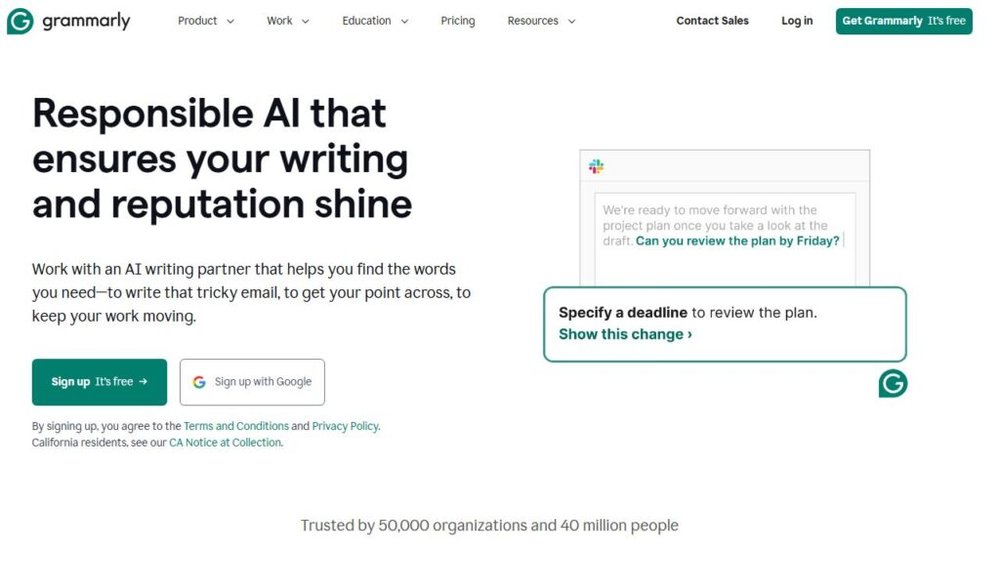
Grammarly stands out as the most complete QuillBot similar tool because it goes beyond simple grammar correction — it actively helps you write with confidence and polish across any platform.
I’ve used it for everything from emails and blogs to client proposals, and it consistently feels like having a real-time editor in your browser.
Comprehensive Grammar And Style Corrections
Grammarly’s AI checks your text for grammar, punctuation, spelling, and sentence structure in real time. What makes it exceptional is how context-aware it is. Instead of just flagging “errors,” it suggests better phrasing that fits your tone and intent. For example, it can detect subtle mistakes like:
- “There effect was minimal” → “Their effect was minimal.”
- “He run fast yesterday” → “He ran fast yesterday.”
Beyond catching these basics, Grammarly offers clarity-focused rewrites that restructure long or confusing sentences for smoother flow. It’s ideal when editing marketing content, essays, or social media posts that need both correctness and readability.
I recommend exploring Grammarly’s “Goals” feature (accessible in the top-right corner of the web app), where you can set your tone (e.g., formal, friendly, confident) and audience type. The AI tailors feedback accordingly — an underrated gem that most users overlook.
Real-Time Rewriting Suggestions For Better Flow
When compared to QuillBot’s “Paraphraser,” Grammarly’s real-time rewriting is less about full paraphrasing and more about natural improvement. It underlines clunky sentences with gray or blue highlights and suggests rewrites like:
- “This could be stated more clearly.”
- “Consider breaking this into two sentences.”
This feels seamless when writing inside tools like Google Docs or WordPress, where you don’t need to copy and paste between editors. I find this live rewriting especially helpful when editing long-form content — it prevents me from overthinking every sentence.
If you’re using Grammarly Premium, the “Rewrite Full Sentence” feature is a lifesaver. It gives one-click alternatives that are grammatically perfect and stylistically smooth — great for rephrasing intros or CTA (call-to-action) lines.
Tone And Readability Adjustments For Professional Writing
Grammarly’s tone detector is one of its most human-like features. It doesn’t just flag what’s wrong — it helps you understand how your writing sounds. You can instantly see feedback like:
- “Your tone is friendly and confident.”
- “Your message may sound slightly apologetic.”
For professionals, this helps maintain consistency in voice across platforms. I often use it when switching between writing blog content (where I want an approachable tone) and B2B proposals (where I need authority and precision).
You’ll also get readability metrics, including word count, sentence length, and vocabulary variety — all accessible from the sidebar dashboard. This helps you refine writing flow without sounding robotic.
Integrations With Google Docs, Word, And Email Platforms
Grammarly’s real power shows in its integrations. It’s available as:
- Chrome and Edge extensions: For browser-based writing (Gmail, LinkedIn, Notion).
- Microsoft Word and Outlook add-ins: Ideal for corporate communication.
- Desktop app for macOS and Windows: A distraction-free editor synced across devices.
For instance, when drafting a professional email in Gmail, Grammarly automatically underlines errors and suggests improvements without leaving the email composer.
The experience is seamless — you write as usual, and Grammarly polishes behind the scenes.
I’d suggest enabling Grammarly Keyboard on mobile if you often reply to messages or edit text on the go. It’s like carrying a mini copyeditor in your pocket.
2. Wordtune – AI Rewriting Tool For Natural Sentence Rephrasing

If you love QuillBot’s rewriting tool but wish it sounded more human, Wordtune might just be your best friend. It’s designed to make your sentences clearer, shorter, or more expressive — without stripping away your personal tone.
I use it often when I want a fresh take on a sentence that feels “stuck.”
Context-Aware Sentence Rewrites That Preserve Meaning
Wordtune shines in its ability to understand context. When you highlight a sentence and click “Rewrite,” it doesn’t just shuffle words — it rephrases while keeping intent intact.
For example:
- Original: “We need to improve our SEO strategies to rank higher.”
- Wordtune rewrite: “We should refine our SEO approach to boost rankings.”
See the difference? It keeps the meaning but improves flow. This makes it perfect for blog writers, marketers, or freelancers who need to maintain voice consistency while improving readability.
You can access these options instantly using the floating purple icon next to your cursor in Wordtune’s Chrome extension — just highlight a line and choose from rewrite suggestions.
Shorten Or Expand Sentences Without Losing Clarity
Sometimes a sentence feels too long or too short for what you’re trying to say. Wordtune’s “Shorten” and “Expand” buttons fix that instantly.
- Shorten condenses sentences to remove fluff while keeping meaning intact.
- Expand adds natural transitions or additional context to make the sentence richer.
For example, if you have “Our content didn’t perform well,” clicking Expand might turn it into:
“Our recent content underperformed due to limited promotion and keyword focus.”
It’s like having a writing partner who instantly senses what you’re trying to say and fills the gap.
Chrome Extension For Real-Time Content Polishing
Wordtune’s Chrome extension is where most users fall in love with it. Once installed, it integrates directly with tools like Google Docs, Gmail, and Twitter. This makes it feel natural in your daily writing workflow — no need to switch tabs or copy text around.
When typing in Google Docs, a small purple icon appears to the right of your sentences. Click it, and you’ll get instant rewrite options categorized as Casual, Formal, Shorten, or Expand.
From my experience, this makes writing more fluid, especially when you’re editing on the fly or polishing copy before publishing.
Premium Features For Creative And Academic Writing
While the free version covers basic rewriting, Wordtune Premium unlocks advanced features designed for serious writers. You get tone control (formal or casual), paragraph rewrites, and rewrite suggestions for longer text blocks.
For creative writers or academics, this version is gold. It rephrases entire paragraphs while keeping your research tone intact — something QuillBot occasionally struggles with.
I suggest trying Wordtune Premium if you often need to refine tone or adjust formality. It’s especially useful when you’re editing research summaries, brand content, or storytelling pieces that need balance between clarity and personality.
3. ProWritingAid – Advanced Editing Tool For Detailed Reports

ProWritingAid is one of the most feature-rich QuillBot similar tools, known for its detailed writing reports and stylistic depth.
It’s built for writers who want more than quick grammar fixes — it’s for those who want to understand why a sentence feels off and how to make it stronger.
In-Depth Grammar, Style, And Readability Insights
ProWritingAid doesn’t just point out errors; it teaches you to write better over time. Its AI scans your document for grammar, style, and readability, then gives you detailed suggestions based on your writing goals.
You’ll see reports that analyze things like:
- Sentence variety and pacing (so your writing doesn’t sound robotic).
- Passive voice and overused words.
- Readability scores based on your audience level.
For example, when editing a blog article, it might highlight sentences over 30 words and suggest breaking them up for easier flow. I often rely on this when refining long-form posts — it helps me make complex ideas sound natural and conversational.
ProWritingAid’s style guide customization is another huge advantage. You can set up company-wide writing rules — perfect for teams managing brand tone across multiple writers.
Built-In Thesaurus For Smarter Word Choices
The built-in thesaurus in ProWritingAid is a hidden gem. Unlike traditional thesauruses, it doesn’t just list synonyms; it shows contextually relevant alternatives that match your sentence tone.
For example:
- Original: “The results were good.”
- Suggestions: “The results were impressive,” “The results were effective,” or “The results were promising.”
You can simply hover over a word to see options, without breaking your writing flow. I often use this feature during editing to replace weak adjectives or repetitive phrasing — it keeps the content fresh and engaging.
If you’re using the web editor, just right-click a word and select “Thesaurus” — it instantly pulls smarter replacements in a sidebar.
Rephrasing Tool To Improve Structure And Flow
ProWritingAid’s Rephrasing Tool works much like QuillBot’s paraphraser but with deeper linguistic analysis. When you highlight a sentence, it suggests rewrites that improve clarity, shorten wordy phrases, or enhance tone.
For example:
- Original: “Our team was able to successfully complete the project on time.”
- Rewrite: “Our team completed the project on time.”
It’s subtle but powerful — it tightens writing and removes filler words automatically. I recommend using this after your first draft to refine flow without changing meaning.
If you’re on the Premium Plus plan, you’ll also get plagiarism checks, so you can ensure originality before publishing — ideal for SEO writers or academic professionals.
Data-Driven Writing Reports For Continuous Improvement
This is where ProWritingAid stands apart. It generates over 20 writing reports, analyzing your writing patterns over time.
You’ll see data visualizations on sentence length, readability trends, and style consistency — essentially turning editing into a measurable process.
You can track metrics like:
- Average sentence length.
- Vocabulary diversity score.
- Use of transitions and readability grade.
I once used these reports to train new content writers on my team. Within weeks, their readability scores improved by 25%, and article engagement metrics (like time-on-page) went up significantly.
ProWritingAid’s Chrome extension also integrates with Google Docs and WordPress, making it an all-in-one editing ecosystem for writers who want depth, not just corrections.
4. Jasper – AI Writing Assistant With Built-In Rewriter

Jasper isn’t just another QuillBot similar alternative — it’s a full-fledged AI writing platform built for marketers, bloggers, and business owners who want speed and quality.
I often describe it as “a creative partner that never runs out of ideas.”
Paraphrasing Capabilities With Creative Tone Options
Jasper’s “Content Improver” and “Rewrite” templates let you rephrase entire paragraphs or single lines with different tones — from friendly to authoritative or even playful.
For instance, if you paste a bland product description, Jasper can instantly turn it into something more engaging.
Example:
- Original: “Our shoes are made from high-quality leather.”
- Jasper rewrite (Friendly tone): “Slip into style with our soft, durable leather shoes crafted to last.”
I suggest experimenting with tone presets inside Jasper’s dashboard (on the left-hand menu). You can select Creative, Professional, or Persuasive — and the AI adapts phrasing accordingly.
This is especially handy for content creators who need to repurpose blogs into social posts or email copy.
Grammar And Syntax Fixing In Real-Time Drafts
Jasper’s built-in grammar correction is powered by Grammarly integration, which ensures your output is not only creative but also clean and error-free. You’ll notice subtle fixes happening live in the text editor — perfect for reducing the need for separate proofreading tools.
I find this especially useful when working on long drafts. It catches punctuation, tense shifts, and awkward phrasing as you write, so editing time drops drastically.
Templates For Blog Posts, Emails, And Marketing Copy
Jasper’s 50+ templates are where its power shines. You can select templates like:
- Blog Post Intro Paragraph – great for strong openings.
- Email Subject Lines – optimized for higher open rates.
- AIDA Framework – creates attention-grabbing marketing copy.
Using Jasper’s UI is straightforward:
- Select a template.
- Input your topic and a few keywords.
- Choose tone and target audience.
- Click “Generate.”
Within seconds, Jasper produces 3–5 variations you can edit or expand further. It’s like brainstorming with a creative assistant that understands conversion language.
Best For Marketers And Content Creators Seeking Efficiency
Jasper is built for speed. If you manage multiple campaigns or client projects, it can save hours of writing time daily. I use it frequently when outlining blog sections or rewriting ad copy to match brand tone.
Pairing Jasper with a grammar-focused tool like ProWritingAid or Grammarly can give you the best of both worlds — creativity and precision.
In one of my freelance projects, Jasper helped me cut writing time by nearly 40%, without losing originality or voice.
5. Linguix – Lightweight Alternative With Smart Suggestions

Linguix is a practical QuillBot similar tool designed for simplicity. It focuses on quick grammar correction, sentence rewriting, and writing coaching.
I often recommend it to freelancers or students who want a clean, distraction-free tool without complex dashboards.
Real-Time Grammar And Punctuation Fixing
Linguix catches common writing mistakes as you type — spelling errors, misplaced commas, or repetitive phrases. Its interface is clean and intuitive, showing instant corrections through subtle underlines.
It’s especially handy in email platforms like Gmail or writing tools like Notion. Once you install the browser extension, Linguix automatically activates wherever you type.
The real-time checker feels smoother than most free grammar tools — and it doesn’t slow down your browser.
Paraphrasing Tool For Sentence-Level Improvements
Linguix’s paraphrasing tool is straightforward yet effective. It rephrases sentences without altering meaning, ideal for improving readability in short-form writing.
For instance:
- Original: “The meeting was delayed due to technical problems.”
- Rephrased: “Technical issues caused a delay in the meeting.”
It’s subtle but keeps your content fresh. I suggest using this tool when you’re revising emails, landing page copy, or social captions that feel repetitive.
AI Writing Coach For Personalized Feedback
The Linguix Writing Coach feature analyzes your content over time and provides insights tailored to your writing habits. For example, it might suggest reducing adverbs or improving transition words.
This kind of feedback feels personal — almost like Grammarly’s tone detector, but simpler and faster. I find it useful when I’m refining writing style consistency across different platforms.
Browser Extension For On-The-Go Editing
Linguix’s Chrome and Edge extensions allow you to edit text anywhere — from LinkedIn posts to CMS dashboards. You can access all your writing statistics and error history directly from the browser icon, making it ideal for quick corrections.
It also has an offline editing mode for users who want to write distraction-free. For mobile users, the Linguix Keyboard app keeps the same functionality, ensuring consistent grammar checking across devices.
If you want a minimal, fast, and budget-friendly option, Linguix fits that perfectly. It might not have the depth of ProWritingAid or Jasper’s creativity, but it delivers excellent clarity for everyday writing.
6. Slick Write – Simple And Fast Tool For Grammar Perfection
Slick Write is one of the most lightweight QuillBot similar tools for quick grammar and structure correction. It’s ideal for anyone who wants an instant proofreading solution without the heavy load of advanced AI systems.
I’ve used it for fast blog draft cleanups, and it consistently impresses me with its speed and clarity.
Instant Grammar, Structure, And Style Checking
What makes Slick Write stand out is its immediacy. You paste your text into the editor, hit “Check,” and it instantly analyzes your grammar, structure, and style. Within seconds, it highlights mistakes and offers concise explanations for each one.
The interface is simple and color-coded, so you can easily identify:
- Grammar issues (highlighted in red).
- Stylistic suggestions (highlighted in blue).
- Sentence structure alerts (highlighted in green).
I suggest using the “Structure” tab in the left sidebar—it breaks down sentence patterns and variety. For example, if you tend to start every sentence with “I,” it points that out and recommends adjustments for smoother rhythm.
Slick Write may not offer deep AI rewriting like QuillBot, but it excels in identifying awkward phrasing and overuse of adverbs—two things that instantly make writing feel unpolished.
Readability Metrics For Clearer Communication
Slick Write also provides readability metrics that help you evaluate how easy your content is to understand. You’ll see insights like reading time, average sentence length, and vocabulary complexity.
For example, a “readability index” of 8 means your writing is easy for most adults to follow. I often use this feature when creating web copy because it helps ensure I’m not overcomplicating things for readers.
What I like is how visual it feels—the summary dashboard shows graphs of your sentence lengths and flow patterns. This makes it easier to spot sections that might feel dense or repetitive.
If you’re managing content for different audiences (say, blog readers vs. clients), these metrics can be a huge help in tailoring tone and simplicity.
Customizable Feedback To Fit Your Writing Style
One of Slick Write’s underrated features is its custom feedback filters. You can personalize what types of corrections or suggestions you want to see.
For instance, if you’re writing creative pieces, you might disable passive voice alerts. But if you’re editing business emails, you can turn on formality checks and punctuation sensitivity.
This makes it a flexible tool for various writing needs—whether you’re drafting social media captions or editing a detailed blog post.
I suggest spending a few minutes in the settings panel to fine-tune these preferences. Once set, Slick Write adapts to your unique writing habits and offers more relevant feedback every time.
Best For Bloggers And Freelancers Seeking Quick Fixes
Slick Write’s no-login simplicity makes it perfect for fast-paced writers. Bloggers, freelance copywriters, and students who often switch between projects will appreciate its clean interface and speed.
In one of my recent blog-editing sessions, I used Slick Write to scan a 1,200-word post. It flagged over 30 minor style issues that Grammarly didn’t catch, mainly around repetitive transitions and filler words.
If you want something quick, browser-based, and free of distractions, Slick Write deserves a spot in your writing toolkit.
7. Spinbot – Free QuillBot Similar Tool For Basic Rewriting
Spinbot is a classic choice among free QuillBot similar tools for basic paraphrasing tasks.
It’s not flashy or overly advanced, but it gets the job done when you need fast text rewording without signing up or paying for credits.
Fast Text Rewriter For Simple Paraphrasing Tasks
Spinbot’s biggest advantage is speed. You paste text into its editor, click “Go,” and within seconds, it generates a rewritten version.
This makes it useful for:
- Rewriting short product descriptions.
- Generating alternate blog headlines.
- Creating varied versions of the same text for A/B testing.
For instance, if you paste “Our app helps users stay organized,” Spinbot might return, “Our software assists individuals in maintaining organization.” It’s quick and serviceable when you just need fresh phrasing.
I recommend using Spinbot for brainstorming or idea generation, not for final drafts—it’s better suited for rough content shaping.
Completely Free With No Signup Required
One thing I really appreciate about Spinbot is that it doesn’t ask for registration or credit cards. You can use it directly on its website, and there are no word count limits for short to medium text.
That makes it perfect for freelancers or students who need a free rewriting tool that won’t add friction to their workflow.
However, you should always review the rewritten text before publishing—it sometimes rearranges words in ways that sound unnatural.
Ideal For Short Content Tweaks And Idea Generation
Spinbot works best for short-form tweaks. I often use it when drafting social captions or brainstorming tagline variations. It helps you see alternative ways of expressing the same idea, which can jumpstart creativity.
For example, rewriting “Save time with our service” could generate “Cut your workload in half with our tool” — not perfect, but a useful starting point.
If you’re experimenting with new writing angles, Spinbot gives quick inspiration without requiring technical setup.
Limitations In Grammar And Context Accuracy
Because Spinbot isn’t powered by deep learning models like QuillBot or Jasper, it struggles with nuanced grammar and context understanding.
You might notice minor grammatical inconsistencies or awkward word choices after rewriting. That’s why I always suggest combining Spinbot with a grammar checker like Grammarly or Linguix afterward.
In short, Spinbot is great for surface-level rewriting but not for professional-quality content. Think of it as a fast helper, not a full editor.
8. Ginger Software – AI Tool For Grammar, Rephrasing, And Translation
Ginger Software is one of the most well-balanced QuillBot similar tools, combining grammar correction, rephrasing, and translation into a single platform.
It’s ideal for multilingual writers or professionals who want precise, readable, and global-ready writing.
Sentence Rewriter For Creative And Professional Tone
Ginger’s Sentence Rephraser helps you rewrite sentences with more natural flow while preserving meaning. It’s similar to QuillBot’s “Fluency Mode” but focuses more on contextual tone and sentence variation.
For example:
- Original: “We want to improve our customer support system.”
- Rephrased: “We’re working on enhancing the way we assist our customers.”
The rephraser gives several variations for each sentence, helping you choose the tone that fits your context—whether you’re writing a formal report or casual blog post.
Grammar, Spell, And Punctuation Correction In One Tool
Ginger automatically checks grammar, punctuation, and spelling as you type, much like Grammarly. The AI is particularly sharp at detecting sentence fragments, double negatives, and tense inconsistencies.
When editing directly in Ginger’s desktop app, you’ll see underlined suggestions that appear when you hover your cursor. Clicking them instantly replaces the word or phrase.
I often use this for final proofreading before publishing because it catches small punctuation mistakes that even advanced editors sometimes miss.
Integrated Translator For Multilingual Users
One of Ginger’s strongest features is its built-in translator that supports over 40 languages. If you write for international audiences, this feature can be a game-changer.
For instance, you can draft content in English and quickly translate it into Spanish or German while maintaining structure and tone. It’s also handy when collaborating with multilingual teams or creating localized marketing material.
You can access this directly through the Ginger desktop app by selecting “Translate” from the side panel and choosing your target language.
Great For Writers Balancing Grammar And Global Reach
If you frequently write for global clients or bilingual audiences, Ginger gives you the flexibility to polish, rephrase, and translate seamlessly. It’s lightweight, accurate, and available as both a desktop app and browser extension.
In one of my client projects for an e-commerce brand targeting Europe, I used Ginger to translate and refine copy in three languages—it saved hours of manual editing and ensured tone consistency across all versions.
I suggest pairing Ginger with tools like Wordtune or Jasper when you need deeper creativity while maintaining multilingual precision.
9. Writesonic – AI Writing Platform With Built-In Paraphraser
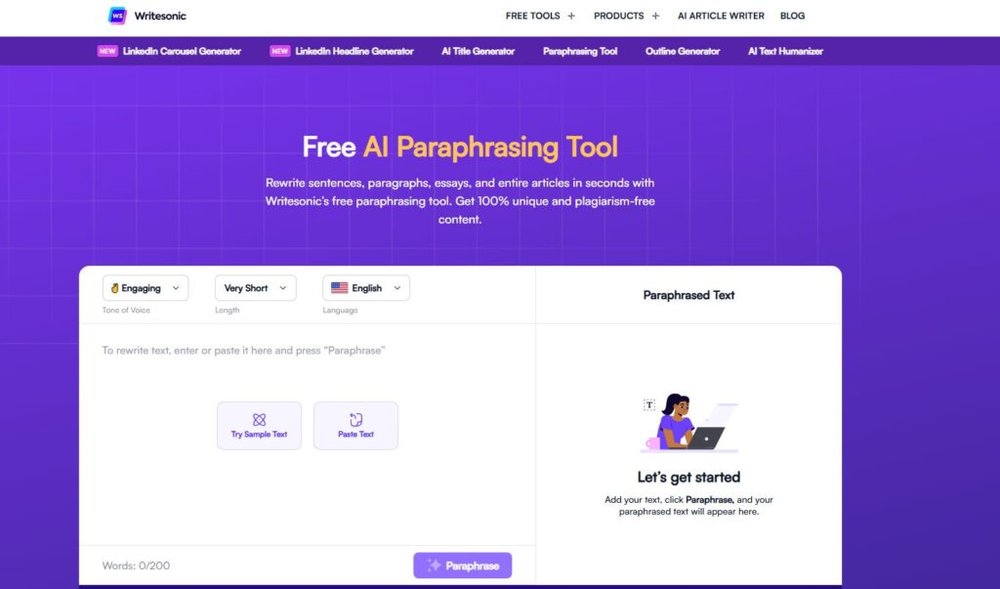
Writesonic is an AI-powered QuillBot similar tool designed for professional marketers, bloggers, and agencies that need both creativity and efficiency.
It’s more than a paraphraser — it’s an all-in-one writing assistant that helps you produce, refine, and optimize content across multiple platforms.
One-Click Sentence Rewriter For Blog And Ad Copy
Writesonic’s Paraphraser Tool works like a digital copy editor. You paste your sentence or paragraph, click “Rewrite,” and it instantly generates cleaner, more compelling alternatives.
For instance, if your original line says, “Our new app helps users manage time efficiently,” Writesonic might suggest:
- “Our app simplifies time management for busy users.”
- “Take control of your schedule with our powerful productivity app.”
It doesn’t just switch words — it adds nuance and tone flexibility, which makes it excellent for marketing and blog writing. I often use it to refine call-to-action phrases or ad headlines that need to sound more human and persuasive.
You can access this tool directly from the Writesonic dashboard under “AI Paraphraser” or use it through the Chrome extension when editing content in Google Docs.
Grammar Fixer With Style And Tone Adjustments
Unlike basic grammar tools, Writesonic doesn’t just correct — it adapts. Its grammar checker analyzes your writing for both accuracy and tone.
So if you’re writing a formal proposal, it maintains professionalism, but if you’re creating social content, it keeps the language light and conversational.
The tone feature is built into Writesonic’s Editor Mode. You’ll see options like “Friendly,” “Professional,” “Empathetic,” and “Witty.” I recommend experimenting with these — especially when rewriting content for different audience segments.
When I ran one of my client’s product descriptions through Writesonic’s grammar fixer, the tool not only corrected minor tense errors but also restructured the sentences to make them sound more confident.
That kind of layered editing is something you rarely get from free grammar tools.
Integrates With SEO Tools And Content Workflows
One of Writesonic’s most practical advantages is its integration ecosystem. It connects directly with tools like Surfer SEO, WordPress, and Zapier — making it easy to generate optimized content without leaving your workflow.
You can use it to:
- Generate blog drafts with built-in SEO optimization.
- Rewrite meta descriptions that stay within Google’s character limit.
- Create ad copy synced with your content calendar through Zapier.
For example, when you generate a blog post inside Writesonic’s “Article Writer 6.0,” you can toggle SEO Optimization Mode, input target keywords, and get suggestions that naturally fit your tone.
This seamless integration helps agencies and freelancers maintain consistency and efficiency — especially when managing multiple clients.
Ideal For Agencies And High-Volume Content Production
If you manage bulk content — think 20+ blog posts or dozens of ad copies monthly — Writesonic can save hours. It’s scalable, collaborative, and supports multiple user seats.
In my experience working with marketing teams, Writesonic’s strength lies in balancing creativity with speed. You can brief, generate, edit, and publish without hopping between multiple apps.
For agencies handling multilingual content or ecommerce descriptions, the built-in translation feature is also a bonus. You can generate text in English, edit it for tone, and translate it instantly while keeping context intact.
I suggest pairing Writesonic with a detailed editor like ProWritingAid for an extra layer of grammatical polish before publishing.
10. Rephrase.info – Free Online Paraphrasing And Grammar Fixing Tool
Rephrase.info is a simple yet surprisingly capable QuillBot similar tool that combines rewriting and grammar correction in a completely free interface.
It’s perfect for students, bloggers, and freelancers who want polished writing without subscription fees or logins.
Multiple Rewrite Modes: Fluency, Creative, And Formal
Rephrase.info gives you three distinct rewriting modes that help match different writing needs:
- Fluency Mode: Makes sentences smoother while keeping meaning.
- Creative Mode: Adds variety and expressiveness to avoid repetition.
- Formal Mode: Adjusts tone for academic or professional writing.
For instance, if your text reads, “This tool helps users write better,” the Creative Mode might reword it as “This platform empowers writers to enhance their craft effortlessly.”
You can easily switch between modes using the dropdown above the editor. I often recommend Fluency Mode for general content creation and Formal Mode when editing essays or reports.
Grammar Correction Feature For Cleaner Output
Alongside its paraphrasing engine, Rephrase.info includes a built-in Grammar Checker. Once you paste your text, it scans for typos, tense errors, and punctuation mistakes before rewriting.
This dual-action workflow saves time — you don’t need to use separate apps for rewriting and proofreading.
I tested it with a 300-word blog introduction and found that it corrected 7 minor grammatical issues while rephrasing the rest for better readability. The output felt surprisingly natural for a free tool.
You can toggle the grammar feature using the small “Check Grammar” checkbox right below the input box — a useful shortcut many users overlook.
Supports Multiple Languages And Text Formats
Rephrase.info supports several languages including English, Spanish, French, and German, making it accessible for global users.
It also accepts multiple text formats, so you can paste raw text, upload documents, or even rewrite snippets from web content.
This flexibility is valuable for bilingual freelancers or international students who need multi-language editing in one tool.
A quick tip: If you’re rewriting multilingual blog content, try running the text through Rephrase.info first for structure, then polish it with Grammarly for tone accuracy.
Best For Students, Bloggers, And Freelancers On A Budget
If you’re working with limited resources or just starting out, Rephrase.info is a reliable free option. It delivers smooth rephrasing, basic grammar correction, and language versatility without complex sign-ups.
While it can’t match premium AI tools in nuance or tone precision, it’s more than capable of cleaning up rough drafts or refreshing old blog content.
I often recommend it for repurposing older articles or rewording email sequences before final editing.
It’s quick, accessible, and efficient — ideal for users who want simplicity with practical results.
Expert Tip: Combine Tools For Maximum Accuracy And Style
No single tool covers every writing scenario perfectly. Each QuillBot similar alternative has its strengths — some excel at rewriting, others at tone, and a few at deep analysis.
Combining tools strategically gives you consistent quality without losing your personal voice.
Why Using One Tool Isn’t Always Enough
Think of these tools as specialists rather than generalists. Grammarly is precise with grammar but limited in creativity. Wordtune enhances tone and flow, while Writesonic accelerates production. Using just one often leaves gaps in style or depth.
In my experience, pairing tools helps balance creativity with structure.
For instance:
- Grammarly + Wordtune ensures grammatical accuracy and natural tone.
- ProWritingAid + Jasper improves storytelling and readability in marketing content.
When you combine them, your writing feels both technically clean and naturally expressive.
Combining Grammarly With Wordtune Or ProWritingAid For Better Results
Here’s a simple workflow I often use:
- Start with Wordtune or Jasper to draft or rephrase your content.
- Run it through Grammarly for grammatical and stylistic consistency.
- Finish with ProWritingAid to check structure, sentence variety, and readability.
This process ensures every sentence is not just correct, but also smooth, engaging, and reader-friendly.
If you write client content regularly, setting up this layered workflow in your browser can cut editing time by half.
How To Build A Personal Workflow For Consistent Quality
Building your workflow depends on your content type:
- For blog writers: Use Writesonic for drafts → Wordtune for rewrites → Grammarly for polishing.
- For students: Start with Rephrase.info for rewording → Linguix for grammar → ProWritingAid for structure.
- For marketers: Draft with Jasper → refine with Wordtune → proof with Grammarly.
I suggest saving browser shortcuts or integrating Chrome extensions for all three tools, so your editing process stays fluid.
Tips To Maintain Natural Voice While Using AI Rewriters
AI rewriting tools can sometimes make your tone sound too mechanical. To keep your natural voice:
- Always read your rewritten text out loud before finalizing.
- Adjust over-polished sentences to match your personal speaking style.
- Use rewriting tools as assistants, not replacements.
I believe the key is moderation. Let AI handle repetitive tasks like grammar and flow, but make sure your personality and intent stay in control. That’s what keeps your writing authentic and memorable.
When used together, these tools can dramatically elevate your writing workflow — giving you the perfect balance of accuracy, creativity, and speed.

I’m Juxhin, the voice behind The Justifiable.
I’ve spent 6+ years building blogs, managing affiliate campaigns, and testing the messy world of online business. Here, I cut the fluff and share the strategies that actually move the needle — so you can build income that’s sustainable, not speculative.
Related posts:
 Free QuillBot Review: Is It Worth Using For Writing Help?
 Free QuillBot Alternative: Top AI Tools For Writers
 Quillbot Alternative Review: Top 5 Choices
 How Long Is the Quillbot Trial? Full Details & Limitations
 Best Alternative Of QuillBot That Writers Actually Use
 The QuillBot Review: Is This AI Writing Tool Worth It?