
Table of Contents
Some links on The Justifiable are affiliate links, meaning we may earn a small commission at no extra cost to you. Read full disclaimer.
A serpstat platform walkthrough guide is most useful when it shows you what to click, what to ignore, and how to turn all that data into actual SEO decisions. That is what I want to do here.
Serpstat is positioned as an all-in-one SEO platform with core workflows around keyword research, competitor analysis, rank tracking, site audit, and backlink analysis, plus newer add-ons like AI tools, integrations, and expanded datasets.
Understand What Serpstat Is Best Used For
Before you touch a dashboard, it helps to know what Serpstat is trying to be. This will save you from using the wrong report for the wrong problem.
See The Platform As A Workflow, Not Just A Tool Stack
Most people open an SEO platform and immediately start typing in keywords. I think that is where confusion begins. Serpstat works better when you treat it like a workflow engine: research demand, study competitors, build projects, track rankings, audit technical issues, and review backlinks over time.
Serpstat itself highlights those core functions across its product pages, with competitor analysis, keyword research, rank tracking, site audit, backlink analysis, page audit, batch analysis, and clustering as major modules.
That matters because each report answers a different search intent. If you want ideas for new content, you start with keyword research and competitors. If your pages are slipping in Google, you move into rank tracker and site audit. If authority is the issue, you look at backlinks and referring domains.
The platform becomes much easier when you stop asking, “What does this menu do?” and start asking, “What SEO question am I trying to answer?” That shift alone cuts the learning curve in half.
A practical way to frame Serpstat is this:
- Research layer: Keywords, competitors, top pages, missing terms.
- Monitoring layer: Rank Tracker, scheduled checks, visibility changes.
- Fix layer: Site Audit, Page Audit, issue prioritization.
- Growth layer: Backlinks, clustering, reporting, exports.
In my experience, this is the cleanest way to learn any SEO suite. Otherwise, you end up clicking around, exporting random spreadsheets, and still not knowing what action to take next.
Know Which Plan Fits Your Use Case Before Setup
Serpstat’s current pricing page makes one thing very clear: limits matter. The Individual plan starts at $50 per month and includes 5 projects, 100 searches per day, 10,000 Top-100 keyword position checks, 30,000 pages to audit, and 50,000 export rows.
Team starts at $100 per month with unlimited projects and much larger limits, while Team x2 and Agency raise those caps substantially and add more advanced access.
Here is the simple version:
| Plan | Best For | Starting Price | Notable Limits |
|---|---|---|---|
| Individual | Freelancers, beginners | $50/mo | 5 projects, 100 searches/day |
| Team | Small agencies, growing teams | $100/mo | Unlimited projects, 500 searches/day |
| Team x2 | Heavier SEO ops | $169/mo | 1,000 searches/day, higher tracking limits |
| Agency | Large teams, reporting-heavy workflows | $410/mo | 5,000 searches/day, white label, high audit/export caps |
I suggest choosing based on your reporting volume, not your ambition. Many people buy for future needs and then barely use 20% of the allowance. If you are learning solo, Individual is enough to understand the ecosystem.
If you run client SEO, Team is where the platform starts feeling roomy because unlimited projects, share access, API-related functionality, scheduled reports, and AI tools become more realistic for day-to-day work.
Set Up Your Account And First Project Properly
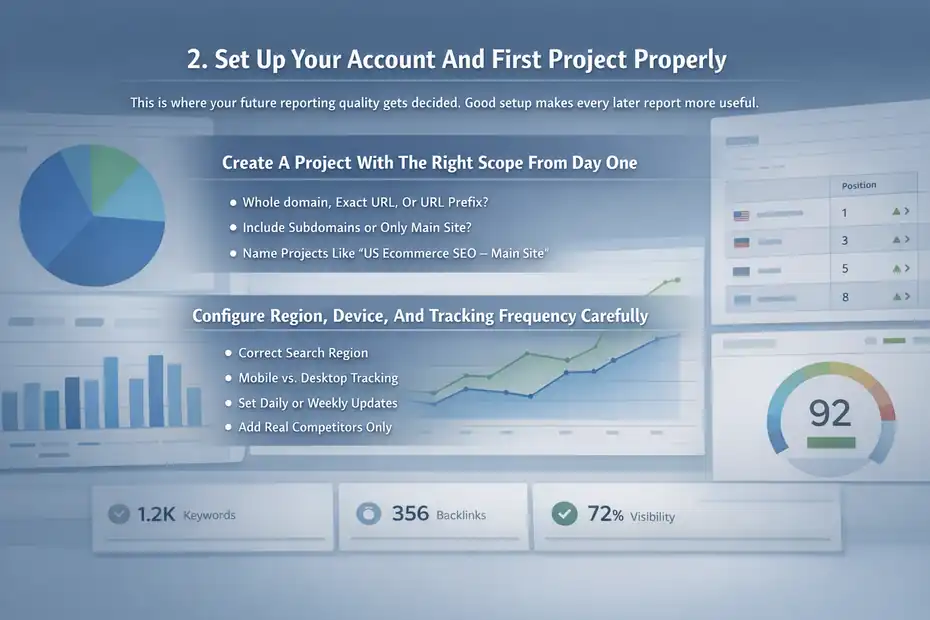
This is where your future reporting quality gets decided. Good setup makes every later report more useful.
Create A Project With The Right Scope From Day One
Serpstat’s tutorials show that projects sit at the center of rank tracking and site audit workflows. When creating a project, you add your domain, name the project, and can enable weekly site audit and weekly rank tracking so the platform starts collecting useful data automatically. Serpstat also notes that this setup consumes credits, so it is worth being intentional.
The first decision is scope. Ask yourself what exactly you want to monitor:
- Whole domain: Best for most businesses.
- Exact URL: Useful for a single landing page or campaign page.
- URL prefix: Good for a section like
/blog/or/category/. - Subdomains included or excluded: Important for SaaS docs, help centers, or store/blog splits.
This sounds small, but it changes your reporting logic. Imagine an ecommerce brand with shop.example.com and www.example.com. If those are mixed carelessly, your audit and ranking views can become noisy. You may think SEO is improving when one section is simply masking another.
I recommend naming projects by business goal, not just by domain. “US Ecommerce SEO – Main Site” is better than “example.com.” Six months later, that naming convention saves you when you have multiple databases, regions, or business units running at once.
Configure Region, Device, And Tracking Frequency Carefully
Rank tracker settings are more strategic than they look. Serpstat supports different tracking types, separate competitor tracking, search regions, tracking schedules, and time zone settings.
The tutorial also notes that updates occur according to the project time zone, which is another small setting that can create big reporting confusion if ignored.
Here is how I would approach it:
- Region: Track where your audience actually searches, not where your office is.
- Device: Mobile and desktop can behave differently, so keep the business model in mind.
- Schedule: Daily is useful for active campaigns; weekly is fine for slower-moving sites.
- Competitors: Add only real organic competitors, not every brand you know.
A realistic scenario: Imagine you run a local service business in Manchester but accidentally track the whole UK database with broad desktop settings only. Your rankings may look healthy while your actual local mobile visibility is weak. That is not a data problem. That is a setup problem.
I believe this is one of the biggest wins in a serpstat platform walkthrough guide: if you configure tracking with business reality in mind, the platform becomes far more trustworthy. If you configure it lazily, you will spend months “analyzing” distorted inputs.
Learn The Main Navigation Without Getting Lost
The dashboard can feel busy at first, but the structure is more logical than it appears once you know what belongs where.
Map The Key Sections To Real SEO Jobs
Serpstat organizes its platform around feature families such as competitor analysis, PPC analysis, keyword research, keyword clustering, site audit, rank tracker, backlinks, page audit, and integrations. It also offers batch analysis and data products for larger-scale work.
I like to map those sections like this:
- Site Analysis / Competitors: Use when you want to reverse-engineer what is already working in your market.
- Keyword Research: Use when you need demand, difficulty, intent, and related term discovery.
- Rank Tracker: Use when you need recurring visibility measurement.
- Site Audit / Page Audit: Use when pages are underperforming because of technical or on-page problems.
- Backlink Analysis: Use when authority, link gaps, and lost links matter.
- Keyword Clustering: Use when planning content architecture at scale.
This matters because the same reader can have two very different intents. A beginner might want to find easy keyword ideas. An agency lead might want to monitor 30 projects and export trends. Serpstat can support both, but the path through the platform is different.
When you first log in, do not try to learn every report. Learn three: keyword research, rank tracker, and site audit. Those give you the fastest path from “I have a website” to “I know what to improve next.”
Use Credits And Exports Like Limited Resources
Serpstat’s pricing and tutorials repeatedly reference searches, tracking checks, audit pages, export rows, and tool credits. On higher plans you have more room, but the principle stays the same: every query should have a purpose.
A lot of SEO users waste credits in three ways:
- Running broad reports before narrowing the goal.
- Exporting huge lists they never clean.
- Repeating the same analysis manually instead of saving templates or projects.
My suggestion is simple. Before any export, decide the decision it will support. For example, “I need 50 keyword opportunities for collection pages” is a good export reason. “I’ll download everything and sort it later” is how folders fill up and insight disappears.
This is especially important if you work with clients. The value is rarely in the export itself. The value is in the next move: publishing the missing page, fixing the weak template, updating internal links, or recovering a lost referring domain.
Start With Keyword Research The Right Way
Keyword research is usually the first hands-on task, and this is where Serpstat becomes immediately useful.
Build A Seed List And Read The Metrics In Plain English
Serpstat’s keyword research pages show that you can enter up to five keywords and review metrics such as search volume, keyword difficulty, CPC, intent, and whether AI Overview is present. It also emphasizes competitor keyword discovery and export options.
That gives you a practical starting point. Begin with three to five “seed” terms, not fifty. A seed keyword is just your starting idea, like running shoes, crm software, or email deliverability. From there, Serpstat expands the topic into related phrases and opportunity sets.
The metrics become useful when you translate them into simple questions:
- Volume: Is there enough search demand to matter?
- Difficulty: How hard might it be to compete?
- CPC: Are advertisers willing to pay for this traffic?
- Intent: Is the search informational, commercial, or transactional?
- AI Overview presence: Is the SERP becoming more crowded or answer-led?
I recommend combining high-intent moderate-volume keywords with lower-difficulty supporting topics. That mix usually builds a healthier content plan than chasing only giant phrases.
For many of us, the best wins do not come from the most obvious keyword. They come from the keyword just below it that better matches a real page.
Turn Keyword Data Into Content Decisions, Not Just Lists
A keyword report is not the end product. The end product is a decision. Serpstat also offers keyword clustering and text-analysis-related capabilities, which is helpful because modern SEO is less about one keyword per page and more about topic groups and page intent.
Here is a simple decision framework I use:
- One primary keyword: The page’s main target.
- Three to eight close variants: Natural subtopics and phrasing.
- Supporting questions: Useful for FAQ blocks, intros, and subheads.
- One search intent: Keep each page focused.
Imagine you are planning a page for “cold email software for startups.” If Serpstat surfaces related phrases like “best cold email tools,” “email outreach software,” “cold email platform pricing,” and “cold email deliverability,” you now have structure.
One page can target the core commercial phrase, while supporting sections handle pricing, use cases, and deliverability concerns.
That is where the platform becomes genuinely useful. It is not just telling you what people search. It is helping you decide what kind of page should exist.
Use Competitor Analysis To Find Faster Wins
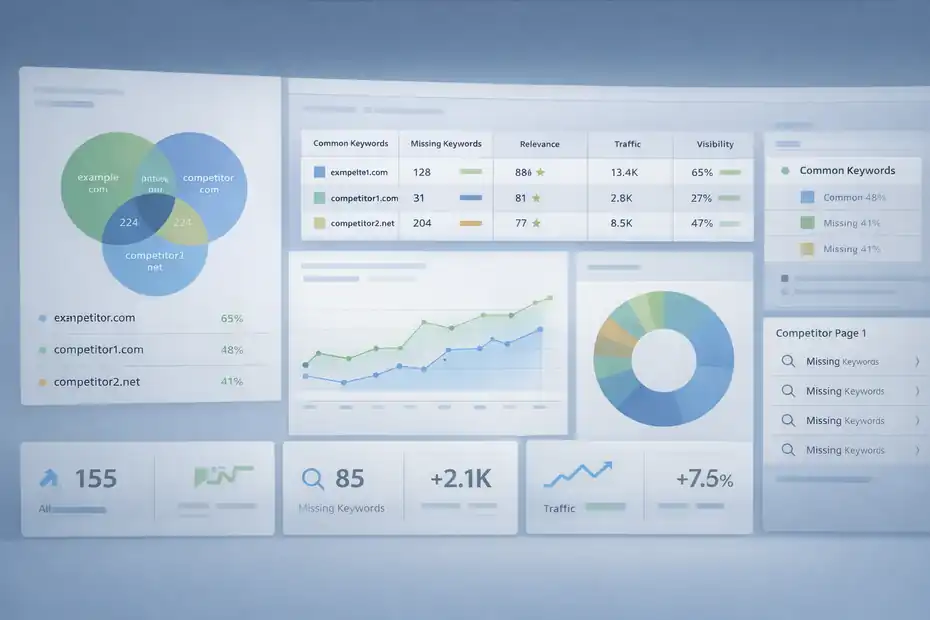
Competitor research is where you stop guessing and start borrowing market signals intelligently.
Identify True Organic Competitors, Not Just Business Rivals
Serpstat’s competitors report defines site or page competitors based on keyword similarity, and shows metrics such as common keywords, missing keywords, relevance, traffic, all keywords, and visibility. It also supports excluding domains and saving custom competitor templates.
This is a huge distinction. Your real SEO competitors are the sites overlapping with you in search results, not necessarily the companies you mention in sales calls. A niche blog, marketplace, review site, or publisher may be your biggest organic rival even if they do not sell what you sell.
That insight changes strategy. If a publisher keeps outranking your category pages for informational queries, the issue may be content depth. If a peer brand outranks you on commercial terms, the issue may be template quality, internal links, or backlinks.
I suggest reviewing three metrics first:
- Common keywords: How much overlap already exists?
- Missing keywords: Where are they visible and you are absent?
- Visibility/traffic trend: Are they growing steadily or riding one big topic?
This is often the fastest way to find low-drama opportunities. You do not need to “beat every competitor.” You just need to identify pages and terms where your site is obviously underrepresented.
Use Missing Keywords And Top Pages To Plan Your Next Pages
The competitors tutorial explicitly highlights using this report to collect missing keywords and identify direct competitor pages. That is valuable because page-level analysis tends to be more actionable than domain-level envy.
Let me break it down with a realistic workflow:
- Pick one important page on your site.
- Open page or domain competitors.
- Find competing pages with high keyword overlap.
- Review missing keywords those pages rank for and yours does not.
- Decide whether to update the existing page or create a new one.
Suppose your blog post ranks for “email authentication basics,” but a competitor page also ranks for “SPF vs DKIM,” “DMARC setup,” and “email spoofing prevention” while yours does not. That is not just a keyword gap. It is a content completeness gap. You can either expand your article or build a supporting cluster.
In my experience, this beats brainstorming from scratch. Competitor analysis lets the market tell you what completeness looks like.
Set Up Rank Tracking That Reflects Reality
Rank tracking is one of the easiest features to misuse. The fix is simple: track what matters, and review it on a schedule that supports action.
Choose Keywords That Represent Revenue, Not Vanity
Serpstat’s Rank Tracker supports organic and paid rankings, desktop and mobile tracking, competitor rankings, project migration from another service, and flexible schedules such as daily, weekday-based, or monthly checks.
That flexibility is powerful, but only if your keyword set is disciplined. I recommend splitting tracked keywords into four buckets:
- Money terms: High-intent pages tied to leads or sales.
- Core category terms: Broad phrases important to brand visibility.
- Content cluster terms: Supporting educational topics.
- Brand protection terms: Your name, products, and key branded queries.
A common mistake is tracking hundreds of loose keywords with no business priority. That produces motion, not clarity. A cleaner keyword set gives you cleaner reporting.
Here is a rule I like: If a ranking change would not trigger an action, do not track it yet.
That sounds harsh, but it keeps your project useful. SEO reporting should help you decide what to update, expand, protect, or escalate. Otherwise the tracker becomes a place you visit to feel busy.
Read Ranking Changes In Context, Not In Isolation
A position drop is not always a problem, and a position gain is not always a win. Serpstat stores ranking history and supports imports from other services, which is helpful because trend lines usually matter more than a single checkpoint.
When reviewing rankings, ask these questions:
- Did the page lose positions across one country or all of them?
- Did mobile drop while desktop stayed flat?
- Did competitors move too?
- Did the page gain or lose featured SERP elements around it?
- Did the ranking drop coincide with a crawl issue, page update, or link loss?
Imagine a page falls from position 4 to 7. That sounds bad. But if the query now shows AI Overview, video results, and more ads, the click opportunity may have changed even more than the ranking suggests. On the other hand, a page moving from 18 to 11 may be a bigger opportunity because a strong refresh could push it onto page one.
This is why I always pair rank tracker with page audits and competitor review. Rankings alone tell you what moved. They rarely tell you why.
Run A Site Audit And Prioritize Fixes Properly
Technical SEO can overwhelm beginners fast. Serpstat helps most when you use the audit to prioritize, not panic.
Launch The Audit With Intentional Crawl Settings
Serpstat’s Site Audit tutorial shows you can define pages to scan, scanning speed, scan duration, scan type, crawl depth, URL include/exclude rules, treatment of non-canonical or noindex pages, authentication access, robots handling, and user agent.
It also lets you audit via whole site, list of pages, or sitemap-based scans.
This is where setup discipline pays off. I usually recommend:
- Start with sitemap or a focused section if the site is large.
- Set a crawl depth that reflects the site structure rather than maxing everything.
- Exclude junk URLs early like faceted parameters or thin internal search pages.
- Use auth settings if important pages sit behind login layers or staging gates.
One especially interesting note in Serpstat’s tutorial is user-agent flexibility, including checks related to LLM visibility. That can be useful if you want to understand whether certain crawlers are being blocked from seeing content.
I believe the smartest first audit is rarely the broadest one. It is the one that reflects the section most tied to business value.
Fix Issues By Impact, Not By Error Count
Site Audit is supposed to reveal technical errors and compare results with previous analyses. That historical angle matters because SEO improvement is often trend-based, not instant.
When the report fills with warnings, do not chase the longest list first. Prioritize by this order:
- Indexing and crawl access problems.
- Canonical and duplication problems.
- Status code issues like broken important pages.
- Internal linking and orphan page issues.
- Metadata and content hygiene issues.
This order is practical because a beautifully optimized title tag cannot save a page search engines cannot crawl correctly.
A simple scenario: Say your audit flags hundreds of missing meta descriptions and also reveals that category pages are blocked improperly. The block issue wins every time. Search visibility usually depends more on accessibility and structure than on cosmetic metadata cleanup.
For many sites, the biggest audit win is not “fix every issue.” It is “fix the 10 issues affecting the 20 pages that drive 80% of revenue.” That is how technical SEO starts producing business results instead of endless tickets.
Use Backlink Analysis For Opportunity And Risk Control
Backlinks are still one of the clearest signals for authority research, but only when you review them like an analyst rather than a collector.
Read The Backlink Reports Like A Health Dashboard
Serpstat’s backlinks report presents graph-based change tracking for active and lost links, along with spreadsheet columns for source, anchor, link attributes such as follow, nofollow, and UGC, and diagnostic reasons for problems including robots restrictions, connection issues, or non-HTML content.
That means your first job is not to count links. It is to understand link quality and change patterns.
Focus on these signals:
- New vs lost links: Is your profile growing or leaking?
- Anchor context: Do anchors look natural and relevant?
- Referring domains: Are links concentrated from too few sources?
- Link attributes: Are important citations actually followed?
- Link health problems: Did good links disappear because pages broke?
This is where a lot of SEO advice gets lazy. People say “build more links” as if all links are equal. They are not. A small number of relevant, crawlable, stable links often beats a pile of weak mentions.
If you are auditing a client site, I would review lost links before planning new outreach. Recovering value is often cheaper than creating it from zero.
Find Link Prospects By Studying Competitor Sources
Backlink analysis becomes much more strategic when you compare your site to competitors. Serpstat’s product pages and tutorials position backlink and competitor analysis as ways to understand who links to rivals and where opportunities may exist.
A practical workflow looks like this:
- Review a strong competitor’s referring domains.
- Filter for relevant industry sites, directories, media mentions, and resources.
- Identify which types of pages earned those links.
- Build a similar or better asset on your own site.
- Reach out only where you have a real fit.
For example, if competitors are earning links to original comparison pages, benchmark studies, or useful free tools, that tells you something important: the market rewards assets, not just homepage outreach.
I suggest grouping opportunities into three buckets:
- Reclaim: Mentions or broken opportunities you can win back.
- Replicate: Relevant sources already linking to multiple competitors.
- Create: New assets worth pitching because they deserve citations.
That way, backlink analysis becomes a growth plan instead of a vanity metric review.
Use Keyword Clustering And Content Planning To Scale
This is where Serpstat starts helping beyond one-off research. Clustering is what turns keyword discovery into site architecture.
Build Clusters Around Search Intent, Not Just Similar Words
Serpstat describes keyword clustering as grouping keywords by shared SERP behavior and connection strength, helping users organize terms that should be targeted together.
That is important because modern search optimization is not about stuffing every variant onto one page. It is about knowing which terms belong together and which deserve separate pages.
A useful mental model is this:
- Same SERP intent: Usually cluster together.
- Different SERP intent: Usually separate.
- Commercial vs informational mix: Often needs different page types.
- Broad parent topic vs narrow subproblem: Often needs hub-and-spoke structure.
Imagine you sell project management software. “Project management software for agencies” and “best project management tools for agencies” may cluster well. But “how agencies manage client projects” may deserve a different educational page. Similar language does not always mean same page.
In my experience, clustering is one of the fastest ways to stop accidental cannibalization, where two pages on your own site compete with each other instead of working together.
Turn Clusters Into A Publishable Editorial Map
Once you have clusters, build a map instead of a pile. Serpstat also points users toward text-analysis and content-oriented tools, which makes sense because clustering only matters if it improves what you publish next.
Here is a simple editorial structure:
- One pillar page: Broad topic with commercial or strategic value.
- Three to six support pages: Narrower questions, comparisons, use cases.
- Internal links: Every support page points back to the pillar and to at least one sibling page.
- Refresh cycle: Revisit clusters every quarter based on tracking and competitor gains.
A nice side effect of this approach is that reporting gets cleaner. You can track one cluster’s visibility, update one page, and watch adjacent pages improve too.
I recommend writing the page brief straight from the cluster:
- Primary intent.
- Main keyword.
- Supporting subtopics.
- SERP format notes.
- Internal links to add.
- Conversion goal for the page.
That closes the gap between SEO research and content production, which is where many teams lose momentum.
Optimize Reporting, Troubleshooting, And Long-Term Use
A good walkthrough should not stop at setup. The real value comes from turning the platform into a routine.
Build A Weekly Review Process Instead Of Random Check-Ins
Serpstat offers scheduled reports, share access on higher plans, exports, integrations like Looker Studio and Google Sheets-related workflows, and data-rich projects that can support recurring reporting.
I suggest a weekly review rhythm like this:
- Monday: Check ranking movements for priority pages.
- Tuesday: Review technical issues from the latest audit.
- Wednesday: Look for missing keyword and competitor opportunities.
- Thursday: Review backlinks, especially lost links and new domains.
- Friday: Turn findings into tickets, briefs, and updates.
This sounds simple, but simplicity is the point. Platforms create value when they support repeatable decisions. They create noise when every login turns into a new scavenger hunt.
A small team can run a surprisingly strong SEO operation with that cadence. One person can spot issues, prioritize work, and maintain trend visibility without being trapped in reports all day.
Avoid The Most Common Mistakes New Users Make
From what I have seen, most Serpstat mistakes are not about the software being hard. They are about users expecting one report to solve every problem.
The biggest mistakes are usually these:
- Tracking too many keywords too early.
- Running audits without scoping the crawl.
- Comparing against the wrong competitors.
- Exporting data without a clear action plan.
- Treating all ranking losses as emergencies.
- Ignoring project settings like region, device, and time zone.
Serpstat’s tutorials and plan details make it clear that projects, credits, schedules, and feature families are meant to be configured intentionally.
If I had to give you one final opinion, it would be this: Do not try to master Serpstat in one sitting. Master one workflow at a time. Start with keyword research, then add competitor analysis, then rank tracking, then site audit, then backlinks. That sequence mirrors how most real SEO work unfolds anyway.
Final Thoughts
A strong serpstat platform walkthrough guide should leave you with more than menu familiarity. It should give you a working system.
Serpstat’s current platform combines the main SEO building blocks most teams need: keyword research, competitor analysis, rank tracking, site audit, backlink analysis, clustering, exports, and higher-tier collaboration and reporting features.
If you are new, begin with one project and one business goal. If you are more advanced, use Serpstat as a decision stack: discover demand, validate competitors, track outcomes, fix technical blockers, and expand authority.
That is where the platform starts feeling less like software and more like an SEO operating system.
FAQ
What is the serpstat platform walkthrough guide?
The serpstat platform walkthrough guide is a step-by-step explanation of how to use Serpstat for SEO tasks like keyword research, competitor analysis, rank tracking, and site audits. It helps users understand where to start, what features to use, and how to turn data into actionable SEO decisions.
How do beginners start using Serpstat effectively?
Beginners should start by creating a project, setting the correct region and device, and focusing on keyword research first. From there, they can explore competitor analysis and rank tracking to build a simple workflow that connects research with measurable SEO improvements.
What features are covered in a serpstat walkthrough?
A complete serpstat walkthrough covers keyword research, competitor analysis, rank tracking, site audit, backlink analysis, and keyword clustering. These features work together to help users discover opportunities, track performance, fix issues, and scale their SEO strategy efficiently.
Is Serpstat good for SEO beginners and agencies?
Serpstat works well for both beginners and agencies because it offers flexible plans and scalable features. Beginners can use it for basic keyword research and audits, while agencies can manage multiple projects, track rankings, and generate reports for clients.
How does Serpstat help improve website rankings?
Serpstat improves rankings by helping users find valuable keywords, analyze competitors, fix technical SEO issues, and monitor performance over time. By combining data from different tools, users can make informed decisions that lead to better visibility and consistent organic growth.

I’m Juxhin, the voice behind The Justifiable.
I’ve spent 6+ years building blogs, managing affiliate campaigns, and testing the messy world of online business. Here, I cut the fluff and share the strategies that actually move the needle — so you can build income that’s sustainable, not speculative.
Related posts:
 How Good Is My Website SEO? Find Out Instantly!
 How to Improve SEO on Website for Top Google Rankings
 Is Whitespark SEO the Missing Piece to Your Local Success?
 Squirrly Vs Yoast Seo Comparison: Which Drives More Traffic?
 Serpstat Features Overview: Tools That Actually Help
 Engine Optimization Explained: Simple Guide for Beginners.