
Table of Contents
Some links on The Justifiable are affiliate links, meaning we may earn a small commission at no extra cost to you. Read full disclaimer.
SurveyMonkey review for small business surveys usually comes down to one practical question: will it help you collect better feedback fast enough to justify the price
I’ve looked at SurveyMonkey from that exact small-business angle, not the enterprise one. If you run a local service business, online shop, agency, clinic, or lean B2B team, you do not need a flashy survey platform.
You need one that gets responses, keeps setup simple, and does not punish you with awkward limits halfway through a campaign. That is where SurveyMonkey shines in some areas and feels expensive in others.
What SurveyMonkey Is Really Good At
SurveyMonkey is first and foremost a fast, polished survey builder. For a small business, that matters more than people sometimes admit.
Easy Setup Without A Learning Curve
If you have ever opened a tool and felt like you needed a mini course just to create one customer feedback form, SurveyMonkey will feel refreshingly straightforward.
Review data on G2 repeatedly highlights ease of use and intuitive design as core strengths, and that lines up with why many small businesses keep considering it even when cheaper tools exist.
What I like here is not just that it is “simple.” A lot of tools claim that. SurveyMonkey is simple in a way that actually reduces friction in real work:
- You can launch quickly: Build a survey, send it, and start seeing real-time charts without much setup.
- You do not need a data background: Basic analysis is visual enough for owners, marketers, and operations people.
- It fits busy teams: If you are juggling hiring, fulfillment, customer support, and marketing, speed matters more than endless customization.
Imagine you run a five-person landscaping company and want post-job feedback. You probably do not need advanced market research software. You need a survey that works by Friday. SurveyMonkey is good at that type of job.
My honest take: This is one of the main reasons SurveyMonkey still wins. It saves time. And for many small businesses, time is more expensive than software.
Templates, Logic, And Smarter Survey Flow
SurveyMonkey is stronger when your surveys need to feel relevant instead of generic. It supports skip logic, disqualification logic, answer piping, and follow-up logic so respondents only see questions that fit their answers.
SurveyMonkey also offers AI-assisted survey creation on paid plans and broader research methods like MaxDiff, TURF Analysis, concept testing, and price optimization on higher tiers.
That sounds technical, so let me translate it into plain language.
- Skip logic: A customer who says they never used your delivery service will not get five delivery follow-up questions.
- Piping: You can reuse an earlier answer later in the survey so the experience feels more personal.
- AI build tools: You type the goal, and SurveyMonkey drafts a survey structure you can refine.
For a small business, this is useful because shorter and more relevant surveys usually mean better completion rates. In my experience, owners often ask the wrong question: “How many questions can I include?” The better question is, “How quickly can I get the right answers?” SurveyMonkey’s logic tools help with that.
Analysis That Is Good Enough For Most SMB Decisions
SurveyMonkey’s reporting is not just about collecting answers. It gives you real-time results, automatic charts, exports to CSV/XLS/PDF/PPT on paid tiers, and AI analysis features on Advantage, Premier, Team, and Enterprise plans.
AI analysis can summarize results, surface themes, and help make sense of open-ended responses faster.
That matters because small businesses usually do not fail at collecting feedback. They fail at doing something with it.
A few examples:
- A salon owner can spot that wait times, not pricing, are the biggest issue.
- A small SaaS startup can compare responses by customer segment using crosstabs on higher plans.
- A local gym can export data and share findings with staff without manually cleaning every response set.
I would not call SurveyMonkey a hardcore analytics platform for research teams. But for small business surveys, it is often in the sweet spot: more capable than a basic form app, less intimidating than specialist research software.
Where SurveyMonkey Starts To Feel Expensive
This is the section most small businesses care about, and honestly, they should.
The Free Plan Is Fine For Testing, Not Real Growth
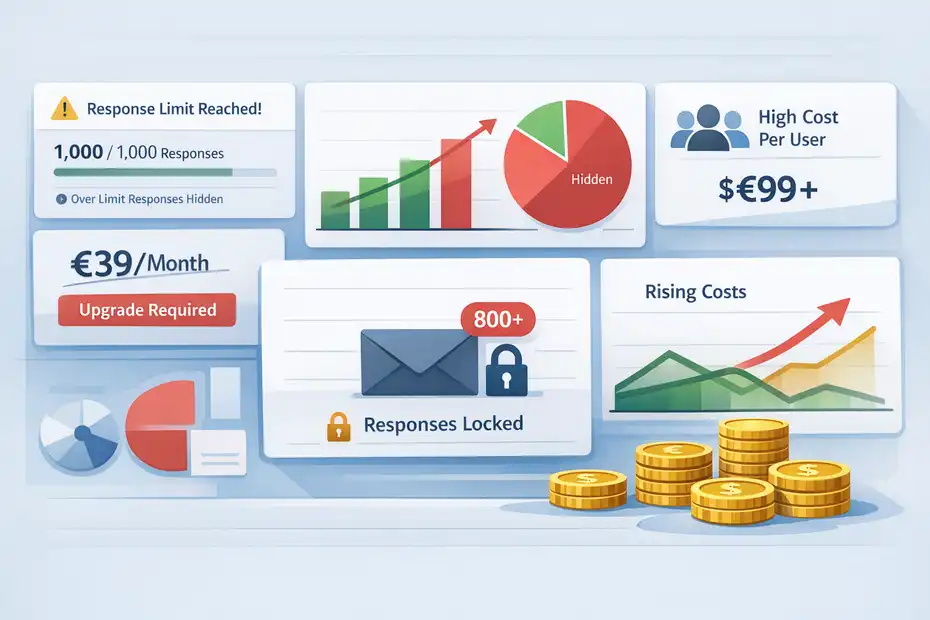
SurveyMonkey’s free tier lets you get started, but it is clearly designed as an entry point, not a serious long-term setup. Free users can add up to 10 questions per survey, and response limits apply per survey.
SurveyMonkey’s help center states that responses over the survey limit are not viewable and will be deleted.
That is the part many small businesses underestimate.
You build a customer satisfaction survey, email it to your list, get momentum, and then realize you cannot access all the responses you earned. That creates a bad kind of friction because it shows up after you have already invested time and distribution effort.
For testing, the free version is acceptable:
- Good for: Learning the interface, validating survey flow, or trying one tiny internal survey.
- Bad for: Ongoing customer feedback, event feedback, employee engagement, or lead qualification at scale.
I would not build a serious feedback process around the free version. It is better viewed as a sandbox.
Paid Pricing Can Be Hard To Justify For Tiny Teams
SurveyMonkey’s current individual pricing includes Standard Monthly at €39 per month with 1,000 responses per month, Advantage Annual at €36 per month billed annually with 15,000 responses per year, and Premier Annual at €99 per month billed annually with 40,000 responses per year.
Team plans start at three users: Team Advantage is $30 per user per month billed annually with 50,000 responses per year, and Team Premier is $92 per user per month billed annually with 100,000 responses per year.
Here is the real issue for small businesses: the jump from “I just need decent surveys” to “I need the features that make this tool truly useful” can feel steep.
For many owners, €39 monthly is already enough to trigger a pause. Not because it is outrageous in software terms, but because survey tools are often compared against cheaper form builders. Once you move into annual plans or multi-user seats, SurveyMonkey begins competing with broader business software budgets.
G2 feedback also reflects this pattern: users praise usability, templates, and reporting, but many point out that advanced functionality sits behind more expensive plans.
My opinion: SurveyMonkey is rarely overpriced for what it does. But it is often overpowered for businesses that only need lightweight feedback collection.
Response Limits Are The Quiet Budget Trap
One subtle but important part of any SurveyMonkey review for small business surveys is response management. SurveyMonkey states that response limits are tied to plan allowances, and over-limit responses may not be viewable and can be deleted.
That matters more than flashy features.
Let’s say you run:
- An ecommerce brand sending a post-purchase survey to 8,000 customers
- A coaching business collecting intake forms every month
- A medical clinic using surveys for appointment follow-up
- A growing agency using client onboarding and NPS-style check-ins
In all of those cases, response volume can sneak up on you. A tool that feels affordable at low volume can become restrictive once the survey process actually works.
This is why I usually advise small businesses to estimate survey usage before choosing a plan. Not just number of surveys, but number of expected responses across campaigns, onboarding, support, and customer experience.
The wrong estimate is how many businesses end up paying twice: once in subscription cost, and again in lost usable data.
How It Performs For Real Small Business Use Cases
Not every survey platform fits every job. SurveyMonkey performs best in a few specific small-business scenarios.
Customer Feedback And Satisfaction Surveys
This is probably the strongest use case. SurveyMonkey is built for customer feedback, NPS-style listening, event feedback, and service quality checks, and its broader use-case library heavily emphasizes customer experience and feedback workflows.
Why it works well here:
- Fast launch: You can deploy a simple satisfaction survey quickly.
- Good reporting: Results are easy to digest for non-analysts.
- Logic support: You can separate happy customers from unhappy ones and ask tailored follow-ups.
A realistic example: Imagine you own a dental clinic with three locations. You want to know whether complaints are mostly about reception, wait times, or billing clarity. SurveyMonkey lets you collect structured feedback, filter by location, and quickly see which issue is repeated most. That kind of clarity helps you fix operations instead of guessing.
For this use case, I think SurveyMonkey earns its reputation. It is strong, reliable, and practical.
Employee Feedback And Internal Surveys
Internal feedback is another area where SurveyMonkey can work well, especially if you are past the “tiny team chatting in Slack” phase and need something more structured.
This might include:
- onboarding pulse surveys
- staff satisfaction checks
- training feedback
- anonymous internal forms
- event or workshop follow-ups
SurveyMonkey’s team plans add real-time collaboration, commenting and tagging, shared libraries, and centralized billing, which becomes useful when multiple managers or departments are involved.
Team plans start at three users, so they are more relevant once your business has actual internal stakeholders sharing ownership of survey projects.
For a ten-person business, this might feel like more than you need. For a 25-person service company with operations, HR, and customer success all running feedback loops, it starts to make more sense.
I would still be cautious here. If your only internal need is one simple monthly pulse survey, SurveyMonkey may be heavier than necessary. But if you need consistency, permissions, and shared workflows, it becomes more compelling.
Market Research, Pricing Tests, And Smarter Validation
Where SurveyMonkey becomes more interesting is when a small business moves beyond simple satisfaction surveys into lightweight research.
SurveyMonkey highlights advanced research methods such as MaxDiff, TURF Analysis, concept testing, and price optimization on higher-level offerings, plus crosstabs and stronger analysis features on premium plans.
This matters for small businesses doing things like:
- validating a new service package
- testing messaging before a launch
- checking willingness to pay
- comparing product concepts
- understanding demand by segment
Imagine you run a specialty coffee subscription brand and want to test whether customers care more about price, roast variety, or sustainable sourcing. A basic form can collect opinions. SurveyMonkey can help you structure that feedback in a more decision-friendly way.
That said, this is also the point where price sensitivity kicks in. These features are valuable, but not every small business needs research-grade tools.
I believe this is where SurveyMonkey starts splitting into two audiences: casual survey users and businesses serious about using feedback as a decision system.
Features That Actually Matter To Small Businesses
Feature lists can get noisy fast, so it helps to focus on what changes outcomes.
AI, Templates, And Speed To Launch
SurveyMonkey now leans heavily into AI-assisted creation and AI analysis. Its product pages say you can build surveys from prompts and analyze results through chat-based summaries, themes, charts, and insights on qualifying plans.
SurveyMonkey also promotes a large template library, with 400+ templates referenced across its site.
For a small business owner, the practical value is speed.
- You start with structure instead of a blank page
- You avoid writing ten clumsy questions from scratch
- You can summarize open comments faster
I like this for businesses that delay surveys because they are not sure how to word questions. AI does not replace judgment, but it can cut the setup time dramatically.
My advice is to treat the AI-generated draft as a first pass, not gospel. The best-performing surveys still sound like your brand and reflect your actual business context.
Integrations And Workflow Fit
SurveyMonkey says it offers 200+ integrations, including connections with Slack, HubSpot, Mailchimp, Microsoft Teams, Salesforce, and more. The official integrations page positions these as a way to push survey data into CRMs, trigger workflow actions, and combine feedback with customer data.
This matters because a survey is rarely the final step.
A few practical small-business examples:
- A marketing agency sends client feedback into HubSpot to flag risk accounts.
- A local training company pushes workshop feedback into Slack for fast team review.
- An ecommerce brand connects post-purchase surveys with email workflows.
I would not buy SurveyMonkey just for integrations if your process is still manual and low volume. But if feedback needs to move somewhere useful after collection, integrations become a real value driver.
This is one of those features that small businesses ignore until they grow enough to feel the pain of copy-pasting survey data between tools.
Privacy, Compliance, And Professional Trust
SurveyMonkey’s Trust Center says the platform includes built-in features to help meet GDPR requirements in the EU, UK, and Switzerland, as well as CCPA requirements. Its security materials also state that systems are hosted in SOC 2 accredited data centers.
For many small businesses, privacy feels abstract until it isn’t. The moment you collect customer feedback tied to emails, employee sentiment, or sensitive service experiences, trust becomes part of the buying decision.
This does not mean every bakery or freelancer needs enterprise-grade governance. But it does mean a recognized platform with compliance messaging, security documentation, and established infrastructure can reduce perceived risk.
If you work in health-adjacent services, financial services, B2B consulting, HR, education, or European markets, I would put more weight on this than people often do. A cheap tool that makes data handling awkward can cost more later in reputation and admin headaches.
Common Problems Small Businesses Run Into
Every tool looks great in a feature grid. Real life is where the gaps show up.
The Survey Is Too Long And Completion Rates Drop
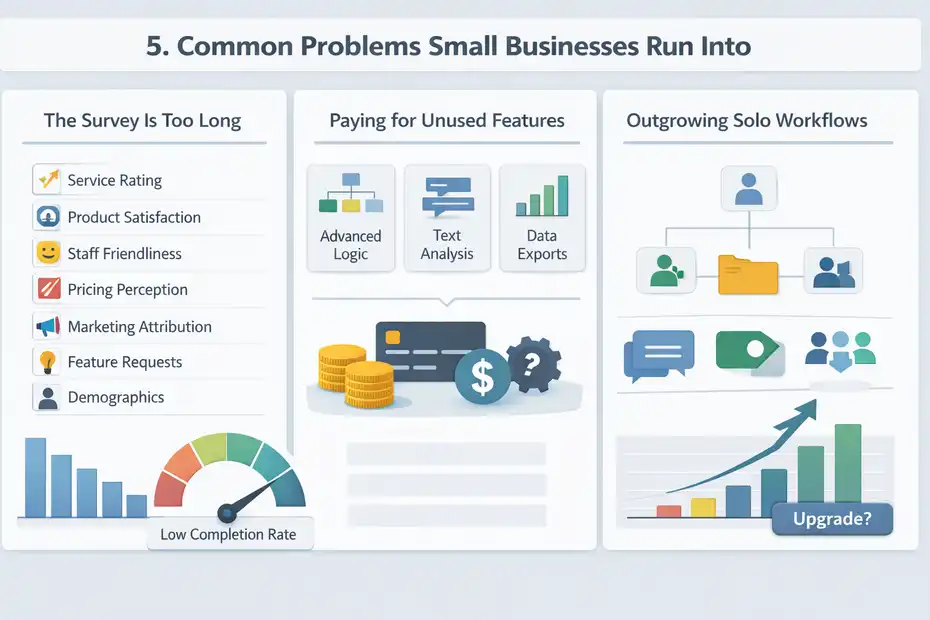
This is not a SurveyMonkey-only problem, but SurveyMonkey can accidentally encourage it because paid plans remove the old “keep it tiny” pressure. Paid plans allow unlimited questions, and once that ceiling disappears, businesses often overbuild.
I have seen this happen constantly. A simple customer feedback survey becomes:
- service rating
- product satisfaction
- staff friendliness
- pricing perception
- marketing attribution
- feature requests
- referral intent
- demographics
Now your “quick survey” takes seven minutes and response quality tanks.
The fix is simple:
- Start with one goal: retention, service quality, or product feedback
- Use logic: only show relevant follow-up questions
- Trim hard: if a question will not change a decision, cut it
In my experience, most small business surveys improve more from removing questions than adding them.
You Pay For Features You Barely Use
This is maybe the biggest hidden downside.
SurveyMonkey becomes excellent once you use logic, analysis, exports, integrations, collaboration, and AI features together. But many small businesses subscribe because they need just one or two of those things, then end up paying for a broader stack they never fully use.
Official pricing makes that pretty clear: capabilities expand meaningfully as you move from entry tiers into Advantage, Premier, or team plans.
I suggest asking three blunt questions before upgrading:
- Do I need advanced logic or just a simple form?
- Will I actually analyze open text at scale?
- Is more than one person actively managing surveys?
If the answer is no across the board, SurveyMonkey might still work, but it may not be your most efficient spend.
Teams Outgrow Solo Workflows Faster Than Expected
A solo founder can usually manage surveys in a single account. But once feedback becomes part of marketing, support, operations, and leadership, account ownership starts getting messy.
SurveyMonkey’s team plans address this with shared assets, collaboration comments, tagging, and consolidated billing. That is helpful, but it also means the price jumps and the buying decision changes from “tool” to “system.”
This creates a familiar small-business tension:
- the solo plan is enough today
- the team workflow will matter soon
- but upgrading now feels expensive
That is not necessarily a flaw in SurveyMonkey. It is just the reality of software that scales better than tiny businesses sometimes need.
How To Decide If SurveyMonkey Is Worth It For You
This is where the review should become useful, not just descriptive.
Buy It If You Need Reliable Surveys And Better Reporting
I recommend SurveyMonkey for small businesses when survey quality and decision speed matter more than rock-bottom cost.
It is a strong fit if you:
- Run regular customer feedback surveys
- Need logic-based question flow
- Want polished reporting without heavy analysis work
- Need exports, templates, or integrations
- Care about privacy and a more established platform
A good example would be a service business with recurring clients and a clear retention problem. In that scenario, a reliable survey system can easily pay for itself by uncovering why clients leave or stop referring.
I also think SurveyMonkey is worth serious consideration if surveys are tied to revenue decisions. Once feedback directly shapes pricing, onboarding, service design, or retention, cheap-but-limited tools can become false economy.
Skip It If You Just Need Basic Forms
If your use case is extremely simple, SurveyMonkey may be more platform than you need.
That includes situations like:
- collecting one-off event RSVPs
- asking five quick internal questions
- running a simple lead capture form
- gathering occasional testimonials
- testing a basic audience poll
In those cases, SurveyMonkey’s polish may be nice, but not necessary. The pricing and response limits become harder to defend when your workflow is lightweight.
My honest opinion: SurveyMonkey is best when you are serious about surveys specifically. It is less compelling when surveys are just a side task inside your business.
Best-Fit Score By Small Business Type
Here is how I would roughly score it:
- Local service businesses: Strong fit if customer feedback is a growth lever
- Agencies and consultancies: Strong fit for client feedback and onboarding workflows
- Ecommerce brands: Good fit if you actively use post-purchase and product feedback
- Small SaaS teams: Good fit, especially for churn, onboarding, and feature prioritization
- Very small solo businesses: Mixed fit because the cost can outweigh the need
- Teams needing collaboration: Better fit on team plans, but budget matters a lot
That is really the core conclusion of this SurveyMonkey review for small business surveys. The platform is not universally “worth it” or “a waste.” It depends on whether you treat feedback as an actual operating function or just an occasional checkbox.
Final Verdict: Worth It Or Waste?
SurveyMonkey is worth it for small businesses that run surveys regularly, need solid reporting, and want a platform that feels trustworthy, polished, and scalable.
It offers AI-assisted survey creation, real-time charts, stronger logic tools, exports, 200+ integrations, and privacy/compliance support that many growing businesses will genuinely appreciate.
But it can absolutely feel like a waste if your needs are basic.
If you only send occasional short surveys, do not need collaboration, and are not using feedback to guide meaningful business decisions, SurveyMonkey’s paid tiers can feel expensive fast.
Response caps and feature gating are the main reasons small businesses get frustrated, and user feedback on G2 reflects that tension clearly: people like the usability, but some resent how many advanced capabilities sit behind higher-priced plans.
My bottom-line verdict is this:
SurveyMonkey is not the cheapest option, and it is not trying to be. It is a better-than-basic survey platform that makes the most sense when you care about survey quality, insights, and workflow maturity.
For a growth-minded small business, that can be money well spent. For a very lean business with simple needs, it is probably more tool than necessary.
So, is it worth it or a waste?
For serious small business surveys, I’d call it worth it.
For casual, low-volume survey use, I’d call it overkill.
FAQ
What is SurveyMonkey best used for in small businesses?
SurveyMonkey is best used for collecting customer feedback, employee surveys, and basic market research. It helps small businesses gather structured insights quickly, analyze responses visually, and make better decisions without needing advanced data skills or complex setup.
Is SurveyMonkey free for small business surveys?
SurveyMonkey offers a free plan, but it has limitations like restricted responses and basic features. Small businesses often need a paid plan to unlock useful tools such as advanced logic, detailed reporting, and higher response limits for ongoing survey use.
Is SurveyMonkey worth the price for small businesses?
SurveyMonkey is worth the price if you regularly run surveys and rely on feedback to improve services or products. However, for occasional or simple surveys, the cost may feel high compared to simpler tools with fewer features.
What are the biggest limitations of SurveyMonkey?
The main limitations include response caps, higher pricing for advanced features, and restricted functionality on lower plans. These factors can make it less suitable for very small businesses or those with minimal survey needs.
How does SurveyMonkey compare to other survey tools?
SurveyMonkey stands out for ease of use, templates, and reporting features. However, some alternatives offer lower pricing or more flexible plans, making them better for businesses that only need basic surveys without advanced analytics or integrations.

I’m Juxhin, the voice behind The Justifiable.
I’ve spent 6+ years building blogs, managing affiliate campaigns, and testing the messy world of online business. Here, I cut the fluff and share the strategies that actually move the needle — so you can build income that’s sustainable, not speculative.
Related posts:
 Social Media Marketing for Small Business – Best Tips
 10 Digital Marketing Affiliate Marketing Hacks That Work
 Easy Blog Maker Tools That Help You Earn Fast
 Blog Writing Format That Boosts Traffic and Earnings
 Make My Own Blog and Grow a Loyal Audience
 Create a Blog Post That Ranks and Brings in Traffic