
Table of Contents
Some links on The Justifiable are affiliate links, meaning we may earn a small commission at no extra cost to you. Read full disclaimer.
If you’ve been searching for AI tools similar to QuillBot that can help you write smarter, faster, and more naturally, you’re in the right place.
QuillBot is fantastic for paraphrasing and refining your writing, but what if you need something that offers deeper editing, tone adjustment, or content generation features?
Which tools actually compete with it—and might even outperform it in certain areas?
Let’s explore the best QuillBot alternatives that bring AI-powered precision, creativity, and efficiency to your writing workflow.
1. Grammarly – The All-in-One Writing Assistant
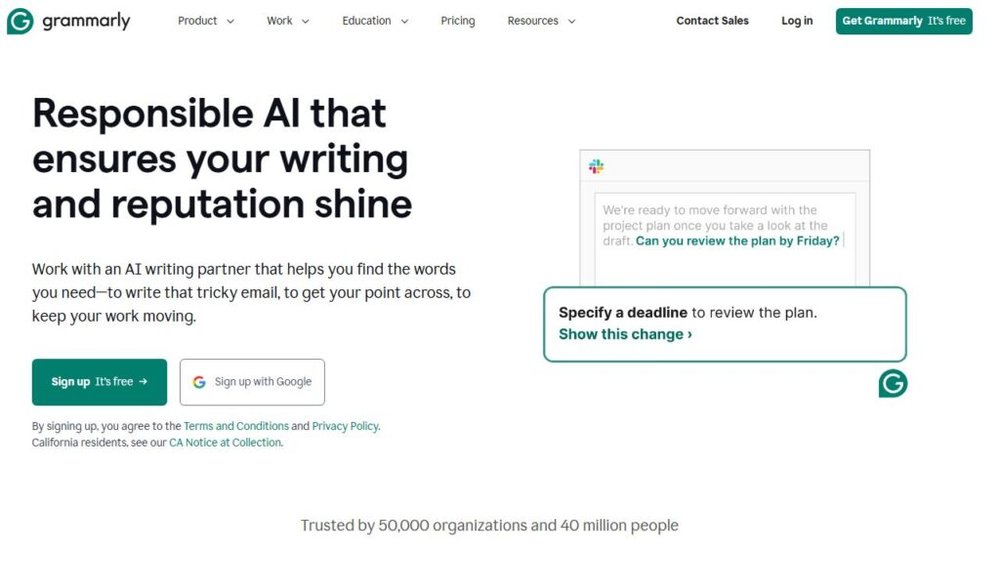
Grammarly has become the gold standard for writers who want clean, confident, and polished writing. It’s not just a grammar checker—it’s an intelligent writing assistant that adapts to your tone, context, and goals.
If you’re looking for a tool similar to QuillBot but with stronger real-time editing and style correction, Grammarly easily makes the shortlist.
Advanced Grammar and Tone Detection
Grammarly goes beyond spotting typos—it evaluates the intent behind your writing. The AI looks at tone, sentence structure, and even emotion to ensure your message lands exactly as you mean it.
For example, if you type “Can you send the file?” Grammarly may suggest “Could you please send the file?” for a more polite tone. That subtle shift matters, especially in business communication.
Here’s what I like most:
- Tone detector: It identifies how your text might sound to a reader—confident, friendly, apologetic, or formal.
- Advanced grammar rules: Beyond simple fixes, it checks for dangling modifiers, misplaced commas, and complex syntax errors.
- Goal setting: You can set intent (inform, describe, convince, tell a story), and Grammarly tailors its feedback.
I recommend testing Grammarly’s tone detector in an email before sending it—it’s surprisingly accurate at catching unintentional passive-aggressiveness.
Real-Time Style Suggestions for Clarity
What sets Grammarly apart from many AI editors is its real-time feedback. You don’t have to wait until you’re done writing—it helps as you type.
You’ll see underlined words appear directly in your text (for example, in Google Docs or Microsoft Word). Hovering over them reveals simple, one-click suggestions that rephrase, tighten, or simplify your sentences.
It’s particularly effective for:
- Cutting out filler words (very, just, actually).
- Making long sentences punchier.
- Rewriting unclear or overly academic phrasing.
In my experience, Grammarly’s clarity suggestions can reduce your word count by 10–15% without losing meaning—a huge win for anyone who writes long-form content or emails.
Integration With Google Docs, Word, and Browsers
Grammarly fits seamlessly into your daily workflow. You can install its browser extension (Chrome, Firefox, Edge) and see live feedback anywhere you write online—from Gmail and LinkedIn to Notion.
If you use Google Docs, Grammarly adds an interactive sidebar showing all detected issues, color-coded by type (clarity, correctness, tone). It’s also integrated into Microsoft Word and Outlook, so you can edit documents without switching apps.
For quick editing, I often copy-paste drafts into Grammarly’s online editor—it gives an instant writing score out of 100, making it easy to gauge readability at a glance.
2. Wordtune – The Smart Rewriter With Emotional Precision

Wordtune feels like having a thoughtful editor who rewrites your sentences—not just to fix errors, but to make them more expressive and human.
If QuillBot focuses on paraphrasing, Wordtune focuses on rewriting with emotion and intent.
Contextual Rewriting That Understands Intent
Wordtune’s AI is built to interpret the meaning of your sentence before suggesting rewrites. You can highlight any sentence and get several rephrasing options instantly—each carrying a slightly different nuance.
For example, “This product is really helpful” could become:
- “This product has been a game-changer for me.”
- “I’ve found this product incredibly useful in daily tasks.”
That’s what makes Wordtune special—it captures your intent and lets you express it naturally. I often use it to soften marketing copy or make blog intros sound warmer.
Tone Control for Formal or Casual Writing
Unlike most AI tools, Wordtune offers explicit tone modes. You can choose between “Casual” or “Formal” writing depending on your audience.
A casual tone helps when you’re drafting social media captions or friendly emails. A formal tone suits resumes, reports, and business proposals.
Here’s a quick tip: when rewriting a formal document, activate the Formal Tone toggle, then click “Rewrite” for each section. It instantly adjusts the phrasing while preserving meaning—a perfect balance of professionalism and clarity.
Ideal for Emails, Blogs, and Professional Content
Wordtune integrates directly into Chrome and Microsoft Word, making it easy to use within Gmail, Notion, or Google Docs.
It’s especially powerful for:
- Writing outreach emails that sound polite yet authentic.
- Refreshing blog sentences without losing SEO keywords.
- Polishing business documents for tone consistency.
I’d say Wordtune shines most for freelancers and professionals who write frequently but don’t have time for deep manual rewrites. It’s quick, intuitive, and feels human in a way most AI tools don’t.
3. ProWritingAid – The AI Editor for Serious Writers

ProWritingAid is the writer’s workshop packed into one tool. While Grammarly focuses on convenience and Wordtune on nuance, ProWritingAid delivers depth.
It’s built for writers who care about rhythm, pacing, and style—not just grammar.
Deep Grammar Reports and Writing Style Analysis
When you run your text through ProWritingAid, it doesn’t just flag mistakes. It gives you a full diagnostic report on your writing style.
These reports analyze:
- Overused words: Highlights redundancies like “just,” “really,” or “very.”
- Sentence variety: Detects monotonous sentence lengths.
- Pacing issues: Great for storytelling and article flow.
I recommend running the “Readability” report before publishing long-form pieces. It scores your text on reading grade levels (Flesch index) and suggests where readers might lose attention.
AI-Powered Story, Tone, and Readability Insights
ProWritingAid recently integrated generative AI that functions like a mini writing coach. It can summarize sections, rewrite them in different tones, and even suggest transitions between ideas.
It’s particularly useful for:
- Authors polishing chapters for flow.
- Bloggers structuring intros and conclusions.
- Content strategists ensuring brand consistency.
For instance, you can highlight a paragraph and ask the AI, “Make this more persuasive.”
The tool instantly rewrites your text while maintaining your original voice—a feature even Grammarly doesn’t fully match.
In-Depth Integrations for Authors and Content Teams
ProWritingAid works smoothly with Scrivener (a favorite for novelists), Microsoft Word, and Google Docs. It also has a desktop app that lets you edit offline, which I find handy when working on long-form projects.
For teams, ProWritingAid offers centralized analytics dashboards showing writing trends—ideal for agencies that want consistency across writers.
A small pro tip: Run the “Transitions” report before finalizing an article draft. It highlights weak paragraph links and helps your writing flow more naturally, especially in storytelling or persuasive copy.
4. Writesonic – The Creative AI Copywriting Powerhouse
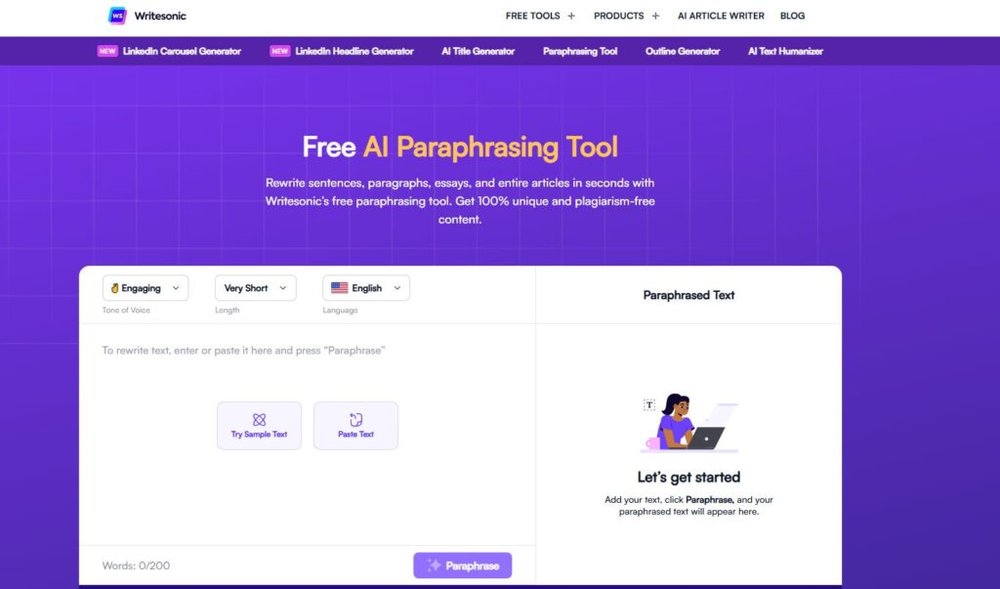
Writesonic is one of the most versatile AI tools similar to QuillBot, but it does much more than just paraphrase.
It’s built for content creators who want an assistant that can generate, rewrite, and optimize full pieces—from headlines to long-form blogs—with precision and creativity.
Paraphrasing Tool Similar to QuillBot With Extra Depth
Writesonic’s paraphrasing tool is like QuillBot’s older, more imaginative cousin. Instead of simply rewording your sentences, it rewrites them with added clarity and flow, while keeping the original intent intact.
When you paste your text into Writesonic’s Paraphraser interface, you can choose different modes such as:
- Standard: Keeps tone neutral and sentences clean.
- Fluent: Makes your text sound smoother and more natural.
- Creative: Adds more flair and unique phrasing for marketing copy.
For example, I once reworked a product description using Writesonic’s Creative mode—it replaced generic lines like “This product is good for your skin” with “This lightweight formula revitalizes your skin with a natural, lasting glow.” That subtle polish is what helps your writing stand out.
I recommend using the Fluent mode for blog intros and the Creative mode for product descriptions—it’s a combination that saves editing time while keeping your brand tone alive.
Generates Blog Posts, Ads, and Product Descriptions
Where Writesonic really shines is in its ability to generate full-length marketing content in seconds. You simply select your content type from the left menu—such as Blog Post, Ad Copy, Product Description, or Landing Page—and provide a short input (topic, tone, keywords).
Here’s a practical example: If you enter “eco-friendly running shoes” under the Product Description template, Writesonic will create SEO-optimized text highlighting benefits, materials, and emotional appeal—all while maintaining brand coherence.
It’s also one of the few AI tools that integrates an SEO mode, pulling keyword data from SurferSEO to help structure content that ranks better. I’ve seen it generate entire blog outlines that match keyword clusters automatically—a time-saver for content teams.
Built-In Chatsonic for Real-Time AI Writing Assistance
Chatsonic is Writesonic’s conversational AI, similar to ChatGPT but tuned specifically for writing tasks. It’s accessible via the top navigation bar and responds contextually to your tone and topic.
The key difference? Chatsonic connects to real-time data from Google Search. So if you ask, “What’s the latest trend in sustainable packaging?” it provides up-to-date examples instead of static information.
For instance, when I used Chatsonic to help write a 2025 digital marketing trend report, it included current influencer stats and examples of brands already implementing them. That level of relevance makes it a serious advantage for bloggers and marketers.
If you’re juggling multiple writing formats—ads, articles, and scripts—Chatsonic acts as your dynamic co-writer, adjusting its responses to match tone and structure on the fly.
5. Jasper AI – The Premium Tool for Brand-Consistent Writing
Jasper AI is the tool I recommend when tone, branding, and scalability matter.
It’s not just similar to QuillBot in rewriting ability—it’s built to ensure every sentence you produce sounds like you (or your brand).
Context-Aware Paraphrasing and Tone Optimization
Jasper uses contextual rewriting, meaning it reads the paragraph around your text before offering changes. Instead of suggesting generic rewrites, it preserves your tone and intent.
For example, when I asked Jasper to rephrase “We create content that inspires and converts,” it suggested “Our team crafts content that moves people to action.” The meaning stays, but the tone becomes stronger and more confident.
What sets Jasper apart is its Tone Selector. You can choose from dozens of tone profiles like “professional,” “playful,” or “empathetic.” I’ve used it to rewrite technical content into approachable copy for small business blogs—it nailed the tone every time.
Jasper’s Commands feature also lets you prompt the AI directly inside your document. Typing “/rewrite this paragraph to sound more persuasive” instantly produces results within the editor—no switching tabs.
Templates for Marketing, Blogging, and SEO Content
Jasper comes with 50+ ready-to-use templates for specific writing goals. These include:
- Blog Post Intro Paragraph: Engaging openings optimized for search intent.
- AIDA and PAS Frameworks: Proven marketing copy formulas.
- Product Description Generator: E-commerce-friendly descriptions that convert.
One of my favorite workflows is using the Blog Post Outline template, then expanding sections with the Paragraph Generator. This keeps tone and SEO alignment consistent throughout the entire post.
If you’re managing multiple content pieces per week, Jasper’s SEO Mode (powered by SurferSEO) provides live optimization feedback inside the editor—no external tools needed.
Collaboration and Brand Voice Features for Teams
Jasper’s Brand Voice feature is a standout. It learns your brand tone and applies it across all outputs—blogs, ads, social posts, and even scripts. You simply upload examples of your writing or input your tone guidelines, and Jasper mirrors it in future projects.
For teams, the Jasper Workspace allows real-time collaboration. You can assign writing tasks, leave comments, and track edits—all from one dashboard.
I’ve worked with small teams that used Jasper to ensure their product pages sounded unified across different writers—it cut editing time by nearly 40%.
If brand consistency is your top priority, Jasper AI is easily the most refined choice on this list.
6. Linguix – Lightweight AI Tool for Polished Writing
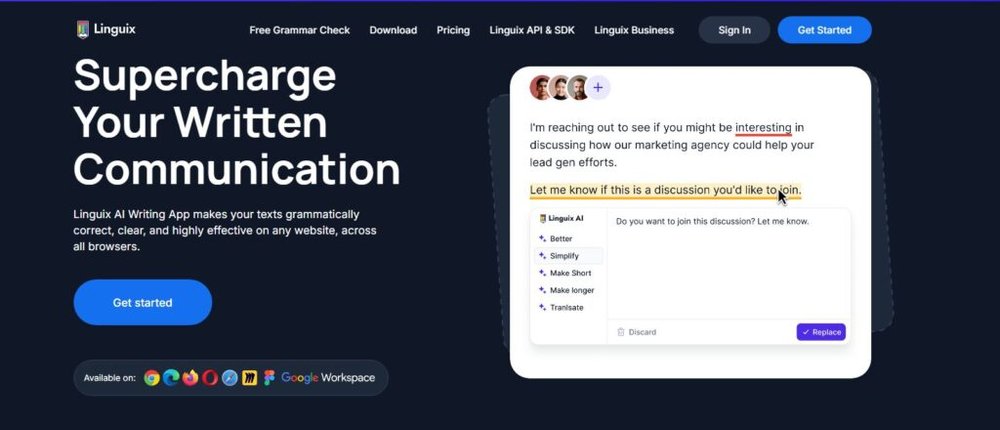
Linguix is a simple yet powerful writing assistant that’s perfect for anyone who wants an AI similar to QuillBot but with a lightweight, faster interface.
It focuses on precision rewriting and productivity-enhancing shortcuts.
Rewrites and Corrects Sentences Instantly
Linguix offers one-click sentence rewriting through its Rewrite Suggestions tool. When you paste your text into the editor, it automatically underlines weak phrases. Hovering over an underline gives you smarter sentence alternatives—without breaking your tone.
For instance, “This project was completed fast” might turn into “We completed this project quickly.” It’s subtle but cleaner.
I find it especially helpful for users who want real-time corrections without heavy AI processing delays. You can enable Linguix in Chrome, Gmail, or Google Docs—it works quietly in the background.
Advanced Snippets and Shortcuts for Productivity
One unique Linguix feature is Snippets, which lets you save commonly used text blocks—like email templates, product blurbs, or call-to-action lines—and insert them anywhere with a short command.
For example, typing “//intro” could instantly expand into a 2-sentence blog opening you’ve saved earlier. It’s a small feature that saves hours if you write repetitive content or client emails.
Linguix also provides shortcuts for instant grammar checks. Pressing “Ctrl + Space” inside any web editor quickly proofreads your text—no need to open a separate app.
Best for Non-Native English Writers
I often recommend Linguix to non-native English speakers who want more natural-sounding sentences without complex AI features. It focuses on fluency and readability rather than advanced creativity.
Its built-in Vocabulary Enhancement Tool suggests simpler alternatives for difficult words, helping you keep writing accessible. For example, “utilize” becomes “use,” or “assist” becomes “help.”
I’ve seen writers improve their clarity dramatically just by reviewing Linguix’s feedback for a few weeks—it almost feels like having a personal language coach.
7. Ginger Software – The AI Tool for Multilingual Writers
Ginger Software is one of the most practical tools similar to QuillBot, especially if you write in more than one language. It’s designed to correct grammar, rephrase sentences, and translate text across multiple languages—all in real time.
I often describe it as a “universal writing bridge” for anyone who switches between English, Spanish, French, or German while writing.
Grammar and Sentence Rewriting Across Languages
Ginger’s core strength lies in its grammar and sentence rewriting engine. Unlike QuillBot, which mainly works in English, Ginger handles over 40 languages. You can write a sentence in your native language, translate it into English, and then refine it—all without leaving the editor.
For example, if you write, “Je veux ameliorer mon anglais,” Ginger not only translates it to “I want to improve my English,” but also checks tone and phrasing to make it sound natural.
Here’s how I use it in practice:
- I draft ideas in my primary language to maintain creativity.
- I use Ginger’s Translate + Rephrase combo to make them fluent and native-sounding in English.
- Then, I run a final check through its Synonym Replacement Tool to improve word choice.
This workflow helps multilingual writers express ideas authentically while maintaining clarity and correctness.
Real-Time Suggestions and Translation Capabilities
When you install Ginger’s Chrome or desktop app, it works directly in your writing window—whether you’re on Gmail, WordPress, or Google Docs. The interface underlines issues as you type and offers instant alternatives, similar to Grammarly’s live editor.
But here’s the real win: Ginger’s translation engine is built into its grammar correction system. That means when you switch languages, it automatically detects and adapts its corrections.
For instance, when I was working on a bilingual blog (English-Spanish), Ginger corrected grammatical gender and punctuation while maintaining idiomatic accuracy. That kind of contextual intelligence is rare among AI writing tools.
Desktop and Mobile Integrations for Everyday Use
Ginger’s cross-device compatibility is what makes it so handy. You can install:
- Ginger Keyboard App on Android or iOS for on-the-go writing.
- Ginger Desktop App for Windows to edit long-form content offline.
- Browser Extension for Chrome, Safari, and Edge to edit emails or online posts.
I often draft emails on mobile using the Ginger Keyboard—it instantly catches spelling errors, even in informal chats. It’s a great everyday writing companion if you frequently move between devices or languages.
If you’re a freelancer or international marketer writing for diverse audiences, Ginger’s multilingual features can save hours in editing while ensuring your message stays culturally relevant.
8. Copy.ai – The Versatile AI for Creative Rewriting
Copy.ai stands out as one of the most creative tools similar to QuillBot. It doesn’t just rewrite sentences—it reimagines them with different tones, styles, and structures.
It’s built for marketers, bloggers, and creators who want variety in their voice and messaging.
Sentence Rewriter Similar to QuillBot With Style Variations
Copy.ai’s Sentence Rewriter feels like a blend of QuillBot’s paraphraser and Wordtune’s emotional nuance. You can input any sentence or paragraph, and it generates multiple rewritten versions—each with a slightly different tone or level of formality.
Example: When I entered “This tool helps improve your writing,” Copy.ai returned:
- “This AI makes your writing sharper and clearer.”
- “With this tool, you can transform your writing instantly.”
- “It’s like having an expert editor always ready to refine your words.”
It’s perfect when you’re testing different brand voices or running A/B ad tests. You can copy the best variation straight into your content editor without manual tweaking.
Templates for Blogs, Emails, and Social Media
Copy.ai includes over 90 templates designed for specific writing tasks.
You can create:
- Blog post intros, outlines, and conclusions
- Email subject lines and cold outreach templates
- Ad copy for Facebook, Instagram, or Google Ads
- Social media captions tailored to tone (witty, inspiring, professional)
One of my favorite features is the Freestyle Tool. You simply describe what you need—for instance, “a friendly 3-sentence Instagram caption about productivity”—and it instantly produces a polished version ready to post.
This versatility makes Copy.ai a time-saver for freelancers and teams who need content in multiple formats quickly.
Great for Brainstorming and Idea Expansion
Beyond rewriting, Copy.ai is a creative partner for brainstorming. You can use it to generate content ideas, blog titles, or product name variations.
When I’m planning new blog topics, I often use the Blog Ideas template—it gives 10–15 unique title suggestions with creative angles. For example, for “AI writing tools,” it offered options like “How AI Is Changing the Way We Communicate” and “The Hidden Benefits of Using AI to Edit Your Work.”
That kind of inspiration kickstarts creativity when you’re stuck in the blank-page stage. It’s especially useful for marketers managing content calendars who need to produce engaging ideas consistently.
9. Sapling AI – Enterprise-Grade Alternative to QuillBot
Sapling AI is a professional-grade writing assistant designed for teams, support agents, and enterprises.
If you’re looking for something similar to QuillBot but focused on communication quality and business scalability, Sapling is the tool to explore.
Focused on Grammar, Clarity, and Customer Communication
Sapling was originally built for customer-facing teams, so it emphasizes tone, clarity, and correctness. Its AI identifies phrases that might sound unclear or robotic and suggests more natural alternatives.
For example, if you write, “We regret the inconvenience caused,” Sapling might recommend “Sorry for the trouble—we’re fixing it right away.” That shift from formal to conversational tone improves customer satisfaction dramatically.
It also provides a Response Autocomplete feature that learns from previous messages. In platforms like Zendesk or Gmail, it predicts the rest of your sentence based on common phrases you use, making replies faster and more consistent.
I’ve seen this feature reduce customer support response time by 20–25% for teams who handle high message volumes.
Customizable AI Models for Teams
One of Sapling’s strongest features is its Custom AI Models. Businesses can train Sapling using their company’s writing samples, policies, and tone guidelines.
For example, a SaaS company might upload internal communication templates, and Sapling will automatically align future suggestions with that tone—maintaining consistency across the team.
You can also build Custom Snippets for commonly used phrases. For example, typing “/refund” could auto-fill a complete, polite refund message customized to your brand’s tone.
These features turn Sapling from a grammar tool into a scalable communication asset.
Integrates With CRMs Like Salesforce and HubSpot
Sapling integrates directly with popular CRM and communication platforms like:
- Salesforce – for real-time writing assistance on customer notes and emails.
- HubSpot – for refining outreach templates and form responses.
- Zendesk and Intercom – for support chat assistance.
This deep integration is what makes Sapling enterprise-level. It doesn’t just fix grammar—it improves how teams communicate with customers.
I’ve tested it in a HubSpot environment where it flagged unclear email openings and suggested stronger ones based on conversion data. It’s like having a writing coach inside your CRM.
10. Slick Write – The Free Alternative for Quick Edits
Slick Write is one of the simplest yet most reliable tools similar to QuillBot for quick proofreading and clarity checks.
It’s built for speed and precision, giving instant insights into writing mechanics like flow, sentence structure, and wordiness—without the clutter of complex AI dashboards.
Detects Passive Voice, Wordiness, and Flow Issues
Slick Write shines in helping writers identify passive voice and overcomplicated sentences. When you paste your text into its online editor and hit “Check,” it instantly highlights areas where your writing could be tighter.
The analysis focuses on:
- Passive voice: Sentences like “The task was completed by the team” are flagged, prompting you to rewrite as “The team completed the task.”
- Wordiness: Phrases such as “due to the fact that” are replaced with simpler options like “because.”
- Flow issues: It detects uneven sentence rhythm that can make your writing sound robotic or disjointed.
I often recommend Slick Write to students or bloggers who need fast readability fixes before publishing. It doesn’t just correct grammar—it helps you understand why certain phrasing slows down your content.
Easy-to-Use Interface With Detailed Reports
Slick Write’s design is refreshingly simple. You paste or upload your document, and within seconds, the system displays color-coded highlights. The sidebar gives a breakdown of sentence structure, transition word usage, and vocabulary diversity.
There’s also a statistics tab that shows:
- Average sentence length
- Percentage of passive sentences
- Vocabulary variety
- Readability score
These metrics are helpful for tracking improvement over time. I once used Slick Write to refine a 1,500-word article—it reduced my average sentence length from 22 to 16 words, which instantly improved engagement and flow.
If you want to develop better writing habits without subscription fees or AI overload, Slick Write is a great everyday companion.
Ideal for Students, Bloggers, and Content Editors
Slick Write is lightweight and browser-based, so there’s no setup or downloads needed. You can use it directly on slickwrite.com, making it accessible for quick revisions between tasks.
It’s particularly useful for:
- Students: Improving essay clarity and sentence balance.
- Bloggers: Checking flow and word choice before publishing.
- Editors: Performing fast readability audits for client content.
I’ve also found it handy when editing non-native English writing. The interface avoids confusing jargon and focuses purely on clarity—something most grammar tools overcomplicate.
If you want a no-frills, accurate editing tool that keeps your writing crisp and professional, Slick Write is the best free option out there.
11. AISEO – The Paraphrasing Tool Built for SEO Writers
AISEO is tailor-made for content creators who want to balance readability with SEO precision. It’s similar to QuillBot in paraphrasing but adds layers of optimization, scoring, and readability metrics—perfect for bloggers, agencies, and copywriters aiming for rankable content.
Rewrites Text for Search Optimization Without Losing Meaning
AISEO’s paraphrasing engine doesn’t just swap words—it rewrites sentences while preserving meaning and maintaining keyword intent. When you paste your content into its Paraphraser Tool, you can choose from modes like:
- Fluency: Focuses on grammatical accuracy and flow.
- SEO Mode: Adjusts phrasing for better keyword integration.
- Creative Mode: Adds stylistic variation for unique tone.
For instance, if your original line is “This product can help improve productivity,” AISEO might rewrite it as “Boost your productivity effortlessly with this tool.” The meaning stays intact, but it’s now more engaging and keyword-friendly.
I’ve tested AISEO for rewriting meta descriptions and product blurbs—it consistently delivered clean, SEO-optimized sentences that didn’t feel robotic.
Includes Content Score and Readability Metrics
One of AISEO’s biggest advantages is its built-in scoring system. Each rewrite comes with a Content Score based on clarity, structure, and SEO friendliness. You’ll also get metrics like Flesch reading score and sentence complexity.
These insights make editing measurable.
For example:
- A score above 80 means your content is ready for publication.
- Anything under 60 suggests readability issues or keyword imbalance.
You can use these scores to fine-tune writing until it meets your brand’s content quality standards. It’s like having a built-in editor that grades every paragraph before it goes live.
I personally find this helpful when managing writers—AISEO’s content scores make it easier to maintain consistency across multiple articles.
Ideal for Bloggers, Copywriters, and Agencies
AISEO is designed for high-volume content workflows. It integrates seamlessly with tools like WordPress and Google Docs, allowing you to paraphrase and optimize directly from your editor.
It’s especially beneficial for:
- Bloggers: Refining posts for better search ranking.
- Copywriters: Rewriting web copy with natural SEO phrasing.
- Agencies: Scaling content without sacrificing quality.
AISEO’s interface is simple—just paste your text, choose tone and mode, and get an optimized rewrite in seconds. I often suggest it to SEO agencies that need to repurpose existing blog content for multiple markets.

I’m Juxhin, the voice behind The Justifiable.
I’ve spent 6+ years building blogs, managing affiliate campaigns, and testing the messy world of online business. Here, I cut the fluff and share the strategies that actually move the needle — so you can build income that’s sustainable, not speculative.
Related posts:
 How Long Is the Quillbot Trial? Full Details & Limitations
 Quillbot Pricing Explained: Honest Breakdown of All Plans
 QuillBot Website Guide: How To Use Every Tool Feature
 How To Download QuillBot And Use It Offline Easily
 Quillbot Alternative Review: Top 5 Choices
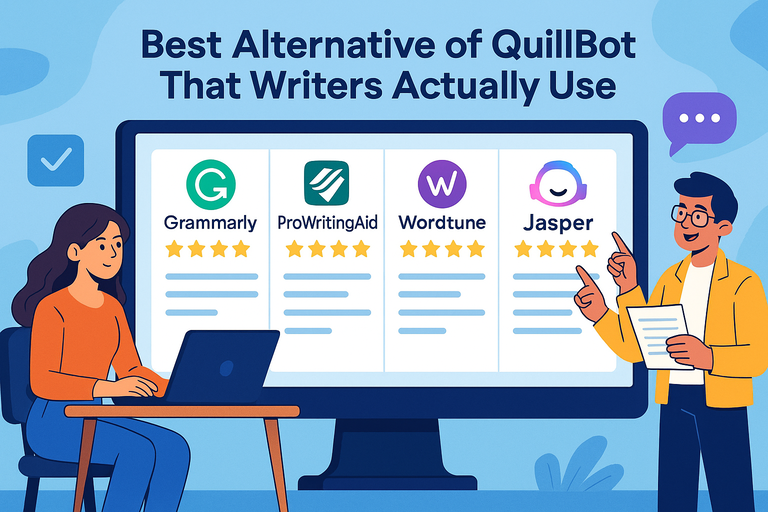 Best Alternative Of QuillBot That Writers Actually Use