
Table of Contents
Some links on The Justifiable are affiliate links, meaning we may earn a small commission at no extra cost to you. Read full disclaimer.
If you are weighing the real envato elements pros and cons for designers, you are probably trying to answer one practical question: is this subscription actually worth paying for, or will it just give you a giant pile of average assets you barely use?
I think that is the right question. For some designers, Envato Elements can save serious time, reduce software-adjacent costs, and speed up client delivery. For others, it can quietly create sameness, licensing confusion, and workflow clutter.
Let me walk you through the honest version, so you can decide based on your work, not the hype.
What Envato Elements Actually Is For Designers
Before you can judge whether it is good or bad, it helps to understand what you are really buying. Envato Elements is not just a stock site.
It is a subscription library that bundles graphics, templates, fonts, photos, mockups, presentation assets, video assets, and more under one membership, with more than 27 million creative assets available on current plans.
It also includes AI features on newer tiers, which changes the value equation a bit for some designers.
What You Get Inside The Subscription
When most of us first hear “unlimited downloads,” we assume the value is mostly quantity. In reality, the biggest selling point for designers is range. You can pull brand mockups, social templates, icons, stock photos, type assets, motion elements, presentation slides, and CMS themes from one ecosystem instead of paying several separate providers.
Envato says its plans include unlimited downloads of creative stock assets, subject to its fair use policy.
That matters because design work is rarely one-format. A freelance brand designer might need a logo presentation mockup in the morning, a pitch deck template after lunch, and social media graphics by the end of the day. In that kind of workflow, a broad subscription can remove a lot of friction.
I also think this is where beginners and small studios feel the value most. If your budget is tight, buying single assets one by one gets expensive fast. A single premium font, mockup pack, or presentation bundle from other marketplaces can cost enough to make a subscription look attractive after only a few downloads.
The catch is that range is not the same as precision. Having access to many categories does not guarantee you will find the exact visual language your project needs. That is where the pros and cons start to split.
How Envato Elements Fits Into A Real Design Workflow
For many designers, Envato works best as a production-speed tool rather than a pure creativity tool. In other words, it helps you execute faster, not necessarily think better. That is an important difference.
Imagine you are designing for a local fitness brand. You already have the strategy, color palette, type direction, and brand voice. What you need now is support material: device mockups, Instagram story templates, background textures, editable icons, maybe a quick presentation deck to show the rollout. Envato can be excellent for that stage.
Where it becomes weaker is the discovery stage, where you are trying to build a highly original identity from scratch. If you rely too heavily on ready-made packs too early, your work can start looking assembled rather than designed.
I have seen this happen especially with trendy logo kits, overused font pairings, and social templates that already feel familiar because thousands of other subscribers are using them too.
So the best mental model is simple: Envato is strongest when you already know what you are trying to make.
The Biggest Pros Of Envato Elements For Designers
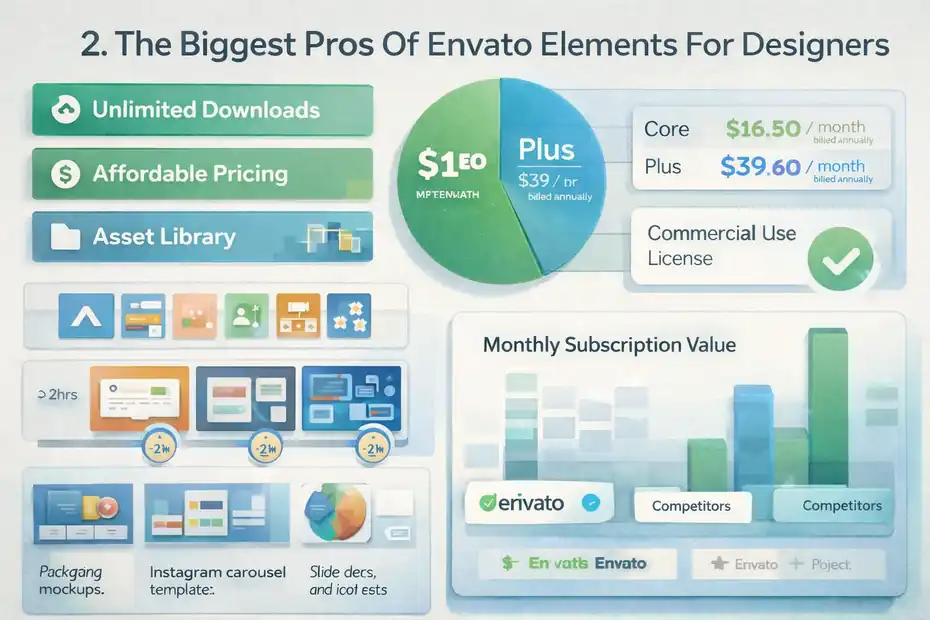
This is the side of the argument that makes the subscription so appealing.
There are real advantages here, especially if your work involves recurring client production, marketing assets, or fast turnaround deliverables.
The Value Per Dollar Can Be Very Strong
Envato’s current official pricing says Core starts at US$16.50 per month billed annually, while Plus starts at US$39 per month billed annually. Core includes unlimited stock downloads and 10 AI generations per month, while Plus adds more AI usage.
For a working designer, that can be a very good deal. One mockup bundle, one presentation template, and one decent stock image subscription elsewhere can already exceed that monthly cost. If you consistently download assets that directly support paid work, the subscription can pay for itself quickly.
Here is a realistic example. Say you handle three client projects in one month:
- One needs packaging mockups.
- One needs Instagram carousel templates.
- One needs slide deck visuals and icon sets.
If those assets help you deliver even two hours faster on each project, the subscription can turn into a profit lever rather than just a software expense. That is why I believe Envato is often more valuable to freelancers than to hobbyists.
The economics improve when time saved turns into billable margin.
It Is Excellent For Speed And Asset Consolidation
One of the most underrated pros is workflow consolidation. Designers often patch together resources from multiple places: one site for stock photos, another for icons, another for fonts, another for presentation templates. That fragmentation adds mental overhead.
Envato reduces that problem because you can often source several asset types in one session. That sounds minor, but over a year it can save a surprising amount of time. Search time is work. Asset comparison is work. License checking is work. Re-downloading and version tracking are work too.
This becomes especially useful for social media designers, e-commerce creatives, YouTube thumbnail designers, presentation designers, and small in-house teams. These roles usually require high output, not just high concept. When volume matters, a broad library can feel like an operational advantage.
In my experience, Envato shines most when deadlines are short and perfection is not the only metric. If your client wants “clean, polished, on-brand, and live by Friday,” Envato can be incredibly practical.
The License Is Simpler Than It Used To Be
Licensing used to be one of the annoying parts of using stock-style marketplaces. Envato has simplified this. Its help documentation now states that downloads are automatically licensed for commercial use, with no manual project registration required, and that creative assets come with a lifetime commercial license.
That is a real usability upgrade. It removes friction at the exact moment when most designers just want to get back to work. For agencies and freelancers managing many deliverables, simpler licensing lowers the chance of making preventable admin mistakes.
That said, “simple” does not mean “use however you want forever in every context.” There are still limits and edge cases, especially around certain media and AI outputs, which I will cover later. But compared with older stock licensing flows, this is definitely a pro.
The Biggest Cons Of Envato Elements For Designers
Now for the part many reviews soften too much.
Envato has genuine weaknesses, and if they overlap with your design style or client expectations, the subscription can feel less useful than it looks on paper.
Asset Quality Is Uneven Across Categories
This is probably the most important con. Quantity is high, but consistency is not. A giant library naturally includes excellent assets, average assets, outdated assets, and assets that look good in thumbnails but fall apart when you actually open them.
That means your time savings can disappear if you spend too long filtering through weak options. A social template might look polished until you notice poor spacing logic, inconsistent typography, or messy layer organization.
A mockup might look great in preview but become frustrating once you try to customize it in Photoshop. A font might appear trendy but turn out to have limited weights, poor kerning, or weak multilingual support.
This is why I do not recommend Envato as your only source of truth for design quality. Think of it more like a large warehouse. There are valuable tools inside, but you still need taste and judgment.
Designers with strong visual standards will often love 10 percent of what they find, tolerate another 20 percent, and skip the rest. That does not make the subscription bad, but it does mean the “unlimited” promise is less useful than it first sounds.
Originality Can Become A Real Problem
A lot of designers worry about whether using Envato makes their work look generic. I think that concern is valid, especially in crowded niches like beauty, fitness, SaaS, coaching, and online education.
If too many people use the same mockups, scene creators, icons, textures, and presentation frameworks, visual sameness creeps in. You may not copy anyone directly, but your output can still feel overly familiar. Clients do notice that, even when they cannot explain it clearly.
This is especially risky when a designer downloads:
- Trend-heavy presentation templates.
- Highly recognizable social packs.
- Common logo starter kits.
- Popular mockup scenes used in portfolio presentations.
The shortcut becomes the style. That is where design quality starts slipping.
I suggest using Envato for components, not identity. Pull support assets from it, but make the core creative decisions yourself. Use the mockup, not the mockup’s whole aesthetic. Use the icon pack, but refine the layout. Use the template as a structure, not as a final design.
Search Friction Can Eat Into The Value
This is the hidden cost almost nobody talks about enough. A huge library is only helpful if discovery is efficient. On some projects, Envato search feels productive. On others, it feels like you are sifting through a lot of near-duplicates.
That can slow down experienced designers more than beginners. When your standards are specific, you tend to reject assets quickly for subtle reasons: wrong spacing rhythm, wrong rendering style, weak hierarchy, flat color handling, poor preview realism, or outdated visual trends.
So yes, unlimited downloads are nice. But if it takes 35 minutes to find one asset you trust, the time advantage shrinks. For some designers, a smaller but more curated source can actually be faster.
Who Envato Elements Is Best For
Not every designer gets the same value from the platform.
The subscription works best when your business model, project type, and creative process match the product’s strengths.
Freelancers And Small Studios With Recurring Deliverables
If you work with small business clients, startups, creators, or local brands, Envato can be a practical workhorse. These clients often need a wide mix of deliverables: social graphics, promo banners, brand mockups, website visuals, brochures, and pitch decks.
That is exactly the kind of environment where asset breadth matters. You are not creating one museum-grade art piece. You are building a lot of useful design collateral that needs to look polished and ship quickly.
I would put freelance social media designers near the top of the “good fit” list. If you create 20 to 60 pieces of content per month, the combination of templates, stock, graphics, and mockups can significantly reduce production time.
Small agencies can also benefit, especially if they handle multi-format client packages. The more varied the output, the more the subscription starts acting like a cost-control tool.
Designers Who Need Production Support, Not Pure Originality
There is a big difference between concept-heavy design and production-heavy design. Envato is usually better for the second category.
If your job involves resizing, formatting, presenting, packaging, adapting, localizing, or repurposing approved brand assets, the platform can be extremely useful. You are not asking it to invent the brand. You are asking it to help execute quickly and consistently.
For example, an in-house marketing designer might use Envato for:
- Seasonal campaign mockups.
- Email header graphics.
- Landing page illustration components.
- Presentation themes for internal reports.
- Simple motion graphics support.
That is a healthy use case. The platform is contributing speed and utility, not replacing design thinking.
Beginners Who Need Affordable Asset Access
For newer designers, Envato can serve as a practical bridge between skill growth and client readiness. It gives access to resources that would otherwise be expensive to buy individually.
A beginner who is learning client delivery can use it to understand file structures, asset presentation, mockup composition, and template logic. Even when an asset is not perfect, opening layered files from experienced creators can teach useful production habits.
I do think beginners need to be careful, though. It is easy to confuse downloading with designing. Collecting polished assets can create the illusion of skill. The goal should be to study, adapt, and improve, not just assemble pre-made visuals.
Who Should Be More Careful Before Subscribing
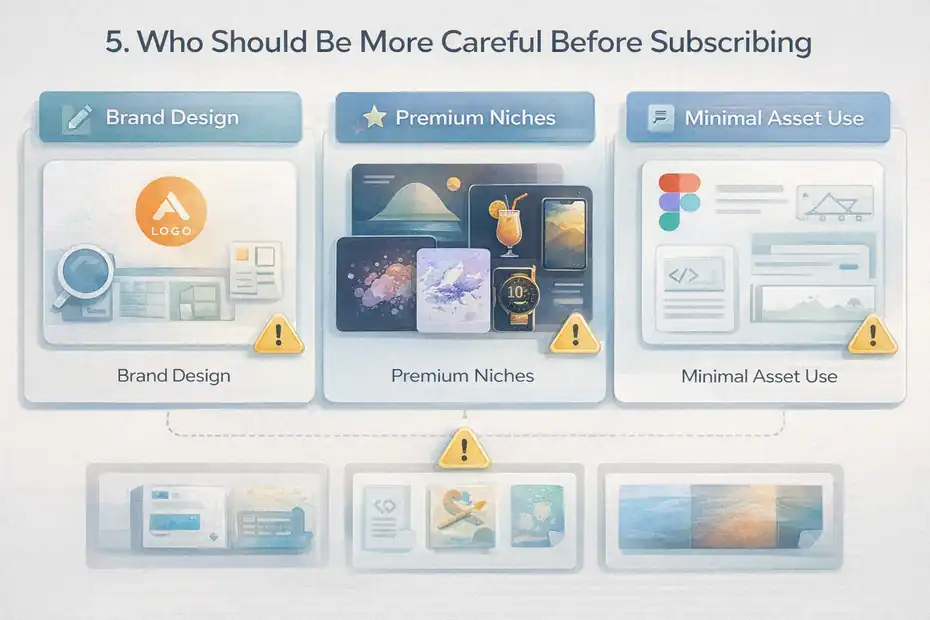
This is where the honest “truth” part matters. Some designers subscribe because the offer sounds broad and affordable, but their actual workflow does not line up with the platform very well.
Brand Designers Focused On Original Identity Systems
If your main work is logo systems, visual identity architecture, type-led branding, or high-end creative direction, Envato may have limited value compared with what you expect.
Yes, you can still use mockups, textures, and presentation assets. But the deeper your work depends on originality, nuance, and differentiation, the more cautious you should be. Pre-made assets can start shaping your choices too early.
That does not mean serious brand designers should avoid Envato completely. It just means the subscription should be supplementary. It should support presentation and rollout, not define your design thinking.
I have seen portfolios weaken when designers lean too hard on polished presentation templates that look expensive but make multiple projects feel strangely similar. Clients may not know why, but they can sense recycled energy.
Designers Working In Narrow Or Premium Visual Niches
If you work in luxury branding, experimental editorial design, highly custom web design, or art-direction-heavy product launches, the library may feel too broad and too middle-market.
That is not a criticism of the platform. It is a positioning reality. Large subscription libraries tend to optimize for usefulness across many users, which often pushes them toward commercially safe aesthetics.
In premium or niche work, safe is not always helpful. You may need a very specific illustration style, rare typographic personality, or less-saturated visual reference set. In those cases, you can spend a lot of time browsing without finding assets that truly fit.
The more taste-sensitive your projects are, the more selective you need to be about any stock ecosystem.
Designers Who Rarely Use Downloadable Assets
This sounds obvious, but it is worth saying. Some designers simply do not need enough external assets for a subscription to make sense.
If your workflow is mostly Figma-based UI systems, custom illustration, original photography, or code-heavy web design, you may not use enough mockups, stock, templates, fonts, or graphics to justify another monthly cost.
A good rule is this: if you cannot name at least three asset categories you would realistically use every month, wait before subscribing.
Pricing, Licensing, And The Fine Print Designers Should Not Ignore
This is one of the most practical parts of evaluating envato elements pros and cons for designers
A subscription can look inexpensive until the usage limits or edge-case restrictions affect real client work.
The Current Pricing Structure Changes The Value Calculation
Envato’s current official information says Core starts at US$16.50 monthly billed annually and includes unlimited stock downloads plus 10 AI generations each month. Plus starts at US$39 monthly billed annually and includes more AI access.
Envato also says the former unlimited AI access on older plans ended on February 25, 2026, except for eligible enterprise plans.
That matters because some designers may still have old assumptions about “unlimited everything.” That is no longer the right mental model for AI-related use.
If you only care about stock assets, Core may still be plenty. If you expected AI-heavy production, you need to check the current plan limits carefully before treating that feature as a major reason to subscribe.
In other words, the design asset value and the AI value are now two separate calculations.
Licensing Is Simpler, But Restrictions Still Matter
Envato’s current support pages say downloads are automatically licensed for commercial use and that creative assets come with a lifetime commercial license.
That is good news. But you still need to understand what “commercial use” does and does not cover in practice.
For example, Envato’s license FAQ states that music items on the subscription are not allowed for broadcast use, while sound effects can be used for broadcast under the defined terms.
Even if you are “just a designer,” these details can matter when your projects cross into marketing production, client video content, or social campaigns. If you hand off a creative package that includes motion or audio elements, you need to understand the asset category-specific rules.
My advice is simple: Treat licensing as easy, not casual. Easy means friction is lower. It does not mean reading nothing.
Unlimited Downloads Are Real, But Fair Use Still Exists
Envato’s help center says creative stock downloads are unlimited, subject to its fair use policy.
That is usually fine for normal designer behavior. But it is still worth understanding the spirit of it. A subscription library wants working creatives using assets in actual projects, not mass-hoarding or treating the service like a dump-all archive.
For most freelancers and teams, this will never become a problem. Still, I recommend downloading intentionally. Build a project-based asset habit instead of a panic-download habit. You will stay more organized, and your local files will not turn into a graveyard of half-remembered ZIP folders.
How To Use Envato Elements Without Making Your Work Look Generic
This is where the subscription becomes far more valuable. The best designers do not use stock ecosystems passively. They use them selectively and with taste.
Start With The Project System, Not The Asset Library
The biggest mistake is opening Envato before you have defined the design direction. That puts the library in control.
Instead, start with your own project system:
- Clarify audience.
- Define visual goals.
- Set layout logic.
- Choose brand tone.
- Establish hierarchy and references.
Only then should you search for supporting assets.
This one change improves quality fast. It prevents you from shaping a brand around whatever happened to look nice in search results that day. It also makes search faster because you know what you are filtering for.
I suggest writing a tiny asset brief before downloading anything. Something as simple as “clean wellness mockup, bright natural light, minimal props, no heavy shadows” can stop you from drifting into random browsing.
Customize Aggressively Instead Of Using Assets As-Is
This is where original-looking work is won or lost. Most generic results come from low-effort implementation, not from the asset itself.
A downloaded template can still become distinctive if you:
- Rebuild the type system.
- Change pacing and spacing.
- Replace stock color logic.
- Remove decorative clutter.
- Adjust imagery ratio and cropping.
- Create custom composition rules.
The same goes for mockups. Even simple changes to background, grain, shadow behavior, angle selection, and staging can help your presentation look less stock-driven.
I believe this is the healthiest mindset: use assets for acceleration, then use your design judgment to create differentiation. The downloaded file is the starting point, not the final deliverable.
Use Envato For Support Layers, Not Core Brand Decisions
A great shortcut is to divide your project into two layers.
Layer one is strategic and original:
- Identity direction.
- Messaging hierarchy.
- Core typography choices.
- Layout system.
- Brand motifs.
- Art direction.
Layer two is supportive and repeatable:
- Mockups.
- Background graphics.
- Presentation structures.
- Secondary icons.
- Content templates.
- Stock support visuals.
Envato is strongest in layer two. The more you keep it there, the better your work tends to look.
Common Mistakes Designers Make With Envato Elements
A subscription only becomes a time saver when you use it well. Many designers do the opposite without realizing it.
Downloading Too Much And Curating Too Little
Unlimited access creates a strange temptation: over-collecting. You find six mockup packs, nine icon sets, three font families, and twelve presentation themes “just in case.” Then nothing is organized, and your decision-making slows down.
I recommend a stricter approach. For each project, choose one primary asset direction, one backup, and one experimental option. That is usually enough.
Too many choices do not improve creativity. They delay it.
This matters especially when working under pressure. If your folders are full of vaguely named assets and duplicate concepts, you lose time reopening files and second-guessing yourself. The subscription starts feeling noisy instead of helpful.
Letting Templates Replace Design Thinking
Templates are useful. Template dependence is dangerous.
A lot of designers unknowingly downgrade their work by starting with a polished template and then adjusting only surface-level details. The result looks technically clean but creatively thin.
You can usually spot this when:
- Slides feel over-designed but under-strategized.
- Social posts use trendy shapes with weak messaging hierarchy.
- Brand presentations look slick but say very little.
- Portfolio mockups are beautiful but repetitive.
The fix is not “never use templates.” The fix is to make sure the template serves your structure, not the other way around.
Ignoring Asset-Specific Restrictions And Context
Another mistake is assuming every asset behaves the same legally and practically. That is rarely true. Fonts, music, AI outputs, mockups, templates, and graphics can each carry different usage contexts or expectations.
Envato’s own documentation highlights category-specific restrictions, including limits around subscription music in broadcast contexts and separate AI product terms.
You do not need to become a licensing expert. But you should pause when a project involves redistribution, client handoff, public campaigns, or mixed media production. That extra five minutes can save an awkward client conversation later.
Advanced Tips To Get More Value From The Subscription
Once you know the strengths and limitations, Envato becomes more than a download site. It becomes a workflow tool you can manage intentionally.
Build A Personal Shortlist System
The fastest designers are not the ones who search better every time. They are the ones who save better after finding good assets once.
Create a private shortlist system by category:
- Best packaging mockups.
- Best minimal deck templates.
- Best editable icon sets.
- Best neutral lifestyle stock.
- Best serif font options for premium brands.
- Best textured backgrounds for posters.
This sounds simple, but it changes everything. After two or three months, your future search time drops because you are working from a trusted mini-library, not from scratch.
I suggest keeping notes on each saved asset too. Something like “great previews, weak layer naming” or “excellent social format, needs typography cleanup” is enough. That turns random downloads into operational knowledge.
Use It To Improve Margins, Not Just Save Money
A lot of people frame Envato as a budgeting decision. I think that is too narrow. The bigger benefit is margin improvement.
If one subscription helps you:
- Deliver faster,
- reduce revision friction,
- present concepts better,
- and produce more formats per project,
then it can increase the perceived value of your service.
For example, a freelancer charging flat project rates can use production shortcuts to keep more effective hourly profit. An agency can standardize support assets across team members. An in-house designer can handle more campaign volume without quality collapsing.
That is when the subscription becomes strategically useful.
Pair It With A Stronger Creative Process
The best way to avoid generic work is not to avoid asset libraries entirely. It is to pair them with a stronger creative process than most people use.
Here is a simple pattern I recommend:
- Define concept first.
- Build layout logic second.
- Source supporting assets third.
- Customize deeply fourth.
- Audit for sameness before delivery.
That final audit matters. Before sending the work, ask: would this still feel like the same project if I removed the stock-based pieces? If the answer is no, the external assets may be carrying too much of the design.
Final Verdict: Is Envato Elements Worth It For Designers?
Yes, but only for the right kind of designer and the right kind of workflow.
If you create recurring client deliverables, need multi-format assets, work on tight timelines, or want one broad library that supports production work, Envato Elements can be a smart subscription. The pricing is reasonable for working designers, the licensing flow is simpler than before, and the breadth of assets can genuinely save time.
The downsides are just as real, though. Quality is uneven. Search can be noisy. Overuse can make your work look generic. And if your design work depends heavily on originality, premium differentiation, or very specific art direction, you may get less value than you hoped.
My honest take is this: Envato is not a creative substitute. It is a creative support system.
Use it for execution, speed, and useful production layers. Do not let it make your design decisions for you. If you keep that boundary clear, the pros usually outweigh the cons. If you blur that boundary, the subscription can slowly flatten your work.
For many designers, that is the truth: Envato Elements is worth it, but only when you stay in charge.
FAQ
What are the main envato elements pros and cons for designers?
Envato Elements offers unlimited downloads, affordable pricing, and a wide asset library, making it great for speed and productivity. However, asset quality can be inconsistent, and overuse may lead to generic-looking designs. It works best as a support tool, not a replacement for original creative thinking.
Is Envato Elements worth it for freelance designers?
Envato Elements is often worth it for freelancers who handle recurring client work and need fast access to templates, mockups, and graphics. The subscription can save time and increase profit margins, especially when used consistently across multiple projects each month.
Does using Envato Elements make your designs look generic?
It can if you rely too heavily on templates without customization. Many assets are widely used, so originality depends on how you modify layouts, typography, and composition. Designers who adapt assets creatively can still produce unique, high-quality work.
Can you use Envato Elements assets for commercial projects?
Yes, Envato Elements assets come with a commercial license that allows use in client work. However, certain categories like music or AI-generated content may have specific restrictions, so it’s important to review the license details before using assets in large-scale or public projects.
What type of designers benefit most from Envato Elements?
Designers who create high-volume content such as social media graphics, presentations, and marketing materials benefit the most. It is especially useful for freelancers, small agencies, and in-house teams who prioritize speed, efficiency, and cost-effective asset sourcing.

I’m Juxhin, the voice behind The Justifiable.
I’ve spent 6+ years building blogs, managing affiliate campaigns, and testing the messy world of online business. Here, I cut the fluff and share the strategies that actually move the needle — so you can build income that’s sustainable, not speculative.
Related posts:
 Envato Elements Vs Creative Market Comparison: Which Wins?
 Envato Elements Pricing Explained: Plans Decoded
 Adsterra Advertising: Boost Your Online Business with High-Quality Traffic
 Online Business Courses: Start Your Entrepreneurial Journey Today
 YouTube CPM Rates: How to Maximize your Profit
 Affiliate Tools: Tips for Selecting the Right Platform