
Table of Contents
Some links on The Justifiable are affiliate links, meaning we may earn a small commission at no extra cost to you. Read full disclaimer.
Serpstat SEO tool review searches usually come from one honest question: can this platform actually help you grow traffic without draining your budget?
I think that is the right question to ask, because SEO tools get expensive fast, and many of them promise far more than they deliver.
In this guide, I’ll walk you through what Serpstat does well, where it feels limited, who it fits best, and when your money would be better spent elsewhere.
The goal is simple: help you make a confident buying decision based on real use cases, not marketing fluff.
What Serpstat Is And Who It Is Really For
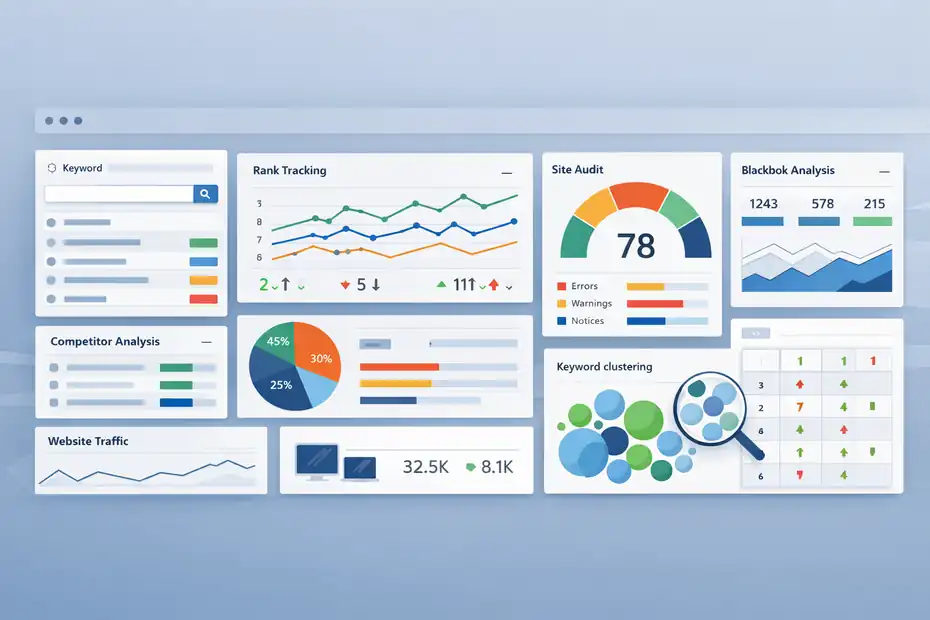
Serpstat is positioned as an all-in-one SEO platform, and that description is mostly fair. It includes keyword research, competitor analysis, rank tracking, site audit, backlink analysis, clustering, traffic checking, and a growing set of AI-related features inside one platform.
On its website, Serpstat says it is trusted by 1.1 million users and highlights a database covering 1.50 billion domains, 8.62 billion keywords, 529 billion backlinks, 5.6 billion keyword suggestions, 230 countries, and 2.21 billion Google SERPs.
What Problem Serpstat Solves
If you have ever stitched together three or four SEO tools just to finish one basic workflow, you already understand Serpstat’s appeal.
The platform tries to centralize the main SEO jobs most of us repeat every week: finding keywords, checking competitors, tracking rankings, auditing technical issues, and measuring backlink health. That means less tab-switching and fewer disconnected exports.
From what I’ve seen, Serpstat makes the most sense for freelancers, consultants, in-house marketers at smaller brands, and agencies that want wide SEO coverage without paying premium-enterprise prices.
It is not trying to be the most elite specialist tool in every category. It is trying to be the practical tool that covers the majority of SEO work well enough to keep campaigns moving.
A simple example helps here. Imagine you run SEO for a local service business with 150 service pages and blog posts. You need keyword ideas, page-level audits, and weekly ranking updates, but you do not need an ultra-complex enterprise stack. Serpstat fits that middle ground well. It gives you enough depth to act without forcing you into a larger subscription than your business really needs.
Who Will Usually Like It Most
I believe the best Serpstat users are people who care about workflow efficiency almost as much as raw data depth. That includes solo SEOs, lean content teams, startup marketers, and budget-conscious agencies.
On the pricing page, Serpstat clearly separates its plans by audience: Individual for freelancers and beginners, Team for agencies and growing teams, Team x2 for teams needing more power, and Agency for larger businesses.
That audience positioning matters because it explains why the platform feels the way it does. The interface is designed to get you to useful answers quickly, not bury you in every possible advanced toggle. G2 reviews also reflect that people commonly use it for the core SEO set: keyword research, audit, rank tracking, and backlink analysis.
If you are a heavy enterprise user managing massive international campaigns with deep custom reporting and very specialized database needs, Serpstat may feel more “good and efficient” than “best in class.” But for many smaller teams, that is exactly the point.
How Serpstat Works Day To Day
Before you judge value, you need to understand the actual workflow. Most SEO platforms look impressive on landing pages. The real test is whether they help you make faster, better decisions every day.
The Core Modules You Will Use Most
Serpstat’s core feature set includes Keyword Research, Competitor Analysis, Rank Tracker, Site Audit, Backlink Analysis, Website Traffic Checker, Keyword Clustering, Page Audit, and several bulk analysis utilities.
The official site also lists AI tools, domain authority checking, difficulty checking, and SERP scraping-related capabilities.
In practice, most users will spend the bulk of their time in five places:
- Keyword Research: Finding terms, questions, related phrases, and search patterns.
- Competitor Analysis: Seeing which domains rank, overlap, and win in your niche.
- Rank Tracker: Monitoring keyword positions over time on desktop and mobile.
- Site Audit: Surfacing technical issues that may block crawling, indexing, or usability.
- Backlink Analysis: Reviewing referring domains, link freshness, and authority signals.
That mix is important because it supports the full SEO loop. You research opportunities, publish or optimize pages, track rankings, audit issues, and monitor authority. The platform becomes more valuable when you use it as a system, not as a one-off keyword finder.
What The Workflow Feels Like In Real Use
Here is the simple version. You start with a domain or keyword. Serpstat then expands outward into data you can act on. For a keyword, it can lead you into keyword ideas, difficulty, SERP patterns, competitors, and clustering.
For a domain, it can lead you into visibility, competing pages, backlinks, audit findings, and rank tracking.
That sounds obvious, but it is exactly where some tools fail. They give you data without a usable path. Serpstat is better when you think in workflows.
For example, you might start with “best protein powder for women,” discover related long-tail terms, cluster them by intent, assign those clusters to page ideas, and then track the resulting rankings over the next eight weeks.
I suggest thinking of Serpstat as a command center for mid-complexity SEO. It does not remove the need for judgment, but it reduces the time between a question and a decision. For many users, that time savings is what justifies the subscription.
Keyword Research: One Of Serpstat’s Strongest Selling Points
This is usually the first feature people test, and honestly, it should be. If keyword research is weak, an all-in-one SEO tool becomes much harder to justify.
How Useful The Keyword Data Feels
Serpstat’s keyword research module is built around helping you identify relevant phrases for SEO and PPC campaigns, and the platform’s own positioning leans heavily on this area. It also highlights a very large keyword database and billions of keyword suggestions, which matters because weak expansion data can make keyword research feel shallow fast.
What I like here is not just the keyword list itself. It is the way Serpstat tries to connect search terms to workable content planning. That is where a lot of users get stuck. They can collect 500 keywords, but they cannot turn them into a sane site structure. Serpstat’s clustering and grouping logic helps bridge that gap.
A realistic scenario: Imagine you run an online skincare shop. You search a head term like “vitamin c serum.” Instead of writing one bloated page targeting every variation, you can separate commercial intent, informational intent, routine-based intent, and comparison intent. That leads to cleaner content architecture and less accidental cannibalization.
Keyword Clustering Is More Valuable Than It Sounds
Keyword clustering sounds like a fancy extra until you actually need it. Serpstat’s own documentation explains that clustering helps build site structure, determine target keywords for specific pages, analyze your semantic core, and identify keywords that do not fit existing groups.
It also references top-30 search results and “metatop” logic to show page competitors for cluster topics.
That matters because modern SEO is rarely about one keyword per page. It is about topic coverage, intent alignment, and page architecture. Clustering helps you avoid publishing five thin posts that all target the same result set.
In my experience, this is one of the more practical reasons to consider Serpstat over a cheaper single-purpose keyword tool. You are not just buying data. You are buying help with organization. For solo site owners and lean teams, that can save real hours every month.
Competitor Research And Visibility Analysis
A good SEO tool should help you answer one simple question fast: why are competitors outranking me, and what can I realistically do about it?
Where Serpstat Helps You Spot Opportunity
Serpstat includes a dedicated competitors analysis module and repeatedly positions competitor intelligence as a core use case. User comments highlighted on the site mention competitor research, featured snippets, keyword growth over time, and comparing performance across your own site and competing sites.
That is useful because competitor analysis is not just spying on someone else’s traffic. It is a shortcut to prioritization. If three competing domains all rank with dedicated pages for a topic you only mention in passing, that is a clue.
If they own a SERP feature you never optimized for, that is another clue. If they win with comparison pages and you only publish generic blog content, the gap becomes obvious.
I recommend using competitor research in Serpstat for three jobs: content gap discovery, SERP pattern recognition, and benchmarking. You do not need to overcomplicate it. Just compare your domain against 3 to 5 real search competitors and ask what page types, topic clusters, and intent angles they own that you do not.
The Limitation You Should Know
The quality of competitor analysis always depends on database coverage and update freshness. Serpstat’s help materials also openly note that no service provides 100% reliable analysis for all advertising data and that some results are average or incomplete.
It also explains that if a keyword is absent, it may be low-volume or missing from the database, and users can request help or add keywords using batch analysis.
I actually like that transparency. No SEO database is perfect. The key question is whether the data is useful enough for decision-making. For most SMB and mid-market projects, Serpstat is usually directionally strong enough to uncover competitor themes and opportunities.
I would not expect miracle precision on every niche keyword in every market, but that is true across the industry.
Rank Tracking And Reporting
This is the feature that often decides whether a tool becomes part of your weekly workflow or gets canceled after the first month.
What You Get From The Rank Tracker
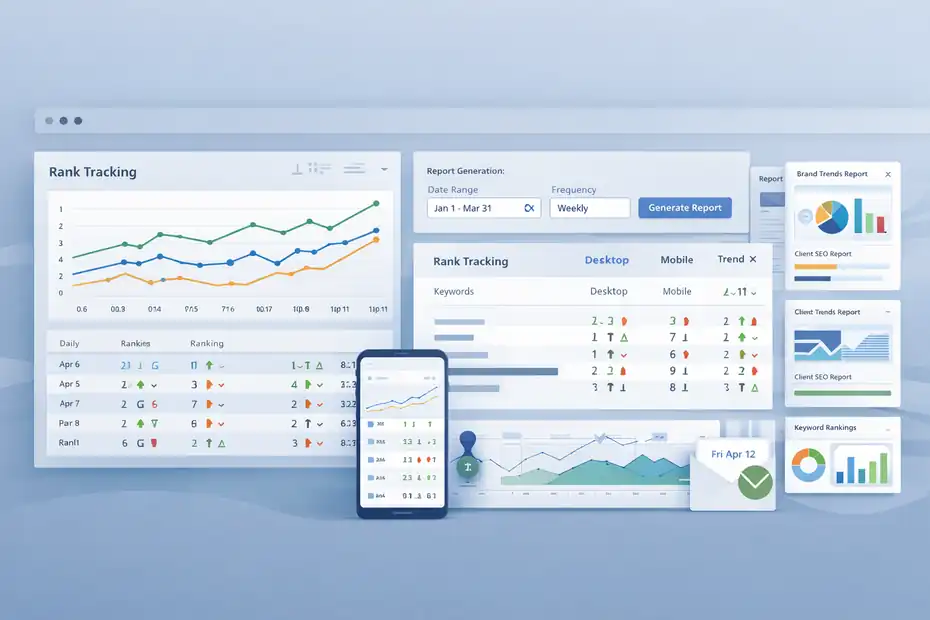
Serpstat’s rank tracker supports tracking positions for your site and competitors in organic results and contextual advertising. Its documentation references flexible schedules including daily tracking, weekday-based schedules, and monthly schedules.
The official site also notes desktop and mobile rankings, daily updates, project migration from another service, and competitor rankings across plans.
That flexibility matters more than it seems. Many smaller businesses do not need minute-by-minute ranking data. They need dependable trend visibility and clean reporting they can actually show to a client, boss, or founder. Serpstat seems built around that reality.
Here is a practical use case. Say you publish 20 new category pages for a B2B SaaS site. You can track those terms daily for the first month, then reduce the schedule once rankings stabilize. That is smarter than paying for a bloated rank-tracking setup you barely use.
Why Reporting Matters More Than Fancy Dashboards
Serpstat includes branded reports on Team and higher plans, white-label reports on Agency, and scheduled reports beginning on Team. Share access also expands significantly as you move up plans.
This is one of those features that sounds boring until you manage multiple stakeholders. If you are freelancing, running an agency, or reporting to leadership, presentation matters. A decent reporting workflow reduces friction and makes SEO easier to defend internally.
I would not choose Serpstat for reporting alone, but I would absolutely count it as part of the value package. A tool that helps you gather, interpret, and present data is more useful than a tool that only exports endless spreadsheets.
Site Audit And Technical SEO Capabilities
Technical SEO can turn into a mess quickly, especially if you inherit an older site. This is where all-in-one tools often either become lifesavers or disappointments.
How Strong The Audit Feature Looks
Serpstat prominently promotes Site Audit as one of its flagship modules, and several testimonials on the official site specifically praise the audit feature for day-to-day use and cleanup work. The plan limits are also generous enough to matter: 30,000 pages on Individual, 150,000 on Team, 300,000 on Team x2, and 1,500,000 pages per month on Agency.
That page capacity makes Serpstat more than a toy for very small sites. Even the lower tiers can handle meaningful crawling for many businesses. For content-heavy publishers or ecommerce sites with thousands of URLs, those limits deserve a close look.
I also like that the audit sits inside the same platform as rankings and keyword work. If you discover that a page is underperforming, you can investigate both technical and content-side issues without jumping tools.
Where This Helps In Real Projects
Imagine you manage a blog that has grown to 800 posts over five years. Organic traffic has plateaued, and nobody knows whether the problem is content quality, cannibalization, redirect issues, thin pages, or metadata decay. A site audit gives you a starting map.
The testimonial quoted on Serpstat’s pricing page mentions a 270% increase in organic traffic over the first year and a threefold CTR increase after fixing titles and descriptions following technical audit work.
That is a marketing example, not a universal result, but it is directionally useful because it highlights the kind of gains audits can unlock when basic issues have been ignored.
My advice is simple: Do not treat the audit as a one-time health check. Use it as a recurring quality-control system. That is where subscription value compounds.
Backlink Analysis And Authority Metrics
Backlinks are rarely the first reason budget buyers choose Serpstat, but they still matter. The question is whether the backlink tools are strong enough for practical use.
What Serpstat Offers In Backlink Workflows
Serpstat says its platform includes Backlink Analysis and a malicious sites tool, and its help center notes that users can see link update dates in backlink reports, with crawlers generally collecting data within three days after recrawl.
It also defines Serpstat Domain Rank, or SDR, as a 0-to-100 domain authority indicator based on linking domains and the link graph around them.
That tells us two things. First, Serpstat wants to give users a practical backlink monitoring layer, not just a raw list of links. Second, it is trying to offer simplified authority interpretation for users who do not want to manually assess every domain.
For many teams, that is enough. You can spot link growth, compare competing domains, review freshness, and flag suspicious sources. That supports everyday SEO operations well.
Where Expectations Should Stay Realistic
I would be careful about buying Serpstat only for backlink analysis if link intelligence is your main business-critical need. Its backlink database is large on paper, but backlink depth and freshness are areas where elite users often have strong preferences. That does not mean Serpstat is weak. It means backlink analysis is often the category where specialists notice differences fastest.
For most users, though, the test is simpler: can I audit my backlink profile, compare competitors, and identify obvious opportunities or risks without buying a second expensive subscription? For many small and mid-size teams, the answer is yes.
If your campaigns are heavily link-led, or you are running aggressive digital PR workflows, you may still want a more specialized backlink stack. But as part of an all-in-one package, Serpstat’s backlink toolkit is a legitimate value component.
Pricing, Plan Limits, And Real Value For Money
This is where the “is it worth your money?” question becomes concrete.
Current Plan Structure
According to Serpstat’s official pricing page, the annual-billing monthly prices are $50 for Individual, $100 for Team, $169 for Team x2, and $410 for Agency. The corresponding core limits are:
| Plan | Price Per Month | Searches Per Day | Rank Checks | Audit Pages | Export Rows |
|---|---|---|---|---|---|
| Individual | $50 | 100 | 10,000 | 30,000 | 50,000 |
| Team | $100 | 500 | 50,000 | 150,000 | 250,000 |
| Team x2 | $169 | 1,000 | 100,000 | 300,000 | 500,000 |
| Agency | $410 | 5,000 | 500,000 | 1,500,000/month | 2,500,000/month |
Team and higher plans add API access, while Agency adds white-label reports, phone support, and data engineer consultation. Team also includes share access, scheduled reports, branded reports, and AI tools.
Is That Pricing Actually Competitive?
I think Serpstat’s value story is strongest in the lower and mid tiers. At $50 for Individual and $100 for Team on annual billing, it is clearly trying to undercut premium all-in-one SEO suites while still covering the main workflows.
That makes the tool easier to justify when your needs are practical rather than elite. For example, a freelancer with five client sites may be perfectly fine with the Individual plan if they use the platform strategically. A small agency managing local SEO, service pages, and content calendars could get a lot of mileage from Team.
The weak point is that pricing value depends heavily on your usage pattern. If you barely use rank tracking, the plan may feel expensive. If you fully use keyword research, audits, clustering, and reporting every week, it can feel cheap.
Free Trial, Credits, And What To Test Before You Buy
Never judge an SEO tool by homepage claims alone. The free trial is where you should decide whether the workflow fits your actual business.
What The Trial Includes
Serpstat’s help center says users can access a 7-day trial of the Individual or Team plan. The Individual trial includes 100 searches per day, 2,000 results per report, 5,000 pages to audit, and 2,000 rank checks, with access to AI tools, batch analysis, clustering, and link tracker.
The Team trial includes 500 searches per day, 10,000 results per report, 30,000 pages to audit, 10,000 rank checks, plus API access and extra seats. The company states the free trial can be used only once.
That is enough room to run a serious test, not just click around. I recommend using the trial with a checklist instead of random curiosity.
The Best Way To Evaluate It In Seven Days
Here is how I would test Serpstat if I were deciding whether to pay:
- Day 1: Run keyword research for your top three commercial topics.
- Day 2: Compare your domain against three real competitors.
- Day 3: Launch a site audit and review the top issue buckets.
- Day 4: Set up rank tracking for your money pages.
- Day 5: Check backlink reports for your site and two competitors.
- Day 6: Use clustering on one content hub or service category.
- Day 7: Export reports and ask yourself whether the insights changed your next actions.
That last question is the one that matters. Not “is the dashboard pretty?” Not “does it have AI?” Did it change what you are going to do next week? If yes, it probably has value.
Where Serpstat Feels Strongest Compared With Alternatives
A review is not useful unless it makes tradeoffs clear. Every SEO tool has strengths, weaknesses, and a user profile it serves best.
The Biggest Reasons People Choose Serpstat
The clearest reasons to pick Serpstat are affordability, feature breadth, and workflow coverage. The official site emphasizes all-in-one functionality, and third-party review snapshots reinforce the same theme: it is a budget-friendly option that covers the major SEO jobs reasonably well.
Gartner’s review snippet describes it as a “solid budget choice,” while G2 users repeatedly mention time savings and access to common SEO features in one place.
That is a strong position in the market. Many businesses do not need the most advanced tool in every category. They need a reliable platform that helps them execute.
I also think Serpstat’s practical planning features, especially clustering and audit-to-action workflows, are more meaningful than some buyers realize. Those features help teams translate data into structure, and structure is what often separates messy SEO from scalable SEO.
Where More Demanding Users May Hesitate
The hesitation usually comes from users who want the deepest data in one specific area, such as backlink intelligence, enterprise-level reporting, or the broadest market recognition.
Some third-party review commentary suggests that while Serpstat is attractive on price, certain features do not always match top-tier competitors in quality.
That does not make Serpstat a bad buy. It just means you should buy it for the right reason. Buy it because you want a capable, efficient all-in-one platform with good value. Do not buy it expecting every dataset and workflow to beat the most expensive category leaders.
Common Complaints, Friction Points, And Hidden Costs
This is the section I wish more reviews handled honestly. Even good tools have friction.
Limits And Credits Can Shape Your Experience
Serpstat’s pricing is not just about dollar cost. It is about usage ceilings. Searches per day, results per report, export rows, rank checks, and API credits all affect how generous the platform feels in real life.
The help center also notes that exports are restricted by plan and that paid users can export reports in several formats including CSV, XLSX, PDF, Google Docs, Google Sheets, and Google BigQuery connections. Export row caps range from 50,000 on Individual to 2,500,000 on Agency.
If you are a heavy exporter or run frequent large-scale analyses, those limits matter. A tool can look affordable until your team outgrows the available credits.
I advise buyers to estimate usage before subscribing. How many sites will you monitor? How many keywords? How many exports? How often will you re-audit? Your real cost is determined by usage fit, not just sticker price.
Data Gaps Happen, And That Is Normal
Serpstat’s own help pages acknowledge that some keywords may be missing from the database, especially low-volume queries, and that users can contact support or use batch analysis to add relevant terms.
That honesty is useful because it sets expectations correctly. If you work in a tiny niche, a non-English micro-market, or a very fast-moving trend category, you should test your exact keyword universe during the trial. Do not assume broad database numbers automatically guarantee perfect niche coverage.
Advanced Uses: How To Get More ROI From Serpstat
The basic review question is “does it work?” The smarter question is “how do I squeeze more value out of it if I buy it?”
Use It As A Decision System, Not A Lookup Tool
The fastest way to waste an SEO subscription is to use it only for occasional keyword checks. Serpstat becomes more valuable when it powers a recurring process.
Here is a workflow I recommend:
- Weekly: Check ranking movement and top competitor shifts.
- Biweekly: Review site audit issue changes and fix priorities.
- Monthly: Refresh keyword clusters for upcoming content.
- Quarterly: Run competitor gap analysis and backlink comparisons.
- Before Publishing: Validate target keywords, intent match, and internal page fit.
This turns the platform into an operating system for SEO rather than a searchable database. That is when value compounds. One content team can use the same tool to plan clusters, assign page targets, monitor movement, and catch technical problems before they drag down performance.
Build Reporting Around Business Outcomes
A lot of people stop at rankings. I think that is a mistake. Rankings matter, but they are only meaningful when connected to pages, clicks, leads, or revenue. Serpstat’s scheduled and branded reporting features can help here on Team and above.
For example, if a local law firm gains five new top-10 rankings but inquiries stay flat, the SEO conversation needs to shift. Were the keywords low intent? Were pages weak? Was conversion UX poor? A good SEO tool supports that investigation, but you still have to frame the report around business results.
That is where many buyers underuse the software they already pay for.
Final Verdict: Is Serpstat Worth Your Money?
Yes, for the right buyer, Serpstat is worth the money.
I would recommend it most strongly to freelancers, smaller agencies, startups, and in-house marketers who want an affordable all-in-one SEO platform with solid keyword research, useful clustering, dependable rank tracking, practical site audits, and enough competitor analysis to guide content and optimization decisions.
Its current pricing structure, 7-day trial, and broad feature coverage make it a credible value option in 2026.
I would be more cautious if your workflow depends on ultra-deep enterprise reporting, highly specialized backlink intelligence, or niche-market database precision at scale.
In those cases, Serpstat may feel more like a smart budget workhorse than a category leader. Third-party review signals support that middle-ground view: strong value, broad usefulness, but not always top-tier in every dimension.
My honest take is this: Serpstat is not the tool you buy to impress people. It is the tool you buy when you want to get a lot of meaningful SEO work done without overpaying. For many businesses, that is exactly the right purchase.
FAQ
What is Serpstat and how does it work?
Serpstat is an all-in-one SEO platform that helps you research keywords, analyze competitors, track rankings, audit websites, and monitor backlinks. It works by collecting search engine data and presenting it in a structured way so you can make better SEO decisions and improve your website’s visibility.
Is Serpstat a good SEO tool for beginners?
Yes, Serpstat is beginner-friendly because it combines multiple SEO features into one platform with a simple interface. It allows new users to perform keyword research, run audits, and track rankings without needing advanced technical knowledge, making it a practical starting point for learning SEO.
How accurate is Serpstat keyword data?
Serpstat keyword data is generally reliable for identifying trends, search intent, and keyword opportunities. However, like all SEO tools, it may not capture every low-volume keyword. It is best used for directional insights and combined with real performance data from your website analytics.
What are the main features of Serpstat?
Serpstat includes keyword research, competitor analysis, rank tracking, site audit, backlink analysis, keyword clustering, and reporting tools. These features help you plan content, fix technical issues, monitor performance, and understand your competition within a single SEO platform.
Is Serpstat worth the money in 2026?
Serpstat is worth the money for freelancers, small businesses, and agencies that need an affordable all-in-one SEO tool. It offers strong value by combining essential features at a lower cost compared to premium tools, especially if you actively use its keyword research and site audit capabilities.

I’m Juxhin, the voice behind The Justifiable.
I’ve spent 6+ years building blogs, managing affiliate campaigns, and testing the messy world of online business. Here, I cut the fluff and share the strategies that actually move the needle — so you can build income that’s sustainable, not speculative.
Related posts:
 Semrush Alternatives Cheaper But Still Good Picks
 Semrush Pricing Worth It For Beginners Or Not?
 Semrush Vs Ahrefs Which Is Better For SEO Today?
 BrightLocal Review For Local SEO Reporting: Save Hours Or Settle Less?
 Avoid 7 Duplicate Content Blunders That Hurt SEO!
 Drive Organic Traffic: Increase Visits by 200% with 4 Tips