
Table of Contents
Some links on The Justifiable are affiliate links, meaning we may earn a small commission at no extra cost to you. Read full disclaimer.
CallRail pros and cons for businesses become a lot clearer once you stop looking at it like “just call tracking” and start looking at it like a revenue visibility tool.
If your team depends on phone leads, texts, or web forms, CallRail can close a real reporting gap between marketing spend and actual conversations.
At the same time, it is not magically simple for every company, and the pricing model can feel lighter at first glance than it does once usage grows.
Let me walk you through what matters most so you can decide whether it fits your business, budget, and workflow.
What CallRail Actually Does For A Business
Before you judge the pros and cons, it helps to understand what you are really buying. CallRail is built around tracking inbound calls, texts, and forms, then tying those leads back to the marketing source that drove them.
It also layers in call recording, transcription, AI analysis, routing, and reporting.
What Problem It Solves
A lot of businesses know they are getting calls, but they do not know which campaigns, landing pages, keywords, or channels are creating them. That is the gap CallRail is designed to fix. Its core call tracking product shows what marketing drove calls and texts, while its broader platform connects those conversations to campaign data so you can see where leads actually come from.
That matters most for businesses where a phone call is not just support, but a major conversion event. Think law firms, HVAC companies, dental practices, home services, med spas, agencies, and local businesses with high-value leads. In those cases, a call is often worth far more than a click, so attribution is not a nice extra. It is the difference between scaling the right channel and wasting budget.
In my experience, this is the biggest reason businesses adopt CallRail. Not because they want more dashboards, but because they are tired of hearing, “We think Google Ads is working,” instead of, “This campaign generated 38 qualified calls and 11 booked jobs.”
How CallRail Works In Plain English
The easiest way to think about it is this: CallRail gives you tracking numbers and tracking rules so different marketing sources can be measured more accurately. If someone lands on your site from a paid search campaign, for example, CallRail can use dynamic number insertion to swap in a unique phone number tied to that visit.
Later, when that visitor calls, you can see which source drove the call. CallRail’s support documentation explains that DNI uses a JavaScript snippet on your website and requires the phone number to appear in supported visible formats on the page.
That sounds technical, but the business benefit is simple. Instead of treating all calls as “direct,” you start seeing whether they came from Google Ads, organic search, social, a landing page, or another source.
It can also record calls, transcribe them, highlight key terms, summarize conversations, analyze sentiment, and apply automation rules. Those features move CallRail beyond raw call counts into lead quality and sales performance analysis.
Where It Fits Best
CallRail is strongest when your business has three things: meaningful phone lead volume, paid or measurable marketing channels, and a need to connect conversations to revenue. That is why it is often a better fit for lead-gen businesses than for low-touch ecommerce brands that convert mostly through checkout without human interaction.
It also fits agency environments well. CallRail says it connects with 700+ marketing, CRM, and automation platforms, and it explicitly markets itself to agencies and multi-account teams.
That said, not every business needs it. If your company gets very few calls, closes mostly through email, or already has attribution stitched together elsewhere, CallRail can become another paid layer you do not fully use. That is where the “cons” start to matter.
The Biggest Pros Of CallRail For Businesses
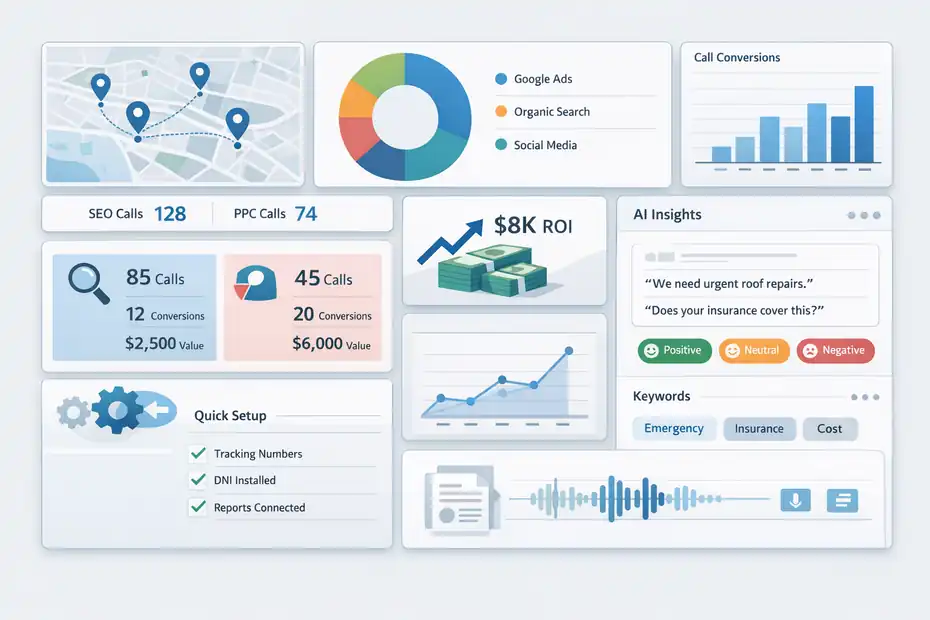
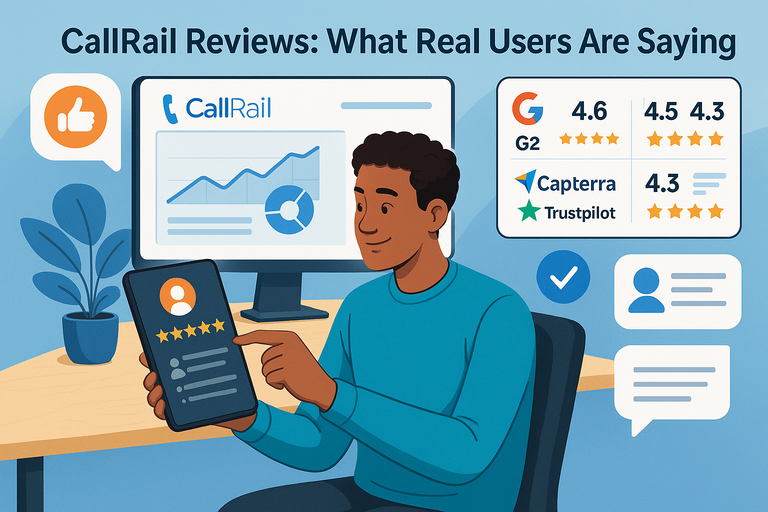
This is where CallRail earns its reputation. Reviews on G2 consistently highlight ease of use, call tracking, reporting, and attribution accuracy as key strengths.
Clearer Marketing Attribution
The biggest pro is visibility. CallRail helps you understand which campaigns, sources, and visitor sessions are actually creating calls, texts, and form submissions. That matters because many businesses still judge channels by clicks, impressions, or form fills alone, even though their highest-value conversions happen over the phone.
Imagine you are running a local roofing company. Google Ads looks expensive, SEO looks “free,” and both seem to generate leads. Without call tracking, you might assume both channels perform similarly. With CallRail, you may find that SEO brings more total calls, but paid search brings more emergency repair calls that close faster and at higher value. That changes budget decisions immediately.
I believe this is the main reason businesses stay with CallRail once it is set up correctly. It turns vague marketing debates into channel-level evidence.
Easy Setup Compared With Heavier Systems
Another genuine advantage is usability. G2 review summaries repeatedly mention ease of use and straightforward setup, and CallRail’s own comparison pages cite strong scores for ease of use and ease of setup.
That does not mean “no setup,” but it usually does mean less operational friction than enterprise-grade call analytics platforms. For smaller teams, that matters a lot. A tool that is 10% less advanced but 50% easier to adopt often wins in the real world.
You can usually get value fast by doing three things first: assign tracking numbers, install DNI on the website, and connect the reporting stack you already use. That quick-start path is one reason CallRail appeals to SMBs and agencies.
Useful AI Features For Faster Review
CallRail’s newer AI layer is not just marketing decoration. Official feature pages and support docs describe call transcripts, keyword analysis, call summaries, sentiment analysis, conversation trend reports, and highlighted terms inside timelines.
This matters because most teams do not have time to listen to every recorded call. A transcript and summary can help a manager scan dozens of conversations, spot patterns, and coach staff more efficiently.
For example, if you are a clinic manager and you notice repeated negative sentiment or recurring phrases like “insurance,” “availability,” or “price,” you can identify front-desk issues faster than by manually auditing random calls.
That said, I would still treat AI summaries as a speed layer, not a perfect source of truth. They are best for triage, trend spotting, and workflow improvement.
The Most Important Cons Businesses Should Watch Closely
This is the part many comparison pages soften too much. CallRail has real tradeoffs, and those tradeoffs matter more as your call volume, account complexity, or reporting expectations grow.
G2 summaries also surface missing features, integration issues, learning curve, and number-related issues among recurring negatives.
Pricing Can Feel Simpler Than It Really Is
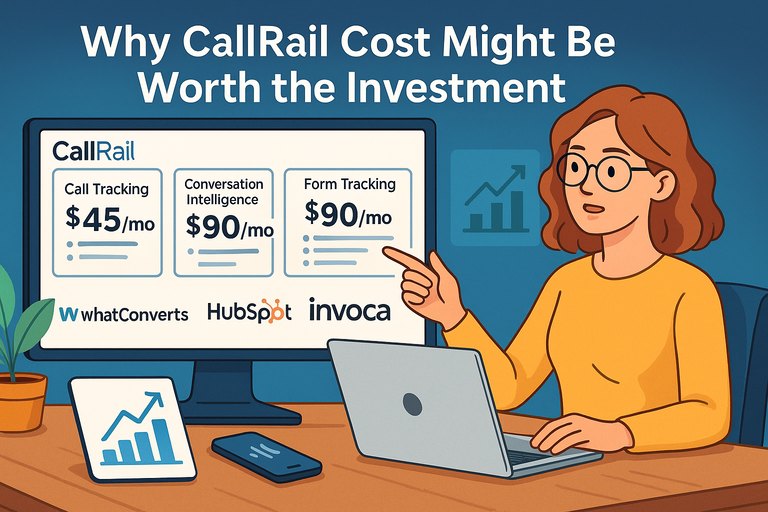
CallRail’s public pricing starts at $55 per month for Lead Tracking, and that includes 5 numbers and 250 local minutes, but plans are also usage-based. Higher tiers add form tracking and conversation intelligence features, and Voice Assist is a separate add-on starting at $95 per month on top of Call Tracking, with additional per-call charges after included usage.
Here is the issue: a low starting price and a predictable real monthly spend are not the same thing.
If you run one location with moderate call volume, the pricing may be reasonable. If you manage multiple offices, many tracking numbers, heavy minutes, forms, AI features, or add-ons, the monthly total can climb faster than expected. This does not make the product overpriced by default, but it does mean you should model actual usage before committing.
I suggest looking at your last 60 to 90 days of call volume and asking one question: “What will our real cost be once we track everything we actually care about?”
Integration And Data Workflow Friction
CallRail integrates with major platforms, and official materials highlight connections to Google Ads, Google Analytics, HubSpot, Salesforce, Looker Studio, and others.
But integration availability is not the same as friction-free reporting. G2 review summaries specifically mention integration challenges, and even CallRail’s own content has documented setup changes around GA4 and Google Ads conversion imports.
What this means in practice is simple: if your team already struggles with analytics hygiene, CallRail will not magically fix that. It can improve data quality, but it still needs correct configuration, conversion logic, and ongoing validation.
A common mistake is assuming that once calls appear in the dashboard, attribution is “done.” It is not. You still need to define qualified calls, duplicate handling, routing logic, and how CallRail data maps into your CRM and reporting stack.
Not Every Business Will Use The Advanced Features Enough
CallRail’s deeper value comes from conversation intelligence, reporting, form attribution, automation, and routing. If your team only checks total call counts once a month, you may end up paying for depth you do not operationalize.
I have seen this pattern often with smaller businesses. They buy a sophisticated attribution and call analytics platform, then use it like a glorified forwarding number.
That is not necessarily a product flaw. It is a fit issue. If you do not have a person or process for reviewing calls, adjusting campaigns, coaching staff, or tying lead outcomes back to source data, some of CallRail’s strongest features will sit unused.
Pricing, Features, And Value At A Glance
Pricing is one of the first things decision-makers ask about, so it is worth looking at the tradeoff between entry cost and real business value. CallRail’s current public pricing shows multiple tiers plus usage, with higher plans adding form tracking and conversation intelligence features.
| Plan / Add-On | Public Starting Price | What It Adds | Best Fit |
|---|---|---|---|
| Lead Tracking | $55/mo + usage | 5 numbers, 250 local minutes, call and text tracking, recording, routing, transcription, automation | Small businesses that need basic attribution |
| Lead Tracking Complete | $95/mo + usage | Adds form tracking, attribution, custom form builder, multi-touch CPL reporting | Teams that need calls plus forms |
| Lead Conversion | $150/mo + usage | Adds transcripts, keyword analysis, summaries, sentiment, trend reports | Businesses optimizing lead quality |
| Lead Conversion Complete | $195/mo + usage | Combines form tracking and conversation intelligence | Teams that want fuller lead journey visibility |
| Voice Assist | Starts at $95/mo + base plan | AI phone answering and qualification | Businesses missing calls after hours |
| Healthcare Plan | Starts at $150/mo | HIPAA-supported plan with BAA | Healthcare and patient lead workflows |
The prices above come from CallRail’s current official pages and can change, so always verify before budgeting.
When The Value Is Strong
Value is strongest when one recovered or better-attributed lead easily outweighs monthly software cost. For a personal injury firm, dental implant practice, HVAC business, or med spa, that threshold can be low. If one better-routed or better-measured call creates thousands in revenue, CallRail can pay for itself quickly.
It also becomes valuable when your marketing budget is already large enough that attribution mistakes are expensive. If you spend $10,000 to $50,000 per month on lead generation and still cannot prove which channels drive qualified phone leads, CallRail addresses a real financial blind spot.
When The Value Is Weak
Value is weaker when calls are low-value, low-volume, or mostly informational. It is also weaker when no one on the team uses the insights to change campaigns or improve intake.
That is the hidden ROI rule I always come back to: attribution tools only create value when someone acts on the data.
Setup, Implementation, And The Learning Curve
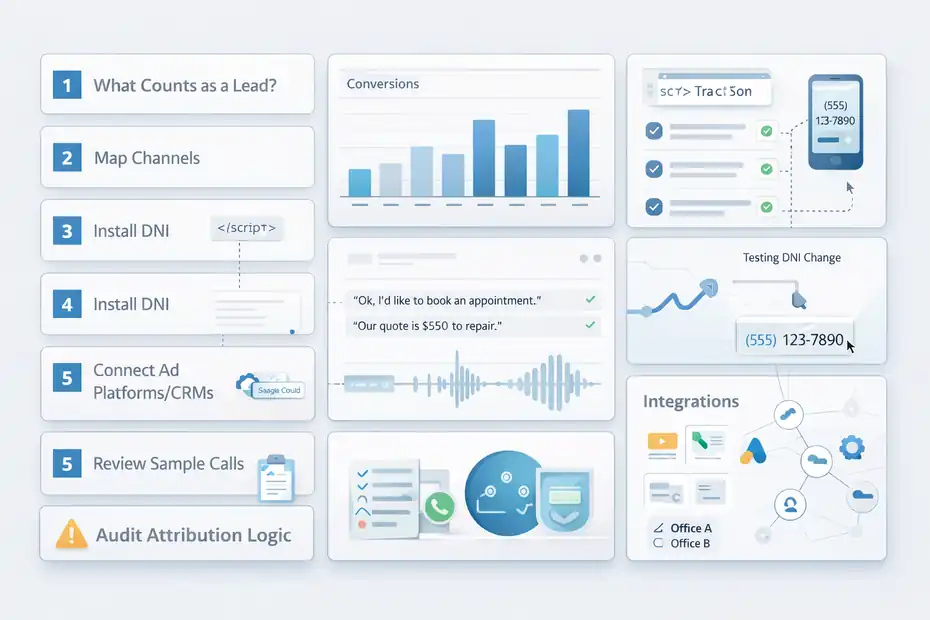
CallRail is usually easier to launch than more enterprise-focused alternatives, but “easy” still depends on what you are trying to measure.
Official documentation shows that dynamic number insertion depends on correct JavaScript installation and visible number formatting, and CallRail also provides multiple testing and troubleshooting steps for DNI.
What A Good Initial Setup Looks Like
A smart rollout usually follows this order.
- Step 1: Define what counts as a lead. Decide whether you care about every call, only calls over a time threshold, booked appointments, qualified consultations, or something more specific.
- Step 2: Map your channels. Know which campaigns, landing pages, offices, or service lines need unique tracking.
- Step 3: Install DNI carefully. Test number swapping before trusting attribution.
- Step 4: Connect downstream systems. Push conversions into ad platforms or CRMs only after the logic is clean.
- Step 5: Review sample calls. Make sure routing, transcripts, and labels match reality.
This sounds basic, but it prevents a lot of bad reporting. The businesses that say CallRail “did not work” often mean they never fully configured what they wanted it to measure.
Where The Learning Curve Shows Up
The learning curve is usually not in creating a tracking number. It is in the second layer: deciding how to structure accounts, naming conventions, multi-location reporting, conversion thresholds, integrations, and access across teams.
For example, a single-location plumber can probably launch fast. A multi-location healthcare group with compliance needs, front-desk turnover, agency partners, and CRM dependencies will need more planning. CallRail does offer healthcare-specific plans with a BAA and HIPAA-supported positioning, but that adds another layer of implementation care.
My advice is simple: Do not judge complexity by the demo. Judge it by your reporting environment.
Which Businesses Benefit Most And Least
CallRail is not a universal fit. The product makes the most sense in specific business models where inbound conversations drive revenue and attribution is hard to see without call tracking.
Best Fit Businesses
The strongest fits usually include local service businesses, legal, healthcare, home services, agencies, franchise systems, and appointment-driven companies. These businesses often share the same pain points: expensive lead acquisition, lots of phone conversions, and a need to know which campaigns produce qualified leads rather than just traffic.
A dental group is a good example. They may run paid search, local SEO, and offline campaigns. Without call and form attribution, they know inquiries are coming in but cannot easily compare whitening leads against implant consultations or identify which locations are handling calls poorly. CallRail can help organize that picture.
Agency teams also tend to like it because they need client-friendly reporting and repeatable setup across accounts.
Weak Fit Businesses
The weakest fits are businesses with very low call reliance, very simple lead flow, or no internal process for using conversation data. A software product with self-serve signups may not need CallRail unless phone demos are central. A tiny business with five calls a month probably does not need a full attribution layer either.
This is where I would be blunt: if your team will not review the data, act on the insights, or route calls strategically, the platform can become expensive reassurance instead of real business leverage.
Common Mistakes Businesses Make With CallRail
A good tool can still disappoint when it is used badly. Most CallRail mistakes are not dramatic. They are quiet setup and decision mistakes that slowly distort reporting.
Treating Every Call As Equal
Not every call is a lead. Some are spam, wrong numbers, existing customers, job seekers, or low-intent inquiries. If you count all calls the same way, your attribution becomes noisy and your campaign decisions get worse.
That is why thresholds, tags, and qualification rules matter. A 12-second call asking for store hours should not carry the same weight as an eight-minute consultation call.
I recommend deciding early what your business considers a qualified lead and aligning reporting around that definition.
Trusting Setup Without Testing
CallRail gives you testing and troubleshooting resources for DNI for a reason. Number swapping errors, script placement issues, and formatting mismatches can distort the source data you rely on.
A lot of teams install tracking once, see calls appear, and assume all is well. I would not do that. Test across devices, traffic sources, landing pages, and high-value pages.
Ignoring The Human Side Of Conversion
This is the most overlooked point. CallRail can show which campaigns create calls, but it can also reveal whether your staff handles those calls well. Call recording, transcripts, summaries, and sentiment signals can help identify missed opportunities or intake issues.
That means some “marketing problems” are really phone handling problems. If calls are coming in but not converting, the fix may be scripting, training, response time, or routing rather than more ad spend.
Advanced Ways To Get More Value From CallRail
Once the basics are working, the real upside comes from using CallRail as an optimization tool rather than a reporting archive.
Use It To Improve Lead Quality, Not Just Count Leads
The strongest businesses do not stop at “which source drove the call?” They ask, “Which source drove the best calls?” That means comparing duration, transcripts, call topics, booking rates, or downstream CRM outcomes instead of chasing volume alone.
For example, one campaign may generate fewer calls but more service-ready conversations. Another may flood the phones with low-intent leads. If you only look at total calls, you miss that difference.
This is where conversation intelligence features can become genuinely useful. Summaries, keyword analysis, and trend reports can help teams connect lead source to lead quality faster.
Use Call Insights For Coaching And Operations
CallRail is not just for marketers. Operations managers, sales leads, and front-desk teams can use it to spot missed patterns in how calls are handled.
Imagine you run a multi-location clinic. Location A gets fewer calls than Location B, but converts more of them. When you compare summaries and recordings, you may find that Location A answers faster, uses clearer intake language, and handles insurance objections better. That is operational insight, not just marketing data.
In my view, this is one of the most underrated reasons to use the platform.
Be Careful With Expansion Creep
The advanced path is also where costs and complexity can creep up. More numbers, more locations, more integrations, more AI features, and more automation all create more value potential, but they also require governance.
I suggest doing one thing well before expanding. Get basic call attribution right. Then add forms. Then add AI review. Then add routing or Voice Assist if missed calls are a measurable problem.
CallRail’s Voice Assist is positioned as a 24/7 AI phone answering and qualification layer, but it is still another cost layer that should be justified by actual call handling gaps.
Final Verdict: Are The Pros Stronger Than The Cons?
For the right company, yes. CallRail’s pros are strongest when your business lives and dies by inbound calls, needs better attribution, and is ready to act on conversation data.
Its biggest strengths are usable call tracking, meaningful attribution, strong reporting, and practical AI features that help teams review and improve conversations faster. User review summaries also consistently reinforce ease of use, reporting value, and attribution as major positives.
The cons are real, though. Usage-based pricing can expand beyond the attractive starting point, integrations can require care, and some businesses will never fully use the advanced capabilities they are paying for. That does not make CallRail a bad tool. It means it is a tool that rewards operational maturity.
Here is my honest takeaway.
If you are a call-driven business and you currently cannot say which channels create qualified phone leads, CallRail is usually worth serious consideration.
If you want a cheap forwarding number and nothing more, it is probably more platform than you need.
If you adopt it, treat it like a business intelligence system, not just a phone utility. That is where the upside lives, and that is ultimately what matters most.
FAQ
What are the main benefits of CallRail for businesses?
CallRail helps businesses track phone calls, texts, and form leads while linking them to marketing sources. This improves attribution accuracy and shows which campaigns generate real conversations. It also offers call recording, AI summaries, and reporting tools, making it easier to analyze lead quality and improve conversions.
What are the biggest drawbacks of CallRail for businesses?
The main drawbacks include usage-based pricing that can increase with call volume, a learning curve for advanced setup, and integration complexity. Some businesses also underuse its features, which reduces overall value. It works best when teams actively analyze data and optimize campaigns based on insights.
Is CallRail worth the cost for small businesses?
CallRail can be worth it for small businesses that rely heavily on phone leads and paid marketing. If even one additional qualified lead covers the monthly cost, the return on investment is strong. However, businesses with low call volume may find it unnecessary or too expensive.
How does CallRail improve marketing ROI?
CallRail improves ROI by identifying which channels drive high-quality calls instead of just traffic. Businesses can reallocate budgets toward campaigns that generate real leads. It also helps uncover wasted spend and improves decision-making by providing clear data on what actually drives revenue.
Who should use CallRail and who should avoid it?
CallRail is ideal for service-based businesses, agencies, and companies with high-value phone leads. It may not suit ecommerce or low-call businesses that do not rely on phone conversions. Companies without a process to review and act on call data may not fully benefit from its features.

I’m Juxhin, the voice behind The Justifiable.
I’ve spent 6+ years building blogs, managing affiliate campaigns, and testing the messy world of online business. Here, I cut the fluff and share the strategies that actually move the needle — so you can build income that’s sustainable, not speculative.
Related posts:
 What is CallRail? Discover the Power of Call Tracking and Analytics
 Top 7 CallRail Alternatives for Affordable Call Tracking
 CallRail Call Tracking: How It Works and Why It Matters
 CallRail Reviews: What Real Users Are Saying
 CallRail Phone Number: How to Contact Support Fast
 Why CallRail Cost Might Be Worth the Investment