
Table of Contents
Some links on The Justifiable are affiliate links, meaning we may earn a small commission at no extra cost to you. Read full disclaimer.
If you want a real callrail platform walkthrough guide, the biggest thing to understand is this: CallRail is not just a call log. It is a lead attribution and conversation analysis platform that helps you connect calls, texts, forms, and campaign data so you can see what actually drives revenue.
In my experience, most people get value from CallRail only after they set up tracking correctly, test it properly, and learn which reports matter.
This guide walks you through that whole path, from first setup to the insights that help you make smarter marketing decisions.
Understand What CallRail Actually Does
Before you click through settings, it helps to know what job the platform is trying to solve.
What CallRail Tracks
At its core, CallRail tracks inbound calls and can also track texts, forms, and conversation data depending on your plan. The platform is built to help you identify which marketing source, campaign, or visitor path led to a lead, instead of treating phone calls like unmeasurable offline activity.
CallRail’s current plans are structured around Lead Tracking, Lead Tracking Complete, and Lead Conversion, with higher tiers adding form tracking, richer reporting, and Premium Conversation Intelligence features.
A simple way to think about it is this. Google Ads brings a visitor. CallRail swaps in a tracking number. The person calls. CallRail records the source, the visit, and the outcome. Later, you can decide whether that call was just noise or a qualified lead.
That sounds basic, but it changes how you measure marketing. For many businesses, especially home services, legal, healthcare, and local lead generation, calls are often the conversion that matters most. If you only track form fills, you are usually missing a huge piece of the buyer journey.
CallRail positions its product around connecting campaigns, conversations, and customers, which is exactly why it tends to be more useful than a simple call forwarding number.
How Attribution Works Inside The Platform
CallRail attributes lead interactions using data such as UTM parameters, referring source information, and visitor session details when visitor tracking is enabled. In practical terms, that means the quality of your attribution depends heavily on how well your URLs, campaigns, and number setup are structured.
I suggest thinking of attribution in three layers:
- Basic layer: A dedicated number tied to a specific channel, campaign, or offline source.
- Better layer: Dynamic number insertion on your website so different visitors can see different numbers based on how they arrived.
- Best layer: Visitor tracking plus integrations, so calls and forms can be pushed into Google Ads and GA4 with usable context.
If you skip that foundation, the platform still works, but the insights get fuzzy fast.
Set Up Your Account The Right Way
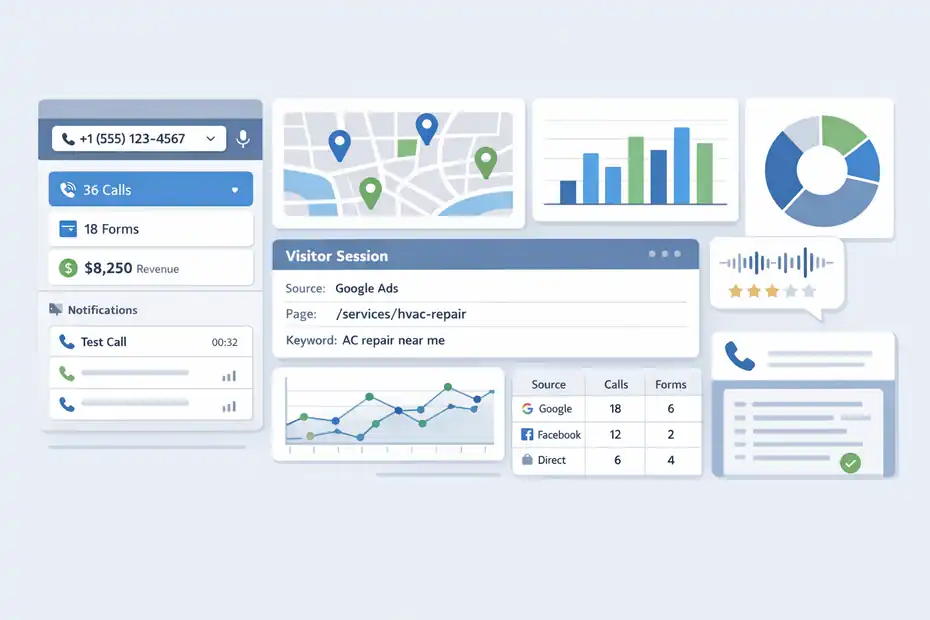
This is the part where most future reporting problems are either prevented or created.
Create Your First Company And Tracking Number
CallRail’s official getting-started flow for call tracking is straightforward: Create an account, create your first tracking phone number, install the JavaScript snippet, set up notifications, place a test call, and review statistics. CallRail says you can get the basics live in under 10 minutes, which is realistic for a simple setup.
The important decision is not just creating a number. It is choosing the right number type.
If you are tracking a billboard, direct mail piece, Google Business Profile, or a single campaign landing page, a dedicated number usually makes sense. If you are tracking website visitors across channels, you usually want a website pool with visitor tracking.
That is where CallRail gets much more powerful, because it can map calls back to sessions, source data, page views, and often keywords or campaigns associated with that session.
A realistic example: Imagine you run a local HVAC company. You may want one static tracking number for your trucks, another for your Google Business Profile, and a visitor-tracking number pool for your main site. That setup makes reporting cleaner because each lead source is measured in the way it naturally occurs.
Choose The Right Tracking Model
This is where I see people overcomplicate things.
You do not need every feature on day one. You need the right tracking architecture. Here is a simple comparison:
| Setup Type | Best For | Main Advantage | Main Limitation |
|---|---|---|---|
| Dedicated Number | Offline ads, GBP, one campaign | Easy setup and clean source mapping | Does not show visitor journey |
| Website Pool | Websites with multiple channels | Session-level attribution and number swapping | Requires script install and enough numbers |
| Form Tracking | Lead forms on site | Connects forms to marketing source | Needs script and proper form setup |
| Conversation Intelligence | Sales and quality analysis | Turns calls into usable insights | Needs call recording/transcripts |
This matters because CallRail’s session-level call attribution is tied to visitor tracking and website pools. If you want to know not only that a call happened, but which pages were viewed and which source path led there, visitor tracking is the feature doing the heavy lifting.
My advice is simple: Start with one company, one clean website pool, one or two static numbers for special sources, and only then expand.
Install Tracking Correctly On Your Website
This is the technical hinge point of the whole platform.
Add The JavaScript Snippet And Enable Dynamic Number Insertion
CallRail uses a JavaScript snippet for dynamic number insertion, which is the mechanism that swaps your regular phone number with a tracking number for eligible visitors. For the swap to work, the phone number must be visibly present on the site and formatted in supported ways such as 111-222-3333, 111.222.3333, or (111) 222-3333.
That detail sounds small, but it is not. If your number is buried inside an unsupported widget, rendered strangely, or inconsistently formatted across templates, the swap may fail. Then you end up with partial attribution and a false sense that tracking is working.
Here is the practical install checklist I recommend:
- Step 1: Place the CallRail snippet on every page template, not just the homepage.
- Step 2: Make sure the visible business number exists in crawlable page content or supported HTML output.
- Step 3: Standardize the number format sitewide.
- Step 4: Test desktop and mobile separately.
- Step 5: Clear caches if you use a CMS, CDN, or performance plugin.
I have seen perfectly good campaigns look unprofitable just because the number never swapped on a cached mobile header. That is not a marketing problem. That is an implementation problem.
Test Visitor Tracking Before You Trust The Data
CallRail’s own setup guidance includes placing a test call and reviewing the resulting call statistics. You should absolutely do that, but I believe one test is not enough. You want several controlled tests from different channels.
Run tests like this:
- Example 1: Visit via a tagged Google Ads test URL and call.
- Example 2: Visit from organic search or a simulated non-paid source and call.
- Example 3: Visit a landing page directly and call.
- Example 4: Submit a form after a tracked visit.
Then check whether the source, campaign, landing page, and call details align with what you expected. If they do not, pause and fix the structure before you send real traffic.
The biggest reason to be picky here is that bad attribution compounds. Once you start optimizing ads or reporting ROI from flawed data, every later decision gets weaker.
Configure Source Tracking And Attribution Logic
After installation, the next job is making sure the platform classifies traffic the way you think it should.
Set Up Sources, UTMs, And Referral Rules
CallRail determines attribution partly through UTM parameters and source information, so your campaign tagging discipline matters a lot. If your UTMs are messy, CallRail cannot invent good structure for you.
I recommend a very plain naming convention:
- utm_source: google, facebook, email, linkedin
- utm_medium: cpc, paid-social, email, referral
- utm_campaign: service or offer plus location or audience
- utm_content: ad variation or creative angle
This sounds like general analytics hygiene, but it directly affects the quality of your CallRail reporting. A campaign named “spring-sale” is useful. A campaign named “Campaign 7 final v3” is not.
A realistic scenario: Let’s say you run paid search for “emergency plumber chicago” and “water heater repair chicago.” If both campaigns dump visitors into the same unstructured landing page setup with weak UTMs, your report might still show calls, but the insight becomes too vague to guide budget decisions. When UTM structure is tight, CallRail has a much better chance of giving you actionable source and campaign detail.
Understand Caller Timelines And Session Paths
One of the most useful but underused pieces of CallRail is the caller timeline. With visitor tracking enabled, CallRail can show the web session and touchpoints a caller had before, during, and after the call, plus related lead details like tags, notes, lead status, and value.
This is where the platform starts becoming more than a phone tracker.
Instead of seeing “25 calls from paid search,” you can inspect the path. Did the caller land on the homepage first, then visit pricing, then call from the service page? Did they bounce across multiple locations pages? Did they call immediately after seeing financing information?
Those patterns tell you what persuades people. In my experience, this is one of the fastest ways to spot friction on a site. If high-intent callers repeatedly touch the same FAQ page before converting, that page is doing real sales work. If callers keep hitting a page and dropping off, you may have a trust or usability gap.
Add Form Tracking, Text, And Conversion Integrations
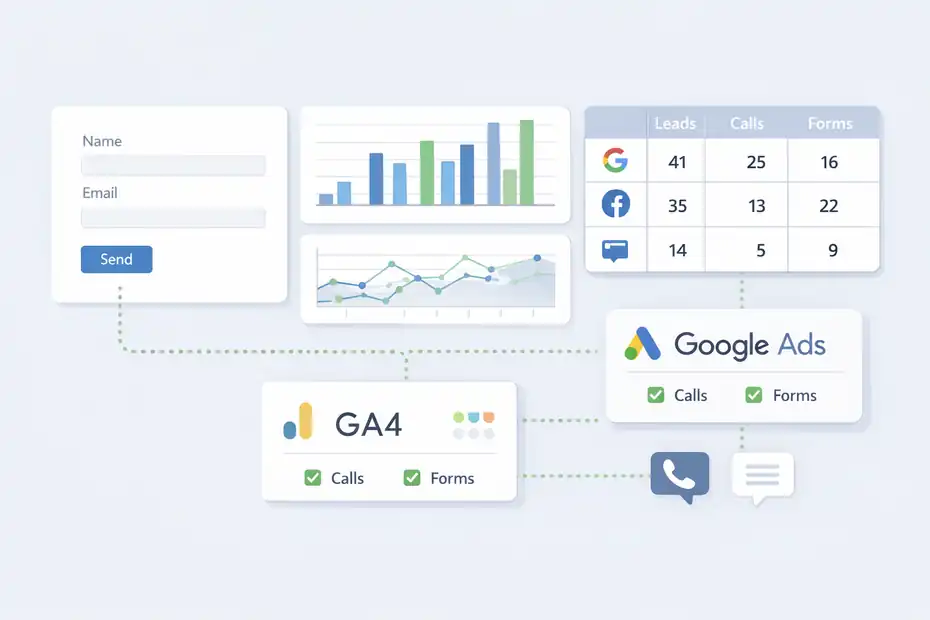
This is the stage where CallRail becomes much more valuable for full-funnel reporting.
Turn On Form Tracking For Better Lead Attribution
CallRail’s form tracking setup currently involves creating an account, installing the JavaScript snippet, setting up your form, enabling integrations with lead sources, and testing the setup. On the plan side, form tracking is included in higher tiers such as Lead Tracking Complete.
This matters because many businesses get leads from both calls and forms. If you track only calls, your reporting will naturally bias toward phone-heavy channels. If you track only forms, you undercount call-driven campaigns. When both are connected, you get a more honest view of marketing performance.
I suggest turning on form tracking early even if calls are your main KPI. The reason is simple: form patterns often reveal intent before call patterns do. For example, maybe your paid social traffic fills more forms but produces fewer qualified calls. That does not necessarily mean the channel is bad. It means the buying behavior is different.
A practical example: A legal firm might get urgent phone leads from Google Ads but longer-consideration form leads from organic blog traffic. CallRail can help you see that difference more clearly when both actions are tracked.
Connect Google Ads And GA4
CallRail’s Google Ads integration can report calls and form submissions as conversions in Google Ads, and its GA4 integration sends call, text, chat, and form submission data to events you define in GA4. Google Ads call conversion reporting relies on visitor tracking for PPC calls, and CallRail captures the Google Click ID for attribution in that workflow.
This is where the platform starts affecting optimization, not just reporting.
If Google Ads sees which calls are actual conversions, your bidding and campaign decisions get smarter. If GA4 receives useful event data, you can compare call behavior with the rest of your site journey.
I do want to add one caution: integration does not automatically mean clean analysis. You still need consistent naming, sensible conversion definitions, and a habit of checking whether the numbers make sense across platforms. GA4 is event-based, which is different from the old session-first mindset, and CallRail’s GA4 docs explicitly frame the integration through that event model.
Learn The Dashboard And Reports That Matter Most
Once the data starts flowing, the temptation is to click every chart. Resist that. Focus on reports that answer business questions.
Start With Activity, Source, And First-Time Caller Trends
CallRail’s product pages highlight dashboard views for total calls, first-time callers, missed calls, and calls by number and source. Those are good starting metrics because they balance volume, acquisition, and operational follow-through.
Here is how I would read them:
- Total calls tells you volume, not quality.
- First-time callers is often a better lead-generation signal than total calls.
- Missed calls usually point to revenue leakage, not just staffing issues.
- Calls by source helps answer where demand is really coming from.
A small example: Imagine your total calls rise 18% month over month, but first-time callers stay flat and missed calls spike. That is not clean growth. You may just be generating repeat support calls while losing new sales opportunities.
This is why I suggest looking at source reports and operational metrics side by side. Marketing attribution without call handling context can lead you to scale the wrong campaigns.
Use Tags, Values, And Lead Status To Clean Up Reporting
CallRail lets you add notes, tags, lead status, and values to interactions, and Automation Rules can classify, score, tag, or assign values based on criteria such as call length, campaign, and spoken words when transcript intelligence is enabled.
This is one of the most practical upgrades you can make.
Without classification, every call is just a call. With classification, you can separate:
- New lead
- Existing customer
- Spam
- Wrong number
- Booked appointment
- High-value opportunity
That is when ROI gets easier to explain. A channel that drives fewer calls but more high-value leads may deserve more budget than a channel with raw call volume.
In my experience, the simplest win is assigning a basic value model. Not because it is perfectly accurate, but because it forces the business to define what a qualified lead is.
Use Conversation Intelligence To Find Better Leads
This is the part that moves CallRail from attribution software into optimization software.
What Premium Conversation Intelligence Adds
CallRail’s Premium Conversation Intelligence requires a Call Tracking account and uses call recording plus transcription to generate features such as summaries, sentiment analysis, keyword analysis, and conversion-related workflows.
CallRail says these tools can reduce time spent reviewing calls and help improve lead outcomes, and its current pricing page places Premium Conversation Intelligence within higher-level plans.
The key idea is that not all calls deserve equal treatment. Some are booked jobs. Some are poor fits. Some reveal sales objections. Some expose ad-message mismatch.
That is where AI-assisted call review becomes useful. Instead of manually listening to 100 calls, you can scan summaries, patterns, sentiment signals, and qualification markers to spot what matters faster. CallRail’s own messaging claims businesses can spend less time reviewing calls and surface better optimization opportunities.
I think the real value here is less about “AI magic” and more about reducing analysis friction. Teams are much more likely to learn from calls when the platform makes the patterns visible.
Build Automation Rules Around Lead Quality
Automation Rules allow you to classify interactions automatically based on criteria like call length, marketing campaign, and words spoken during calls, but transcript intelligence must be enabled for these rules to work. CallRail also supports conversion-signal templates tied to workflow settings.
This is where you can turn insights into systems.
A useful starting framework looks like this:
- Rule 1: Tag calls longer than a threshold as potential qualified leads.
- Rule 2: Tag calls mentioning service keywords like pricing, appointment, estimate, or availability.
- Rule 3: Lower quality score for spam patterns, recruiter calls, or wrong-department phrases.
- Rule 4: Assign lead value when a booking phrase or location-qualified phrase appears.
A home services company, for example, might create a high-intent rule for calls that mention “same day,” “quote,” or “schedule.” A law firm might watch for “consultation,” “case,” or “speak to an attorney.”
The point is not to build perfect automation on day one. It is to create a repeatable way to separate noise from signal.
Avoid The Most Common Setup And Reporting Mistakes
Most CallRail frustration comes from a few repeatable issues.
Mistakes That Break Attribution
The first major mistake is installing tracking without a structured source plan. The second is using visitor tracking but failing to verify that number swapping actually works. The third is trusting raw call volume more than qualified outcomes.
CallRail’s documentation makes clear that visitor tracking, dynamic number insertion, and Google Ads conversion tracking depend on proper setup conditions like the JavaScript snippet, compatible number display, and visitor-tracking configuration.
Here are the most common practical mistakes I see:
- Mistake 1: One tracking number for everything, which makes attribution too broad.
- Mistake 2: Bad or inconsistent UTMs, which muddies campaign reports.
- Mistake 3: No test calls after launch.
- Mistake 4: Missing mobile testing.
- Mistake 5: No separation between leads and non-leads.
If your dashboard feels noisy, it usually is. But the fix is rarely “buy more software.” It is usually “clean up the measurement model.”
Mistakes That Distort Insights
A subtler mistake is reading CallRail as a marketing-only platform. It is also a handling-quality platform. Missed calls, slow response, poor intake, and weak sales conversations can make good campaigns look worse than they are.
Another mistake is assuming integrations fix interpretation. They do not. Google Ads may receive conversion data, and GA4 may receive events, but you still need sound logic around what counts as a valuable conversion.
I believe this is where teams get stuck. They want attribution to tell them exactly what to do. In reality, attribution gives direction. Your job is still to combine source data, call quality, and business outcomes into decisions that make sense.
Turn CallRail Data Into Better Marketing Decisions
This is the insight stage the title promises, and it is where the setup pays off.
Use Insights To Reallocate Budget
Once calls, forms, and classifications are flowing, CallRail can help you answer four very valuable questions:
- Which channels drive first-time leads?
- Which campaigns drive qualified leads?
- Which landing pages create calls fastest?
- Which calls actually turn into revenue opportunities?
That matters more than vanity metrics. A campaign with lower click volume but stronger booked-call quality often deserves more investment than a campaign that floods the phone line with bad fits.
Imagine this pattern over 30 days:
| Channel | Leads | Qualified Lead Rate | Missed Call Rate | Suggested Action |
|---|---|---|---|---|
| Google Ads Search | 42 | 48% | 9% | Scale high-intent ad groups |
| Organic Search | 28 | 39% | 4% | Improve service pages that assist conversion |
| Paid Social | 33 | 14% | 6% | Tighten targeting and offer |
| Google Business Profile | 25 | 52% | 11% | Improve call coverage and intake |
Even a simple view like this can change how you manage spend. You stop asking “Which channel got calls?” and start asking “Which channel produced the calls we want?”
Use Caller Behavior To Improve Pages And Messaging
CallRail’s visitor tracking and caller timelines can show which pages and session paths often appear before calls. That makes the platform useful for CRO, not just attribution.
If callers who convert often view pricing, financing, testimonials, or service-area pages before dialing, that tells you those assets reduce hesitation. You can strengthen them, feature them earlier, or mirror their language in paid ads.
This is also where conversation analysis becomes valuable. If transcripts show repeated objections like “Do you serve my area?” or “How soon can someone come out?” that is not only a call-center insight. It is a website and ad-copy insight too.
In my experience, some of the best gains from CallRail do not come from finding a new channel. They come from fixing a message gap that the calls reveal clearly.
Scale Your CallRail Setup Without Making It Messy
Once the basics are working, you can expand carefully.
Scale By Business Line, Location, Or Client Account
CallRail supports multiple companies and has specific guidance for setups like visitor tracking across multiple locations in the same company. It also offers bulk Google Ads integration setup for accounts managing several companies.
That means scaling is possible, but I strongly recommend a clean naming system before you do it.
Use conventions like:
- Company: Brand + market
- Tracking number: Source + campaign + location
- Automation rules: Outcome + criteria + channel
- Tags: Lead type + service + urgency
This sounds boring, but it keeps the account readable months later. Agencies and multi-location teams especially need discipline here. Otherwise the platform becomes a pile of numbers, rules, and dashboards nobody fully trusts.
Know When To Add Advanced Features
CallRail’s current product lineup includes features like form tracking, Premium Conversation Intelligence, and Voice Assist, but those are not all necessary on day one. Voice Assist, for example, is positioned as an add-on for missed-call coverage and lead intake rather than a core starting requirement.
I recommend adding advanced features only when you can answer a clear business question:
- Add form tracking when forms matter to revenue.
- Add Premium Conversation Intelligence when manual call review is becoming a bottleneck.
- Add deeper integrations when you are ready to optimize media around qualified outcomes.
- Add missed-call solutions when missed opportunities are measurably hurting performance.
That order keeps the platform useful instead of bloated.
Final Thoughts
A strong callrail platform walkthrough guide should leave you with more than a list of buttons to click. It should help you understand how CallRail fits into real marketing decision-making.
The platform works best when you set up clean tracking numbers, install dynamic number insertion correctly, structure UTMs consistently, test every flow, and then layer in forms, integrations, and conversation intelligence only when they support a real business goal.
CallRail’s current docs and pricing make it clear that the platform is designed to connect tracking, attribution, and AI-assisted analysis across calls, texts, and forms.
If I were setting up a fresh account today, I would keep it simple at first: One clean website pool, clear source naming, proper tests, and a shortlist of reports tied directly to lead quality. That is usually enough to move from “we have call data” to “we actually know what is driving revenue.”
FAQ
What is a CallRail platform walkthrough guide?
A CallRail platform walkthrough guide explains how to set up and use CallRail to track calls, forms, and leads. It helps you understand attribution, install tracking correctly, and analyze data so you can connect marketing efforts to real customer inquiries and revenue outcomes.
How do I set up CallRail for call tracking?
To set up CallRail, create a tracking number, install the JavaScript snippet on your website, enable dynamic number insertion, and test calls. Proper setup ensures accurate attribution so you can identify which campaigns and sources are driving inbound calls.
Why is dynamic number insertion important in CallRail?
Dynamic number insertion allows CallRail to display different tracking numbers based on how a visitor arrives at your site. This enables session-level attribution, helping you see which marketing channels, keywords, or campaigns led to each call instead of relying on general assumptions.
Can CallRail track form submissions and not just calls?
Yes, CallRail can track form submissions alongside calls when form tracking is enabled. This allows you to see a complete picture of lead generation by connecting both calls and forms to their original marketing sources for more accurate performance analysis.
How does CallRail help improve marketing performance?
CallRail improves marketing performance by showing which channels generate qualified leads, not just calls. With features like call recordings, attribution reports, and conversation insights, you can refine campaigns, improve messaging, and focus your budget on what drives real results.

I’m Juxhin, the voice behind The Justifiable.
I’ve spent 6+ years building blogs, managing affiliate campaigns, and testing the messy world of online business. Here, I cut the fluff and share the strategies that actually move the needle — so you can build income that’s sustainable, not speculative.
Related posts:
 6 Ways to Promote Website and Double Your Sales
 Fail-Proof Online Marketing Strategy to Dominate Your Niche
 SeedProd Pricing: Which Plan Unlocks the Best Features?
 CallRail Call Tracking: How It Works and Why It Matters
 Help Me Grow Online Referral: Easy Ways to Double Conversions
 CallRail Real Marketing Attribution Case Study: ROI