
Table of Contents
Some links on The Justifiable are affiliate links, meaning we may earn a small commission at no extra cost to you. Read full disclaimer.
ClickMagick can feel like overkill when you first open it, especially if you only wanted a simple way to track where your clicks and conversions are coming from. I get it. Most people start with link tracking because they want clarity, not another complicated dashboard.
The good news is that once you understand the setup logic, ClickMagick becomes one of the fastest ways to see what traffic is real, what campaigns are wasting money, and which links actually produce results. Let me walk you through it in a practical, no-fluff way.
What ClickMagick Actually Does For Link Tracking
Before you touch settings, it helps to understand what problem ClickMagick is solving. At its core, it tracks what happens after someone clicks a link, but the real value is that it connects clicks to meaningful outcomes instead of leaving you with shallow vanity metrics.
Start With The Core Tracking Idea
A lot of people think link tracking means counting clicks. That is only the surface layer. In practice, good link tracking tells you which ad, email, page, keyword, or traffic source produced the click, whether the visitor was real, and whether that visitor converted later.
That matters because a raw click count can be misleading. Imagine you run two ads and both generate 100 clicks. One brings 10 leads, while the other brings one lead and a pile of bot traffic. Without proper tracking, those campaigns can look similar when they are not.
Here is the simplest way to think about it:
- Click tracking: Records who clicked and when.
- Attribution: Connects that click to a lead, sale, or action.
- Traffic quality filtering: Helps remove junk traffic from your decision-making.
- Reporting: Shows performance by source, campaign, and sub-ID details.
ClickMagick was built for marketers who need more than “someone visited this page.” It gives you a controlled tracking layer between your traffic source and your destination page. That layer is what makes optimization possible.
In my experience, this is where beginners get their first “aha” moment. You stop asking, “How many clicks did I get?” and start asking, “Which clicks made me money?”
Know When ClickMagick Makes Sense
ClickMagick is not necessary for every website owner. If you publish a personal blog with no ads, no funnels, and no affiliate links, you may not need it yet. But if you run paid traffic, affiliate campaigns, lead generation funnels, webinar registrations, or email-driven promotions, the tool becomes much more valuable.
It is especially useful when you need to answer questions like these:
- Which traffic source converts best?
- Which ad creative sends low-quality clicks?
- Which landing page wins in a split test?
- Which keyword or audience segment is eating budget?
- Where are fake clicks or repeat clicks coming from?
This is where ClickMagick differs from broad analytics tools like Google Analytics 4. GA4 is useful for overall site measurement, but ClickMagick is more focused on campaign tracking, attribution control, traffic filtering, and link-level performance.
I usually suggest using ClickMagick when money is attached to the click. If a click can cost you ad budget or earn you commission or revenue, you want tighter tracking than a generic pageview report.
I believe ClickMagick is at its best when you treat it like a profit tool, not just a reporting tool. The moment you use the data to pause losers and scale winners, it starts paying for itself.
Set Up Your Tracking Foundation Correctly
This is the stage most people rush, and it is also where most tracking problems begin. The first setup should feel boring, because boring setup creates clean reporting later.
Create Your Workspace With A Clear Naming Structure
When you first begin, do not dump everything into random projects and links. Build a simple naming system from day one. It saves you hours later.
A clean setup usually starts with projects. Think of a project as a container for one business, funnel, brand, or client. Inside that project, you create campaigns, links, and tracking assets.
A practical naming format might look like this:
- Project: Main business or client name
- Campaign: Traffic source + offer + date
- Link name: Purpose + audience + variation
- Sub-IDs: Ad, email, placement, keyword, or creator IDs
For example, if you are promoting a lead magnet through paid social traffic, your structure could be:
- Project: Fitness Coaching
- Campaign: Meta Lead Magnet June
- Link: Free Meal Plan Women 30-45
- Sub-ID: Adset A, Creative 2
That may sound small, but once you manage 20 links or 200, naming becomes the difference between insight and chaos.
I suggest deciding this before your first live campaign. If you rename everything later, reporting gets messy fast. Clean labels also make split testing and troubleshooting far easier because you know what each link is supposed to represent.
Add A Custom Tracking Domain Early
One of the smartest moves you can make is setting up a custom tracking domain instead of relying on a generic shared domain. This improves trust, branding, and in many cases tracking reliability.
A custom tracking domain is simply a domain or subdomain you control, such as track.yourbrand.com, that ClickMagick uses for your tracking links. It makes the link feel cleaner and more professional than something obviously third-party.
Why this matters:
- Trust: Users are more likely to click branded links.
- Consistency: Your links match your brand.
- Control: It gives you a more stable tracking setup.
- Better data quality: Branded first-party style tracking often performs better than generic redirects.
The process usually involves adding DNS records at your domain registrar, then verifying the domain inside ClickMagick. This part is technical, but not hard. You are essentially telling your domain where to point.
If you skip this step, your links may still work, but I would not recommend it for serious campaigns. A custom domain is one of those small technical upgrades that quietly improves everything downstream.
For many of us, this is the first moment ClickMagick feels “real.” You are no longer testing a tool. You are building a tracking system your campaigns can rely on.
Decide What You Actually Need To Track
Not every click deserves a tracking link, and not every page needs a pixel event. Good tracking starts with a clear measurement plan.
Before creating links, ask yourself:
- What is the traffic source?
- What is the destination page?
- What is the desired action?
- What counts as a conversion?
- Do I need just click data, or full funnel tracking?
Here is a simple tracking map you can use:
| Item | Example | Why It Matters |
|---|---|---|
| Traffic Source | Email, paid social, search ads, solo ads | Tells you where the visitor came from |
| Tracking Link | Branded ClickMagick link | Captures click and source details |
| Destination | Landing page or offer page | Sends traffic where it needs to go |
| Conversion Event | Opt-in, purchase, booked call | Measures business outcome |
| Reporting Layer | ClickMagick stats dashboard | Helps you compare performance |
This step sounds basic, but it protects you from one of the biggest beginner mistakes: tracking everything loosely and learning nothing useful. I recommend tracking only the links tied to decisions you plan to make.
If you will not change anything based on the result, you probably do not need detailed tracking there yet.
Build Tracking Links The Right Way
This is where the platform starts getting practical. Your tracking links are the bridge between your traffic source and your destination, and the details you include here determine how useful your reports become.
Create A Basic Tracking Link First
Your first tracking link should be simple. Do not start with advanced rotators, extra rules, or complicated parameter stacks. Start with one clean destination and one clear purpose.
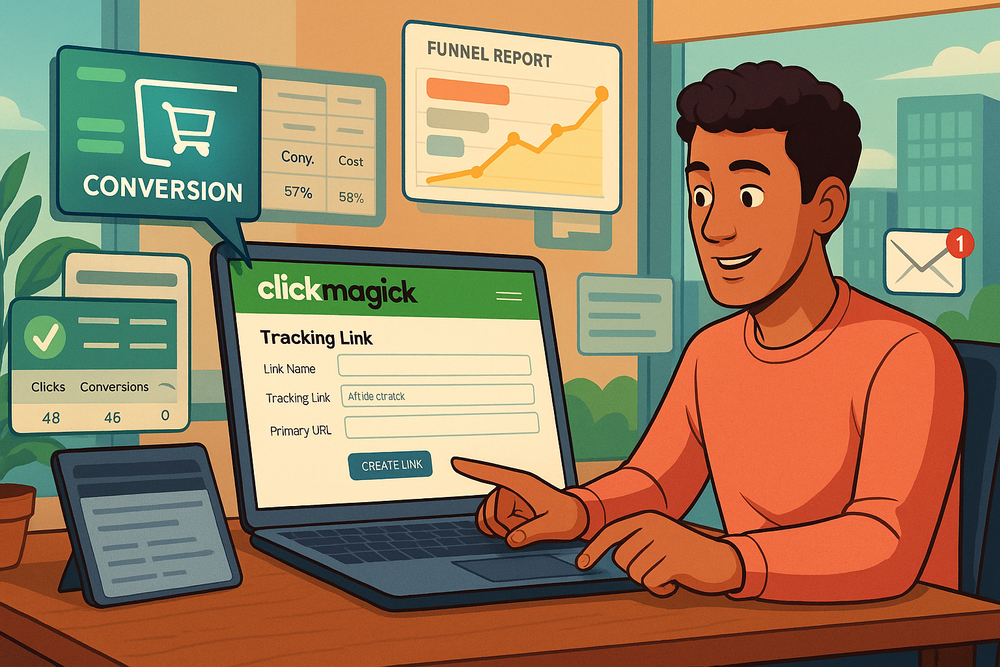
In plain terms, a basic tracking link is a redirect link created in ClickMagick that sends visitors to your final page while recording the click data along the way.
The usual setup includes:
- Link name: Internal label for reporting
- Primary URL: The final destination
- Tracking domain: Your branded domain if available
- Link slug: The readable part of the URL
- Optional notes: Useful for campaign context
A beginner-friendly example would be a link that sends users to a webinar signup page. Instead of pushing traffic directly to the webinar page, you send traffic to your ClickMagick tracking URL first.
That gives you a cleaner reporting trail. You can now see total clicks, unique clicks, filtered clicks, location data, and later conversion performance if your tracking is connected correctly.
I recommend making your slugs descriptive. A slug like /webinar-june converts much better internally for management than something vague like /offer7. You may remember it today, but you probably will not remember it after 40 campaigns.
Once this is working, test it manually. Open the link yourself in an incognito browser, make sure it redirects correctly, and verify that the click appears in your reporting.
Use Sub-IDs To Track Variations Without Creating Chaos
Sub-IDs are one of the most useful ClickMagick features, especially if you run multiple ad creatives, placements, email links, or audience variations. They let you pass extra information into your tracking without creating a completely new link every single time.
Think of sub-IDs as labels attached to the click. Instead of building 20 separate links for the same destination, you can use one main tracking link and append variation data.
Practical uses include:
- Ad creative tracking: Identify which image or hook got the click
- Email tracking: Know which email in a sequence produced the visit
- Placement tracking: Compare clicks from blog sidebar, button, or footer
- Keyword tracking: Separate paid search traffic by keyword or match type
This becomes incredibly useful for reporting. Imagine one campaign link, but each ad version carries its own identifier. Now your report shows what actually worked without bloating your account with dozens of duplicate links.
I have seen marketers skip this and then rebuild their whole account structure later. It is painful. If you know you will test anything at all, start using sub-IDs from the beginning.
Keep the format consistent. For example, use creative-a, creative-b, email-1, or keyword-running-shoes. Predictable labels make reporting readable and reduce errors when you export or compare data.
Cloak, Shorten, Or Leave Raw? Choose Based On Context
ClickMagick gives you flexibility around how your links appear, and this is where judgment matters. Not every campaign should use the exact same style of link.
There are three common approaches:
- Short branded links: Great for cleaner presentation
- Cloaked-style affiliate or redirect links: Helpful when allowed and appropriate
- Raw visible parameters: Useful when transparency matters more than aesthetics
For affiliate marketing, link appearance can affect both trust and click-through rate. A messy URL full of tracking strings looks weak. A branded tracking link often looks more legitimate and easier to click.
But this comes with a warning. Some affiliate programs do not allow cloaking or masked redirects. Always check the program rules before using those settings. This is one of those areas where a smart tracking setup can still create compliance trouble if you are careless.
My rule is simple: Make links clean, readable, and policy-safe. If the platform or partner cares about full transparency, respect that. If a clean branded redirect is allowed, use it.
The goal is not to hide what you are doing. The goal is to make the click path easier to manage while still collecting accurate campaign data.
Track Conversions Instead Of Just Clicks
This is where ClickMagick becomes more than a link tracker. Once you connect conversions, you stop guessing which traffic is valuable and start seeing the real business impact of each campaign.
Set Up Conversion Goals That Match Real Outcomes
A conversion should represent something meaningful, not just a random page load. That sounds obvious, but I have seen plenty of accounts track “thank-you page viewed” without checking whether that page actually reflects a lead or sale.
Start with your real business outcomes:
- Lead generation: Form submission, booked call, quiz completion
- Ecommerce: Purchase, checkout completion, upsell accepted
- Affiliate marketing: Sale, trial signup, qualified action
- Content campaigns: Email signup, webinar registration, application submitted
The easiest setup is usually a post-conversion page, such as a thank-you page. If someone reaches that page, ClickMagick can count the event as a conversion.
The more advanced option is event-based tracking using pixels or server-side style postbacks when available. This matters when a thank-you page is unreliable, hidden, or not fully under your control.
I suggest keeping your first conversion setup simple and accurate. A clean lead event is more useful than five poorly defined events you do not trust. Once you know the first event is working, you can layer in more detail like revenue, value per conversion, or multiple funnel stages.
What matters most is consistency. If your conversion definition changes every week, your data becomes harder to act on.
Use Pixels Or Postbacks Based On Your Funnel Reality
There is no single best method for every setup. ClickMagick supports multiple ways to track conversions, and the right one depends on what pages and systems you control.
Here is the practical difference:
- Pixel tracking: Good when you can place tracking code on your page
- Postback tracking: Better when another platform can send conversion data back automatically
- Thank-you page tracking: Easiest for simple funnels you control end to end
Pixels are usually easier for beginners because they follow the familiar “copy code and paste it on the page” workflow. If you manage your own site on WordPress or a simple funnel builder, this is often enough to get started.
Postbacks are more advanced, but they can be more reliable because they send data server to server instead of depending only on browser behavior. That matters more now because browsers, privacy features, and ad blockers make client-side-only tracking less trustworthy than it used to be.
If your traffic is paid and your margins are tight, I would take the extra time to understand postbacks or server-assisted tracking where possible. Cleaner attribution usually leads to better optimization decisions.
For many beginners, though, a basic pixel or thank-you page goal is the right first milestone. Start where you have control, then improve accuracy as your campaigns become more expensive or more complex.
Send Better Attribution Data Back To Ad Platforms
One of ClickMagick’s biggest practical benefits is not just that it tracks data for you, but that it can help feed cleaner conversion signals back into ad platforms so their optimization systems work better.
This matters because ad algorithms need signal quality. If your conversion data is incomplete, delayed, or full of junk traffic, the platform starts learning from bad information. That usually means higher costs and weaker targeting over time.
This is where integrations and attribution logic can support campaigns running on platforms like Google Ads or the Meta Pixel. You are not replacing the ad platform entirely. You are improving the quality of the feedback loop.
A realistic example: Imagine two ad sets produce the same top-line click count, but one brings mostly filtered traffic and weak lead quality. If ClickMagick helps you identify the better-performing traffic and connect real conversions faster, your optimization decisions improve quickly.
I would not overcomplicate this on day one. But once you are spending enough money that a few bad optimization decisions hurt, attribution quality becomes a competitive advantage.
That is when ClickMagick stops being “nice to have” and starts becoming part of your performance system.
Read The Right Metrics And Avoid Bad Decisions
This is the part many people underestimate. Tools do not make you smarter automatically. You still need to know which numbers deserve attention and which ones can mislead you.
Focus On Unique, Filtered, And Actionable Click Data
ClickMagick reports a lot of data, but not every metric carries the same decision-making weight. For campaign optimization, I usually care most about unique clicks, filtered clicks, conversion rate, and cost-related performance.
Why? Because total clicks can be inflated by repeat visitors, bots, accidental taps, previews, and duplicate actions. A traffic source with huge click volume can still be a weak source if filtered and unique quality are poor.
A smart reading order looks like this:
- Unique clicks: How many real individual visitors came through?
- Filtered clicks: How much junk traffic was removed?
- Conversion rate: What percentage of quality traffic converted?
- Cost data: What did each visitor or conversion actually cost?
- Revenue or payout: Did the traffic create profit?
This is where beginners often get burned. They see a traffic source with cheap clicks and high volume and assume it is a winner. Then they realize later that conversions are weak or fake traffic is distorting the view.
I recommend checking filtered traffic regularly, especially if you buy traffic from unfamiliar placements, broad display inventory, or low-cost sources. Sometimes the “cheap” traffic is only cheap because much of it is poor quality.
Clean reporting helps you spend less time debating hunches and more time making decisions backed by actual behavior.
Compare Traffic Sources Without Fooling Yourself
Comparing traffic sources sounds simple until attribution windows, audience intent, and conversion timing start muddying the picture. A search click from a high-intent user does not behave the same way as a cold social click, and your reporting needs context.
When comparing sources, ask:
- Are these visitors at the same funnel stage?
- Are they seeing the same landing page?
- Are the conversion windows comparable?
- Is the click quality similar after filtering?
- Are repeat visitors being counted differently?
A lot of marketers compare source A and source B too early. They kill one channel after 50 clicks, then later realize that channel tends to convert on a delay. Others keep a bad source alive because it “looks active” even though the conversion rate is weak.
A better approach is to compare traffic by intent and funnel stage. Paid search often behaves like bottom-funnel demand. Social traffic may need more education. Email traffic usually reflects warmer audiences. If you judge them all by the same immediate metric, you can misread the winners.
This is one reason ClickMagick is helpful. You can isolate the click path more clearly and judge outcomes at the campaign level instead of blending everything together inside a broader analytics report.
My honest opinion is that bad comparisons waste more money than bad tools. Clean tracking helps, but disciplined interpretation matters just as much.
Use Split Testing And Link-Level Decisions
One of the fastest ways to improve campaign performance is to stop treating pages and links as fixed. ClickMagick gives you the ability to test routes, offers, pages, and variations so you can make decisions on actual performance instead of preference.
A simple split test might compare:
- Landing page A vs. landing page B
- Offer A vs. offer B
- Short-form page vs. long-form page
- Different bridge pages before the same offer
This works best when you test one major variable at a time. If you change the page, headline, traffic source, and audience all at once, you will not know what caused the result.
A realistic scenario: You send 1,000 clicks to two lead pages. Page A gets more opt-ins, but Page B produces fewer opt-ins and more booked calls. Which one wins? That depends on your actual goal. If booked calls matter more than email volume, the weaker-looking page may be the better business page.
That is why link tracking needs conversion context. Clicks alone cannot tell you what to scale.
I suggest starting with your biggest leak first. If your click-through rate is fine but conversions are poor, test the destination page. If conversions are fine but traffic is expensive, test the source, audience, or creative. ClickMagick helps you isolate those decisions instead of changing everything blindly.
Avoid Common ClickMagick Mistakes That Ruin Data
The tool is powerful, but it is easy to create noisy data if you move too fast. Most problems are not software failures. They are setup or interpretation mistakes.
Do Not Launch Campaigns Before Testing Every Step
This mistake is painfully common. Someone creates a tracking link, turns on ads, and assumes everything is working because the page loads. Then they discover days later that conversions were not being tracked, the wrong page was linked, or the redirect broke on mobile.
Before sending real traffic, test these basics:
- Click test: Does the link redirect correctly?
- Device test: Does it work on desktop and mobile?
- Source test: Are parameters or sub-IDs passing properly?
- Conversion test: Does the goal fire when it should?
- Reporting test: Do clicks and conversions appear in the correct place?
This takes a little extra time, but it is much cheaper than learning from broken live data. A campaign can generate plenty of activity while still giving you misleading performance signals.
When I set up tracking for anything tied to paid spend, I like to do one dry run from click to conversion before launch. It feels repetitive, but it catches the dumb mistakes that cost real money.
The biggest risk is false confidence. You think the system is measuring correctly, so you optimize around flawed numbers. That is worse than having no data at all because it pushes you toward the wrong decisions with confidence.
Stop Mixing Campaign Logic Inside One Link
Another common mistake is trying to use one link for too many unrelated things. A single tracking link should have one clear job. If you use the same link across wildly different traffic sources, audiences, and message angles without structure, reporting becomes harder to trust.
This usually happens when someone wants to “keep it simple.” Ironically, it creates confusion later.
A better approach is:
- Use separate campaigns for separate traffic initiatives
- Use sub-IDs for variations within the same initiative
- Keep destination intent consistent inside each main link
- Rename and document links clearly
For example, do not use one link for a YouTube description, a paid ad campaign, and a partner email blast unless you have a clear reason and a strict sub-ID framework. Those sources behave differently, and mixing them can distort your analysis.
I prefer creating slightly more structure upfront rather than trying to untangle mixed data later. Clean segmentation helps you answer precise questions. Messy segmentation gives you “average” results that hide what is really happening.
If a link serves multiple unrelated purposes, split it.
Watch For Bot Traffic, Preview Clicks, And Internal Noise
Not every click reflects a real buying opportunity. Some are bots, link preview crawlers, accidental taps, or your own internal testing. If you do not account for this, campaign quality can look better or worse than reality.
This is especially important if you are sharing links in messaging apps, social platforms, or email systems that generate automated previews. Those previews can trigger recorded clicks even though no real person intended to visit.
ClickMagick’s filtering helps a lot here, but I still recommend discipline on your side:
- Exclude unnecessary internal testing
- Be careful when pasting links into tools that preview URLs
- Review filtered vs. total click ratios
- Investigate sudden click spikes with no matching conversion lift
I have seen people panic because a link got “tons of traffic” overnight, only to realize it was automated activity or low-quality source behavior. The reverse can happen too. A channel looks weak until filtered traffic reveals that the remaining users are actually converting well.
This is why smart tracking is about signal quality, not just volume. More clicks do not mean more opportunity if the traffic is polluted.
Optimize And Scale Your Tracking System
Once your basic setup works, the next move is not adding random complexity. It is improving speed, accuracy, and decision quality so the system supports growth.
Add Cost, Revenue, And Funnel-Level Reporting
Basic click and conversion data is useful, but profit-focused reporting is where things get much more powerful. Once you can connect traffic cost and conversion value, your dashboard becomes a decision engine rather than a click log.
At this stage, try to track:
- Cost per click
- Cost per lead
- Cost per acquisition
- Revenue per click
- Average order value or payout
- Return on ad spend or margin trends
This is especially important if you are running multiple offers or traffic sources. A campaign with a lower conversion rate can still be more profitable if the payout is higher or the traffic is cheaper.
If you work with affiliate programs, ecommerce offers, or lead-gen funnels, this step can completely change how you judge performance. What looked average on surface metrics may become your best margin source once revenue is included.
For automation and reporting workflows, some marketers connect ClickMagick to Zapier so lead or conversion events can trigger actions elsewhere. I would only add this once your base tracking is stable. Automation on top of messy data just spreads the mess faster.
Start with reliable numbers first. Fancy workflows can come later.
Build A Repeatable Campaign Launch Checklist
Scaling gets easier when setup stops depending on memory. Once you have one campaign working, create a repeatable checklist you can use every time.
A practical launch sequence might look like this:
- Create or confirm the correct project.
- Build the tracking link with a clear naming convention.
- Add sub-IDs for expected variations.
- Confirm destination URL and mobile behavior.
- Install or verify conversion tracking.
- Run a test click and test conversion.
- Launch traffic.
- Review filtered clicks and early conversion data.
- Compare performance after enough volume accumulates.
This sounds simple because it should be. Good operations are not glamorous. They are repeatable.
In my experience, the marketers who scale cleanly are not always the most technical. They are the ones who standardize the boring stuff. They do not reinvent their tracking process every time they launch a new offer or traffic source.
That consistency also helps when you bring in team members, clients, or media buyers. Everyone sees the same structure, so fewer things get lost in translation.
Know When ClickMagick Is Worth The Cost
Pricing matters because tracking tools are only useful if the decisions they support are more valuable than the monthly bill. That is the real calculation.
Here is a simple way to think about it:
| Situation | Is ClickMagick Usually Worth It? | Why |
|---|---|---|
| Organic-only hobby site | Usually no | Limited need for campaign-level attribution |
| Affiliate marketer with multiple offers | Usually yes | Better source and link-level profit visibility |
| Lead generation business | Yes | Easier tracking of leads and source quality |
| Ecommerce brand running paid traffic | Often yes | Better attribution and traffic-quality insights |
| Agency managing campaigns | Strong yes | Cleaner client reporting and optimization control |
If one tracking improvement helps you pause a losing ad set earlier, block bad clicks, or scale a winning page faster, the tool can justify itself quickly. If you are not yet buying traffic or measuring monetized links, it may be too early.
That is why I do not treat ClickMagick as a beginner tool or an advanced-only tool. It is a timing tool. It becomes valuable the moment your clicks have financial consequences.
If you are at that stage, I would seriously consider using ClickMagick as your dedicated tracking layer rather than trying to force a broader analytics platform to do a more precise job than it was built for.
Final Thoughts
Learning how to use ClickMagick for link tracking is really about learning how to think clearly about traffic. You are not just creating links. You are building a system that tells you what is working, what is wasting money, and what deserves more attention.
If you keep the setup clean, track real outcomes, and read the metrics with context, ClickMagick becomes much easier to trust. And once you trust the data, your campaign decisions get faster and smarter.
That is the real win. Not more dashboards. Better judgment.

I’m Juxhin, the voice behind The Justifiable.
I’ve spent 6+ years building blogs, managing affiliate campaigns, and testing the messy world of online business. Here, I cut the fluff and share the strategies that actually move the needle — so you can build income that’s sustainable, not speculative.
Related posts:
 ClickMagick ClickBank Integration – Track, Optimize & Profit!
 ClickMagick vs Voluum Comparison: Which Tracker Wins Your ROI?
 ClickMagick Tracking Link – How to Track Every Click & Sale!
 ClickMagick Platform Walkthrough Guide: Setup To Results
 ClickMagick Affiliate Tracking Strategy That Stops Lost Commissions
 Impact Radius Affiliate Program: Boost Your Earnings with the Ultimate Platform