
Table of Contents
Some links on The Justifiable are affiliate links, meaning we may earn a small commission at no extra cost to you. Read full disclaimer.
CallRail marketing analytics platform review is really a question about whether CallRail helps you prove which campaigns create real leads, not just more clicks.
I’ve looked at CallRail’s current plans, core features, integrations, and recent user feedback, and my honest take is this: it’s strong for SMBs, agencies, and local-service businesses that live on phone calls, but it gets less comfortable when you need predictable pricing, broader international coverage, or deeper enterprise workflow control.
If your business depends on calls, texts, and forms, this platform deserves a serious look.
What CallRail Is And Who It Is Best For
CallRail sits in the space between call tracking, lead attribution, and conversation intelligence. In plain English, it helps you see which marketing source drove a phone call, text, chat, or form submission, then gives you tools to review what happened and decide whether that lead was worth your budget.
What The Platform Actually Does
At its core, CallRail tracks inbound lead activity and ties it back to marketing sources. Its current lineup includes Lead Tracking, Lead Tracking Complete, Lead Conversion, and Lead Conversion Complete, with features layered upward from call and text attribution into form tracking, multi-touch cost-per-lead reporting, transcripts, summaries, sentiment analysis, keyword analysis, conversation trend reports, and automatic conversion tagging.
There is also Voice Assist as an add-on AI voice assistant, plus Lead Center for organizing communications.
What matters more than the feature names is the workflow. A prospect clicks an ad, lands on your site, sees a tracked phone number, calls your business, and CallRail records the source and call details. That is the basic value proposition. Once you move into higher tiers, it also tries to summarize the conversation, qualify the lead, and push activity into reporting or downstream systems.
I think this is why CallRail keeps showing up in agency and local-marketing conversations. It is not trying to be a full enterprise BI stack. It is trying to answer a more practical question: “Which campaigns actually made the phone ring, and were those calls any good?” For many service businesses, that is exactly the question that decides budget.
Who Will Usually Get The Most Value
In my view, CallRail fits best when leads still convert through human conversations. Think law firms, HVAC companies, dentists, roofers, med spas, franchise groups, and agencies managing local paid search. If your revenue path starts with a phone call or a contact form rather than an immediate checkout, attribution gets messy fast, and CallRail is built for that mess.
Small and midsize teams are especially likely to like it because the platform seems designed to be usable without a long implementation project. G2 user feedback highlights ease of use and straightforward setup, while CallRail’s own support documentation shows a relatively standard setup path using a JavaScript snippet, tracking numbers, and native integrations.
Where it may be less ideal is for teams that need highly predictable costs at scale, heavy international number support, or a broader contact-center architecture. Even some positive third-party reviews point to integration friction, add-on pricing, and limits that become more obvious as a business grows.
How CallRail Works In Practice

To judge any marketing analytics platform honestly, you need to separate the sales page from the real mechanics. CallRail works because it combines tracking numbers, source attribution, and conversation data into one reporting layer.
That sounds technical, but the setup logic is easier than it first appears.
Dynamic Number Insertion Is The Core Engine
The biggest concept to understand is dynamic number insertion, often shortened to DNI. CallRail’s support docs explain that you install a JavaScript snippet on your site, and the script swaps the number shown on your pages with a tracking number based on the visitor’s source.
That lets CallRail attribute calls back to channels, campaigns, and in some cases visitor-level data such as pages visited and PPC keywords.
This is the part many buyers skip over, but it is the whole game. If you run Google Ads, organic search, Local Services Ads, and offline campaigns at the same time, one business phone number cannot tell you which channel produced the call.
A website pool of numbers solves that by mapping the caller back to the visit path. CallRail specifically notes that website pools allow more extensive reporting like cost per lead and keyword reporting.
In real terms, imagine you own a plumbing company. Someone searches “emergency plumber near me,” clicks your ad, lands on the site, and calls. Without DNI, that call can disappear into “direct” or just get counted in your CRM with no source context. With DNI, CallRail can connect the call to that ad path. That one improvement alone can change how you spend several thousand dollars a month.
Attribution Goes Beyond Calls
CallRail is no longer just about phone tracking. Its current documentation and pricing pages show support for texts, forms, chat-related data in GA4 event flows, and direct activity syncing into systems like HubSpot. The platform can send call, text, chat, and form submission data into GA4 events you create, and it can push calls, texts, and form submissions to HubSpot contact timelines.
That matters because modern lead journeys are mixed. A prospect may click an ad today, call tomorrow, and submit a form next week after comparing providers. CallRail’s higher plans also add form attribution and multi-touch CPL reporting, which is useful when the final conversion is not a phone call.
I would still describe CallRail as call-first rather than truly channel-neutral. But compared with the older version of its reputation, it is fairer now to call it a lead attribution platform centered on conversations. That is a meaningful shift, especially for service businesses trying to connect ad spend to booked revenue instead of vanity metrics.
Step-By-Step Setup Experience
This is where a lot of reviews get vague, so let me be practical. The value of CallRail depends heavily on whether you set it up cleanly.
The good news is the setup path is fairly logical for marketers who already manage websites, tags, or ad accounts.
Step 1: Install Tracking Correctly
You start by adding the CallRail JavaScript snippet to your website. CallRail says this works similarly to installing an analytics script and should be placed on each page before the closing body tag. It also offers installation routes through direct code, WordPress, or Google Tag Manager.
This sounds simple, but it is also where bad data begins. If your number is hard-coded in unusual formats, hidden in scripts, or inconsistent across templates, swapping can fail. CallRail’s documentation lists supported number formats and offers both testing and troubleshooting resources specifically for dynamic number insertion.
My advice is to treat setup like a measurement project, not a plugin install. After the script goes live, test multiple traffic paths. Click ads. Visit from organic. Try different landing pages. Make sure the displayed number actually changes when expected. One missed implementation detail can quietly corrupt months of attribution.
Step 2: Decide Whether You Need Source Tracking Or A Website Pool
CallRail distinguishes between a source tracking number and a website pool. A source tracking number is a single static number for one campaign source, like a billboard or ad extension. A website pool is a group of numbers used to capture visitor-level attribution and more detailed lead reporting.
For beginners, it is tempting to start with the cheapest or simplest option. That is reasonable if you just want to prove whether one offline source is generating calls. But for paid search, SEO, or multi-channel demand gen, I strongly suggest using a website pool from day one. That is where the real attribution value shows up.
A realistic example: If you run Google Ads for “water heater repair,” “drain cleaning,” and “sewer inspection,” a single number tells you almost nothing. A pool can help preserve the keyword and session path tied to each caller. That means you can cut expensive keywords that produce junk calls and raise bids on campaigns that produce booked jobs.
Step 3: Connect Reporting And Lead Destinations
Once tracking works, the next layer is where most of the platform’s value appears. CallRail offers GA4 integration that sends call, text, chat, and form data into events you create, and its HubSpot integration can log calls, texts, and form submissions in contact timelines. It also supports form conversion reporting into Google Ads using captured click IDs.
This is the point where you decide whether CallRail will be “just a call tracker” or a real measurement bridge. If you stop at tracked numbers, you will still gain useful source data. If you complete the integrations, you can begin aligning media reports, lead quality signals, and sales follow-up activity.
In my experience, that second path is what justifies the subscription. Not because it looks more sophisticated, but because it closes the gap between marketing and operations. A campaign is only profitable when the right lead shows up and somebody can act on it. CallRail becomes much more compelling when it helps both things happen.
Feature Review: What Is Actually Good
This is where CallRail earns its reputation. The platform has real strengths, and I think it is better to be precise about them than to just say “good analytics.” Its best features are the ones that remove guesswork from lead attribution and speed up follow-up.
Call Tracking And Attribution Are Still The Main Strength
The clearest win is the tracking architecture. CallRail’s lead tracking plans include call and text tracking, attribution, routing, recording, transcription, and automation rules. That is already enough for many businesses to move from vague reporting to channel-level accountability.
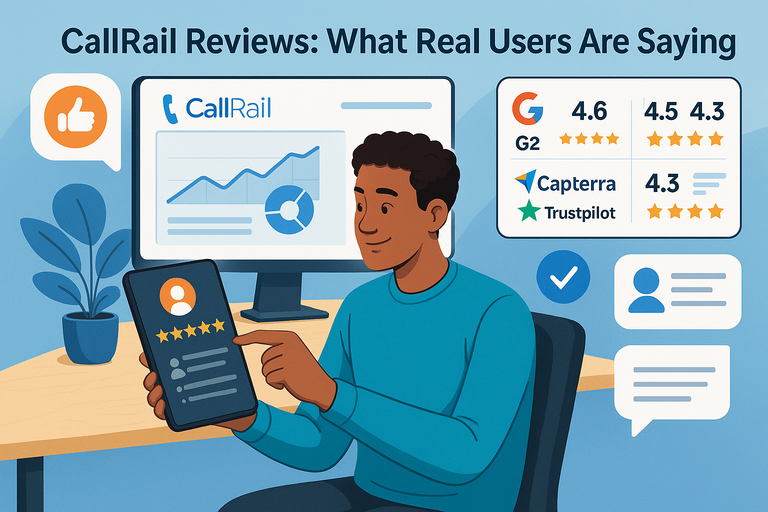
User sentiment on this area is consistently strong. G2’s review summary highlights ease of use and powerful reporting, and the product page shows 4.5 out of 5 stars from 1,689 reviews at the time of access.
On Capterra, the listing shows strong value-for-money and customer-service ratings, though not without mixed feedback in individual reviews.
That pattern matches what I’d expect: People tend to like CallRail most when they use it for the problem it solves best. If your main pain point is “I don’t know which campaigns drive qualified phone leads,” the platform is much easier to defend than if you expect it to replace broader sales infrastructure.
Conversation Intelligence Looks More Useful Now Than It Did A Few Years Ago
CallRail’s higher-tier plans add transcripts, keyword analysis, summaries, sentiment analysis, conversation trend reports, auto-tagging, and convert-assist tools. The company also announced multi-conversation insight capabilities that can analyze up to 100 customer calls to surface trends, opportunities, and risks.
I like this direction because it solves a real operational bottleneck. Most businesses do not have time to listen to every recorded call. A summary layer helps managers review performance faster and helps marketers distinguish qualified leads from noise without manually auditing dozens of conversations.
An AssemblyAI customer story tied to CallRail says the company saw 50% less time spent reviewing and analyzing calls and 60% less time spent qualifying leads after adopting its AI-first approach.
Of course, AI summaries are not magic truth. They are shortcuts. I would use them to prioritize review, not replace it completely. Still, for busy teams, that shortcut is valuable. If you receive dozens or hundreds of calls a week, a decent summary and tagging layer can save hours.
Lead Center And Follow-Up Workflows Add Practical Value
CallRail’s Lead Center is designed for small businesses and acts as a lead management system, communications hub, and virtual phone system in one place. I would not call it a replacement for every CRM, but I do think it improves the platform for smaller teams that need to organize follow-up without building a more complex stack.
This matters more than some buyers realize. Attribution only helps if someone can call the lead back, read the call summary, see the prior context, and move the conversation forward. For lean teams, having that visibility near the tracking layer is convenient.
A local business owner probably does not want three disconnected tools just to answer a missed call intelligently. In that sense, Lead Center makes the product feel more operational and less like a reporting-only dashboard. That is a good evolution for the platform.
Where CallRail Falls Short
No honest review is useful unless it explains the tradeoffs. CallRail is good, but it is not universally great.
Most of its weaknesses come down to pricing structure, scalability edges, and the gap between “excellent SMB tool” and “perfect all-in-one lead operations system.”
Pricing Can Get Murky Fast
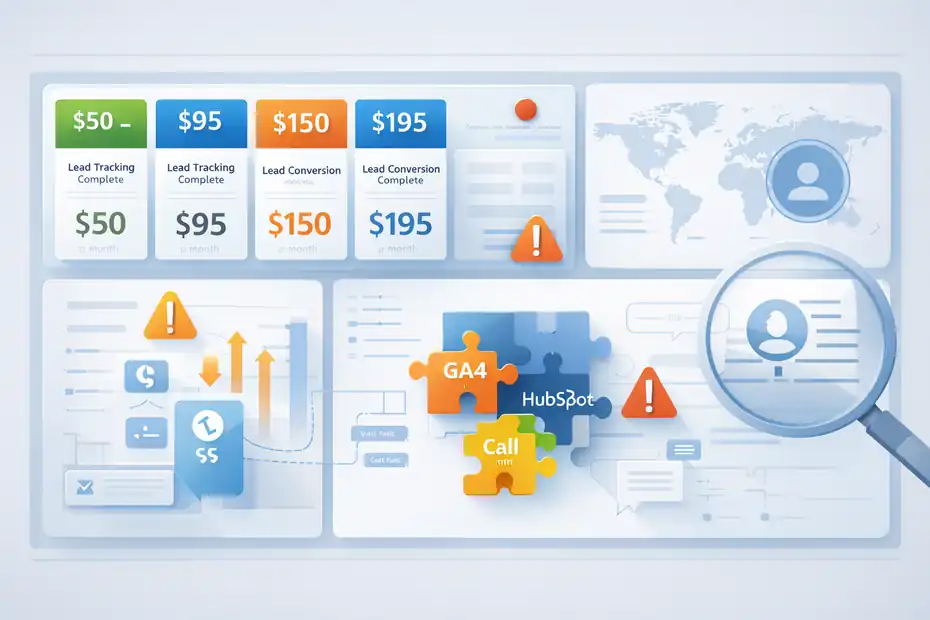
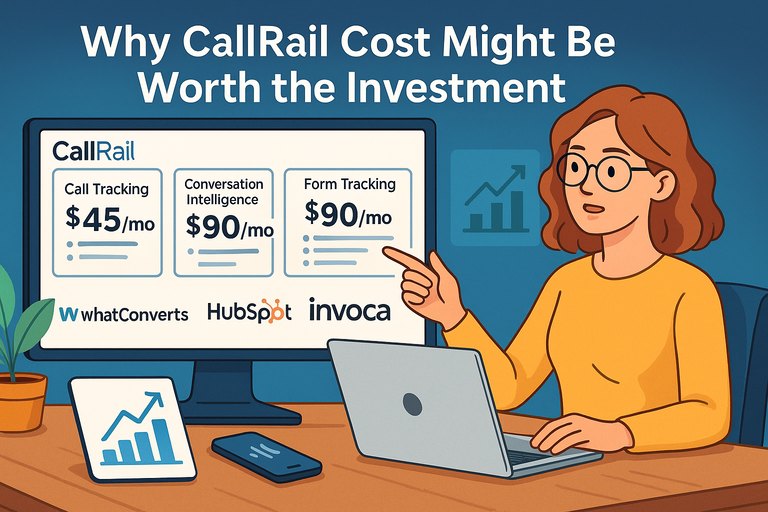
CallRail’s current public pricing starts around $50 per month for Lead Tracking, about $95 for Lead Tracking Complete, around $150 for Lead Conversion, and around $195 for Lead Conversion Complete, all plus additional usage. Voice Assist starts at $95 per month on top of Lead Tracking and includes overage pricing per call beyond the included threshold.
That is not outrageous for a revenue-impacting platform, but it does mean the sticker price is only the beginning. Numbers, minutes, extra usage, and add-ons can change the real monthly cost. Third-party pricing summaries and reviews repeatedly point to usage-based complexity as one of the platform’s practical drawbacks.
I generally prefer tools where the billing model is easy to predict before success arrives. If your call volume rises because your campaigns work, your measurement bill can rise too. That is not inherently unfair, but you should walk into it with open eyes.
Integration And Scale Complaints Are Not Imaginary
G2’s review summary specifically notes that some users cite integration challenges. Capterra reviews also include praise for ease of use alongside complaints about limited integrations, automation compatibility, and support experiences in some cases.
To be fair, CallRail does support useful integrations, including GA4 and HubSpot. The issue is not “no integrations.” The issue is that some organizations eventually want deeper customization, more flexible data movement, or a broader communications framework than CallRail is clearly optimized for.
That is why I would describe CallRail as strongest when the business question is focused and concrete. It becomes less comfortable when you try to force it into every sales, service, and attribution workflow at once. For many readers, that is not a dealbreaker. It is just the boundary line.
International And Enterprise Use Cases Need Extra Scrutiny
Some current third-party reviews argue that CallRail’s international coverage and value proposition are less compelling for broader, more complex organizations.
I would not overstate that claim, but I do think larger brands should compare it carefully against more enterprise-oriented alternatives before committing.
A simple way to think about it is this: CallRail feels built from the perspective of a marketing team that wants cleaner lead attribution, not from the perspective of a multinational contact-center architect. That is why it feels intuitive for SMBs and a bit narrower for heavyweight enterprise needs.
Pricing, Value, And ROI
Most buyers do not need the cheapest tool. They need the tool that makes better budget decisions possible. That is the right frame for evaluating CallRail’s cost.
Current Plans At A Glance
Here is the current public pricing snapshot based on CallRail’s pricing page:
| Plan | Starting Price | Best For | Main Additions |
|---|---|---|---|
| Lead Tracking | $50/mo + usage | Basic call and text attribution | 5 numbers, 250 minutes, routing, transcription, automation rules |
| Lead Tracking Complete | $95/mo + usage | Teams needing form attribution | Adds form tracking, custom form builder, multi-touch CPL reporting |
| Lead Conversion | $150/mo + usage | Teams focused on call quality and AI insights | Adds transcripts, keyword analysis, summaries, sentiment, trend reports, auto-tagging |
| Lead Conversion Complete | $195/mo + usage | Teams wanting forms plus conversation intelligence | Combines form tracking and premium conversation features |
| Voice Assist | Starts at $95/mo + usage | Missed-call recovery and AI intake | Requires Lead Tracking, includes per-call overage rules |
For a small business spending a few thousand dollars a month on ads, this can absolutely be worth it if CallRail helps cut wasted spend or improves lead handling. If it helps you identify one losing campaign, rescue missed calls, or prove which keywords create real jobs, the software can pay for itself quickly.
The flip side is that low-volume teams may not extract enough value from premium tiers right away. I usually recommend starting with the smallest setup that answers your real attribution question, then upgrading only when your team is actually reviewing transcripts, using form attribution, or acting on AI insights. Otherwise, you risk paying for features you admire more than use.
My Honest Value Verdict
I believe CallRail is a good value when one of these is true: you depend heavily on inbound phone leads, you manage multiple campaigns that are hard to compare, or your team misses follow-up opportunities because call data lives in too many places.
In those cases, clearer attribution and faster review matter more than the monthly fee.
I would be more cautious if your business is mostly ecommerce checkout, mostly international, or already has a mature enterprise attribution setup. In those scenarios, CallRail may feel helpful but not central.
Final Verdict, Best Use Cases, And Who Should Skip It
This is the part most people scroll to, so let me be direct. CallRail is a strong platform with a clear specialty. It is not hype, but it is also not a universal answer.
Who Should Buy CallRail
You should seriously consider CallRail if you run a call-driven business, want better attribution across calls and forms, and need a platform your team can realistically use without a giant implementation.
It is especially compelling for local service businesses, healthcare practices, law firms, home services, franchises, and agencies managing multiple client campaigns.
It is also a good fit if you have reached the frustrating stage where ad dashboards say performance is fine, but your sales team says the leads are weak. CallRail’s call recordings, transcripts, summaries, and auto-tagging can help bridge that gap between volume and quality.
My simplest recommendation is this: If the phone is still where revenue begins, CallRail is one of the more practical analytics buys you can make.
Who Should Probably Skip It
You may want to skip or at least compare carefully if you need rigid cost predictability, broader enterprise communications control, or a platform designed first for global complexity rather than local lead attribution.
The same applies if your team is unlikely to maintain tracking properly or act on the insights it generates.
Measurement tools only create value when the organization uses them. A lot of companies do not have a tracking problem. They have a discipline problem.
They do not test numbers, review calls, map conversions, or update routing rules. In those cases, CallRail will look underused because it is underused. That is not the platform’s fault.
Overall Rating
My honest overall rating is 8.4/10.
Why not higher? Because pricing can compound, some users clearly run into integration or scale frustrations, and the platform is narrower than the phrase “marketing analytics platform” may suggest.
Why still that high? Because for the right buyer, CallRail solves a painful and expensive problem extremely well: connecting marketing spend to actual conversations and real leads. And in a market where too many teams still optimize for clicks instead of customers, that is a meaningful advantage.
FAQ
What is CallRail and how does it work?
CallRail is a marketing analytics platform that tracks phone calls, texts, and form submissions to show which campaigns generate leads. It uses dynamic number insertion to assign unique phone numbers to visitors, helping businesses connect calls to specific marketing sources and measure performance more accurately.
Is CallRail worth it for small businesses?
CallRail is worth it for small businesses that rely on phone calls or lead forms to generate revenue. It helps identify which marketing efforts drive real leads, reduce wasted ad spend, and improve follow-up. However, value depends on consistent use and proper setup of tracking and reporting features.
What are the main features of CallRail?
CallRail offers call tracking, form tracking, conversation intelligence, call recording, AI-generated summaries, and lead attribution reporting. It also includes tools for call routing, automation, and integrations with platforms like Google Analytics and CRM systems to improve visibility across the customer journey.
Does CallRail integrate with Google Analytics and CRM tools?
CallRail integrates with Google Analytics 4 and popular CRM platforms to sync call, form, and text data. This allows businesses to track conversions, analyze campaign performance, and align marketing data with sales activity, making it easier to understand which channels produce qualified leads.
What are the downsides of using CallRail?
CallRail’s downsides include usage-based pricing that can increase with higher call volume, limited flexibility for large enterprise needs, and occasional integration challenges. It works best for small to mid-sized businesses, while larger organizations may require more advanced or customizable analytics solutions.

I’m Juxhin, the voice behind The Justifiable.
I’ve spent 6+ years building blogs, managing affiliate campaigns, and testing the messy world of online business. Here, I cut the fluff and share the strategies that actually move the needle — so you can build income that’s sustainable, not speculative.
Related posts:
 CallRail Reviews: What Real Users Are Saying
 CallRail Pricing Explained: Plans, Costs, Hidden Fees
 CallRail Pros And Cons For Businesses: What Matters Most
 Is CallRail Worth It For Local Businesses Or Agencies?
 Top 7 Skills Every Marketing Manager Needs
 Why CallRail Cost Might Be Worth the Investment