
Table of Contents
Some links on The Justifiable are affiliate links, meaning we may earn a small commission at no extra cost to you. Read full disclaimer.
Is Leadpages worth it for local businesses? In my experience, it can be, but only when you use it for a very specific job: turning local traffic into booked calls, quote requests, consultations, or appointments.
That is where Leadpages makes sense. If you just need a basic website, it can feel like overkill. But if you are running ads, promotions, seasonal offers, or service pages that need better conversion rates, it starts to look much more useful.
Let me break it down in a practical way so you can decide whether it will actually make your business money.
What Leadpages Actually Is For A Local Business
For most local businesses, Leadpages is not your whole marketing system.
It is the conversion layer that sits between your traffic source and the action you want a visitor to take.
What Leadpages Actually Does
Leadpages is a landing page builder designed to help businesses create standalone pages, pop-ups, and alert bars without needing a developer.
On its current plans, Leadpages says it includes landing pages, unlimited traffic and leads, A/B testing, custom domain connections, and integrations, with the Standard plan starting at $37 per month and Pro at $74 per month when billed monthly.
That matters because a local business usually does not need “more website.” It needs one page that does one job well.
Think about a dental clinic offering Invisalign consults, a roofer running storm-season ads, or a med spa promoting a limited-time treatment package. In those cases, sending traffic to a general homepage is usually a weak move.
The visitor has to hunt around, click the menu, read too much, and decide where to go next. A landing page removes those extra decisions.
I believe that is the strongest case for Leadpages. It helps you build focused pages for offers like:
- Free estimate requests
- New patient specials
- Seasonal promotions
- Consultation bookings
- Coupon downloads
- Service-area-specific campaigns
So, is leadpages worth it for local businesses? At the most basic level, yes, when your business needs campaign pages instead of just a brochure site.
Why Local Businesses Usually Need More Than A Homepage
A homepage tries to speak to everyone. A good landing page speaks to one person with one problem right now.
That difference is huge for local lead generation. Google Business Profile is free and can absolutely drive calls, clicks, and direction requests, which makes it a must-have for any local company. Google also gives business owners performance metrics showing views and customer interactions from Search and Maps.
But a Google Business Profile is not built for campaign-level persuasion. It is discovery-focused, not conversion-optimized in the same way a dedicated offer page is.
Imagine you run a local HVAC company. Someone searches “AC repair near me,” sees your profile, clicks your site, and lands on a generic homepage talking about heating, ductwork, maintenance plans, financing, and indoor air quality. That is a lot of noise for someone whose upstairs bedroom is 84 degrees.
A focused landing page can say: Emergency AC Repair In [City]. Fast same-day service, financing available, and a simple form or click-to-call button above the fold.
That is cleaner. It matches intent better. It also makes tracking easier because now you know which offer, ad, or keyword drove the lead.
In my experience, that is when local businesses stop guessing and start seeing which campaigns actually work.
When Leadpages Is Worth It For Local Businesses
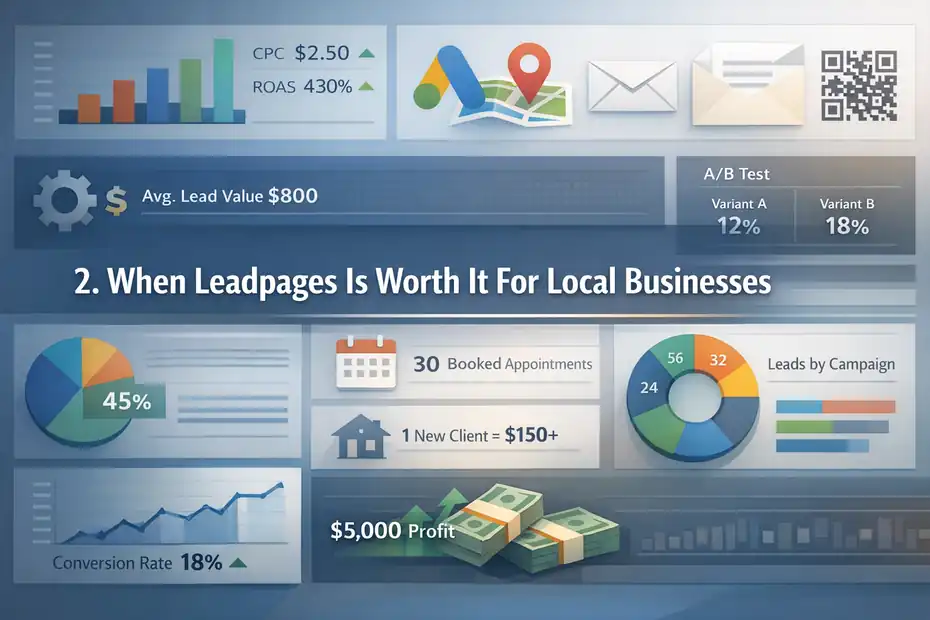
This is the section that really matters. The question is not whether Leadpages is good. The question is whether it fits the way your local business gets customers.
The Best-Fit Local Business Types
Leadpages tends to be worth it for local businesses that have a clear lead event and a meaningful customer value.
I would put these in the strongest-fit category:
- Home services: HVAC, plumbing, roofing, pest control, electrical, landscaping
- Health and wellness: dentists, chiropractors, med spas, therapists, physical therapy clinics
- Legal and professional services: law firms, accountants, consultants, insurance agencies
- High-ticket local services: remodeling, garage doors, solar, pool builders, cosmetic services
- Appointment-based businesses: salons, clinics, coaches, trainers, event vendors
Why these businesses? Because one extra qualified lead can easily cover the monthly software cost.
If your average booked job is worth $600, $2,500, or $8,000, you do not need dozens of extra conversions to justify a tool like this. You may only need one or two additional leads each month that turn into real revenue.
I suggest thinking in “lead value” rather than “software cost.” A $37 or $74 monthly subscription is tiny compared with the value of one roofing estimate, one legal consult that becomes a case, or one recurring lawn-care customer. That is the right frame.
Leadpages is especially strong when you already have traffic from local SEO, Google Ads, direct mail QR codes, Facebook ads, or email campaigns and want a cleaner place to send people.
The Signs It Will Probably Pay For Itself
Here is the practical test I use. Leadpages is usually worth it when at least three of these are true:
- You run paid traffic or plan to soon.
- You have seasonal or promotional offers.
- You serve multiple cities or service categories.
- You need better lead tracking.
- Your homepage converts poorly.
- One new customer is worth far more than the monthly plan.
That last one matters most.
Let’s use a simple example. A local med spa spends money on Instagram ads for a “new client hydrafacial offer.” If sending traffic to a focused page gets just two extra booked appointments per month, and each new client is worth $150 now plus follow-up treatments later, the economics can work fast.
Another example: A pest control company creates separate pages for termite inspections, rodent control, and mosquito treatments. Suddenly the message is tighter, the forms are cleaner, and the business can see which offer creates the best cost per lead.
This is also where A/B testing starts to matter. Leadpages includes A/B testing on current plans, which means you can test two versions of a page instead of guessing which headline, form, or offer will convert better.
That is a big step up from the “we think the homepage is fine” style of marketing that many local businesses get stuck with.
When Leadpages Is Not Worth It
Not every local business needs a landing page platform. Sometimes the smartest move is keeping things simpler.
Cases Where You Should Skip It
I do not think Leadpages is worth it for every local business. In fact, there are some cases where I would tell you not to buy it.
Skip it, or at least delay it, if your business is in one of these situations:
- You do not have enough traffic yet.
- You are not running campaigns.
- You only need a basic website and contact page.
- Most leads come from phone referrals and repeat customers.
- You have no time to create, test, or maintain landing pages.
- You are still missing the basics like reviews, offer clarity, and a working Google Business Profile.
A local bakery is a good example. If most of your business comes from foot traffic, Maps visibility, Instagram, and repeat buyers, a dedicated landing page platform may not add much. A clean site, strong photos, an updated profile, and a simple order or inquiry page might be enough.
The same goes for businesses that are barely using their existing website. I would not pile another tool on top of weak foundations. If your messaging is vague, your offer is weak, and nobody follows up on leads quickly, Leadpages will not fix those problems.
A landing page builder amplifies a good process. It does not replace one.
The Hidden Costs Are Usually About Time, Not Just Money
The subscription price is visible. The real cost is workflow.
Leadpages itself is fairly affordable compared with some conversion-focused platforms. But even with a lower entry price, you still need to write the page, choose the offer, connect forms, route leads correctly, track conversions, and test improvements.
That is where some local businesses quietly lose the plot.
A tool like this becomes “not worth it” when it turns into unfinished marketing homework. You sign up, build one page halfway, never connect proper tracking, and then months later say landing pages do not work.
In my experience, the friction usually shows up in four places:
- Nobody owns the page copy.
- The offer is too generic.
- Lead follow-up is slow.
- Traffic volume is too low to learn anything.
So yes, pricing matters, but execution matters more. If you do not have the attention to build and use campaign pages properly, even a relatively low-cost tool can become wasted spend.
How To Use Leadpages The Right Way As A Local Business
If you do decide to use it, the goal is not to build lots of pages. The goal is to build the right page first.
Start With One Offer, One Audience, And One Goal
The best local landing pages are boring in a good way. They are clear, specific, and built around one desired action.
Here is the setup I usually recommend:
Step 1: Pick one offer. Do not start with your whole business. Start with one campaign, like “Free Roof Inspection,” “$49 Chiropractic New Patient Exam,” or “Same-Day Water Heater Quote.”
Step 2: Match one audience. Pick one type of visitor, such as homeowners in a specific city, parents looking for pediatric dental care, or business owners needing bookkeeping help.
Step 3: Choose one conversion goal. That could be a form submission, a booking request, or a phone call. Do not mix too many goals on one page.
Then build the page around a simple structure:
- Clear headline
- Short subheadline
- Main benefit
- Trust proof
- Form or click-to-call CTA
- Service area clarity
- FAQ or objection handling
That is enough for most local campaigns.
I believe this is where a lot of businesses overcomplicate things. They try to describe every service, every location, every credential, and every team member. That turns a landing page back into a website.
Keep it narrow. That is the point.
Connect Lead Tracking Before You Launch
This part gets ignored way too often.
Leadpages supports integrations and third-party tracking code, which is useful because you should never launch a lead page without knowing how you will measure success.
Before traffic hits the page, make sure you can answer these questions:
- Where will the lead go?
- Who gets notified?
- How fast will someone respond?
- Can you see which page or campaign generated it?
- Are phone calls and form fills both being tracked?
A simple local setup could look like this:
Traffic source: Google Ads for “emergency plumber [city]”
Landing page: Focused page for emergency plumbing
Conversion action: Call button and short estimate form
Follow-up: Office manager gets instant notification
Tracking: Form submissions, calls, and source data logged
That alone can improve decision-making a lot. Now you can compare what actually produces leads instead of just looking at traffic.
Google Business Profile can show interactions like calls and website clicks on Search and Maps, but a dedicated campaign page gives you cleaner attribution for specific offers and traffic sources.
For local businesses trying to answer “what is actually working?” that clarity is often worth more than the page builder itself.
The Leadpages Features That Matter Most For Local Companies
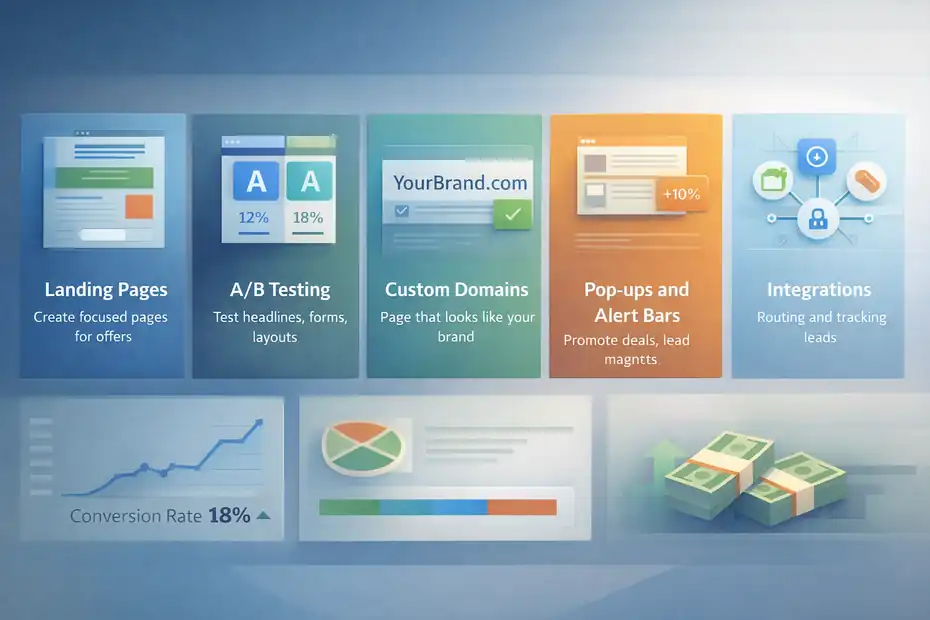
Not every feature matters equally. Most local businesses should ignore the shiny stuff and focus on practical conversion tools.
The Features That Actually Affect Lead Volume
For a local business, the most useful Leadpages features are usually these:
| Feature | Why It Matters For Local Businesses |
|---|---|
| Landing pages | Lets you create focused pages for one service, city, or offer |
| A/B testing | Helps you test headlines, forms, CTAs, and layouts instead of guessing |
| Custom domains | Makes the page look like part of your real brand |
| Pop-ups and alert bars | Useful for promotions, lead magnets, and appointment offers |
| Integrations and tracking code | Helps route leads and measure performance |
Leadpages says its platform is built around landing pages, pop-ups, alert bars, integrations, and A/B testing, which lines up well with what a local service business actually needs.
If I were judging pure practical value, I would rank them like this:
- Landing pages
- Form capture
- A/B testing
- Custom domain support
- Tracking integrations
- Pop-ups and alert bars
The reason is simple. Your landing page does the heavy lifting. Everything else is there to improve conversion or measurement.
A local law firm, for example, may never care about fancy design flexibility. But it will care a lot about whether a “Free Consultation” page gets more qualified form fills when the headline changes from “Experienced Legal Help” to “Talk To A [Practice Area] Lawyer In [City] Today.”
That is the kind of improvement that actually matters.
The Limits You Should Know Before Buying
This is the reality-check section.
Leadpages is good at helping non-technical users publish focused pages quickly. But it is still a landing page tool, not a magic growth engine.
The first limitation is strategic. It cannot create demand. If your offer is weak, your pricing is confusing, or your service area is too broad, a better page builder will not fix that.
The second limitation is operational. Standard currently lists 5 landing pages and 1 custom domain, while Pro expands to unlimited landing pages and 3 custom domains. That matters if you want separate pages for multiple cities, offers, or campaigns.
The third limitation is local nuance. Some businesses need stronger local SEO architecture on their main site than they need campaign pages. If your bigger problem is ranking your service pages organically, then a landing page platform should not be your first move.
So, is leadpages worth it for local businesses from a feature standpoint? Yes, but only if you will use those features for actual campaigns, not just because they sound useful.
Leadpages Pricing And Alternatives In 2026
For many local businesses, the “worth it” decision comes down to whether Leadpages is the right level of tool, not whether it is the cheapest option on the internet.
Current Leadpages Pricing And What You Get
Based on Leadpages’ current pricing page, Standard starts at $37 per month billed monthly and Pro starts at $74 per month billed monthly.
Standard includes 5 landing pages, unlimited traffic and leads, 1 custom domain, standard integrations, and A/B testing. Pro adds unlimited landing pages and 3 custom domains.
Here is the simple takeaway:
| Plan | Current Monthly Price | Best For | Main Constraint |
|---|---|---|---|
| Leadpages Standard | $37 | One business, a few core campaigns | 5 landing pages, 1 custom domain |
| Leadpages Pro | $74 | Multiple offers, cities, or campaigns | Higher monthly cost |
| Unbounce Starter | $22 billed annually / $29 monthly | Small tests with low traffic | Lower traffic/page limits on entry plan |
| Instapage Create | $79 billed annually / $99 monthly | More advanced teams | Higher price for most local businesses |
| Squarespace Website Plans | Start at $16 monthly | Full website first, landing page second | Less specialized for campaign testing |
I would not treat this as “Leadpages vs everything.” I would treat it as choosing the right category.
If you mainly need a website, Squarespace may be enough. If you want heavier conversion optimization and bigger budgets, Instapage or higher-tier Unbounce options may appeal.
But for many local businesses, Leadpages sits in the middle: more focused than a standard website builder, but usually less intimidating and less expensive than enterprise-style landing page software.
Which Alternative Makes Sense In Different Situations
I like using this decision filter:
- Choose Leadpages when: You want campaign-focused pages, easier testing, and a tool that is built for lead capture without jumping to a more expensive platform.
- Choose Squarespace when: Your main need is a polished website with some simple landing page capability. Squarespace says you can create landing pages, but its core value is still broader website building rather than dedicated conversion testing.
- Choose Unbounce when: You want a conversion-focused platform and are comfortable thinking more deeply about testing, limits, and page experimentation. Unbounce’s entry pricing can look attractive, but you need to watch traffic and plan structure closely.
- Choose Instapage when: You are spending serious money on paid acquisition and want more advanced collaboration and optimization. For a typical local business, though, the price jump is real.
In my opinion, Leadpages often wins the “good enough to be useful, simple enough to get used” category. And that matters more than feature bragging rights.
How To Make Leadpages Actually Work For A Local Business
Buying the tool is easy. Making it profitable is where most businesses either get disciplined or drift.
The Most Common Local Business Mistakes
I have seen the same mistakes show up again and again.
- Mistake 1: Sending every visitor to one generic page. A roofing ad, a gutter page, and a financing offer should not all dump into one broad “Our Services” page.
- Mistake 2: Asking for too much information. A local lead form should be short. Name, contact info, service needed, maybe ZIP code. That is usually enough to start.
- Mistake 3: Hiding the offer. If the page is about a free estimate or new patient special, say it immediately. Do not bury the value under a paragraph about your company story.
- Mistake 4: Weak trust signals. Local buyers want reassurance fast. Add reviews, service-area proof, licenses, years in business, photos, or a short testimonial.
- Mistake 5: Slow follow-up. This one hurts more than page design. A beautiful page cannot save a business that replies to leads six hours later.
Google Business Profile is free and helps local businesses get discovered on Search and Maps, but discovery only becomes revenue when the next step is easy and fast.
So if you use Leadpages, think beyond the page itself. Think about the full path from click to response.
The Highest-Impact Tests To Run First
You do not need dozens of experiments. You need a few smart ones.
Leadpages includes A/B testing, which gives local businesses a practical way to improve conversion without rebuilding everything from scratch.
I suggest starting with these tests:
- Headline test: Service-focused headline vs outcome-focused headline
- CTA test: “Get A Free Quote” vs “Check Availability”
- Form test: Short form vs slightly longer qualification form
- Offer test: Free estimate vs discount vs bonus add-on
- Trust proof test: Reviews near the top vs lower on the page
- Location test: City name in the headline vs city name in subheadline
For example, a chiropractor might compare:
- Version A: “Chiropractor In Austin For Back And Neck Pain”
- Version B: “Get Relief From Back Pain With A Same-Week Appointment”
Both can work, but one may produce more qualified bookings.
Another easy win is tightening relevance by city or service. A plumbing business can run one page for “water heater replacement” and another for “emergency leak repair,” even if both feed the same office. That alone often improves message match.
My advice is simple: Test things that affect intent, not just colors and button shapes.
A Simple Verdict: Is Leadpages Worth It For Local Businesses?
You do not need a complicated answer here. You need a decision you can act on.
A Practical Decision Framework
Here is my honest framework.
Leadpages is worth it for local businesses when you need focused lead-generation pages and have a real offer, real traffic, and a business where one additional lead can justify the cost.
It is probably worth it if:
- You run ads or promotions
- You want separate pages by service or city
- You need better conversion tracking
- Your average customer value is healthy
- You are willing to test and improve pages
It is probably not worth it if:
- You only need a basic website
- You are not doing campaign-based marketing
- You have almost no traffic
- You are not ready to follow up on leads quickly
- Your current bottleneck is visibility, not conversion
I believe that distinction is everything.
Many local businesses do not need more tools. They need tighter messaging, stronger offers, and faster sales follow-up. But once those pieces are in place, Leadpages can become a very practical upgrade because it gives you a cleaner path from click to lead.
My Final Answer
So, is leadpages worth it for local businesses?
Yes, for the right kind of local business.
If you are a service-based business, appointment-based brand, or high-value local provider that wants campaign-specific pages, easier testing, and better lead capture, Leadpages can absolutely be worth the money.
Its current pricing is accessible compared with more advanced landing page platforms, and the feature set is strong enough for most local campaigns.
But if you only need a simple web presence, rely mostly on referrals, or are still fixing basic local marketing foundations, I would not rush into it. A free Google Business Profile and a solid website may take you further first.
My opinion is pretty simple: Leadpages is not a must-have for every local business, but it is a smart buy for local businesses that treat lead generation like a system instead of a hope.
And honestly, that is the whole game.
FAQ
Is Leadpages worth it for local businesses?
Yes, Leadpages is worth it for local businesses that rely on lead generation. It helps convert traffic into calls, bookings, or inquiries through focused landing pages. If your business benefits from even a few extra leads monthly, the cost can easily be justified.
When should a local business use Leadpages?
A local business should use Leadpages when running ads, promotions, or targeting specific services or locations. It works best when you need dedicated pages for offers instead of sending visitors to a general homepage that may not convert well.
Can Leadpages replace a website for local businesses?
No, Leadpages should not fully replace a website for most local businesses. It works best alongside your main website as a tool for creating high-converting campaign pages, not as your primary online presence or long-term SEO foundation.
What types of local businesses benefit most from Leadpages?
Service-based and appointment-driven businesses benefit most, including HVAC, dental clinics, law firms, and home services. These businesses typically have higher customer value, making it easier to justify the cost through improved lead conversion rates.
What are the main downsides of Leadpages for local businesses?
The main downsides include the need for ongoing setup, testing, and traffic to see results. Without a clear offer, consistent leads, or proper follow-up, Leadpages may not deliver strong returns, making it less useful for low-traffic or referral-only businesses.

I’m Juxhin, the voice behind The Justifiable.
I’ve spent 6+ years building blogs, managing affiliate campaigns, and testing the messy world of online business. Here, I cut the fluff and share the strategies that actually move the needle — so you can build income that’s sustainable, not speculative.
Related posts:
 Free Landing Page Design: Tips and Tricks for a High-Converting Page
 High Converting Sales Funnel: The Ultimate Guide to Boosting Your Revenue
 Leadpages Review For Affiliate Marketers: More Conversions Or Just Hype?
 Leadpages Review For Bloggers Building Email Lists: Grow Faster Or Not?
 Internet Marketing Ideas: Increase Your Marketing Efforts
 How to Build Lead Pages That Convert Like Crazy