
Table of Contents
Some links on The Justifiable are affiliate links, meaning we may earn a small commission at no extra cost to you. Read full disclaimer.
Cloudways Ltd. is one of those names that pops up whenever people talk about reliable, fast, and scalable website hosting—but what exactly makes it stand out?
Whether you’re running a WordPress blog, an eCommerce store, or a custom web application, Cloudways promises to simplify your hosting experience while boosting performance.
But how does it really power your website differently from traditional hosting providers?
In this guide, we’ll unpack what Cloudways Ltd. does, why it matters, and how it can transform your site’s speed, security, and overall management experience.
Understanding What Cloudways Ltd. Is
Cloudways Ltd. is a managed cloud hosting platform designed to take away the technical stress of running websites.
Instead of managing complex servers or dealing with downtime issues, you focus on your site — Cloudways takes care of the backend.
I believe the beauty of Cloudways lies in how it blends simplicity with serious cloud power.
What Cloudways Ltd. Offers in Managed Cloud Hosting
Cloudways provides managed cloud hosting, meaning it sits between you and major cloud providers like DigitalOcean or AWS, managing everything from setup to optimization.
Here’s what that looks like in practice:
- Managed Security: Cloudways automatically handles firewalls, SSL certificates, and OS updates. You don’t need to manually patch or configure them.
- Automated Backups: The system can be set to back up your site daily or hourly — a lifesaver if something goes wrong.
- 24/7 Monitoring: Cloudways keeps tabs on your server and application performance, alerting you if something looks off.
I’ve used unmanaged hosting before, and trust me — it’s time-consuming. Cloudways’ approach feels more like having a technical co-pilot, quietly keeping things running behind the scenes.
How Cloudways Differs from Traditional Web Hosting Services
Traditional hosting usually means shared servers, where multiple websites compete for the same resources. If one site gets a traffic spike, everyone else suffers. Cloudways fixes that by letting you host your site on dedicated cloud resources.
Here’s the key difference:
- Traditional Hosting: Limited flexibility and shared performance.
- Cloudways Hosting: Fully isolated environments and scalable resources.
You get to choose your cloud provider (like AWS or Google Cloud), but Cloudways manages the configuration and server maintenance. It’s like renting a car with a chauffeur instead of driving yourself through server-land.
Try Cloudways risk-free → Launch your first cloud server with a free trial!
The Unique Cloudways Managed Infrastructure Model
Cloudways’ model is quite elegant. You rent server space from top-tier providers but never deal directly with their complex dashboards. Everything happens through Cloudways’ streamlined control panel.
A typical setup might look like this:
- You choose a provider (e.g., DigitalOcean).
- Cloudways provisions and optimizes the server.
- You manage your applications (like WordPress) through a clean UI.
This model gives you power and peace of mind — performance without the need to be a sysadmin.
Supported Cloud Providers and Integration Capabilities
Cloudways currently supports several major cloud providers:
- DigitalOcean: Best for affordable, high-speed hosting.
- Amazon Web Services (AWS): Perfect for enterprise-level scalability.
- Google Cloud: Great for performance-driven businesses.
- Vultr and Linode: Balanced options for small to medium projects.
Each provider has its pricing and benefits, but Cloudways integrates them all into one consistent experience.
You can even switch providers within the same dashboard if you want to scale or test performance differences — something most hosts never offer.
How Cloudways Ltd. Powers Your Website Performance
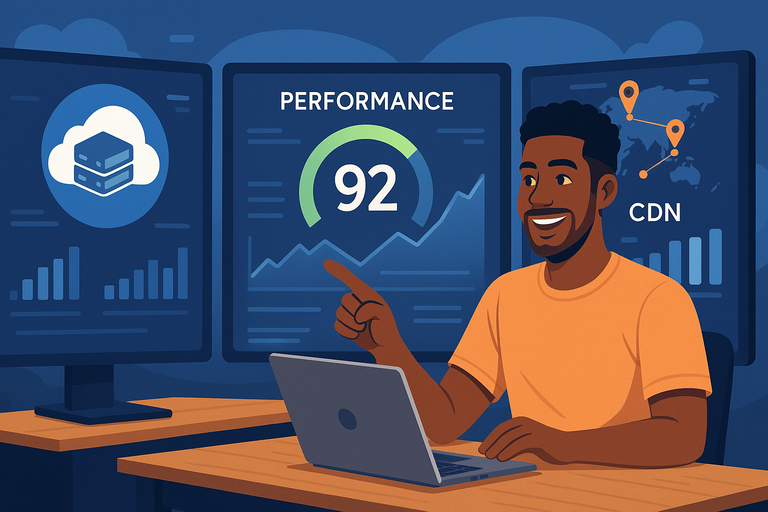
Performance is the lifeblood of any website. A slow site not only frustrates visitors but can also hurt your Google rankings.
Cloudways tackles this problem from multiple angles — cloud servers, caching, SSDs, and a global CDN all work together to make your site load lightning-fast.
How Cloudways Uses Cloud Servers to Boost Speed
Unlike shared hosting, where your resources are limited, Cloudways assigns dedicated RAM and CPU power to your site. This ensures consistent performance even during high-traffic periods.
The process looks like this:
- Your website runs on a virtual private server (VPS) with dedicated resources.
- Cloudways optimizes the underlying software stack with NGINX, Apache, and PHP-FPM (a performance enhancer for PHP applications).
- The result is faster load times, smoother interactions, and less downtime.
From my experience, even modest WordPress sites can see up to a 200–300% improvement in page load speed after moving to Cloudways.
The Role of SSD-Based Hosting and Built-In Caching
Speed comes down to storage and caching. Cloudways uses SSD (solid-state drive) storage by default — meaning data retrieval is much faster compared to traditional HDD storage.
But the real magic comes from Cloudways’ ThunderStack technology, which includes:
- Varnish Cache: Stores copies of frequently accessed pages.
- Memcached & Redis: Speeds up database queries.
- Nginx: Handles static files and concurrent users efficiently.
This combination dramatically reduces server response times. It’s like having a fast car, but also optimizing the road it drives on.
How Cloudways CDN Enhances Global Website Delivery
A Content Delivery Network (CDN) distributes your website’s files across servers worldwide. When someone visits your site, they access the nearest server instead of one halfway across the planet.
Cloudways offers its own integrated CloudwaysCDN, which:
- Minimizes latency for international visitors.
- Reduces load on your origin server.
- Enhances both SEO and user experience.
For global audiences, this can cut page load times by several seconds — a massive improvement in web performance terms.
Boost your website speed instantly → Deploy a high-performance Cloudways server!
Real-Time Performance Monitoring and Optimization Tools
Inside the Cloudways dashboard, you’ll find a “Monitoring” section. Here, you can view server metrics like CPU usage, RAM consumption, and incoming traffic patterns in real time.
You can also connect tools like New Relic (integrated directly in Cloudways) to analyze application-level performance. It helps pinpoint slow plugins or bottlenecks before they impact visitors.
For instance, I once used New Relic on a WooCommerce site hosted on Cloudways and discovered a rogue plugin consuming 40% of CPU time. Disabling it instantly boosted speed. That’s the kind of insight real monitoring delivers.
The Cloudways Platform and Its User Experience
Cloudways manages to offer deep functionality while keeping its interface beginner-friendly.
The platform doesn’t bury you in menus or jargon — most settings are one or two clicks away.
Exploring the Intuitive Cloudways Dashboard
The Cloudways dashboard is where you control everything — from launching apps to scaling servers. It’s minimal yet powerful.
Common actions include:
- Server Management: Restart, scale, or clone servers easily.
- Application Management: Manage WordPress, Laravel, or Magento installations.
- Backup Scheduling: Set automated or on-demand backups.
The layout follows a left-side menu design with quick-access icons. Even if you’ve never managed a server, you’ll find it intuitive.
One-Click App Deployment for WordPress, Magento, and More
You can launch a new application in minutes. Just choose your app (like WordPress, Magento, or Laravel), select your cloud provider, and click Launch Now.
I particularly appreciate this for WordPress — Cloudways pre-optimizes it with caching and security configurations. That means less setup time and fewer plugin headaches later.
This feature is also handy for developers who want to spin up staging environments for testing.
Server Management Made Easy with Custom Configurations
Unlike traditional hosts where you’re locked into fixed settings, Cloudways gives you control over your server stack.
You can:
- Adjust PHP versions from the settings tab.
- Enable or disable Varnish caching with a toggle.
- Configure cron jobs (scheduled tasks) easily via the UI.
For advanced users, there’s even SSH access. But for most people, the interface is more than enough — it’s flexible without being overwhelming.
The Scalability Features That Grow with Your Business
One of Cloudways’ strongest selling points is vertical scaling. That means you can increase your server’s CPU, RAM, and storage as traffic grows — without migrating to a new host.
Here’s a simple path: Cloudways Dashboard > Server Management > Vertical Scaling.
No downtime. No hassle. Just more power when you need it.
This scalability makes Cloudways ideal for businesses that experience seasonal traffic spikes — like eCommerce stores during holiday sales or news sites during breaking stories.
Security Features That Protect Your Website
Cloudways Ltd. takes security seriously — not as a marketing promise, but as a built-in system that quietly works in the background to protect your website from attacks and data loss.
I’ve found that its layered security approach covers every angle: from network-level firewalls to application-specific protection.
Let’s unpack how this works in practice.
How Cloudways Implements Dedicated Firewalls and SSL
Every Cloudways-managed server comes with a dedicated firewall — meaning your website traffic is filtered through strict rules that block malicious requests before they even reach your server.
Cloudways uses a firewall isolation model, which means your server isn’t affected by another user’s vulnerabilities. This is a huge step up from shared hosting, where one compromised site can impact hundreds of others.
- Dedicated Firewalls: These are configured at the OS (Operating System) level, blocking known attack patterns like DDoS and brute force.
- SSL Certificates: Cloudways integrates with Let’s Encrypt, letting you install a free SSL certificate with a single click. SSL encrypts the connection between your site and its visitors, protecting sensitive data like login credentials or payment details.
You can enable SSL directly through the UI path: Cloudways Dashboard > Applications > SSL Certificate > Install Certificate.
In my experience, SSL setup on traditional hosts often feels unnecessarily complicated. Cloudways simplifies it so even non-technical users can activate encryption within seconds.
Built-In Backups and Restoration Options
One of the smartest safety nets Cloudways provides is its automated backup system. You can schedule backups as frequently as every hour or once daily, depending on how critical your website is.
The process is entirely automated, but you retain control through:
- On-Demand Backups: Click Take Backup Now if you’re about to make major site changes.
- One-Click Restore: Roll back to a previous state instantly if something breaks.
I’ve personally used this during plugin conflicts on WordPress sites — restoring to a pre-update version took under 2 minutes. No FTP digging, no manual uploads.
Cloudways stores these backups off-site, which means even if your server experiences issues, your backup remains safe elsewhere.
Two-Factor Authentication and Bot Protection Tools
Security doesn’t stop at encryption — it extends to your login and site traffic. Cloudways includes Two-Factor Authentication (2FA) to protect your account from unauthorized access.
Here’s how it works:
- Enable 2FA from Account > Security > Two-Factor Authentication.
- Pair your account with an authenticator app like Google Authenticator.
- Enter the verification code on every login.
I suggest enabling it immediately after account setup. It’s one of those small steps that save massive headaches later.
Additionally, Cloudways has a built-in Bot Protection system powered by MalCare, which prevents brute-force attacks and scans for malware continuously. It even identifies and blocks suspicious IP addresses automatically.
Continuous Security Patching and Monitoring
One of the hidden strengths of Cloudways is its proactive patch management. The platform automatically updates operating system packages and critical security libraries — all without downtime.
This is backed by 24/7 security monitoring. Cloudways’ engineers constantly track for suspicious server activity, failed login attempts, or file changes that may indicate intrusion.
For example, I once received a real-time alert about abnormal PHP activity on a staging site.
Within minutes, Cloudways support confirmed it was a plugin misconfiguration, not an attack — but it was reassuring to see that level of attention.
Security isn’t glamorous, but with Cloudways, it’s invisible and effective — exactly how it should be.
Pricing Structure and Cost Efficiency of Cloudways Ltd.

Cloudways Ltd. uses a transparent, pay-as-you-go pricing model designed to give you control over what you spend.
Unlike most hosts that lock you into contracts, Cloudways charges you monthly based on actual usage.
I appreciate this model because it scales naturally with your business, not against it.
Understanding Cloudways’ Pay-As-You-Go Pricing Model
Cloudways doesn’t own physical servers — instead, it manages servers from top-tier cloud providers like DigitalOcean, AWS, and Google Cloud. The pricing depends on the provider and the server size you choose.
For example:
- DigitalOcean Plans: Start at around $11/month for 1 GB RAM and 25 GB storage.
- AWS or Google Cloud Plans: Begin at approximately $35/month but include more robust scalability.
You only pay for what you use. There are no upfront costs, no cancellation fees, and you can scale resources (RAM, CPU, storage) at any time through Server Management > Vertical Scaling.
From my own projects, this flexibility is priceless — especially for sites that see fluctuating traffic or seasonal spikes.
Comparing Cloudways Costs with Other Hosting Providers
When comparing Cloudways to traditional shared hosting, it might seem pricier at first glance. But the comparison isn’t apples-to-apples.
Here’s a simplified view:
| Hosting Type | Avg. Monthly Cost | Management | Performance | Scalability |
| Shared Hosting | $3–$10 | Manual | Slower | Limited |
| VPS (Unmanaged) | $5–$20 | Full Self-Management | Fast | Technical Setup Needed |
| Cloudways (Managed) | $11–$40 | Fully Managed | Very Fast | One-Click Scaling |
While shared hosting may look cheaper, Cloudways gives you dedicated resources, professional management, and zero maintenance.
For most serious website owners, that’s well worth the extra few dollars per month.
How Cloudways Balances Affordability and Enterprise Performance
Cloudways strikes a clever middle ground between low-cost hosting and expensive enterprise solutions. You get the infrastructure power of AWS or Google Cloud without needing a DevOps engineer to manage it.
The platform includes features like advanced caching, security, and performance monitoring — services that would cost hundreds if purchased separately.
I believe this is where Cloudways truly shines: It democratizes high-end hosting for smaller businesses and developers without sacrificing power.
When Cloudways Offers the Best Value for Growing Websites
Cloudways makes the most sense when your site has outgrown basic shared hosting or when uptime and speed directly affect your income — for example:
- eCommerce stores needing consistent uptime during sales seasons.
- Agencies managing multiple client websites efficiently.
- Developers deploying applications quickly without server headaches.
If you’re running a personal blog with minimal traffic, shared hosting might suffice.
But once your site starts gaining traction, Cloudways’ pay-for-what-you-use model gives you the perfect balance of performance and cost control.
Support and Maintenance on Cloudways Ltd.
Cloudways pairs its powerful technology with strong human support. Whether it’s a server configuration question or a sudden performance issue, their support team is available around the clock.
I’ve found the experience refreshingly responsive compared to most hosts.
Accessing 24/7 Live Chat and Ticket-Based Support
Cloudways provides two main support channels: live chat and ticket-based assistance. The live chat option is great for immediate questions, while tickets handle more complex issues.
In my interactions, response times average just a few minutes. Support agents are not scripted — they actually troubleshoot with you in real time.
You can access support through the dashboard: Help > Contact Support > Live Chat or Submit Ticket.
For mission-critical projects, Cloudways also offers an optional Premium Support Add-On for faster, senior-level assistance.
Cloudways Knowledge Base and Community Resources
For those who prefer self-help, Cloudways maintains a detailed Knowledge Base filled with step-by-step tutorials and guides. Topics range from setting up Redis caching to migrating WordPress websites.
The Cloudways Community Forum is also active, with users and staff sharing configuration tips and plugin recommendations. I often check it before contacting support — it’s surprisingly rich in practical insights.
The Role of Cloudways Experts and Add-On Support Plans
Cloudways gives users access to a network of verified Cloudways Experts — professionals who can help with site migration, server optimization, and custom configurations.
If you manage client sites, the Advanced or Premium Support Add-Ons can be worth considering. They provide:
- Priority responses
- Proactive server monitoring
- Private Slack channel access for real-time communication
This level of support is rare in managed hosting and can make a significant difference for agencies or developers juggling multiple projects.
Automated Maintenance and Platform Updates
Cloudways’ platform updates are handled automatically — from core infrastructure upgrades to system patches. You don’t need to log in or schedule downtime.
Their maintenance strategy is designed around zero-downtime updates, meaning your site remains live while Cloudways quietly improves the backend.
I recommend occasionally reviewing your Cloudways Platform > Updates Log just to stay aware of recent improvements. It’s a good way to keep track of what’s changing under the hood.
Expert Tip: I suggest enabling Cloudways’ notification system for updates and incidents. It ensures you’re always in the loop without needing to monitor your server constantly.
Key Benefits of Choosing Cloudways Ltd.
Cloudways Ltd. stands out because it combines managed hosting simplicity with cloud-level performance.
I’ve worked with plenty of web hosts over the years, and few deliver the same balance of speed, reliability, and flexibility.
Let’s look at the biggest benefits that make Cloudways worth serious consideration.
Speed, Uptime, and Reliability You Can Count On
Performance is Cloudways’ strongest suit. Websites hosted on Cloudways consistently load faster than traditional shared hosting because they’re powered by top-tier providers like DigitalOcean, AWS, and Google Cloud.
Here’s what contributes to that speed and stability:
- Dedicated Resources: Each website gets its own RAM, CPU, and storage — no sharing with noisy neighbors.
- SSD Storage: Solid-state drives deliver faster read/write times, cutting load times dramatically.
- Built-In CDN: CloudwaysCDN distributes your content globally, ensuring visitors get fast access from any location.
Cloudways also boasts uptime rates above 99.99%. That means your site stays online even during maintenance or traffic surges.
I’ve personally run client sites on Cloudways for years, and downtime is practically non-existent.
If you’re running an eCommerce site or a high-traffic blog, this reliability translates directly into more sales, more engagement, and better SEO rankings.
Simplified Server Management Without Technical Hassle
One of Cloudways’ biggest appeals is its managed nature. You don’t have to worry about the heavy lifting of server administration — no manual updates, no command-line chaos.
Through the dashboard, you can easily:
- Restart servers or clear cache with one click.
- Adjust PHP versions under Server Management > Settings & Packages.
- Schedule automated backups without plugins or add-ons.
I recommend this approach especially for non-technical users or business owners who simply want things to work without babysitting their hosting setup.
It’s managed hosting that feels genuinely hands-off.
Flexibility for Developers, Agencies, and Small Businesses
Cloudways isn’t just for beginners — it’s designed to scale for developers, agencies, and growing businesses.
For developers, Cloudways offers SSH and Git integration, staging environments, and deployment automation. You can clone apps, test changes, and push updates without affecting the live site.
For agencies, there’s the ability to manage multiple client projects from one dashboard. You can even assign team members and limit their access levels — perfect for collaborative environments.
For small businesses, Cloudways offers predictable pricing and easy scalability. As your traffic grows, simply drag the Vertical Scaling slider to upgrade your server.
It’s the rare platform that feels equally comfortable for both the solo freelancer and the enterprise team.
Eco-Friendly Cloud Hosting and Sustainability Practices
Sustainability is becoming a bigger part of tech decisions, and Cloudways deserves credit for leaning into it.
Since Cloudways partners with providers like Google Cloud and AWS, much of its infrastructure benefits from renewable energy data centers.
For instance, Google Cloud claims over 90% carbon-neutral energy usage in its facilities. Cloudways indirectly supports this greener ecosystem.
If you care about environmental impact (and I believe we all should), Cloudways gives you a way to host responsibly without sacrificing speed or reliability.
When Cloudways Might Not Be the Right Fit
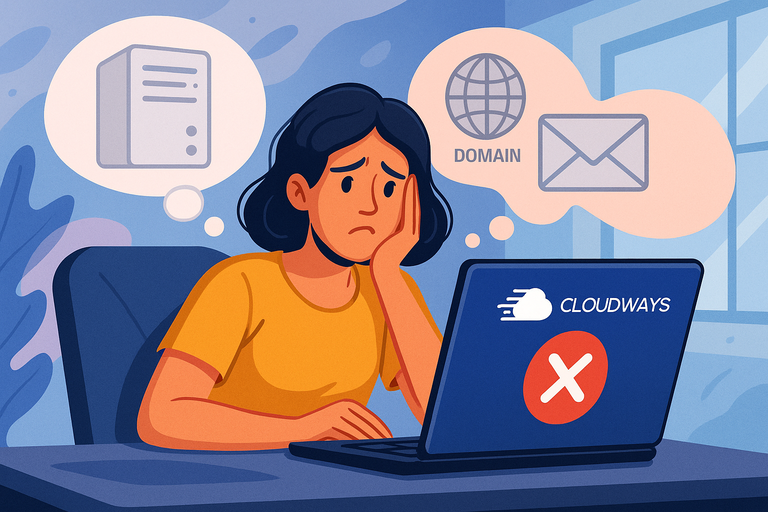
While Cloudways Ltd. has plenty of strengths, it’s not perfect for everyone. Knowing where it might fall short helps you make a smart, realistic decision.
Limited Access to Root Server Customization
Cloudways manages the server for you — which is great for security and simplicity — but it also means you don’t get root access.
Root access allows direct modification of system files and services. Developers who like full control might find this restrictive.
However, Cloudways does offer advanced settings like SSH access, PHP configuration, and cron jobs. So for most users, it’s still flexible enough — but if you’re a hardcore sysadmin, this may feel limiting.
Lack of Domain Registration and Email Hosting
Cloudways doesn’t sell domain names or provide built-in email hosting. You’ll need to connect your domain from an external registrar (like Namecheap or GoDaddy) and use an external email service.
The easiest path is: Domain Registrar > DNS Settings > Point to Cloudways Server IP.
For email, Cloudways integrates with add-ons like Rackspace Email or Google Workspace. It’s an extra step, but it keeps your hosting environment lean and optimized for performance.
How Cloudways May Challenge Absolute Beginners
While Cloudways is simpler than most cloud platforms, it’s still more advanced than entry-level shared hosting. The dashboard is intuitive, but terms like staging environment or vertical scaling can feel intimidating at first.
That said, Cloudways has an excellent Knowledge Base, and their live chat support is quick to guide you through any setup.
If you’re willing to spend a little time learning, you’ll quickly see how much power and flexibility you gain.
But if you want a one-click setup and never want to touch settings, a traditional shared host might feel more comfortable.
Step-by-Step Guide to Getting Started on Cloudways
Getting started with Cloudways is surprisingly easy — you can launch a website in under 10 minutes. Here’s how I usually set up a new project for clients or personal sites.
How to Sign Up and Choose a Cloud Provider
- Go to cloudways.com and click Start Free.
- Create your account (no credit card required for the trial).
- Once inside the dashboard, select your cloud provider — options include DigitalOcean, AWS, Google Cloud, Linode, or Vultr.
- Choose your server size and data center location closest to your audience.
I usually recommend DigitalOcean for most users because it balances performance and cost beautifully.
Launching Your First Application with Cloudways
After setting up your server, it’s time to launch an application — this could be WordPress, Magento, or Laravel.
The path looks like this: Applications > Add Application > Choose App Type > Launch Now.
Cloudways will automatically install your chosen app with the latest optimized stack (Apache, NGINX, PHP-FPM, etc.). Once it’s live, you can access it using the provided temporary URL until you point your domain.
I find the one-click app setup to be one of Cloudways’ most satisfying features — no messy database imports or manual installations.
Managing Servers and Applications Efficiently
You can manage everything from one unified dashboard. The Server Management tab lets you:
- Restart or scale servers.
- Enable Varnish caching.
- View resource usage and performance stats.
Meanwhile, the Application Management tab handles:
- Domain mapping.
- SSL installation.
- Cron job scheduling.
- Access and credentials management.
I like how Cloudways centralizes everything without clutter. It’s a big time-saver for agencies managing multiple sites.
Tips for Optimizing Settings for Better Performance
To get the most out of Cloudways, a few tweaks go a long way:
- Enable Redis: Greatly speeds up database queries for dynamic sites.
- Use CloudwaysCDN: Reduces latency for global visitors.
- Turn On Varnish Caching: For faster page load times.
- Schedule Backups Daily: For safety without extra cost.
You’ll find these options under Application Management > Settings & Packages.
From what I’ve seen, enabling Redis and CDN alone can cut page load time by up to 40%.
Final Thoughts: Is Cloudways Ltd. Worth It for You?
At this point, you’ve seen how Cloudways blends power, simplicity, and flexibility — all without locking you into the rigid systems that most web hosts use.
When Cloudways Delivers the Most Value
Cloudways shines brightest for businesses that prioritize performance and reliability but don’t want to handle server maintenance themselves.
It’s perfect for:
- Growing eCommerce stores.
- Agencies managing multiple clients.
- Developers building scalable web apps.
If uptime, speed, and control matter to you — but you don’t want to become a sysadmin — Cloudways hits the sweet spot.
Ideal Users Who Benefit Most from Cloudways Hosting
I believe Cloudways is ideal for:
- Developers: Who need flexibility with staging and Git deployment.
- Agencies: That want to manage several projects under one account.
- Businesses: Seeking fast, secure, scalable hosting without technical headaches.
Even bloggers or small businesses ready to level up from shared hosting can benefit from Cloudways’ managed simplicity.
Expert Tip for Maximizing Cloudways Performance
To really squeeze the best performance out of your setup, here’s what I recommend:
- Start with a smaller DigitalOcean plan and scale as you grow.
- Enable Redis and Varnish from the start — they’re free and powerful.
- Use CloudwaysCDN for global audiences.
- Keep backups scheduled daily, just in case.
In my experience, that combination gives you an enterprise-grade website for a fraction of the cost — all while staying stress-free and fast.

I’m Juxhin, the voice behind The Justifiable.
I’ve spent 6+ years building blogs, managing affiliate campaigns, and testing the messy world of online business. Here, I cut the fluff and share the strategies that actually move the needle — so you can build income that’s sustainable, not speculative.
Related posts:
 Cloudways VPS Hosting: The Smart Way to Scale Performance
 How To Find The Best Hosting Company?
 How Do I Upgrade My Bluehost Hosting Plan? (Step-by-Step Guide)
 WPEngine Cost: Why It’s More Expensive Than Other Hosts
 Cloudways DigitalOcean vs Shared Hosting: Why It’s Worth the Upgrade
 The Ultimate Guide to UltraWebHosting: Features, Benefits, and Pricing