Table of Contents
When exploring Freshsales CRM pricing, the challenge isn’t just choosing a plan—it’s knowing how to get the best value for your money.
Whether you’re scaling a startup or managing an established sales team, understanding which features justify the upgrade can save you hundreds annually.
So, which Freshsales CRM plan gives you the best mix of performance and affordability? Let’s break it down and uncover where your investment goes further.
Understanding Freshsales CRM Pricing Plans
Freshsales CRM pricing is structured around three main tiers—Growth, Pro, and Enterprise. Each one serves a different stage of business maturity, helping teams manage leads, automate workflows, and make smarter, data-driven decisions.
Let’s unpack what makes each plan worth its price and how you can save more in the long run.
The Growth Plan: Affordable Power for Small Teams
The Growth plan is designed for startups and small businesses that want strong CRM capabilities without breaking the bank. At $9 per user per month (billed annually), it offers a robust foundation for managing contacts, deals, and communication—all in one platform.
What stands out here is its balance between cost and utility. You get a Kanban view to visualize your sales pipeline (a drag-and-drop interface to track deals), built-in chat, email, and phone integration, and basic workflows for automation. This makes it ideal for teams taking their first step away from spreadsheets.
Key advantages include:
- Efficiency: Manage all leads, accounts, and deals from one place.
- Speed: Pre-built email templates and collaboration with Slack help close deals faster.
- Accessibility: A mobile app ensures you can track deals on the go.
I recommend this plan if you’re running a lean team that values clarity and wants essential CRM tools without AI-heavy complexity.
The Pro Plan: Scaling With AI and Automation
The Pro plan steps things up significantly at $39 per user per month (billed annually). This is where businesses begin to unlock the real automation and intelligence behind Freshsales.
Here’s what I find most powerful: Freddy AI, Freshworks’ built-in assistant, helps with contact scoring, deal insights, and even email rephrasing. You also get sales sequences, auto-assignment rules, and custom sales activities, making the sales process smoother and more predictable.
Why it’s worth the upgrade:
- AI-powered lead scoring: Freddy AI identifies the most promising leads automatically.
- Deeper automation: From assigning tasks to managing follow-ups, most repetitive work gets handled for you.
- Customization: Build advanced custom fields and multiple sales pipelines to suit your workflow.
In my view, the Pro plan hits the sweet spot for mid-sized teams ready to scale without losing control. It’s also the first tier where AI actually starts saving measurable time.
Thinking about upgrading?
Explore how Freshsales Pro uses Freddy AI to score leads, automate follow-ups, and clean up your sales pipeline.
The Enterprise Plan: Customization and Governance for Large Teams
At $59 per user per month (billed annually), the Enterprise plan is built for organizations with complex structures and advanced governance needs. It’s not just about scaling—it’s about control, compliance, and deep customization.
What sets it apart:
- Field-level permissions: Control who sees or edits specific CRM data.
- Custom modules: Create entirely new data entities—think of them as custom databases inside your CRM.
- Forecasting insights: Freddy AI predicts future trends based on your sales history.
- Audit logs and sandbox: Safely test new workflows before rolling them out company-wide.
I’ve noticed that large sales teams especially value this plan for its data governance features. When you’re managing thousands of leads across departments, that level of control isn’t optional—it’s essential.
Comparing Annual vs. Monthly Billing for Better Savings
Freshsales clearly rewards commitment. While the monthly billing option gives flexibility, annual billing can save you up to 20–30% overall.
To visualize the savings:
- Growth Plan: $9/user/month (annual) vs. roughly $12/month (monthly).
- Pro Plan: $39/user/month (annual) vs. $47/month (monthly).
- Enterprise Plan: $59/user/month (annual) vs. $71/month (monthly).
If your team is stable and unlikely to downsize soon, I strongly advise going with the annual plan. You lock in a lower rate and gain peace of mind—especially when scaling your CRM usage across multiple agents.
Key Features That Justify Each Freshsales CRM Tier
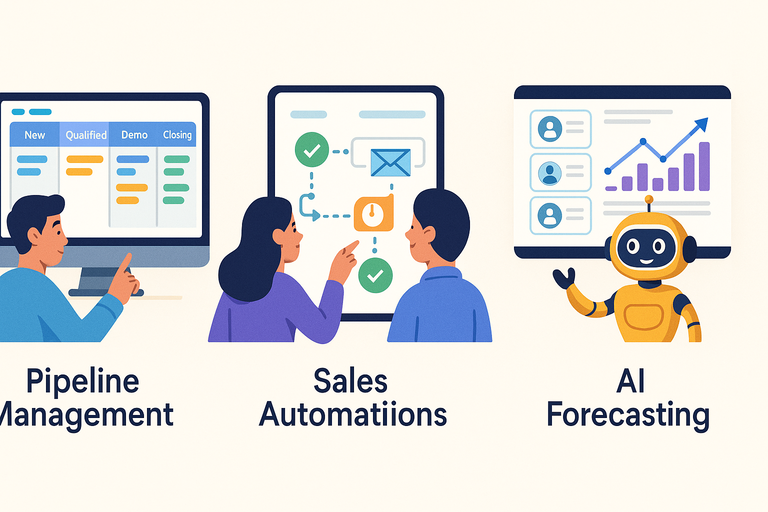
Each Freshsales CRM plan comes with its own mix of tools, but the real value appears when you know which features directly impact performance and ROI.
Let’s break down what makes each tier worth paying for.
Essential Tools in the Growth Plan for Pipeline Management
Even though the Growth plan is entry-level, it’s impressively equipped for handling the essentials of a sales operation.
Here’s what makes it work:
- Kanban pipeline view: See deals move visually from one stage to another, much like sticky notes on a digital whiteboard.
- Built-in communication tools: Chat, email, and phone support without third-party integrations.
- Contact lifecycle tracking: Know exactly where every lead stands—from initial inquiry to deal close.
A real-world example: If you’re a small agency managing 100–200 leads per month, Growth gives you just enough automation to stay organized without overcomplicating things.
Advanced Sales Automations in the Pro Plan
The Pro plan is where Freshsales starts behaving like an assistant rather than just a tool.
Standout features include:
- Sales sequences: Automatically follow up with leads using personalized, timed emails.
- Auto-assignment rules: Distribute incoming leads evenly among team members.
- Custom sales activities: Track unique actions like demos or discovery calls specific to your workflow.
I recommend setting up lead scoring rules early on—this helps your sales team focus on the hottest prospects instead of chasing cold ones.
AI-Powered Insights and Forecasting in the Enterprise Plan
At the Enterprise level, you get the kind of data intelligence typically found in high-end CRMs like Salesforce—but at a more digestible price.
Freddy AI brings predictive power to your data:
- Forecasting insights: Predict which deals are most likely to close based on past behavior.
- Transactional emails and workflows: Automate responses to customer actions in real time.
- Audit logs and permissions: Ideal for compliance-heavy industries like finance or healthcare.
From what I’ve seen, these AI insights can help increase deal conversion rates by 10–15% because teams spend more time on winnable deals.
How Custom Modules Add Value for Complex Sales Workflows
Custom modules are like building blocks that let you tailor Freshsales to your exact business model.
For example, if you’re a real estate company, you might create modules for Properties, Agents, and Commissions—each with unique data fields. This flexibility transforms Freshsales into a vertical-specific CRM.
Why this matters:
- Adaptability: Your CRM evolves with your business needs.
- Scalability: Easily manage data that doesn’t fit standard CRM templates.
- Precision: Build reports that reflect exactly what matters most to your company.
I believe this feature alone justifies the Enterprise tier for companies with nontraditional sales processes or multi-department collaboration.
Freshsales CRM Pricing: Feature-by-Feature Breakdown
Each Freshsales CRM plan builds on the last, adding more automation, intelligence, and integration power.
If you’re comparing Freshsales CRM pricing, it’s essential to understand what you actually get for your money—because that’s where the real savings hide.
Built-In Communication: Chat, Email, and Phone
Freshsales doesn’t make you juggle multiple tools to communicate with leads. Everything happens inside one workspace.
The built-in chat, email, and phone features mean you can reach prospects directly from the CRM—no extra tabs, no third-party dialers. When you open a contact profile, you’ll see buttons for Call, Email, and Chat, making it easy to stay in context while following up.
Here’s how it works in practice:
- Chat: Connect your website widget to capture real-time inquiries.
- Email: Use customizable templates and automated follow-ups.
- Phone: With a single click, call leads using local or toll-free numbers (no external phone app needed).
I recommend enabling call recording and email tracking early on. It’s a quiet superpower—you’ll know who’s engaging and which channels bring results, which saves tons of guesswork when scaling.
Freddy AI Capabilities: Contact Scoring, Insights, and Forecasting
Freddy AI is the brain behind Freshsales—and honestly, it’s impressive. It helps you understand which leads are most likely to convert, how deals are trending, and what actions you should take next.
Here’s where Freddy AI adds value:
- Contact scoring: Automatically ranks leads based on engagement (email opens, site visits, and actions).
- Deal insights: Flags deals at risk or identifies the ones that are heating up.
- Forecasting: Predicts future revenue using past performance data.
For example, one of my clients used Freddy’s Deal Insights to spot stalled opportunities, recovering about 12% of deals that might’ve gone cold. It’s not magic—it’s just better visibility baked into your sales process.
If you’re serious about pipeline accuracy, the Pro and Enterprise plans (where Freddy AI is fully active) are absolutely worth the extra cost.
Workflow Automation and Custom Rules
Think of automation in Freshsales as your silent sales assistant—it works tirelessly so you don’t have to.
Every plan includes basic workflows, but the Pro and Enterprise tiers unlock advanced automation. This means you can trigger tasks, update fields, or send notifications automatically based on defined conditions.
Here’s a quick example setup path: Settings → Automations → Workflows → Create Workflow Rule → Choose Trigger (e.g., “When a deal stage changes”) → Add Actions (e.g., “Assign to sales rep” or “Send follow-up email”).
You can also build auto-assignment rules so that new leads go directly to the right salespeople based on region or deal size.
I believe this is one of Freshsales’ biggest time-savers—especially if you’re managing a growing team. It’s where the CRM truly starts paying for itself.
Data Reporting and Advanced Analytics Tools
Every CRM promises “data-driven insights,” but few make it this simple to act on them. Freshsales offers curated reports in Growth and custom reports in higher plans, letting you visualize deal progress, team performance, and campaign ROI.
Top analytics tools include:
- Deal funnel reports: See where deals drop off.
- Sales activity dashboards: Track calls, emails, and meetings by rep.
- Forecast reports: Predict upcoming revenue with confidence.
Pro tip: Use the Custom Report Builder (available from the Pro plan up) to tailor metrics for your business. For example, if you run a SaaS, you can track “Trial-to-Paid Conversions” directly within Freshsales instead of exporting data elsewhere.
CRM Integration with Freshworks Marketplace
Integration is where Freshsales quietly shines. Through the Freshworks Marketplace, you can connect apps like Slack, Mailchimp, Zoom, or QuickBooks with just a few clicks.
The main advantages:
- Unified system: No more switching tabs for calls, emails, or invoices.
- Custom workflows: Sync data automatically between your sales, support, and marketing tools.
- Scalability: Easily extend CRM functionality without custom coding.
If you’re already using Freshdesk or Freshmarketer, the integration is seamless—contacts and interactions sync automatically. This is one of those small design choices that make a huge difference in daily operations.
How Freshsales Suite Bundles Add Value
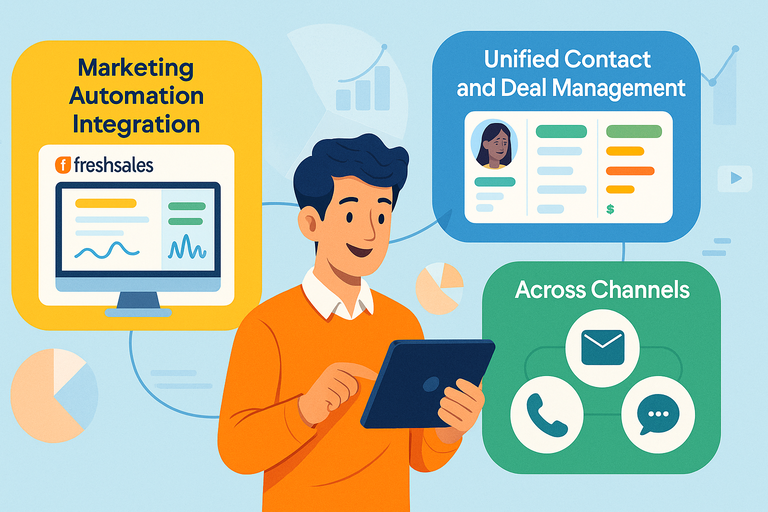
Freshsales Suite takes the CRM and layers on marketing automation, AI insights, and omnichannel communication. It’s not just a sales tool—it becomes a full growth engine.
What’s Included in the Freshsales Suite vs. Standalone Plans
The Suite combines Freshsales CRM + Freshmarketer features, so you get everything from contact management to marketing automation under one login.
Included features:
- CRM core (contacts, deals, pipelines).
- Multichannel engagement (email, SMS, WhatsApp).
- Landing pages and lead capture forms.
- Marketing campaigns with analytics and A/B testing.
From experience, using the Suite eliminates data silos between sales and marketing teams. You’ll never again wonder if a lead in your marketing list is already being pursued by sales—it’s all visible in one timeline.
CRM and Marketing Automation Integration Benefits
When your CRM and marketing tools talk to each other, everything flows faster.
For instance:
- Leads from Facebook Ads can automatically enter the CRM with their campaign data intact.
- Automated nurture sequences can send emails or WhatsApp messages until a lead shows buying intent.
- Sales reps instantly see the lead’s engagement history, saving time during outreach.
I’ve seen companies cut lead response times by 40% using this setup. It’s a smart, low-effort way to align sales and marketing without hiring an extra operations manager.
Unified Contact and Deal Management Across Channels
With the Suite, every customer touchpoint—email, chat, call, or ad—is tracked in one unified record.
Let’s say a prospect clicks an ad, chats with support, and later books a demo. You’ll see every step in one timeline under that contact. This prevents double follow-ups and builds stronger personalization.
This 360-degree view is often the turning point where businesses start closing faster. You’re no longer guessing what a lead knows or wants; the data tells you.
When It Makes Sense to Upgrade to the Suite
I suggest upgrading when you hit one of these milestones:
- You’re running both sales and marketing but using separate tools.
- You’re spending hours syncing contacts manually.
- You want to automate lead nurturing and scoring with minimal effort.
In other words, if your business generates more leads than your team can handle manually, the Suite will pay for itself in efficiency and clarity.
How to Save More on Freshsales CRM Upgrades
Freshsales is already competitively priced, but a few insider tactics can stretch your budget further without sacrificing features.
Taking Advantage of Annual Billing Discounts
Annual billing is the simplest way to save—typically 20–30% cheaper than paying monthly. If you’re confident about long-term use, this is an easy win.
For example:
- Growth Plan: $9/month billed annually vs. $12 monthly.
- Pro Plan: $39/month billed annually vs. $47 monthly.
I recommend starting with a free trial first to test the interface, then switching to annual once you’re sure it fits your workflow.
Leveraging Free Trials Before Committing
Every Freshsales plan offers a 21-day free trial with no credit card required. Use that time strategically.
Here’s what I suggest testing during the trial:
- Add a few dummy leads and deals to test automation.
- Connect your email and run one real outbound campaign.
- Try Freddy AI’s deal scoring and check if insights match your intuition.
It’s a low-risk way to experience advanced features before paying for them.
Choosing Add-Ons Strategically: AI Agent and CPQ Tools
Add-ons like the AI Agent and CPQ (Configure, Price, Quote) tools can add serious value—if you know when to use them.
- AI Agent: Automates customer conversations across channels like chat and email.
- CPQ: Helps you create quotes and invoices instantly inside Freshsales.
If your team handles a high volume of repetitive questions or quote requests, these tools save both time and mental bandwidth.
How Combining Freshsales With Freshdesk or Freshmarketer Lowers Costs
When you integrate Freshsales CRM with Freshdesk (support) or Freshmarketer (marketing), you eliminate the need for third-party connectors like Zapier. That’s not just cleaner—it’s cheaper and faster.
Contacts, conversations, and support tickets sync automatically across platforms, creating a unified customer view. This means your agents see the full customer journey from first touch to support resolution.
It’s a smart way to save on overhead while boosting productivity.
Negotiating Custom Enterprise Pricing for Large Teams
If you’re onboarding 50+ users, don’t hesitate to contact the sales team directly. Freshworks often offers custom enterprise pricing that includes onboarding assistance, extra support hours, or discounted per-user rates.
From my experience, teams that negotiate annual commitments or bundle multiple Freshworks tools can often shave 10–15% off list prices. It’s worth asking—you’d be surprised how flexible they can be.
Freshsales CRM Pricing vs. Competitors
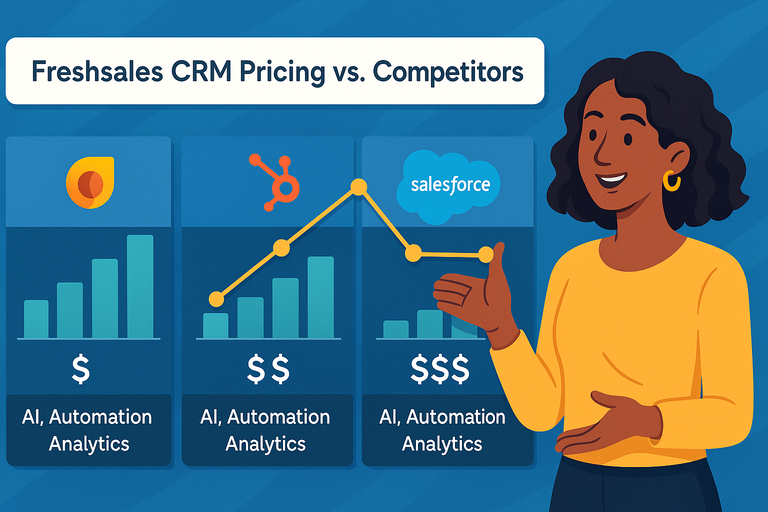
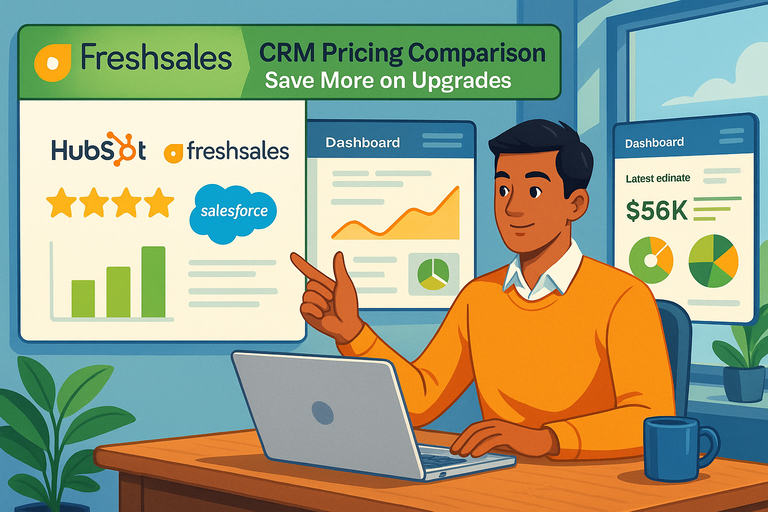
Understanding how Freshsales CRM pricing compares to its major competitors—HubSpot and Salesforce—helps you see where the real value lies.
While all three tools are powerful, their pricing models and usability tell a very different story, especially for small and mid-sized businesses trying to balance cost and capability.
How Freshsales Stacks Up Against HubSpot and Salesforce
Freshsales sits comfortably in the middle ground between affordability and sophistication. HubSpot leans toward ease of use but can get expensive fast, while Salesforce is incredibly powerful but notoriously complex (and costly).
Here’s a quick pricing comparison snapshot:
| Platform | Starting Price (Billed Annually) | Free Tier | AI Features | Best For |
| Freshsales | $9/user/month | Yes | Freddy AI (contact scoring, forecasting, insights) | Small to mid-sized businesses |
| HubSpot CRM | $20/user/month | Yes | HubSpot AI (limited automation in lower tiers) | Small businesses, marketers |
| Salesforce Sales Cloud | $25/user/month | No | Einstein AI (advanced, enterprise-grade) | Large enterprises |
From what I’ve seen, Freshsales offers a cleaner user experience and a shorter setup time. You can get started within hours, not weeks.
HubSpot feels beginner-friendly but limits features behind steep paywalls, while Salesforce often requires IT or admin support to configure even basic automation.
If you’re looking for value per dollar spent, Freshsales comes out ahead—especially when you need scalable automation without enterprise-level overhead.
Comparing AI Features and Automation Across Platforms
AI is now the battleground for modern CRMs, and Freshsales’ Freddy AI stands out for blending automation with accessibility.
Here’s how it differs:
- Freshsales (Freddy AI): Predicts deal outcomes, prioritizes leads, and even helps craft better sales emails.
- HubSpot (HubSpot AI): Focuses mostly on marketing recommendations and chatbots.
- Salesforce (Einstein AI): Extremely advanced, but requires enterprise data integration and higher-tier plans.
In practice, I’ve found Freddy AI to be surprisingly intuitive. For example, it might flag a deal as “high potential” after analyzing your last 10 closed-won opportunities, letting your reps focus on what’s most likely to close.
Salesforce’s Einstein AI does similar analysis but needs significant customization, while HubSpot’s AI feels lighter and more marketing-focused.
If automation is your top priority, Freshsales gives you the most hands-on control with the least technical setup.
Cost Efficiency for SMBs and Startups
Startups and small businesses often struggle to justify paying hundreds per seat each month for CRM software. That’s where Freshsales shines.
Let’s break it down with annual pricing for a five-user team:
- Freshsales Growth Plan: $540/year
- HubSpot Starter CRM Suite: Around $1,200/year
- Salesforce Essentials: Roughly $1,500/year
The difference isn’t just price—it’s accessibility. Freshsales includes core CRM tools (contact management, pipeline tracking, email, phone, chat) at its entry level. HubSpot, on the other hand, quickly adds extra costs for automation, while Salesforce often charges for every add-on.
I usually advise startups to begin with Freshsales Growth. It’s enough to handle 80% of sales tasks at a fraction of the cost of the other two.
Why Freshsales Offers Better ROI for Mid-Sized Teams
Mid-sized teams often hit a turning point: they need automation, AI, and advanced analytics—but not the bloated complexity of enterprise CRMs.
Here’s why Freshsales delivers better ROI:
- Predictive AI helps focus efforts on high-value leads.
- Multiple pipelines let teams handle various products or regions simultaneously.
- Advanced workflows automate repetitive admin work, freeing reps to sell.
In one example I’ve seen, a 15-person sales team moved from Salesforce to Freshsales and reduced software spend by 35% while increasing lead response speed by 25%.
That’s the real value: simpler workflows, lower costs, and measurable productivity gains.
Expert Recommendations for Choosing the Right Freshsales Plan
Choosing the right Freshsales CRM plan comes down to matching your current team size and goals—not just your budget. Each tier is purpose-built for a different growth stage, and knowing where you fit prevents overpaying or under-utilizing features.
Matching Plan Features to Your Business Size and Sales Goals
Here’s how I’d recommend choosing:
- Growth Plan ($9/user/month): Best for startups or solo operators focused on contact management and light automation.
- Pro Plan ($39/user/month): Perfect for teams of 5–20 that need AI-powered insights and advanced automations.
- Enterprise Plan ($59/user/month): Ideal for larger organizations that want deep customization, permissions, and forecasting tools.
If your team manages fewer than 500 leads per month, the Growth plan is likely enough. Once you start adding dedicated sales reps and regional pipelines, Pro becomes the smarter move.
Common Upgrade Traps to Avoid
Many users rush into higher plans for the wrong reasons. I’ve seen businesses upgrade simply because they “might” need AI someday, only to use 20% of its capacity.
To avoid this:
- Track your CRM usage metrics before upgrading (e.g., number of workflows, automation runs).
- Test premium features during the free trial instead of guessing.
- Don’t confuse “wants” with “needs”—it’s better to master Growth before scaling to Pro.
It’s always cheaper to upgrade later than to pay for unused features now.
Practical Tips to Maximize ROI From Freshsales CRM
Here’s how you can make every dollar count:
- Automate early: Set up at least two workflow rules for repetitive tasks, like lead assignment or follow-ups.
- Use the Freshworks Marketplace: Integrate Slack, Google Calendar, or WhatsApp to streamline operations.
- Lean on Freddy AI: Let it score leads automatically and focus your time on high-probability conversions.
- Review reports weekly: Small tweaks to your pipeline based on data insights can compound big results.
I always tell teams: the ROI doesn’t come from buying the tool—it comes from fully using it.
When to Move From Growth to Pro or Enterprise
The best time to upgrade isn’t when you feel pressure—it’s when you start hitting limits.
Upgrade when:
- You’re managing more than one sales pipeline.
- Manual lead assignments are slowing down response times.
- You need territory management or custom sales activities.
- AI forecasting could help plan revenue more accurately.
In short, move up a plan when your workflow complexity grows faster than your team can manage manually.
Final Thoughts: Getting the Most From Freshsales CRM Pricing
Freshsales CRM pricing isn’t just competitive—it’s strategic. By focusing on value-packed features instead of flashy add-ons, it gives you exactly what you need to grow sustainably.
How Feature Prioritization Impacts Long-Term Savings
Choosing the right features now can save thousands later. Start small, automate wisely, and add AI features only when they solve a clear problem.
For instance, teams that implement automation before hiring extra sales reps often save 20–25% on operational costs. The same logic applies to analytics—use reports to identify inefficiencies before scaling your team.
Why Freshsales’ AI Tools Deliver Better Efficiency for Less
Freddy AI makes enterprise-level intelligence available to small and mid-sized businesses. Its ability to forecast revenue, score leads, and suggest next steps gives you an advantage typically reserved for $100-per-seat CRMs.
I’ve seen this firsthand: a B2B SaaS team reduced manual lead sorting by 70% after using Freddy’s scoring model. That kind of time-saving translates directly into higher productivity without higher cost.
Best Practices for Managing Cost and Scalability Over Time
To keep your CRM costs under control as you grow, I suggest three habits:
- Review usage quarterly: Downgrade unused licenses or features.
- Train your team: Proper adoption prevents underuse, the silent budget killer.
- Bundle tools smartly: Combine Freshsales with Freshdesk or Freshmarketer to unify data and reduce duplicate subscriptions.
Long-term, the goal isn’t just affordability—it’s sustainability. The smartest businesses don’t chase the cheapest CRM; they invest in one that scales predictably.