
Table of Contents
Some links on The Justifiable are affiliate links, meaning we may earn a small commission at no extra cost to you. Read full disclaimer.
When people compare getresponse vs omnisend for ecommerce email flows, they’re usually not just browsing features — they’re trying to avoid picking the wrong automation tool and rebuilding everything six months later.
If you run an online store and rely on abandoned cart emails, post-purchase sequences, and revenue-driving automation, this comparison is for you.
This guide is specifically for ecommerce founders, Shopify and WooCommerce store owners, and marketers who want to know which platform actually builds better converting email flows — not just which one looks good on a pricing page.
We’ll answer the real question: Which tool builds smarter, easier, and more profitable ecommerce email flows — GetResponse or Omnisend?
GetResponse Vs Omnisend For Ecommerce Email Flows Overview
If you’re comparing getresponse vs omnisend for ecommerce email flows, you’re likely trying to figure out which tool actually drives revenue — not just sends emails.
Let’s break this down in a practical way, especially if you care about abandoned cart recovery, customer lifetime value, and automation that doesn’t feel duct-taped together.
Ecommerce Automation Focus: Generalist Vs Specialist
Here’s the honest truth.
GetResponse started as a broad email marketing platform. It serves bloggers, course creators, SaaS companies, and ecommerce brands. Over the years, it added ecommerce automation features like abandoned cart emails, product recommendations, and transactional emails.
Omnisend, on the other hand, was built specifically for ecommerce.
That difference shows up immediately in the automation structure.
- Omnisend assumes you’re selling products.
- GetResponse assumes you might be selling anything.
For example:
- Omnisend includes pre-built automation for cart abandonment, product abandonment, order confirmation, shipping updates, and cross-sell sequences right inside the ecommerce dashboard.
- GetResponse includes similar workflows, but they feel like advanced marketing automations that you configure for ecommerce — not something originally built for it.
If you run a Shopify or WooCommerce store and 90% of your revenue depends on automated flows, Omnisend feels more native.
If you sell digital products, courses, or use webinars in your funnel, GetResponse may feel more aligned.
That’s the core philosophical split.
Platform Philosophy And Target Users
This is where most comparison posts stay surface-level. Let me be real with you.
GetResponse Is Built For:
- Content creators
- SaaS founders
- Coaches and educators
- Ecommerce brands that also need funnels, landing pages, or webinars
It tries to be an “all-in-one marketing platform.” That includes:
- Landing page builder
- Funnel builder
- Webinar hosting
- Email automation
- Paid ads integration
Omnisend Is Built For:
- Pure ecommerce stores
- DTC brands
- Shopify-first businesses
- Brands running heavy SMS + email flows
Omnisend is less concerned with hosting webinars or building sales funnels. It’s focused on:
- Email flows that drive product sales
- SMS automation tied to purchase behavior
- Real-time store data syncing
- Revenue tracking per automation
If you’re asking: Which platform wakes up every morning thinking about ecommerce automation?
That’s Omnisend.
If you’re asking: Which platform lets me combine email, funnels, and webinars in one dashboard?
That’s GetResponse.
Core Flow-Building Capabilities Compared
Let’s zoom in on what actually matters: Can these tools build high-converting ecommerce email flows without friction?
Here’s a simplified feature comparison:
| Feature | GetResponse | Omnisend |
| Visual Workflow Builder | Yes | Yes |
| Prebuilt Ecommerce Flows | Yes | Yes (More Ecommerce-Focused) |
| SMS Inside Automation | Yes (Higher Plans) | Yes (Native Integration) |
| Product Recommendations | Yes | Yes (More Dynamic Options) |
| Real-Time Cart Tracking | Yes | Yes |
| Revenue Attribution Per Flow | Yes | Yes (Very Ecommerce-Centric) |
Here’s the difference in practice:
- In Omnisend, adding a product block dynamically pulls real-time store data automatically.
- In GetResponse, it works well — but sometimes requires slightly more manual configuration depending on integration.
One small but important detail: Omnisend’s default abandoned cart automation already includes discount logic and urgency messaging templates optimized for ecommerce.
GetResponse gives you flexibility, but you often build more from scratch.
That flexibility can be a strength — or extra work.
Automation Builder Depth And Workflow Logic
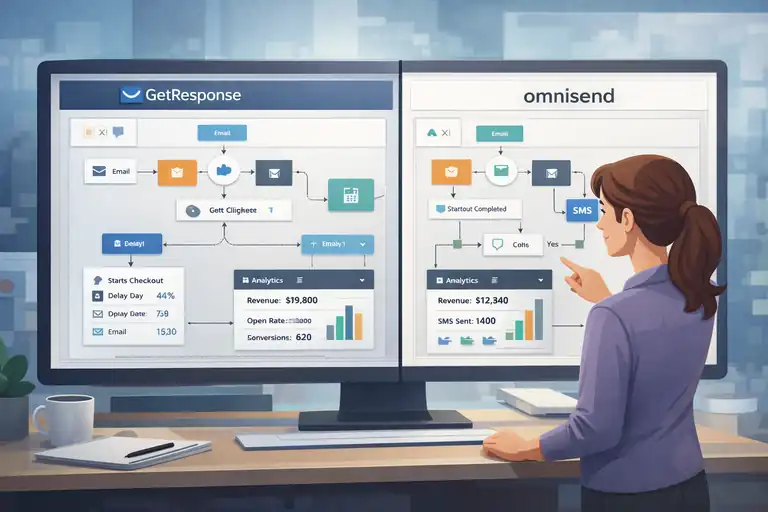
Now we’re getting into the technical core of getresponse vs omnisend for ecommerce email flows.
A flow builder is where your revenue automation lives. If it’s clunky, you’ll avoid using it. If it’s powerful but confusing, you’ll underutilize it.
Let’s break down how both actually perform.
Visual Workflow Editor Usability Comparison
Both platforms use drag-and-drop visual automation builders.
But the experience feels slightly different.
Omnisend’s Builder:
- Very ecommerce-trigger focused
- Clean layout
- Clear entry triggers like:
- “Started Checkout”
- “Viewed Product”
- “Placed Order”
- SMS, email, and push notifications sit in the same flow
It feels fast. Especially for store owners.
GetResponse’s Builder:
- Extremely flexible
- Built around logic blocks and conditions
- Designed for broader marketing automation (not just ecommerce)
In my experience, GetResponse feels more “marketing-engineer” oriented. Omnisend feels more “store owner friendly.”
If you’re a solo founder who doesn’t want to overthink automation logic, Omnisend is easier to deploy quickly.
If you like complex logic trees and building sophisticated branching sequences, GetResponse offers more granular flexibility.
Conditional Logic And Behavioral Triggers
This is where automation maturity shows.
Both platforms allow:
- If/then logic
- Tag-based segmentation
- Purchase behavior triggers
- Link click conditions
But Omnisend shines in ecommerce-specific behavior:
Examples:
- Trigger based on cart value
- Split based on product category purchased
- Trigger when customer buys specific SKU
- Branch based on discount usage
GetResponse can do this too — but sometimes requires tagging or custom fields to track certain product conditions.
If your store sells multiple product categories (e.g., skincare + supplements), Omnisend makes it easier to personalize flows per category automatically.
Event-Based Automation For Online Stores
Ecommerce lives on events.
These include:
- Cart started
- Checkout abandoned
- Order placed
- Product viewed
- Order fulfilled
- Order refunded
Omnisend’s Shopify integration syncs these events in real time. The automation templates are built directly around those events.
GetResponse supports ecommerce events as well — especially through Shopify and WooCommerce integrations — but some advanced triggers depend on plan level.
Here’s a practical example:
If someone:
- Views Product A
- Adds to cart
- Leaves
- Returns and buys Product B
Omnisend automatically updates segmentation logic without much manual setup.
In GetResponse, you can build this — but you’ll likely need more conditions and filters.
Not harder. Just more deliberate.
Multi-Step Branching And Advanced Segmentation
If you’re running advanced lifecycle marketing — this section matters.
GetResponse Strength:
- Deep segmentation logic
- Custom scoring
- Advanced tagging workflows
- Multi-layer branching
You can create complex flows like:
“If customer purchased 3+ times AND total spend > $500 AND clicked last campaign, send VIP offer.”
Omnisend also supports branching, but its strength lies in ecommerce-ready logic rather than abstract automation design.
If you’re running:
- Loyalty programs
- VIP segmentation
- Repeat buyer targeting
- Dynamic product cross-sells
Both tools can handle it.
But here’s my honest take:
- Omnisend feels faster for ecommerce-specific flows.
- GetResponse feels more flexible if your automation goes beyond ecommerce (courses, webinars, funnels, etc.).
Reality Check Before You Decide
When people search for getresponse vs omnisend for ecommerce email flows, they usually fear three things:
- Migration pain
- Missing revenue from weak automation
- Overpaying for features they won’t use
If you’re running a product-first Shopify store and automation is your main revenue engine, Omnisend feels purpose-built.
If your ecommerce business blends content marketing, funnels, webinars, and digital products — GetResponse may offer more overall ecosystem value.
Neither is “bad.”
But one will likely feel more natural depending on your business model.
Prebuilt Ecommerce Email Flow Templates
When comparing getresponse vs omnisend for ecommerce email flows, templates are where you immediately feel the difference. Not because templates are magic — but because they show how deeply a platform understands ecommerce behavior.
Let’s look at the flows that actually make money.
Abandoned Cart Flow Templates Compared
If you run an ecommerce store, abandoned cart emails are non-negotiable.
Industry data from Baymard Institute shows that average cart abandonment rates hover around 69%. That’s a lot of revenue sitting in limbo.
Omnisend’s Abandoned Cart Templates:
- Prebuilt 3–5 email sequence
- Optional SMS reminder built into the same workflow
- Dynamic product blocks (auto-pull product image, price, link)
- Built-in discount code insertion
- Urgency messaging blocks (e.g., low stock)
It’s very “plug-and-play.”
You connect Shopify → Turn on the template → Customize branding → Go live.
GetResponse’s Abandoned Cart Templates:
- Available inside the automation builder
- Product box element for dynamic cart data
- Requires a bit more manual customization
- SMS available on higher-tier plans
Here’s what I’ve noticed:
Omnisend assumes you want:
- Reminder
- Urgency
- Incentive
GetResponse gives you more flexibility in structuring timing and branching — but you’ll build more of the psychological structure yourself.
If you want fast deployment, Omnisend wins.
If you want customization depth, GetResponse gives you more control.
Welcome Series Automation Structures
Your welcome flow sets the tone — and for ecommerce, it should sell.
Omnisend Welcome Flow:
- Email 1: Brand intro + incentive
- Email 2: Product highlights
- Email 3: Social proof or reviews
- Optional SMS follow-up
Very ecommerce-focused.
It pushes product discovery early, which is great for DTC brands.
GetResponse Welcome Flow:
- More marketing-oriented by default
- Great for hybrid businesses (content + ecommerce)
- Easy to add tagging and scoring
- Strong segmentation logic inside the flow
If your store relies heavily on storytelling, brand education, or lead magnets, GetResponse shines here.
If you want:
- “Here’s 10% off”
- “Here’s our best-sellers”
- “Here’s why 50,000 customers trust us”
Omnisend’s template already leans into that psychology.
My opinion? For pure ecommerce brands, Omnisend’s welcome automation feels more conversion-optimized out of the box.
Post-Purchase And Cross-Sell Sequences
This is where lifetime value grows.
Many store owners obsess over cart recovery but ignore post-purchase automation. That’s a mistake.
Omnisend Includes:
- Order confirmation
- Shipping confirmation
- Cross-sell recommendations
- Product review requests
- Replenishment reminders (great for consumables)
Replenishment automation is powerful. If you sell skincare or supplements, you can trigger an email 30 days after purchase based on product usage cycle.
GetResponse Also Offers:
- Transactional emails
- Cross-sell automation
- Time-based follow-ups
- Advanced segmentation for repeat buyers
However, replenishment-style flows often require more manual timing logic.
If your business depends on repeat purchases, Omnisend makes lifecycle flows slightly easier to execute.
Browse Abandonment And Product Retargeting
This is more advanced — and not every tool does it well.
Browse abandonment means:
- A visitor views a product
- Doesn’t add to cart
- Leaves
Omnisend tracks this natively with Shopify and BigCommerce integrations.
You can trigger:
- Product reminder emails
- Similar item recommendations
- SMS nudges
GetResponse supports browse-based triggers too, but it may depend on integration setup and plan level.
Here’s a real-world scenario:
A customer views running shoes twice but never adds to cart.
Omnisend can automatically:
- Send a “Still Thinking About These?” email
- Show the exact SKU
- Recommend similar products
That level of behavioral retargeting is ecommerce-first thinking.
If retargeting automation is a major revenue source for you, Omnisend feels stronger out of the box.
Quick Comparison: Prebuilt Flow Strength
| Flow Type | GetResponse | Omnisend |
| Abandoned Cart | Strong | Stronger Out Of Box |
| Welcome Series | Flexible | Ecommerce-Optimized |
| Post-Purchase | Good | Very Ecommerce-Focused |
| Browse Abandonment | Available | More Native |
| Replenishment | Manual Setup | Easier Built-In Logic |
Ecommerce Integrations: Shopify, WooCommerce, More
When evaluating getresponse vs omnisend for ecommerce email flows, integration depth matters more than marketing language.
If product data doesn’t sync cleanly, automation breaks.
Let’s break down the real-world experience.
Shopify Integration Depth And Sync Accuracy
Both platforms integrate with Shopify.
But here’s the difference:
Omnisend Shopify Integration:
- Deep native integration
- Real-time event syncing
- Automatic product catalog sync
- Customer tagging based on purchase behavior
- Revenue reporting per automation
It feels like it was built around Shopify.
GetResponse Shopify Integration:
- Solid sync for products and orders
- Abandoned cart triggers supported
- Product box inside email editor
- Requires slightly more manual setup for advanced segmentation
In practical terms:
Omnisend reduces setup friction for store owners who just want automation working immediately.
GetResponse gives flexibility but sometimes requires more configuration steps.
If you’re a Shopify-first brand, Omnisend has a slight integration advantage.
WooCommerce Automation And Data Tracking
WooCommerce stores sometimes struggle with deep automation tools.
Both platforms support WooCommerce.
GetResponse:
- Strong WooCommerce plugin
- Supports transactional emails
- Product recommendations available
- Good tagging flexibility
Omnisend:
- Native WooCommerce integration
- Real-time order data
- Automated segmentation
- Revenue tracking per flow
In my experience, Omnisend’s ecommerce-first architecture makes WooCommerce automation feel more intuitive.
If your store runs on WordPress and you want marketing flexibility beyond ecommerce, GetResponse may offer more ecosystem benefits.
BigCommerce And Other Platform Support
Omnisend supports:
- Shopify
- BigCommerce
- WooCommerce
- Wix Ecommerce
- Shopify Plus
GetResponse supports:
- Shopify
- WooCommerce
- Adobe Commerce
- PrestaShop
- Custom integrations via API
If you’re on Magento or a more customized setup, GetResponse may provide broader integration support.
Omnisend stays focused on mainstream ecommerce platforms.
Real-Time Product And Order Data Usage
This is subtle but important.
Real-time syncing affects:
- Cart abandonment timing
- Inventory urgency messaging
- Revenue tracking accuracy
Omnisend excels at:
- Dynamic product blocks
- Auto-updating product images
- Real-time cart value-based branching
GetResponse supports dynamic content too — but sometimes relies more heavily on configured rules and tags.
If you rely on automation reacting instantly to behavior, Omnisend feels slightly more seamless.
SMS And Omnichannel Flow Capabilities
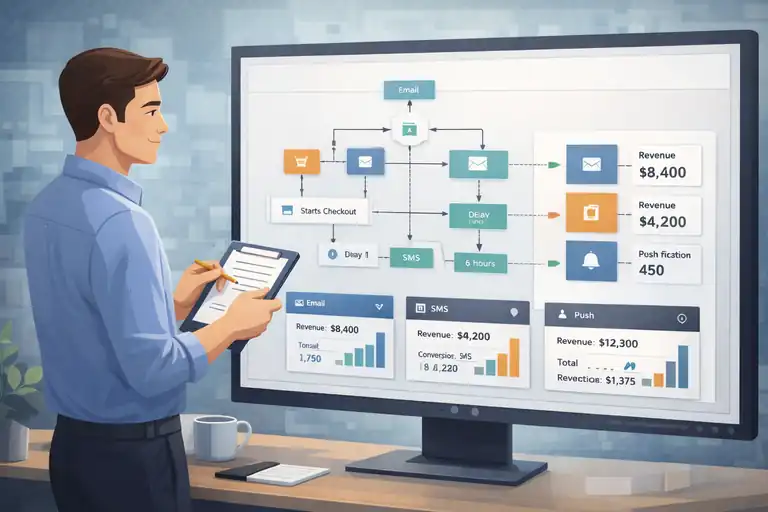
Email alone isn’t enough anymore.
If you’re comparing getresponse vs omnisend for ecommerce email flows, you also need to evaluate SMS and multi-channel automation.
Email And SMS Automation In One Workflow
Both platforms allow combining email and SMS inside the same automation.
But execution differs.
Omnisend:
- SMS and email blocks live inside the same workflow
- SMS feels native to ecommerce use cases
- Easy cart + SMS recovery combo
Typical Omnisend flow:
- Email reminder
- Wait 6 hours
- SMS nudge
- Final email with discount
Very ecommerce-natural.
GetResponse:
- SMS available on higher plans
- Integrated inside automation builder
- More marketing-focused use cases
If SMS revenue is a big part of your store strategy, Omnisend’s implementation feels slightly smoother.
Push Notifications And Multi-Channel Reach
Omnisend includes:
- Web push notifications
- SMS
All inside one automation flow.
This is powerful for:
- Flash sales
- Limited stock alerts
- Cart reminders
GetResponse focuses primarily on email + SMS, and broader marketing channels like webinars and landing pages.
If you want multi-channel ecommerce re-engagement, Omnisend has a slight edge.
Channel Coordination For Cart Recovery
Let’s talk revenue logic.
A coordinated recovery strategy might look like:
- Hour 1: Email reminder
- Hour 6: SMS alert
- Day 2: Discount email
- Day 3: Push notification
Omnisend makes this very natural to build.
GetResponse can build this too — but feels more like assembling marketing automation rather than using ecommerce-native templates.
If your abandoned cart revenue is 20–30% of your total email revenue (which is common in ecommerce), channel coordination matters.
Segmentation And Personalization For Ecommerce
If you care about revenue, segmentation isn’t optional — it’s the engine behind profitable automation. When comparing getresponse vs omnisend for ecommerce email flows, this is where things get serious.
The question isn’t “Can they segment?” It’s “How intelligently can they segment based on buying behavior?”
Let’s break it down.
Dynamic Product Recommendations Engine
Dynamic product recommendations mean the platform automatically inserts products into emails based on customer behavior.
Simple version: The email shows what your customer is most likely to buy next.
Omnisend’s Recommendation Engine:
- Pulls from real-time store data
- Supports “Frequently Bought Together”
- Personalized suggestions based on browsing + purchase history
- Works smoothly inside automation flows
For example:
If a customer buys protein powder, Omnisend can automatically recommend:
- Shaker bottles
- Pre-workout
- Refill subscriptions
No manual setup needed beyond selecting the product recommendation block.
GetResponse’s Product Recommendations:
- Product box element in email builder
- Can display bestsellers or recently viewed products
- Requires correct ecommerce integration setup
- Slightly more configuration required for advanced personalization
Here’s my honest take:
Omnisend’s recommendation engine feels more ecommerce-native.
GetResponse gives flexibility, but sometimes you need to define more rules.
If you run a large SKU catalog store, Omnisend’s automation feels more fluid.
Behavioral Segmentation For Repeat Buyers
Behavioral segmentation is where lifecycle marketing lives.
Both platforms allow you to segment based on:
- Purchase frequency
- Last purchase date
- Product category
- Email engagement
But the usability differs.
Omnisend Strength:
- Prebuilt segments like:
- “Repeat Buyers”
- “High-Value Customers”
- “At-Risk Customers”
- Automatically updated in real time
That’s convenient if you don’t want to build complex filters.
GetResponse Strength:
- Deep conditional logic
- Advanced tagging
- Scoring models (assign points for actions)
- Custom fields and automation-driven segmentation
If you want to build a logic like:
“If customer purchased twice AND clicked last 3 emails AND total spend > $300 → Move to loyalty campaign.”
GetResponse handles that beautifully.
Omnisend can do it too — but GetResponse feels slightly more flexible in complex logic trees.
Revenue-Based Targeting And VIP Tagging
This is where smart ecommerce brands quietly make more money.
Instead of emailing everyone equally, you target based on revenue.
Omnisend:
- Tracks total customer spend
- Segments by order value
- Easy to build VIP campaigns
- Shows revenue inside contact profile
GetResponse:
- Supports purchase data segmentation
- Custom tagging for VIP logic
- Works well if properly configured
Here’s a practical strategy I’ve seen work:
- Create a “VIP” segment (customers who spent $500+).
- Send early-access promotions.
- Offer loyalty-only discount tiers.
- Exclude them from heavy discount broadcasts.
Omnisend makes revenue visibility more front-and-center inside ecommerce dashboards.
GetResponse supports it — but feels slightly less ecommerce-centric in UI design.
If you’re obsessed with lifetime value tracking, Omnisend’s layout feels more intuitive.
Personalization Tokens And Dynamic Content
Personalization tokens are simple but powerful.
They allow you to insert:
- First name
- Product name
- Cart value
- Discount code
- Order details
Both platforms support these.
GetResponse Strength:
- Advanced dynamic content blocks
- Conditional content sections inside emails
- Can show different email sections based on tags
Example: Show “Men’s Collection” section only if customer previously purchased men’s products.
Omnisend Strength:
- Simple dynamic product blocks
- Ecommerce-specific tokens
- Easy SKU-level personalization
If you’re building deeply customized lifecycle campaigns, GetResponse offers more marketing flexibility.
If you want plug-and-play ecommerce personalization, Omnisend feels cleaner.
Quick Segmentation Comparison Table
| Feature | GetResponse | Omnisend |
| Behavioral Segmentation | Advanced Logic | Ecommerce-Ready Segments |
| Product Recommendations | Flexible Setup | More Native |
| Revenue-Based Segments | Yes | More Prominent |
| Conditional Email Content | Strong | Good |
| Real-Time Updates | Yes | Yes |
Reporting And Revenue Attribution Features
When evaluating getresponse vs omnisend for ecommerce email flows, reporting often decides everything.
Because automation isn’t about sending emails.
It’s about knowing what actually makes money.
Flow-Level Revenue Tracking Accuracy
Flow-level reporting shows you how much revenue each automation generates.
This matters because:
- Abandoned cart flows often drive 20–40% of total email revenue.
- Welcome flows can drive high early conversion rates.
Omnisend Reporting:
- Revenue per automation
- Revenue per email
- Order count per workflow
- Average order value (AOV)
- Conversion rates tied to store data
The ecommerce dashboard is very revenue-focused.
You can quickly see: “Abandoned Cart Flow Generated $12,430 This Month.”
That clarity matters.
GetResponse Reporting:
- Revenue tracking available via ecommerce integration
- Conversion tracking per automation
- Email performance metrics (opens, clicks, goals)
It works well — but Omnisend feels more ecommerce-first in visual reporting.
If you’re data-driven and obsess over flow ROI, Omnisend’s reporting is slightly more intuitive.
Attribution Model Differences Explained
Attribution means: How does the platform assign revenue to emails?
Most ecommerce email tools use last-click attribution by default.
That means: If someone clicks your email and buys → The email gets credit.
Omnisend makes revenue attribution very visible inside workflows.
GetResponse supports tracking but feels more like a marketing analytics tool rather than an ecommerce revenue dashboard.
Neither platform offers hyper-advanced multi-touch attribution out of the box.
If you need deep attribution modeling, you’ll likely integrate with:
- Google Analytics 4
- Shopify Analytics
- Third-party BI tools
For most store owners, both platforms provide sufficient clarity.
Conversion Tracking And ROI Measurement
Both tools track:
- Open rate
- Click rate
- Conversion rate
- Revenue generated
- Unsubscribes
But here’s a subtle difference:
Omnisend emphasizes ecommerce KPIs like:
- Order count
- Revenue per email
- Campaign sales impact
GetResponse emphasizes:
- Marketing performance metrics
- Goal completion tracking
- Funnel performance
If your primary goal is ecommerce revenue tracking, Omnisend feels more aligned.
If you’re running broader marketing funnels (webinars, lead magnets), GetResponse’s reporting is more versatile.
Deliverability And Performance Optimization
You can build the best ecommerce email flows in the world — but if emails don’t hit the inbox, none of it matters.
Let’s talk deliverability.
Inbox Placement And Sending Reputation
Both GetResponse and Omnisend maintain strong sending reputations.
They support:
- DKIM and SPF authentication (Email authentication protocols)
- Dedicated IP options (On higher plans)
- Compliance tools (GDPR features)
Deliverability ultimately depends more on:
- Your list hygiene
- Engagement rates
- Sending practices
Neither platform has a known reputation crisis.
That said, ecommerce brands with heavy automation volume may benefit from dedicated IPs — available in higher tiers.
In my experience, both tools perform similarly here.
AI Send-Time Optimization Tools
Send-time optimization uses AI to determine the best time to send emails based on past behavior.
GetResponse Includes:
- “Perfect Timing” feature
- AI-driven send optimization
- Good for broadcast campaigns
Omnisend Includes:
- Smart send time
- Works inside campaigns
- Less emphasized inside automation flows
For ecommerce automation (like cart recovery), timing is usually behavior-triggered — so send-time AI matters less.
For newsletters and promotions, both platforms handle this well.
Automation Performance Benchmarking
Omnisend often publishes ecommerce email benchmarks.
Industry averages show:
- Abandoned cart email open rates: 40–50%
- Conversion rates: 8–15%
Inside Omnisend, it’s easy to compare automation revenue month-to-month.
GetResponse offers performance analytics but doesn’t lean as heavily into ecommerce benchmarking.
If you’re performance-focused and want to optimize flows aggressively, Omnisend’s ecommerce-centric dashboard makes that easier.
Pricing Breakdown For Growing Ecommerce Stores
When people compare getresponse vs omnisend for ecommerce email flows, pricing usually becomes the emotional decision point. Not just “Which is cheaper?” — but “Which one will hurt less as my list grows?”
Let’s look at this practically.
Entry-Level Plan Limitations Compared
At first glance, both platforms look affordable.
But here’s what matters: What automation features are actually unlocked?
Omnisend Free Plan:
- Limited email sends per month
- Basic email campaigns
- Prebuilt automation templates (limited)
- Branding included
It’s usable for testing — but serious ecommerce automation requires a paid plan.
GetResponse Entry Plan:
- Email marketing features
- Limited automation builder (on lower tiers)
- Ecommerce features require higher plans
- No advanced ecommerce automation on the base plan
Here’s the key difference:
Omnisend’s free plan is ecommerce-oriented but capped in volume.
GetResponse’s entry plan is marketing-oriented and limits advanced automation depth.
If you’re serious about ecommerce flows (cart abandonment, post-purchase, segmentation), you’ll likely land on mid-tier pricing with either tool.
Automation Access On Mid-Tier Plans
This is where real ecommerce stores live.
Omnisend Standard Plan:
- Full automation workflows
- SMS integration
- Ecommerce segmentation
- Advanced reporting
- 24/7 support
GetResponse Marketing Automation Plan:
- Full automation builder
- Ecommerce triggers
- Segmentation tools
- Webinar access (depending on tier)
Here’s something most comparison posts won’t say:
If you don’t need webinars or sales funnels, Omnisend’s pricing feels more aligned to ecommerce use cases.
If you do want landing pages, webinars, and funnel builders inside the same platform, GetResponse can justify its pricing.
SMS Costs And Contact Scaling Impact
SMS pricing is where many store owners get surprised.
Both platforms:
- Charge per SMS credit
- Separate SMS pricing from email plans
But scaling contacts is where costs compound.
Here’s a simplified overview (Pricing varies by region — always check current rates):
| Feature | GetResponse | Omnisend |
| Email Pricing Based On | Contacts | Contacts |
| SMS Included | No (Add-On) | No (Credit-Based) |
| Automation On Mid Tier | Yes | Yes |
| Ecommerce-Focused Plans | Moderate | Strong |
The bigger your list grows:
- 1,000 contacts: Affordable on both
- 10,000 contacts: Noticeable jump
- 50,000+ contacts: Serious monthly investment
If your list grows fast, Omnisend’s ecommerce-focused ROI reporting makes it easier to justify the spend.
GetResponse’s broader toolset may offset cost if you’re replacing multiple platforms.
Cost Comparison At 1K, 5K, And 10K Subscribers
Let’s simplify this for realistic ecommerce growth.
Approximate Monthly Cost Snapshot (Mid-Tier Plans)
| Subscribers | GetResponse | Omnisend |
| 1,000 | Lower-Mid Range | Similar Range |
| 5,000 | Moderate | Slightly Higher |
| 10,000 | Higher Tier Jump | Competitive But Increasing |
What I’ve seen in practice:
- Omnisend may cost slightly more at scale.
- But if abandoned cart + SMS flows generate 20–30% of email revenue, that difference often pays for itself.
This is where you ask:
“Will this tool generate more revenue than it costs?”
That’s the only pricing question that matters.
Ease Of Migration And Learning Curve
Switching platforms is stressful. I’ve seen store owners delay migration for months because they’re afraid of breaking automation.
So let’s address it honestly.
Moving From Klaviyo Or Mailchimp
Most ecommerce brands migrating to either platform come from:
From Klaviyo to Omnisend:
- Similar ecommerce logic
- Familiar automation style
- Product-based triggers feel natural
From Klaviyo to GetResponse:
- Slight mindset shift
- More general marketing structure
- Requires adapting automation logic
If you’re coming from Mailchimp:
Both will feel like a significant upgrade for ecommerce automation.
Omnisend feels closer to Klaviyo’s ecommerce DNA.
GetResponse feels broader in scope.
Data Import And Automation Rebuild Effort
Let’s be realistic: Automations don’t magically transfer.
You will need to:
- Import contacts
- Reconnect ecommerce store
- Rebuild automation flows
- Recreate email templates
Omnisend speeds up rebuild with:
- Prebuilt ecommerce flow templates
- SKU-level triggers ready to use
GetResponse requires:
- More manual configuration
- Slightly more logic rebuilding
If migration fear is your biggest concern, Omnisend may feel slightly easier for ecommerce-specific rebuilds.
Onboarding Experience And Support Quality
Both platforms offer:
- Knowledge bases
- Email support
- Chat support (on paid plans)
Omnisend leans heavily into ecommerce education — guides focused on cart recovery and lifecycle marketing.
GetResponse provides broader marketing resources, including webinars and automation tutorials.
If you’re new to ecommerce automation, Omnisend’s documentation feels more targeted.
If you’re building a multi-channel marketing ecosystem, GetResponse support materials are more diverse.
Which Platform Wins For Different Store Sizes
At this point in the getresponse vs omnisend for ecommerce email flows debate, the answer depends on your business stage.
There’s no universal winner.
Let’s break it down clearly.
Best For New Ecommerce Stores
If you’re:
- Under 2,000 subscribers
- Running Shopify
- Focused purely on product sales
- Wanting fast automation setup
Omnisend feels easier and more intuitive.
You can:
- Activate cart recovery
- Add SMS
- Launch welcome flows
- Track revenue quickly
If you also want:
- Landing pages
- Webinars
- Broader funnel building
GetResponse may give you more ecosystem flexibility.
But for pure ecommerce beginners? Omnisend usually wins on simplicity.
Best For Scaling DTC Brands
If you’re:
- 5,000–50,000 subscribers
- Running heavy automation
- Focused on LTV (Lifetime Value)
- Using SMS aggressively
Omnisend’s ecommerce-first reporting and segmentation feel powerful.
That said:
If your DTC brand also runs:
- Educational webinars
- Content funnels
- Hybrid digital + physical products
GetResponse may offer more cross-functional marketing depth.
Best For Advanced Automation Users
If you love building complex automation trees…
If you want:
- Deep conditional logic
- Advanced tagging systems
- Multi-layer segmentation
- Marketing scoring
GetResponse may feel more flexible.
If your complexity is purely ecommerce-behavior driven (SKUs, cart value, purchase frequency), Omnisend keeps things streamlined without overengineering.
Sometimes simplicity is power.
Final Verdict: GetResponse Vs Omnisend For Ecommerce Email Flows
So, who wins?
Here’s my honest perspective.
If your business is 100% ecommerce-focused, especially on Shopify, and automation revenue is your core growth engine:
→ Omnisend feels purpose-built.
→ Faster deployment.
→ Strong ecommerce reporting.
→ Seamless SMS integration.
If your business blends ecommerce with broader digital marketing — webinars, funnels, content marketing, lead generation:
→ GetResponse offers more ecosystem flexibility.
→ Strong automation builder.
→ Broader marketing tools in one platform.
When people search for getresponse vs omnisend for ecommerce email flows, they usually want certainty.
Here’s the real answer:
- Choose Omnisend if ecommerce revenue automation is your top priority.
- Choose GetResponse if you need a broader marketing platform beyond product sales.
Neither choice is wrong.
The best platform is the one that aligns with how you actually run your business — not just what the feature list says.
And honestly?
Whichever one you choose, the real growth comes from how well you build and optimize your flows — not the logo in your dashboard.
FAQ
Which Is Better: GetResponse Vs Omnisend For Ecommerce Email Flows?
For pure ecommerce automation, Omnisend is generally better for ecommerce email flows because it’s built specifically for online stores. It offers native Shopify integration, real-time cart tracking, and ecommerce-focused automation templates. GetResponse is better if you need broader marketing tools like webinars, landing pages, and funnel building alongside your email automation.
Does GetResponse Or Omnisend Have Better Abandoned Cart Automation?
Omnisend typically has stronger abandoned cart automation out of the box. It includes prebuilt multi-step flows with email, SMS, and dynamic product blocks designed specifically for ecommerce recovery. GetResponse supports abandoned cart workflows as well, but requires more manual customization to match Omnisend’s ecommerce-focused setup.
Is GetResponse Or Omnisend More Affordable For Growing Ecommerce Stores?
Pricing depends on your list size and SMS usage. For small ecommerce stores (under 2,000 contacts), both platforms are competitively priced. As you scale, Omnisend may cost slightly more but offers stronger ecommerce revenue tracking. GetResponse can provide better value if you’re using additional tools like webinars and sales funnels within the same platform.

I’m Juxhin, the voice behind The Justifiable.
I’ve spent 6+ years building blogs, managing affiliate campaigns, and testing the messy world of online business. Here, I cut the fluff and share the strategies that actually move the needle — so you can build income that’s sustainable, not speculative.
Related posts:
 How to Integrate Aweber with ClickFunnels
 What Is MailerLite Used For? Powerful Features Explained
 Aweber Autoresponder: Expert Setup & Automation Guide
 Top Aweber Competitors Compared: Best Email Tools
 How I Increased Signups With MailerLite WordPress Plugin
 Omnisend Free Plan Review: What You Really Get