Table of Contents
Some links on The Justifiable are affiliate links, meaning we may earn a small commission at no extra cost to you. Read full disclaimer.
Have you ever wondered if you could actually turn your blog into a source of real income? If you’ve been using Google Blogger or thinking about starting one, you might be surprised at how quickly you can begin earning money with the right strategy.
I’ve seen many beginners make the mistake of thinking it’s “too late” to start a blog—but it’s not. The key is knowing how to set up your blog for monetization, drive the right kind of traffic, and use proven income streams effectively.
In this guide, I’ll show you exactly how to use Google Blogger to make money fast, even if you’re just getting started.
Setting Up Google Blogger For Maximum Monetization
Before you can start making money on Google Blogger, you need a strong foundation.
Think of this as preparing your shop before opening to customers — everything from your niche to your layout and domain name plays a role in how quickly you’ll attract readers and income.
Choosing a Profitable Niche That Attracts Traffic
If you want to make money fast, start by choosing a niche that people are already searching for and spending money in.
I usually recommend starting with niches that have proven demand, such as:
- Personal finance (budgeting, side hustles, investing)
- Health and fitness (weight loss, nutrition tips, home workouts)
- Tech and gadgets (reviews, tutorials, comparisons)
- Beauty and fashion (skincare routines, outfit ideas)
To validate a niche:
- Go to Google Trends and type your niche idea. Look for stable or upward trends.
- Use Ubersuggest to check keyword volume. Anything above 1,000 monthly searches is a good start.
- Ask: “Would I actually enjoy writing about this weekly?” Passion plus demand equals sustainability.
Pro tip: Avoid “too broad” topics. Instead of “health,” go for “nutrition for busy professionals.” Focused blogs rank and monetize faster.
Crafting an SEO-Optimized Blog Layout for Engagement
Once your niche is set, your layout must keep readers engaged. In Google Blogger, your blog’s look can directly affect bounce rate (how fast people leave your site).
Here’s how to optimize it:
- Choose a clean, minimal template from Blogger’s theme gallery. Avoid flashy designs.
- Keep navigation simple: Home, Categories, About, Contact.
- Use short paragraphs, readable fonts (Roboto, Lato), and plenty of white space.
- Add “Related Posts” widgets to keep visitors browsing your content.
From my experience, a two-column layout works best — content on the left, sidebar with widgets on the right. Add an email opt-in box in the sidebar to start growing your audience early.
Using Custom Domains to Build Credibility and Trust
A blog with “.blogspot.com” might look less professional. Upgrading to a custom domain (likewww.yourblogname.com) instantly boosts credibility.
How to set it up:
- Buy a domain from Namecheap, or GoDaddy.
- In Blogger, go to Settings → Publishing → Custom Domain.
- Follow the on-screen DNS setup instructions (it’s easier than it sounds).
Why this matters:
- Custom domains rank better in Google search results.
- They build trust with readers and advertisers.
- They allow for branded email addresses (like hello@yourblog.com).
Think of it as the difference between renting space and owning your own shop.
Setting Up Essential Pages (About, Contact, Privacy Policy)
These pages don’t just make your blog look complete — they’re required for Google AdSense approval.
Here’s what to include:
- About Page: Explain who you are, why you started the blog, and what readers can expect.
- Contact Page: Include a simple contact form and email so brands can reach out.
- Privacy Policy: Use a free generator like TermsFeed to create one that mentions cookies and data collection.
I’ve seen many bloggers get rejected by AdSense just because they skipped this. Set them up early, and your monetization process will be smoother.
Driving Targeted Traffic to Your Blogger Site Fast
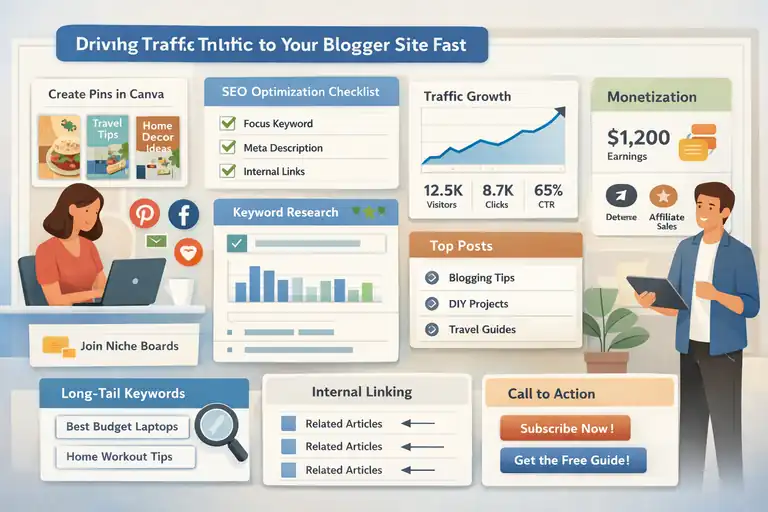
Even the best blog won’t make money without readers. The good news? You don’t need thousands of visitors — you just need the right ones.
Let’s talk about how to get that traffic quickly.
Leveraging Pinterest and Social Media for Rapid Traffic Growth
Pinterest can be your secret traffic weapon, especially for Google Blogger sites. Unlike Instagram or TikTok, Pinterest works like a visual search engine.
Steps to get started:
- Create a Pinterest Business Account.
- Design 2–3 unique pins for each blog post using Canva.
- Add keyword-rich titles and descriptions to each pin.
- Join group boards in your niche for wider reach.
You can also cross-promote your content on Facebook Groups and Reddit communities. The key is to provide value first, then link to your blog post as a helpful resource.
Writing SEO-Friendly Blog Posts That Rank on Google
SEO is what brings free, consistent traffic over time.
Here’s my go-to process:
- Use Yoast SEO plugin alternatives (like Rank Math’s checklist) to ensure on-page optimization.
- Include your main keyword in the title, first paragraph, and meta description.
- Use H2 and H3 headings naturally with related keywords.
- Link to 2–3 older posts to build internal authority.
I usually aim for posts between 1,500–2,000 words — long enough to cover the topic deeply but easy to read.
Using Long-Tail Keywords to Attract Ready-to-Buy Visitors
If you target general keywords like “make money online,” you’ll compete with massive sites. But if you target long-tail keywords like “how to make money with Google Blogger,” you can rank faster.
Use Ubersuggest or AnswerThePublic to find these. They show what real people are typing into Google.
For example:
- Instead of “weight loss,” use “best home workouts for moms.”
- Instead of “budgeting,” use “budget planner for college students.”
Long-tail keywords bring high-intent visitors — the kind who click ads or buy products.
Engaging Readers Through Internal Linking and Calls-to-Action
Internal links keep readers on your site longer and boost SEO.
Here’s how I do it:
- In each post, link to 2–4 related articles.
- Use natural anchor text like “check out this guide on Blogger SEO.”
- Add a short call-to-action (CTA) at the end of each post, such as:
- “Sign up for my newsletter to get new tips.”
- “Download my free blog launch checklist.”
CTAs convert readers into followers — and followers into income.
Monetizing Google Blogger Through Ads and Affiliate Marketing
Once your traffic is growing, it’s time to turn those views into real money. The easiest ways are Google AdSense and affiliate marketing.
Setting Up Google AdSense for Easy Ad Revenue
AdSense is Google’s ad platform that pays you whenever someone clicks or views ads on your blog.
To get started:
- Go to https://www.google.com/adsense and sign up with your Blogger email.
- Add the AdSense code to your Blogger layout (under Layout → Add a Gadget → AdSense).
- Wait for approval — usually within 3–7 days.
Once approved, you’ll see ads automatically placed on your posts. You can customize placement using the HTML/JavaScript gadget.
Tip: Don’t overload your site with ads. Three per page is ideal for balance and performance.
Choosing High-Paying Niches for Maximum CPC Earnings
Some niches pay far more per click (CPC). From what I’ve seen, the best ones include:
- Finance (CPC: $2–$15)
- Technology (CPC: $1–$5)
- Education (CPC: $1–$4)
- Health and wellness (CPC: $1–$3)
You can check average CPCs using Google Keyword Planner. Aim for topics where advertisers are spending money — these bring better ad payouts.
Incorporating Affiliate Links Naturally in Your Posts
Affiliate marketing lets you earn a commission by recommending products or tools you already use.
Best affiliate networks for Blogger:
- Amazon Associates – Great for beginners.
- Impact – Offers high-paying tech and finance programs.
- Awin – Perfect for lifestyle and DIY blogs.
To use them effectively:
- Add links only where they genuinely fit the content.
- Use disclosure statements to stay compliant with FTC guidelines.
- Include personal mini-reviews or examples to make recommendations more authentic.
I often say: If you wouldn’t recommend it to a friend, don’t promote it on your blog.
Tracking and Optimizing Click-Through Rates for Higher Income
Once monetization begins, tracking performance is key.
Here’s what to monitor:
- CTR (Click-Through Rate): How many readers click on ads or links.
- Page RPM (Revenue per 1,000 Views): Overall earnings performance.
- Top Pages: Which posts bring the most income.
You can find these metrics in Google Analytics and AdSense Reports.
If a post performs well, create similar ones. Small tweaks — like changing ad placement or rewriting CTAs — can increase your income by 20–40% over time.
Creating Digital Products To Sell On Google Blogger
Selling digital products on Google Blogger is one of the fastest ways to make money without relying on ads or affiliates.
Once your content builds trust, even a small audience can generate consistent income through ebooks, templates, or mini-courses.
Developing Simple Digital Products (Ebooks, Templates, Courses)
If you’re just starting, keep your product simple. You don’t need to create a massive course or a 200-page book. What matters most is solving one specific problem for your readers.
Here are examples that work really well for Blogger creators:
- Ebooks: A short, actionable guide like “30 Days To Better SEO For Bloggers.”
- Templates: Editable Google Sheets or Canva templates (budget trackers, media kits, blog planners).
- Mini-courses: Record short video lessons with Loom or Canva Video and host them privately on YouTube or Gumroad.
I personally suggest starting with an ebook. It’s easy to create using Google Docs → File → Download as PDF, and you can design a clean cover in Canva.
Quick tip: Validate your product idea first. Run a poll on social media or your email list asking what your audience wants help with. This ensures you create something people will actually buy.
Setting Up a Free Download Funnel to Build an Email List
Before selling, offer something free to attract subscribers — a lead magnet. This could be a checklist, mini-guide, or printable related to your paid product.
Here’s how you can set up your funnel on Google Blogger:
- Create a “Free Downloads” page on your blog.
- Use a form from Aweber, MailerLite, or GetResponse to collect emails.
- After sign-up, redirect users to a thank-you page with your free download.
For example, if your product is an ebook on “Pinterest Traffic,” your lead magnet could be a free Pinterest Pin Design Template. This builds trust and creates a warm audience ready to buy.
I’ve found that offering genuine value upfront not only increases conversions but also builds long-term loyalty.
Using Google Drive or Gumroad for Easy Product Delivery
You don’t need fancy eCommerce software to sell your products. Both Google Drive and Gumroad make the process simple and secure.
Option 1: Google Drive
- Upload your product (like an ebook or template).
- Right-click → “Get link” → Set access to “Anyone with the link can view.”
- Send the link automatically via your email provider after payment confirmation.
Option 2: Gumroad
- Create a free account on gumroad.com.
- Upload your file, set a price, and add your cover image.
- Copy your Gumroad product link and embed it into a Buy Now button on your Blogger post or sidebar.
Personally, I prefer Gumroad for beginners because it handles payments, downloads, and even refunds automatically — all without complicated setup.
Promoting Your Digital Products Through Content Marketing
Content is your best sales tool. The more helpful and search-optimized your posts are, the more naturally your products will sell.
Here’s how I approach it:
- Write tutorial-style blog posts that relate to your product (for example, “How to Start a Blog” linking to your paid Blog Launch Planner).
- Add soft CTAs inside posts, like “If you’d like my full checklist, grab it here.”
- Create Pinterest pins and social graphics promoting your product with links back to your post or sales page.
You don’t need to sound “salesy.” Just be authentic and focus on helping your readers get results — your product should feel like the natural next step.
Building an Email List To Increase Blogger Earnings
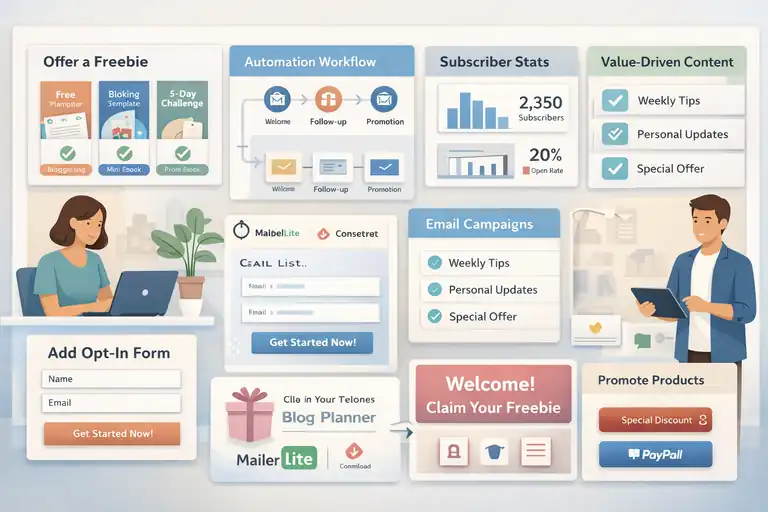
Your email list is the most valuable asset you can build. It’s personal, direct, and not controlled by algorithms.
With a list, you can promote products, send exclusive content, and grow income consistently — even if your blog traffic dips.
Creating a Freebie or Lead Magnet to Attract Subscribers
Start by giving readers a reason to join your list. I recommend offering something that solves a small but specific pain point.
Some easy lead magnet ideas include:
- Free templates (budget planners, SEO checklists).
- Mini-ebooks or quick-start guides.
- Email challenges (like “5 Days To Better Blog Traffic”).
Add your opt-in form using Blogger’s layout tool: Dashboard → Layout → Add a Gadget → HTML/JavaScript.
Then paste your form embed code from Kit.
In my experience, opt-ins placed at the end of posts convert best — readers already trust you by then.
Using Email Automation Tools for Hands-Free Follow-Up
Email automation lets you nurture subscribers without manual effort.
Once someone joins your list, you can automatically:
- Send them a welcome email (introduce yourself and deliver the freebie).
- Follow up after 2–3 days with more value — maybe a useful post or tip.
- Introduce your paid product in a natural, friendly way.
Tools like MailerLite and ConvertKit make this easy. You just create a simple workflow (called a sequence) that sends emails at specific intervals.
I suggest writing 3–5 short emails that educate before you pitch. People buy from those they trust — not from one-time offers.
Nurturing Subscribers with Value-Driven Content
Once your list starts growing, treat it like a relationship. Don’t just send promotional emails — focus on adding real value.
You can share things like:
- Weekly blogging or niche-specific tips.
- Personal updates or lessons learned.
- Links to new blog posts or free resources.
This builds credibility and keeps readers engaged between promotions. I like to think of it as inviting your readers into your process, not just your sales funnel.
Turning Email Subscribers Into Paying Customers
The key to converting your list is timing and trust.
Here’s a process that works well:
- Use your welcome sequence to provide consistent, helpful information.
- After 4–5 emails, introduce your product as a natural solution to a problem they’ve been facing.
- Offer limited-time bonuses or discounts to encourage quick action.
For example: “I’ve created a 20-page Blog Planner that expands on what we discussed in this week’s email. It’s on sale for the next 48 hours.”
Keep the tone genuine — not pushy. People can feel when you’re trying to help, not just sell.
Boosting Earnings With Sponsored Posts and Brand Deals
Once your Google Blogger site gains traction, brands will start noticing.
Sponsored content is one of the most lucrative income streams — and it’s possible even with a small audience if your engagement is strong.
Reaching Out to Brands in Your Blog Niche Strategically
Don’t wait for brands to find you. Take the initiative.
Here’s how I approach it:
- Make a list of 10–15 companies that align with your blog niche.
- Visit their websites and look for a PR or collaborations contact.
- Send a short, personalized pitch email highlighting:
- Your niche and audience type.
- How you can promote their product naturally.
- Examples of your blog traffic or social media reach.
You can attach a media kit — a one-page document with your stats, audience demographics, and previous partnerships. Canva offers great templates for this.
Setting Your Rates and Negotiating Fair Deals
I believe in starting small but knowing your worth.
Begin by researching average rates for bloggers with similar traffic.
For reference:
- $50–$150 for small blogs (under 10K monthly visitors).
- $200–$500 for mid-sized blogs.
- $500+ for established blogs with strong engagement.
When negotiating, focus on value, not just traffic. If you can provide SEO-optimized posts, custom images, or social shares, those are add-ons worth charging for.
Always use a written contract that specifies deliverables, payment terms, and content rights.
Writing Authentic Sponsored Posts That Convert Readers
The secret to successful sponsored content is authenticity. Readers can tell when a post feels forced.
To keep trust intact:
- Only partner with brands you genuinely like or use.
- Integrate the product naturally within valuable content (like a tutorial or case study).
- Include an honest opinion — even a small con adds credibility.
For example, instead of writing “This tool is amazing!” try “I’ve tested several tools, and this one saves me the most time on SEO tasks.”
Transparency builds long-term loyalty and more repeat deals.
Building Long-Term Partnerships With Relevant Brands
Rather than chasing one-off collaborations, aim for ongoing partnerships. These are easier to manage and pay more consistently.
Here’s how you can strengthen relationships:
- Deliver work before deadlines.
- Send performance updates (like engagement stats or comments).
- Suggest follow-up collaborations tied to new campaigns or seasons.
Brands love working with reliable creators. Once they see you as dependable and professional, they’ll come back again — and often refer you to others.
Using SEO Tools and Analytics To Scale Income
Once your Google Blogger site starts getting traffic, the next step is to understand where that traffic comes from, what’s performing best, and how to grow it strategically.
Analytics and SEO tools give you that clarity — they show what’s working and what’s wasting time.
Installing Google Analytics and Search Console on Blogger
Setting up Google Analytics and Search Console is essential if you want to make data-driven decisions.
Here’s how you can do it step by step:
- Go to analytics.google.com and sign up using your Google account.
- Create a new property (your blog’s name).
- Copy the Tracking ID that looks like UA-XXXXXXX-X.
- In Blogger, go to Settings → Analytics Measurement ID and paste it there.
For Search Console:
- Visit search.google.com/search-console.
- Click Add Property → URL Prefix and enter your blog URL.
- Verify ownership using your Google Analytics account or HTML tag method.
Once connected, you’ll start seeing valuable insights — like which posts bring in the most clicks, what keywords you rank for, and where visitors come from.
I always tell beginners: Don’t guess your traffic; measure it. You’ll save months of trial and error.
Tracking Top-Performing Posts to Refine Your Strategy
When you know which blog posts perform best, you can replicate their success.
Inside Google Analytics, go to Behavior → Site Content → All Pages. Sort by Pageviews to identify your top-performing posts.
Then check:
- Average time on page (a high number means your content keeps people engaged).
- Bounce rate (lower is better — it means people stay longer).
- Traffic source (helps you see where visitors are finding your content).
Once you identify what works, double down on it:
- Write follow-up posts around similar topics.
- Update older posts with links to your top pages.
- Use those successful keywords in new content.
Think of it like gardening — nurture what’s already growing before planting something new.
Using Free SEO Tools (Ubersuggest, Rank Math, or Ahrefs Alternatives)
You don’t need expensive tools to improve your blog’s SEO. Some free ones give you more than enough insights to grow fast.
Here are a few I personally recommend:
- Ubersuggest: Great for keyword ideas, search volume, and competition. Just type your topic, and it’ll show related phrases people search for.
- Google Keyword Planner: Best for AdSense-focused bloggers since it shows cost-per-click (CPC) data.
- Ahrefs Webmaster Tools: Offers backlink tracking and SEO health reports.
- Rank Math Content AI: Although it’s a WordPress plugin, you can still use its free keyword research feature on their site to optimize your Blogger posts.
Use these tools weekly. Identify new content opportunities, find low-competition keywords, and check for pages that need updating.
Updating and Repurposing Old Content for Continuous Traffic
Your old posts can become income-generating assets if you keep them fresh.
Here’s what I do every few months:
- Check Google Search Console → Performance → Pages to see posts losing traffic.
- Update outdated stats, screenshots, and examples.
- Add new internal links to recent posts.
- Re-share the updated article on Pinterest or social media.
If you have a strong-performing post, turn it into other formats:
- A YouTube video.
- A downloadable PDF guide.
- A short social media thread.
This not only extends your content’s reach but also keeps your Blogger site relevant in Google’s eyes — which means higher rankings over time.
Avoiding Common Mistakes That Slow Down Blogger Income
Even with great content, certain mistakes can stop your Google Blogger growth in its tracks. I’ve seen many creators make these without realizing they’re sabotaging their own potential.
Ignoring SEO and Relying Only on Social Media Traffic
Social media can bring quick bursts of traffic, but SEO brings consistent, long-term visitors. If you only rely on platforms like Instagram or TikTok, one algorithm change could cut your traffic in half overnight.
Focus at least half your time on SEO optimization: keyword research, meta descriptions, and backlinks. Even one well-optimized post can bring traffic for years — without any ad spend.
Writing for Quantity Instead of Search Intent and Value
Publishing a post every day doesn’t help if none of them match what readers are actually searching for. Quality always beats quantity.
Instead of writing “10 Blogging Tips,” write “How to Start a Blog That Earns Money in 30 Days.” That’s specific, useful, and keyword-rich.
I suggest setting a goal of 4–6 high-quality posts per month, each designed to solve a real reader problem.
Overloading Pages With Ads That Hurt User Experience
It’s tempting to add more ads when you see your first AdSense payment. But overloading your pages can slow down your site and push readers away.
Keep it balanced:
- Limit ads to 2–3 per page.
- Avoid placing ads between sentences or breaking up the content flow.
- Focus on user experience first — income follows engagement.
A fast, clean blog earns more in the long run.
Neglecting Consistent Posting and Content Planning
Consistency is the hidden secret to building a profitable blog. Google rewards active sites, and readers love fresh content.
Here’s how I plan my content:
- Use a Google Sheets calendar to schedule monthly topics.
- Plan around seasonal trends using Google Trends (for example, “budget planning” spikes every January).
- Batch-write posts during weekends to stay ahead.
Even posting twice a month consistently beats publishing 10 posts in one week and then disappearing for three months.
Scaling Beyond Blogger for Long-Term Passive Income
Once your Blogger site earns steadily, you can expand your influence beyond it. Think of your blog as a foundation — the starting point for a long-term personal brand.
Starting a YouTube Channel to Drive Blog Traffic
YouTube and blogging work beautifully together. A video can rank faster than a blog post, and it can send highly engaged traffic back to your site.
Here’s what you can do:
- Turn your top-performing blog posts into short 5–10 minute videos.
- Add your blog link in the video description.
- Use keywords in your title and captions, just like your blog SEO strategy.
Even a small YouTube channel can drive hundreds of monthly visits to your blog — and that traffic converts better since they’ve already seen your face and voice.
Repurposing Blog Content Into Other Income Streams
Your Google Blogger content can do more than attract visitors — it can fuel entire new income streams.
Ideas to explore:
- Ebooks: Combine related posts into a paid guide.
- Courses: Turn a blog series into a full video course hosted on Teachable or Gumroad.
- Podcasts: Record audio versions of your blog posts.
This repurposing multiplies your reach without starting from scratch each time.
Collaborating With Other Bloggers for Audience Growth
Partnerships can speed up growth faster than any ad campaign.
Ways to collaborate:
- Guest post on other blogs in your niche.
- Host joint webinars or challenges.
- Swap email mentions or share each other’s content.
I’ve personally seen collaborations double traffic within a month — and they’re great for backlinks, too.
Building a Personal Brand That Outlasts Google Blogger
Ultimately, your blog is part of a bigger journey — building you as a trusted brand.
Start with:
- Using consistent colors, fonts, and voice across all platforms.
- Sharing personal experiences and opinions.
- Creating products, courses, or even your own website beyond Blogger.
A personal brand opens doors to speaking gigs, partnerships, and freelance work — income streams that continue long after a single blog post fades.
Pro Tips To Make Money Fast With Google Blogger
If you want faster results, you’ll need a mix of strategy and experimentation. These final tips can help you accelerate your Blogger income without burning out.
Focus on Evergreen Topics That Keep Earning Over Time
Evergreen topics never expire — they keep attracting visitors month after month.
Examples:
- “How to Save Money Fast”
- “Beginner’s Guide to SEO”
- “Simple Healthy Meal Prep Ideas”
I always tell new bloggers to aim for 80% evergreen, 20% trending topics. That balance builds stability and momentum together.
Update Old Posts Regularly to Maintain Rankings
Google loves fresh, updated content. Set a reminder every 3–6 months to review and refresh older posts.
Quick refresh checklist:
- Add new statistics and examples.
- Replace outdated images or screenshots.
- Re-check all outbound links.
- Add internal links to new posts.
This small habit can revive old content and double its traffic over time.
Test Different Monetization Methods to Find What Works Best
Not every income stream fits every blog. Some audiences respond better to affiliate links, while others prefer digital products or memberships.
Test things like:
- Ad placements (sidebar vs. in-content).
- Affiliate offers (different networks or products).
- Product pricing (bundles, discounts, bonuses).
I suggest tracking everything in a simple spreadsheet — traffic, conversions, and income. You’ll quickly see which monetization method deserves your focus.
Reinforce Authority With Consistent Branding and Voice
Consistency builds trust. When readers recognize your writing style, visuals, and tone, they feel connected to you.
Keep your Google Blogger identity clear by:
- Using a consistent color palette and font style.
- Maintaining the same friendly, helpful tone across all posts.
- Ending each article with a clear call to action — subscribe, comment, or share.
Remember: People buy from those they trust. Build that trust with every post, every email, and every product.
FAQ
How can I make money fast with Google Blogger?
You can make money fast with Google Blogger by setting up Google AdSense, promoting affiliate links, and selling digital products like ebooks or templates. Focus on creating valuable, SEO-optimized content that attracts consistent traffic.
Is Google Blogger free to use for monetization?
Yes, Google Blogger is completely free to use. You only pay for optional upgrades like a custom domain. You can monetize it with AdSense, sponsorships, or affiliate programs once your blog meets Google’s quality requirements.
How do I get approved for AdSense on Google Blogger?
To get AdSense approval, publish at least 10–15 high-quality blog posts, set up essential pages like About and Privacy Policy, and use a custom domain. Ensure your content follows Google’s policies and offers genuine value to readers.

I’m Juxhin, the voice behind The Justifiable.
I’ve spent 6+ years building blogs, managing affiliate campaigns, and testing the messy world of online business. Here, I cut the fluff and share the strategies that actually move the needle — so you can build income that’s sustainable, not speculative.